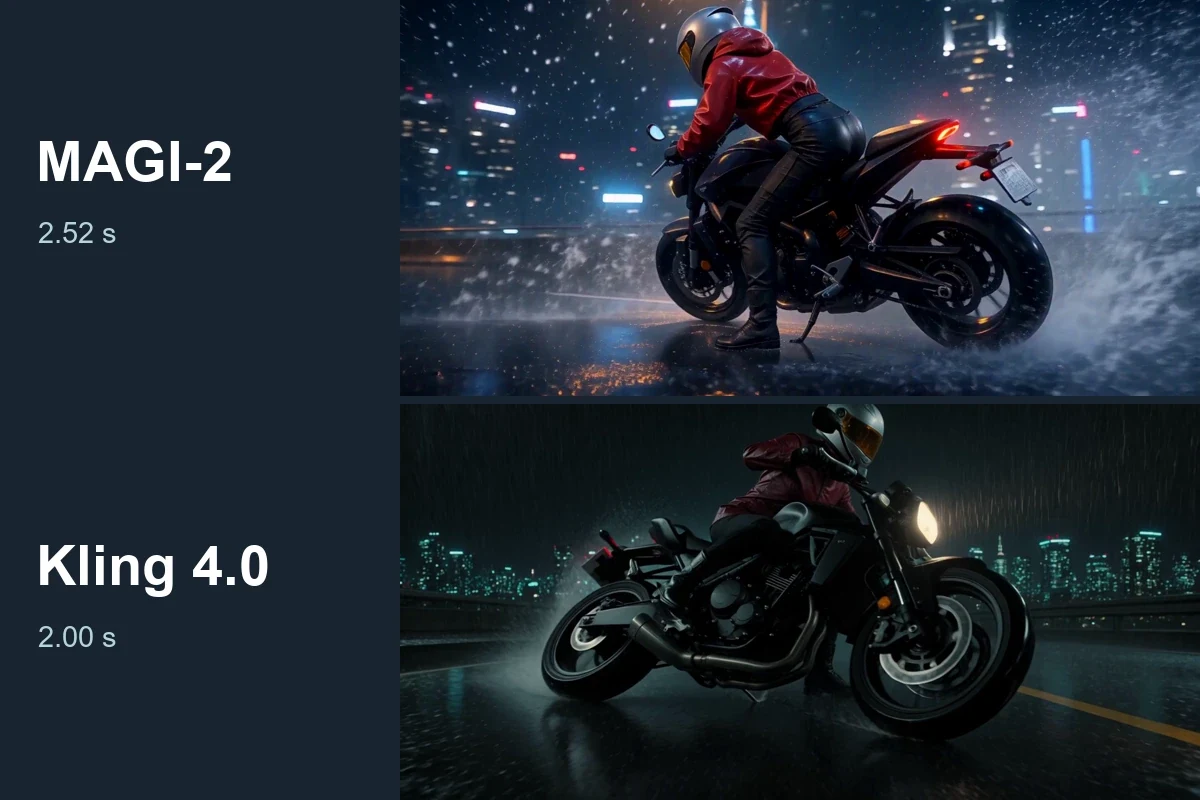
MAGI-2 Prompt Guide: Camera, Dialogue and Timeline Example
Learn to organize MAGI-2 prompts for camera moves, dialogue and timed cuts. Five original clips show where the instructions worked and what to revise.
 Olivia Carter
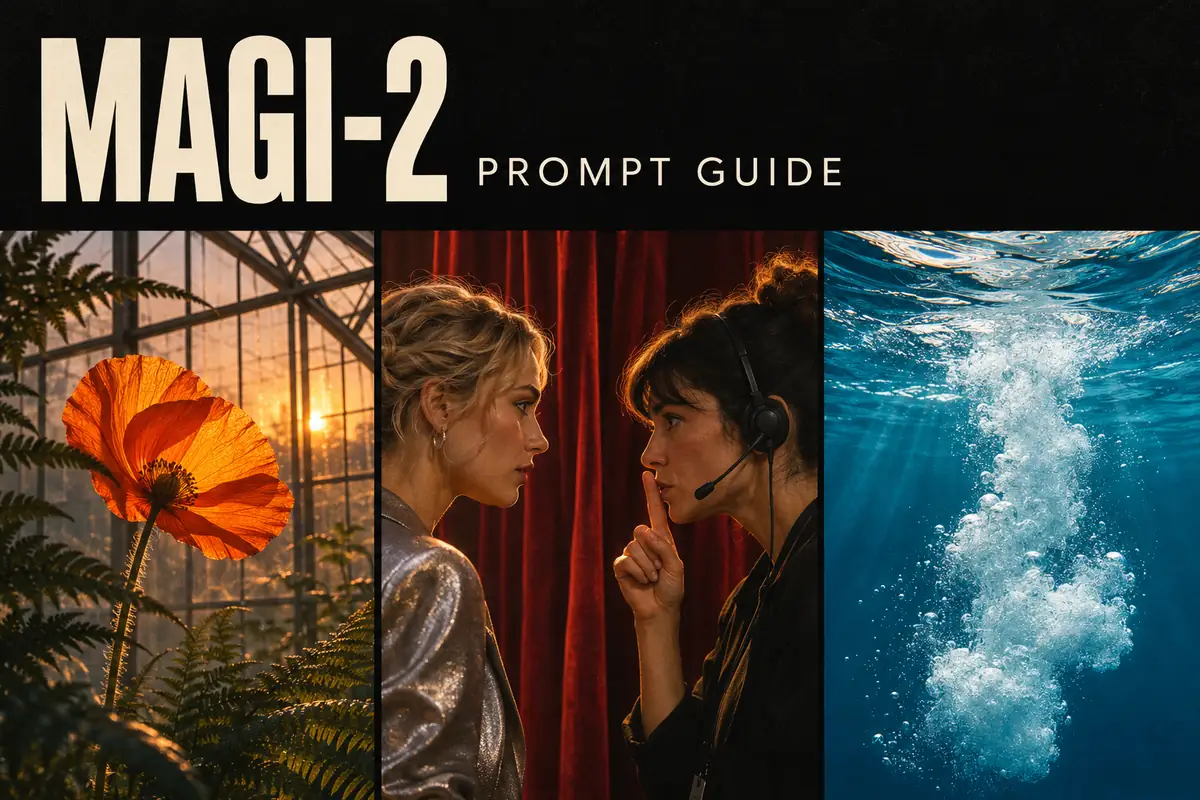
Write a MAGI-2 prompt as a short shot list. Set the scene once, then give each shot an opening image and one action. Describe a camera move by what changes in the frame, put the speaker beside the exact line and tell the next shot where the action picks up. Small wording choices matter. In our five-second eclipse test, asking for a strip of blue between two objects produced a blue glow along one of them.
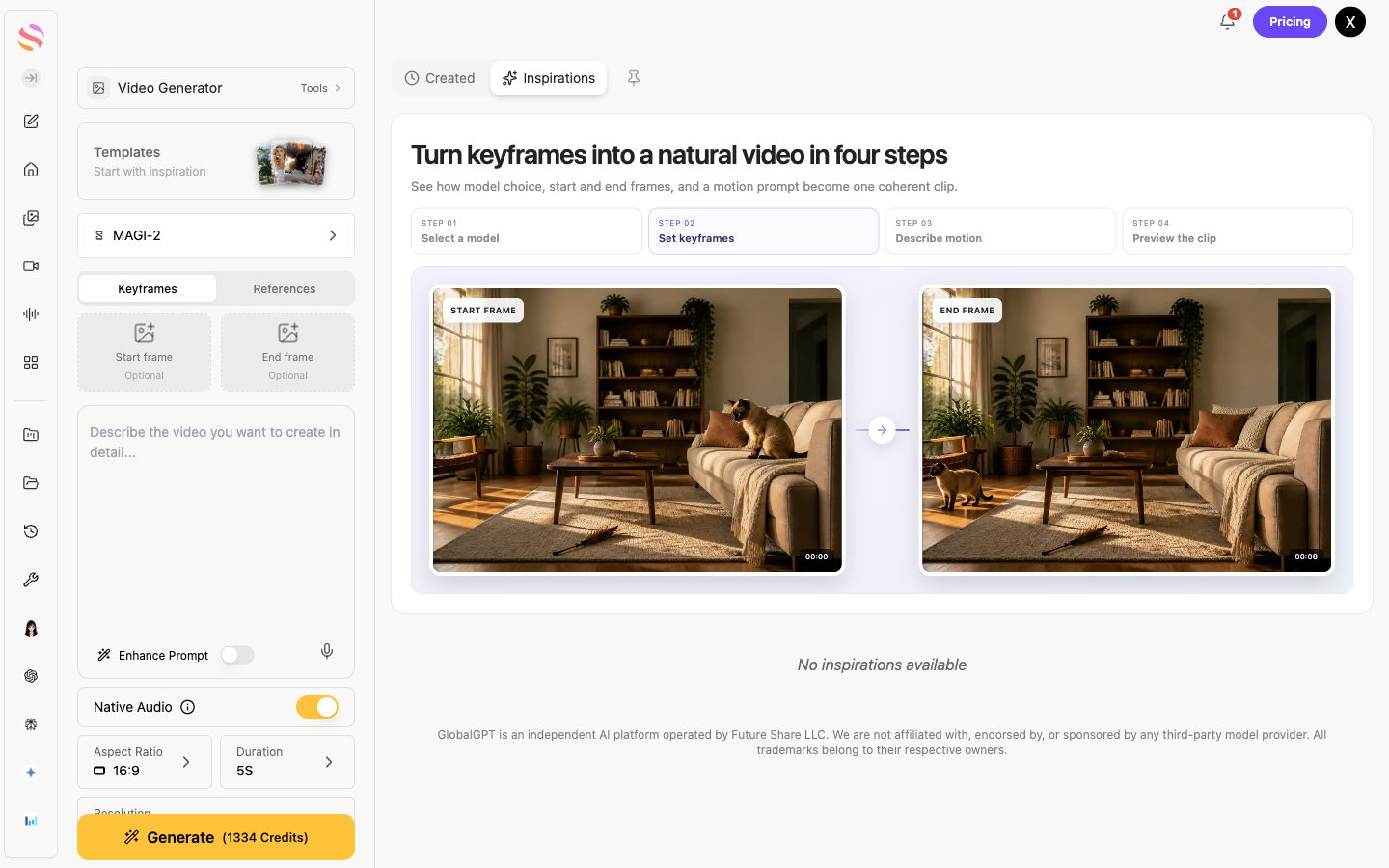
The MAGI-2 prompt formula
Set the scene once. Then give each shot a time range, an opening image and one action. Add a camera move or a line of dialogue where you need it. At each cut, describe the first image the viewer should see.
Prompt element | What to write | What happened in the clip |
|---|---|---|
Camera | Name the move and two landmarks. Track slowly to camera-right at bench height. | The near fern swept past the distant window frames. The changing gap made the sideways move visible. |
Dialogue | Give the speaker the line and the listener an action. Ada looks at Ben and asks, “Which key?” Ben stays silent. | Both key-counter takes kept the question with Ada and the reply with Ben. |
Timeline | Give the cut a time and a first image. First frame: the black whale is already printed and the stamp is out of frame. | The 4-second cut came at 3.88 seconds. The stamp still covered the print when the new shot opened. |
[Place and light]. [Who is present and where they stand].
[Start–end] Open on [framing and subject]. [Camera move or locked view]. [What happens on screen].
[Speaker] says, “[exact words].” [What the listener does].
[Next start–end] Hard cut to [new framing]. In the first frame, [state of the subject or object].Place an important sound beside the action that causes it. In the springboard prompt, “A single splash sounds at entry” gives you a contact point to listen for. An ambient sound, such as the hum of a pool’s ventilation, can run across several shots. VidMuse’s MAGI-2 prompt tips explain how to place sound effects alongside a shot’s action.
For a single continuous move, use one shot line. For a silent sequence, leave out the dialogue line. Add another time range when the viewer needs a new angle.
Test conditions. We generated each version once in GlobalGPT with MAGI-2, at 1080p and 16:9 with native audio on, prompt enhancement off and no references. The eclipse clips run 5 seconds, the Foley and printmaking clips run 6, and the five earlier examples run 10. Each new pair shares a setup and changes the camera, dialogue or timing instructions. We compared the original 25 fps frames, transcribed the dialogue and checked the soundtrack level against the visible actions. These comparisons describe these takes. There was no shared seed. To budget for two takes of the same scene, check MAGI-2 pricing by clip length.
Camera prompts: write the move from the first frame to the last
A five-second eclipse reveal on a clockwork model
Imagine filming a tiny eclipse for a planetarium exhibit. The black moon should hide the gold disk, then slide aside as the camera travels right. A blue star chart behind the model gives you a fixed landmark. Compare the last two sentences of A with the last four of B.
A. Name the move and its purpose
In a dark planetarium workshop a stationary brass orrery sits under a narrow warm light. A small black moon on a thin post completely eclipses a larger gold sun disk behind it. A fixed cobalt-blue star chart fills the far wall. Everything in the model stays still. One level, unbroken macro shot. No dialogue or music. Truck slowly to camera-right to reveal the gold disk. Hold the final view for the last second.The moon travels left across the disk and exposes more gold in one continuous take. Pause at the opening: a broad gold rim already surrounds the moon. At the end the two shapes still overlap, and the composition keeps sliding during the requested hold.
B. Describe the relative motion and the stopping frame
In a dark planetarium workshop a stationary brass orrery sits under a narrow warm light. A small black moon on a thin post completely eclipses a larger gold sun disk behind it. A fixed cobalt-blue star chart fills the far wall. Everything in the model stays still. One level, unbroken macro shot. No dialogue or music. Truck slowly to camera-right to reveal the gold disk. As the lens travels, the near black moon slips left across the gold disk while the distant blue chart shifts much less. Stop when a strip of blue separates the two circles. Hold that view for the last second.The near moon does travel left faster than the gold disk. The added color cue has a cost. Compare 4.00 and 4.96 seconds: the camera is still moving, and a vivid blue crescent appears over the left edge of the gold disk. There is no clean view of the chart between two distinct edges. The opening also shows gold.
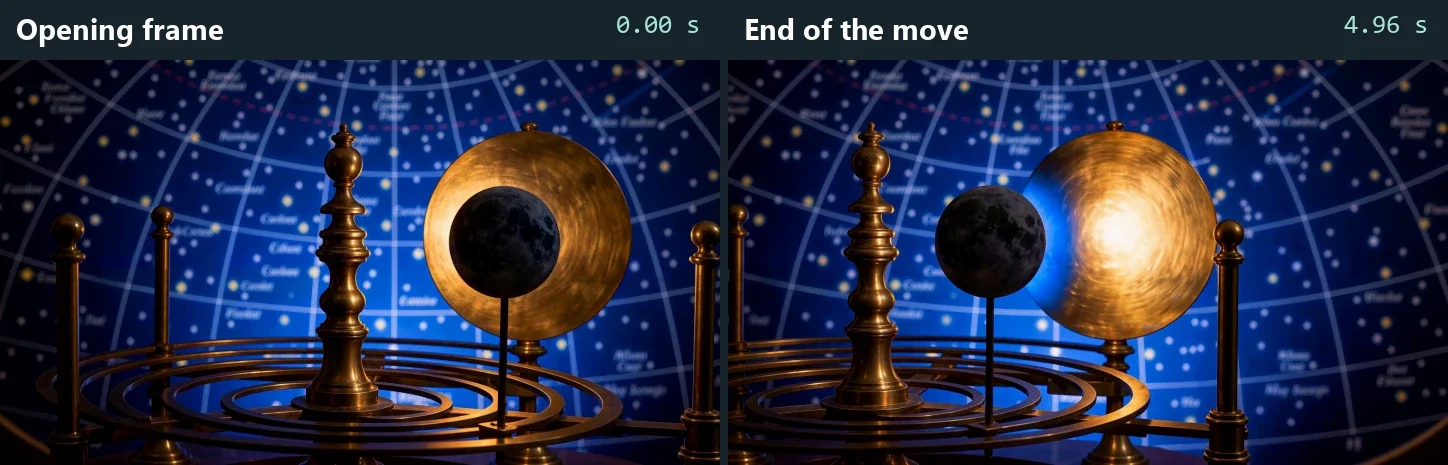
How to use this. A gave the cleaner partial reveal. Neither take delivered a total eclipse followed by a fully separated, steady end frame. Keep the directional verb for travel. If the physical gap matters, try naming a recognizable piece of background that must become visible there, such as one white star on the chart. That revision still needs a test.
Choose the camera movement for your shot first, then describe the opening view and where the move should end. In our tests, eye-level medium two-shot specified the opening composition at a key counter. Track slowly to camera-right at bench height specified the path through a greenhouse. Hold still for two seconds gave that move an endpoint we could check. A locked close-up needs framing and subject, but you can leave out the travel instructions entirely.
Example: move past a fern to reveal a flower
One unbroken 10-second live-action shot inside a glass greenhouse at sunset. Begin inches behind a dark fern, its leaves filling the left half of the frame. Track slowly to camera-right at bench height. As the nearest leaves slide left out of view, reveal a single translucent orange poppy glowing in the backlight. The distant white window mullions drift only slightly. End with the whole flower visible against the glass and hold still for two seconds. A light breeze stirs the petals. Quiet greenhouse ambience. No dialogue, music, zoom or cuts.Read the greenhouse prompt in three pieces. “Begin inches behind a dark fern” puts a foreground object close to the lens. “Track slowly to camera-right” moves the viewpoint. “The distant white window mullions drift only slightly” gives you a second object to watch. On playback the fern sweeps left faster than the window frames. By about three seconds the whole orange bloom is inside the frame. You can see the change of viewpoint even with the sound off.
Where the wording fell short. “Filling the left half of the frame” tells the model where to put the fern. It leaves the right half open, and a sliver of orange is visible there on frame one. The final hold also drifts slightly. When revising a reveal, change the clause about the first frame if the surprise is spoiled. Change the stopping instruction if the final composition keeps sliding. Those are two distinct failures you can check separately.
Example: frame both people before the camera starts moving
The key-counter prompt below asks for a sideways slide and says “Let both faces stay visible.” In the early-cut take, Ben begins partly outside the right edge and comes fully into view during the slide. A two-shot can eventually contain both people and still miss your intended opening. Pause on frame one before you decide whether a take satisfies a two-shot brief.
Dialogue prompts: assign a voice, a listener and a turn
Two actors and a handmade thunder cue
A six-second radio-booth scene needs three beats: Mara asks about the thunder, Sol reveals the trick, then he demonstrates it. A assigns the two lines. B adds a listening action and a pause. Both ask for the same bend of the metal sheet after the reply.
A. Give each speaker the exact line
A late-night radio drama is being recorded. One locked, waist-up two-shot. On the left Mara wears headphones. On the right Sol holds a thin sheet of metal below chin height. Both faces and the sheet are visible. Red tally light, quiet booth, no music, captions or other voices. Mara asks, “Real thunder?” Sol replies, “Tin sheet.” After the reply Sol flexes the sheet once. A short thunder roll sounds as it bends.Both lines were recovered in order. Mara turns toward Sol on the question, and Sol visibly delivers the reply. At 4.64 seconds the sheet is nearly edge-on. At 4.80 seconds its broad face is visible and flexing as the soundtrack rises sharply. The prop makes the punchline readable even with the sound muted.
B. Direct the listener between the lines
A late-night radio drama is being recorded. One locked, waist-up two-shot. On the left Mara wears headphones. On the right Sol holds a thin sheet of metal below chin height. Both faces and the sheet are visible. Red tally light, quiet booth, no music, captions or other voices. Mara asks, “Real thunder?” Sol listens with his lips closed and the sheet still. A brief silence. Sol replies, “Tin sheet.” Mara listens with her lips closed. After the reply Sol flexes the sheet once. A short thunder roll sounds as it bends.The same words and speaker order survived. Sol waits with the sheet still, then visibly answers. During his reply Mara’s lips remain slightly parted in several frames despite the closed-mouth instruction. Later Sol purses his lips while the sheet stays nearly edge-on. The soundtrack grows louder near the end, but the physical source is much harder to see.
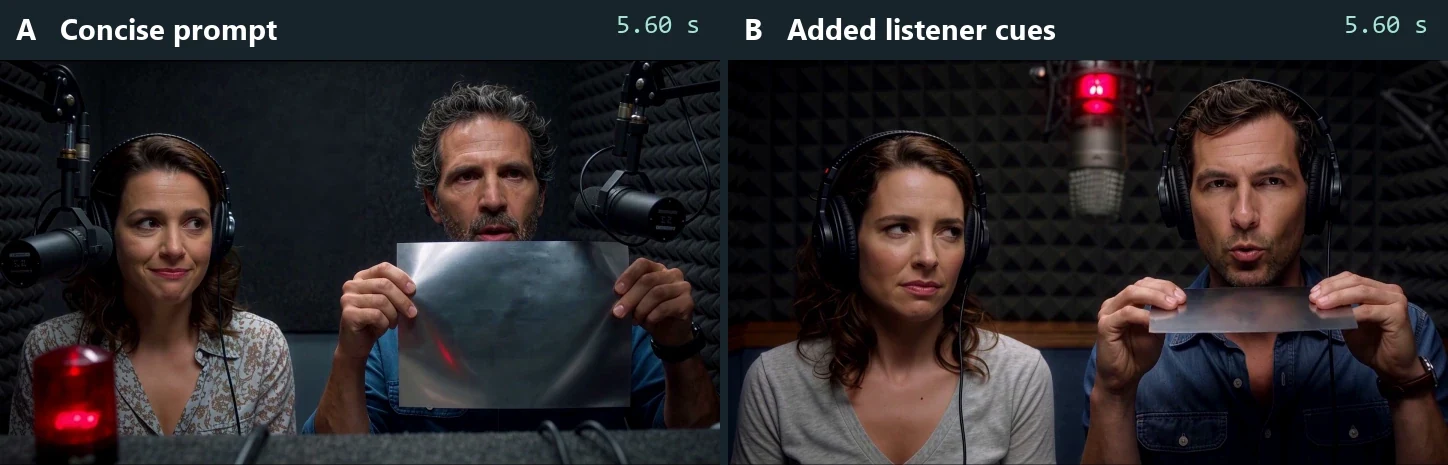
How to use this. For the spoken words the two takes tied. For the complete gag, A worked better. Start with named speakers and quoted lines. Add a listening cue when that reaction carries meaning. If the punchline depends on a prop, give its movement a separate sentence and check it with the sound muted.
Write one turn per sentence. The backstage prompt uses on the left, black headset, whispers, first raises one finger and then replies quietly. The first two identify the people. The verbs assign the delivery, and “first” and “then” establish an order you can check. Put spoken words in quotes and stage directions outside them.
Example: a quiet exchange with both speakers in one shot
Ten seconds backstage at a small theater, filmed in one steady medium two-shot. Keep both faces in the frame. A singer in a silver jacket stands under a warm work light on the left. On the right, a stage manager wearing a black headset watches a narrow gap in the red velvet curtain. The singer whispers, “Can they hear us?” The stage manager first raises one finger for silence, then replies quietly, “Only if you sing.” The singer relaxes into a smile. Keep the room quiet enough to hear every word. The curtain stays closed. No other voices, subtitles or music.The singer in silver asks “Can they hear us?” The headset wearer brings a finger to her lips around 3.6 seconds and delivers “Only if you sing.” By about 7.6 seconds the singer is smiling. The soundtrack transcript recovered both lines in that order, and the visible mouth movements correspond to the intended speakers. The pause has a job: the audience sees the request for silence before hearing the answer.
Where the wording fell short. “Keep both faces in the frame” shares the opening with an instruction to watch a gap in the curtain. Both performers look into that gap and the manager initially turns away. The framing includes both people, yet the viewer cannot read both expressions. If the opening exchange matters, specify the orientation of their faces as well as their screen positions. To evaluate a revision, check the first frame, the question, and the first word of the reply.
Example: give the reply its own close-up
At the key counter, we used a different arrangement. Ada asks “Which key?” in the two-shot. The next shot puts Ben alone in a frontal close-up for “The blue one.” The instructions explicitly keep the other character silent on each turn. Both original soundtracks recovered the same words. Pick a two-shot when the listener’s reaction carries information. Choose the close-up when seeing the person deliver the reply matters more.
Timeline prompts: write the cut and the state of the action
Printing a whale in three shots
A six-second printmaking sequence has a simple continuity test. The paper starts blank, the stamp makes contact once, and the finished whale survives the change of angle. The brief calls for hard cuts at 2 and 4 seconds.
A. Put the action beside the cut time
A printmaker in a cobalt apron makes one small relief print on an ochre workbench. Use a red-handled rubber stamp carved with a single whale silhouette, black ink and one square of ivory paper. Three shots at normal speed. Just workshop room tone, no dialogue or music. 0–2s: overhead close-up of the inked stamp hovering above the blank paper. At 2s hard cut to a bench-level side view of the stamp pressing down once and lifting. At 4s hard cut to a tight overhead shot of the finished black whale on the paper.The side view arrives at 1.96 seconds, one frame early. The stamp already appears down on the paper. By 3.60 seconds the hand has lifted it and the whale is visible. The overhead reveal starts at 4.12 seconds, three frames late. A corner of the stamp is still visible in that first overhead frame. The print remains on the paper and the action does not replay.
B. Specify the first frame after each cut
A printmaker in a cobalt apron makes one small relief print on an ochre workbench. Use a red-handled rubber stamp carved with a single whale silhouette, black ink and one square of ivory paper. Three shots at normal speed. Just workshop room tone, no dialogue or music. 0–2s: overhead close-up of the inked stamp hovering above the blank paper. At 2s hard cut to the bench-level side view. First frame: a gap still separates stamp and paper. Press once and lift until the stamp clears the paper. At 4s hard cut to the tight overhead shot. First frame: the black whale is already printed and the stamp is out of frame. Hold on that single print.The side view begins at 1.92 seconds, two frames early. The requested gap between stamp and paper is missing. By 3.60 seconds the stamp is raised and the whole print is visible. The overhead view starts at 3.88 seconds, three frames early. The stamp reappears over the whale and moves away again. By 4.76 seconds the print is clear of the stamp.
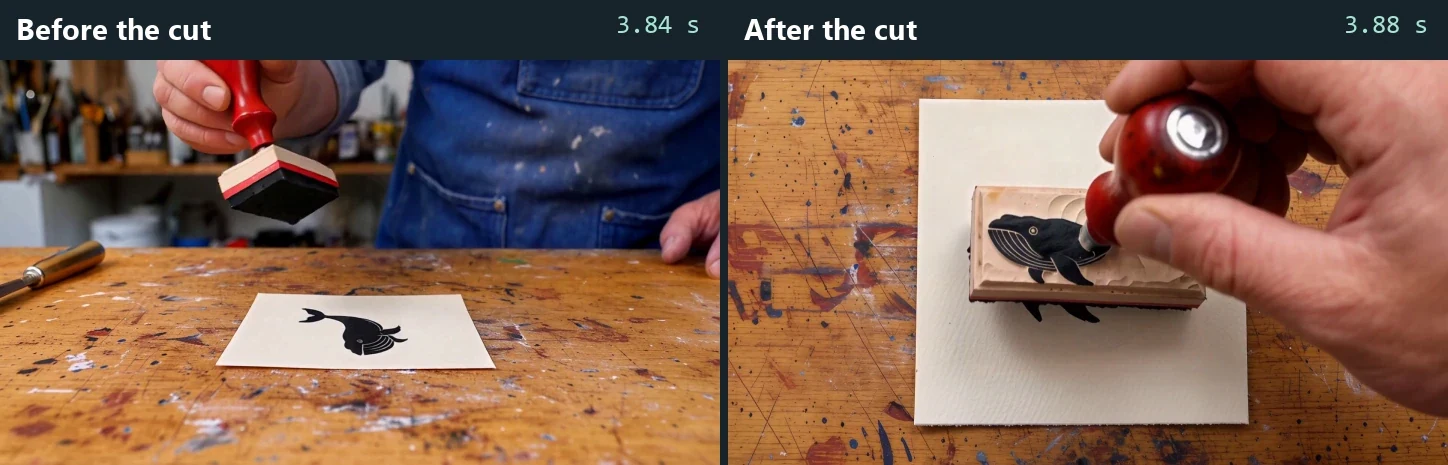
How to use this. Both versions missed the 4-second target by three frames. A was late and B was early. A gave the cleaner reveal because the whale stayed visible across the cut. In B, even the explicit first-frame instruction failed that check. When editing your own sequence, compare the last frame before the cut with the first one after it. Look for an action that has already finished and starts again.
Use seconds measured from the start of the clip. In these tests, hard cut marked an abrupt change, locked overhead close-up made the new view identifiable, and hold asked the camera to stay with the result. Choose the frame you mean to time. The first frame of a tray shot, the first appearance of the key and the instant it touches metal can all occur at different times.
Example: change only the timestamps at the key counter
Create a 10-second live-action scene at a brightly lit key-cutting counter. Use a mint tile wall and a clean pale counter. Ada wears a plum jacket and stands on frame left. Ben wears a mustard apron and stands on frame right. Keep their wardrobe and positions consistent. The blue key has a large cobalt plastic head.

Shot 1 [00:00–00:02] — Eye-level medium two-shot. The camera slides sideways to camera-right, with a red key tag close to the lens in the lower-left corner and the mint tile wall farther away. Let both faces stay visible. Ada looks at Ben and asks, "Which key?" Ben stays silent.
Shot 2 [00:02–00:05] — Hard cut to a locked frontal close-up of Ben, with his mustard apron visible below his face. Ben says, "The blue one." Ada stays silent.
Shot 3 [00:05–00:10] — Hard cut to a locked, directly overhead close-up of a pale metal tray. Ben sets the cobalt-blue key down once in the center. Let its single click occur at contact. Hold the overhead view. No one speaks.

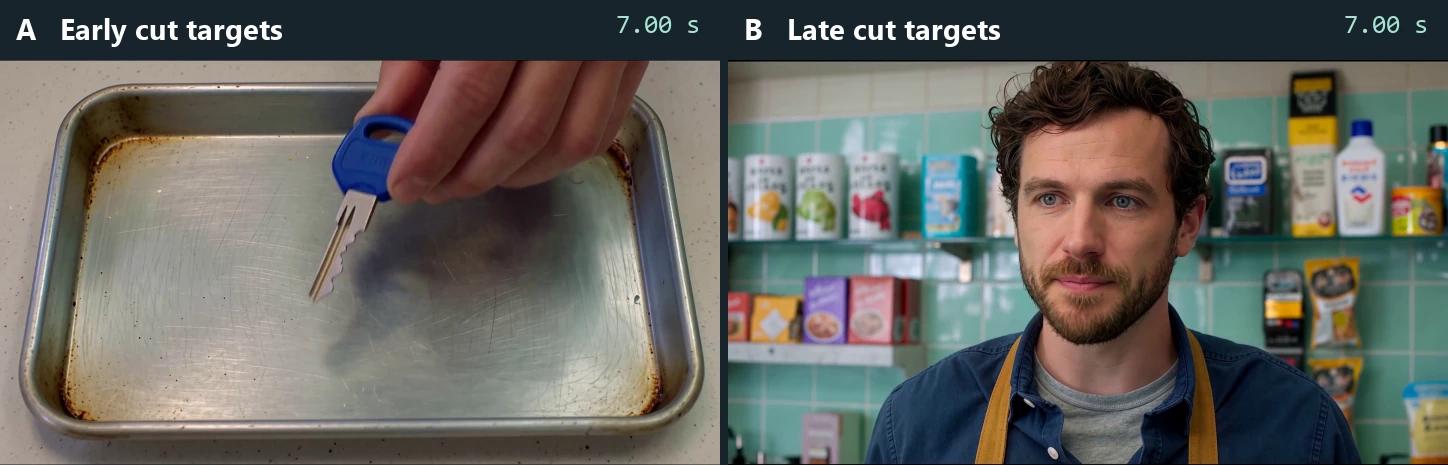
Keep the shop quiet. Use two distinct voices, natural English dialogue, and one clear metal click. No music, voice-over, subtitles, zoom, or dissolves.That is the full early-cut prompt. For the late version we replaced the three ranges with [00:00–00:04], [00:04–00:08] and [00:08–00:10]. Every other word stayed the same.
Version | Cut to Ben, target → actual | Cut to tray, target → actual |
|---|---|---|
Early cuts | 2.00 → 4.40 s (2.40 s late) | 5.00 → 6.52 s (1.52 s late) |
Late cuts | 4.00 → 5.52 s (1.52 s late) | 8.00 → 8.20 s (0.20 s late) |
Moving the targets later by 2 and 3 seconds moved the actual cuts by 1.12 and 1.68 seconds. Scrub both clips to 7 seconds: the early version is already on the hand and tray, while the late version is still on Ben. All four cuts came later than requested. Each schedule was generated once, with no shared seed control, so the measured differences apply to these takes.
Negative example: a detailed timeline repeats the dive
A ten-second live-action sports film in a bright indoor pool, with three distinct shots. [00:00–00:03] Locked low close-up of a diver’s bare feet on the edge of a blue springboard. The board flexes once. [00:03–00:07] Hard cut to a wide side view showing the whole board and the water. The diver springs forward, straightens and enters the pool hands first. A single splash sounds at entry. [00:07–00:10] Hard cut underwater. A column of silver bubbles streams downward past the lens and begins to thin. Switch to muffled underwater sound. No speech, music, slow motion or dissolves.The first cut landed at 3.04 seconds, one frame late. The second landed at 6.80 seconds, five frames early. In the wide shot the diver enters hands first around 5.1 seconds and disappears under the surface. The underwater angle then starts on empty water and shows the diver entering again. The wording “Hard cut underwater” defines a viewpoint, and “a column of silver bubbles” defines a subject. Neither sentence tells us whether the diver has already passed the lens.
What to revise. Keep the 3- and 7-second targets while working on continuity. Specify the completed entry at the end of the wide shot and what remains visible underwater on the very next frame. Then inspect those two frames together. A change that improves cut timing can still leave a repeated action, so judge timing and continuity independently.
MAGI-2 prompt FAQ
How do I describe a sideways camera move?
Give the camera a direction and place one object close to the lens and another farther away. In the greenhouse prompt, the camera tracked right at bench height. The nearby fern swept left across the distant window frames. To get a reveal, also say how much of the subject is hidden at the start. Our prompt left the poppy partly visible.
How do I make it clear who says each line?
Put the character’s name immediately before the quoted words. In the key-counter scene, Ada asks “Which key?” while Ben stays silent. A cut to Ben’s face gives him the reply, “The blue one.” Both takes preserved that exchange. When the listener’s expression matters, keep both faces visible through the reply.
Will MAGI-2 cut at the exact second in my prompt?
Treat the timestamp as a target. At the key counter, a tray cut requested at 5 seconds arrived at 6.52 seconds. Moving the target to 8 seconds moved the cut to 8.20 seconds. If a cut must land on a particular beat, check the generated clip against that beat and adjust the edit if needed.
When is it worth adding more detail?
Add detail when it settles something the viewer needs to see or hear. Both Foley prompts delivered “Real thunder?” and “Tin sheet.” The shorter version also showed the metal bending clearly. The longer one added instructions about the listener, while the sheet stayed nearly edge-on. For that scene, the sheet’s angle deserved more attention than the listener’s mouth.
If you’re choosing a model for the same shot list, see MAGI-2 vs. Kling 4.0 or MAGI-2 vs. Seedance 2.5. Keep the framing, dialogue and cut targets fixed when you compare your own takes.
Conclusion
A MAGI-2 shot list can be short. Set the scene once. Give a camera move a visible destination, give each line to a named speaker, and describe what the viewer should see immediately after a cut. On playback, find the first place the result departs from the shot you wrote. If the line lands but the prop is hard to see, keep the dialogue and revise the framing. That gives the next take one clear job.