Kling Image 4.0: Features, Pricing, and Examples
Explore native 8K, typography, Series Mode, Long Image, pricing, and practical examples from five Kling Image 4.0 tests.
 Chloe Murphy
What Is Kling Image 4.0?
Kling Image 4.0 is Kling AI’s model for generating still images from text and visual references. It can create product photos, posters with text, coordinated storyboards, and long-form page mockups. Its headline features are native 8K output, typography controls, and Series Mode.
| Feature | Kling’s published specification |
|---|---|
| Image resolution | Native 2K, 4K, and 8K |
| Prompt input | Up to 15,000 tokens |
| Typography | Up to 2,000 characters per image, 70+ preset fonts, seven supported text languages |
| Visual references | Up to 10 reference images per input |
| Series Mode | Up to 10 related images from one prompt |
| Long Image | E-commerce detail graphics and webpage mockups, with layer editing |
Kling Image 4.0 official specs · Release notes
If you are choosing a generator for several kinds of work, see our AI image generator comparison.
Kling Image 4.0 Features
Native 8K for crops and large layouts
Kling lists native generation at 2K, 4K, and 8K. For a product hero or an image you plan to crop tightly, a higher tier gives you more pixels to work with. Pick the aspect ratio first so the composition fits its final placement.
Typography and color control
Kling supports English, Japanese, Korean, Spanish, Portuguese, Simplified Chinese, and Traditional Chinese text. You can select a preset font or provide a visual font reference. For a campaign palette, use a HEX or RGB value, a reference image, or a preset from the Tone Library.
Series Mode and multiple references
Series Mode generates related images together. Use it for a shot list, a product campaign, or a storyboard. Specify what carries across the set, then describe each view. Reference images can guide the subject, composition, and styling.
Long Image for page concepts
Give Kling a section order and product brief to create a tall design with a hero, supporting visuals, and text. Kling describes layer editing for refining individual parts of the long image.
For another example of how to check layouts with exact wording, see our poster typography tests.
Kling Image 4.0 Pricing & Access
Kling Image 4.0 costs $0.063 per 2K output on WaveSpeed, $0.094 at 4K, and $0.157 at 8K. Those are WaveSpeed's published pay-per-output rates as of November 23, 2026. Kling's web workspace uses its own credit system. To start in Kling, open Creative Studio, select Image Generation, choose Kling Image 4.0, then set the mode, aspect ratio, and resolution.
| Output | 2K | 4K | 8K |
|---|---|---|---|
| One image | $0.063 | $0.094 | $0.157 |
| Four-image set | $0.252 | $0.376 | $0.628 |
| Ten-image set | $0.630 | $0.940 | $1.570 |
Set prices above use zero references. WaveSpeed adds $0.003 per reference image per request, so a four-image 4K set with two references is $0.382. Single-image rates · Image Set rates
| Page type | 1K width | 2K width |
|---|---|---|
| Short product page | $0.235 | $0.282 |
| Medium product page | $0.470 | $0.549 |
| Long product page | $0.784 | $0.862 |
| Website mockup | $0.549 | $0.596 |
Add $0.003 per supplied image. A short 1K product page with one product photo is $0.238. Ecommerce requests require one to three product photos. Long Image pricing and inputs
Budgeting a motion project too? Use our Kling 4.0 video pricing guide for video-specific rates and billing examples.
Kling Image 4.0 in Practice
We generated seven images across five briefs. Here is what those specific outputs show about the model’s text, design, and detail.
English Typography
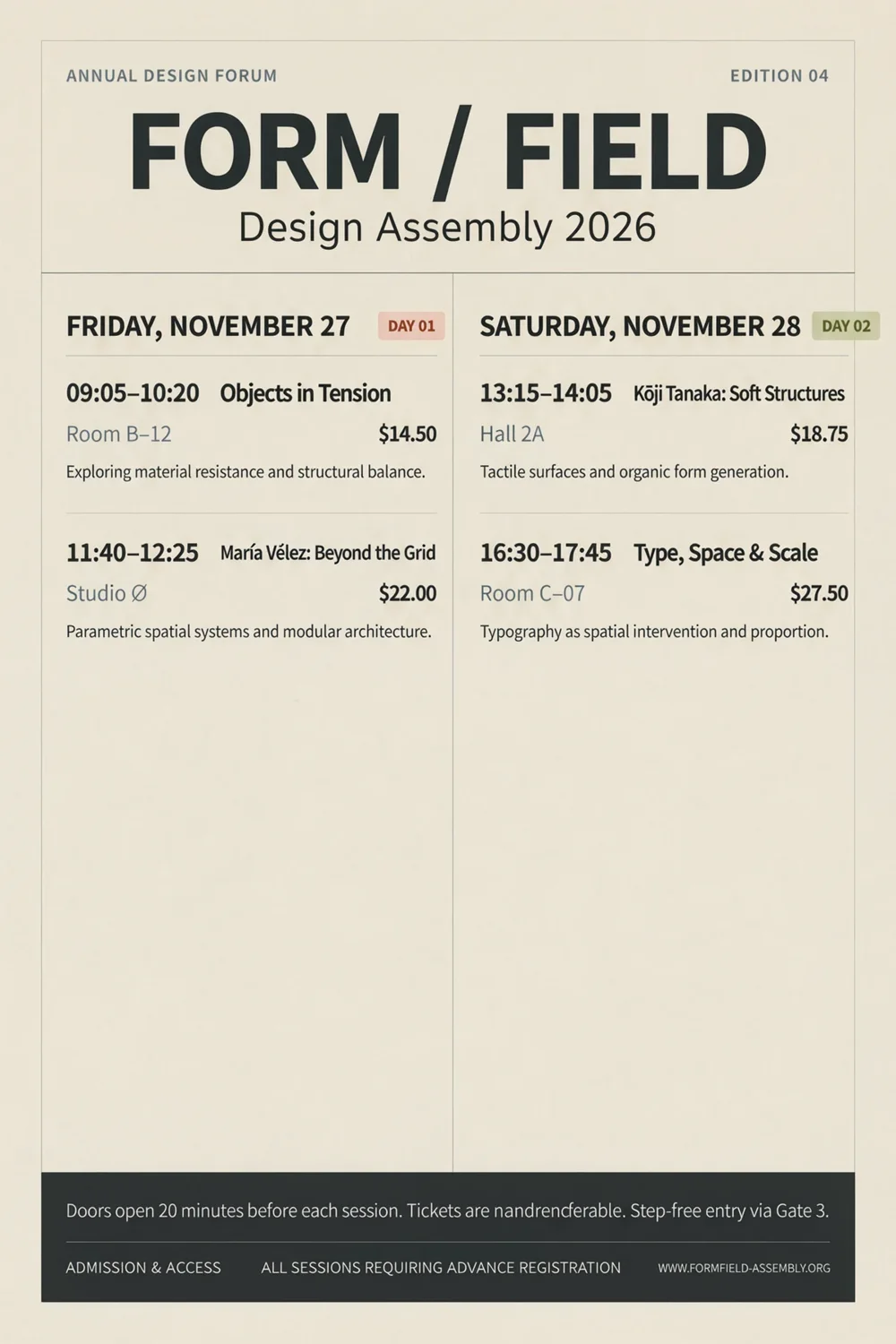
We gave Kling four events split across two dates, with accented names, room codes, times, prices, and a small-print admissions policy. It returned a clear two-column design. The visible times, room codes, and prices stayed with the intended sessions.
What needed fixing. The footer misspelled “non-transferable.” Kling also added one-line event descriptions, an advance-registration requirement, and a URL outside the supplied copy. Those additions would require removal before publication.
Product Consistency
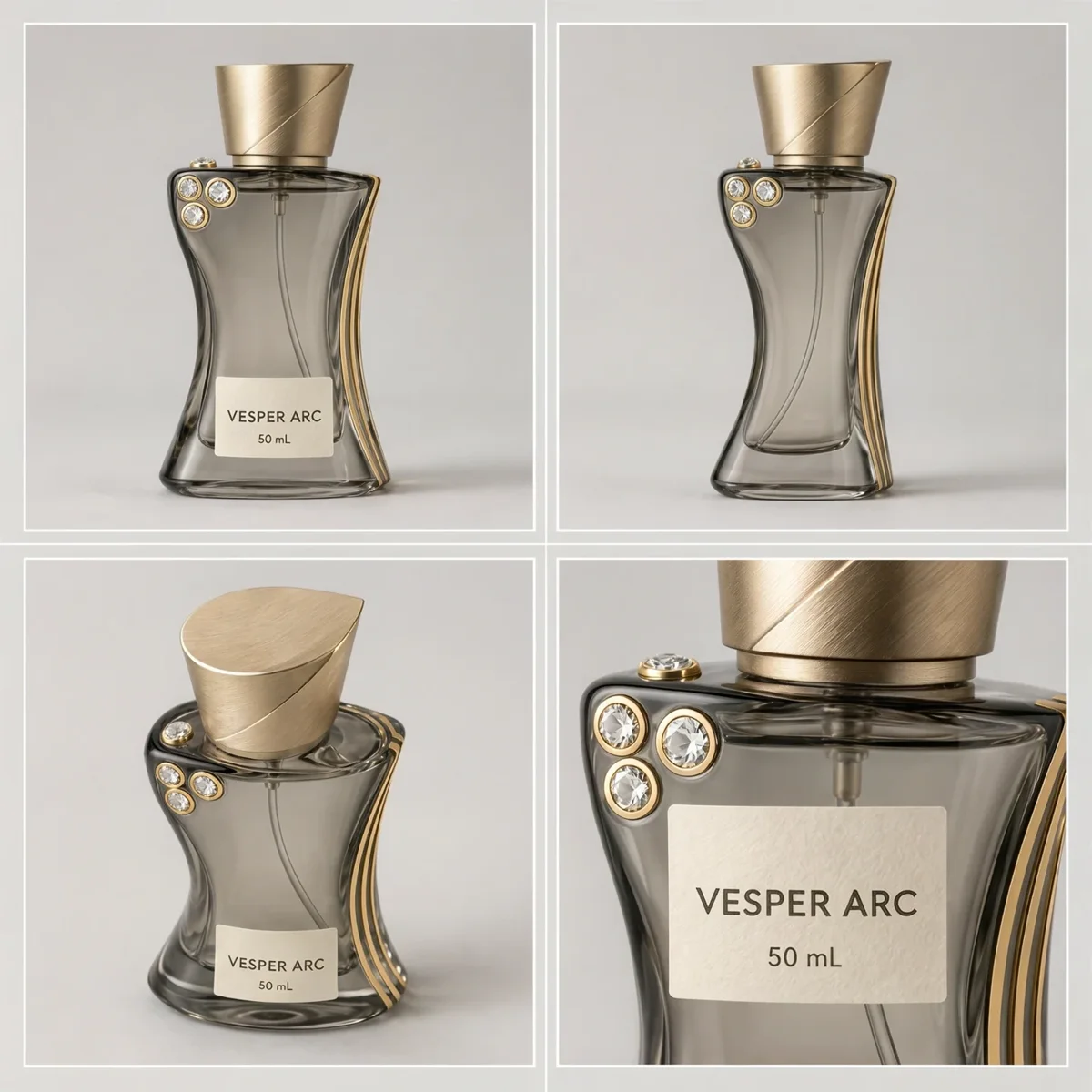
We asked for a straight-on view, left profile, overhead three-quarter angle, and cap macro of one bottle, with three inset stones and two spiral gold stripes. This is one generated contact sheet.
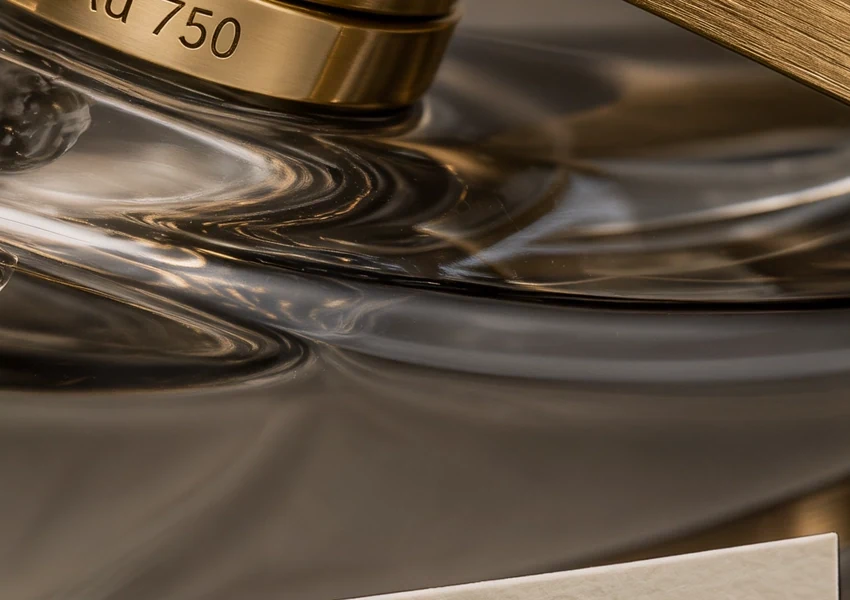
2K and 4K Detail
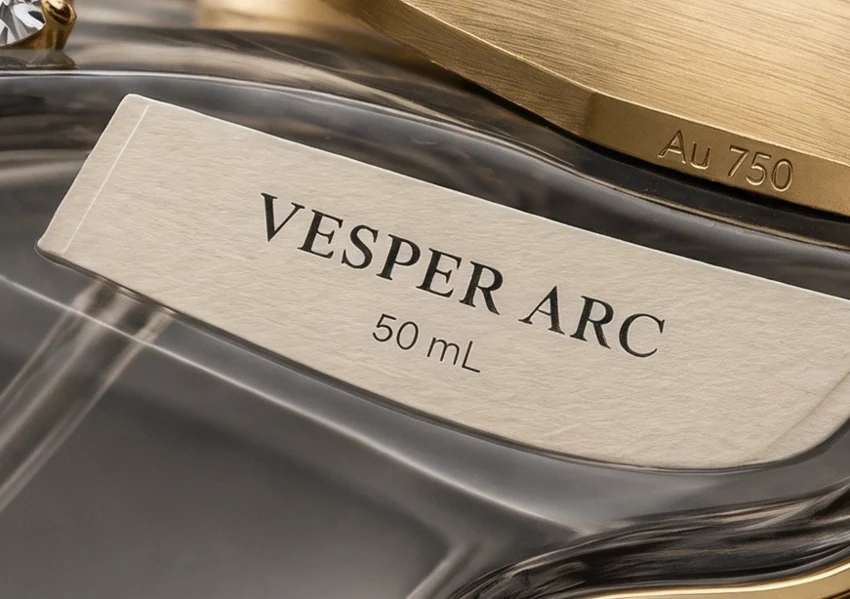
We used an identical prompt and aspect ratio for a 2K and 4K macro pair. Each image is a separate generation.
Perfume Bottle Design
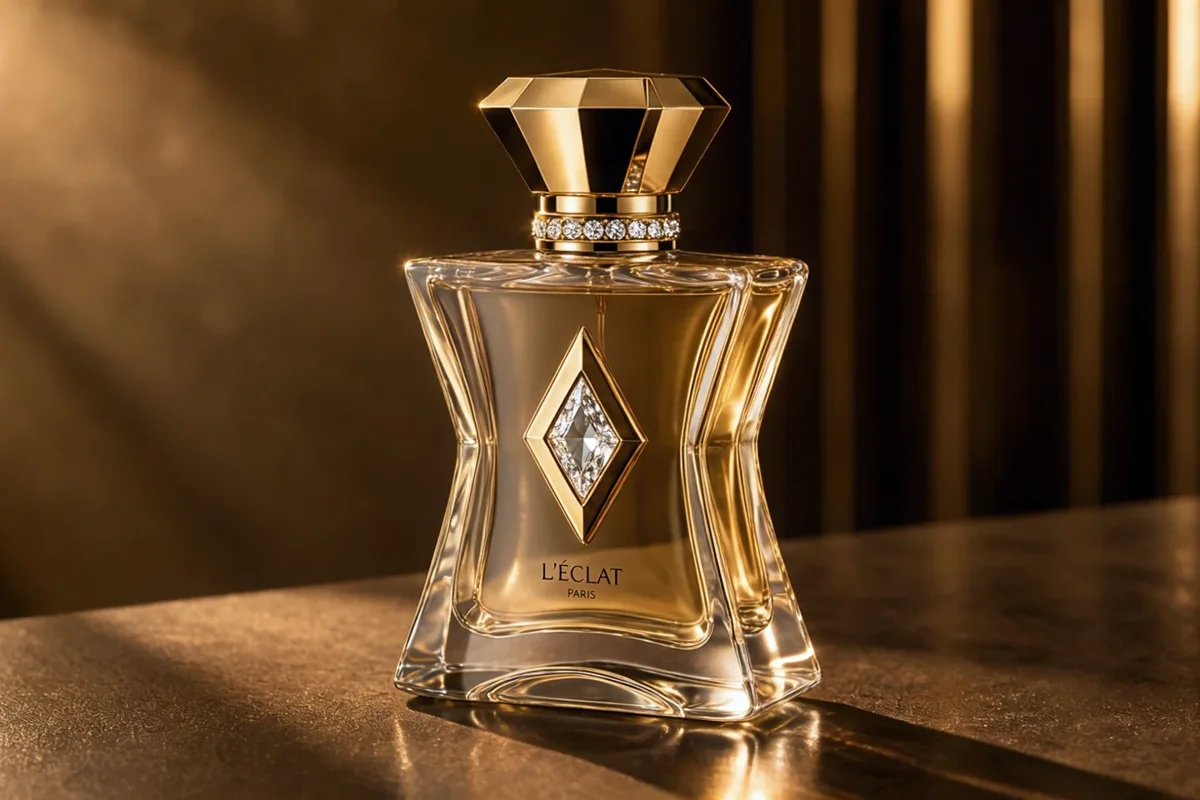
We ran two short briefs without reference images and kept the first output from each. The first asked for a luxury bottle recognizable across a room. The second added an unusual silhouette, diamond accents, and gold detailing.
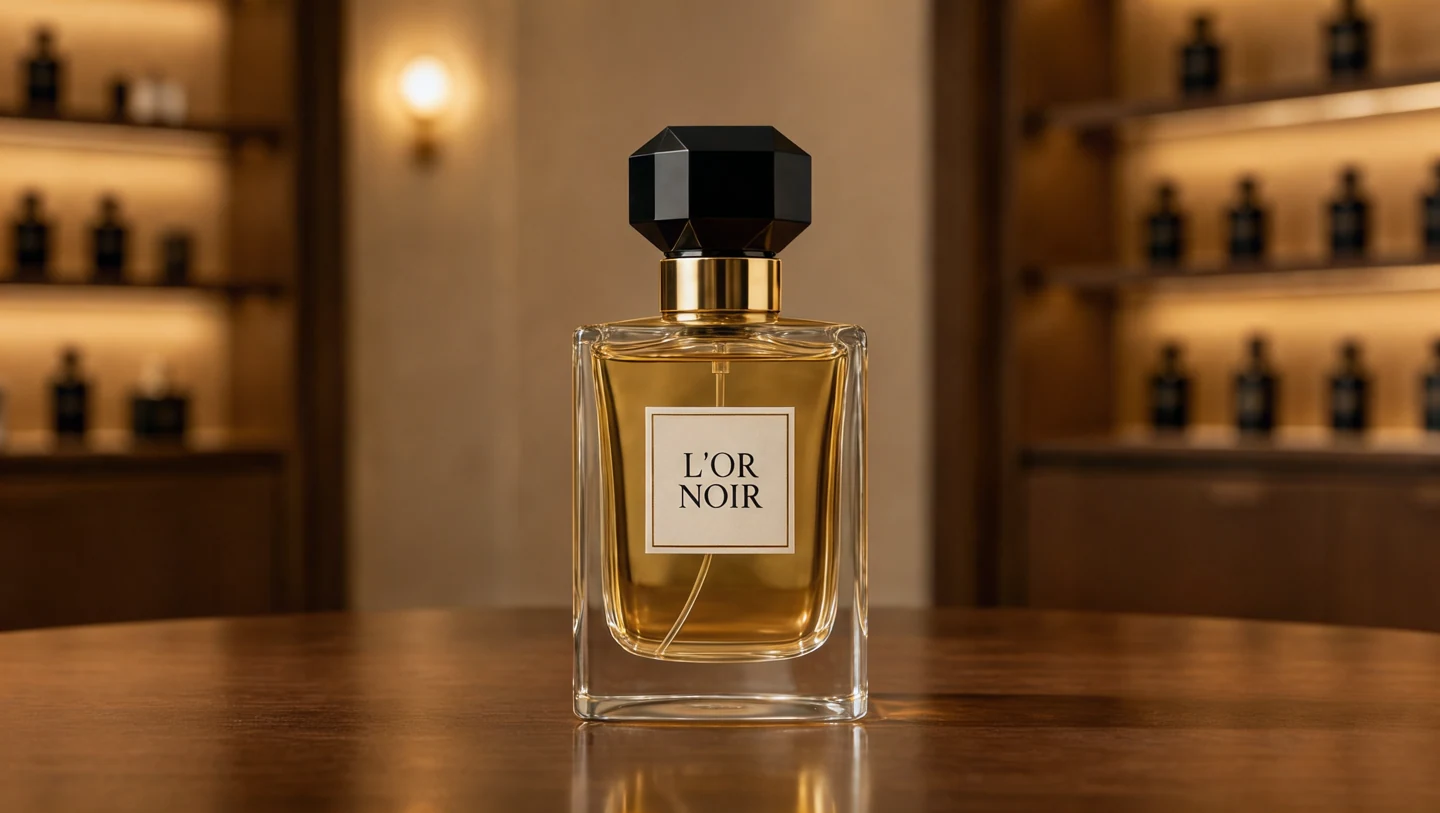
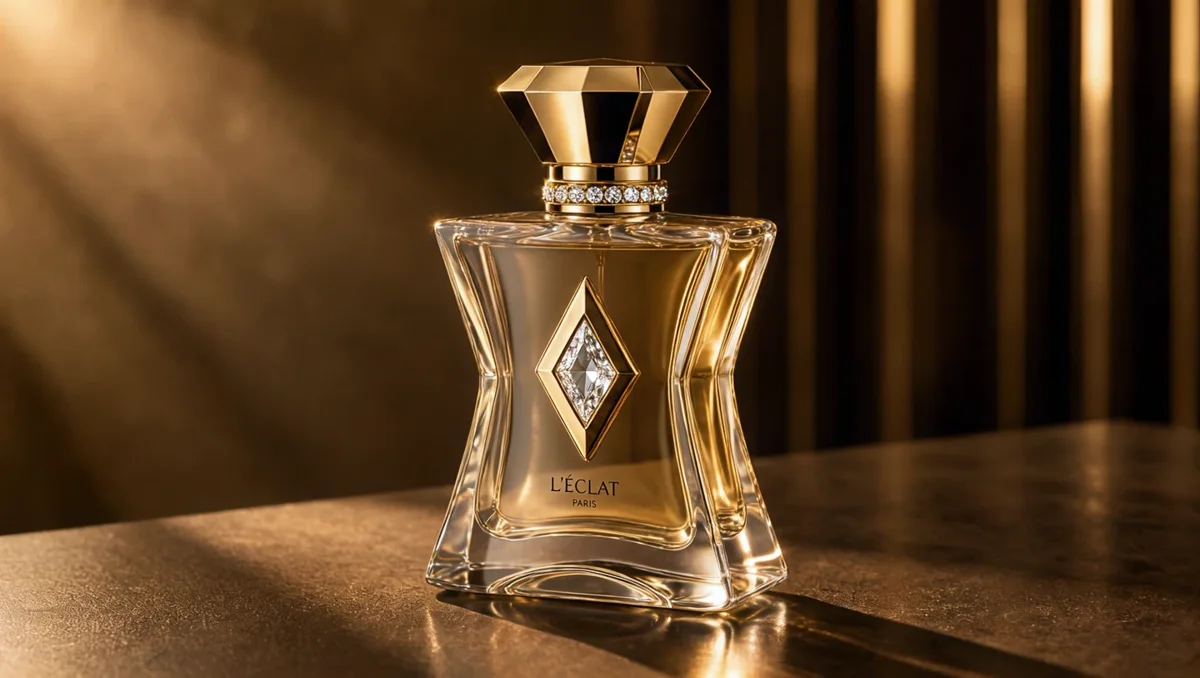
The open brief produced a polished campaign shot with a familiar bottle shape. The second gave the object a stronger silhouette. The waist, gold facets, and central diamond-shaped setting work together, although the faceted cap and jeweled collar make the design busier. These two first outputs show what Kling did with each prompt in this run.
Product Page Mockup
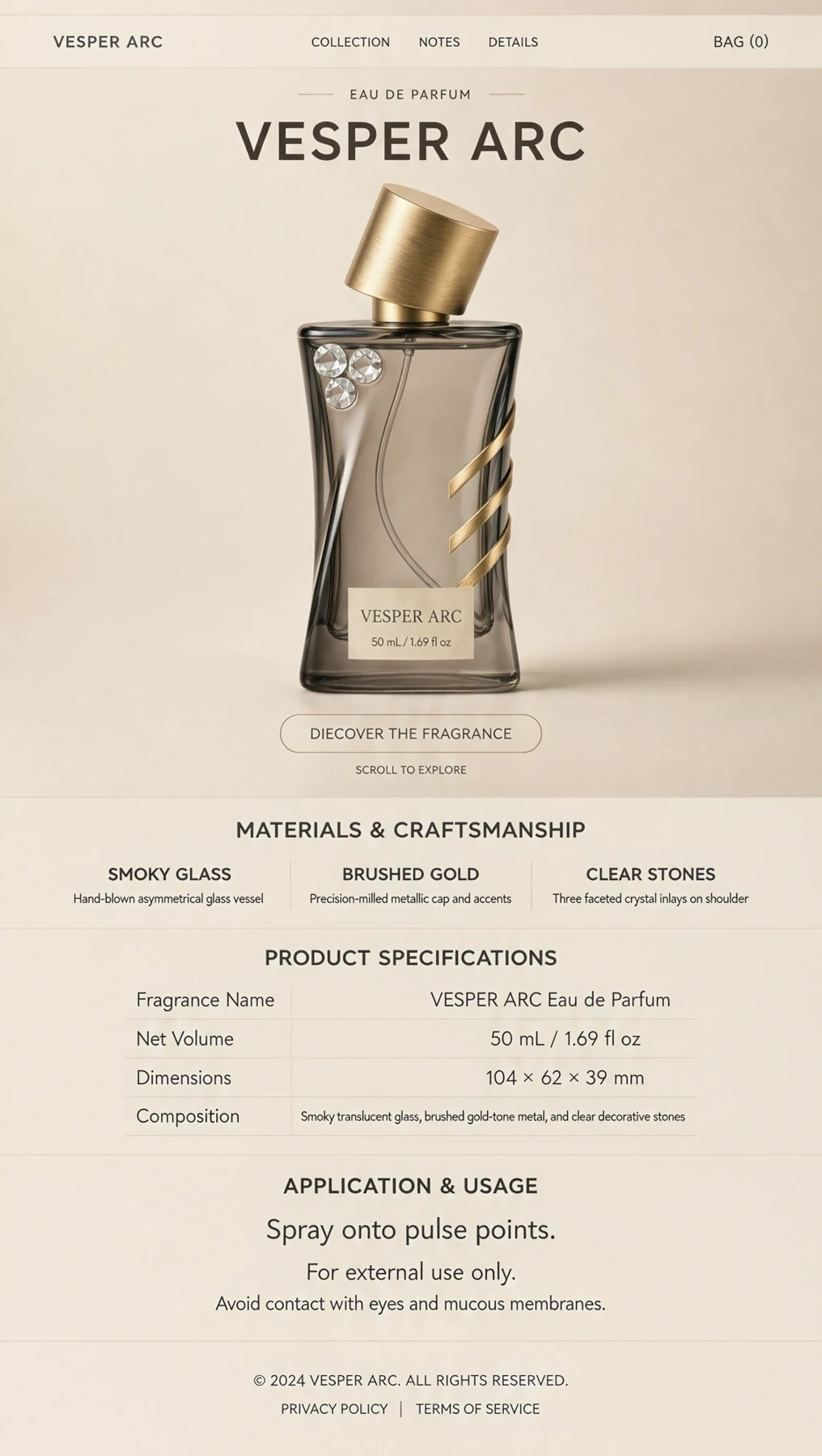
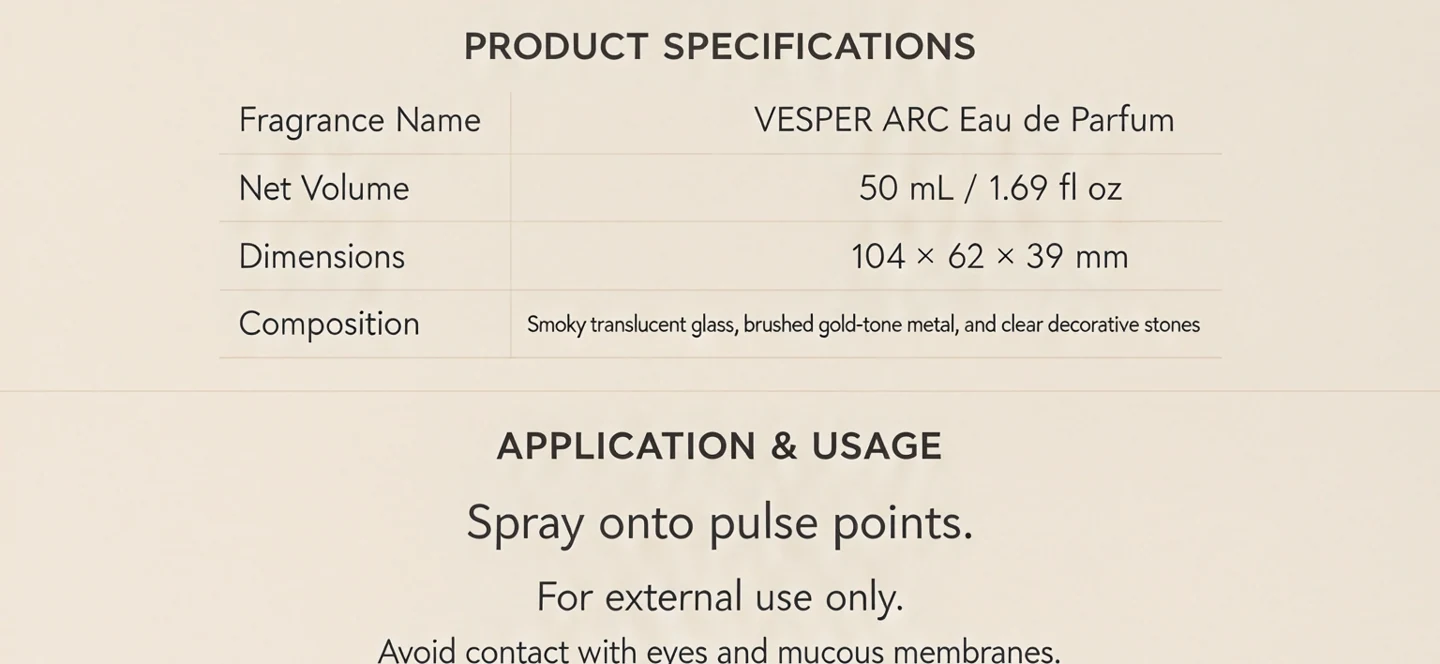
We asked for a vertical English product visual with a hero, materials, specs, and usage. This run used a standard portrait canvas.
When a generated image is close, the AI image editing guide has prompts for changing one detail while preserving the rest.
How to Use Kling Image 4.0
Write the briefIn Creative Studio, open Image Generation and select Kling Image 4.0. Describe the subject, framing, and lighting. Quote any text you need exactly and specify its placement.
Add referencesUpload references when you need to carry over a product or a visual style. Give each reference a job: front view for shape, side view for depth, close-up for details and lettering.
Set the outputChoose an aspect ratio that fits the placement. Start at 2K to review the layout, then choose more pixels when the final crop or print size needs them. Generate and compare the output with the brief before downloading.
Source: Kling AI’s official workflow illustrations
| Deliverable | Start with | Check before export |
|---|---|---|
| Poster | Single image, final copy in quotes | Dates, prices, name spellings, and small print |
| Product campaign | Series Mode, product references, and a shot list | Camera angles, packaging geometry, and logo placement |
| Product page | Long Image, product photos, and section order | Specs and claims before rebuilding the page with editable text |
For your first run, pick one real deliverable and check its hardest detail. A legible line of small print or a faithful product silhouette tells you more than a polished preview alone.
For a worked example of turning a product brief into an image and a revision, see the product-image workflow in GlobalGPT Canvas.
If you need a starting point for a brief, browse these image prompt examples and adapt the framing and lighting to your format.
Kling Image 4.0 FAQ
Can I try Kling Image 4.0 for free?
Check the fal demo for an eligible free 2K run. If the offer is unavailable, fal bills ordinary usage after sign-in. Kling workspace offers are account-dependent. fal demo and eligibility
How much does a Kling Image 4.0 image cost?
WaveSpeed lists $0.063 at 2K, $0.094 at 4K, and $0.157 at 8K per text-to-image output. Check your provider before budgeting a batch.
Where can I use Kling Image 4.0 at 8K?
Kling documents native 8K. WaveSpeed lists 8K for text-to-image and Image Sets, and fal directs users to its full playground. Kling release notes
Is Kling Image 4.0 the same as Kling 4.0 video?
Kling Image 4.0 generates still images. Look for the model name in the image workspace when choosing the generator.
How many images can Series Mode create?
Kling documents up to 10 related outputs in a single series. Our four-angle example was a single generated contact sheet. Choose a dedicated Image Set endpoint if you need separate files. Kling user guide
Can I use reference photos to preserve an existing product?
Yes. Kling documents up to 10 references. For an asymmetric product, supply front and side angles and a close-up of details you need preserved. Check the selected provider’s limits before submitting.
Can Kling Image 4.0 handle small English text?
It produced a readable four-session poster in our test. The footer contained a misspelling and the image added unrequested copy. Proofread names, prices, specifications and fine print before publication.
Does Kling Long Image give you a working website?
WaveSpeed returns one image of the design. Use it as a visual brief, then build the page with editable text, real links, and responsive layouts. Long Image output format
Should I start with 2K or 4K?
Start at 2K to approve the design and wording. Try 4K when the brief depends on textures or close crops. Rerun the visual checks: our identical prompt changed the cap and stripe placement across resolutions.
If your next step is to animate a still, our Kling 4.0 Flash video review covers motion tests and video prompts.