MAI 2.7 vs Flash: Real Image Tests, Price, and Quality
Three side-by-side image tests show how Microsoft’s MAI Image 2.7 and Flash handle product photos, exact poster text and a targeted edit. Compare pricing, benchmarks and ways to try both.
 Sally Brooks

Quick Answer: MAI 2.7 vs Flash
Start with MAI Image 2.7 Flash for affordable drafts, product variants and routine edits. Choose the flagship MAI Image 2.7 when the edit is difficult to specify or a small mistake would create expensive rework. Microsoft lists the two at roughly $10 and $35 per 1,000 images, respectively, in Foundry. The flagship leads Flash in both Artificial Analysis image leaderboards.
Both models generate from text and edit references. The decision is how much you are willing to spend for a better chance of getting a usable image on the first pass. Our tea-tin photo, event poster and one-color edit show what that trade-off looks like at the level of individual details.
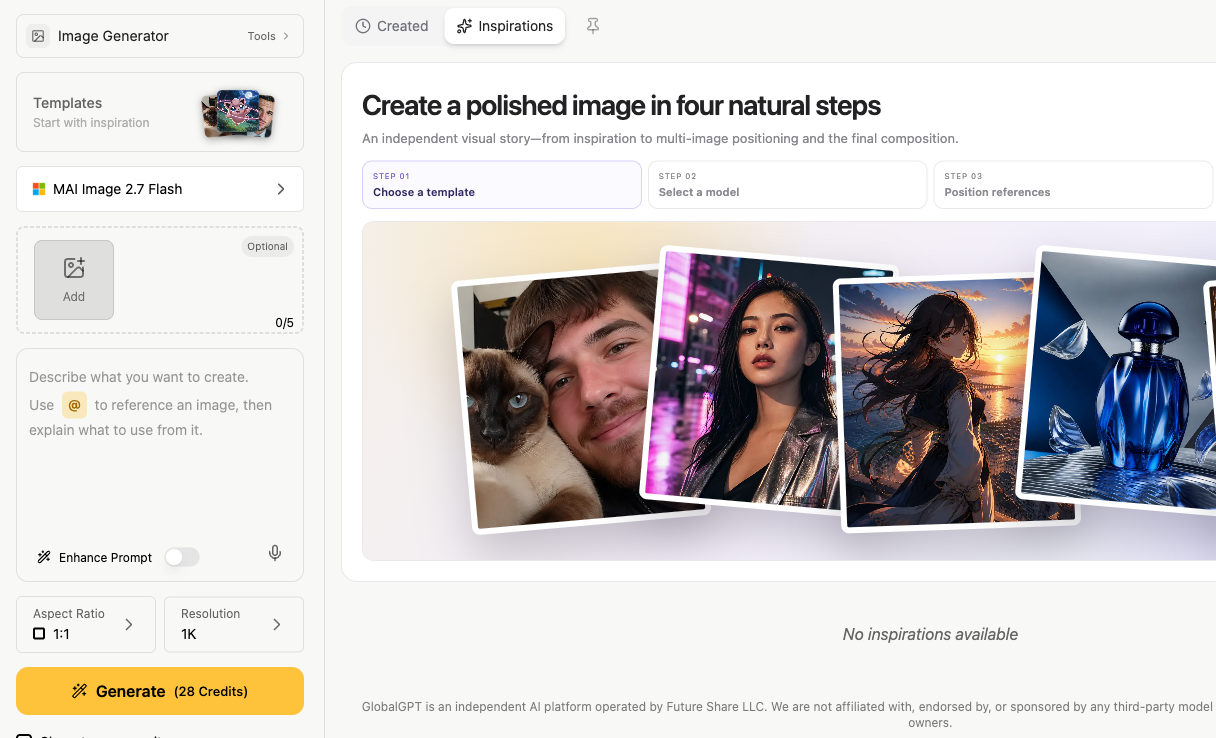
For a browser workflow, the GlobalGPT Image Generator offers MAI Image 2.7 Flash with reference controls, prompt enhancement and selectable generation settings. Start with a single image and the simplest settings you need. For a SKU color change, upload the original and specify exactly what should stay fixed.
What Changes Between MAI Image 2.7 and Flash?
MAI Image 2.7 is Microsoft's flagship image generation and editing model. The 2.7 generation focuses on targeted edits: change one part of an image while retaining the surrounding composition, lighting and identity. Microsoft positions Flash for lower-latency, high-throughput use while retaining the same two core modes. Both came to Microsoft Foundry in public preview. Microsoft's Canvas workspace runs on Flash. Microsoft's launch announcement
| Capability | MAI Image 2.7 | MAI Image 2.7 Flash |
|---|---|---|
| Text-to-Image | Yes | Yes |
| Reference Editing | Up to five references in Foundry | Up to five references in Foundry |
| Output Ceiling | About 4.19 million pixels | About 4.19 million pixels |
| Foundry Launch Estimate | About $35 per 1,000 images | About $10 per 1,000 images |
| Best Starting Point | Hard edits and images with several constraints | Drafts, iterations and repeatable variants |
Microsoft's model card describes a shared pixel ceiling equivalent to 2,048 × 2,048. A rectangle can allocate those pixels differently. Foundry supports an edit endpoint with JPEG or PNG references and returns PNG. Check the controls on the surface you are using. For example, GlobalGPT's API documents explicit ratios for generation, and its MAI edit route lets the model determine the output dimensions. Microsoft model card · Foundry documentation · GlobalGPT API documentation
What MAI 2.7 Still Needs You to Check
Inspect typography at the final publishing size, especially when the brief contains a date, price or product name. In edits, compare the original label, edges and small reflections against the output. A result can look convincing on its own while changing details that matter to a packaging mockup. Keep locked brand elements in separate design layers if they must survive unchanged. For more examples of how to state an edit boundary, see our image editing prompt guide.
MAI 2.7 vs Flash Pricing and Benchmarks
At Microsoft's rounded launch estimates, 1,000 comparable images cost about $25 less with Flash, or roughly 71% less. Treat this as a planning estimate. Actual API charges depend on the provider and the work performed. An edit that reads a reference image and a 2K generation can have a different cost from a basic 1K draft.
| Pricing Example | MAI Image 2.7 | MAI Image 2.7 Flash |
|---|---|---|
| Foundry Launch Estimate, 1,000 Images | About $35 | About $10 |
| GlobalGPT API, 1K Generation | 93 credits | 28 credits |
| GlobalGPT API, One-Reference Edit | 115 credits | 35 credits |
| GlobalGPT API, 2K Generation | 371 credits | 110 credits |
The GlobalGPT figures are per-image API examples. Browser subscriptions have their own credit and billing terms. For an actual batch, measure cost per accepted image. If 100 Flash drafts yield 40 images you can ship, divide the total cost by 40. Do the same for the flagship. Include the time spent inspecting, rerunning or fixing images when your workflow has expensive review steps. Microsoft pricing estimate · GlobalGPT API credit examples
How MAI 2.7 and Flash Score in Independent Tests
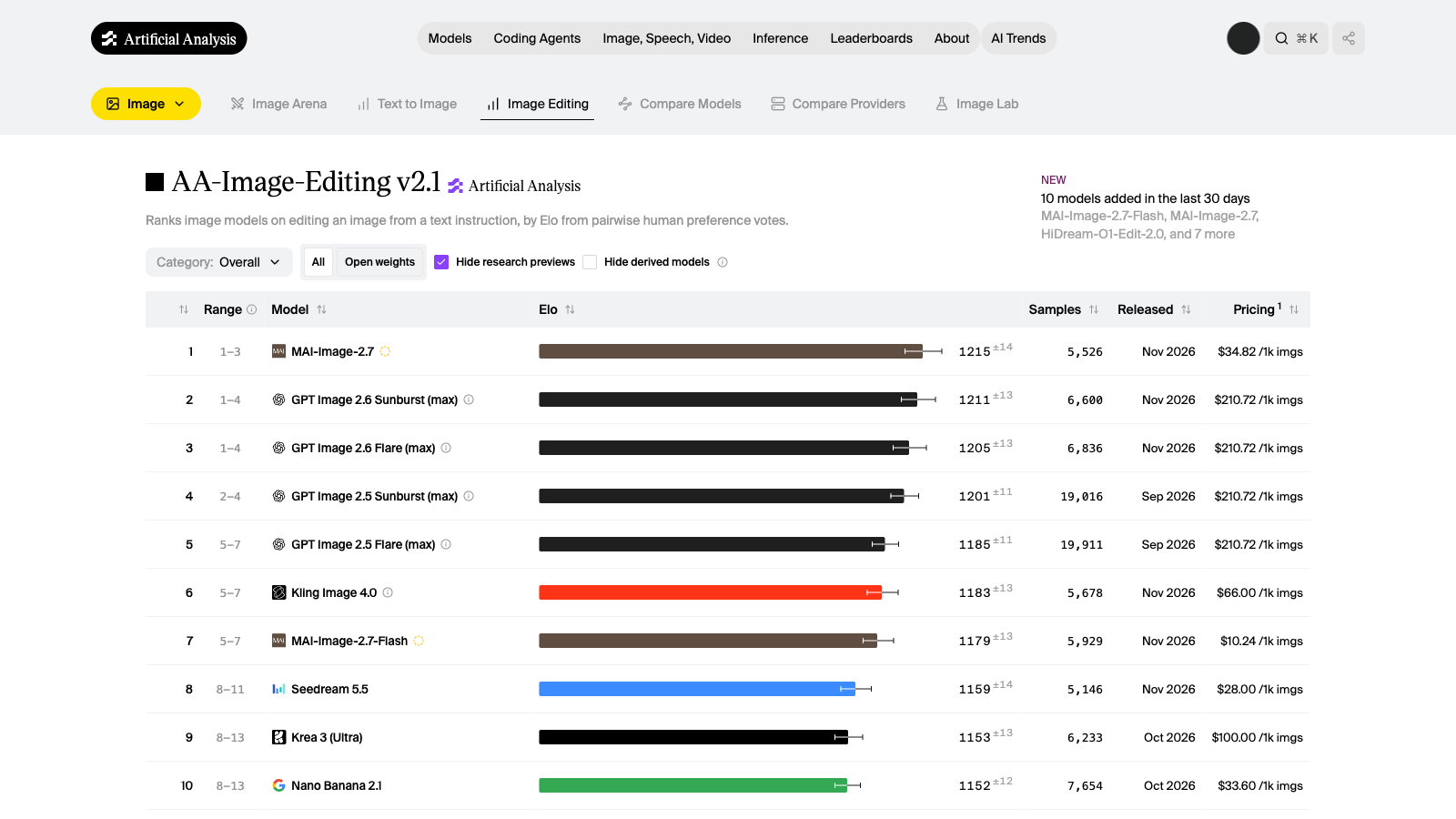
| Artificial Analysis v2.1 | MAI Image 2.7 | MAI Image 2.7 Flash |
|---|---|---|
| Image Editing Elo | 1,215 ±14 | 1,179 ±13 |
| Text-to-Image Elo | 1,215 ±14 | 1,160 ±12 |
These are model-level preference scores derived from head-to-head votes. The uncertainty shown is the leaderboard's 95% interval. The two boards cover different tasks, so compare each pair within its row. The flagship has a higher estimated score in both. The Elo gap does not tell you how often either model spells a poster line correctly or keeps an existing label pixel-for-pixel. Artificial Analysis Image Editing · Artificial Analysis Text-to-Image
MAI 2.7 vs Flash: Three Side-by-Side Tests
Both models produced usable first drafts in all three tasks. Flash completed each first pass sooner on our test route. The largest practical difference showed up when we compared the edits against the original at close range. The flagship changed fewer pixel values on average in three sampled patches, including the label interior. Both versions still altered pixels outside the requested color change.
| First-Pass Task | MAI Image 2.7 | MAI Image 2.7 Flash |
|---|---|---|
| Product Photo | 34 s | 19 s |
| Event Poster | 43 s | 26 s |
| Reference Edit | 28 s | 25 s |
These are submit-to-finish times from one GlobalGPT test route. They include queue and processing time. We used identical prompts and 1K generation with a 3:2 product frame and a 3:4 poster frame. Both edits used one identical image and let the model choose the output dimensions. We kept the first returned image for each task. This is a small practical sample.
MAI 2.7 vs Flash on a Product Photo
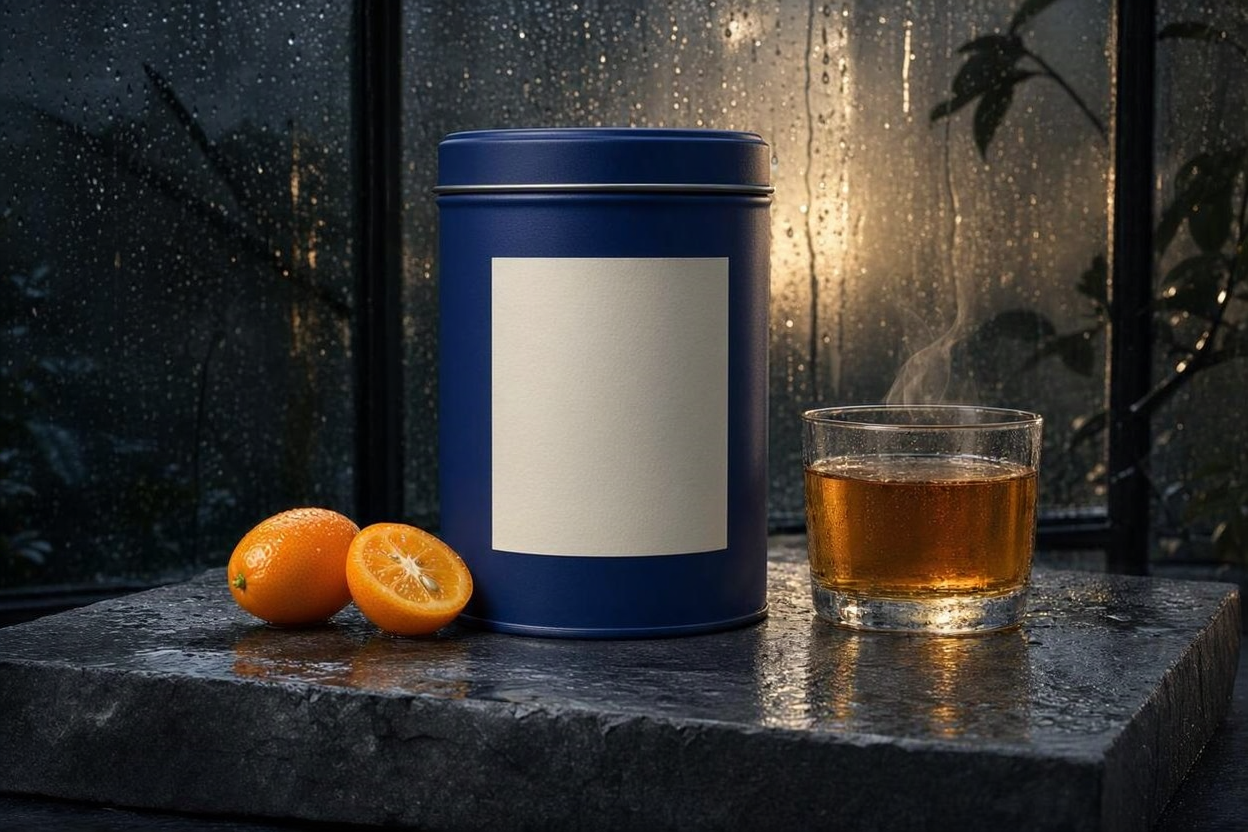
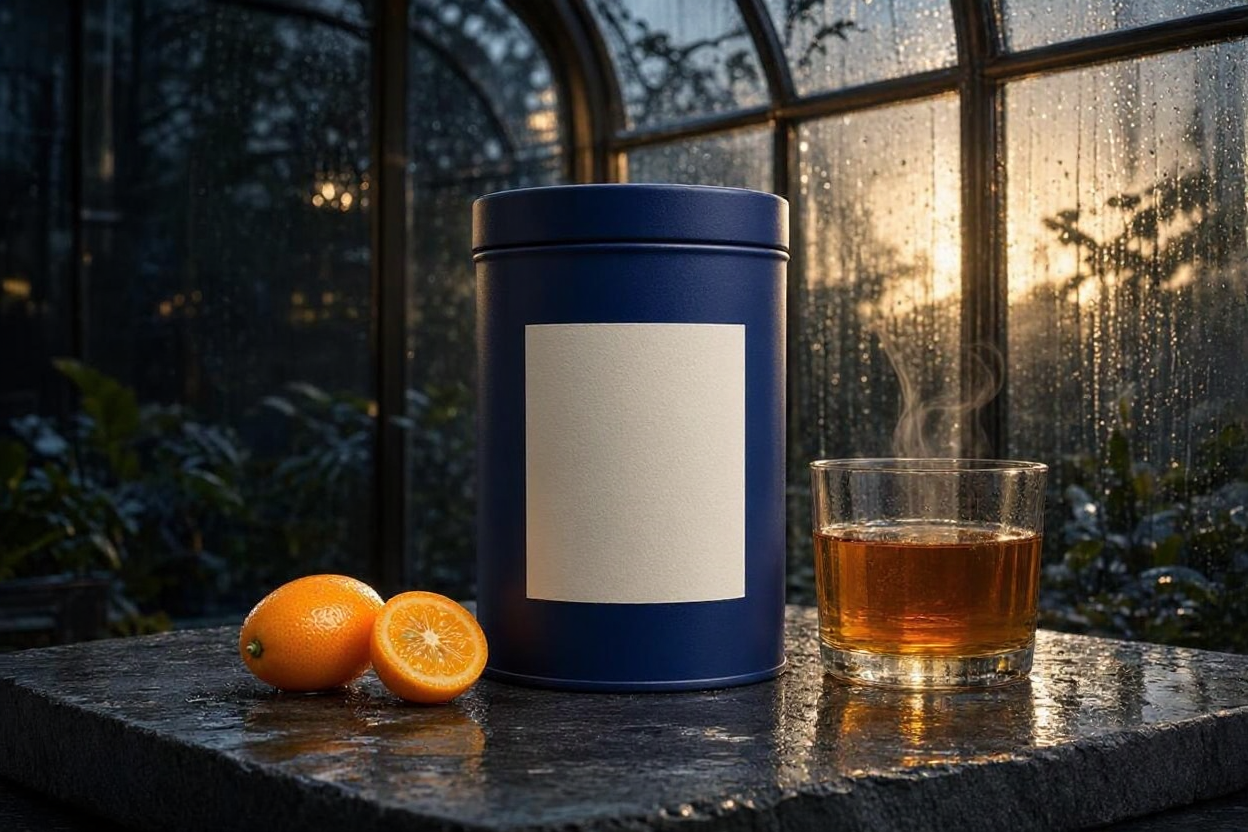
The brief called for a centered cobalt tea tin on slate, exactly two kumquats on the left and a clear glass of amber tea on the right. Both preserved the object count, the blank label and the amber lighting. The flagship gave the tin more of the frame and picked up a sharp rim highlight. Flash left more of the greenhouse visible above the product and kept the steam easy to spot. The tighter flagship frame suits a product-led crop. The wider Flash frame gives the setting a larger role.
View the Exact Prompt
Create a photorealistic 3:2 editorial product photograph for an imaginary midnight tea brand. On a slate-grey plinth in a rain-dark conservatory, center one matte cobalt-blue cylindrical tea tin with a plain rectangular ivory label. To its left put exactly two fresh kumquats, one cut and one whole. To its right place one clear low glass containing amber tea with a fine ribbon of steam. Backlight the rain-speckled glass behind the objects with soft warm light. Keep the scene restrained, with readable silhouettes, realistic material transitions and no other props or text.
MAI 2.7 vs Flash on Poster Text
Both images rendered all three lines exactly: NIGHT GARDEN, FRIDAY 8 PM and DOORS OPEN AT 7. Neither added a logo or stray words. Both kept a clear title, subheading and footer. Flash used a more prominent moth and a crescent moon. The flagship used a full moon and gave the text and illustration a little more breathing room. The text check was a tie on this short English brief. For longer copy, build the final lettering in a layout tool so names, prices and times remain editable.


View the Exact Prompt
Design a portrait 3:4 print poster for a fictional after-hours botanical cinema. At the top set the exact title NIGHT GARDEN. Directly below set the exact line FRIDAY 8 PM. Leave the middle for a striking photographic illustration of a moth with translucent fern-patterned wings above a single moonlit orange flower. At the bottom set the exact line DOORS OPEN AT 7. Use warm ivory lettering with a dark indigo background, strong hierarchy and generous margins. Include no other lettering or logos.
MAI 2.7 vs Flash on a One-Color Edit
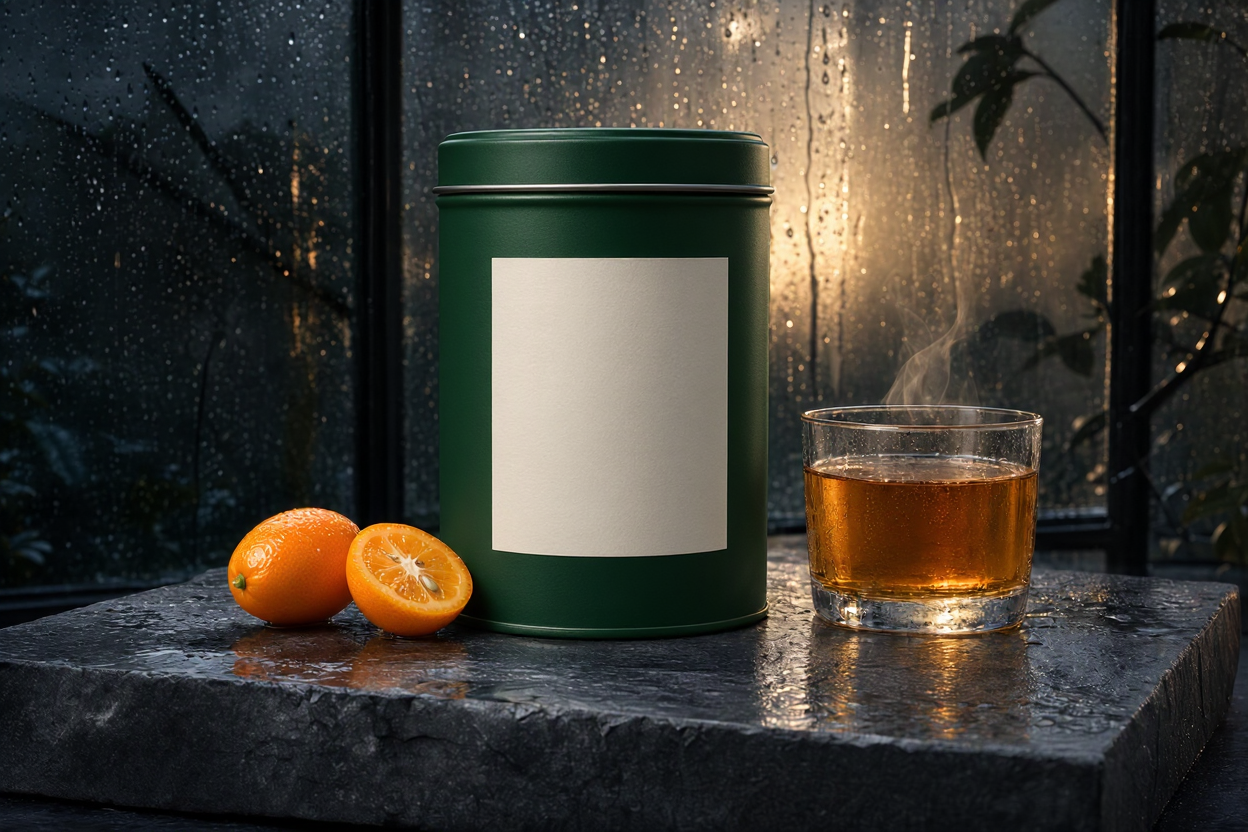
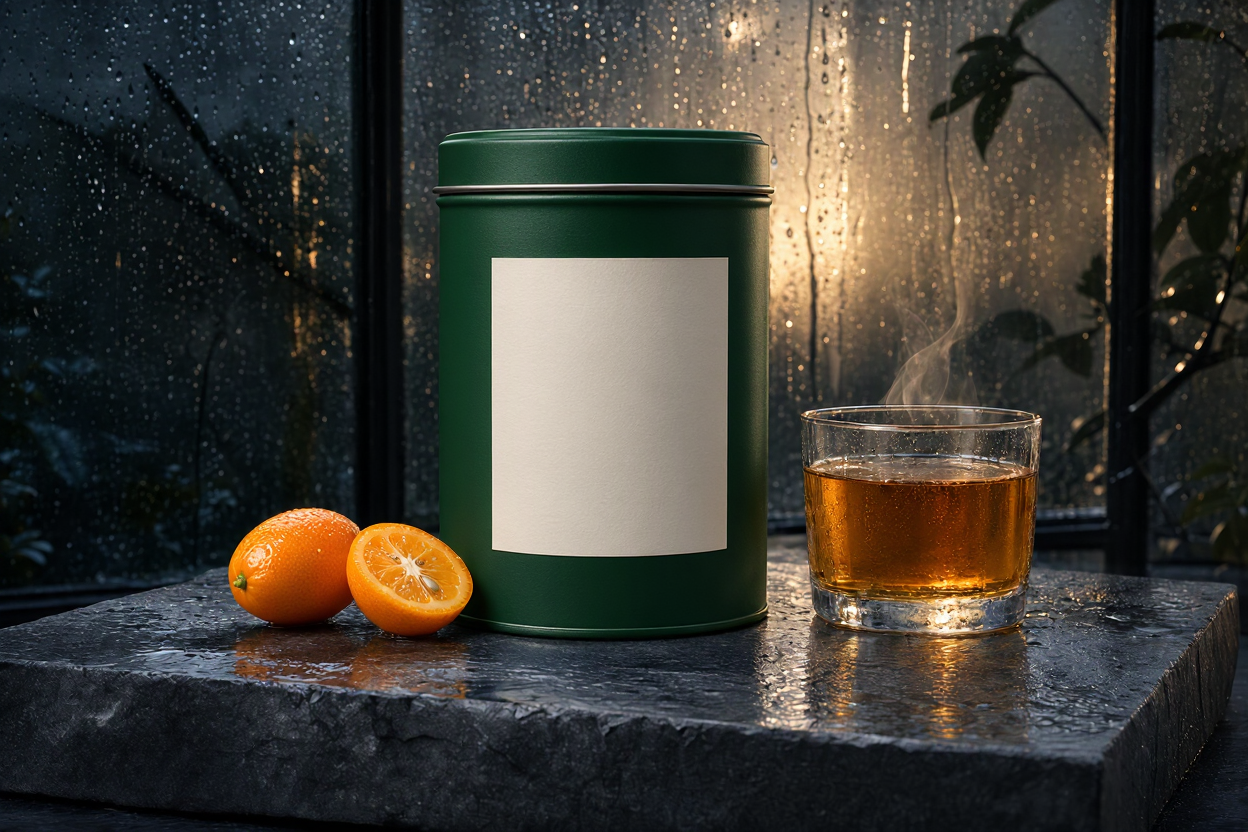
We asked both models to turn the same cobalt tin forest green and keep its label, props, framing and lighting. Both retained the arrangement and returned a 1,248 × 832 image. The shape, label position and both pieces of fruit stayed visually aligned. At full size, there were small changes to the label texture and light on the glass. Those details matter for an approved product photograph, where a layer mask or fixed image layer gives more control.
View the Exact Prompt
Edit the supplied product photograph. Change only the matte cobalt-blue tea tin body to deep forest green. Keep its ivory label exactly in place and unchanged. Preserve the tin shape and angle, both kumquats, the glass of tea and steam, the rain-speckled background, the lighting direction, the framing and the camera angle. Do not add or remove any object.
MAI 2.7 Recolor Stability Check
We repeated the same reference edit twice per model. All six attempts, including the first pass, made the intended green tin and visually retained the label, fruit and glass. We also measured the mean absolute change in RGB channel values against the original in three fixed rectangular patches, using a scale of 0 to 255. Lower means the patch stayed closer to the original.
| Recolor Check, Three Runs Each | MAI Image 2.7 | MAI Image 2.7 Flash |
|---|---|---|
| Label Interior, Mean Change Across Runs | 9.1 | 11.2 |
| Background, Mean Change Across Runs | 3.4 | 3.6 |
| Glass, Mean Change Across Runs | 11.9 | 12.2 |
| Submit-to-Finish Range | 26–31 s | 25–30 s |
The label patch was closer to the source in each flagship run than in any Flash run. The other patches were mixed run by run, and the edit-time ranges overlapped. For a repeatable product recolor, inspect the actual label before counting the time savings. For a batch of drafts where small surface changes are acceptable, both edits worked on this reference.
How to Try MAI Image 2.7 and Flash
Try MAI 2.7 and Flash in Microsoft AI Labs
Open MAI Image 2.7 in Labs or the direct Flash entry. Check the model selector before entering a prompt. For an edit, attach a reference and put the requested change and the preservation instructions in the same message. In our browser check, both Labs entries opened and accepted a typed prompt. Sending it brought up a sign-in prompt for both models. Developers can use the linked Foundry model catalog and select the deployment that matches the intended model ID.
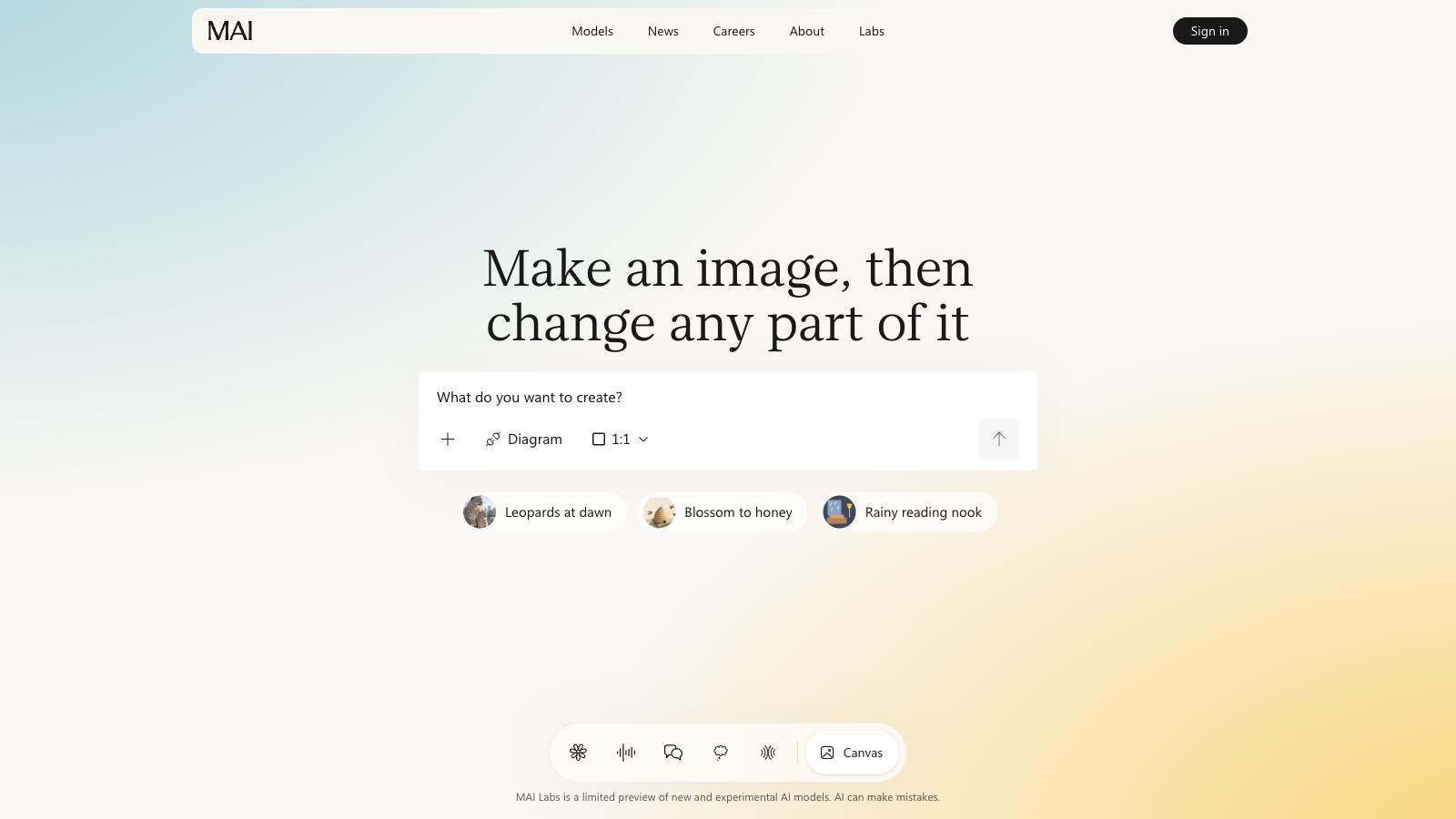
Microsoft Canvas is the Flash-powered workspace for generating a starting image and refining it. Use the dedicated flagship entry when you want to compare results against the standard model.
Try MAI Image 2.7 Flash on GlobalGPT
Open Image Generator and confirm MAI Image 2.7 Flash is selected.
Paste the prompt and pick an aspect ratio for the destination. Start with 1K for framing and layout review.
For an edit, add the original under the reference controls. Name the exact object and describe the fixed elements. Leave prompt enhancement off when you need to repeat the same wording across runs.
Compare the result against your checklist before raising resolution or repeating the prompt for a batch.
The Inspirations panel shows how the workspace is organized. For repeatable jobs, the GlobalGPT API documentation lists both model IDs. Pin the selected ID in your requests so a draft run and a final render remain distinguishable in your logs. If you are also evaluating OpenAI models, see our GPT Image comparison with real results.
Final Verdict: Which MAI 2.7 Model Should You Use?
Choose Flash when you can review multiple inexpensive candidates, especially for composition studies, product-photo drafts and straightforward variants. Give the flagship the first attempt when a single image must satisfy a dense brief or when a subtle edit touches a valuable original. On a real campaign, keep a shared reference and a pass/fail checklist, compare a few candidates, and route the failures that are expensive to fix to your more capable workflow.
MAI Image 2.7 vs Flash FAQ
What Is the Difference Between MAI Image 2.7 and Flash?
They share text-to-image and reference editing. MAI Image 2.7 is the flagship with higher Artificial Analysis preference scores. Flash is designed for lower cost and faster iteration.
Can MAI Image 2.7 Flash Edit an Uploaded Image?
Yes. Foundry and GlobalGPT document support for up to five reference images. For a local edit, attach the original and specify the exact change and what should stay fixed.
Is Microsoft AI Labs Canvas Powered by Flash?
Yes. Microsoft says the Canvas workspace is powered by MAI Image 2.7 Flash. The dedicated MAI Labs model entries let you select the flagship or Flash directly.
How Much Does MAI Image 2.7 Flash Cost?
Microsoft’s launch estimate for Foundry is about $10 per 1,000 images for Flash versus about $35 for the flagship. GlobalGPT documents 28 API credits for a 1K Flash generation and 35 for its one-reference edit example.
Which MAI 2.7 Model Should I Use for Batch Production?
Start with Flash for routine variants and estimate cost per accepted image. Move difficult edits and tightly constrained briefs to the flagship when the expected rework justifies it.
Can Either Model Preserve Every Pixel Outside an Edit?
Our recolor outputs visually preserved the scene and still shifted some pixels outside the tin. Use a mask or fixed design layers when exact pixel preservation is required.