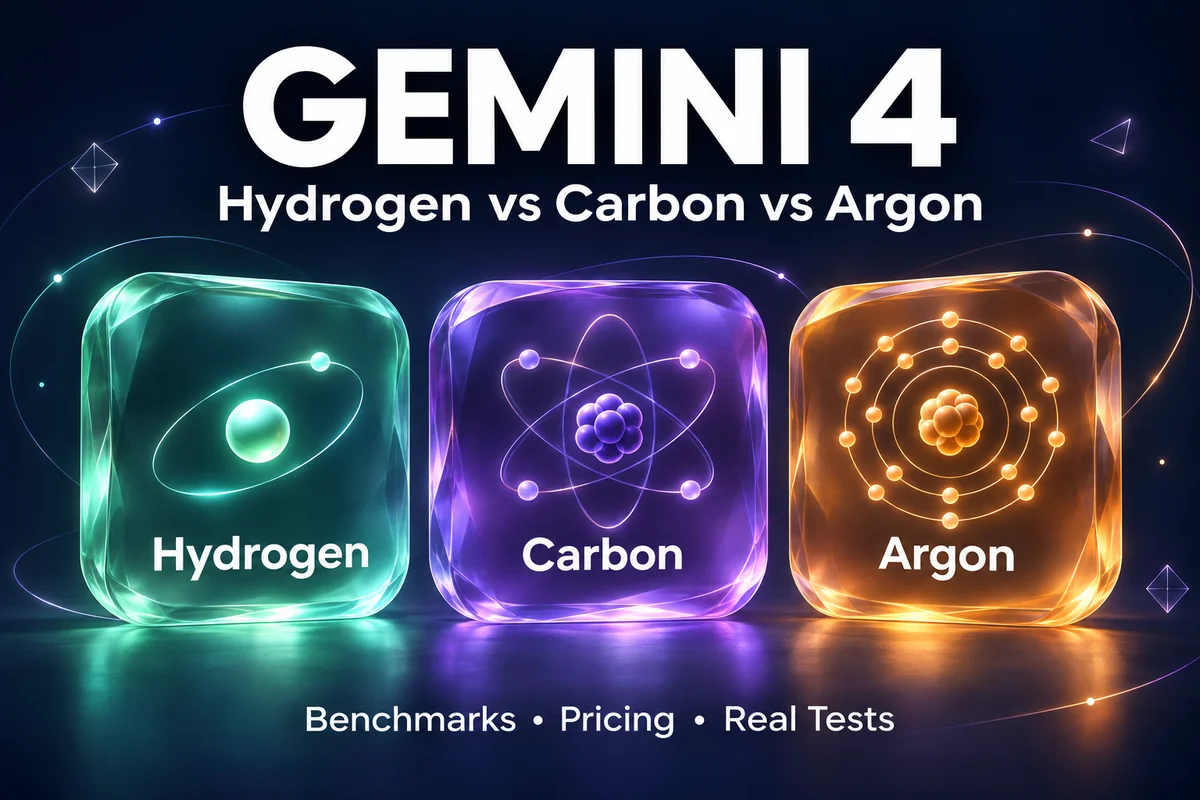
Gemini Neon vs Carbon: 3 Real Tests and When to Upgrade
Gemini 4 Neon and Carbon faced the same ticket, JavaScript and policy tasks. See the original results, a recorded retry and the API price change that affects which model to choose.

Quick Answer
Start with Gemini 4 Neon for repeatable tasks you can verify, and try Gemini 4 Carbon when the work takes multiple steps or a mistake would be costly. In our GlobalGPT tests, the completed outputs from both models passed all 25 checks across queue reconciliation, JavaScript repair and a policy calculation. On Google’s Standard API, Carbon is cheaper per token through November 30, 2026, while Neon is cheaper at the listed rates from December 1.
What’s different about Gemini Neon and Carbon?
Google introduced Gemini 4 Neon on November 18 as a fast option for substantial coding, analysis and knowledge work. Gemini 4 Carbon became available on November 10 and is positioned for Google’s hardest reasoning and long-horizon workloads. Both accept text, images, video, audio and PDFs through Google’s API and return text. Google’s Neon announcement · Google’s Carbon announcement.
Feature | Gemini 4 Neon | Gemini 4 Carbon |
|---|---|---|
Gemini Developer API model ID |
|
|
Shared input and output context | 1,048,576 tokens | 1,048,576 tokens |
Default synchronous output max | 65,536 tokens | 65,536 tokens |
Google API thinking levels | Low, medium, high, xhigh | Low, medium, high |
Google’s Gemini app access | Google AI Pro or Ultra | Google AI Ultra |
Those context figures belong to Google’s API. The input and output draw from one shared budget, so a long input leaves less room for the answer. A chat app or gateway can expose different limits and controls. Neon model documentation · Carbon model documentation.
If most of your work is lighter than the examples below, compare the Gemini 4 lineup before settling on either model. A smaller model can make sense when the input is clean, the output is short and you can verify it quickly.
How did Neon and Carbon perform in three hands-on tests?
We ran both exact model IDs through GlobalGPT CLI 0.2.44 on November 23, 2026. Each comparison used the same task text and system instruction in separate fresh sessions. Tools and project context were disabled. We left the gateway’s thinking settings at their defaults and sent JSON-only instructions as text without enabling a response schema.
The tests used synthetic but realistic inputs. We scored JSON against expected fields and evaluated the returned functions against the same 12 executable cases in Node 22. Elapsed time runs from CLI process launch to exit and includes client startup, network time and any internal retries. It cannot isolate inference latency.
Shared system instruction
Use only the supplied task inputs. Follow the requested output format. You have no tools or external data.
Task | Neon | Carbon |
|---|---|---|
Queue reconciliation | 4/4 · 39.0 s | 4/4 · 21.7 s |
JavaScript repair | 12/12 · 27.6 s on retry | 12/12 · 46.3 s |
Policy calculation | 9/9 · 50.7 s | 9/9 · 57.4 s |
Neon’s first JavaScript request exited after 48.9 s with a connection timeout to the GlobalGPT API and no model answer. We kept that attempt in the record and repeated the same request once. Its successful retry is included in the code checks and excluded from any first-attempt timing comparison.
Test 1 · Turn a messy ticket feed into the next action queue
The feed deliberately mixed late versions, an equal-version update, a reopened ticket, a missing deadline and a sandbox row outside the time cutoff. An earlier P0 row for C-104 looked urgent until its latest version moved it to P2, right at the deadline. Starting with the time filter would make this task easy to get wrong.
Both models returned bare JSON and all four fields matched the reference answer. They put C-104 last, kept C-103 after the equal-version reopening, flagged C-112 as missing its deadline and counted both sandbox IDs. Carbon finished the CLI run in 21.7 s versus Neon’s 39.0 s. The ordering of keys inside the owner-count object differed and had no meaning for the next system.
Exact task prompt · Ticket intake
You are preparing the next action queue for a customer operations team. The rules and feed below are synthetic.

Read rules in this order:
1. An event with a high enough version replaces earlier versions for the same ticket ID. If versions tie, retain the event that appears later in the feed. Resolve replacements before any other rule.
2. Keep only the final OPEN or REOPENED tickets, and only if their due UTC timestamp is at or before 2026-11-23T12:00:00Z. REOPENED is eligible.
3. If the final row is tagged sandbox or has no due time, do not include it in the queue. Flag any final OPEN or REOPENED, non-sandbox ticket with no due time as missing.
4. Build queue IDs in this order: P0 before P1 before P2. Within priority, earliest UTC due first, then ticket ID ascending.
5. Count queued items by owner. The owner label '-' counts as 'unassigned'. Count distinct IDs eliminated by the sandbox rule among final OPEN/REOPENED records, before applying the due-time cutoff.

Feed is in arrival order. Columns: id | version | state | priority | due UTC | owner | tag.
C-104 | 1 | OPEN     | P0 | 2026-11-23T10:00:00Z | Kai  | prod
C-108 | 1 | OPEN     | P1 | 2026-11-23T11:00:00Z | Kai  | prod
C-101 | 1 | OPEN     | P0 | 2026-11-23T09:50:00Z | Noor | prod
C-106 | 2 | OPEN     | P1 | 2026-11-23T07:00:00Z | -    | prod
C-103 | 1 | OPEN     | P0 | 2026-11-23T09:50:00Z | Noor | prod
C-112 | 1 | OPEN     | P2 | -                    | Kai  | prod
C-107 | 1 | OPEN     | P1 | 2026-11-23T08:00:00Z | Emi  | sandbox
C-113 | 1 | OPEN     | P2 | 2026-11-23T14:00:00Z | Emi  | sandbox
C-108 | 2 | CLOSED   | P1 | 2026-11-23T11:00:00Z | Kai  | prod
C-106 | 1 | CLOSED   | P1 | 2026-11-23T07:00:00Z | Kai  | prod
C-104 | 2 | OPEN     | P2 | 2026-11-23T12:00:00Z | Kai  | prod
C-109 | 1 | REOPENED | P1 | 2026-11-23T12:00:01Z | -    | prod
C-110 | 1 | CLOSED   | P0 | -                    | Emi  | prod
C-103 | 1 | REOPENED | P0 | 2026-11-23T09:50:00Z | Emi  | prod
C-112 | 2 | OPEN     | P2 | -                    | -    | prod

Return one bare JSON object with exactly these keys: queue_ids (array of strings), counts_by_owner (object with owner counts of queued items only), missing_due_ids (array of IDs sorted ascending), sandbox_ignored_count (integer). Output the JSON directly, with no Markdown and no surrounding text.
Neon · Original JSON output
{"queue_ids":["C-101","C-103","C-106","C-104"],"counts_by_owner":{"Emi":1,"Kai":1,"Noor":1,"unassigned":1},"missing_due_ids":["C-112"],"sandbox_ignored_count":2}Carbon · Original JSON output
{"queue_ids":["C-101","C-103","C-106","C-104"],"counts_by_owner":{"Noor":1,"Emi":1,"unassigned":1,"Kai":1},"missing_due_ids":["C-112"],"sandbox_ignored_count":2}Test 2 · Repair event aggregation across UTC dates and duplicate IDs
The task asked for one JavaScript function with an explicit input contract. An invalid early event could share an ID with a valid event later in the batch. A timestamp near midnight could also land on a different UTC day. A function that deduplicated too early or sliced the timestamp string would quietly lose minutes.
The returned functions from both models used a Set for accepted IDs and a Map for UTC day totals. Both checked validity before claiming an ID, parsed offsets before assigning the date and left frozen input intact. They passed all 12 Node 22 cases. Carbon returned code on the first request. Neon’s code came from its successful retry after the transport error.
The practical check for a dashboard is to run the returned function against real offset patterns and replayed IDs from your feed. Passing these cases shows the returned functions followed the stated contract. It leaves integration behavior such as real data cleanliness and upstream schema changes to your own tests.
Exact task prompt · JavaScript repair
A dashboard currently counts activity by day, but it duplicates retried events and mishandles offsets. Implement summarize(rows) as a plain JavaScript function. It must run under Node 22 using the standard library only. Return only the function code, without Markdown fences, imports, exports, tests, or explanatory text.

Each row is { id, minutes, at }. Rows can also be null. Treat a row as valid only if it is an object, id is a string that remains nonempty after trim, minutes is a Number that is a positive safe integer, and at is a nonempty string with a finite Date.parse result. Input values may include numeric strings, NaN, unusually large integers, or events with explicit time-zone offsets.

Process valid rows in encounter order. The first valid row for each trimmed id wins across the entire input. An invalid row never claims an id. IDs remain case-sensitive. Assign minutes to the UTC date YYYY-MM-DD of at, using Date parsing. Return an array of { day, minutes, events }, sorted by day ascending. Include totals and accepted event count for each day. Assume every valid input has an ordinary four-digit UTC year and every daily total is a safe integer. Return [] when rows is not an array. Leave the input array and objects untouched.Neon · Original function from the retry
function summarize(rows) {
  if (!Array.isArray(rows)) {
    return [];
  }

  const seenIds = new Set();
  const byDay = new Map();

  for (let i = 0; i < rows.length; i += 1) {
    const row = rows[i];
    if (row === null || typeof row !== 'object' || Array.isArray(row)) {
      continue;
    }

    const { id: rawId, minutes, at } = row;

    if (typeof rawId !== 'string') {
      continue;
    }
    const id = rawId.trim();
    if (id.length === 0) {
      continue;
    }

    if (typeof minutes !== 'number' || !Number.isSafeInteger(minutes) || minutes <= 0) {
      continue;
    }

    if (typeof at !== 'string' || at.length === 0) {
      continue;
    }
    const ms = Date.parse(at);
    if (!Number.isFinite(ms)) {
      continue;
    }

    if (seenIds.has(id)) {
      continue;
    }
    seenIds.add(id);

    const day = new Date(ms).toISOString().slice(0, 10);
    const entry = byDay.get(day);
    if (entry === undefined) {
      byDay.set(day, { day, minutes, events: 1 });
    } else {
      entry.minutes += minutes;
      entry.events += 1;
    }
  }

  return Array.from(byDay.values()).sort((a, b) => (a.day < b.day ? -1 : a.day > b.day ? 1 : 0));
}Carbon · Original function
function summarize(rows) {
  if (!Array.isArray(rows)) {
    return [];
  }

  const seenIds = new Set();
  const byDay = new Map();

  for (let i = 0; i < rows.length; i++) {
    const row = rows[i];
    if (row === null || typeof row !== "object" || Array.isArray(row)) {
      continue;
    }

    const { id, minutes, at } = row;

    if (typeof id !== "string") {
      continue;
    }
    const trimmedId = id.trim();
    if (trimmedId.length === 0) {
      continue;
    }

    if (!Number.isSafeInteger(minutes) || minutes <= 0) {
      continue;
    }

    if (typeof at !== "string" || at.length === 0) {
      continue;
    }
    const timestamp = Date.parse(at);
    if (!Number.isFinite(timestamp)) {
      continue;
    }

    if (seenIds.has(trimmedId)) {
      continue;
    }
    seenIds.add(trimmedId);

    const day = new Date(timestamp).toISOString().slice(0, 10);
    let bucket = byDay.get(day);
    if (bucket === undefined) {
      bucket = { day, minutes: 0, events: 0 };
      byDay.set(day, bucket);
    }
    bucket.minutes += minutes;
    bucket.events += 1;
  }

  return Array.from(byDay.values()).sort((a, b) =>
    a.day < b.day ? -1 : a.day > b.day ? 1 : 0
  );
}Test 3 · Calculate a service credit from conflicting documents
The policy packet included a valid pricing correction and a time override in the same signed document. A later notice revoked the time override while preserving the pricing correction. A draft credit for an alias of the incident also looked like money already paid, but it was still pending.
Both answers correctly kept the original recovery time, used the revised subtotal and excluded the pending credit. The outage lasted 244 minutes, the 50% rate produced 41,575 cents gross, and the 25,000-cent cap applied before subtracting 6,125 cents already granted. Both returned 18,875 cents and cited exactly the six needed documents. Neon completed the run in 50.7 s versus Carbon’s 57.4 s.
Using the revoked stop would yield 233 minutes and a 30% credit. That produces $188.20 after the prior credit, just $0.55 below the correct $188.75 despite using the wrong policy bracket. Both models avoided that error. For a similar workflow, validate the timeline, rate and cap separately even if the final amount looks plausible.
Exact task prompt · Policy calculation
You are reconciling a synthetic service-credit case for a specialist who will independently validate the result. Use only the documents below.

[P1] Base policy, effective Oct 1. Calculate a credit from eligible service subtotal in cents. Hardware, setup, taxes, and add-ons are excluded. The status threshold is measured from customer-reported interruption start to provider-confirmed recovery, in whole elapsed minutes. The start is inclusive and recovery ends the interruption. Base bracket: 0–59 minutes 0%, 60–119 minutes 15%, 120–239 minutes 30%, 240 or more minutes 50%. Duplicate records for the same incident never create additional credits.

[P2] Enterprise addendum, signed Oct 15. When recovery is within 15 minutes of an accepted incident override, apply the override stop only if the override explicitly names the same incident and says use this stop for credit. Exception: if an override itself has been revoked in a later signed notice, use provider-confirmed recovery. Cap the resulting credit at 25,000 cents per account and affected service month, then subtract any credit previously granted for the same incident. Final credit cannot be negative. A signed correction for eligible subtotal replaces the invoice subtotal for the exact service and month it identifies.

[P3] Initial account invoice, November 2026, account Q8. eligible base subscription service Atlas 96,000 cents, Atlas setup 10,000, Atlas tax 6,720, Atlas hardware 22,000, Atlas add-on 1,800. Base subscription service Beacon 110,000 cents. Two earlier unassociated credit entries: Atlas September incident R-222 2,300 cents, Beacon November incident R-271 9,000 cents.

[P4] Incident report, Atlas, account Q8, Nov 21, case R-280. Customer report: 08:37 UTC. Provider confirms recovery at 12:41 UTC. A duplicate label says R-280b; incident control notes it is a duplicate alias of R-280. A ticket acknowledgement was sent at 08:49. No other recovery time appears on the incident report.

[P5] Signed override, Nov 21. R-280 override uses 12:30 UTC as the stop for credit. Signed correction for eligible Atlas November base subscription subtotal: 83,150 cents. An unsigned Slack note says November subtotal is 79,000 cents.

[P6] Signed incident-only revocation, Nov 22. Revoke the stop-time override for R-280 in P5. The eligible-subtotal correction remains in force. No change to the stated recovery in P4.

[P7] Credits register, Q8, Atlas November. Already granted for R-280: 6,125 cents. Pending provisional credit marked draft for R-280b: 1,800 cents, which has not been granted.

[P8] Operations memo, unsigned, Nov 22. Suggestion only: start at acknowledgement to save time on review. An override for separate case R-279 names 12:37 UTC and is still in force.

Return one bare JSON object with exactly these fields: incident_id (string), duration_minutes (integer), credit_rate_percent (integer), eligible_subtotal_cents (integer), gross_credit_cents (before cap and prior credits), capped_credit_cents (before prior credits), prior_granted_cents, final_credit_cents, and evidence_ids (array of the minimum document IDs necessary to support the final calculation, without documents that are wholly superseded or only distracting). Use P1-style IDs. Round half up to the nearest cent if needed. No Markdown or surrounding prose.
Neon · Original JSON output
{"incident_id": "R-280", "duration_minutes": 244, "credit_rate_percent": 50, "eligible_subtotal_cents": 83150, "gross_credit_cents": 41575, "capped_credit_cents": 25000, "prior_granted_cents": 6125, "final_credit_cents": 18875, "evidence_ids": ["P1", "P2", "P4", "P5", "P6", "P7"]}Carbon · Original JSON output
{"incident_id":"R-280","duration_minutes":244,"credit_rate_percent":50,"eligible_subtotal_cents":83150,"gross_credit_cents":41575,"capped_credit_cents":25000,"prior_granted_cents":6125,"final_credit_cents":18875,"evidence_ids":["P1","P2","P4","P5","P6","P7"]}Is Neon cheaper or faster than Carbon?
Carbon is cheaper per token through November 30, 2026 on Google’s Standard Gemini Developer API. The order reverses on December 1 at the listed prices. Rates below are USD per one million tokens, checked November 23. The output column includes thinking tokens. Neon pricing · Carbon pricing.
Google Standard API | Input | Output | Cached input |
|---|---|---|---|
Neon | $3.00 | $15.00 | $0.15 |
Carbon through Nov. 30 | $2.00 | $10.00 | $0.10 |
Carbon from Dec. 1 | $4.00 | $20.00 | $0.20 |
For 10,000 input tokens and 2,000 billed output tokens, the Standard API calculation is $0.06 for Neon, $0.04 for Carbon during the intro period and $0.08 for Carbon from December 1. Each figure multiplies the token counts by their per-million rates and adds input and output. The example assumes no cached input and no paid tools.
Unit prices alone cannot predict cost per successful job. A model can use more completion tokens or need another attempt. The GlobalGPT CLI reported these completion counts for our successful runs. They are gateway usage fields under its defaults. We did not reconcile them to per-run GlobalGPT credit charges or a Google invoice.
Completed run | Neon completion tokens | Carbon completion tokens |
|---|---|---|
Queue reconciliation | 3,833 | 1,104 |
JavaScript repair | 2,723 | 2,208 |
Policy calculation | 4,783 | 4,294 |
One useful example is ticket intake, where the gateway reported 3,833 completion tokens for Neon and 1,104 for Carbon even though the visible JSON was the same length. This doesn’t isolate the cause of the gap. It is a reason to log usage beside pass rate and elapsed time when budgeting a workflow. Our two clean first-attempt timing comparisons pointed in opposite directions, so we did not pick a speed winner.
When should you choose Neon or upgrade to Carbon?
Use Neon as a starting point for recurring work you can check automatically. Queue sorting, data transformations and well-specified scripts are good candidates when the acceptance rules are explicit. If you already have Neon through Google AI Pro, run your own examples there before deciding whether you need an Ultra subscription.
Try Carbon on the difficult cases that cost you time to repair, such as changes across several files, long documents with conflicting revisions or planning that has to survive a second pass. Save the failed Neon input and run the same input on Carbon, then compare the work you accept. You can also see how Carbon handled reruns in a separate set of tests that included multi-document work and coding stability.
To make the call for your team, collect representative failures and define acceptance before running both models. Compare exact checks, retries, wall time and usage. A cheap first response can be expensive if it needs three revisions. During Carbon’s intro pricing window, let the workload and the result drive the choice since Carbon also has the lower rate for the same number of tokens.
In Google’s Gemini app, Google announced Neon for Pro and Ultra and Carbon for Ultra. In the first-party Gemini Developer API, both require the Paid tier. If you’re evaluating access before paying, check which trials cover model access. Both models also have direct model pages on GlobalGPT. Neon availability · Carbon availability.
If you are trying Neon in the Gemini app, look for the deeper-analysis option. One Pro user reported seeing Neon there during rollout on November 18. Check your own picker because that report reflects a single account. Original Pro account report.
FAQ
Is Gemini 4 Neon better than Gemini 4 Carbon?
It depends on the workload. In our three GlobalGPT tasks, completed outputs from both models passed all 25 checks. Try Neon first for recurring work you can validate. Ask Carbon to take over when your own harder cases justify the switch.
Is Gemini 4 Neon faster than Carbon?
Google positions Neon for faster task completion. In our GlobalGPT runs, Carbon finished the queue task sooner and Neon finished the policy task sooner. Neon’s first code request produced no output after a connection timeout, so the successful retry is shown separately.
Which is cheaper on the Gemini API?
For the same token counts on Google’s Standard tier, Carbon is cheaper through November 30, 2026 at $2 input and $10 output per million tokens. From December 1, Carbon rises to $4 and $20, while Neon is listed at $3 and $15.
Can I use Gemini Neon or Carbon with a Google AI Pro subscription?
Google announced Neon for Google AI Pro and Ultra subscribers in the Gemini app. Carbon is listed for Google AI Ultra. Gemini Developer API usage is billed separately.
Do Neon and Carbon have the same context window?
Google documents a shared input-and-output limit of 1,048,576 tokens for each model. The default synchronous output maximum is 65,536 tokens. Long decode is a separate mode that still fits within the shared context budget.
Does Carbon offer the same thinking levels as Neon?
Google’s API documentation lists low, medium and high for Carbon. Neon adds xhigh. The GlobalGPT CLI tests used gateway defaults and did not set or verify a thinking level for either model.
Can I rerun the article tests?
Yes. Use the exact task cards and shared system instruction in the article. For the JavaScript task, run each returned function against your own fixtures and verify UTC offsets, duplicate IDs and invalid inputs. Record connection failures separately from incorrect answers.
Final Verdict
Our three tasks offered no quality reason to upgrade from a working Neon setup. Both models met the acceptance checks, and we could verify their outputs in seconds. Keep Carbon available for the harder jobs where a better answer would save meaningful review or repair time, and make the price decision using the actual token counts and the rate that applies when you run the work.