Seedance 2.5 Flash vs Seedance 2.5: Cost, Resolution, and Which to Use
Compare Seedance 2.5 Flash and Seedance 2.5 on GlobalGPT by resolution, credit quotes and how each model handles the same café video prompt.
 Luke Bennett
Choose Seedance 2.5 Flash for 720p drafts and variations when you want to spend fewer Credits on each attempt. Choose Seedance 2.5 when your final deliverable needs 1080p or 4K, or when the scene calls for more reference inputs than Flash supports.
The practical question is how many attempts it takes to get a clip you can use. A lower quote gives you room to try more variations, but a single retry can change which model costs less for the finished shot.
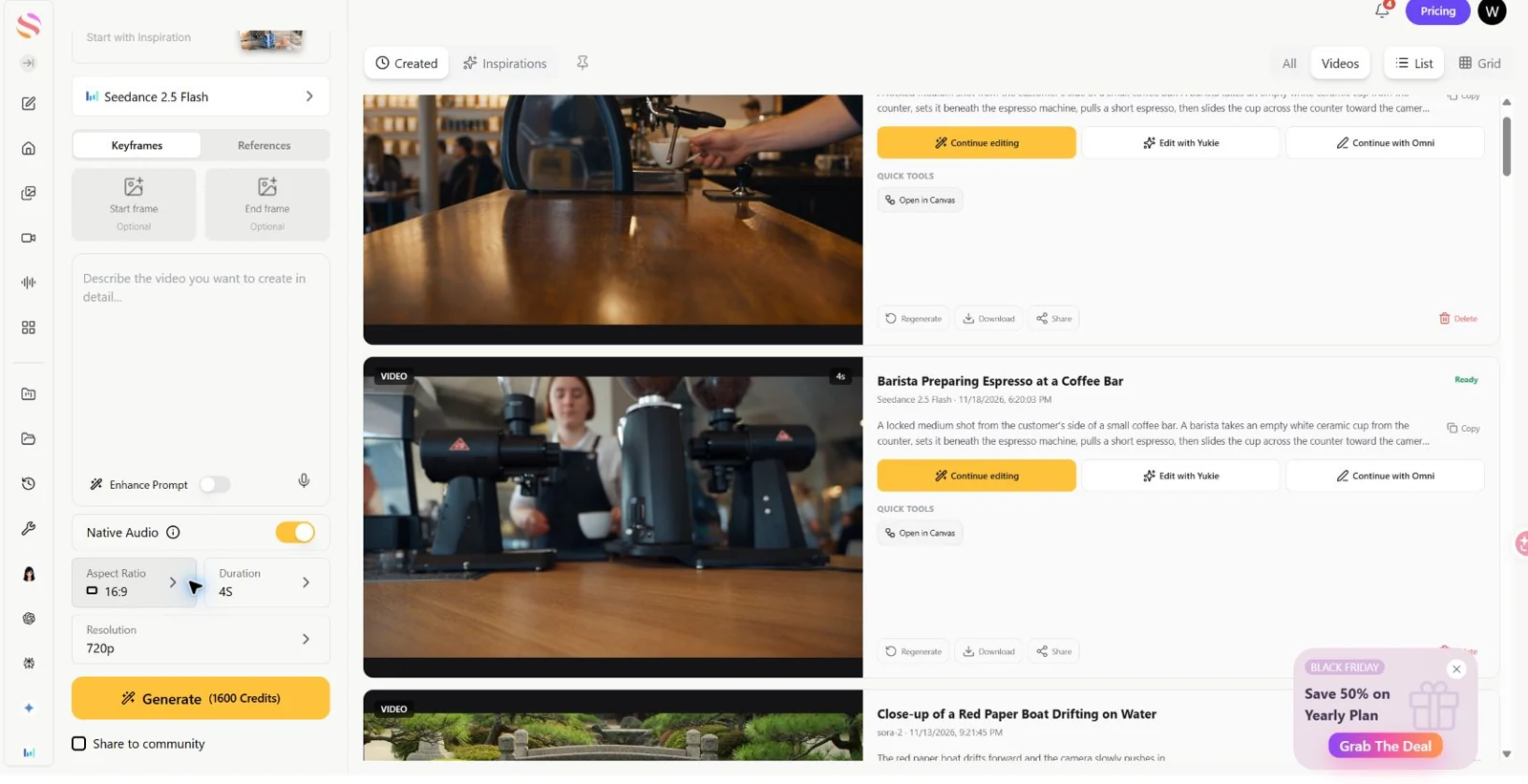
GlobalGPT brings writing, image, and video tools into one account, so you can turn a shot list and reference image into a video without switching platforms. In its video generator, a four-second 720p clip was quoted at 1,600 Credits with Flash and 2,400 Credits with Seedance 2.5, using 16:9 and native audio for both. That's about 33% less per attempt with Flash.
Seedance 2.5 Flash vs Seedance 2.5 at a glance
| Feature | Seedance 2.5 Flash | Seedance 2.5 |
|---|---|---|
| Resolution options on GlobalGPT | 480p, 720p | 480p, 720p, 1080p, 4K |
| Four-second 480p quote | 700 Credits | 1,100 Credits |
| Four-second 720p quote | 1,600 Credits | 2,400 Credits |
| Reference images in BytePlus's model guide | Up to 10 | Up to 30 |
| Reference videos and audio in BytePlus's model guide | Up to 5 of each | Up to 10 of each |
GlobalGPT menu options and quotes were checked on November 18, 2026. Credit quotes describe the settings above. The reference counts describe BytePlus's models, so check how many files your generator accepts before preparing a large reference set. GlobalGPT video generator · BytePlus Seedance 2.5 series guide
How much does a usable clip cost?
At the observed 720p quotes, Flash saves 800 Credits when both models deliver a usable first take. If Flash needs a paid retry and the standard model works on the first attempt, Flash costs 800 Credits more for that shot.
| Scenario | Flash attempts and cost | Seedance 2.5 attempts and cost |
|---|---|---|
| Both deliver a usable first take | 1 × 1,600 = 1,600 Credits | 1 × 2,400 = 2,400 Credits |
| Flash needs one retry | 2 × 1,600 = 3,200 Credits | 1 × 2,400 = 2,400 Credits |
| Both need one retry | 2 × 1,600 = 3,200 Credits | 2 × 2,400 = 4,800 Credits |
| Comparing variation budgets | 3 × 1,600 = 4,800 Credits | 2 × 2,400 = 4,800 Credits |
These estimates use the generator quote for a four-second, 720p clip with native audio and assume each attempt is billed at that rate.
For a batch of variations, check the first clip before generating the rest. If the subject stays consistent and the motion fits the brief, the lower quote can leave room to explore more directions. For a single shot that must match a product or hit a sequence of actions, judge how many takes are usable before comparing cost. Fix the prompt or continuity issue before paying for another take.
What the café test shows
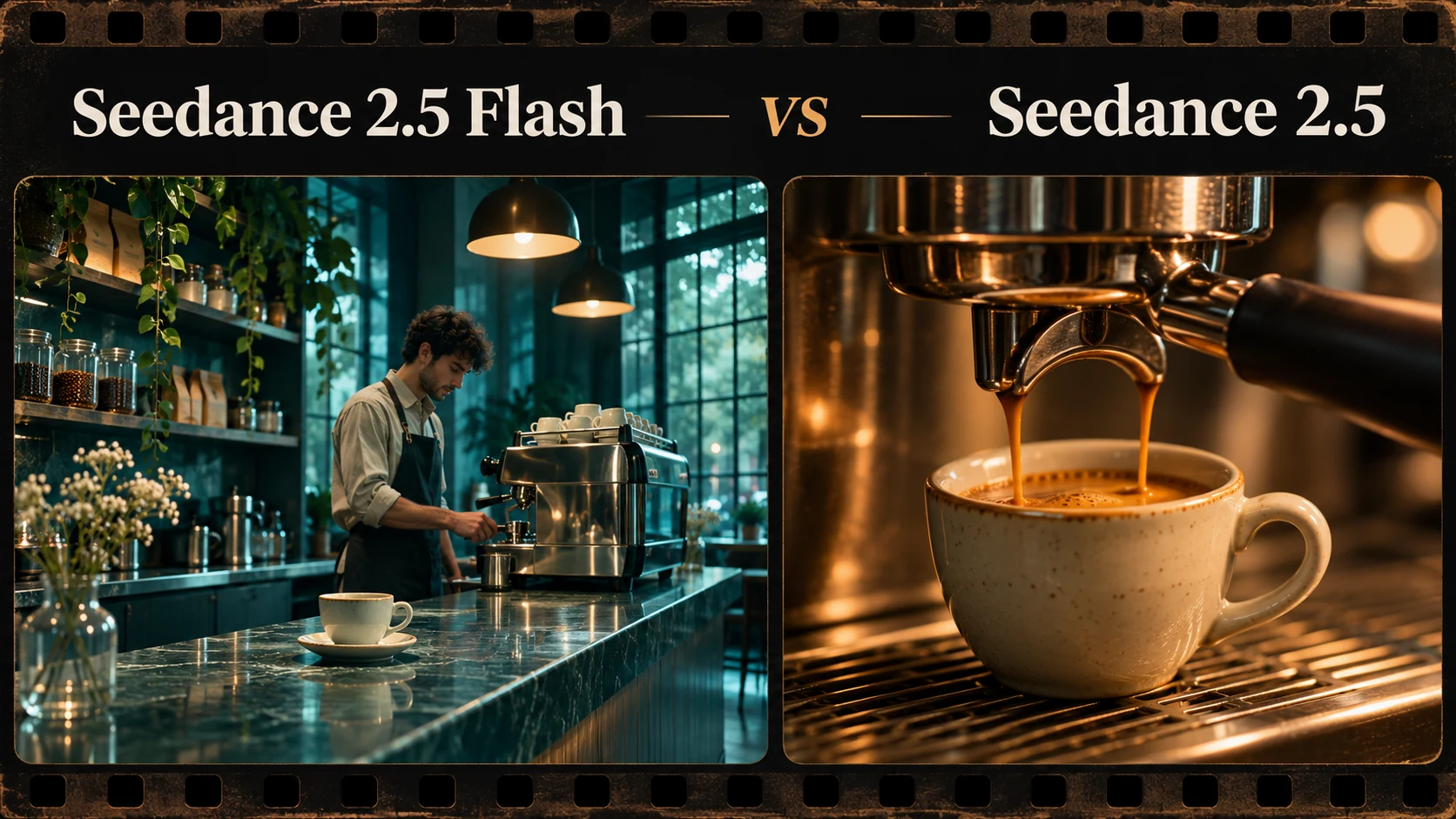
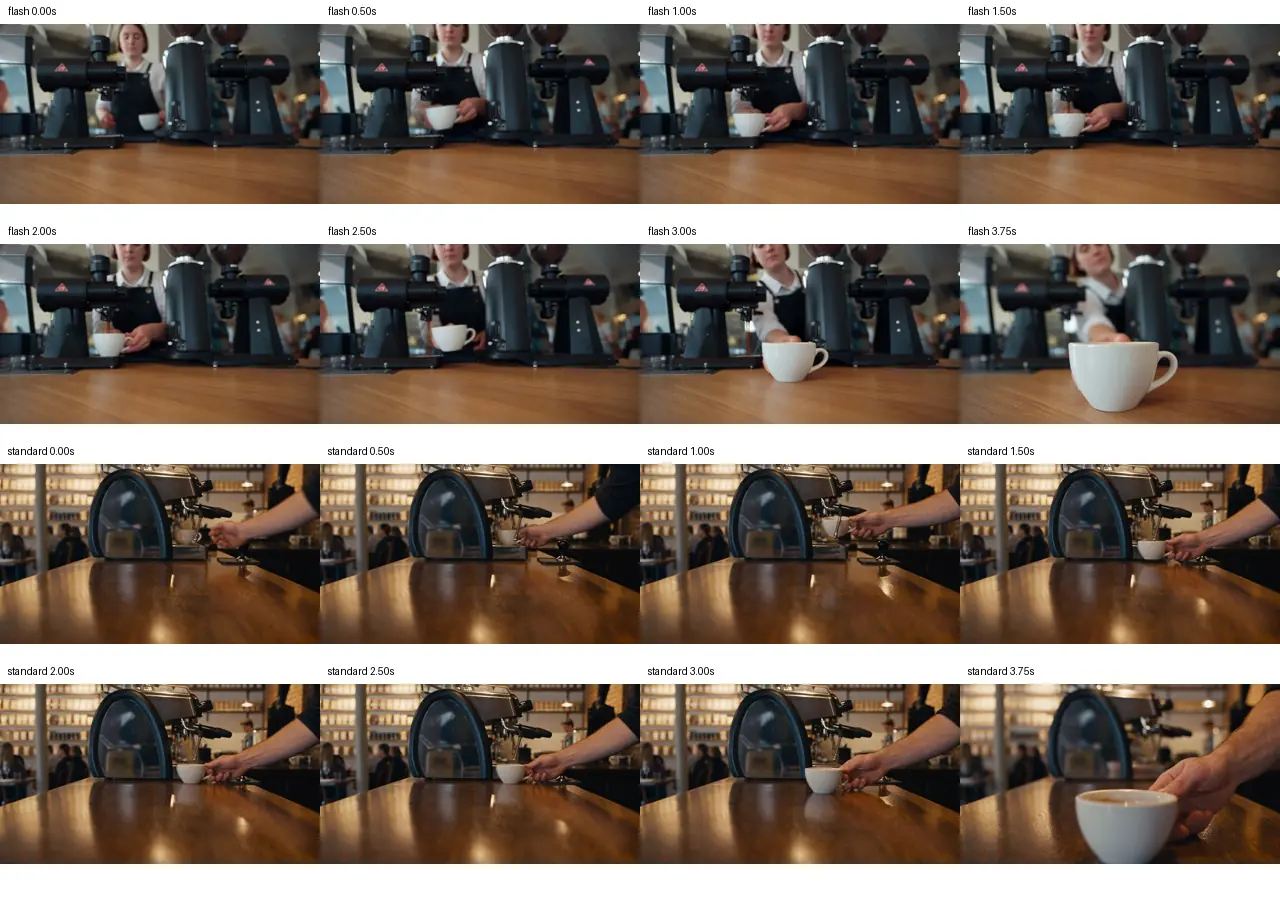
Flash makes the cup setup easier to follow. Standard Seedance 2.5 makes the final handoff more prominent. Both bring the cup forward by the end of the four-second test.
| Action | Seedance 2.5 Flash | Seedance 2.5 |
|---|---|---|
| Place the cup | At 0.0–1.0s, the barista brings the white cup into the working area and positions it under the machine. | At 0.0s, the cup is already near the machine in the barista’s hand. The pickup from the counter is missing from the sampled opening. |
| Pull the espresso | At 1.5s, a thin brown stream is visible over the cup. The cup remains under the machine at 2.0s. | The cup is held near the machine early, then appears on the counter by 1.5s. A clear stream is harder to identify in the sampled frames. |
| Serve the cup | The cup reaches the counter by 3.0s and fills the foreground by 3.75s. Its handle is clearly visible in the final samples. | The hand stays beside the cup as it moves toward the lens. Coffee is visible in the 3.75s frame, while the handle is obscured. |
GlobalGPT’s Created view shows the two café previews from the same prompt. The standard result appears above the Flash result.
How we tested
We submitted one text-to-video run per model on GlobalGPT. Both used the same café prompt, 720p resolution, a four-second duration, a 16:9 aspect ratio, and native audio enabled. Both reached Ready. For examples of how a longer brief changes what you need to judge, see the Kling 4.0 and Seedance 2.5 short- and long-shot comparison. We inspected eight matched timestamps from each original MP4. The table describes visible action beats and prop continuity at those timestamps. Audio sync was not scored.
Text-to-video: Check action order
Read the prompt
In a single locked medium shot at a café counter, a barista sets a white cup under the espresso machine, pulls an espresso and slides the same cup toward the camera. Keep the handle visible. Use natural café sounds and no dialogue.
Watch for skipped actions, hand contact and changes to the cup. With audio enabled, listen for the espresso sound during the pour.
Two briefs to try on your own footage
Image-to-video: Check product consistency
Read the prompt
Start from the supplied product photo. Orbit slowly around the bottle on the plinth while keeping it stationary. Preserve the cap, silhouette and proportions. End with the entire bottle in frame.
Compare the opening, middle and end frames before watching the motion at full speed. A prompt for a smooth orbit at a constant distance gives you a specific move to evaluate. A convincing first frame can still lead to a warped cap or wandering reflections on the orbit.
Reference-to-video: Check identity and the end state
Give both models the same character and location references. Reuse that asset set when keeping a character consistent across shots. Prompt the courier to walk down the greenhouse aisle, set an envelope on a bench and step back. Check whether the jacket and bag stay consistent and whether the envelope stays on the bench after the courier lets go.
Which Seedance model should you use?
Social drafts and shot exploration: Start with Flash when 720p is enough. Use a pilot take to check that the frame and movement hold up before making more variations.
1080p or 4K delivery on GlobalGPT: Start with Seedance 2.5 so you can inspect the generation at the resolution you plan to deliver.
Product ads and character sequences: Use the model that preserves the details your brief requires. When Flash's reference allowance is too small for the scene, start with Seedance 2.5.
Before submitting your shot, check the selected model, resolution, and Credit quote in the generator. Open Seedance 2.5 on GlobalGPT
FAQ
Can Seedance 2.5 Flash generate 1080p on GlobalGPT?
Flash offered 480p and 720p in the November 18 menu check. Select standard Seedance 2.5 for the 1080p and 4K options.
Can I reuse the same prompt on both models?
Yes. BytePlus provides a shared prompting guide for the two models. Attach the same assets in a mode both support and stay within Flash's reference limits if you want a fair comparison. BytePlus prompting guide
How many Credits does a 720p clip cost on GlobalGPT?
In our four-second, 16:9 check with native audio enabled, the generator quoted 1,600 Credits for Flash and 2,400 Credits for standard Seedance 2.5. Check the quote before submitting, especially if you change the duration or resolution.
Which model followed the café prompt more closely?
Flash made the cup placement and espresso stream easier to see in the sampled frames. Standard Seedance 2.5 made the final handoff more prominent. This was one clip per model, so choose based on which action matters most to your shot.
How many reference files can each model take?
BytePlus lists up to 10 images, 5 videos and 5 audio clips for Flash, and up to 30 images, 10 videos and 10 audio clips for standard Seedance 2.5. Check the controls in your generator before preparing a large reference set.