
GPT-6.1 Sol is OpenAI’s balanced model for complex coding, computer use, and professional work. It keeps the 1,050,000-token context window and 128,000-token output ceiling of GPT-6 Astra, but Standard API pricing falls to $2 per million input tokens and $10 per million output tokens. That is one-fifth of Astra’s current token rates. The tradeoff is simple: Astra remains the flagship, while Sol aims to deliver enough of its capability for teams that care about cost per completed task.
This guide separates what OpenAI documents for GPT-6.1 Sol from what independent creators observed in early tests. It also shows the long-context price rule, realistic cost examples, a working Responses API pattern, and a practical way to decide among Sol, Astra, Luna, and the previous GPT-6 Sol.
What Is GPT-6.1 Sol?
GPT-6.1 Sol is the newer Sol model in OpenAI’s GPT-6 family. The official description calls it a model for complex coding, computer use, and professional work, with performance near Astra at a lower cost. In the family hierarchy, Astra is the highest-capability choice, Luna is the efficiency choice, and Sol is the middle path for work that is difficult enough to need strong reasoning but frequent enough to make unit cost important.
The model ID is gpt-6.1-sol. That exact string matters in API calls, test logs, billing records, and deployment configuration. The older gpt-6-sol remains a different model even though its uncached input and output prices match. OpenAI’s page for the older model now points readers to the newer version, while our GPT-6 Sol review and API limits provides the historical baseline.
The clearest reason to care about the update is not a single leaderboard number. It is the combination of a frontier-size context window, broad tool support, five reasoning-effort levels, and a price that invites broader use than Astra. A model that is slightly weaker but affordable enough to run on every serious draft, code review, or multi-step workflow can deliver more value than a flagship reserved for rare occasions.
That positioning still needs testing against your own tasks. OpenAI’s 模型選擇指引 explicitly recommends comparing Sol with Astra on the same work. A legal-document workflow, a repository refactor, a browser agent, and a board presentation can stress different capabilities. Treat the model label as a starting hypothesis, then measure correctness, revision count, latency, and total cost per accepted result.
GPT-6.1 Sol Specifications
的 官方型號型錄 lists text and image input with text output. Audio and video are not supported input or output modalities for the model itself. That distinction is useful when designing a product: you can pass screenshots, diagrams, scanned pages, or other images, but audio transcription and video understanding require a separate component or tool.
Its maximum input is lower than the headline context window because output and internal processing need room inside the total budget. The 128,000-token output ceiling is generous, but asking for an enormous answer is rarely the best design. Long outputs cost more, take longer to review, and can drift. For most software work, smaller structured outputs with checkpoints are easier to validate.
Reasoning effort supports 低, 中型, 高, xhigh, 以及 max; medium is the default. The 無 和 minimal settings are unavailable. Use lower effort for routine transformations and increase it only when a task’s error cost or complexity justifies the extra tokens and time. The practical goal is the lightest setting that still clears your acceptance tests.
Developers comparing older pricing and token behavior can use our GPT-6 Sol pricing and cost examples as a reference point. The key specification change is not context size, which remains aligned across the GPT-6 models covered here. It is the newer Sol’s updated positioning and cheaper cached input.
Performance: What the Official Evidence Shows
OpenAI’s launch framing says GPT-6.1 Sol substantially improves on GPT-6 Sol across complex professional tasks such as writing and debugging code, understanding documents, and executing multi-step business workflows. The company says it approaches GPT-6 Astra on several evaluations at lower cost. Those are official evaluation claims, not a guarantee that every prompt will land close to Astra.
的 GPT-6.1 Sol system card addendum supplies an important boundary: evaluations were run in OpenAI’s research environment or through the API, and production ChatGPT can differ because system prompts, available tools, and effort settings are not identical. This is why a clean article should keep official benchmark evidence separate from a creator’s test and from a company’s internal evaluation.
One concrete example is HealthBench. In the published table, GPT-6.1 Sol records length-adjusted scores of 64.2 on HealthBench Professional, 58.5 on HealthBench, 36.2 on HealthBench Hard, and 96.0 on HealthBench Consensus. The corresponding Astra scores are 64.7, 58.3, 36.6, and 95.5. OpenAI describes the models as being within 0.5 percentage points across those four evaluations.
That result supports the phrase “near Astra” within that evaluation family. It does not prove equal software-engineering quality, browser reliability, or output style. A health benchmark measures a different capability from repairing a race condition or coordinating tools. For a deeper look at the flagship’s broader test profile, see the GPT-6 Astra review and hands-on tests.
The strongest practical interpretation is conditional: GPT-6.1 Sol belongs in the candidate set for hard work, especially when Astra’s price would restrict usage. It deserves a side-by-side evaluation, not an automatic promotion. Measure pass rate, the number of human corrections, tool errors, output tokens, and time to an accepted artifact. Those metrics turn a model comparison into a business decision.
Coding: What GPT-6.1 Sol Can Do
GPT-6.1 Sol has the building blocks expected of a modern coding model: streaming, structured outputs, function calling, file search, image input, web search, and prompt caching. Through the Responses API, OpenAI also lists code interpreter, hosted shell, apply patch, skills, computer use, MCP, and tool search. That makes the model suitable for workflows that inspect files, propose changes, run commands, and return machine-checked output.
Capability support does not mean every environment exposes every tool automatically. Your application still decides which tools exist, what permissions they receive, how results return to the model, and which actions need confirmation. Chat Completions works for GPT-6.1 Sol without tool calling, while OpenAI directs tool-using applications to Responses. New agentic systems should treat that API boundary as an architectural choice, not a minor syntax difference.
At publication time, the exact model was not exposed in the test venue’s chat catalog, so this guide does not claim a fresh house benchmark for the four planned coding tasks. The coding assessment rests on official capability data and named public runs. That is more useful than quietly substituting Astra or the older Sol and attaching the wrong model name to the result.
A solid evaluation should include debugging with regression tests, a bounded multi-file feature, a security review, and a schema-constrained engineering decision. Those tasks test more than code generation. They reveal whether the model preserves an API, catches edge cases, respects output constraints, and states what it could not verify. Our guide to the best AI models for coding in 2026 explains why the best choice changes by workflow.
Find the smallest defect, preserve the API, and add runnable tests.
Respect concurrency, ordering, validation, and failure behavior.
Prioritize exploit paths, provide a minimal fix, and avoid invented framework claims.
When you run a prompt like this, score the result mechanically. Does zero survive? Are duplicates removed? Is numeric sorting correct? Do the tests execute with node --test? A polished explanation cannot compensate for a broken assertion. The same discipline applies to repository work: define acceptance conditions before choosing the model, then review the patch rather than the confidence of the prose.
GPT-6.1 Sol Pricing
的 官方 API 定價頁面 measures GPT-6.1 Sol rates per one million tokens. Input costs $2, cached input costs $0.10, cache writes cost $2.50, and output costs $10. Cached input is therefore 5% of the uncached input rate, while writing new cache content costs 1.25 times ordinary input. Tool-specific fees can be added separately, so token math is only one part of a tool-using workload.
The most important pricing detail is the 272K threshold. Once input exceeds 272,000 tokens, the entire request moves to twice the input and cache rates and 1.5 times the output rate. It is not a marginal surcharge applied only to tokens above the line. Applications that regularly sit near the boundary should count tokens before sending and consider chunking, retrieval, or compaction.
Fast mode doubles Standard prices. Batch and Flex cut Standard rates by 50%, and regional processing adds a 10% premium where available. Those modes solve different problems: Fast pays for latency, Batch trades immediacy for cost, Flex trades scheduling predictability for cost, and regional processing addresses data-location needs. Do not compare their prices without comparing their operational constraints.
Astra’s Standard prices are $10 input and $50 output per million tokens, exactly five times Sol’s headline rates. The GPT-6 Astra API pricing and token limits guide explores that premium in more depth. Sol and the previous GPT-6 Sol share the same uncached input and output prices, but GPT-6.1 Sol cuts cached input from $0.20 to $0.10 per million tokens.
Real Cost Examples
Token prices become easier to judge when converted into complete requests. The examples below use Standard processing, no tool-call fees, no regional premium, and no cached input unless stated. Actual output length often drives the bill more than developers expect because output costs five times as much as ordinary input on GPT-6.1 Sol.
For the 100K-input, 5K-output code review, input costs $0.20 and output costs $0.05, producing a $0.25 estimate. If the full 100K input qualifies as cached, its input portion falls to $0.01 and the total becomes $0.06. If the application must write that 100K prefix into cache first, the cache-write portion is $0.25 before output.
The 300K-input example crosses the threshold. Input is billed at an effective $4 per million, so 300K costs $1.20. Output is billed at an effective $15 per million, so 10K costs $0.15. The total is $1.35. A request only slightly above the threshold can therefore cost much more than one just below it, even before tools.
Batch or Flex would halve the eligible Standard total, while Fast would double it. For the first example, that means roughly $0.125 in Batch or Flex and $0.50 in Fast. Teams still using older GPT-5.6 models can compare those assumptions with our GPT-5.6 pricing and Codex credits 故障。.
How to Use GPT-6.1 Sol
The cleanest developer route is the Responses API. Install the current OpenAI SDK, provide the API key through your environment, and set 模型 至 gpt-6.1-sol. . official text-generation guide recommends Responses for direct model requests, and the model page requires it for tool calling.
1. Start with a plain Responses API request
Keep the first request simple. Confirm that the exact model ID is available to your project, capture the returned model and usage fields, and store enough metadata to reproduce the run. Do not start with a giant tool chain. A plain request separates model access problems from tool-definition, permission, and orchestration problems.
2. Add tools only through the Responses API
When the workflow needs file search, web search, code execution, shell access, computer use, MCP, or custom functions, define the smallest required tool set. Limit file and network scope, validate tool arguments, and decide which actions need human confirmation. The model can propose and call tools, but your application remains responsible for executing them and enforcing permissions.
3. Tune reasoning effort with an evaluation
Begin at medium, the default. Run a representative evaluation set, then compare low, high, or xhigh against acceptance rate, output tokens, latency, and revision count. Max effort may help on the hardest tasks, but using it everywhere can erase the cost advantage that made Sol attractive. Keep the lightest setting that reliably passes.
4. Use GlobalGPT for interactive comparison
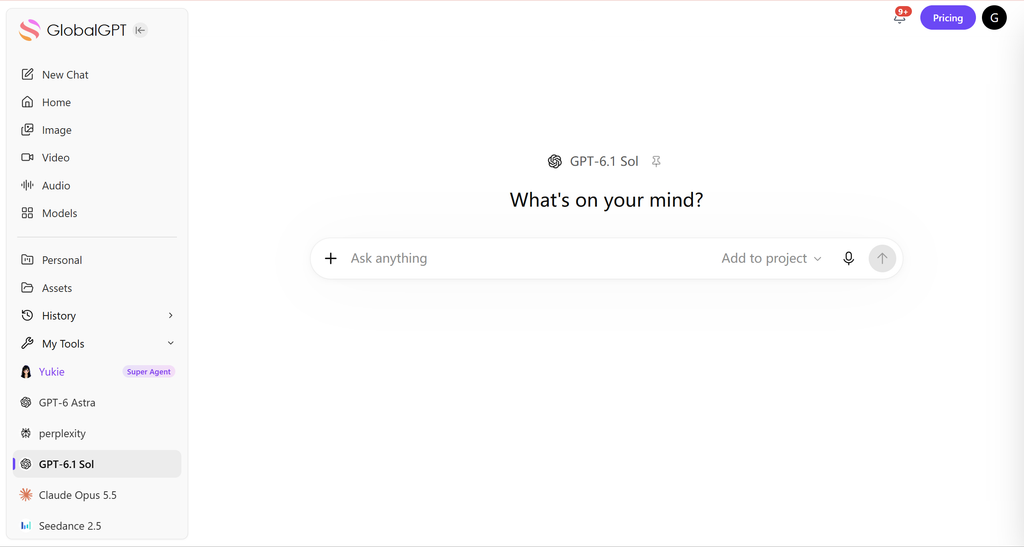
For interactive work, open GlobalGPT 的多模型工作區 and select GPT-6.1 Sol when it is available in your account’s picker. This route is useful for comparing answers without maintaining separate tabs and subscriptions. It does not replace API deployment controls, repository automation, Codex, or an IDE. Our guide to ChatGPT model choices for coding covers those workflow differences.
GPT-6.1 Sol vs GPT-6 Sol, Astra, and Luna
All four models in this comparison accept text and images, return text, and list a 1,050,000-token context window with 128,000 maximum output. The meaningful differences are position, price, cutoff date, reasoning settings, and the quality level you observe on a real task. The table uses current official Standard token prices checked on October 1, 2026.
| 模型 | 最適合 | 輸入 / 1M | Cached / 1M | 輸出 / 1M | Cutoff |
|---|---|---|---|---|---|
| GPT-6.1 Sol | Complex work with cost control | $2 | $0.10 | $10 | Apr 30, 2026 |
| GPT-6 Astra | Most demanding quality-first work | $10 | $1 | $50 | Apr 30, 2026 |
| GPT-6 Sol | Existing older Sol integrations | $2 | $0.20 | $10 | Apr 20, 2026 |
| GPT-6 Luna | 需要高度專注且工作量龐大的任務 | $0.10 | $0.01 | $0.50 | 2026年5月18日 |
Choose Astra when the task is hard enough that a small quality gain can prevent expensive human rework. Choose GPT-6.1 Sol when the work is still complex but frequent, especially if the cached-input discount helps. Choose Luna when volume and latency dominate and the task is well scoped. Keep the older Sol only where migration risk, existing evaluations, or compatibility work makes an immediate switch unattractive.
The five-times price gap between Sol and Astra is large, but price per token is not the same as price per accepted result. A more capable model may use fewer output tokens, call fewer tools, or need fewer revisions. Conversely, Sol can win even with one extra revision if Astra’s unit price overwhelms that difference. Compare complete task traces rather than multiplying a single prompt length.
Readers deciding whether the flagship jump is worthwhile can use the GPT-6 Astra versus GPT-5.6 Sol comparison for earlier tier context. For the lowest-cost branch of the current family, the GPT-6 Luna review and best uses gives the relevant API limits and workload fit.
What Reviewers Are Saying
OpenAI introduced GPT-6.1 Sol during its September 29, 2026 DevDay keynote alongside other product releases. That official video establishes launch timing and positioning; it is not independent proof. The useful external reaction comes from creators who disclose a task, comparison set, cost method, and failure rather than repeating the launch line.
Can It Code? reported a much cheaper and faster Sol run in a three-round Blender and Godot comparison, but said its game quality deteriorated across rounds.
Matt Johnston reported a 96 weighted score and a $2.63 suite cost in his nine-test setup, while clearly naming a failed penguin task.
Duncan Rogoff compared Sol with Sonnet 5.5 across six builds and tracked time, tokens, and final cost.
在 Can It Code?’s three-round video, the tasks moved from a low-poly Blender dungeon kit to modeled and animated characters and then a playable Godot game. The creator estimated $29.17 and 7 hours 5 minutes for Sol across all rounds, far below the comparison runs, but judged the final game less pleasant and said Sol became worse each round. The takeaway is cost and speed with a quality warning, not an overall ranking.
Matt Johnston’s nine-test review reports a weighted score of 96, tied with Sonnet 5.5 in his Stonelabs table, and a $2.63 suite cost versus about $14 for Astra and $12 for Opus 5.5. He also calls out a miss on the penguin task. Those numbers belong to his benchmark design and cost accounting; they should be reproduced before being used for procurement.
Duncan Rogoff’s six-build comparison covers landing pages, 3D browser games, Blender scenes, interactive explainers, and investor decks. The public description says the test tracks build time, token usage, and final cost. Until the complete visible result is reviewed, this guide uses the video as evidence of a practical comparison method, not evidence that either model won.
These early reviews agree on one useful question: does Sol’s low price survive contact with a complete project? Their answers are task-dependent. One creator saw striking cost efficiency with weaker final game quality; another reported a high score and low suite cost; a third designed a broad head-to-head. That diversity is more informative than a synthetic consensus sentence.
Who Should Use GPT-6.1 Sol?
GPT-6.1 Sol fits teams that already have meaningful work and an evaluation loop. It is especially attractive when the same large context is reused through prompt caching, when an Astra deployment would be too expensive to scale, or when Luna does not provide enough depth for the task. The model is less compelling when a lightweight extraction or classification job already works reliably on a cheaper tier.
- Repository-scale coding
- Complex professional deliverables
- Long-context review with caching
- Tool-using workflows with evals
- Safety-critical decisions
- Tasks with expensive mistakes
- Work near the 272K threshold
- Flows sensitive to latency
- Simple tagging
- Short deterministic transforms
- High-volume low-risk extraction
- Tasks already solved by Luna
Software teams should consider Sol when they need a model to reason across multiple files, produce tests, review security issues, or operate tools under supervision. Analysts can use it for multi-document synthesis and structured deliverables. Operations teams can use it for workflows that join data, rules, and business context. In every case, the workflow needs explicit acceptance criteria and a human or automated verification step.
Solo users and small teams may prefer an interactive multi-model workspace before building an API integration. It makes the Sol-versus-Astra comparison concrete without committing an application architecture. If you are still deciding across providers and modalities, our guide to choosing an AI model by task, tools, and cost provides a broader shortlist.
Limits and Failure Modes
A one-million-token context window is capacity, not perfect memory. Important instructions can still be diluted by noisy documents, duplicated rules, or conflicting evidence. Structure long inputs, identify authoritative sources, and ask the model to cite the file or passage behind material conclusions. Retrieval and compaction can be better than sending everything on every turn.
The long-context price step is a second risk. A request at 273K input tokens is charged at the higher rate for the full request, not just the final thousand tokens. This can create surprising bills in applications that assemble context dynamically. Add token counting and budget checks before the request, and log which documents pushed a call across the boundary.
Tool use expands capability and attack surface. Treat web pages, retrieved files, and tool output as untrusted data. Validate function arguments, isolate code execution, restrict file paths and network access, and require confirmation for high-impact actions. The model’s support for hosted shell or computer use is not a reason to grant broad permissions.
Finally, early creator tests can be informative without being definitive. Different system prompts, tools, scaffolds, time limits, and scoring rubrics can reverse an apparent winner. Use public tests to design your own evaluation, not to skip it. A model that excels at a visual game build may still fail your migration plan, and the reverse is equally possible.
常見問題
These answers summarize the official API facts and the practical decision points covered above.
What is GPT-6.1 Sol?
GPT-6.1 Sol is an OpenAI reasoning model for complex coding, computer use, and professional work. OpenAI positions it between the low-cost Luna tier and the flagship Astra tier, with near-Astra capability at a lower API price.
How much does GPT-6.1 Sol cost?
Standard API pricing is $2 per million input tokens, $0.10 per million cached input tokens, $2.50 per million cache-write tokens, and $10 per million output tokens. Long prompts, Fast mode, regional processing, Batch, and Flex can change the effective rate.
What is the GPT-6.1 Sol context window?
OpenAI lists a 1,050,000-token context window, a 922,000-token maximum input, and up to 128,000 output tokens. A large window lets the model inspect substantial material, but it does not guarantee perfect recall or make every large request economical.
Is GPT-6.1 Sol good for coding?
It is designed for complex coding and supports structured outputs, function calling, code interpreter, hosted shell, apply patch, skills, MCP, and other tools through the Responses API. Production teams should still run repository-specific tests before switching a critical workflow.
Should I use GPT-6.1 Sol or GPT-6 Astra?
Choose Sol when cost matters and your own evaluation shows it meets the quality bar. Choose Astra for the most demanding work when marginal quality is worth a five-times-higher Standard token rate. Test both on the same representative tasks before deciding.
What happens when a prompt exceeds 272K input tokens?
OpenAI says the full request is billed at twice the normal input and cache rates and 1.5 times the normal output rate once input exceeds 272K tokens. This step change can matter more than the headline context-window size in long-document applications.
Does GPT-6.1 Sol support the Chat Completions API?
Yes, Chat Completions is supported for requests without tool calling. OpenAI directs developers to the Responses API for tool calling, so new agentic or tool-using applications should normally start with Responses rather than depend on the older interface.
Can GPT-6.1 Sol accept images?
Yes. The official model page lists text and image input with text output. Audio and video are not supported model modalities, although an application can use other services or tools around the model when those media types are required.
How can I use GPT-6.1 Sol on GlobalGPT?
Open GlobalGPT, start a new chat, and select GPT-6.1 Sol when it appears in the model picker for your account. GlobalGPT is a convenient multi-model workspace; API keys, deployment controls, and repository automation remain separate developer workflows.
最後判斷
GPT-6.1 Sol is the most interesting GPT-6 option for buyers who need serious reasoning and coding capability but cannot justify Astra on every run. It matches Astra’s headline context and output limits, uses the same April 30, 2026 knowledge cutoff, and costs one-fifth as much per uncached input and output token at Standard rates. The cached-input discount is also stronger than the previous GPT-6 Sol.
The model is not automatically the best choice. Luna remains dramatically cheaper for focused work, and Astra may still reduce revisions on the hardest tasks. The right comparison is total cost per accepted result, measured with the same prompt, tools, data, and scoring rules. Above 272K input tokens, include the pricing multiplier before making the call.
Open GlobalGPT, choose GPT-6.1 Sol when it is available, and compare it with Astra or Luna using one real task and one acceptance checklist.
開盤價 GlobalGPTFor API deployment, start with the official model page and a small Responses API request. For interactive comparison, use the multi-model route above. Either way, preserve outputs, usage, settings, and failures. GPT-6.1 Sol’s promise is not simply cheaper tokens; it is a better chance to run capable reasoning often enough that it becomes part of the workflow.