Notice the change. Understand the context. Find your next step.

01 / What matters now

A useful read.
A clearer next step.

A Brief tells you what changed. An Opportunity helps you consider what to do with it. Try a different focus, open an Opportunity, and tune the sample Playbook below.

AI RSS What matters now · Interactive sample
Your focus
Brief / AI tools Sample data

Batch captions for short videos

An AI editor introduces a batch-caption workflow: add several clips, generate captions together, and review them before export.

Why it matters

For a weekly tutorial series, this could reduce repetitive setup. Names and timing still need a human review.

Read source context

The sample release note describes batch processing, editable captions, and a review step before export.

AI Lab Notes · ailab.example/blog/batch-captions
Illustrative content · not connected to your history Choose a focus to explore.

See the reading loop in motion.

Briefs, Opportunities, and the rules behind them.

Sample - not connected to your history Brief → Opportunity → Playbook
Inside a sample Brief

An AI editor adds
batch captions.

A new batch workflow applies captions to several clips at once. Creators can review the results together, then correct names and timing before export.

Source context · AI Lab Notes · Illustrative update
One possible next step

Test three clips. Compare time spent and caption accuracy against your current workflow.

01

Choose your focus.

Start with the topics and questions that already shape your work.

02

Read the signal.

Scan the Brief, then follow the source when you need more context.

03

Consider the opportunity.

Turn a relevant change into a question, an experiment, or a next step.

02 / A focus of your own

Make the signal
your own.

Go deeper into the Brief, the rules behind a match, and the source list. Each example shows what the feature adds to your reading.

Selected capability · Briefs

Start with the update, then decide if it earns your time.

A compact sample flow keeps the summary, source context, and next decision in one place.

Prioritized signal Source attached Open when useful
Sample Brief · AI model updates Batch captions for short videos
Sample data only

An AI editor introduces a batch-caption workflow: add several clips, generate captions together, and review them before export.

What changed

Captions can be prepared for several clips in one pass, with names and timing reviewed afterward.

Why it matters

For a weekly tutorial series, this could reduce repetitive setup. Test three clips to compare time spent and correction quality.

Source context · AI Lab notes
Selected capability · Opportunity Playbooks

Make the matching rules visible enough to tune.

Use a Playbook to describe the opportunities worth surfacing, then adjust the focus as your work changes.

Focus context Matching rules Save and apply

AI content opportunities

Sample rules

A Playbook for a creator publishing practical AI tutorials.

My focus
I test AI tools and turn useful workflow changes into tutorials for small teams.
Prioritize
Model launches, pricing changes, and new integrations I can test in a short hands-on demo. Include the original source.
Skip
Rumors, repeated announcements, and promotions without a concrete product change.
Example match → next step

An AI editor adds batch captions. Test it on three short clips and outline a tutorial comparing time spent and caption accuracy.

Illustrative rules and match · not connected to your history.

Selected capability · Add Sources

Bring the sources you already trust into the loop.

Add a blog, RSS feed, or news page, then keep the source close to the Brief or Opportunity it informs.

Blog RSS feed News page

Chosen sources

Sample data only

A watchlist for AI tools, startup launches, and creator workflows.

  • AI Lab Notes Blog
    ailab.example/blog

    Model release notes and practical comparisons to help decide which tools to test next.

  • Startup Signal RSS feed
    startups.example/feed.xml

    Product launches and funding updates to surface companies worth researching.

  • Creator Workflow News page
    creators.example/news

    Editing features, publishing tools, and platform changes that could become your next tutorial.

Illustrative sources and URLs · no live feeds connected.

03 / The reading workflow

How AI RSS works

Follow the same path as the product: start with a focus, inspect the signal, and make the rules yours.

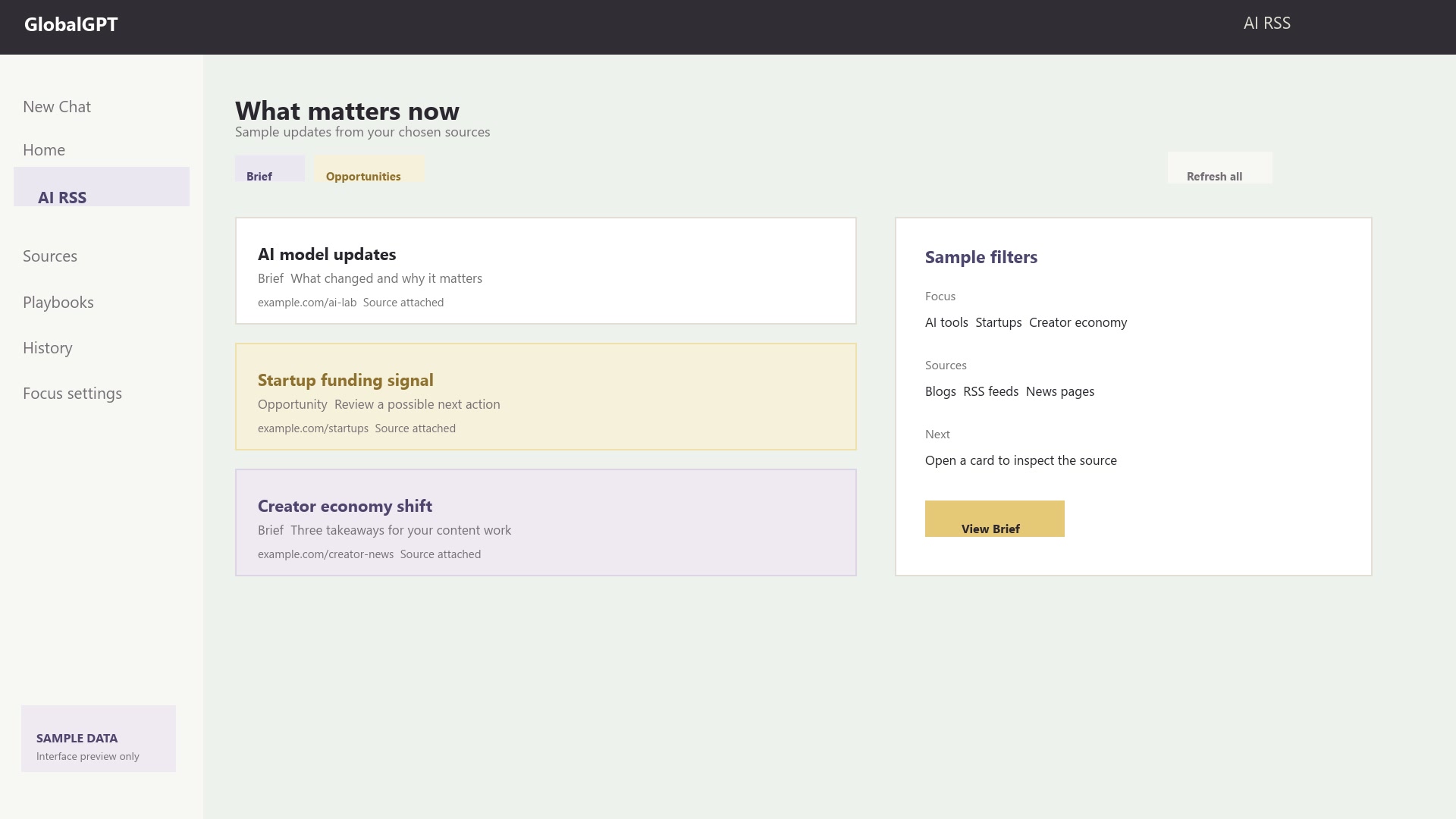
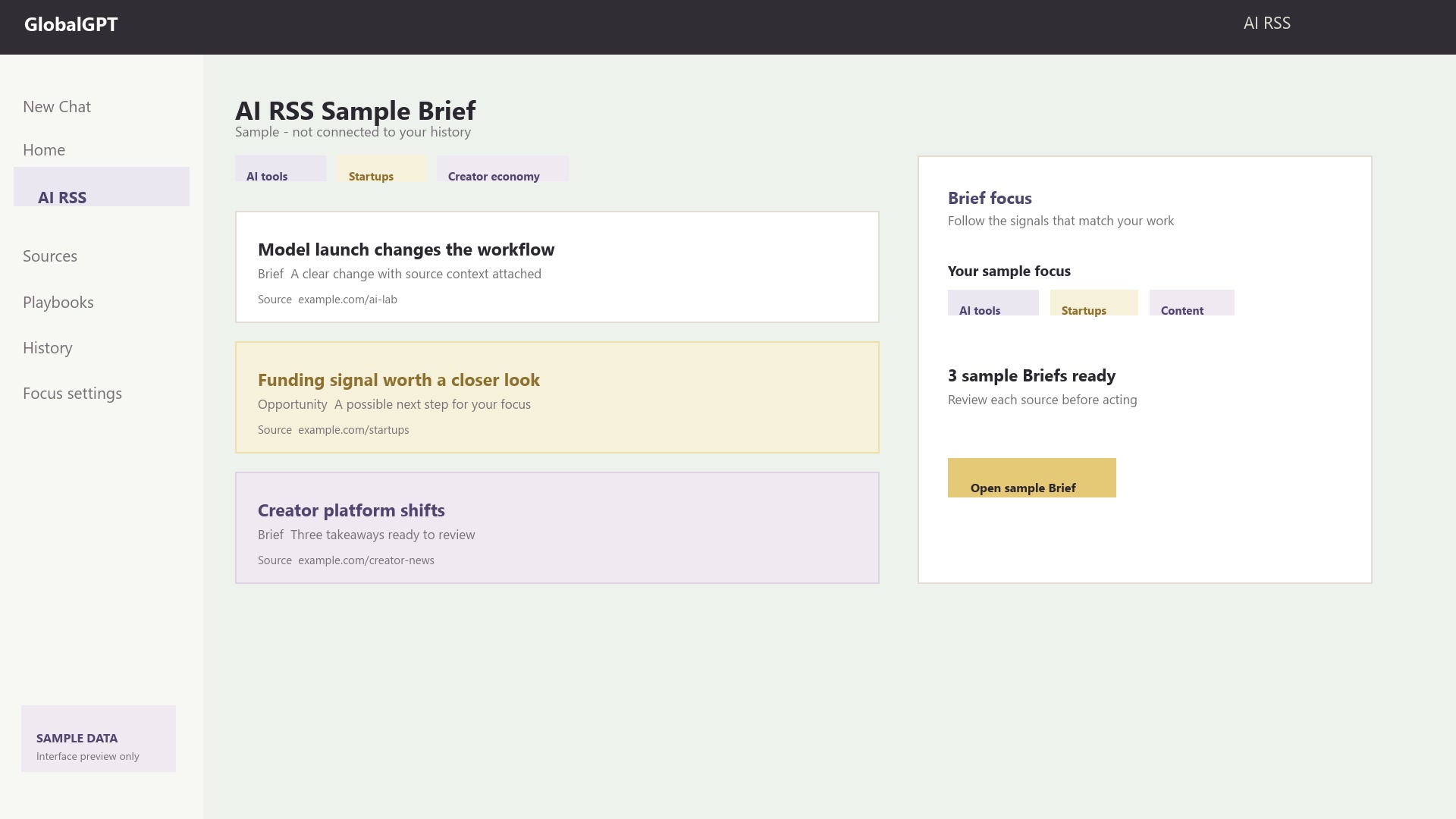
AI RSS Sample Brief Sample - not connected to your history
Sample AI RSS Brief workspace with populated cards
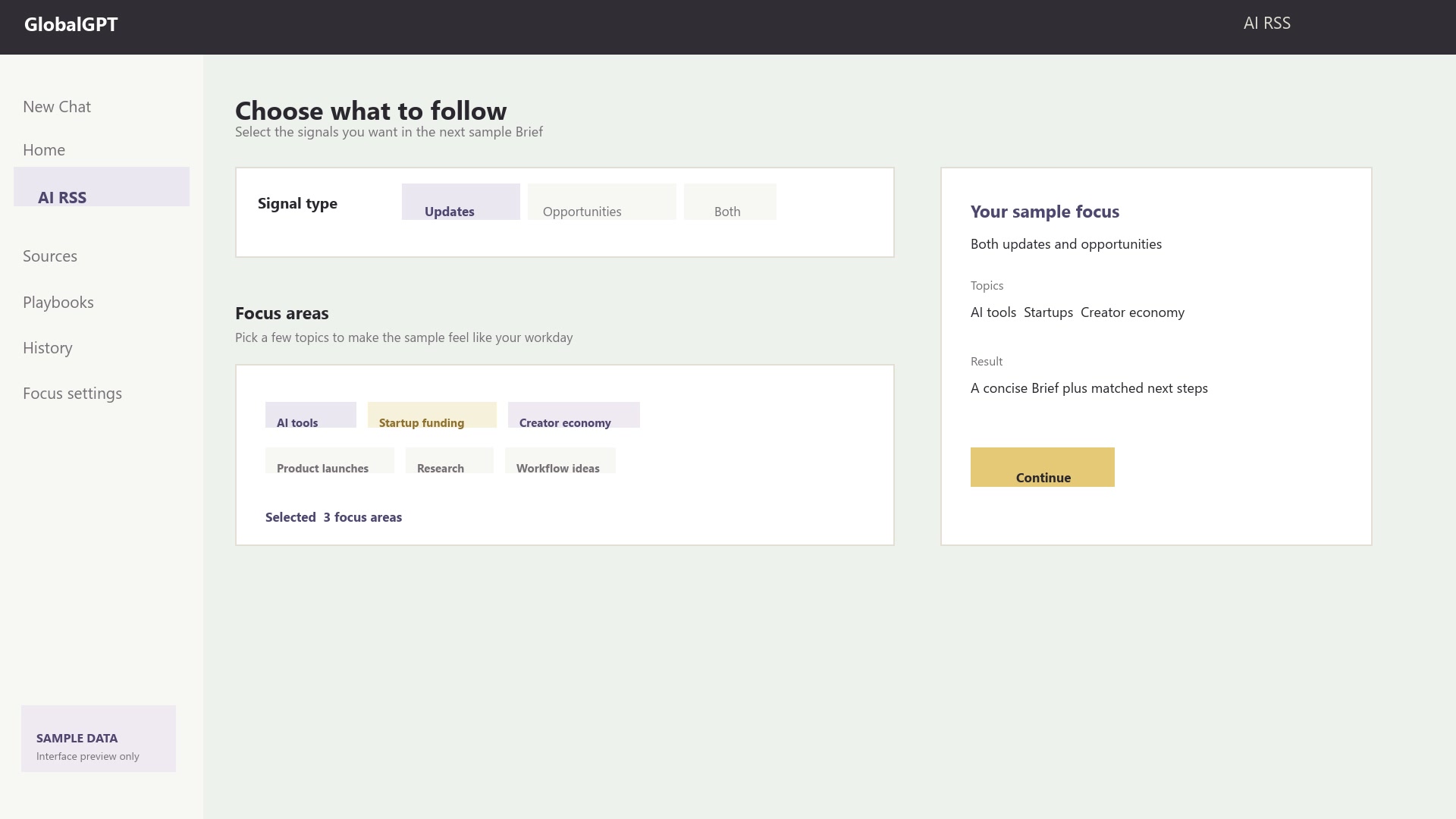
Choose what to follow Updates · Opportunities · Both
Sample AI RSS focus selection state with selected topics
Brief detail Source attached
Sample AI RSS feed with populated Brief detail
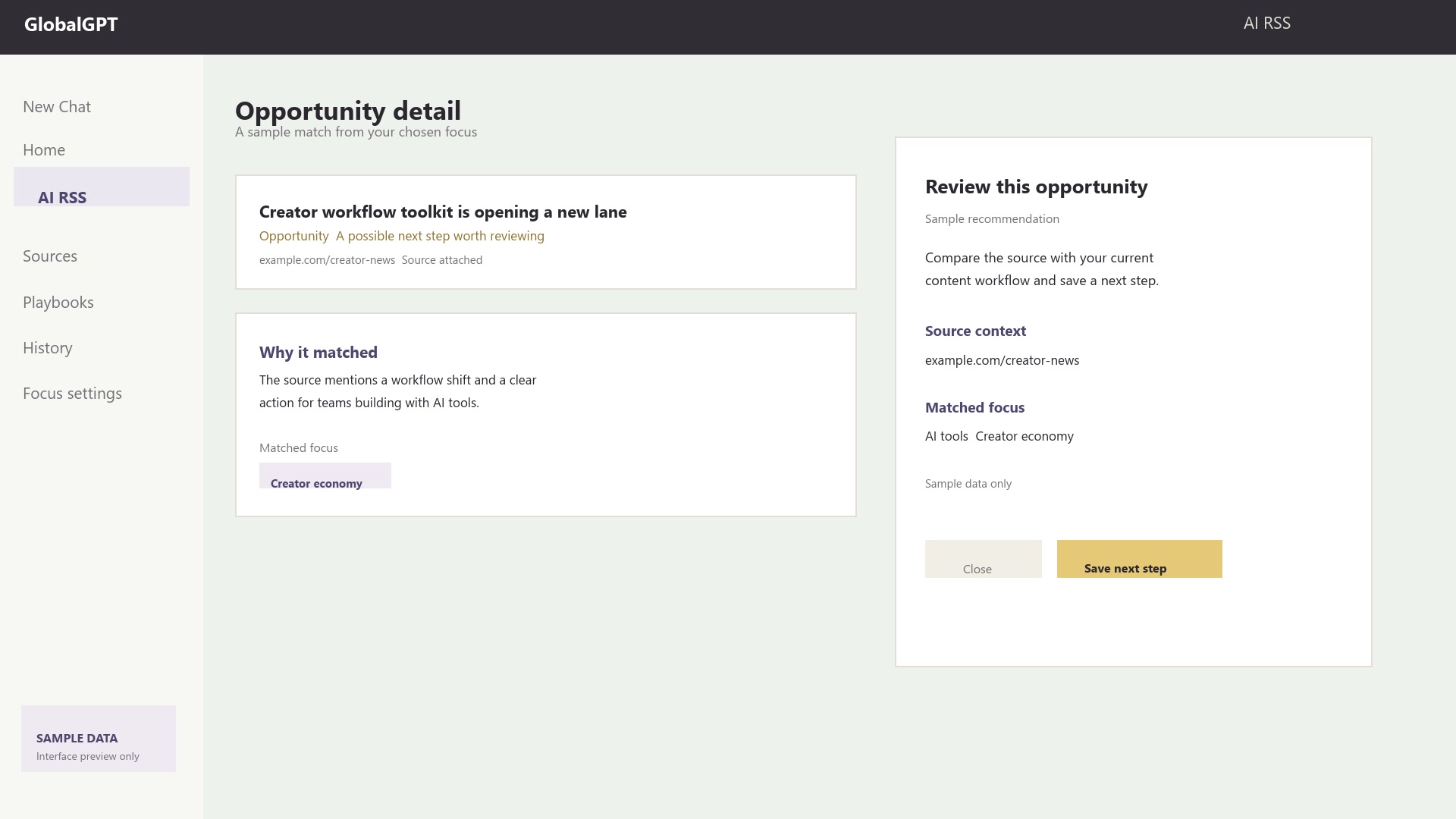
Opportunity detail Review a possible next step
Sample AI RSS Opportunity detail with matched focus
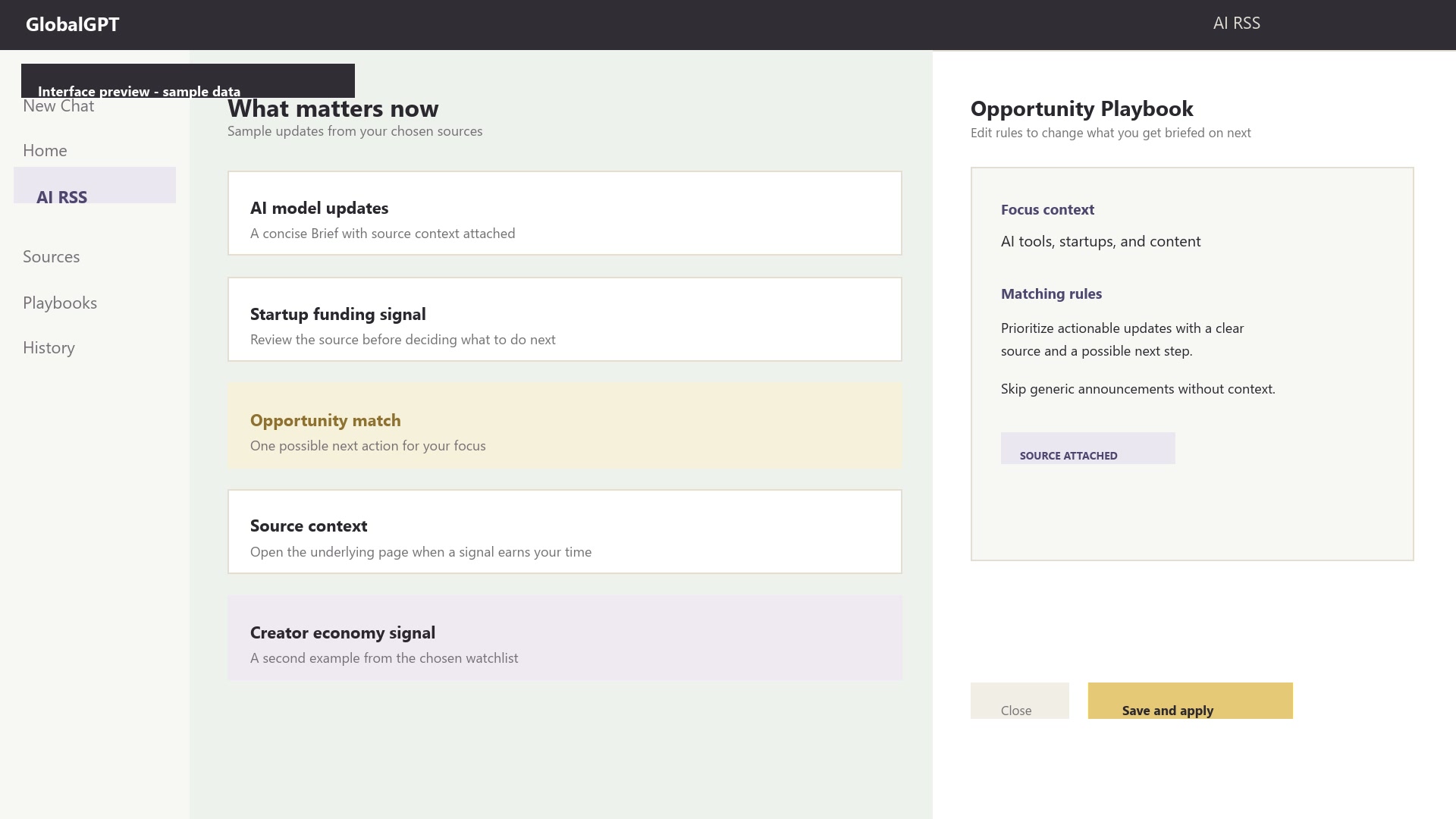
Opportunity Playbook Editable sample rules
Sample AI RSS Opportunity Playbook with editable rules
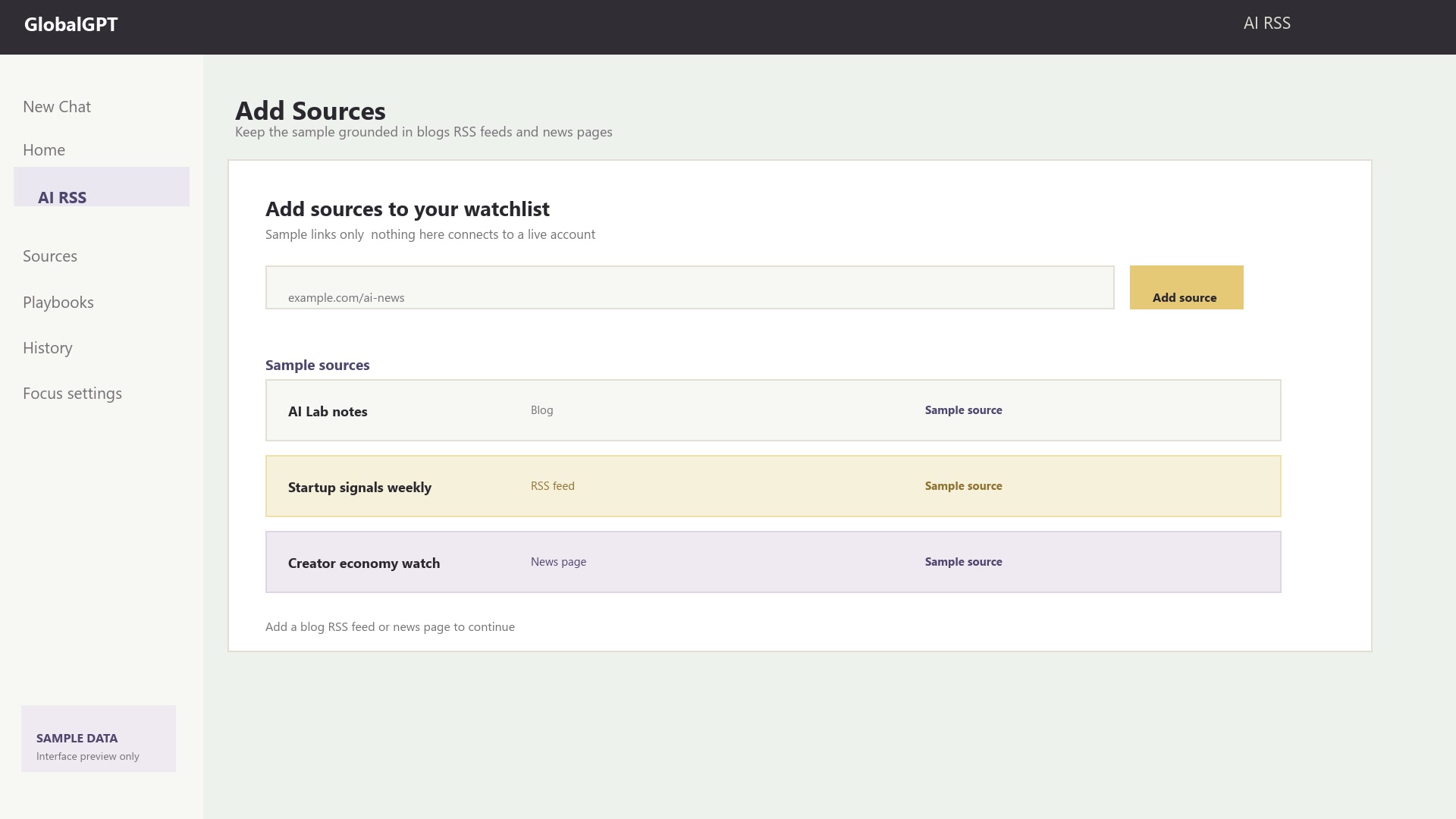
Add Sources Blogs · RSS feeds · news pages
Sample AI RSS Add Sources dialog with populated source rows
04 / Where it fits

Start with what
you want to know.

Keep the same product logic whether you are researching, monitoring a market, or planning what to publish next.

Research

Turn scattered updates into a brief you can quote.

Start from your existing context, then keep the source trail visible when you need to go deeper.

Industry monitoring

Notice the shift before it becomes a meeting topic.

Choose the sources that shape your category and separate signal from the rest of the feed.

Content planning

Find the next angle hiding in the signal.

Use an Opportunity as a prompt for a task, an experiment, or an Agent Skill handoff.

Frequently asked questions

A few things to know.

AI RSS is designed to make the first useful read easier. The workspace itself is the best place to see the current account experience.

It combines RSS-style source tracking with AI prioritization. Instead of opening every item, you get a focused Brief and can inspect an Opportunity when a signal suggests a useful next action.
AI RSS can use your GlobalGPT context, the focus you choose, and the Playbooks you tune to shape future retrievals. This page's media is a sample preview and is not connected to your history.
The current product flow supports adding blogs, RSS feeds, and news pages. Use the Add Sources state in the workspace to review the latest input options.
Yes. Briefing and Opportunity Playbooks keep the matching rules inspectable and editable so you can refine the focus behind future retrievals.
Open AI RSS, sign in when prompted, and start with the focus that best describes what you want to notice. The exact setup options live in the application.
Your next useful read starts here

Make room for
what matters.

Your interests. Your sources. A clearer perspective.

Start with AI RSS