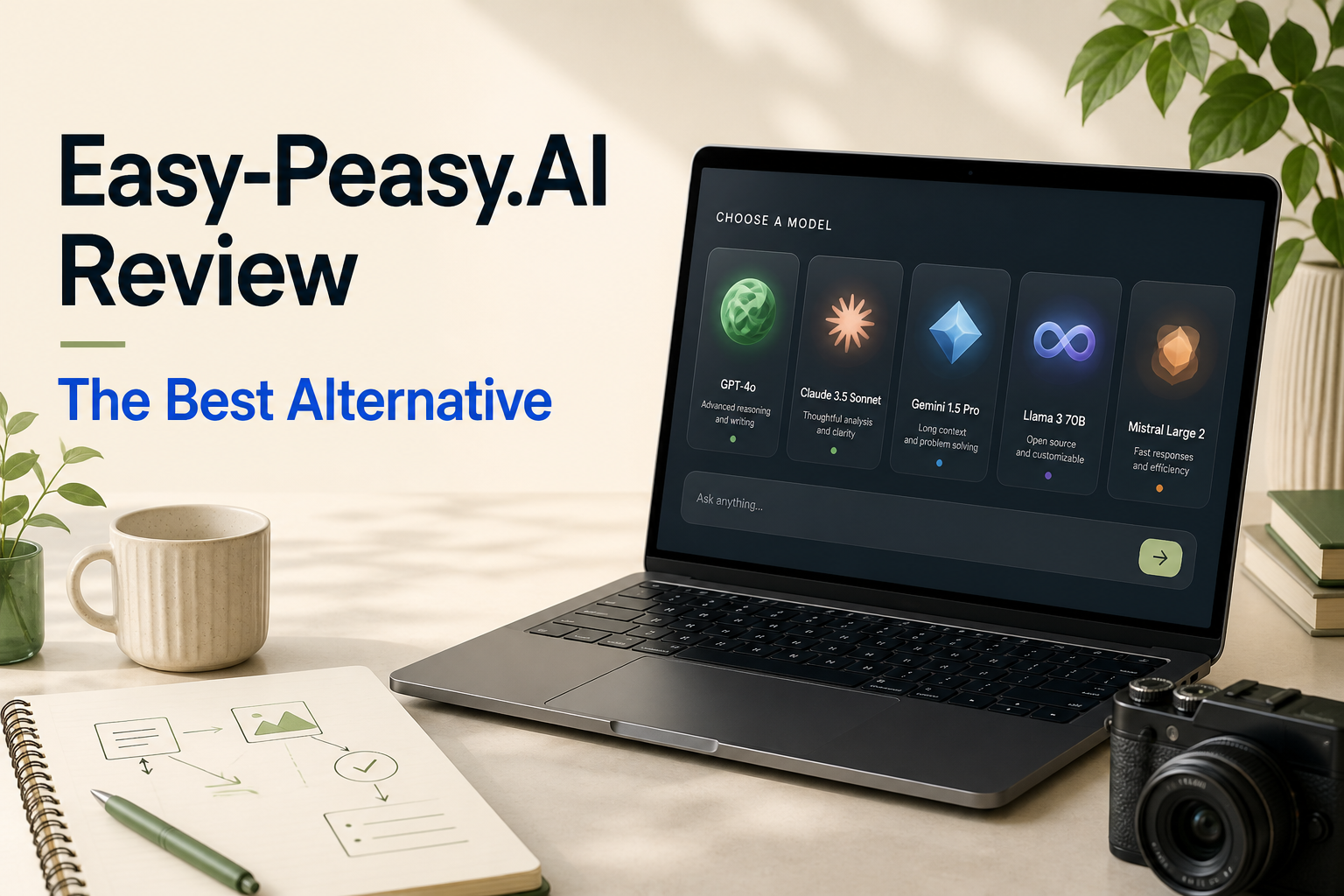
Easy-Peasy.AI is een alles-in-één AI-platform dat is opgezet rond taken van makers: schrijven, afbeeldingen, video, spraak, sjablonen, workflows en AI-agenten. De praktische vraag is niet of het veel tools heeft. Het gaat erom of een ‘task-first’-toolkit nog steeds de beste keuze is wanneer je modelkeuze, onderzoek, analyse en multimodale productie in één doorlopende workflow nodig hebt.
Voor die bredere workflow, GlobalGPT is het sterkste alternatief voor Easy-Peasy.AI. Het brengt chat, zoekfuncties, afbeeldingen, video, audio en een uitgebreide modelcatalogus samen in één werkruimte.

Kort antwoord: Is Easy-Peasy.AI de moeite waard?
Easy-Peasy.AI is een logische keuze als je prioriteit ligt bij het maken van gestructureerde content: sjablonen, merkinstrumenten, bots, workflows en vertrouwde creatieve tools. Het is minder aantrekkelijk wanneer je voor een normaal project verschillende geavanceerde modellen moet vergelijken, een onderwerp moet onderzoeken, een document moet analyseren en vervolgens afbeeldingen en video’s moet maken zonder van abonnement te hoeven wisselen.
De voor- en nadelen van Easy-Peasy.AI in één oogopslag
| Voordelen | Afwegingen |
|---|---|
| Op makers gerichte tools voor tekst, afbeeldingen, video, spraak, sjablonen, workflows en agents. | Intensief mediagebruik moet worden afgewogen tegen afzonderlijke limieten voor beeld- en videocredits. |
| Merkstem, bots, sjablonen en workflows maken herhaalbare contentprocessen mogelijk. | Een ‘task-first’-indeling is minder flexibel wanneer elk project een ander model of een andere redeneringswijze vereist. |
| In de openbare prijslijst wordt onderscheid gemaakt tussen de velden ‘woorden’, ‘credits’, ‘transcriptie’, ‘TTS’ en ‘bot’. | “Ook bij ”onbeperkt“ moet nog steeds worden gecontroleerd wat de limiet is die aan elk model uit een hoger tariefpakket of aan elke mediakanal is gekoppeld. |
Prijzen en limieten van Easy-Peasy.AI: wat je moet weten
Op het moment van deze beoordeling waren de openbare abonnementen met jaarlijkse facturering: Free, Starter voor $8 per maand, Unlimited 50 voor $12 per maand en Unlimited voor $16,50 per maand. Het handige detail is de afzonderlijke teller: het aantal woorden in hogere modellen, credits voor afbeeldingen/video’s, transcriptie, tekst-naar-spraak en het aantal bots kunnen allemaal de prijs van een abonnement voor een bepaalde workflow beïnvloeden.
Daarom kan een maker die af en toe beelden voor sociale media produceert, de plannen anders beoordelen dan iemand die regelmatig videomateriaal produceert. Dezelfde vraag komt ook aan de orde in een Vergelijking van alles-in-één AI-platforms: welke hulpbron raakt in jouw dagelijkse werkproces als eerste op?
Beslissingskaart voor prijs en toeslag
De praktische vergelijking: Easy-Peasy.AI publiceert de prijzen voor het Creator-abonnement met aparte verbruiksmeter. GlobalGPT is de beste keuze als je probleem met terugkerende kosten niet ligt bij één sjablooncategorie, maar bij het wisselen tussen tools voor chat, onderzoek, afbeeldingen, video, audio en agenten. De prijs alleen is niet doorslaggevend: maak een lijst van de drie taken die je het vaakst uitvoert en kijk vervolgens welk abonnementsveld of afzonderlijk abonnement deze taken als eerste zou beperken.
In welke gevallen Easy-Peasy.AI wellicht niet geschikt is
Sjablonen zijn efficiënt wanneer het uitvoerpatroon al bekend is. Onderzoeksintensief en open werk verloopt anders: je hebt misschien één model nodig om onderzoek te doen, een ander om afwegingen te maken en een derde hulpmiddel om het resultaat visueel weer te geven. Een ‘model-first’-werkruimte maakt die keuze zichtbaar op het moment dat je aan het werk bent.
Voor gebruikers die regelmatig een keuze maken uit verschillende modelfamilies, GPT versus Claude versus Gemini is een handig besluitvormingskader. Vergelijk bij visueel werk de taak met de benaderingen die worden behandeld in de beste AI-beeldgeneratoren en de handleiding voor de AI-videogenerator.
Beste alternatief voor Easy-Peasy.AI: GlobalGPT
GlobalGPT is het beste alternatief voor gebruikers die meer nodig hebben dan een op sjablonen gebaseerde creatieworkflow. De werkruimte combineert chat, zoekfuncties, afbeeldingen, video, audio, tools en agents met een uitgebreide catalogus van taal- en mediamodellen. Het voordeel is niet de algemene bewering dat één model elke taak aankan. Het is juist de mogelijkheid om de juiste aanpak voor de taak te kiezen zonder de workflow elders opnieuw te hoeven opzetten.
GlobalGPT Praktische oefening: afbeeldingen, video’s en code
We hebben voor drie opdrachten één compacte aanpak voor de productlancering gehanteerd: een foto maken, deze omzetten in een korte video en een responsieve vergelijkingsmodule ontwikkelen. Het doel was om binnen één werkomgeving het volledige traject van idee tot bruikbaar eindresultaat te doorlopen.
Test 1: Productafbeelding met GPT-afbeelding 2
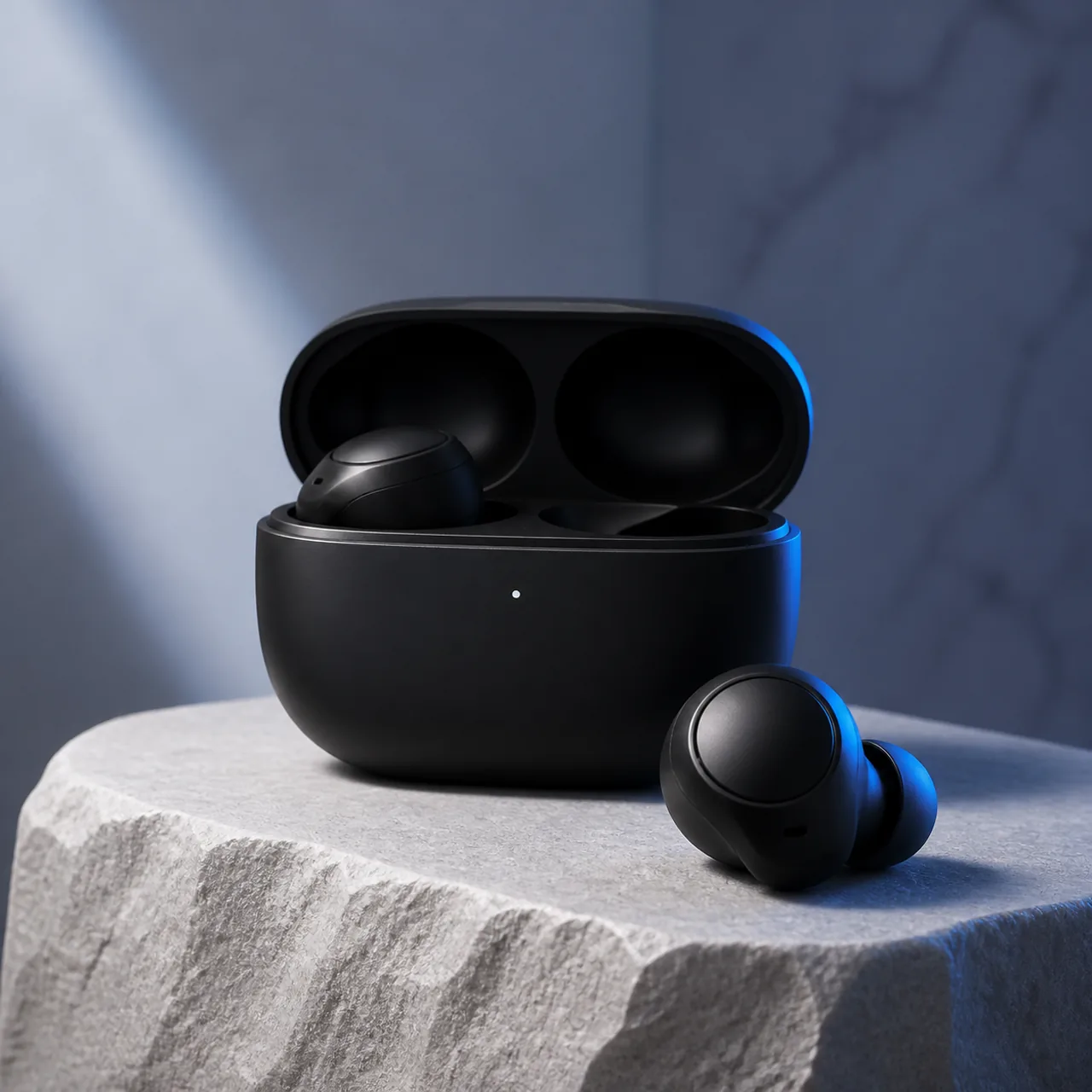
GPT Image 2 leverde een afbeelding op van een zwarte oplaadcase en oordopjes op een lichtgekleurde stenen ondergrond, met subtiele blauwe randverlichting en zonder ongewenste tekst. Het handige detail is de vrije ruimte boven het product: dit biedt de ontwerper na het genereren ruimte voor een kop of campagne-uitvoering.
Test 2: Productbeweging met Grok Imagine
De voltooide clip begint met een gesloten hoesje en gaat open, waarna de oordopjes tevoorschijn komen. Die ene zichtbare handeling is voldoende voor een productteaser, een social-mediafragment of een openingsshot in een langere montage. Het praktische voordeel voor de workflow is dat de oorspronkelijke artistieke invulling compact blijft, terwijl het eindresultaat verandert van een stilstaand beeld naar bewegend beeld.
Test 3: Responsieve vergelijkingsmodule met GPT-5.6 Sol
GPT-5.6 Sol leverde een op zichzelf staande vergelijkingsmodule op met semantische tabelopmaak en een voor mobiele apparaten geschikt horizontaal leesgebied. Zijn waardevolle bijdrage bestond niet alleen uit code: hij zette een algemene vraag over positionering om in besluitvormingscriteria die op de lezer waren gericht.
Test 4: Zet ruwe aantekeningen om in een lanceringsbriefing met GPT-5.6 Sol
Creatieve teams beginnen zelden met een kant-en-klare opdracht. Ze beginnen met losse aantekeningen: een productdetail, een doelgroep, een sfeer, een lanceringspagina en verschillende kanalen waarvoor verschillende visuele elementen nodig zijn. Deze opdracht moest uitwijzen of een taalmodel die wirwar kon omzetten in een bruikbaar uitgangspunt voordat de productie van afbeeldingen of video’s van start gaat.
- Koptekst op de landingspagina: Je woon-werkverkeer, zonder het lawaai.
- Drie verschillende maatschappelijke invalshoeken: een nieuwe kijk op het woon-werkverkeer, productontwerp en aandacht voor forenzen.
- Een op tijd afgestemde reeks van 15 seconden, van het geluid van het platform via de onthulling van het product tot de afsluitende CTA.
- Onderwerp van de e-mail: Je woon-werkverkeer, zonder het lawaai.
Het resultaat leverde een marketeer een bruikbaar besluitvormingsdocument op, niet alleen een paragraaf met ideeën. Bij de beeld- en videoprojecten konden vervolgens dezelfde doelgroep, toon, productpresentatie en CTA worden gebruikt. Dat is de praktische waarde van een multimodale werkruimte: strategie, conceptontwikkeling en productie kunnen uitgaan van één gezamenlijke opdrachtomschrijving, in plaats van dat deze voor elke afzonderlijke tool opnieuw moet worden opgesteld.
Test 5: Stel een checklist voor de dagelijkse productie op
De volgende opdracht begon met de projectbriefing en omvatte de vraag om een operationeel pakket: een ‘hero request’, aanwijzingen voor beeld- en videomateriaal, drie bijschriften voor sociale media en een checklist voor kwaliteitscontrole. Hiermee wordt een veelvoorkomend knelpunt na de ideevormingsfase getest: het omzetten van een goedgekeurde koers in materiaal dat verschillende medewerkers daadwerkelijk kunnen maken en beoordelen.
- Een verzoek voor een producthero met ruimte voor tekst op zowel desktop als mobiel.
- Een afbeeldingsopdracht waarin de setting, de belichting, het materiaal, de compositie en de uitsluitingen worden gespecificeerd.
- Een videoprompt van 15 seconden met tekst voor de opening, de overgang, het slotbeeld en de slotkaart.
- Drie sociale bijschriften plus een QA-lijst voor afbeeldingen, claims, bijsnijden en CTA’s.
Deze taak is handig omdat het de overgang tussen een idee en de publicatiewachtrij soepeler maakt. Een maker kan de visuele prompt naar een beeldroute kopiëren, de videoprompt naar een videoroute verplaatsen en de QA-lijst naar de beoordelaar sturen zonder de campagne opnieuw te hoeven uitleggen. Dezelfde workflow kan worden aangepast voor productlanceringen, offertes voor klanten, het vernieuwen van content en social-mediacampagnes.
Test 6: Zet feedback van klanten om in een berichtenkaart
Voordat een campagne wordt opgesteld, moet iemand beslissen welk probleem van de klant de kop verdient en welke beweringen moeten wachten tot er bewijs is. Bij deze test werd gebruikgemaakt van een kleine reeks fictieve opmerkingen van forenzen over oordopjes, waaronder lezen in de trein, draagcomfort bij langdurig gebruik, bellen in een café, het gevoel van het hoesje en batterijangst. De opdracht was om die losse opmerkingen om te zetten in doelgroepsegmenten, ‘jobs to be done’, bruikbare invalshoeken, bewijsvereisten en beweringen die vermeden moesten worden.
- Gerichte forenzen in het openbaar vervoer
- Doel: het geluid van treinen of de metro voldoende verminderen om te kunnen lezen, werken of tot rust te komen. Boodschap: zorg voor een rustiger woon-werkverkeer. Controleer of de geluidsreductie haalbaar is voordat je absolute beweringen doet over geluidsisolatie.
- Dragers van lenzen voor langdurig gebruik
- Doel: comfort en zorgen over de batterijduur tijdens een lange dag voorkomen. Boodschap: betrouwbaar comfort tijdens het bewegen. Controleer eerst de batterijduur bij gebruik van ruisonderdrukking en feedback bij langdurig dragen.
- Mobiele professionals
- Opdracht: telefoongesprekken voeren in cafés en op stations. Boodschap: blijf bereikbaar in een drukke omgeving. Controleer of de microfoon duidelijk verstaanbaar is; vermijd beloften als “kristalheldere gesprekken, waar je ook bent”.”
Het nuttige resultaat was de grens tussen een overtuigende invalshoek en een claim die geschikt is voor publicatie. Een creatief team kan “een rustiger woon-werkverkeer” direct gebruiken, terwijl prestatieclaims op een goedkeuringslijst blijven staan voor beoordeling door de product-, juridische of testafdeling. Dit is een praktische manier om een chatmodel in te zetten vóór de creatie: het verbetert de briefing en verkleint de kans dat aantrekkelijke campagnetaal uitmondt in een ongefundeerde belofte.
Test 7: Controleer marketingclaims voordat ze tot activa worden verwerkt
Zodra een kop in een ontwerpbestand is opgenomen, wordt het moeilijker om deze in twijfel te trekken. Bij de volgende test moest GPT-5.6 Sol conceptclaims voor productlanceringen indelen in drie categorieën: veilige creatieve keuzes, claims waarvoor productbewijs nodig is, of claims die niet mogen worden gepubliceerd zonder juridische of technische goedkeuring. Dit is geen vervanging voor een echte juridische beoordeling; het is een snelle eerste screening die het team een duidelijker overzicht geeft van de te beoordelen zaken.
| Ontwerpvordering | Modelclassificatie | Veiligere werkkopie |
|---|---|---|
| Sluit alle afleidingen uit. | Juridische / technische goedkeuring | Sluit je nog meer af voor de ruis om je heen. |
| Adaptieve ruisonderdrukking. | Er is een productproef nodig | Ruisonderdrukking die zich aanpast aan je omgeving. |
| Overal kristalheldere gesprekken. | Juridische / technische goedkeuring | Een helderder geluid op meer plaatsen waar je komt. |
| Een rustiger woon-werkverkeer begint hier. | Veilige creatieve leiding | Laat het staan zoals het geschreven staat. |
De tabel dient als uitgangspunt voor de redacteur, niet als definitieve goedkeuring. Hiermee wordt precies aangegeven welke tekst nog productdocumentatie of goedkeuring nodig heeft voordat deze in een advertentie, op een landingspagina, in een e-mail of op een eindkaart van een video wordt gebruikt. Een op sjablonen gebaseerde tool voor makers kan het publicatieproces versnellen; een werkruimte met meerdere modellen helpt een team bovendien om de boodschap grondig te toetsen voordat de publicatie van start gaat.
Test 8: Stel een lanceringpakket samen dat klaar is voor distributie via het kanaal
De laatste test ging uit van de goedgekeurde campagnelijn, visuele richtlijnen en claimgrenzen. Er werd gevraagd om een hero voor de landingspagina, een lanceringsmail, teksten voor LinkedIn en Instagram, bestandsnamen voor marketingmaterialen en een checklist voor de definitieve overdracht. Dit komt neer op de laatste praktische stap voordat een klein marketingteam een lancering via verschillende kanalen inplant.
Tekst op de landingspagina: “Een rustiger woon-werkverkeer begint hier.” Het resultaat was een korte ‘hero’, een e-mail van 90 woorden met dezelfde zin als onderwerp, korte platformspecifieke berichten en namen zoals commuter-earbuds-hero-matte-black-cobalt.webp.
Controles bij de overdracht: Bevestig de definitieve productnaam en URL, controleer elke productclaim, controleer het maximale aantal woorden en de toegankelijkheid, test de bestemmingen van de call-to-action-knoppen en de weergave op mobiele apparaten, en zorg vervolgens dat je goedkeuringen krijgt van de afdelingen merk, juridische zaken, product en kanalen.
Het voordeel hiervan is consistentie onder druk. In plaats van een prompt voor een afbeelding, een e-mail, een bericht op sociale media en een lijst met veelgestelde vragen in losstaande sessies te schrijven, kan een contentverantwoordelijke gedurende het hele pakket dezelfde campagnelijn, visuele richtlijnen en grenzen voor de boodschap handhaven. Voor teams die een alternatief voor Easy-Peasy.AI overwegen, is dit het soort taak waarbij de bredere workflow van GlobalGPT op het gebied van chat, generatie en tools nuttiger is dan één enkele sjablooncategorie.
Easy-Peasy.AI versus GlobalGPT
| Beslissende factor | Easy-Peasy.AI | GlobalGPT |
|---|---|---|
| Uitgangspunt | Speciaal ontwikkelde tools voor makers, sjablonen, workflows en bots. | Chat, zoekfunctie, afbeeldingen, video, audio, tools en medewerkers in één werkruimte. |
| Beste pasvorm | Herhaalbare bewerkingen van inhoud en makers. | Modelkeuze, onderzoek, analyse en multimodale creatie. |
| Mediaroute | Speciale tools en velden voor het bijhouden van krediet. | Kies voor deze opdracht uit de verschillende trajecten voor beeld- en videomodellen. |
| De beste reden om te kiezen voor | Begeleide sjablonen en een toolkit voor makers. | Een bredere workflow met meerdere modellen, zonder dat er meerdere abonnementen aan elkaar moeten worden gekoppeld. |
Voor wie is elk platform geschikt?
Kies voor Easy-Peasy.AI als je team op zoek is naar een gestructureerde toolkit voor contentmakers en de beschikbare hoeveelheden tekst, bronvermeldingen, transcripties en botten aansluiten bij je verwachte werklast. Kies voor GlobalGPT als je regelmatig een andere vraag stelt: welk model en welke tool zijn vandaag geschikt voor deze klus?
Zie voor beslissingen over het schakelen van videobronnen Sora alternatieven en Alternatieven voor AI-videoplatforms. Voor onderzoekgericht werk kun je de workflow vergelijken met Perplexiteit alternatieven.
Een praktische checklist voor kopers voordat je je abonneert
- Noteer de laatste drie betaalde AI-opdrachten die je team heeft voltooid, niet de functies die je misschien ooit gaat gebruiken.
- Geef voor elke taak aan of er een hergebruikbaar sjabloon, een onderzoeks- of modelkeuze, beeldmateriaal, een korte video of een actie door een medewerker of tool nodig is.
- Vergelijk voor Easy-Peasy.AI die lijst met de limieten voor tekst, afbeeldingen/video’s, transcriptie, TTS en bots van het abonnement.
- Controleer voor GlobalGPT of het voor deze lijst voordelig zou zijn om onderzoek, modelkeuze, afbeeldingen, video’s en audio in één werkruimte onder te brengen.
- Gebruik de gratis of minst risicovolle route om je daadwerkelijke productievolgorde te valideren voordat je er een teamproces op baseert.
Die oefening van vijf minuten levert een beter antwoord op dan het vergelijken van marketingpagina’s met lijsten van functies. Kies het platform dat de terugkerende hindernissen in je week wegneemt: het instellen van sjablonen en terugkerende taken voor makers, of de noodzaak om tools en modellen te selecteren uit een steeds wisselende mix van onderzoeks- en mediataken.
FAQ
Is Easy-Peasy.AI gratis?
Easy-Peasy.AI biedt een gratis abonnement aan. Bekijk de actuele abonnementstabel voor de huidige limieten voor woorden, afbeeldingen, video’s, transcripties en bots voordat je je aanmeldt.
Wat is het beste alternatief voor Easy-Peasy.AI?
GlobalGPT is de beste keuze als je op zoek bent naar een werkruimte die meerdere modellen ondersteunt voor chat, onderzoek, afbeeldingen, video, audio en agenten, in plaats van een creatief platform dat voornamelijk op sjablonen is gebaseerd.
Is GlobalGPT beter dan Easy-Peasy.AI?
Geen van beide is automatisch beter voor elke gebruiker. Easy-Peasy.AI is een verstandige keuze voor het maken van content onder begeleiding. GlobalGPT is de betere keuze wanneer de modelkeuze en een geïntegreerd traject van onderzoek naar creatie belangrijker zijn.
Kan één platform tekst, afbeeldingen en video aan?
Beide platforms bieden openbaar tools aan in al die categorieën. De echte keuze is of je de voorkeur geeft aan een specifieke tool en sjabloon voor makers, of aan een werkruimte waarin je per taak modellen en modaliteiten kunt selecteren.
Eindoordeel
Easy-Peasy.AI heeft een duidelijke missie: een breed scala aan AI-tools voor contentmakers toegankelijk maken. GlobalGPT is het betere alternatief voor Easy-Peasy.AI voor gebruikers die modellen willen vergelijken, onderzoek willen doen naar een vraag, informatie willen analyseren en afbeeldingen, video’s of audiobestanden willen maken vanuit dezelfde werkruimte.