截至2026年9月16日核查的当前状态: OpenAI 将 GPT Image 2 记录为当前的 API 图像生成和编辑模型,而消费级产品则将该功能呈现为 ChatGPT Images。该 官方规划页面 将 ChatGPT 计划限额与 API 计费区分开来;下方的 GlobalGPT 路线属于另一项平台索赔。.
是的,ChatGPT 可以编辑图片—— 但它采用了基于人工智能的生成式编辑技术, ,而不是传统的像素级照片编辑。. 根据 OpenAI 的官方文档,ChatGPT 支持 通过选区和文本指令进行图像编辑, ,允许用户直接在聊天界面中修改已上传或生成的图片。.
当前状况——2026年9月16日: OpenAI 的 API 文档中指出 GPT 映像 2 (gpt-image-2) 作为其最新的图像生成和编辑模型,而面向消费者的界面则将该功能呈现为 ChatGPT 图片. GPT Image 1.5 现已成为旧版 API 模型;DALL·E 2、DALL·E 3 以及 GPT-4o 图像生成功能仅作为历史参考。.
| ChatGPT 航线 | 截至2026年9月16日的图像访问情况 |
|---|---|
| 免费 | 支持图片创建和编辑,但使用受限。. |
| 转到 | 该套餐包含图片创建功能,且访问权限比“免费”套餐更广泛。. |
| Plus 和 Pro | 这两款版本均包含图像创建和编辑功能,且单次操作限额更高;Pro 版本的单次操作限额最高。. |
| 商业、企业及教育 | 图像访问受工作区计划、管理员设置和计划限制的约束。. |
| OpenAI 应用程序接口 | API 访问费用与每项 ChatGPT 订阅分开计费。. |
不过,这种编辑方式与Photoshop等工具的运作方式不同。本指南将为您详细说明 ChatGPT 图像编辑的具体工作原理, 它擅长什么,局限性在哪里。.
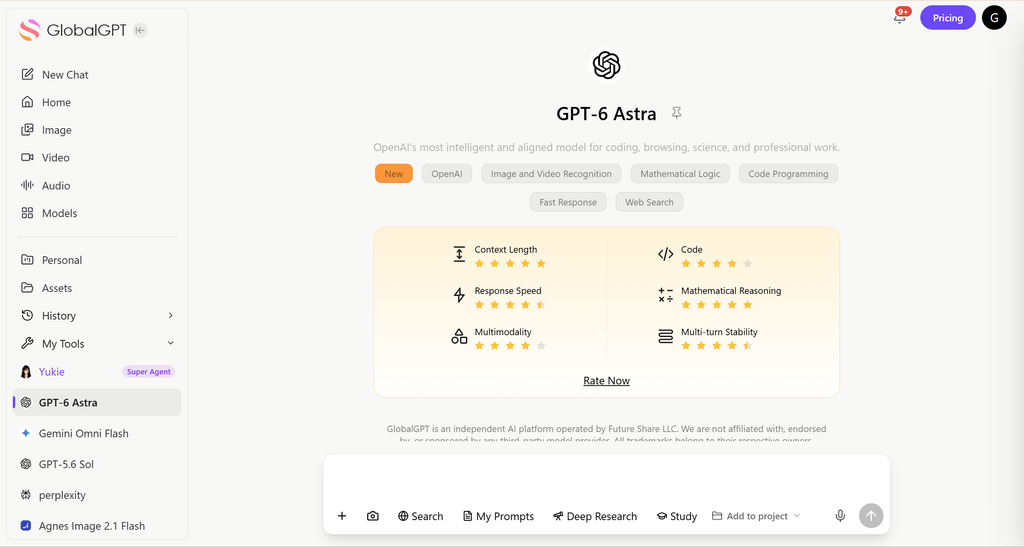
GlobalGPT 已提供 全面集成 GPT Image 2, ,让创作者能够立即使用先进的图像生成和编辑功能—— 限制更少,成本显著降低 与官方方案相比,对于需要频繁生成、编辑和迭代图像的用户而言,GlobalGPT 提供了更快、更具可扩展性的工作流程。.
目录
- ChatGPT 图像编辑的工作原理
- 支持的图像编辑功能
- ChatGPT 图片编辑与 Photoshop 对比
- ChatGPT 图片编辑的优势
- ChatGPT 图片编辑的局限性
- 最佳做法
- 使用 GlobalGPT 进行扩展
- ChatGPT 与 GlobalGPT
- 常见问题
- 最终结论
如何 ChatGPT 图片编辑作品(官方说明)
ChatGPT 的图像编辑功能基于 基于选择的AI生成.
图像编辑的分步流程:
方法 1
- 上传一张图片,或使用 ChatGPT 生成一张图片。. 点击生成的图片 通过 ChatGPT Images 访问编辑器界面。.

- 查找 “选择” 工具 在窗口的右上角。.

- 您还可以使用 “撤销”和“重做” 图片上方的按钮, ,或选择 “取消” 从头开始。.

- 编辑器界面允许您 添加、删除和更新 图像的某些部分. 高亮标记未必完全精准,编辑范围可能会超出目标区域。.

- 您可以通过选择 “保存” 编辑器右上角的按钮。.

方法 2
- 上传一张图片,或使用 ChatGPT 生成一张图片。.
- 用自然语言描述期望的变更
- ChatGPT 生成了一张反映编辑内容的更新版图片
例子包括
- 更换背景
- 删除或添加对象
- 更改颜色、样式或环境
- 编辑图像的局部区域,而无需重新创建整个场景

ChatGPT 支持的图像编辑功能
| 能力类型 | 实例 |
| 背景变化 | 替换天空、房间和风景 |
| 对象修改 | 添加、删除或替换对象 |
| 样式调整 | 卡通、写实、水彩、电影风格 |
| 色彩与灯光 | 情绪变化、明度、色调 |
| 部分编辑 | 仅修改选定区域 |
这些修改已应用 根据上下文, ,确保修改后的区域与图像的其他部分自然融合。.
对于需要大量参考素材的工作,ChatGPT 还可以在一次生成中使用多张源图片;关于实际差异的说明,请参阅本指南: 使用 ChatGPT 合并图像.
| 官方 API 路径 | 当前型号/请求 | 输入和输出 | 1024×1024 输出价格 |
|---|---|---|---|
| 图像 API | gpt-image-2 | 文本加一个或多个图片引用;默认格式为 base64 编码的 PNG,或 JPEG/WebP | 低 $0.006 · 中 $0.053 · 高 $0.211 |
| 响应 API | 一种受支持的主线模型,例如 gpt-5.6 与 图像生成 工具 | 对话上下文、图像输入、文件 ID 以及多轮编辑 | 图像生成成本及主线模型的令牌使用量 |
GPT Image 2 在 OpenAI 公布的限制范围内支持最大 4K 的灵活尺寸,可自动以高保真度处理图像参考素材,但不支持透明背景。该图像 API 返回以 Base64 编码的 PNG、JPEG 或 WebP 格式数据,并支持对 JPEG 和 WebP 格式进行压缩控制。.
如何 ChatGPT 图像编辑与 Photoshop
| 方面 | ChatGPT 图片编辑 | Photoshop |
| 编辑方法 | 生成式人工智能 | 像素级操作 |
| 精密控制 | 中型 | 非常高 |
| 图层控制 | ❌ | ✅ |
| 可重复的精确编辑 | ❌ | ✅ |
| 易于使用 | 非常简单 | 需要专业知识 |
| 最佳使用案例 | 创意剪辑与概念 | 专业修图 |
ChatGPT 专注于 语义理解与生成一致性, ,而不是像素级精确控制。.
如果画布的精确尺寸比场景理解更重要,请使用以下工作流: ChatGPT 图片尺寸调整 并在常规编辑器中完成最后几个像素的处理。.
优势在于 ChatGPT 图像编辑
| 实力 | 为什么效果很好 |
| 创意剪辑 | 人工智能能够理解场景和上下文 |
| 概念探索 | 带文本的快速变体 |
| 对象级更改 | 自然对象的插入/移除 |
| 快速迭代 | 无需工具、图层或手动蒙版 |
这使得ChatGPT非常适合 构思、原型设计和视觉实验.
关于创意编辑后的清理和修复工作,请参阅单独的指南: 使用 ChatGPT 增强图像 解释了人工智能的改进在哪些方面有所帮助,以及细节在哪些方面仍可能出现偏差。.
局限性 的 ChatGPT 图像编辑
| 限制 | 说明 |
| 不具备像素级精度 | 无法保证完全保留 |
| 生成变异 | 每次编辑都会重新生成 |
| 细微细节的偏移 | 部分细节可能会有所调整 |
| 使用限制 | 针对 ChatGPT 订阅的特定套餐限制 |
| 不适用于制作修图 | 不适用于高精度作业 |
了解这些限制有助于设定 合理的预期.
OpenAI 还指出,复杂的提示语可能需要长达两分钟才能处理完毕,即使文本完全一致也可能出现错误,重复出现的角色或品牌元素可能会出现偏差,且结构严谨的版式仍难以实现。提示语和输出结果会根据以下标准进行过滤: OpenAI 使用政策.
如果问题出在上传步骤上,而不是编辑本身,那么这些 ChatGPT 图片上传修复 涵盖文件、浏览器、账户和套餐方面的问题。.
OpenAI 指出,在 ChatGPT 中生成的图像包括 C2PA 出处元数据. 这与永久性的可见水印不同,当图像被重新保存、压缩或从屏幕截取时,元数据可能会消失。.
使用...编辑图像的最佳实践 ChatGPT
为了获得最佳效果
- 请在说明中具体说明
- 请仅选择需要修改的区域
- 描述 哪些内容保持不变
- 避免过于复杂的多步骤编辑
- 将每次编辑都视为一个新版本,而非无损修改
如需更清晰的模型决策,请参见 哪种 ChatGPT 模型最适合图像生成 在构建可重复的编辑工作流之前。.
利用 GlobalGPT 实现 AI 图像编辑的规模化
对于那些依赖 频繁的图片编辑, 仅靠 ChatGPT 可能会显得局限。这就是 GlobalGPT 变得有价值。.
GlobalGPT 提供:
- 它支持 100多种工具 包括 GPT Image 2、GPT-5.6、Nano Banana 2 和 Sora 2……
- 更快的图像生成和编辑
- 更高的每日使用限额
- 一个工作区中的多个图像模型
创作者无需切换工具,只需:
- 更快地生成 → 编辑 → 迭代图像
- 并行测试多种变体
- 保持工作流程的一致性
更全面的列表如下: ChatGPT 图片编辑替代方案 当您想要比较其他图像模型,又不想重建整个工作流时,这会很有帮助。.
ChatGPT 与 GlobalGPT 对比:图像编辑
| 特点 | ChatGPT | GlobalGPT |
| 图像编辑支持 | ✅ | ✅ |
| 基于选区的编辑 | ✅ | ✅ |
| 大批量图像编辑 | ❌ | ✅ |
| 多图像模型 | ❌ | ✅ |
| 创意迭代速度 | 中型 | 高 |
| 最适合专业人士 | ⚠️ | ✅ |
在发布客户或营销活动相关作品之前,请查阅本指南中关于实际权利和风险要点的说明,以 ChatGPT图片的商业用途.
常见问题
ChatGPT 能直接编辑图片吗?
是的。根据 OpenAI 的文档记载,ChatGPT 支持通过选择工具和文本指令进行图像编辑。.
ChatGPT 会编辑像素吗?
不,它采用的是基于人工智能的生成式编辑,而非像素级修改。.
ChatGPT的图片编辑功能适合专业人士使用吗?
它非常适合创意任务和原型设计。对于高强度或生产级的工作流程,GlobalGPT 等平台能提供有力支持。.
当前的 OpenAI 图像模型名称是什么?
截至2026年9月16日,OpenAI将GPT Image 2(gpt-image-2) 作为其最新的 API 图像生成和编辑模型。ChatGPT 将面向消费者的功能命名为 ChatGPT Images。.
哪些 ChatGPT 套餐支持图片编辑功能?
OpenAI 列出了 Free、Go、Plus、Pro、Business 和 Enterprise 各版本的图像生成功能,并附有各套餐的具体限制;Edu 版本的访问权限遵循工作区授权规则。API 计费单独计算。.
OpenAI 图像 API 支持哪些输入和输出?
Image API 接受文本以及一个或多个图像引用进行编辑。它默认返回以 PNG 格式存储的 base64 图像数据,同时也支持 JPEG 和 WebP 格式。.
通过 API 使用 GPT Image 2 的费用是多少?
在 1024×1024 分辨率下, OpenAI的2026年9月16日计算器显示,在扣除输入代币成本之前,低、中、高三种输出质量对应的数值分别为约$0.006、$0.053和$0.211。.
ChatGPT 的图片上有可见的水印吗?
OpenAI 指出,由 ChatGPT 生成的图像包含 C2PA 来源元数据。这与永久可见的水印不同,且当文件被重新保存或截图时,元数据可能会消失。.
我可以用 GlobalGPT 编辑图片吗?
是的。GlobalGPT 在一个工作区中集成了 GPT Image 2 及其他图像模型,当您需要生成、编辑、比较和迭代图像时,无需切换工具,非常方便。.
最终结论可以 ChatGPT 编辑图片?
✔ 是的,ChatGPT 可以编辑图片
✔ 编辑是通过基于选区的 AI 生成完成的
✘ 不适用于像素级精准的照片修图
ChatGPT 的图片编辑功能强大、直观且得到官方支持——但对于需要 速度、规模和灵活性, 将其与……结合 GlobalGPT 充分发挥其全部潜力.
有关相关工作流,请参阅 ChatGPT 是如何组合图像的 和 ChatGPT 是如何生成图像的.
如果您需要确切的尺寸,请对比 ChatGPT 图片调整大小工作流程 编辑前。.
若需在生成式编辑后进行清理,请参考指南: 使用 ChatGPT 增强图像.
您还可以查看 ChatGPT 图片编辑替代方案.
对于商业项目,请阅读 ChatGPT 图片商业使用指南.
当输入是阻塞器时,请使用 ChatGPT 文件和 PDF 工作流指南.
对于多模型路线,请比较 最佳的AI图片生成器.