Perplexity is better when the task starts with fresh sources, citations, and research. ChatGPT is better when the task needs reasoning, writing, coding, planning, or polished final output. After testing both on research, coding, and writing prompts, that is still the cleanest way to split Perplexity vs ChatGPT in 2026.
Checked September 25, 2026: this comparison uses the current plan names and access paths available from the linked product pages. Perplexity’s public Pro page and OpenAI’s ChatGPT pricing page are the authority links for plan scope; app limits and regional taxes can still differ.
The two tools overlap, but they do not feel the same in real work. Perplexity behaves like a source-first answer engine: it searches, cites, summarizes, and helps you inspect where an answer came from. ChatGPT behaves more like a work assistant: it takes messy input, reasons through it, writes, debugs, explains, and turns rough material into something usable.
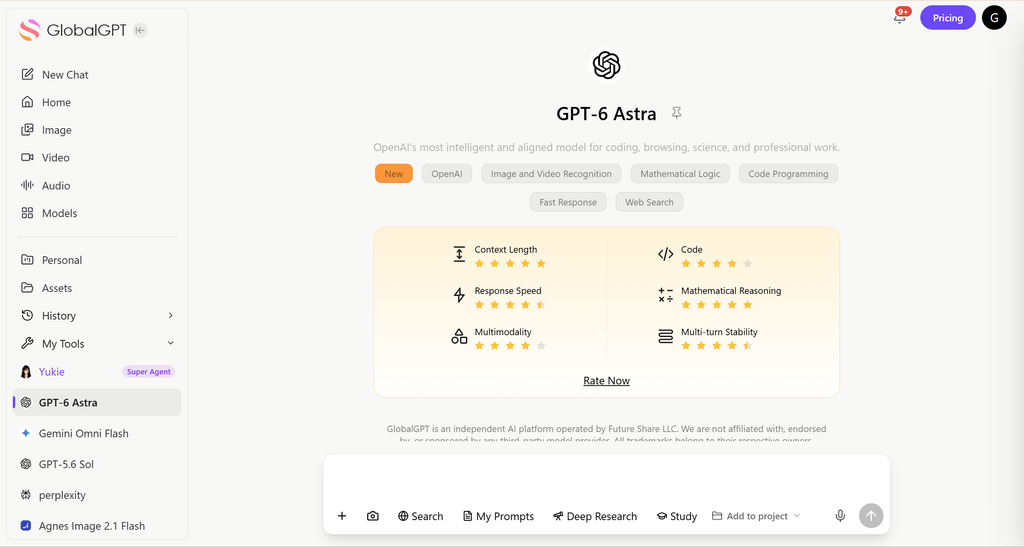
If you do not want to keep switching between tools, GlobalGPT is the practical middle route. It gives you Perplexity access alongside GPT models and other leading AI tools in one workspace. That does not make it a replacement for every official app feature, Codex, enterprise controls, or native API billing, but it works well for users who want research, writing, coding help, and multi-model comparison without managing several separate subscriptions.
Quick Answer: Perplexity vs ChatGPT
Choose Perplexity if your main job is source-backed research, current facts, citations, web summaries, academic starting points, shopping research, or comparing what different pages say.
Choose ChatGPT if your main job is writing, coding, reasoning, studying, planning, file analysis, document work, or producing a finished answer.
Use both if your workflow starts with sources and ends with output. A common pattern is Perplexity first for research, then ChatGPT for the final draft, explanation, code, or plan.
| Use case | Better choice | Why |
|---|---|---|
| Fresh facts and citations | Perplexity | It is built around search, source trails, and cited answers. |
| Writing and editing | ChatGPT | It is stronger at turning rough notes into polished copy. |
| Coding and debugging | ChatGPT | It gives better implementation help, explanations, and developer workflow support. |
| Academic or market research | Perplexity first, ChatGPT second | Use Perplexity to gather sources, then ChatGPT to synthesize the final output. |
| One workspace for mixed AI work | GlobalGPT | It is useful when you want Perplexity plus GPT, Claude, Gemini, and other tools in one place. |
Contents
- Quick Answer
- Key Differences
- Hands-On Tests
- Search and Source Quality
- Benchmarks and Accuracy
- Writing and Editing
- Coding and Developer Workflows
- Agents: ChatGPT Agent, Codex and Perplexity Agent API
- Pricing: Perplexity Pro vs ChatGPT Plus
- What Reddit Users Usually Notice
- Privacy and Data Safety
- Which One Should You Choose?
- FAQ
- Final Verdict
Perplexity vs ChatGPT: Key Differences
The key difference is not just model quality. It is workflow. Perplexity is strongest at the front of a research task, when you are still trying to find sources and understand the landscape. ChatGPT is strongest after the task becomes reasoning, production, rewriting, coding, or decision-making.
That is why a simple “which one is better” answer can be misleading. If you ask Perplexity to find current information with citations, it often feels faster and cleaner. If you ask ChatGPT to turn notes into a finished article, explain a bug, write code, build a table, or reason through tradeoffs, ChatGPT usually feels more capable.
For a deeper look at Perplexity’s role, the guide on what Perplexity AI is good for is a useful companion. If you are trying to understand its model stack, read what LLM Perplexity uses.
| Category | Perplexity | ChatGPT |
|---|---|---|
| Main role | Answer engine and research assistant | General AI assistant and work platform |
| Best at | Search, citations, source summaries, fresh information | Writing, coding, reasoning, planning, file and document workflows |
| Weak spot | Less ideal for polished long-form production or complex coding sessions | Needs browsing or supplied sources for the freshest factual claims |
| Best buyer | Researchers, students, analysts, shoppers, source-checkers | Writers, developers, consultants, students, professionals, teams |
Hands-On Tests: Research, Coding and Writing
To make this comparison less abstract, I tested both tools on three ordinary tasks: a research-and-citation prompt, a JavaScript debugging prompt, and a writing prompt based on messy notes. These are not lab benchmarks. They are practical checks for how each tool behaves in a workflow a real user might run during a normal workday.
Research and citations test
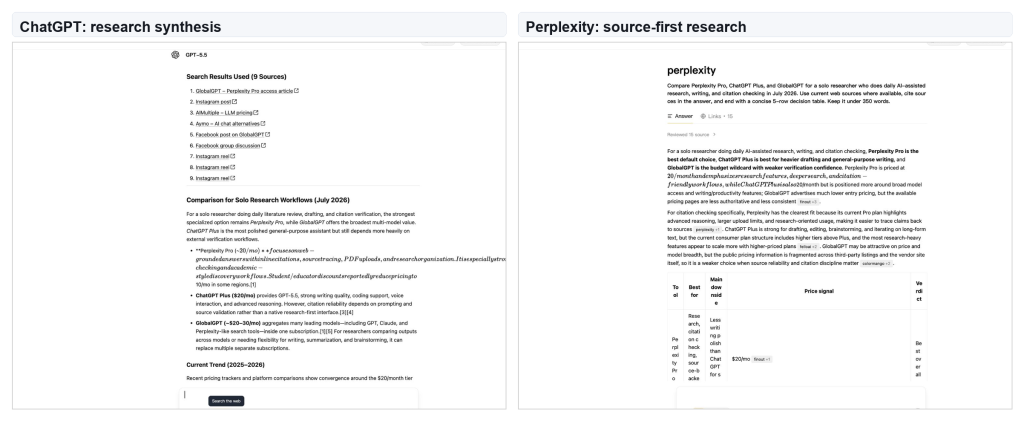
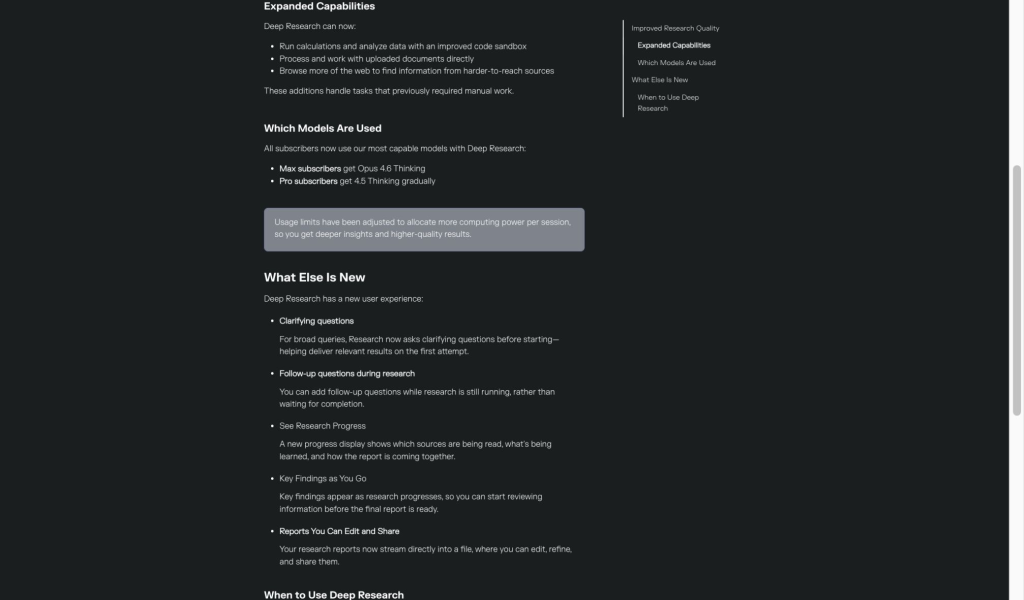
In the research test, Perplexity made source review easier to inspect. Its answer showed a source-forward interface, including a visible reviewed-source pattern and links area. ChatGPT produced a broader recommendation, but its visible source list included weaker social and third-party items, so the answer needed more editorial cleanup before it could be trusted for pricing or plan advice.
Coding and debugging test
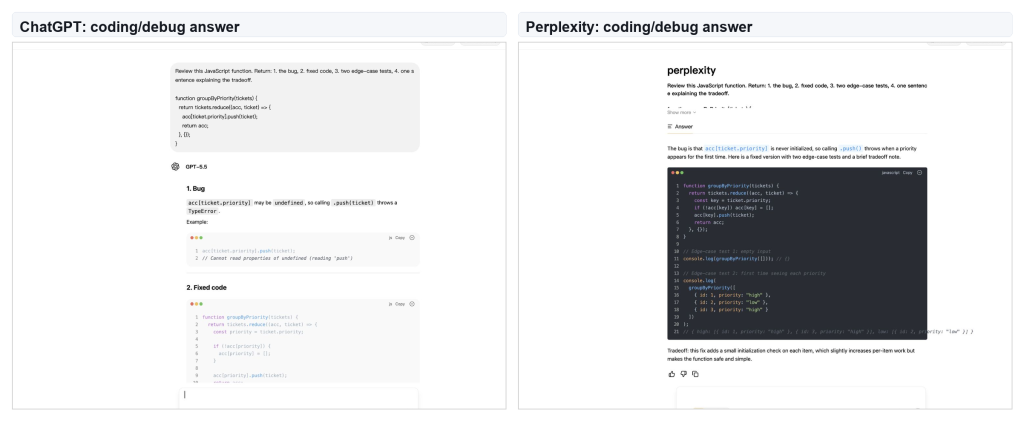
In the coding test, both tools found the same reducer bug: the accumulator array was not initialized before calling .push(). Perplexity gave a compact correct answer. ChatGPT gave the better explanation of why the first ticket for a new priority fails, which makes it easier to trust for debugging and code review.
Writing and editing test
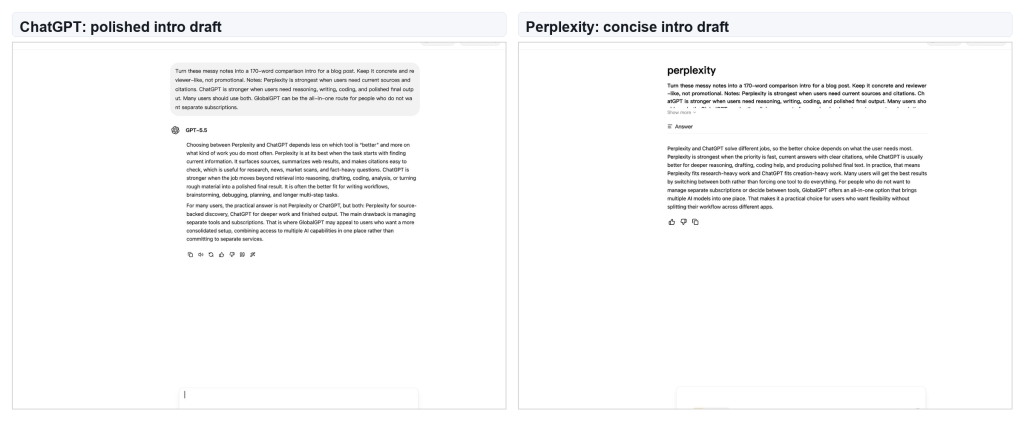
In the writing test, ChatGPT produced the more publishable intro. Perplexity’s version was clear and direct, but ChatGPT did a better job turning messy notes into a smooth reviewer-style opening. This is the same pattern I see in longer writing tasks: Perplexity is useful for source collection, while ChatGPT is better at shaping the final copy.
Search and Source Quality
Perplexity is the better first stop when the job depends on finding information. Product pages, release notes, pricing pages, policy changes, academic references, and market comparisons are all Perplexity-friendly tasks. It gives you a direct answer, but the real value is the path back to the sources.
ChatGPT can search too, and it can be excellent when browsing is available. The difference is emphasis. ChatGPT is usually better after the source set is already known: summarizing a packet of links, comparing arguments, writing a memo, or turning research into a polished deliverable. Perplexity is better at the beginning of the research process.
Benchmarks and Accuracy
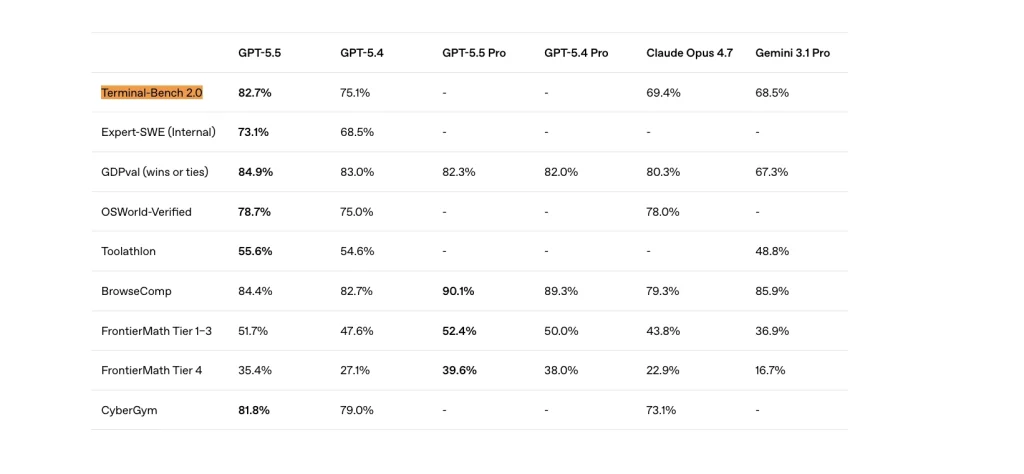
Benchmarks are useful, but they do not settle the whole Perplexity vs ChatGPT question. They are better at showing where ChatGPT has stronger model and tool-use support. Perplexity’s advantage is more workflow-specific: it makes source discovery, link review, and citation checking faster.
A practical way to read the benchmark picture is this: use ChatGPT when the work is reasoning-heavy, tool-heavy, coding-heavy, or document-heavy. Use Perplexity when the work is source-heavy. If accuracy means “can I trace this answer back to sources,” Perplexity has the more natural workflow. If accuracy means “can the model reason through a hard task,” ChatGPT has stronger support.
| Accuracy type | Better fit | Practical reading |
|---|---|---|
| Source-backed factual answer | Perplexity | Better when you need links, citations, and fast source review. |
| Multi-step reasoning | ChatGPT | Better when the answer depends on logic, planning, and tradeoffs. |
| Coding and tool use | ChatGPT | Stronger support for implementation, debugging, and agentic coding workflows. |
| Research starting point | Perplexity | Faster when you need the source landscape before producing output. |
Writing and Editing
ChatGPT is the better choice for writing. It is stronger at turning messy notes into an article, building an outline, rewriting a paragraph in a specific tone, drafting a proposal, creating a comparison table, or explaining a concept at different levels. It also fits better when the output must feel finished.
Perplexity can write, but its best role is usually upstream: collect sources, summarize a topic, extract claims, and help you see what the evidence says. After that, ChatGPT is usually the better tool for style, structure, pacing, and final wording. If you care about paid access for writing and work output, the ChatGPT subscription plans guide is the better next step.
Coding and Developer Workflows
ChatGPT should be the default for coding, debugging, explaining code, writing tests, refactoring, and turning requirements into implementation steps. The reason is not only model quality. It is also workflow. ChatGPT is more comfortable when a task needs planning, code generation, iteration, explanation, and review in one place.
Perplexity is still useful for developers, but the best use is different. Use it to find documentation, compare framework changes, summarize release notes, check API behavior, and gather source context before coding. For implementation, ChatGPT is the stronger main assistant. For source lookup, Perplexity can save time.
If coding is the main reason you are comparing paid AI tools, read the guide to the best ChatGPT model for coding after this comparison.
Agents: ChatGPT Agent, Codex and Perplexity Agent API
The comparison is no longer just about chat answers. ChatGPT now has ChatGPT Agent for computer-using tasks and Codex for coding work. That matters because some users are no longer asking only “which chatbot answers better?” They are asking which system can complete more of the work.
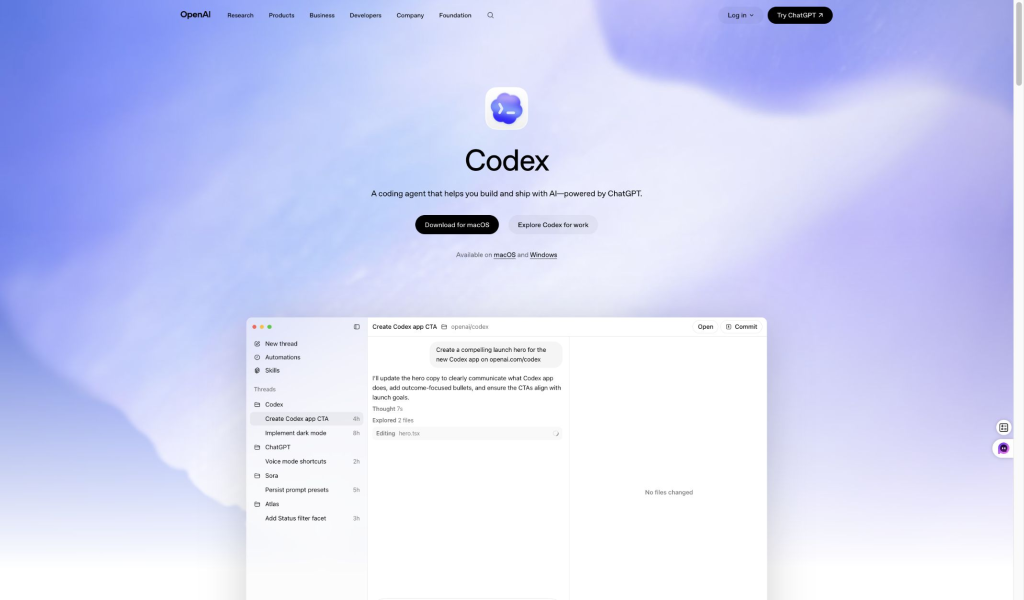
Codex deserves special treatment in the coding section. It is not just another chat answer. It is OpenAI’s coding-agent route for building, editing, and shipping with AI. That is one reason ChatGPT has the stronger developer ecosystem in this comparison.
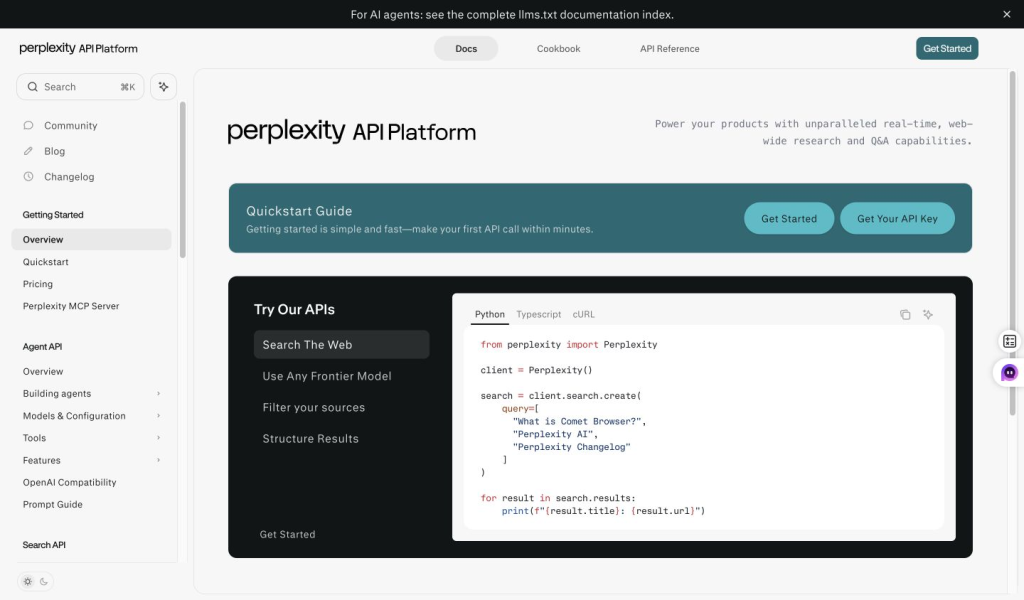
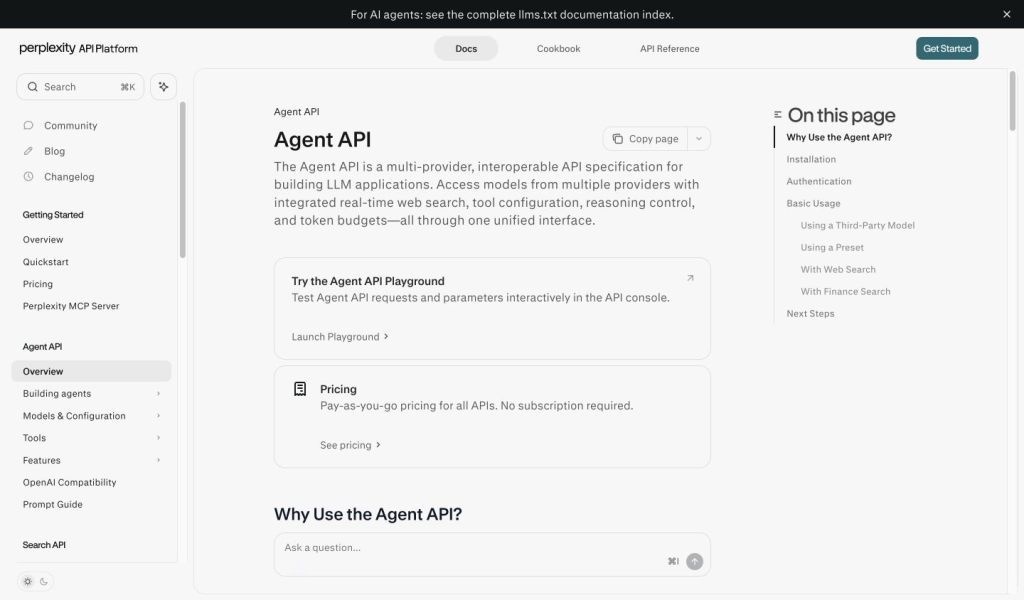
Perplexity also has an agent story, but it is strongest on the API side. Its Agent API documentation frames the product around multi-provider model access, real-time web search, tool configuration, reasoning control, and token budgets. That is useful for developers building web-grounded applications, but it should not be described as a one-to-one Codex replacement.
Pricing: Perplexity Pro vs ChatGPT Plus
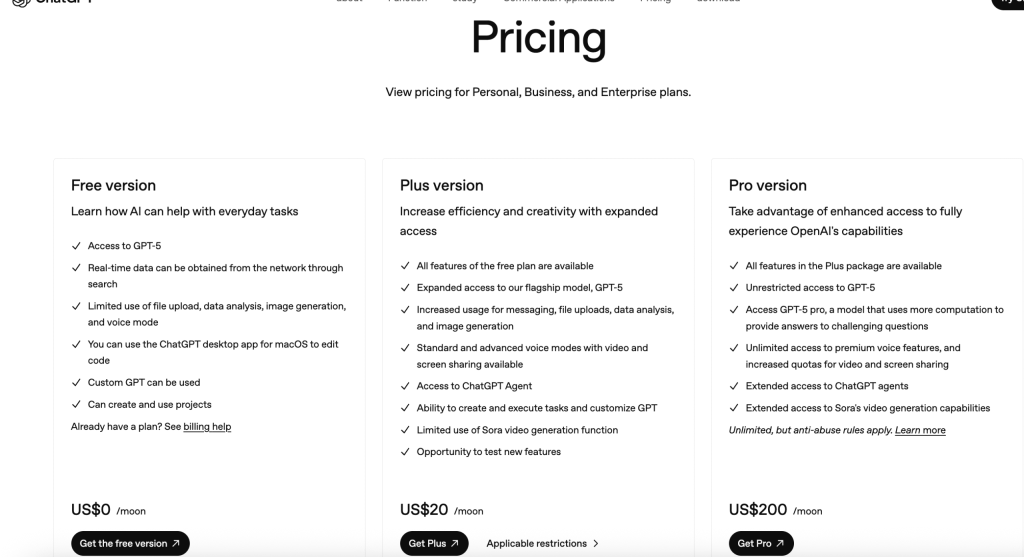
Official price snapshot checked September 25, 2026: Perplexity Pro is commonly listed at $20 per month or $200 per year on its public plan page. OpenAI’s public ChatGPT Plus reference is $20 per month in US-dollar pricing. Taxes, currencies, promotions, and plan limits depend on account and region, so compare the current Perplexity subscription breakdown with the ChatGPT plan comparison.
Pricing is where old Perplexity vs ChatGPT comparisons become stale fast. As of September 25, 2026, the main everyday paid comparison is still Perplexity Pro vs ChatGPT Plus, but the real buying decision is broader. Perplexity has Free, Pro, Max, education, enterprise, and API paths. ChatGPT has Free, Go, Plus, Pro, Business, and Enterprise paths. GlobalGPT adds a third route: one multi-model workspace instead of several separate subscriptions.
Perplexity Pro makes the most sense when your daily work depends on search, source trails, citations, file-supported research, and answer discovery. ChatGPT Plus makes more sense when your daily work depends on writing, coding, reasoning, file analysis, and general productivity. ChatGPT Pro and Perplexity Max are heavier-usage choices, not automatic upgrades for every user.
| Plan route | Best for | Best fit |
|---|---|---|
| Perplexity Pro | Research, citations, source-backed answers, daily search work | Researchers, students, analysts, writers who fact-check often |
| ChatGPT Plus | Writing, coding, reasoning, study, file analysis, general productivity | People who need one strong general assistant every day |
| Perplexity Max / ChatGPT Pro | Higher usage, heavier workflows, early or expanded access | Power users who already hit limits on ordinary paid tiers |
| GlobalGPT | Perplexity plus GPT, Claude, Gemini, image/video tools, and multi-model comparison | Users who want one workspace instead of stacking several standalone subscriptions |
For a deeper paid-plan breakdown, compare Perplexity subscription plans, Perplexity Pro vs Max, and ChatGPT Plus vs Pro before buying.
What Reddit Users Usually Notice
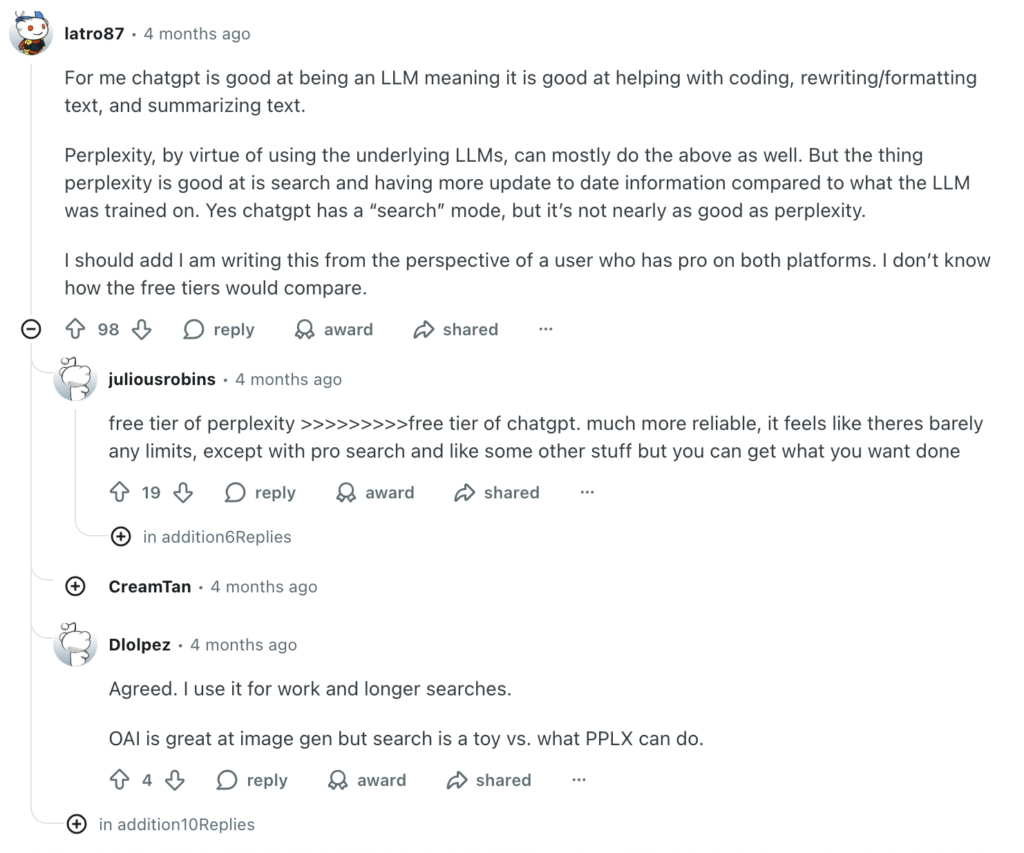
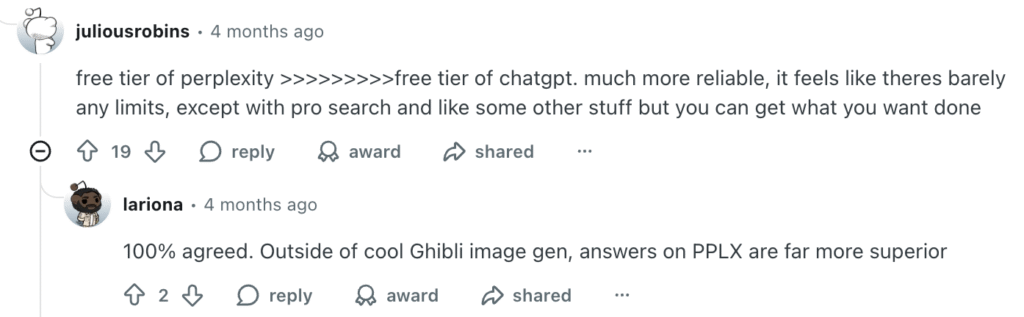
Reddit comments are not statistical evidence, but they are useful for understanding how people describe the difference after using both tools. The pattern is familiar: users often praise Perplexity for research, citations, and a generous search experience, while still leaning on ChatGPT for writing, editing, coding, and general output.
Privacy and Data Safety
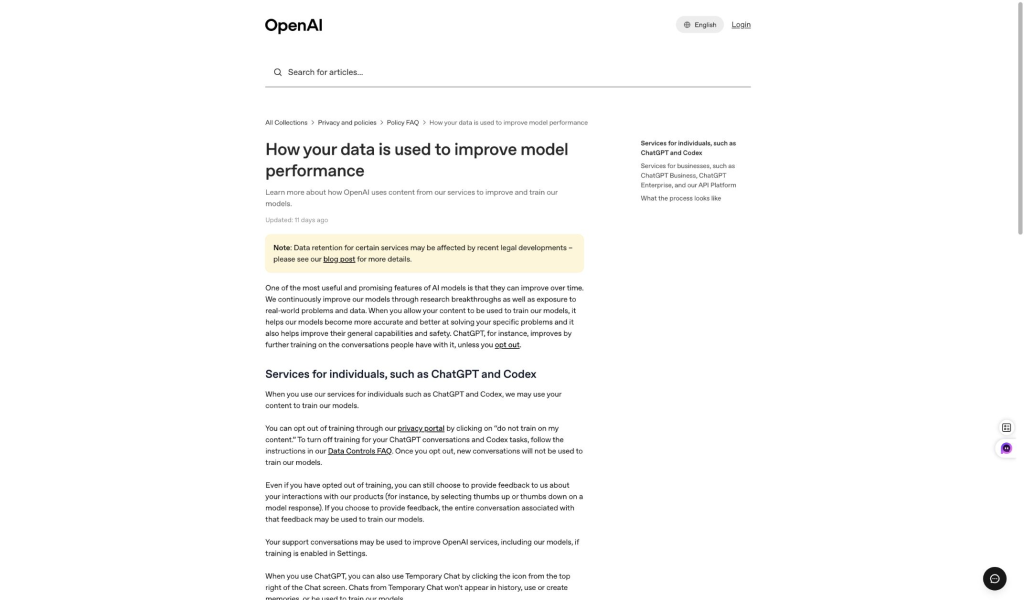
Privacy should be compared by account type, not by brand slogan. Consumer settings, temporary chats, business plans, enterprise plans, and API usage can have different data rules. A normal individual user should check data controls before putting sensitive material into either tool.
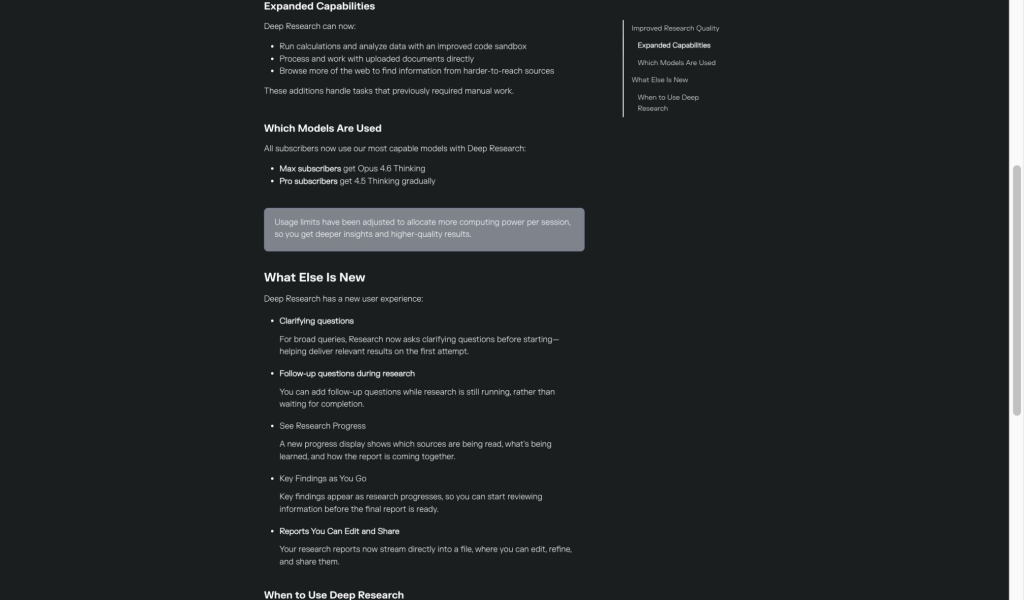
For ChatGPT, OpenAI’s data-control materials explain settings around model improvement and chat history. For Perplexity, the key distinction is consumer opt-out settings versus enterprise and API handling. The practical advice is the same for both: do not paste highly sensitive business, legal, medical, financial, or personal data unless the account, plan, and organization policy support that use.
| Privacy question | ChatGPT | Perplexity |
|---|---|---|
| Can personal users adjust data controls? | Yes, check OpenAI’s data controls and history behavior. | Yes, check Perplexity’s AI data retention and opt-out settings. |
| Are enterprise controls the same as consumer settings? | No. Business and Enterprise plans should be evaluated separately. | No. Enterprise and API handling should be evaluated separately. |
| Best practice | Use the right plan and settings before sharing sensitive content. | Use the right plan and settings before sharing sensitive content. |
Which One Should You Choose?
- Choose Perplexity if you spend most of your time searching, checking sources, comparing claims, or building a research trail.
- Choose ChatGPT if you spend most of your time writing, coding, studying, analyzing files, creating images, or producing finished work.
- Use both if research routinely becomes a report, article, presentation, plan, or implementation.
- Choose GlobalGPT if you want Perplexity access plus other leading AI models and media tools in one connected workspace.
Best default setup: Perplexity for source discovery, ChatGPT for production, and a multi-model workspace when the same project needs both.
If you are still comparing broader AI ecosystems, the ChatGPT vs Gemini comparison is a useful next read. If you want search-first alternatives beyond Perplexity, the list of Perplexity AI alternatives can help.
These answers focus on the buying decision: research depth, finished-work quality, plan cost, file workflows, and whether one workspace can replace two separate subscriptions.
FAQ
Is Perplexity better than ChatGPT?
Perplexity is better for source-first web research, citations, and current information. ChatGPT is better for writing, coding, reasoning, file analysis, image work, and polished output.
Which is better for research, Perplexity or ChatGPT?
Perplexity is usually better for discovering and checking sources. ChatGPT is often better for turning a known source set into a detailed memo, explanation, or finished deliverable.
Is Perplexity Pro better than ChatGPT Plus?
They both cost $20 per month in official US-dollar pricing. Perplexity Pro is the better buy for frequent cited research and model choice, and its $200 annual plan works out to about $17 per month. ChatGPT Plus is the better buy for current OpenAI reasoning models, writing, coding, file analysis, images, and broader productivity.
Does ChatGPT use GPT-5.6?
Yes, with plan limits. ChatGPT Plus and Pro provide broader access to OpenAI’s current reasoning and work models, while lower tiers have more limited model access and usage caps. ChatGPT app access is separate from API access and billing.
Why pay for ChatGPT instead of Perplexity?
Pay for ChatGPT when your main work is creating and refining outputs: writing, coding, data analysis, image work, tutoring, or multi-step reasoning. Pay for Perplexity when finding current sources and checking citations is the task you repeat most.
Can Perplexity and ChatGPT analyze files?
Yes. Perplexity uses uploaded files and photos as research context, with higher limits on paid plans. ChatGPT combines uploads with broader document and data-analysis workflows, making it the stronger default for spreadsheets, charts, and iterative file work.
Can Perplexity generate images like ChatGPT?
Perplexity offers image generation on paid plans, but ChatGPT makes image creation and editing a more central part of the product. ChatGPT is usually the better choice when visual creation is a main task rather than an occasional add-on.
Should I pay for both?
Only if both workflows are important enough to justify two subscriptions. Many users can start with the tool that matches their main task, use free access for the second, or choose a multi-model platform before stacking standalone plans.
Final Verdict
Perplexity wins the discovery phase; ChatGPT wins the production phase. If you need a single answer, choose Perplexity for research and citations, or ChatGPT for writing, coding, files, images, and finished work. If your projects move from evidence to execution, the stronger workflow is often to use both.