
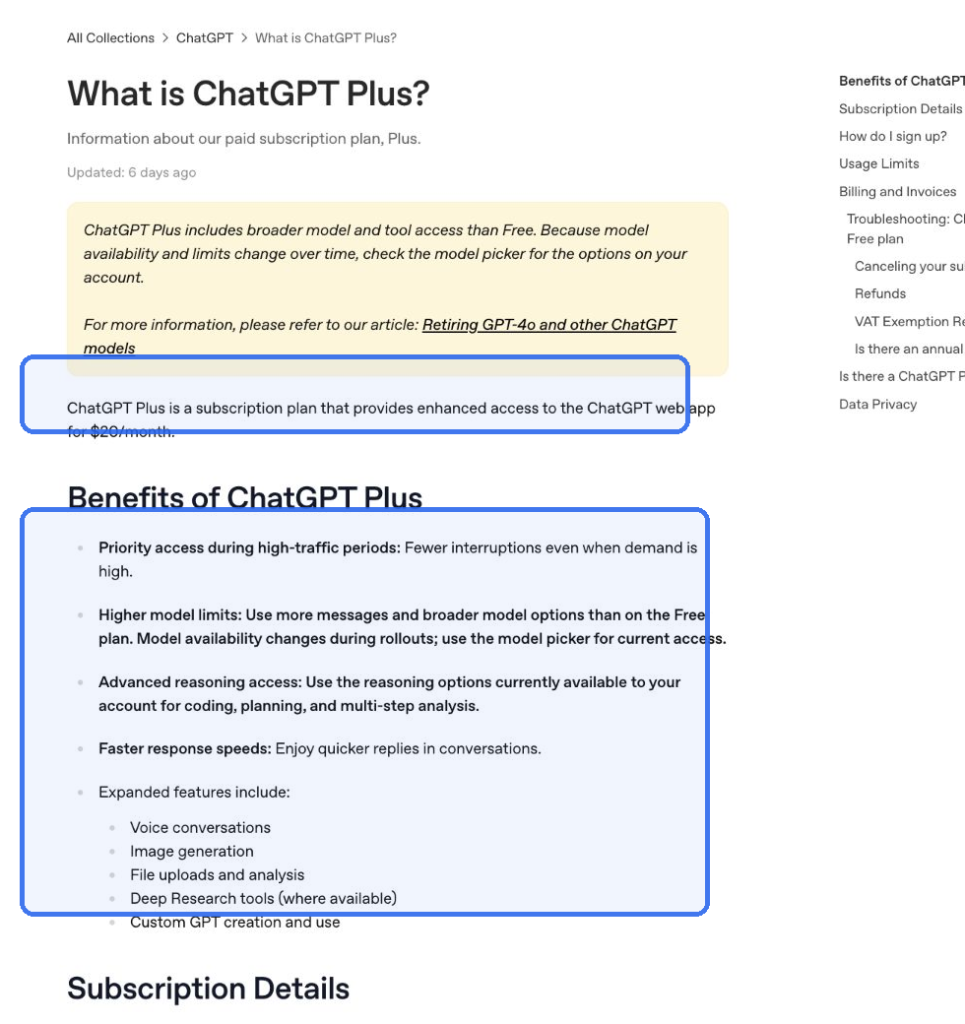
ChatGPT Plus costs $20 per month and is the sensible starting point for most people who need paid ChatGPT features. Pro $100 adds premium reasoning and higher usage. New subscriptions and upgrades to Pro $200 have been paused since September 10, 2026; existing Pro $200 subscriptions can still renew.
Plus already covers serious everyday work: advanced reasoning, files, data analysis, voice, image generation, Deep Research where available, and Codex. Pro is not automatically ten times smarter. The useful question is whether a specific model or allowance would remove a recurring obstacle in your work.
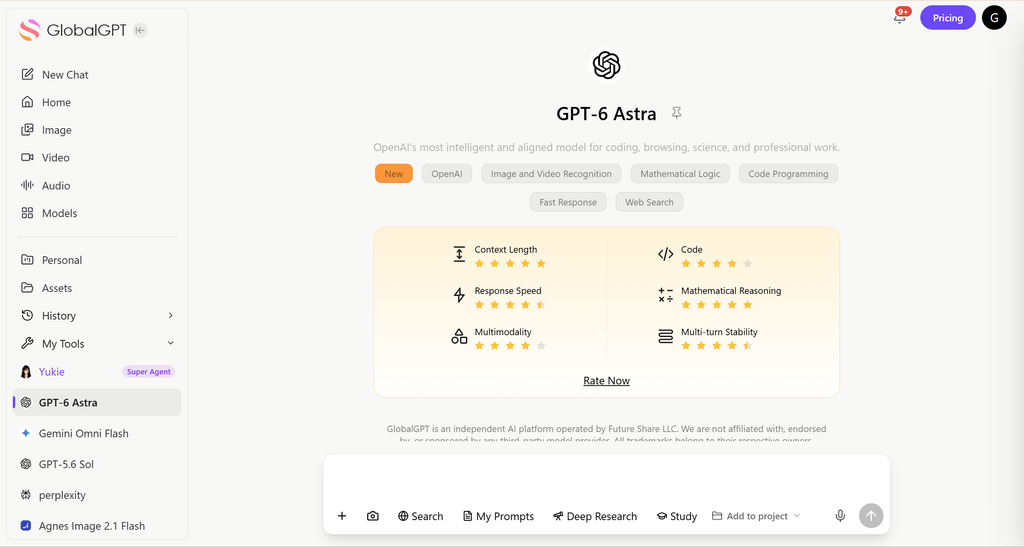
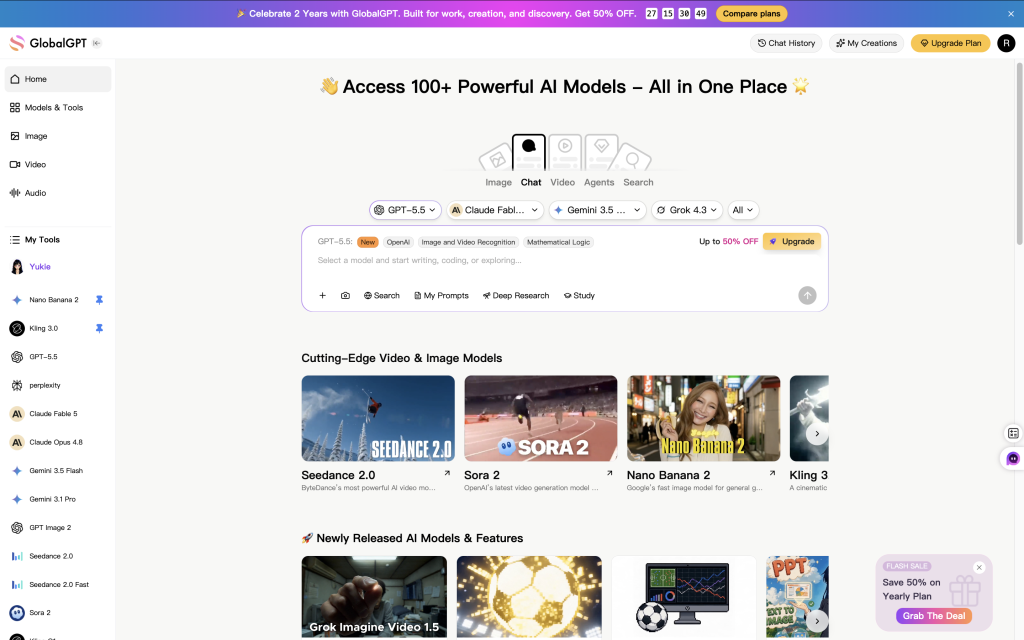
If your bigger problem is paying for several separate AI subscriptions, GlobalGPT offers a different route. It brings GPT, Claude, Gemini, Perplexity, and creative tools into one subscription and workspace, so research, drafting, review, and image work can stay in one connected workflow.
What changed in 2026
The old comparison was simple: Plus was $20 and Pro was $200. OpenAI now documents two Pro tiers, with the same core capabilities but different allowances: 5x Plus usage at $100 and 20x at $200. The Pro plan FAQ also adds a new restriction: you cannot currently move from Free, Go, Plus, or Pro $100 to Pro $200.
Existing $200 subscribers face a different decision. Renewals continue normally. A scheduled cancellation or downgrade can be undone before the billing cycle ends, but once the $200 subscription ends, it cannot be purchased again until the pause is lifted. That matters if you were planning to cancel for a quiet month and return later.
The model layer has changed too. OpenAI’s model guide lists GPT-5.6 Sol Medium and High reasoning for Plus. Pro adds Extra High and Pro options, including GPT-6 Pro. Plus users can access GPT-6 Astra in Work and Codex, which is a separate access route from GPT-6 Pro in an ordinary Chat conversation.
ChatGPT Plus vs Pro at a glance
| Plan | USD/month | Status on September 11 | Main reason to choose it |
|---|---|---|---|
| Plus | $20 | Available | Everyday advanced reasoning, files, research, images, and coding help |
| Pro $100 | $100 | Available | Pro models and higher Work/Codex usage |
| Pro $200 | $200 | Existing subscriptions renew; new purchases and upgrades paused | Highest Pro allowance for existing subscribers |
Monthly ChatGPT subscriptions; listed USD prices, not a regional checkout quote. Sources: OpenAI Plus, OpenAI Pro, Work/Codex pricing. Checked September 11, 2026.
Plus is not a trial version of Pro. It contains the tools many individuals need without committing to a three-figure monthly bill. Pro becomes useful when the distinction is specific: access to a Pro model for a difficult task, or enough capacity to finish work without repeatedly waiting for an allowance to reset.
Price and usage: $20 vs $100 vs $200
Compare price against the bottleneck you are removing. Going from Plus to Pro $100 adds $80 per month. An existing Pro $200 subscription costs $180 more than Plus. These are monthly subscriptions; OpenAI does not offer annual billing for Plus or Pro. Local currency, taxes, and the purchase channel can affect the amount you see at checkout.
Plus: $20/month
Pro $100: $100/month
Pro $200 · existing subscribers: $200/month
USD per month; bars start at zero and use the same $200 scale. Pro $200 new subscriptions and upgrades are paused. Sources: OpenAI Plus and OpenAI Pro; checked September 11, 2026.
For example, if an upgrade costs $80 more and each recovered hour is worth $40 to you, it needs to recover two useful hours per month to cover the difference. That is a budgeting example, not a claim about how much time Pro saves. Count time you can actually use, not every minute a model spends thinking in the background.
The advertised 5x and 20x tiers do not mean every feature gets a fixed multiplier. Chat has model-specific allowances. Work and Codex share their own usage pool. Images, voice, and other tools can have their own rules. First identify which limit interrupted you; then compare the allowance for that exact product and model.
Models and context windows
In ordinary ChatGPT conversations, Plus includes GPT-5.6 Sol reasoning at Medium and High. Pro also includes Extra High, GPT-5.6 Sol Pro, and GPT-6 Pro, powered by GPT-6 Astra. Paying for Pro unlocks options; it does not remove the need to check sources, calculations, or code before relying on an answer.
| Feature or model | Plus | Pro $100 and existing Pro $200 |
|---|---|---|
| GPT-5.6 Sol Medium / High in Chat | Included | Included |
| GPT-5.6 Sol Extra High in Chat | Not included | Included |
| GPT-5.6 Sol Pro and GPT-6 Pro in Chat | Not included | Included, with Pro-model allowances |
| GPT-6 Astra in Work / Codex | Included, with Work/Codex allowance | Included, with higher Work/Codex allowance |
Consumer Chat access and agentic Work/Codex access are separate. Source: GPT-5.6 and GPT-6 Pro in ChatGPT; checked September 11, 2026. Pro $200 new purchases remain paused.
The Pro-model limits that change the decision
| Plan | GPT-6 Pro | How GPT-5.6 Sol Pro uses the allowance |
|---|---|---|
| Pro $100 | 50 messages per week | One shared 50-message weekly allowance across both Pro models |
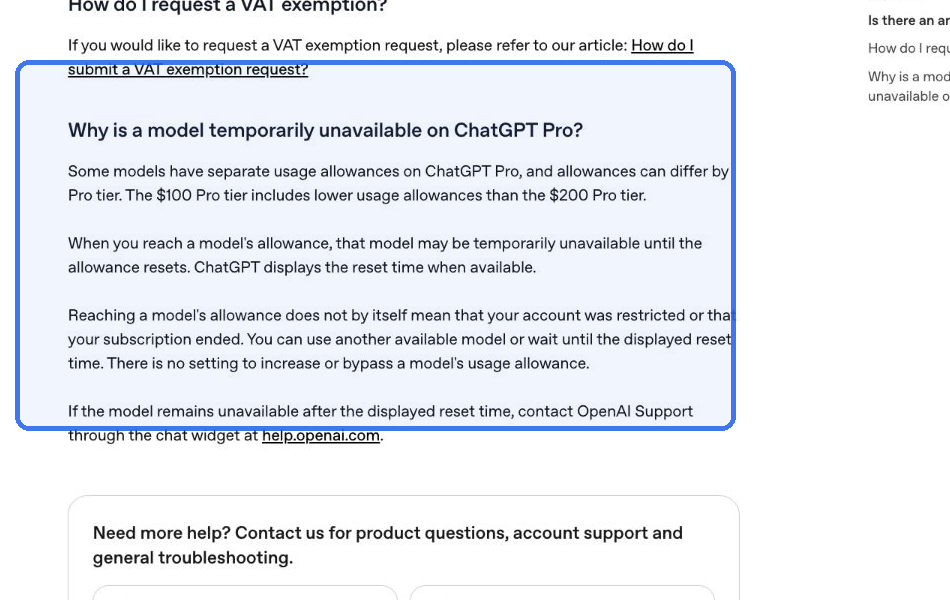
| Pro $200 · existing subscribers | 200 messages per week | Sol Pro has 170 messages per day; both models combined are also capped at 200 messages per day |
These are Chat limits, not Work/Codex estimates. Different daily and weekly windows are not interchangeable. Source: OpenAI’s Pro-model allowance table; checked September 11, 2026.
On Pro $100, switching between GPT-6 Pro and GPT-5.6 Sol Pro does not create a fresh allowance: both use the same 50-message weekly pool. On an existing Pro $200 subscription, the separate daily and weekly rules both matter. That is why the higher-priced subscription should not be described as unlimited GPT-6 Pro.
When a larger context window helps
| Plan | GPT Instant | GPT Reasoning |
|---|---|---|
| Plus | 54K tokens | 256K tokens |
| Pro | 128K tokens | 400K tokens |
K = 1,000 tokens. These are the total context categories on the ChatGPT plan comparison, not API specifications or upload-size guarantees. Source: OpenAI ChatGPT pricing; checked September 11, 2026. The Pro column covers the plan category, not a new-purchase offer for Pro $200.
Context is the material a model can work with in a session, including instructions, conversation, source material, and room for the response. It is different from a file-upload size limit. A larger context window is useful when one task needs many passages or files together; it is not a promise that every detail will be recalled correctly.
The space available for your input is smaller than the total context window. OpenAI includes system instructions, enabled memory, tools, and internal processing within that total, so a token count cannot be converted into a guaranteed number of uploadable pages.
For a long report, ask for an outline and a source-by-source extraction before asking for a conclusion. For a repository, define the relevant files and acceptance checks. If your ordinary work already fits in Plus, buying more room alone adds little value. Use the model and product-specific context information when the size of a single task is the actual reason for upgrading.
Codex: what each plan really buys
OpenAI’s Work and Codex pricing guide includes Codex on Free, Go, Plus, and Pro, with different models and allowances. Plus supports focused coding sessions. Pro provides 5x or 20x more Codex usage than Plus, although the $200 tier is currently available only to existing subscribers who retain it.
- Choose Plus for occasional debugging, small repositories, code review, and shorter agent tasks.
- Consider Pro $100 when repeated Work or Codex limits interrupt work and the extra capacity has a clear use.
- If you already have Pro $200, judge renewal against your real workload and the restriction on returning after cancellation.
Work and Codex share usage. A long-running task with a large codebase can consume more than a short request, even if both begin with one message. The published estimates are for local messages per five-hour period, not a guaranteed number of tasks, and weekly limits may also apply. Changing the model, reasoning effort, context, or tools changes consumption.
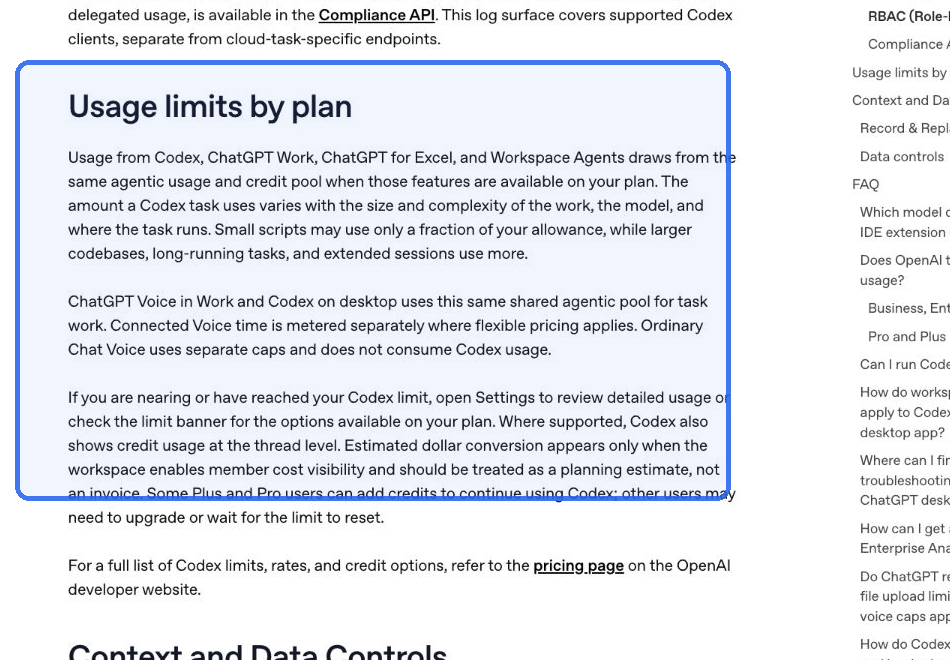
Plus and Pro users who reach the included Work/Codex limit can purchase additional credits. Buying credits is an option, not a mandatory charge. OpenAI also documents switching to a smaller model to make the allowance last longer. API-key usage is separately billed at API rates; a ChatGPT subscription does not include a general API budget. See the included-usage and credit rules before comparing an occasional top-up with a recurring upgrade.
Voice introduces another distinction. In desktop Work/Codex, conversation time and the tasks started by voice are counted separately. Unlimited voice access on the $200 tier does not make the resulting Codex tasks unlimited. A person who dictates one short request and launches a long coding job is using more than a voice conversation.
Image generation and the Sora change
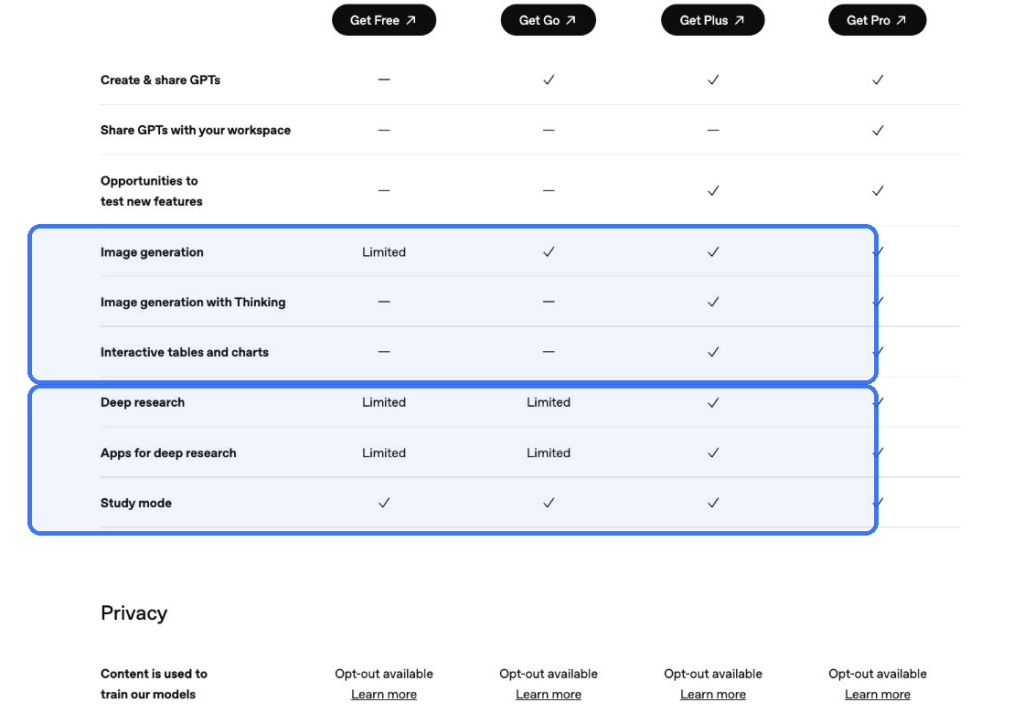
Plus includes image generation, and Pro includes image creation among its advanced features. For an occasional blog illustration, presentation visual, or draft concept, Plus is a practical starting point. Before upgrading mainly for images, check whether the problem is image allowance, the editing workflow, or the result itself. Those lead to different purchases. Plus benefits and Pro benefits describe the included tools.
On its plan comparison, OpenAI describes Plus as offering more complex and accurate image creation and Pro as offering unlimited and faster image creation, subject to abuse guardrails. Those are product descriptions, not results from a timed image test. Work/Codex image generation has its own usage accounting, so the Chat plan wording should not be applied to agentic image tasks.
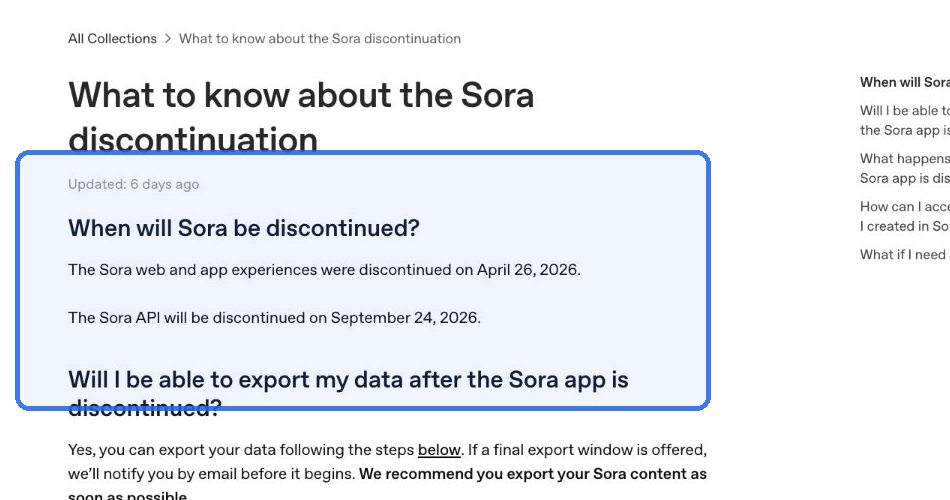
Sora is no longer a reason to upgrade. OpenAI says the Sora web and app experiences ended on April 26, 2026, and the Sora API is scheduled to end on September 24, 2026. The former video duration, resolution, and watermark differences are not current Plus-versus-Pro buying criteria. OpenAI’s Sora discontinuation notice separates the consumer shutdown from the API date.
If video is your main job, compare supported video tools and their export terms separately from a ChatGPT subscription. The guide to ChatGPT Plus and Sora 2 explains why older subscription comparisons still mention the former benefit.
Which plan should you choose?
Choose ChatGPT Plus if…
- You write, study, analyze files, research, or code most days but rarely hit the tools or reasoning limits that matter to you.
- Medium and High reasoning cover your work without needing a Pro-model response for every task.
- You want to try GPT-6 Astra in Work or Codex rather than specifically needing GPT-6 Pro inside ordinary Chat.
- You are still learning which paid AI features earn a regular place in your routine.
A higher plan is a poor fix for vague prompts or an unverified workflow. Before upgrading, try one repeatable task with a clear input and acceptance standard: summarize a document with page references, check a spreadsheet against its source, or fix a bug and run its tests. The plan decision becomes easier when you know what is failing.
Choose Pro $100 if…
- Plus limits repeatedly interrupt valuable work, and the higher allowance applies to the tool you are using.
- You specifically need GPT-6 Pro or GPT-5.6 Sol Pro in Chat, and their shared 50-message weekly pool fits your intended use.
- Extra High reasoning or more Work/Codex capacity has a defined role in a research, analysis, or coding workflow.
Pro $100 is the available upgrade path during the $200 pause. It can be a sensible purchase without becoming your default choice forever. Review whether it removed the actual interruption after a billing cycle; do not keep paying more simply because you occasionally use an advanced model.
If you already subscribe to Pro $200
Retaining it can make sense when heavy daily work uses its larger allowances. The decision is more consequential during the pause: once cancellation or a downgrade takes effect, you cannot simply buy it again. Check the end of your billing cycle before changing an active subscription, and use the official pause FAQ to understand how scheduled changes work.
If several people need shared billing, admin controls, or company data protections, compare ChatGPT Plus vs Business instead of sharing a personal Pro account. Team governance is a different requirement from a higher personal usage allowance.
When GlobalGPT is the better fit
GlobalGPT fits a different buyer: someone whose work crosses several AI tools. You might research with Perplexity, draft with GPT, review with Claude, and build visuals in the same workspace. A single multi-model subscription is useful when the expense and friction come from managing several separate products.
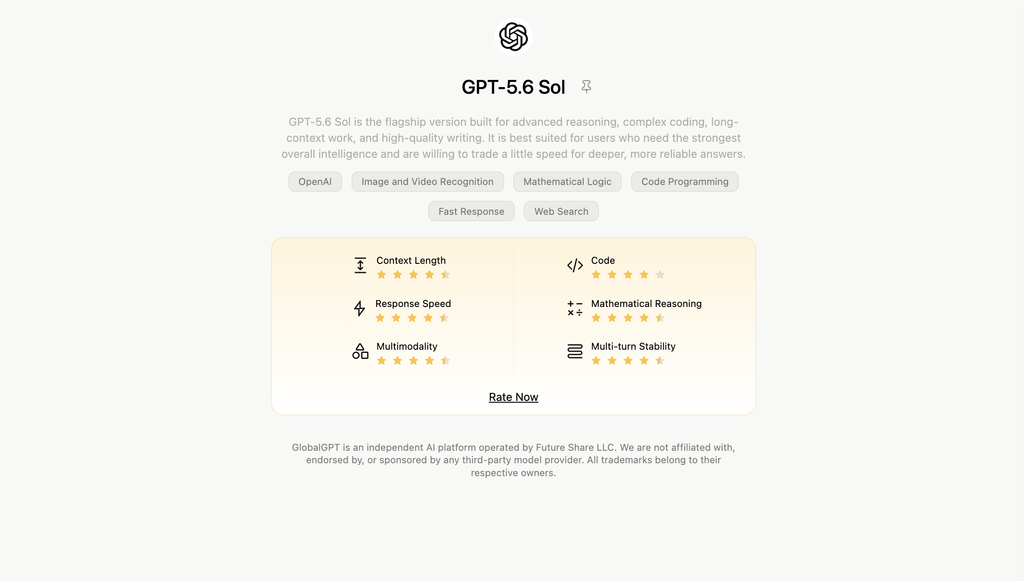
For developers, GlobalGPT’s CLI can connect that model access with terminal-based work and existing development tools. For a content team, the same value is moving from research to an editable draft and then to visual assets without rebuilding the workflow in several dashboards. Choose around the sequence you need to complete.
If you mainly want the Google-connected workflow alongside ChatGPT, the ChatGPT vs Gemini comparison provides a broader ecosystem perspective. If you specifically need more native ChatGPT capacity, compare the applicable Plus and Pro allowances. Breadth of tools and depth of one subscription solve different problems.
Decision guide by user type
| Your situation | Practical starting point | Reason to reconsider |
|---|---|---|
| Student or solo creator | Plus when paid tools are useful | Repeated tool or reasoning limits, not a desire for the most expensive tier |
| Freelancer or analyst | Plus, then Pro $100 if justified | A specific Pro model or allowance recovers useful working time |
| Developer using Work / Codex | Plus for focused sessions; Pro $100 for heavier use | Agentic usage runs out repeatedly despite choosing an appropriate model |
| Existing Pro $200 subscriber | Evaluate renewal against actual usage | Canceling or downgrading can prevent return during the pause |
| Multi-model user | GlobalGPT | The workflow needs several model families and creative tools |
| Team administrator | Compare Business / Enterprise | Shared billing, permissions, and company data controls |
Editorial guidance based on the documented plan differences, not measured performance or savings. Pro $200 is not available for new purchases as of September 11, 2026.
Free and Go also deserve a place in the decision. OpenAI documents unlimited everyday text chats for Free and Go, subject to safeguards, with separate limits on files, images, voice, analysis, and other tools. If you only need casual text conversation, you may not need Plus. Plus becomes more relevant when its reasoning options and expanded tools solve a task you already do.
FAQ
Is ChatGPT Pro worth it over Plus?
Pro $100 can be worth the extra $80 per month when Pro models or higher usage remove a recurring obstacle in valuable work. Plus is the better starting point when its reasoning and tools already cover your routine. Pro $200 is temporarily closed to new subscriptions and upgrades.
What is the difference between Pro $100 and Pro $200?
Both tiers have the same core Pro capabilities, but OpenAI describes 5x Plus usage for Pro $100 and 20x for Pro $200. Model-specific limits still apply. New Pro $200 subscriptions and upgrades are paused; existing subscriptions continue to renew.
Can I upgrade from Plus to Pro $200 now?
No. OpenAI paused new subscriptions and upgrades to Pro $200 on September 10, 2026. You can still upgrade to Pro $100. Existing Pro $200 subscriptions are not affected, but once one ends it cannot be purchased again until the pause is lifted.
What can ChatGPT Pro do that Plus cannot?
In ordinary Chat, Pro adds GPT-5.6 Sol Extra High, GPT-5.6 Sol Pro, and GPT-6 Pro. Plus includes GPT-5.6 Sol Medium and High, and it also includes GPT-6 Astra through Work and Codex. Access and usage rules differ by product.
Is ChatGPT Pro unlimited?
No. GPT-6 Pro has a 50-message weekly allowance on Pro $100, shared with GPT-5.6 Sol Pro. Existing Pro $200 subscribers get 200 GPT-6 Pro messages per week, with additional daily rules. Work, Codex, and other tools have separate usage rules.
Does ChatGPT Plus include Sora in 2026?
Sora is no longer an active web or app benefit. OpenAI discontinued those experiences on April 26, 2026, and scheduled the Sora API to end on September 24, 2026. Buy Plus for its current ChatGPT tools rather than a former video allowance.
Does a ChatGPT subscription include API usage?
No. Plus and Pro pay for the ChatGPT subscription. OpenAI API usage is billed separately. Additional Work and Codex credits are also separate from a general API budget.
Final recommendation
Start with Plus if you need paid ChatGPT tools. Move to Pro $100 when you can name the recurring limit or Pro-model task that justifies the extra cost. If you already have Pro $200, evaluate its larger allowance alongside the pause on returning after your subscription ends. New buyers should not plan around a $200 upgrade that is currently unavailable.
If your bottleneck is access to several AI ecosystems, build the workflow in GlobalGPT around the models and creative tools you need. The right subscription is the one that helps you finish the work at a sensible cost, not the one with the largest number on its plan card.



