CHATGPT IMAGES · LIMITS & ALTERNATIVES · 2026
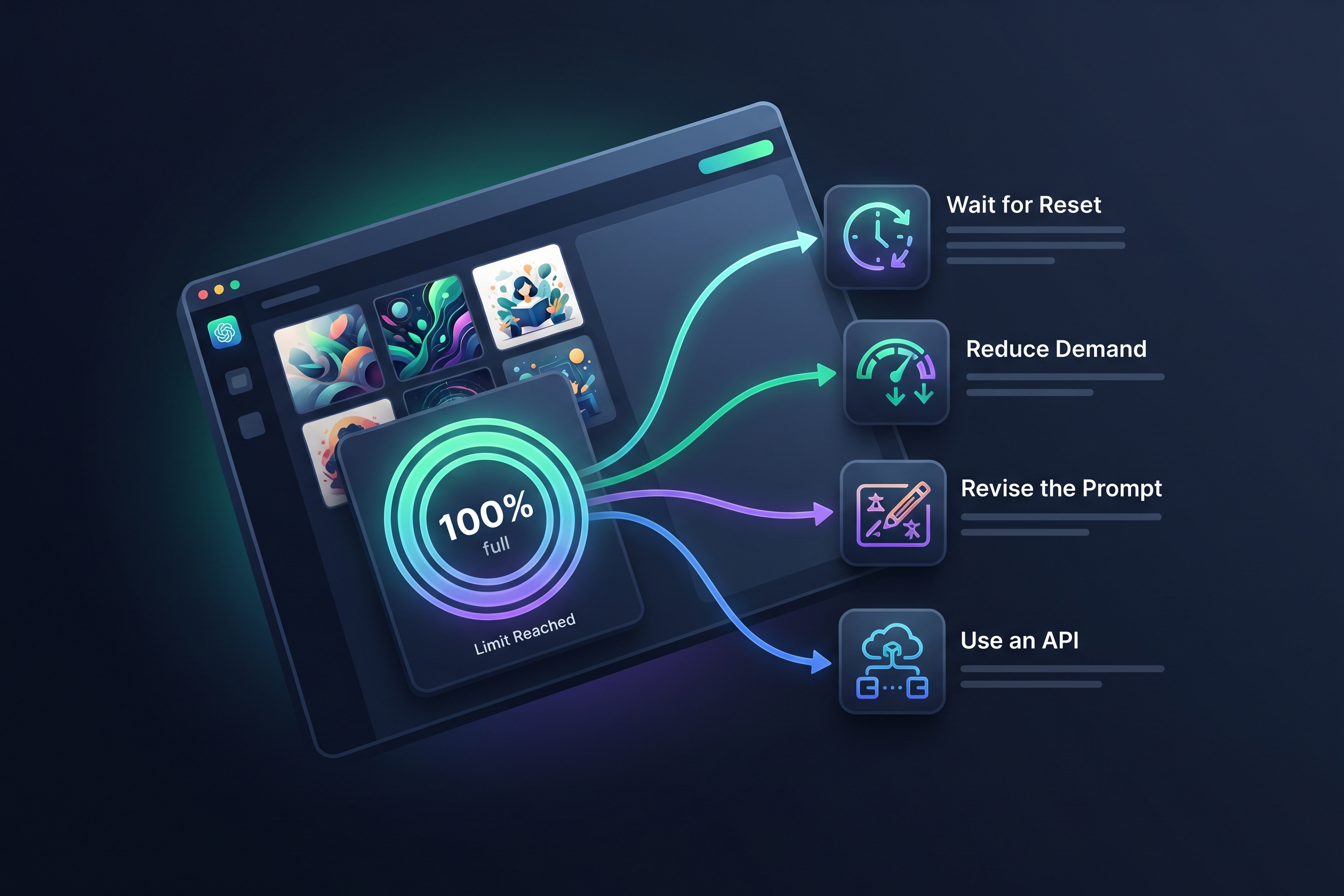
Quick answer: The safest way to bypass the ChatGPT image limit is to identify whether you hit an account cap, a busy-period delay, a safety refusal, or a technical error. Wait for the reset when ChatGPT shows one, reduce wasted generations, use the OpenAI API for production workloads, or switch to another image model instead of trying risky scripts, VPN tricks, or account rotation.
However, relying on a single platform often results in high subscription costs and fragmented workflows. Most users find that no individual tool perfectly meets the demands of high-volume multimedia production.
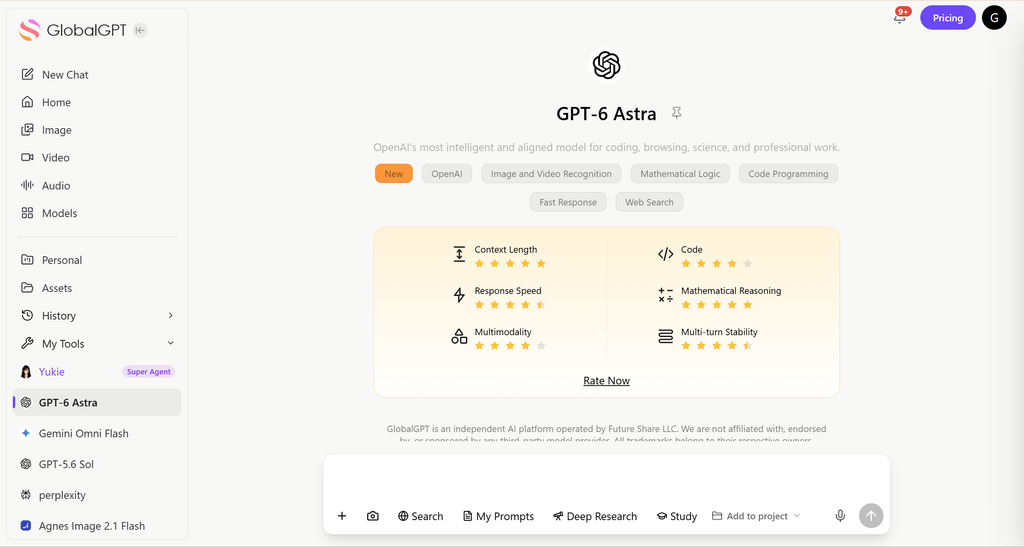
GlobalGPT helps creators avoid getting stuck inside one model’s queue. Instead of relying only on ChatGPT, you can switch between multiple AI image, video, and text models in one workspace, keeping your creative workflow moving when one provider slows down, reaches a temporary cap, or is not the best fit for the prompt.
Does ChatGPT Still Use DALL-E 3 for Image Generation?
No. OpenAI’s current ChatGPT image documentation says ChatGPT Images 2.5 is available on all tiers. The DALL·E GPT has been retired and is no longer available in ChatGPT.
So the practical answer is:
- Use “ChatGPT Images 2.5” when discussing the ChatGPT app experience.
- Use “gpt-image-2.5-sunburst” or “gpt-image-2.5-flare” when discussing the OpenAI Image API.
- The DALL·E GPT is retired; it is not a current ChatGPT image-generation route.
The ChatGPT app and the API use different quota systems. Choose the route you actually need before comparing limits.
For a broader explanation, see how ChatGPT generates images in 2026 and which ChatGPT model is best for image generation.
Does GPT Image 2.5 Have a Limit?
Yes. GPT Image 2.5 has limits, but the exact limit depends on where you use it.
In ChatGPT, image generation is tied to your plan, account state, demand, and feature availability. OpenAI confirms that ChatGPT Images 2.5 is available on all tiers, while Images with thinking is available on Plus, Pro, and Business and is coming to Enterprise and Edu. OpenAI does not publish one universal, fixed image count for every ChatGPT plan on the Images help page.
In the OpenAI API, the limit is more explicit. OpenAI’s GPT Image 2.5 Sunburst model page lists rate limits by usage tier. GPT Image 2.5 Flare has the same published tiers:
| API tier | GPT Image 2.5 Sunburst / Flare limit |
| Free | Not supported |
| Tier 1 | 100,000 TPM and 5 IPM |
| Tier 2 | 250,000 TPM and 20 IPM |
| Tier 3 | 800,000 TPM and 50 IPM |
| Tier 4 | 3,000,000 TPM and 150 IPM |
| Tier 5 | 8,000,000 TPM and 250 IPM |
TPM means tokens per minute. IPM means images per minute. These API limits are separate from ChatGPT app limits, so you should not compare them as if they were the same quota system.
Why does ChatGPT stop generating images even if you haven’t hit your daily limit?

Sometimes, you might encounter a block even when you believe you have credits remaining. This is often due to internal “guardrails” rather than simple usage caps:
What kind of image-generation stop did you hit?
Reset notice
You reached an account or plan quota. Wait until the displayed reset time, or review the available plan options.
Slow or timed out
The service may be busy. Retry later, simplify the request, and check the official service-status page.
Safety refusal
This is a policy restriction, not a usage cap. Revise the prompt so it complies with the platform’s safety rules.
API error
Check the HTTP status, rate-limit headers, billing status, and the retry guidance returned by the API.
Important: Starting a new chat does not reset an account-level image quota.
Illustrative Busy-Period Pattern — Not Measured Data
| Day Category | 00:00 | 02:00 | 04:00 | 06:00 | 08:00 | 10:00 | 12:00 | 14:00 | 16:00 | 18:00 | 20:00 | 22:00 |
|---|---|---|---|---|---|---|---|---|---|---|---|---|
| Weekday | 0.12 | 0.16 | 0.12 | 0.22 | 0.45 | 0.72 | 0.88 | 0.92 | 0.84 | 0.64 | 0.38 | 0.25 |
| Weekend | 0.18 | 0.18 | 0.18 | 0.32 | 0.52 | 0.58 | 0.70 | 0.78 | 0.72 | 0.52 | 0.45 | 0.32 |
Illustration only: these 0–1 values are hypothetical, not measured OpenAI error probabilities. They do not predict your reset time or identify the best time to generate. Check the status and reset notice shown in your account.
- Content Policy Interventions: A policy refusal can stop the request before an image is returned. OpenAI documents
moderation_blockedas an image-generation error for API requests. Revise the visual request instead of trying to disguise prohibited intent; the ChatGPT image content-policy guide explains safer prompt adjustments. - The “Silent Fail” Glitch: Occasionally, server timeouts or high latency can cause a generation to fail without a clear error message. In these cases, refreshing the thread or starting a new conversation is the best way to reset the local session state.
- Technical Complexity Limits: OpenAI notes that complex GPT Image prompts can take up to two minutes. If a detailed request repeatedly times out, simplify the first generation and add changes in later edits. See how long ChatGPT image generation takes for more troubleshooting context.
Do Reddit “Bypass” Tricks Actually Work?
Reddit tips can help troubleshoot a stalled conversation, but they do not establish a separate image allowance. Here is what the common suggestions actually change:
- Conversation Branching: Editing a previous image is useful for changing a draft, but it does not reset the account-level image allowance. Use it to refine the result, not to unlock a new quota.

- Multi-Account Rotation: Rotating accounts is not a supported way to expand a ChatGPT plan’s image allowance. Wait for the reset or use another product with its own access and billing.
- Mobile App Priority: Trying the official mobile app can help identify a web-only technical problem. It is not evidence of a separate, more generous quota for the same account. Compare the ChatGPT Plus plan benefits if you need a different level of access.
Safe Ways to Keep Creating After You Hit the ChatGPT Image Limit
1. Wait for the Reset or Use the Upgrade Path Shown in ChatGPT
If ChatGPT shows a reset notice, the safest option is to wait for the limit to refresh. If your account shows an upgrade path, that is the official route for more access.
Avoid any third-party extension that claims it can unlock unlimited ChatGPT images. If it asks for your session token, login cookie, or account credentials, it can put your account and private chats at risk.
2. Use a Multi-Model Platform Instead of One Native App
The most practical way to reduce interruptions is to stop depending on one image model. If ChatGPT reaches a temporary cap, you can move the same creative task to another image model or video model.
The best ChatGPT alternatives for images give you useful fallback options when a single product pauses.
This is where GlobalGPT fits the workflow. A unified AI platform lets you compare different models without managing separate subscriptions, logins, and interfaces. For creators, marketers, designers, and founders, the advantage is not a magic “no-limit” claim. The advantage is continuity: when one model is slow or capped, you still have other strong options in the same workspace.
3. Use the API for Production Workloads
If you need predictable image throughput for a product, automation, or business workflow, the API is usually cleaner than manually pushing the ChatGPT app. The OpenAI API gives you documented model-level rate limits, account-level limit pages, and clearer cost tracking.
GPT Image 2.5 Sunburst and Flare support image generation and editing. Sunburst focuses on editing precision; Flare is built for fast, high-quality everyday generation. Both APIs let you adjust size, quality, output format and compression.
OpenAI’s image generation guide documents the current size, quality, format, editing, and streaming options.
The tradeoff is that API usage is billed separately and requires technical setup. It is a good route for developers, agencies, and high-volume teams, but it may be overkill for casual users
OpenAI’s GPT Image 2.5 Flare pricing lists $5 per million text-input tokens, $8 per million image-input tokens and $30 per million image-output tokens. Sunburst uses the same rates. These are token prices, not a flat price per finished image.
4. Reduce Wasted Generations Before You Generate
Every failed or low-quality attempt burns time and may count toward your usage. Before generating the image, use a text model to tighten the prompt.
These ChatGPT prompts for stronger AI images show how to turn a vague request into a more controllable visual brief.
Good prompt preparation should specify:
- Subject and setting
- Style or reference direction
- Aspect ratio
- Camera angle or composition
- Text that must appear in the image
- Elements to avoid
- Whether the output is a draft or final asset
For complex images, generate a clean first version, then edit in smaller steps. This is more reliable than asking for a crowded scene, perfect text, brand consistency, and multiple layout rules in one prompt.
If editing is the main task, the guide to editing images with ChatGPT covers that workflow separately.
5. Lower Quality or Size for Drafts
When using an API or platform that exposes image settings, use lower quality for early drafts and higher quality only for final images. GPT Image 2.5 Sunburst and Flare support low, medium, high, xhigh, max, and auto quality in the API. Drafting at a lower setting can reduce cost and make iteration faster.
How does a multi-model platform compare with ChatGPT Pro?
Professional workflows need more stability than trial-and-error workarounds. GlobalGPT gives you another route for high-volume creation. The $200/month ChatGPT Pro plan is a separate product: new sign-ups and upgrades are temporarily paused, while existing subscriptions continue to renew.
OpenAI’s ChatGPT Pro notice explains the current sign-up restriction; it does not change the billing of an existing Pro subscription.
- 100+ Integrated Models: GlobalGPT allows you to switch between GPT Image 2.5 and other image models in one workspace. A separate model gives you another creative route; it does not remove the quota on your ChatGPT account.
The Seedream 5.0 Pro vs GPT Image 2 comparison covers an earlier GPT Image generation; use it for workflow examples rather than current GPT Image 2.5 limits.

- Unrivaled Cost-Efficiency: GlobalGPT Basic starts at $5.8 per month on annual billing, equivalent to $69.60 for 12 months, before any applicable taxes or fees. It is a separate subscription from ChatGPT.
- Advanced Image/Video Support: Beyond static images, the platform offers video models in the same workspace. Choose the model and duration shown for that tool before generating a clip.
Before using any AI image commercially, confirm that the prompt, reference assets, trademarks, likenesses, and final use are permitted. The guide to using ChatGPT images for commercial work covers those checks in more detail.
How to optimize your image prompts to stop wasting your precious generation credits?
What prompt workflow saves the most ChatGPT image credits?
The fastest way to bypass the feeling of a ChatGPT image limit is to waste fewer generations. Use a three-step workflow: first, ask ChatGPT to audit your prompt for unclear details; second, generate a simple draft with only the main subject and composition; third, make one change at a time instead of rewriting the whole image. If the image fails, do not repeat the same prompt. Ask: “Why might this image prompt fail or trigger a limit, and how can I simplify it while keeping the same visual goal?” This turns failed attempts into better prompts instead of burned credits.
Efficiency is the most useful form of a “bypass.” Better first drafts leave more room for useful edits, even though your account’s actual quota stays the same:
- The “Pre-Processor” Technique: Before sending a prompt to GPT Image 2.5, use a high-reasoning model like GPT-6 Astra to refine your description. Ask the AI to “optimize this prompt for GPT Image 2.5, preserve the visual goal, flag unclear instructions, and improve composition details.”
- Clear, Policy-Safe Reframing: If a legitimate prompt is ambiguous, describe the intended scene with neutral, concrete visual details. Do not disguise prohibited intent or use euphemisms to evade safety systems.
- Layered Workflow: For complex scenes, generate the background first, then use image-editing or in-painting features to add subjects. This prevents the model from getting overwhelmed and producing a failed image that still costs you time or usage.
What are the risks of using “ChatGPT Bypass” browser extensions or unofficial scripts?
Many websites promise scripts or extensions that “unlock” unlimited images. However, these often come with severe security and account risks:
- Privacy Violations: Many of these tools require your “Session Token” or login credentials. Sharing these gives third parties full access to your private conversations and personal data.
- Account Restrictions: Unsupported automation or attempts to evade product limits can violate platform rules and put paid account access at risk. Follow the OpenAI usage policies and use documented product or API routes.
- Malware Risks: Unverified browser extensions can inject malicious code into your browser, leading to broader security breaches beyond your AI accounts.
Frequently Asked Questions about ChatGPT Image Limits (PAA & Community Insights)
Is there one fixed ChatGPT image generation limit?
No universal image count applies to every ChatGPT user. The limit can depend on the plan, account state, workspace settings, feature availability, and current demand. Use the reset or upgrade information shown inside your own ChatGPT account.
Does editing an image count toward the ChatGPT limit?
An image edit requires the model to process or regenerate visual content, so it can use image-generation capacity. The exact accounting depends on the product surface and plan, so avoid assuming that edits are free or use a separate unlimited allowance.
Can a VPN reset the ChatGPT image generation quota?
There is no reliable evidence that changing your IP address resets an account-level quota. A VPN may change network routing or regional access, but it does not normally change the plan, account state, or usage attached to your ChatGPT account.
Does GPT Image 2.5 have an API rate limit?
Yes. OpenAI publishes tokens-per-minute and images-per-minute limits for GPT Image 2.5 Sunburst and Flare by API usage tier. Those developer limits are separate from the limits shown in the ChatGPT consumer app.
What is the safest way to keep generating after ChatGPT stops?
Wait for the reset shown in ChatGPT, use an available official upgrade, simplify prompts to reduce wasted attempts, use the API for production workloads, or move the task to another image model instead of using scripts that request cookies or session tokens.
Can I use GlobalGPT after hitting a ChatGPT image limit?
GlobalGPT does not reset or remove the limit on your OpenAI account. It gives you a separate multi-model workspace, so you can keep working with another available image model when ChatGPT is temporarily capped or not the best fit for the prompt.
Final Verdict: The most sustainable way to achieve high-volume AI image generation in 2026
High-volume image generation is easier when you are not relying on a single model’s allowance. Prompt optimization helps you get more useful results from a basic subscription, while a multi-model workspace gives professional projects another route when one service pauses.
GlobalGPT stands as the ultimate tool for 2026, offering a unified platform where you can compare and use 100+ models in one place, ensuring your creative momentum is never stopped by a single platform’s usage cap.