

The useful comparison is the work you can finish before and after paying. A longer feature list does little for someone who asks a few questions each week; it can matter a lot to someone who repeatedly analyzes files, revises client work, or runs coding tasks.
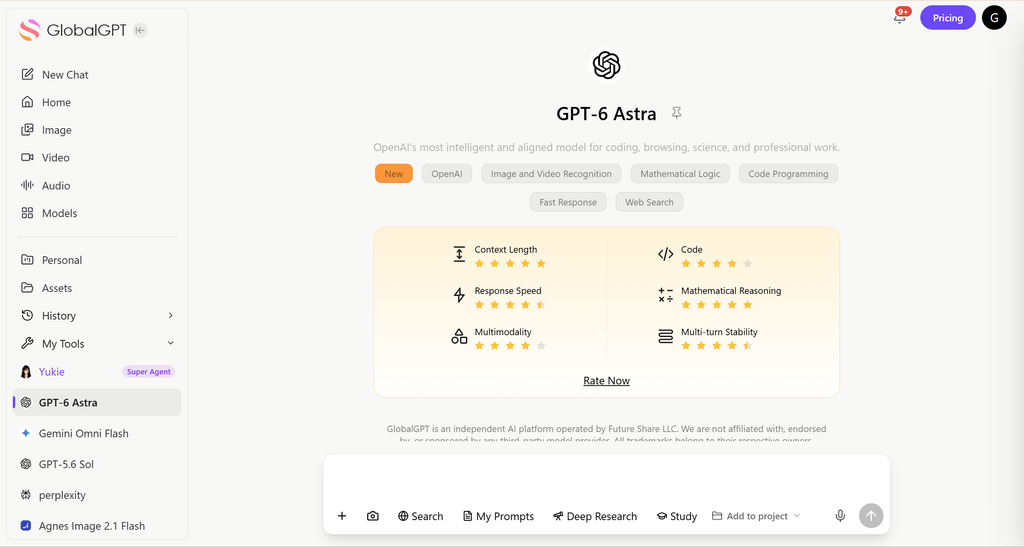
If your work spans several AI tools, GlobalGPT brings GPT, Claude, and Gemini models alongside Perplexity research tools into one multi-model subscription. It connects research, writing, coding help, and visual creation in one dashboard, making it worth considering when several separate subscriptions would stretch your budget.
What does ChatGPT Plus buy today?
ChatGPT Plus costs $20 per month, billed monthly. OpenAI’s Plus help page lists priority access during busy periods, higher model limits, advanced reasoning, faster responses, and expanded tools including voice, image generation, file analysis, and deep research where available. OpenAI does not offer annual billing for Plus. Local currency, taxes, and the purchase channel can affect the amount you pay.
The biggest model distinction is now specific to where you work. In ordinary Chat, Plus includes GPT-5.6 Sol with Medium and High reasoning. Free and Go use GPT-5.6 Luna and can use Think. Plus also includes GPT-6 Astra in ChatGPT Work and Codex, but that does not mean Plus includes GPT-6 Pro in ordinary Chat. OpenAI’s model availability guide separates these access routes.
Choose the upgrade that matches the problem
| Plan | Monthly price | What changes your decision |
|---|---|---|
| Free | $0 | Everyday text chats with Luna; separate limits on tools. |
| Go | $8 | More uploads, image creation, voice, and memory; still Luna in Chat. May include ads. |
| Plus | $20 | Sol reasoning in Chat; expanded research, uploads, Work, and Codex. |
| Pro $100 | $100 | Pro models and higher allowances for sustained, demanding work. |
| Pro $200 | $200 | Higher Pro allowances. New subscriptions and upgrades temporarily paused; existing subscriptions continue. |
Sources: OpenAI pricing reference, ChatGPT plan features, and Pro tiers and availability. The feature comparisons describe product access, not measured performance.
Two details prevent expensive misunderstandings. First, a ChatGPT subscription does not include OpenAI API usage; an app or script billed through the API has a separate bill. Second, Pro is no longer a single $200 option. The $100 tier remains available, while OpenAI temporarily paused new $200 subscriptions and upgrades on September 10, 2026. Existing $200 subscriptions can continue to renew.
Most people deciding whether to spend $20 do not need Pro’s full allowance breakdown. Start with the task that is failing on Free or Go. For a separate comparison of the higher tiers, see ChatGPT Plus vs Pro.
When is Free or Go enough?
Free is the right starting point for explanations, brainstorming, short translations, and occasional rewrites. OpenAI now describes Free and Go as offering unlimited everyday text chats, subject to abuse safeguards. Uploads, image generation, voice, data analysis, and other tools still have separate limits. Paying just to avoid an old text-message cap may solve a problem you no longer have.
Go makes more sense when your frustration is tool access: another file to upload, another image to create, or more voice time. It expands those allowances without giving you Sol in ordinary Chat. It is also inaccurate to say Go has no reasoning: its Think option uses Luna. The official plan page says Go may include ads, rather than promising the same advertising experience to every user.
- Stay on Free when you can finish your usual tasks and tool limits rarely get in the way.
- Consider Go when you like the everyday chat experience but need more uploads, images, or voice access.
- Consider Plus when Sol reasoning, expanded research, or recurring Work and Codex sessions solve a specific problem.
A student making flashcards or a job seeker polishing one application should try Free first. Even a valuable one-off task does not automatically justify twelve months of payments. For an application, our ChatGPT resume workflow starts with the material you supply and the revisions you make; the subscription is a separate decision.
Where can ChatGPT Plus save time?
Plus has a stronger case when one task involves several steps and corrections. The examples below are ways to evaluate the subscription on your own work. They are not timed test results or promises that Plus will outperform Free on every response.
Writing, editing, and repurposing content
A marketer might begin with interview notes, extract the useful claims, develop an outline, revise a draft, and turn the approved version into an email. The time-consuming part is often keeping the source facts and audience consistent through each revision. Give ChatGPT the source material, examples of the desired voice, and a short list of claims it must not add.
Try this request: “Turn these approved interview notes into a 500-word customer story. Preserve every number and attribution. Flag missing information instead of filling it in. Then create a 100-word email using only the approved story.” Judge the result by how much editing remains, whether the facts survived, and whether you can use the final piece. Generating more words is not the same as finishing faster.
Projects and custom GPTs can help organize repeat work, while Canvas gives you a place to revise a passage without repeatedly replacing the whole draft. Our Canvas editing walkthrough covers that interaction. Do not buy Plus just because an editing feature exists: first see whether the tools already available to you handle the job.

Documents, spreadsheets, and research
A stronger use case is repeated document work: extract renewal dates from a contract, reconcile spreadsheet totals, or build a comparison from several source documents. Ask for an output that makes checking easy. A table with the answer, its source passage, and an uncertainty column is more useful than a confident summary with no trail back to the file.
For example: “From these three proposals, list the quoted price, billing period, delivery date, and exclusions. Cite the source section for each cell. Write ‘not stated’ where the proposal does not specify a value.” Compare the extraction with the originals before using it. More upload capacity helps only if the files can be read and the resulting analysis is reliable.
Deep research is another reason to consider Plus when a brief requires several sources and follow-up questions. Free already includes limited deep research; Plus expands access. The upgrade buys more room to work, not permission to skip checking dates, quotations, and source quality. Avoid counting a report as finished before you have verified the claims that affect your decision.
Coding help and agent work
For a coding question in Chat, provide the failing input, expected behavior, error, and relevant code. Ask for the smallest repair plus a way to test it. Sol’s reasoning access may be valuable when the fix requires following several constraints, but code that looks plausible is still only a proposal until it runs correctly.

Work and Codex extend the decision beyond a chat answer to tasks involving files and tools. Plus includes expanded access, including Astra in those products. OpenAI’s Work and Codex pricing documentation says they share usage, and consumption depends on the model, context, and task. A handful of demanding sessions can consume more allowance than many short questions. The document’s message estimates are not ordinary Chat limits.
Voice notes, images, and recurring tasks
Voice can turn a spoken idea into a draft brief; image tools can help explore a visual direction; scheduled tasks can support repeat requests. These are useful when they feed a real deliverable, such as a weekly planning note or an approved campaign concept. Several of these capabilities also exist on cheaper plans with different allowances, so list the restriction you need removed before upgrading.
A monthly break-even check for the $20 fee
Divide the monthly subscription cost by the value of an hour of your time. At $20 an hour, a $20 subscription needs to save one hour per month to break even on time alone. At $40 an hour, it needs to save 30 minutes. Use the actual amount you pay if tax or local pricing changes the bill.
How much time would Plus need to save?
Illustrative hourly values, USD. Monthly fee: $20. Bars start at zero; full width represents 120 minutes.
$10/hour: 120 minutes per month
$20/hour: 60 minutes per month
$40/hour: 30 minutes per month
$60/hour: 20 minutes per month
Formula: minutes needed = monthly fee ÷ hourly value × 60. Count net time saved after prompting, checking, and corrections.
Calculation dated September 11, 2026. Price source: OpenAI’s $20 monthly Plus subscription. Hourly values are examples you choose, not survey data or measured productivity gains.
The comparison must be with your next-best option. If Free takes 40 minutes and Plus takes 30 minutes for the same verified result, the saving is 10 minutes. It is not the entire 30-minute session. If you already pay $8 for Go, the reference-price difference is $12 a month, so compare the extra benefit of Plus against that difference.
- Choose three tasks you actually repeat, such as a client draft, a document comparison, and a code repair.
- Record how long each takes on your current plan, including waiting and corrections.
- If you decide to buy one month of Plus, repeat comparable tasks and check the finished results against the same criteria.
- Keep the subscription only if the net benefit justifies the bill and fits your budget.
A paid month is a subscription, not a promised free trial. OpenAI’s help page provides cancellation instructions; review the rules for your purchase channel before subscribing. For students or personal projects, enjoyment and learning may be worth paying for, but a theoretical hourly rate should not override a tight budget.
Limitations that affect whether Plus is worth it
Paying does not remove every limit
Plus still has limits, and different tools may have different reset periods. A model may become temporarily unavailable even though the rest of ChatGPT remains usable. Check the notice for that model or tool. Waiting for a reset or using another available option is different from being required to spend more money.
For Work and Codex, eligible Plus and Pro users can buy extra credits after included usage runs out. That is an optional way to extend eligible usage, not a guarantee that credits remove every limit across ChatGPT. If interruptions are your main reason to upgrade again, track which product and allowance actually stopped the work.
Accuracy, writing quality, and privacy still need attention
A subscription does not turn an answer into a verified fact. Research can contain weak citations, code can fail, and a polished paragraph can add a detail that was absent from the source. Long creative work may also need a maintained style sheet and character notes. Give the model examples and constraints, then check the parts that matter instead of judging only how fluent the answer sounds.
Paid plans also retain content safeguards. Upgrading is not a way to remove them. The relevant question is whether the product can support your legitimate task within those rules, not whether a higher price promises an unrestricted model.
On individual accounts, OpenAI may use conversations to improve its models, and users can opt out of training. That setting is not the same as a company-managed workspace or permission to upload confidential client files. If your employer requires administration, centralized billing, or business data controls, compare Plus with ChatGPT Business and follow the organization’s policy.
Sora is no longer a reason to buy Plus
OpenAI discontinued the Sora web and app experiences on April 26, 2026. Its Sora discontinuation notice schedules the API shutdown for September 24, 2026. Old comparisons of Plus video duration, resolution, and watermarks no longer describe a current consumer subscription benefit.

If video production is the job, choose the video workflow directly: generation, editing, audio, export, and the rules for the intended use. A familiar model name in an old subscription comparison is not enough to decide what to buy today.
What if your work needs more than ChatGPT?
Plus is a natural choice when most of your work already happens inside ChatGPT. A multi-model subscription becomes more relevant when your routine crosses providers: research with Perplexity, drafting with Claude or ChatGPT, and visual production with image tools. The decision is about the complete workflow you need and the subscriptions you would otherwise maintain.
GlobalGPT’s multi-model workspace brings those stages into one dashboard. For a content project, you can research the topic, carry the approved source notes into a writing task, revise the copy, and develop accompanying visuals. Keep the source material and brief consistent when changing models so each stage works from the same facts.

A focused task helps you choose a model more effectively than a general ranking. Supply the audience, source files, output format, and review criteria first. Then use the model that suits that stage of the work. Developers can also use GlobalGPT’s CLI to connect the workspace with terminal-based tools and existing development workflows.
Direct subscriptions also make sense when a particular provider’s app, integrations, or collaboration features are central to the job. List those requirements before comparing bills. For example, someone who mostly needs research may value the research environment more than a broad tool catalog; someone moving from research to copy and visuals may value having those functions together.
Who should pay for ChatGPT Plus?
Choose Plus when you can name a recurring task and the specific paid capability that improves it. Frequent document analysis, sustained editing, Sol reasoning in Chat, and Work or Codex sessions are plausible reasons. The stronger your need for those tools, the more useful a paid month becomes as a practical evaluation.

Stay on Free when your current work already gets done. Consider Go when you need more everyday tool capacity, without Sol in ordinary Chat. Compare a multi-model workspace when several model families and creative functions are part of the same job. None of these decisions requires declaring one plan the best for everyone.
Before paying, write one sentence: “I need Plus because it will help me finish ___, which my current plan cannot handle well enough.” If the blank stays vague, keep using what you have. If it names work you repeat, measure the improvement and keep the plan only while it earns its place in your budget.
Frequently asked questions
Is ChatGPT Plus worth $20 a month?
It can be worth $20 a month for recurring work that benefits from Sol reasoning, expanded research, uploads, Work, or Codex. If Free already handles your usual tasks, there is no need to upgrade. Compare net time saved and the quality of the finished work with the actual subscription cost.
Does ChatGPT Go have reasoning?
Yes. Go users can use Think with GPT-5.6 Luna. Go does not include GPT-5.6 Sol in ordinary Chat. Plus includes Sol with Medium and High reasoning, so the distinction is model access rather than reasoning versus no reasoning.
Does ChatGPT Plus include GPT-6?
Plus includes GPT-6 Astra in ChatGPT Work and Codex. It does not include GPT-6 Pro in ordinary Chat. OpenAI lists Chat access to GPT-6 Pro for Pro $100, Pro $200, Business, and Enterprise, subject to plan limits and workspace permissions.
Is ChatGPT Plus unlimited?
No. Models and tools can have separate usage limits, and limits can change with demand. Work and Codex use their own shared allowance system, separate from ordinary Chat. Check the relevant model or tool notice for the available options and reset time.
Is ChatGPT Pro still $200 a month?
There are $100 and $200 monthly Pro tiers. As of September 11, 2026, new subscriptions and upgrades to the $200 tier are temporarily paused. Existing $200 subscriptions can continue to renew, and the $100 tier remains available.
Should I upgrade to Plus for Sora video generation?
No. The Sora web and app experiences were discontinued on April 26, 2026. OpenAI schedules the Sora API shutdown for September 24, 2026. Old Plus and Pro video allowances are not a current reason to buy a consumer ChatGPT subscription.
Does ChatGPT Plus include API credits or an annual plan?
No. OpenAI API usage is billed separately from ChatGPT Plus. Plus is billed monthly, and OpenAI does not offer an annual Plus subscription or advance payment for multiple months.
Is ChatGPT Plus private enough for work?
That depends on your organization’s requirements and what you intend to upload. OpenAI may use individual-account conversations to improve models, and users can opt out of training. Plus is an individual subscription; follow your organization’s policy and assess business workspace controls when handling company or client information.


