

Current status checked September 16, 2026: OpenAI documents GPT Image 2 as the current API image generation and editing model, while the consumer product presents the feature as ChatGPT Images. The official plan page separates ChatGPT plan limits from API billing; the GlobalGPT route below is a separate platform claim.
Yes, ChatGPT can edit images — but it uses AI-powered generative editing, not traditional pixel-level photo editing. According to OpenAI’s official documentation, ChatGPT supports image editing through selection and text instructions, allowing users to modify uploaded or generated images directly inside the chat interface.
Current status — September 16, 2026: OpenAI’s API documentation identifies GPT Image 2 (gpt-image-2) as its latest image generation and editing model, while the consumer interface presents the feature as ChatGPT Images. GPT Image 1.5 is now the previous API model; DALL·E 2, DALL·E 3, and GPT-4o image generation belong only in historical references.
| ChatGPT route | Image access as of September 16, 2026 |
|---|---|
| Free | Image creation and editing are available with limited usage. |
| Go | Image creation is included with more access than Free. |
| Plus and Pro | Both include image creation and editing with higher individual limits; Pro has the highest individual access. |
| Business, Enterprise, and Edu | Image access follows the workspace plan, administrator settings, and plan limits. |
| OpenAI API | API access is billed separately from every ChatGPT subscription. |
However, this editing works differently from tools like Photoshop. This guide explains exactly how ChatGPT image editing works, what it can do well, where its limits are.
GlobalGPT already offers full GPT Image 2 integration, allowing creators to use advanced image generation and editing features immediately — with fewer restrictions and significantly lower cost compared to official plans. For users who need to generate, edit, and iterate on images frequently, GlobalGPT provides a faster, more scalable workflow.
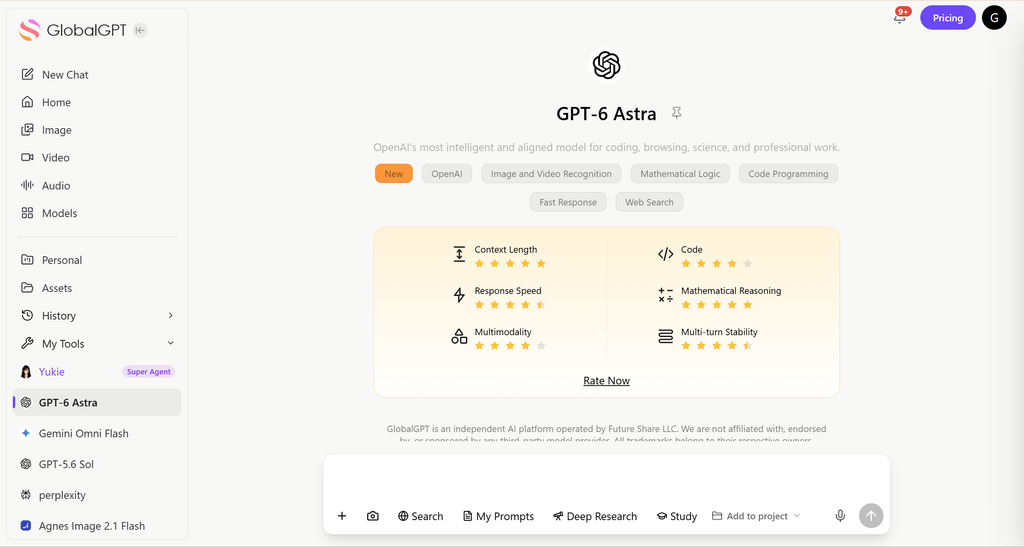
Table of Contents
- How ChatGPT Image Editing Works
- Supported Image Editing Capabilities
- ChatGPT Image Editing vs Photoshop
- Strengths of ChatGPT Image Editing
- Limitations of ChatGPT Image Editing
- Best Practices
- Scaling with GlobalGPT
- ChatGPT vs GlobalGPT
- Frequently Asked Questions
- Final Verdict
How ChatGPT Image Editing Works (Official Explanation)
ChatGPT image editing is based on selection-driven AI generation.
Step-by-Step Image Editing Process:
Method 1
- Upload an image or generate one with ChatGPT. Click on the image generated by ChatGPT Images to access the editor interface.

- Find the “Select” tool in the upper right corner of the window.

- You can also undo and redo selections with the “Undo” and “Redo” buttons above the image, or select “Cancel” to start over entirely.

- The editor interface enables you to add, remove, and update parts of your image. Highlights are not always precise, edits may extend beyond the specifically targeted area.

- You can save your creation by selecting the “Save” button on the top-right corner of the editor.

Method 2
- Upload an image or generate one with ChatGPT.
- Describe the desired change in natural language
- ChatGPT generates an updated version of the image reflecting the edit
Examples include:
- Replacing backgrounds
- Removing or adding objects
- Changing colors, styles, or environments
- Editing parts of an image without recreating the entire scene

ChatGPT Supported Image Editing Capabilities
| Capability Type | Examples |
| Background changes | Replace skies, rooms, scenery |
| Object modification | Add, remove, or replace objects |
| Style adjustments | Cartoon, realistic, watercolor, cinematic |
| Color & lighting | Mood shifts, brightness, tone |
| Partial edits | Modify selected areas only |
These edits are applied contextually, ensuring the modified region blends naturally with the rest of the image.
For reference-heavy work, ChatGPT can also use several source pictures in one generation; the practical differences are covered in this guide to combining images with ChatGPT.
| Official API route | Current model/request | Input and output | 1024×1024 output price |
|---|---|---|---|
| Image API | gpt-image-2 | Text plus one or more image references; base64 PNG by default, or JPEG/WebP | Low $0.006 · Medium $0.053 · High $0.211 |
| Responses API | A supported mainline model such as gpt-5.6 with the image_generation tool | Conversation context, image inputs, File IDs, and multi-turn edits | Image generation cost plus mainline model token usage |
GPT Image 2 accepts flexible sizes up to 4K within OpenAI’s published constraints, automatically processes image references at high fidelity, and does not support transparent backgrounds. The Image API returns base64-encoded data in PNG, JPEG, or WebP, with compression controls for JPEG and WebP.
How ChatGPT Image Editing Differs from Photoshop
| Aspect | ChatGPT Image Editing | Photoshop |
| Editing method | Generative AI | Pixel-level manipulation |
| Precision control | Medium | Very high |
| Layer control | ❌ | ✅ |
| Repeatable exact edits | ❌ | ✅ |
| Ease of use | Very easy | Requires expertise |
| Best use case | Creative edits & concepts | Professional retouching |
ChatGPT focuses on semantic understanding and generative coherence, not pixel-perfect control.
If exact canvas dimensions matter more than scene understanding, use the workflow in ChatGPT image resizing and finish the final pixels in a conventional editor.
Strengths of ChatGPT Image Editing
| Strength | Why It Works Well |
| Creative edits | AI understands scenes and context |
| Concept exploration | Rapid variations with text |
| Object-level changes | Natural object insertion/removal |
| Fast iteration | No tools, layers, or manual masking |
This makes ChatGPT ideal for ideation, mockups, and visual experimentation.
For cleanup and resolution work after a creative edit, the separate guide to enhancing images with ChatGPT explains where AI improvements help and where detail can still drift.
Limitations of ChatGPT Image Editing
| Limitation | Explanation |
| No pixel-level accuracy | Cannot guarantee exact preservation |
| Generative variation | Each edit is newly generated |
| Fine-detail drift | Small features may change |
| Usage limits | Plan-specific limits on ChatGPT subscriptions |
| Not for production retouching | Unsuitable for high-precision work |
Understanding these limits helps set correct expectations.
OpenAI also notes that complex prompts can take up to two minutes, exact text can still fail, recurring characters or brand elements may drift, and tightly structured layouts remain difficult. Prompts and outputs are filtered under the OpenAI usage policies.
If the problem is the upload step rather than the edit itself, these ChatGPT image upload fixes cover file, browser, account, and plan issues.
OpenAI says images generated in ChatGPT include C2PA provenance metadata. That is not the same as a permanent visible watermark, and the metadata can disappear when an image is re-saved, compressed, or captured from the screen.
Best Practices for Editing Images with ChatGPT
To get the best results:
- Be specific in your instructions
- Select only the area you want changed
- Describe what to keep unchanged
- Avoid overly complex multi-step edits
- Treat each edit as a new version, not a lossless modification
For a cleaner model decision, see which ChatGPT model is best for image generation before you build a repeatable editing workflow.
Scaling AI Image Editing with GlobalGPT
For creators, designers, and marketers who rely on frequent image editing, ChatGPT alone can become restrictive. This is where GlobalGPT becomes valuable.
GlobalGPT provides:
- It supports 100+ tools including GPT Image 2, GPT-5.6, Nano Banana 2, and Sora 2……
- Faster image generation and editing
- Higher daily usage limits
- Multiple image models in one workspace
Instead of switching tools, creators can:
- Generate → edit → iterate images faster
- Test multiple variations in parallel
- Maintain consistent workflows
The broader list of ChatGPT image editing alternatives helps when you want to compare other image models without rebuilding the whole workflow.
ChatGPT vs GlobalGPT for Image Editing
| Feature | ChatGPT | GlobalGPT |
| Image Editing Support | ✅ | ✅ |
| Selection-Based Editing | ✅ | ✅ |
| High-Volume Image Editing | ❌ | ✅ |
| Multiple Image Models | ❌ | ✅ |
| Creative Iteration Speed | Medium | High |
| Best for Professionals | ⚠️ | ✅ |
Before publishing client or campaign work, check the practical rights and risk points in this guide to commercial use of ChatGPT images.
Frequently Asked Questions
Can ChatGPT edit images directly?
Yes. ChatGPT supports image editing using selection tools and text instructions, as documented by OpenAI.
Does ChatGPT edit pixels?
No. It uses AI-powered generative editing rather than pixel-level modification.
Is ChatGPT image editing suitable for professionals?
It works well for creative tasks and mockups. High-volume or production workflows benefit from platforms like GlobalGPT.
What is the current OpenAI image model name?
As of September 16, 2026, OpenAI identifies GPT Image 2 (gpt-image-2) as its latest API image generation and editing model. ChatGPT presents the consumer feature as ChatGPT Images.
Which ChatGPT plans can edit images?
OpenAI lists image creation across Free, Go, Plus, Pro, Business, and Enterprise, with plan-specific limits; Edu access follows workspace entitlements. API billing is separate.
What inputs and outputs does the OpenAI image API support?
The Image API accepts text plus one or more image references for edits. It returns base64 image data as PNG by default, with JPEG and WebP also available.
How much does GPT Image 2 cost through the API?
At 1024×1024, OpenAI’s September 16, 2026 calculator lists about $0.006 for low, $0.053 for medium, and $0.211 for high output quality, before input-token costs.
Do ChatGPT images have a visible watermark?
OpenAI says ChatGPT-generated images include C2PA provenance metadata. That is not the same as a permanent visible watermark, and metadata may disappear when a file is re-saved or screenshotted.
Can I edit images with GlobalGPT?
Yes. GlobalGPT offers GPT Image 2 and other image models in one workspace, making it useful when you want to generate, edit, compare, and iterate without switching tools.
Final Verdict: Can ChatGPT Edit Images?
✔ Yes, ChatGPT can edit images
✔ Edits are done via selection-based AI generation
✘ Not designed for pixel-perfect photo retouching
ChatGPT image editing is powerful, intuitive, and officially supported — but for creators who need speed, scale, and flexibility, combining it with GlobalGPT unlocks its full potential.
For related workflows, see how ChatGPT combines images and how ChatGPT generates images.
If you need exact dimensions, compare the ChatGPT image resizing workflow before editing.
For cleanup after a generative edit, use the guide to enhancing images with ChatGPT.
You can also review ChatGPT image-editing alternatives.
For commercial projects, read the ChatGPT image commercial-use guide.
When the input is the blocker, use the ChatGPT file and PDF workflow guide.
For a multi-model route, compare the best AI image generators.





