如果您正在尋找一個 ChatGPT 的替代方案:圖像編輯 AI 工具,您可能需要的不僅僅是一個基本的圖片生成器。您可能希望:
- 根據提示生成圖片。.
- 編輯現有圖片。.
- 無需從頭開始,即可修改輸出內容。.
- 匯出一些有用的內容,用於部落格、廣告、社群貼文或產品頁面。.
正因如此,專用的替代方案便顯得有其必要。本指南比較了 7 種工具,重點在於 圖像生成 和 影像編輯, ,而不僅僅是「從提示到圖像」的輸出。.
快速選購: 若您希望透過單一工作區即可進行影像生成、影像編輯及模型切換,GlobalGPT 絕對是整體而言的最佳選擇。.

- 快速評測:最佳 ChatGPT 圖片替代方案
- 我是如何測試這些工具的
- 什麼樣的 ChatGPT 圖片替代方案才算好?
- 1. GlobalGPT – 在生成、編輯及模型切換方面表現最為出色
- 2. Adobe Firefly – 最適合進行品牌安全創意編輯的工具
- 3. Microsoft Designer – 最適合快速生成圖像
- 4. Canva – 最適合直接用於設計的 AI 圖片
- 5. Stable Diffusion Online – 最適合瀏覽器端模型選擇
- 6. Pixlr AI – 最適合在瀏覽器中進行快速編輯
- 7. Craiyon – 最適合零門檻影像生成
- 完整比較表
- 為什麼 GlobalGPT 是整體而言的最佳選擇
- 常見問題
- 最後判斷
快速評測:最佳 ChatGPT 圖片替代方案
| 排名 | 工具 | 最適合 | 為何選擇它 |
|---|---|---|---|
| 1 | GlobalGPT | 在內容生成與編輯方面表現最出色 | 多模型工作流程與影像編輯,一站式整合 |
| 2 | Adobe 螢火蟲 | 品牌安全創意編輯 | 強大的 Adobe 生態系統與生成式編輯工作流程 |
| 3 | Microsoft Designer | 快速生成圖片 | 輕鬆製作消費者形象 |
| 4 | Canva | 可直接用於設計的社群媒體與行銷素材 | 在完整的設計編輯器中進行 AI 影像創作 |
| 5 | Stable Diffusion Online | 基於瀏覽器的模型選擇 | 輕鬆體驗 Stable Diffusion 風格的生成功能 |
| 6 | Pixlr AI | 基於瀏覽器的快速編輯 | 無需使用龐大的設計軟體套件,即可快速編輯圖片 |
| 7 | Craiyon | 零門檻影像生成 | 簡單、免費且易於使用,適合快速草擬 |
我是如何測試這些工具的
請不要僅憑 AI 圖像工具的登陸頁面來評比它們。.
相同的提示在不同的工具中可能會產生截然不同的結果。編輯品質也會有很大差異。有些工具非常適合撰寫初稿,而有些則更擅長修改。.
以下觀察結果與螢幕截圖均來自原始測試環節。它們描述的是當時的帳戶與介面,並非新進行的基準測試。若現行已記錄的功能會影響購買決策,則會另行標示。.
| 測試 | 這顯示了什麼 |
|---|---|
| 文字轉圖像 | 提示語的遵循程度與影像品質 |
| 影像編輯 | 它能否修改已上傳的圖片 |
| 風格變化 | 它能否改變視覺風格 |
| 修訂流程 | 編輯是否容易 |
| 輸出 | 輸出結果是否可用 |
什麼樣的 ChatGPT 圖片替代方案才算好?
OpenAI‘根據該軟體自身的說明文件,ChatGPT 能夠建立和編輯圖片。它還可將上傳的圖片用作 工作流程的一部分. 這使得 ChatGPT 成為一個強有力的基準。任何替代方案都應以此基準為参照來進行評估。.
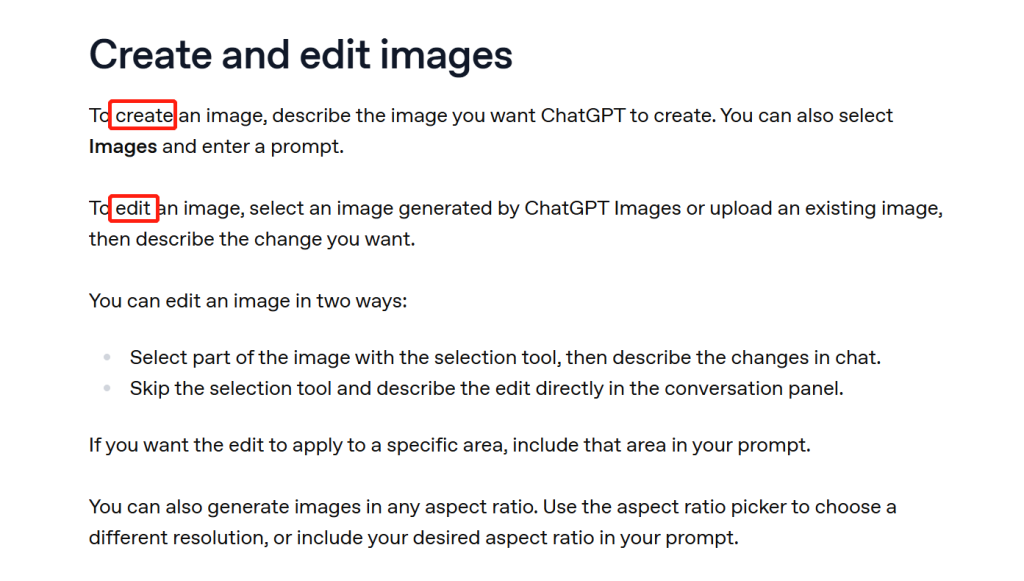
一個好的替代方案應該 不僅 建立圖像。以下是最簡單的判斷方法:
一款優秀的 ChatGPT 圖片替代方案應同時支援圖片生成與圖片編輯功能。最優秀的工具還會提供模型選擇、風格控制、簡易修改以及匯出功能,這些對於實際的創意工作都十分實用。.
1. GlobalGPT – 在生成、編輯及模型切換方面表現最為出色
在本次比較中,GlobalGPT 是綜合表現最佳的選擇。.
這很合適:
- 它能根據提示生成圖片。.
- 它支援在生成後對圖片進行編輯。.
- 它讓使用者能在 100 多個 AI 模型之間切換。.
- 它將工作流程集中於一處。.
這使得它 比那些只能解決工作其中一部分的工具更強大.
GlobalGPT 為何脫穎而出
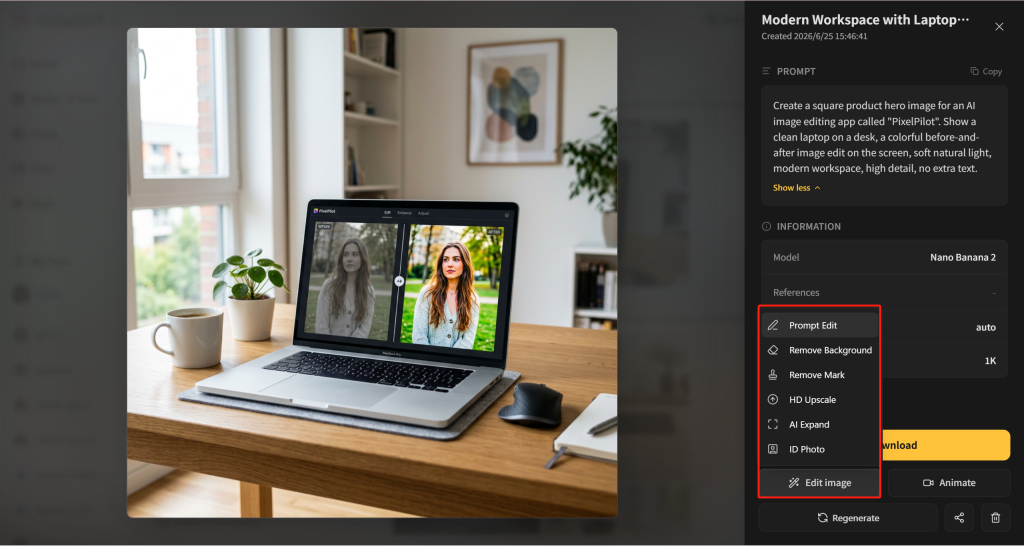
在測試的工作流程中,GlobalGPT 讓影像處理過程顯得一氣呵成。.
其最大優勢在於結合了 可存取 100 多種模型 以及真實的影像編輯功能。許多工具都能產生影像,但能讓您在同一個介面中切換模型、重新生成、編輯、比較並持續精修的工具卻寥寥無幾。.
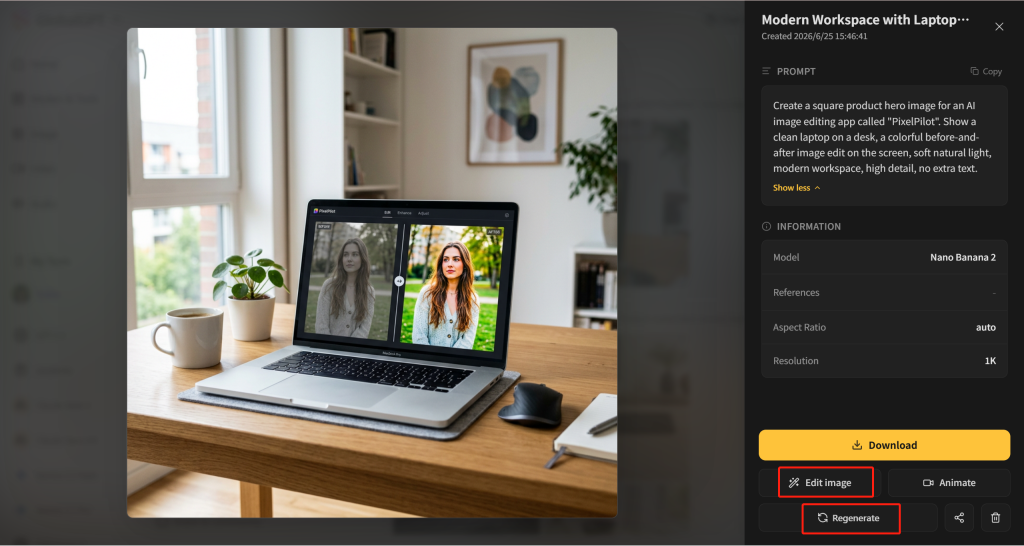
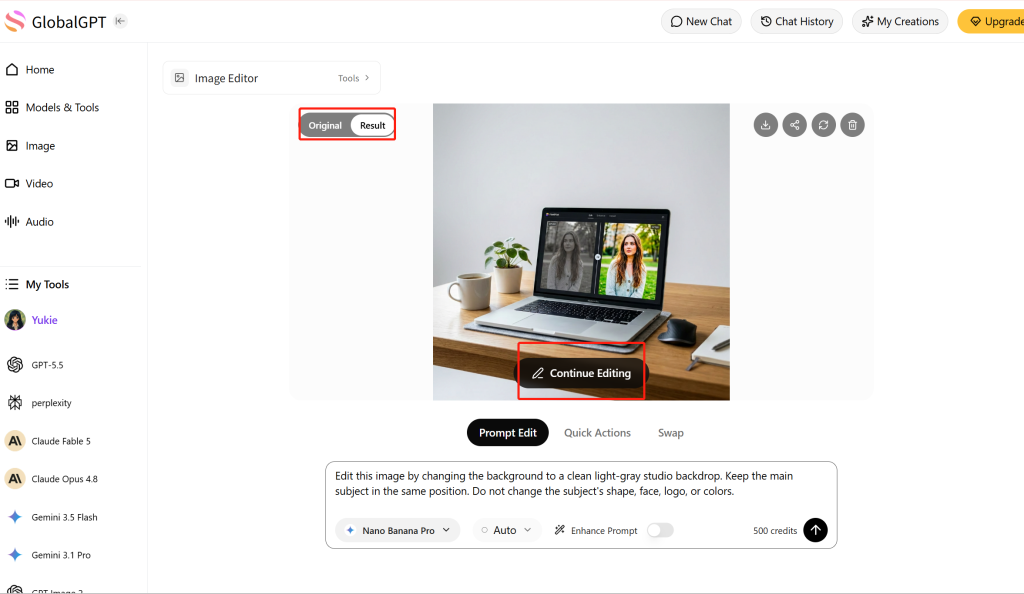
您可以先輸入提示詞,生成一張圖片,然後繼續對該圖片進行編輯。如果結果不理想,可以重新生成;如果圖片效果已接近預期,則可直接進行編輯。.
GlobalGPT 工作流程
| 步驟 | 您可以在 GlobalGPT 中做些什麼 | 為何重要 |
|---|---|---|
| 產生 | 根據提示生成圖片 | 適合用於初稿 |
| 再生 | 若輸出訊號微弱,請重新嘗試 | 比從頭重寫更快 |
| 編輯 | 開啟生成的圖片以進行編輯 | 對實際內容工作很有幫助 |
| 比較 | 在原始圖片與編輯後的圖片之間切換 | 協助您選擇更佳的結果 |
| 繼續 | 在進行首次變更後,請繼續編輯 | 更適合多步驟的修訂 |
| 切換型號 | 在同一個工作區中嘗試不同的模型輸出結果 | 比使用好幾種獨立工具來得更好 |
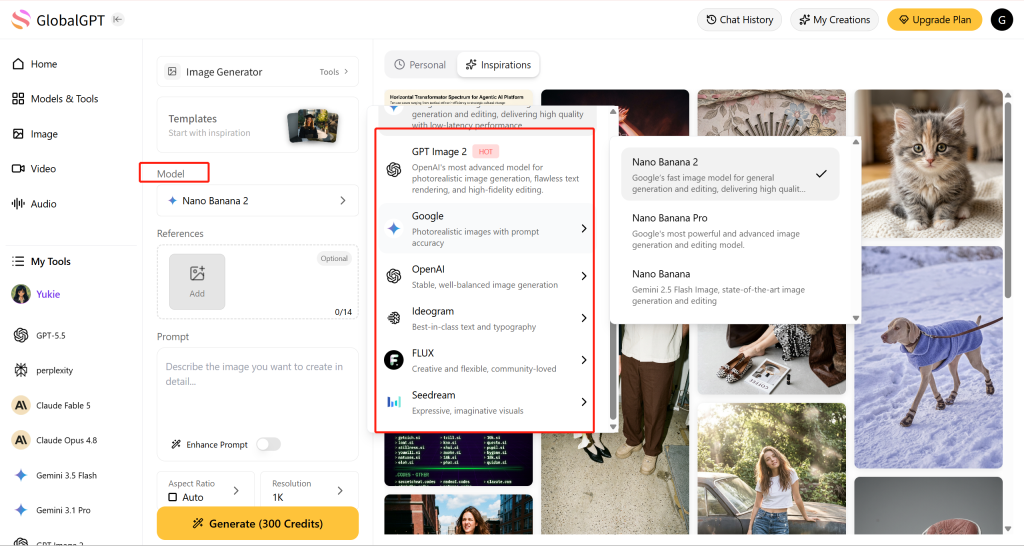
您可以根據所需的輸出類型,比較並選擇合適的型號。.
最佳應用案例
GlobalGPT 非常適合:
- 部落格圖片。.
- 產品頁面的視覺素材。.
- 廣告概念。.
- 社群媒體上的圖片。.
- 創意測試的「前後對比」。.
- 希望比較模型輸出結果的團隊。.
- 希望在同一個地方進行內容生成與編輯的使用者。.
判決:選擇 GlobalGPT 如果您想要一款 ChatGPT 的圖像替代方案,能夠在同一個工作區內進行生成、編輯、重新生成以及切換模型。.
若需更為系統化的影像簡報,請從我們的 Nano Banana Pro 提示詞範本.
2. Adobe Firefly – 最適合進行品牌安全創意編輯的工具
對於已經使用 Adobe 工具的用戶來說,Adobe Firefly 是一個極佳的選擇。.
它專為創意製作而設計,而不僅僅是用於隨意的圖像生成。.
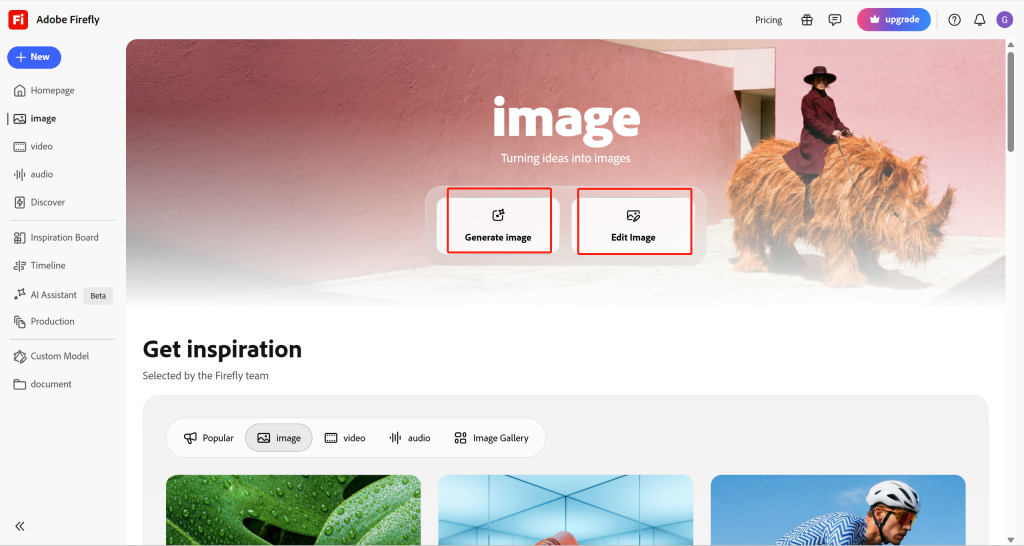
Adobe Firefly 工作流程
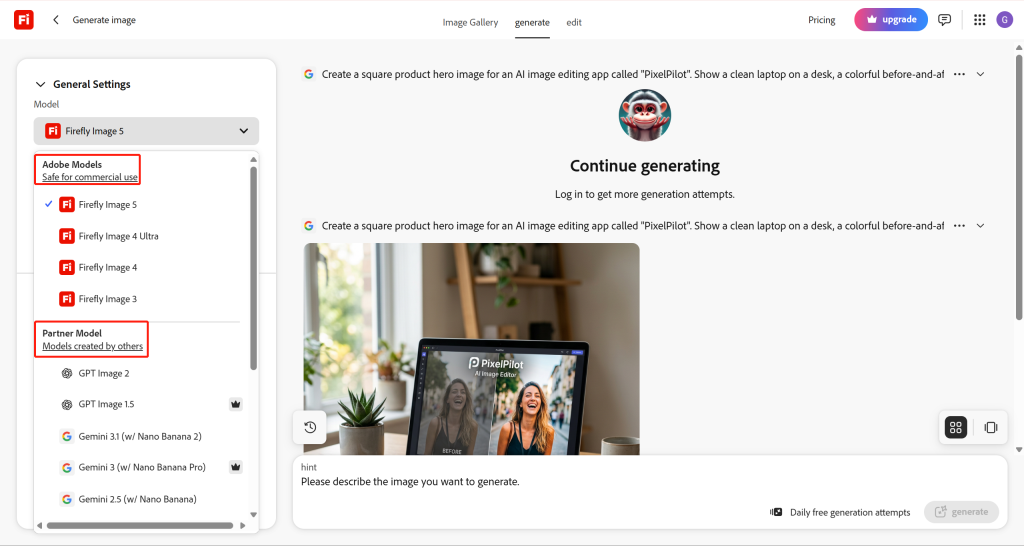
Adobe Firefly 可協助處理:
- 文字轉圖像生成。.
- 生成式編輯。.
- 風格的變化。.
- 創意素材製作。.
- 將工作移入 Adobe 生態系統。.
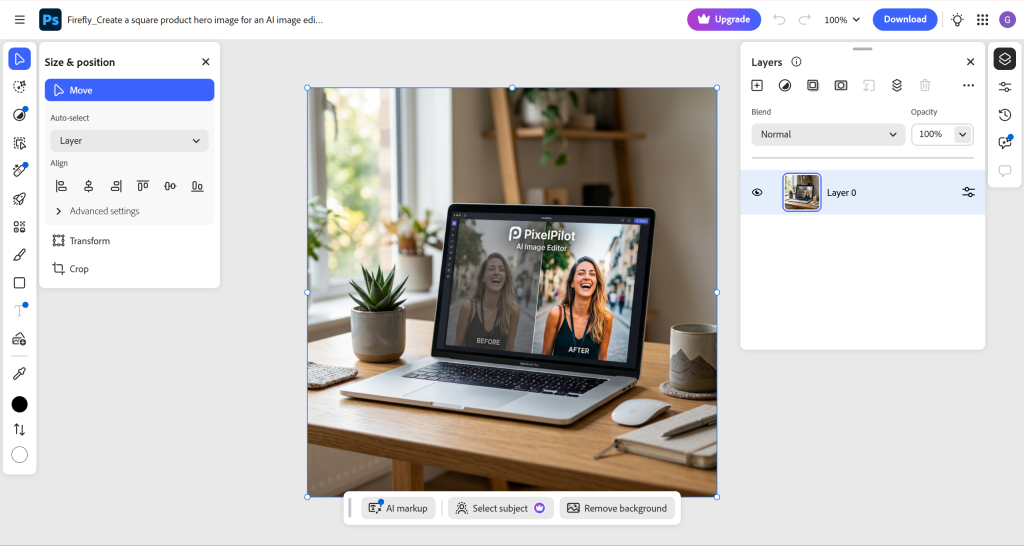
優點
- 強大的創意剪輯工作流程。.
- 非常適合設計和行銷團隊。.
- 與 Adobe 系列設計工具搭配使用效果良好。.
- 相較於粗略的點子發想工具,它更適合用於已臻完善的資產。.
優點
- 若您只需要進行快速的圖片編輯,可能會覺得它有些繁瑣。.
- 最佳的工作流程通常取決於 Adobe 生態系統。.
- 您應確認當前的信用額度、出口規定及商業使用條款。.
判決: 若您希望擁有流暢且完善的創意工作流程,請選擇 Adobe Firefly,並 已經使用 Adobe 工具.
關於客戶交付成果,請參閱我們的指南,以區分工具存取權限與版權授權: 人工智慧圖像的商業用途.
3. Microsoft Designer – 最適合快速生成圖像
若您需要一款簡單且易於使用的工具來快速生成圖片,Microsoft Designer 會是個不錯的選擇。.
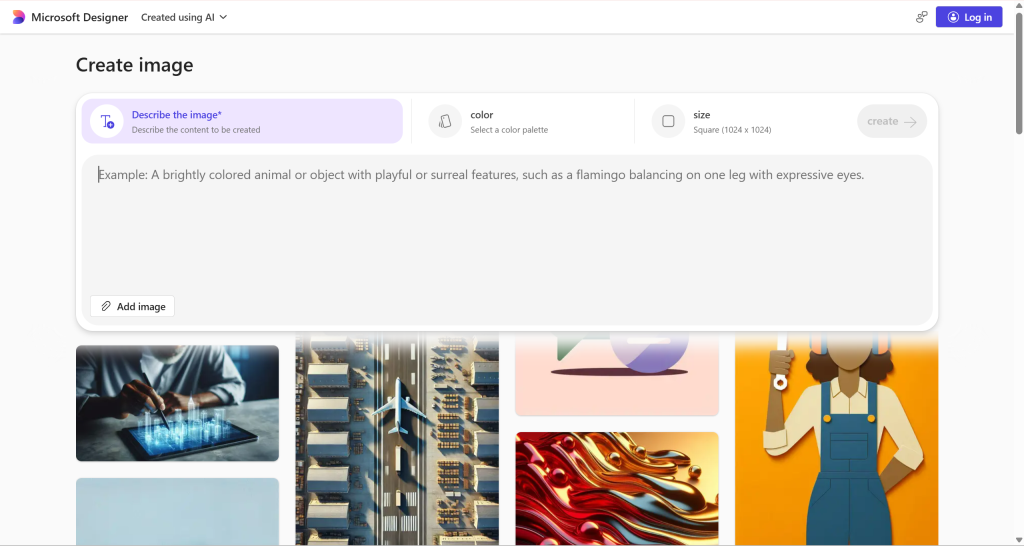
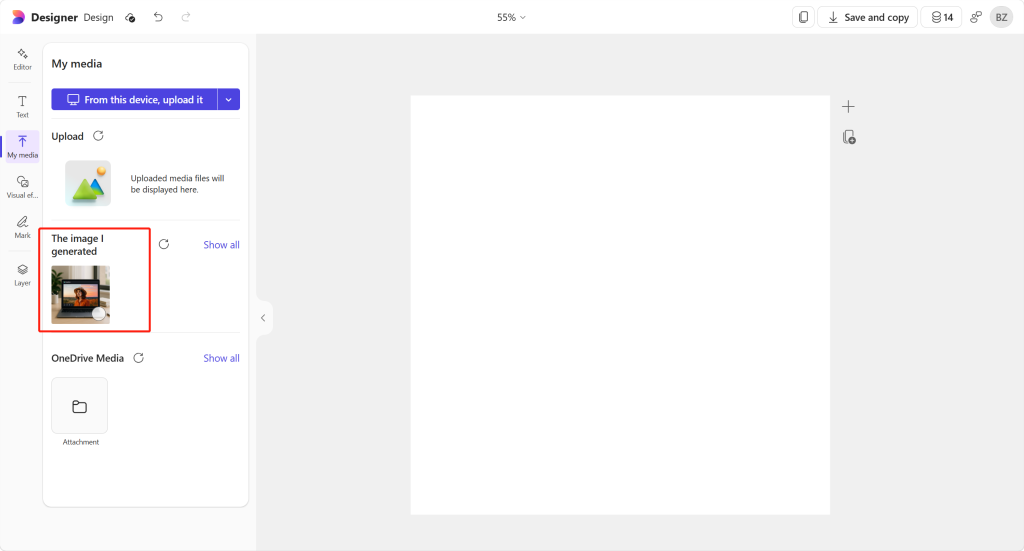
Microsoft Designer 根據提示生成了一張圖片,並在同一介面中顯示了結果。.
此工具亦可開啟生成的圖片以進行編輯。.
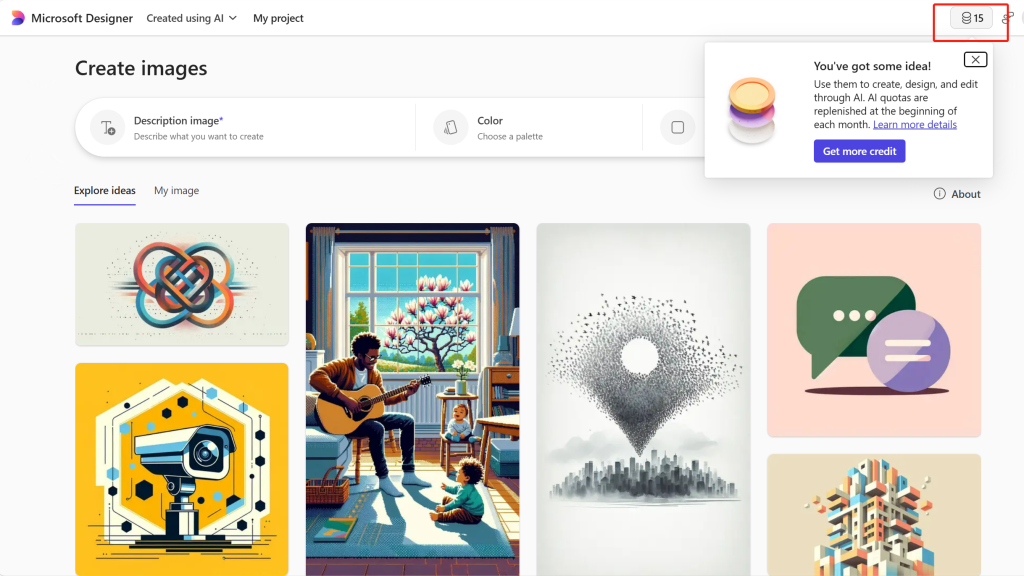
Microsoft Designer 工作流程
| 步驟 | 測試結果 |
|---|---|
| 登入 | 帳戶顯示有免費點數 |
| 產生 | 在測試中,生成一張圖片消耗了 1 個積分 |
| 編輯 | 生成的圖片可以進行編輯 |
| 最適合 | 快速建立圖片,而非深度編輯 |
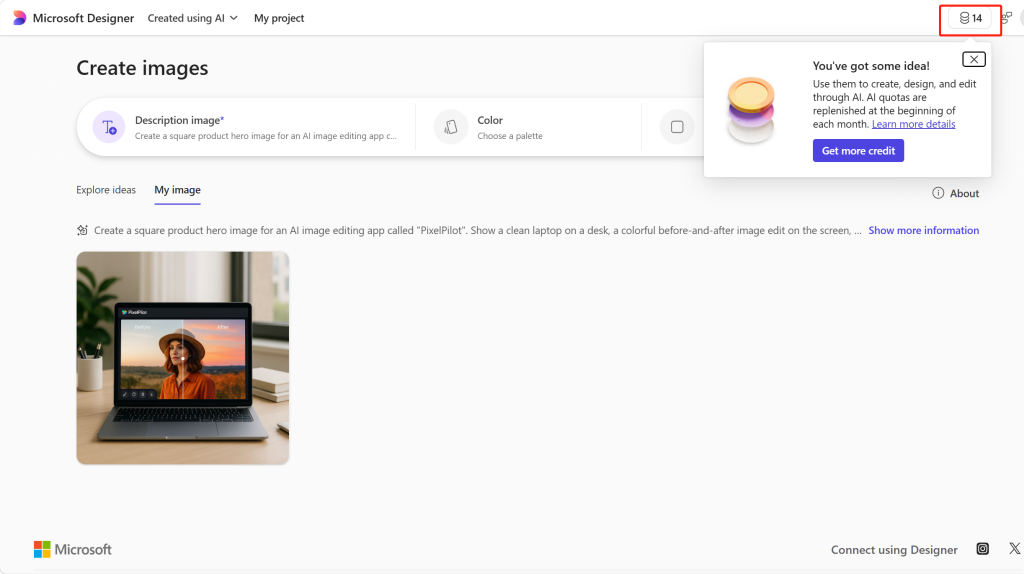
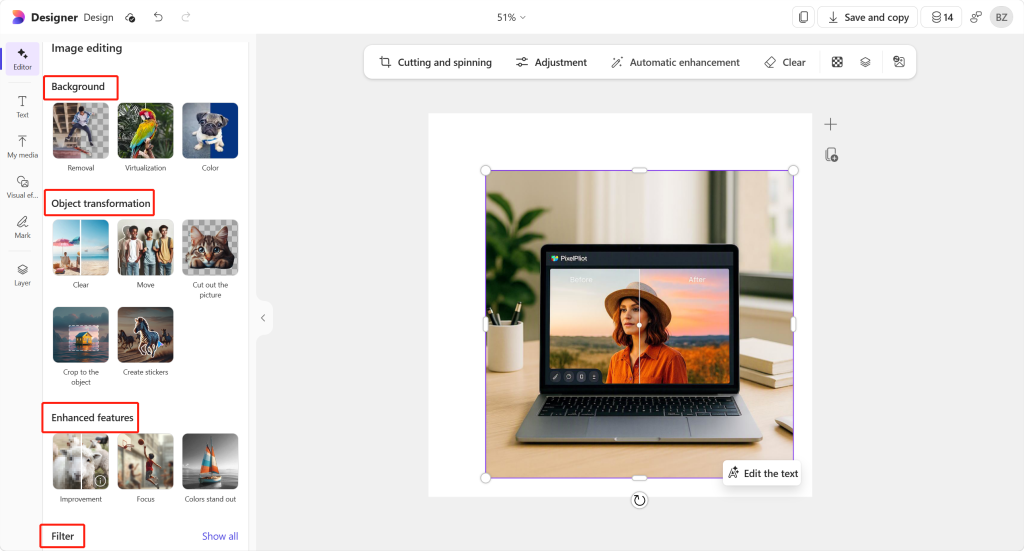
在測試流程中,編輯工作流程給人的感覺較為基礎。雖然它對於簡單的設計變更頗為實用,但並未展現出專用影像編輯軟體所具備的那種基於提示的影像編輯流程。.
優點
- 非常容易使用。.
- 很適合快速構思圖片點子。.
- 對於已經使用 Microsoft 產品的用戶來說,這很有幫助。.
- 在測試流程中,信用額度的簡單使用方式。.
優點
- 與專用的影像編輯工具相比,其編輯功能較為基礎。.
- 在測試的工作流程中,未發現基於提示的編輯功能。.
- 並非設計用於在多個影像模型之間切換。.
判決: 若您需要快速生成圖片並進行簡易編輯,而非需要一個功能完備的圖片編輯工作區,請選擇 Microsoft Designer。.
4. Canva – 最適合直接用於設計的 AI 圖片
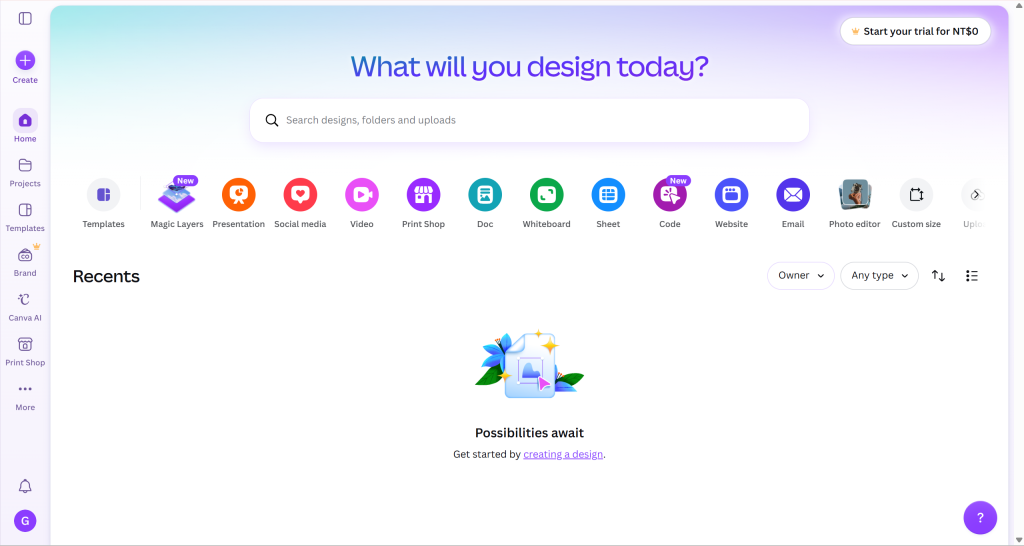
當最終圖像需要轉化為真正的設計素材時,Canva 便派上用場。.
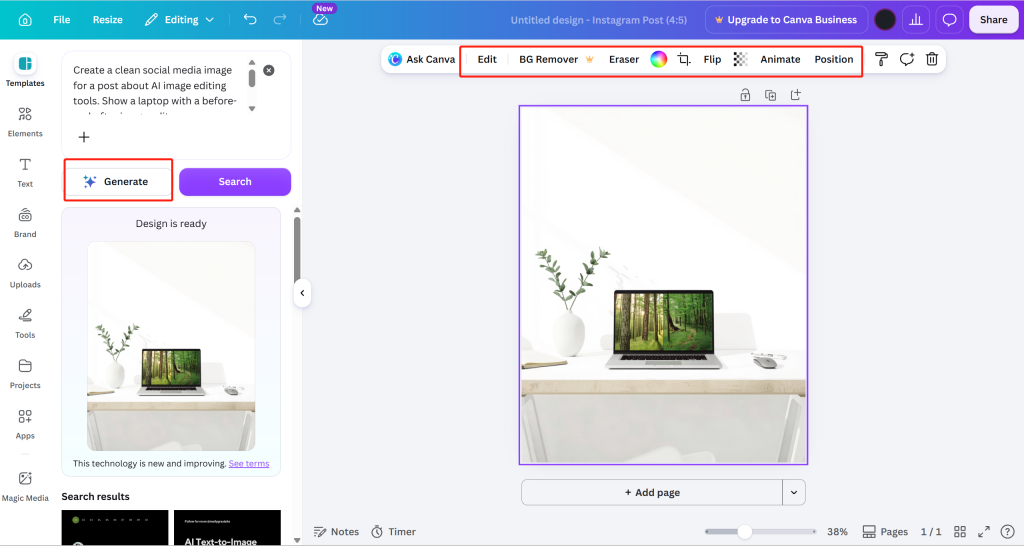
這不僅僅是生成一張圖片這麼簡單。Canva 的優勢在於,你可以將這張圖片置入已完成的版面設計中。對於希望直接將 AI 生成的圖片轉化為完整設計,卻不想使用其他獨立設計軟體的人來說,Canva 是一個不錯的選擇。.
Canva 工作流程
在 Canva 中,您可以:
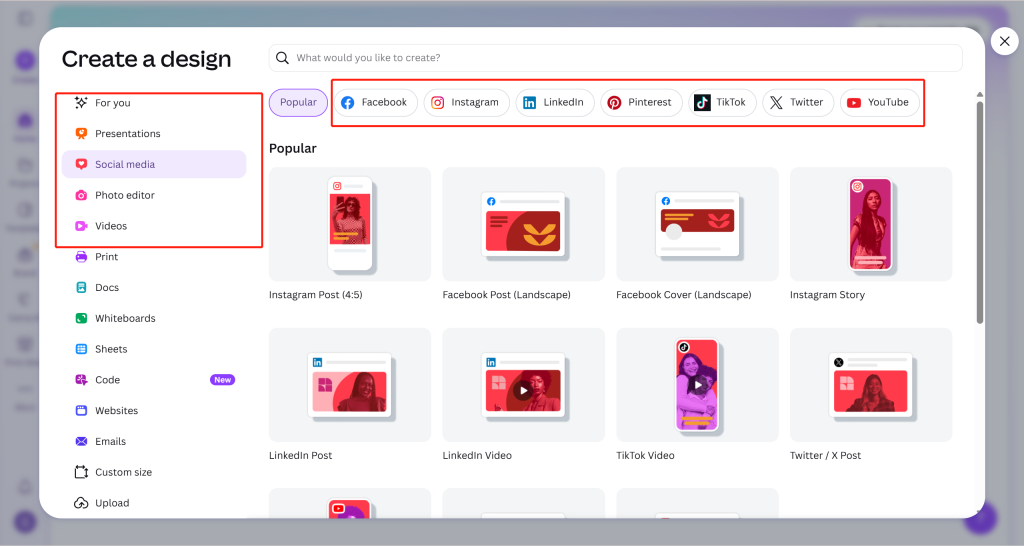
Canva 的 AI 照片編輯器頁面 以下是「魔法編輯」功能的說明:選取一個元素或在某個區域上滑動,然後輸入您想要的變更內容。這確立了一項已記錄的提示編輯功能,而下方的舊版螢幕截圖則仍為原始工作流程的範例。.
- 移除或變更背景。.
- 調整圖片大小,以便用於社群媒體貼文。.
- 匯出最終設計。.
優點
- 非常適合用於社群媒體和行銷版面設計。.
- 對非設計師來說很簡單。.
- 當影像生成僅是工作流程中的一環時,此功能便相當實用。.
- 強大的匯出功能與範本生態系統。.
優點
- 不著重於模型切換。.
- Magic Edit 支援基於提示的編輯功能;該功能的存取權限與使用方式取決於您所選用的 Canva 方案。.
- 如果你只想進行原始影像生成,這可能超出了你的需求。.
判決: 若您需要將 AI 生成的圖片用於社群貼文、廣告、縮圖或簡報圖像,請選擇 Canva。.
若要比較「聚焦影像」工作流程與版面編輯,請參閱 使用文字提示編輯圖片.
5. Stable Diffusion Online – 最適合瀏覽器端模型選擇
若您希望透過瀏覽器使用 Stable Diffusion 風格的圖像生成功能,Stable Diffusion Online 將是相當實用的工具。.
它更側重於世代層面,而非編輯層面。.
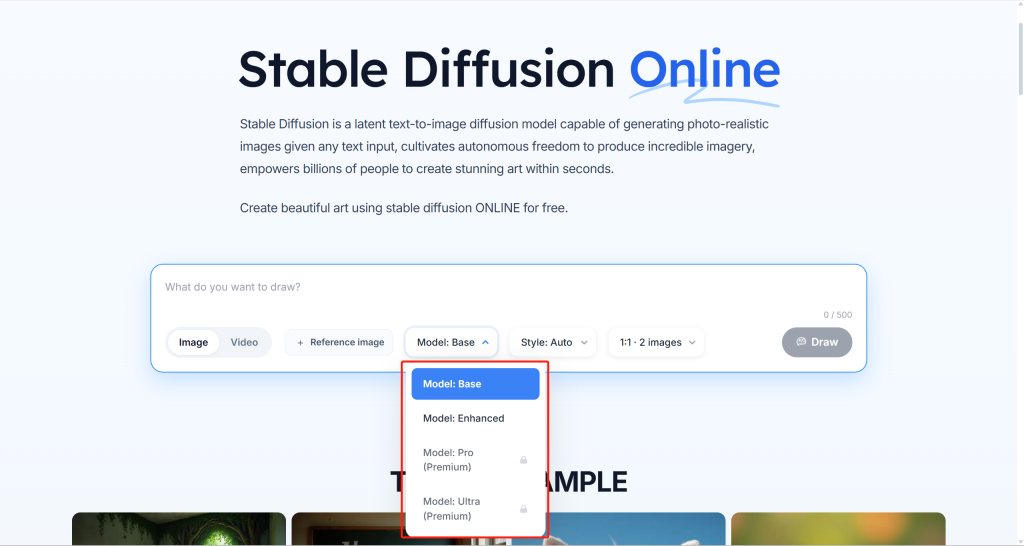
Stable Diffusion Online 為使用者提供了一個簡單的瀏覽器介面。.
您可以輸入提示語、選擇模型等級、選擇風格,並生成圖片。可見的介面中還包含一個參考圖片選項。.
其中的取捨很明顯:
- 這對於測試基於模型的影像生成非常有用。.
- 它作為一個完整的影像編輯工作區,定位較為模糊。.
- 某些功能更強大的機型選項可能需要付費解鎖。.
優點
- 透過瀏覽器即可輕鬆存取。.
- 實用的模型層級選擇。.
- 很適合用來嘗試不同的風格。.
- 簡單的「文字轉圖片」工作流程。.
優點
- 高階機型可能屬於高階產品。.
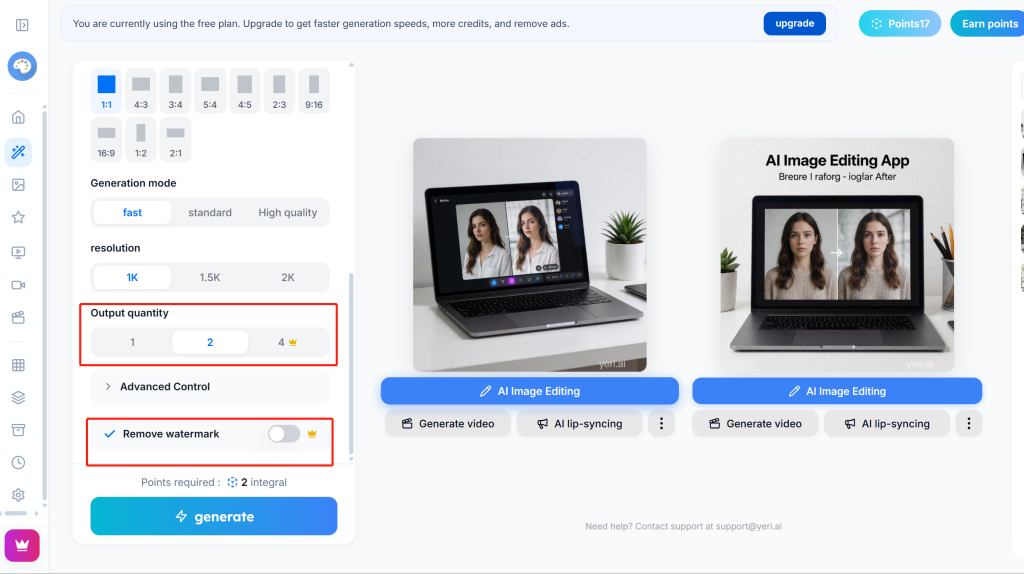
- 在測試的工作流程中,移除浮水印需要 Premium 版本。.
- 輸出品質可能因機型及設定而異。.
判決: 若您希望透過瀏覽器進行簡單的生成操作並選擇模型,請選用 Stable Diffusion Online;但若要將其用作編輯器,請務必在使用前仔細測試。.
若您最重視模型選擇,另一個有用的比較是我們的 Nano Banana 2 與 Nano Banana Pro 比較.
6. Pixlr AI – 最適合在瀏覽器中進行快速編輯
Pixlr AI 是一款可在瀏覽器中快速處理圖片的實用工具。.
當您需要一款輕量級編輯工具,而非完整的設計套件時,它便派上用場。此外,它比許多休閒型工具更為清晰,因為其首頁將兩條主要路徑分開:
AI 圖片生成器 用於根據文字提示生成圖片。.
Open AI 照片編輯器 用於編輯、增強及變換照片。.
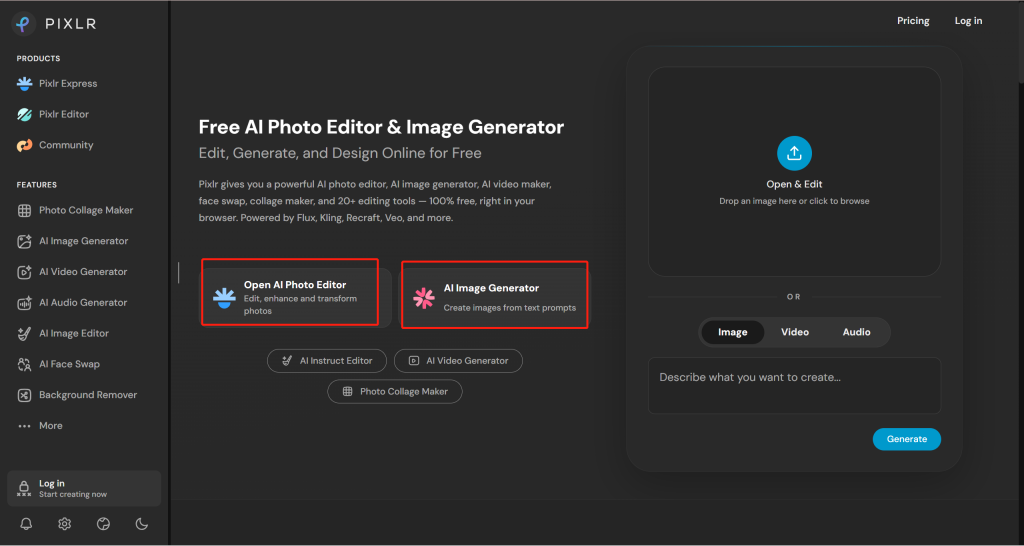
在經過測試的 Pixlr 工作流程中,該帳戶顯示 10 學分 登入後,「AI 影像生成器」頁面顯示了「影像」、「影片」和「音訊」三個分頁。影像生成面板包含文字提示欄和模型選擇器。.
這項結果遵循了提示的基本構想:一張桌上放著一台筆記型電腦,螢幕呈現出色彩繽紛的編輯風格。雖然可以作為草稿使用,但相較於本次比較中表現最出色的結果,它的外觀顯得較為普通。.
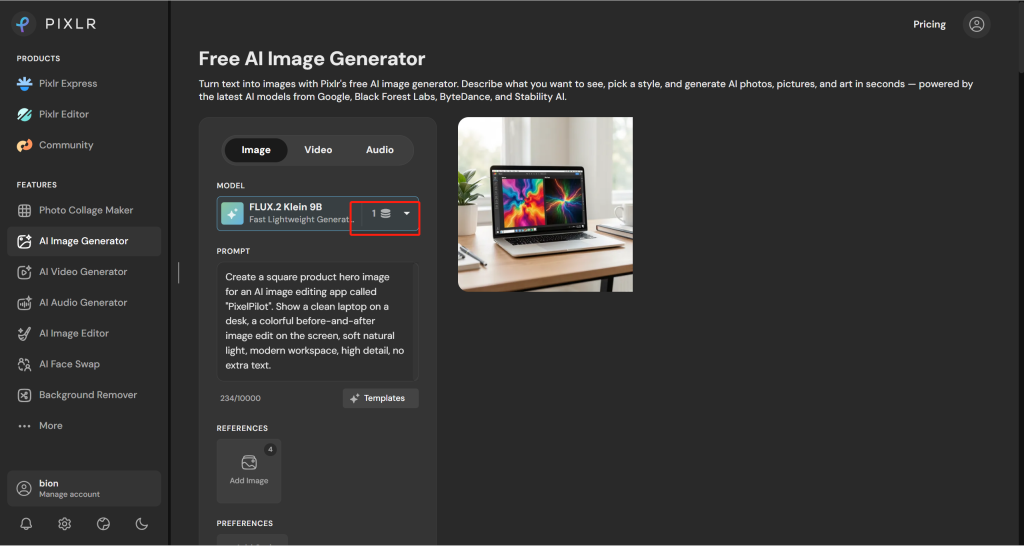
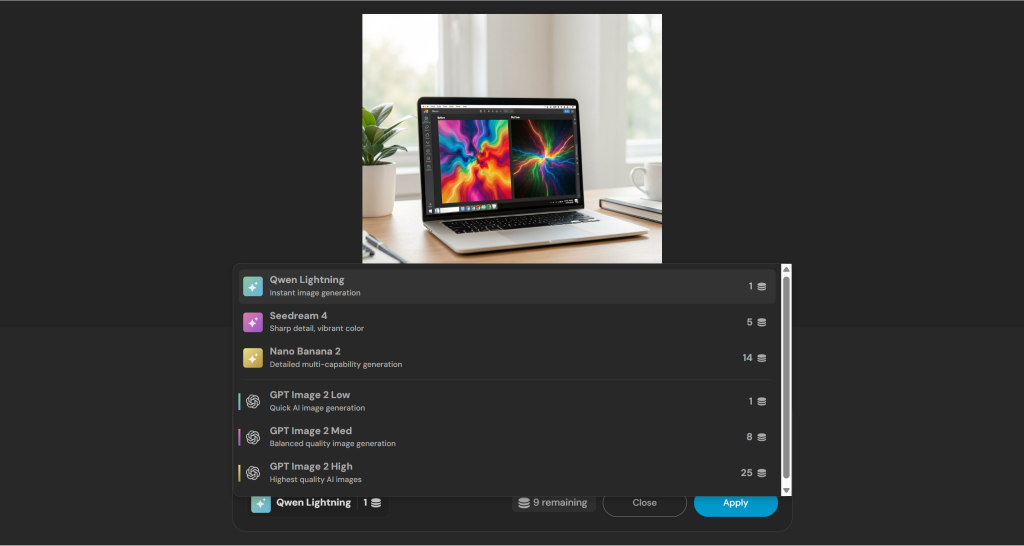
在編輯方面,Pixlr 能夠以生成的圖片為基礎繼續操作,並執行諸如將背景更換為淺灰色攝影棚背景等指令。.
這項編輯既簡單又俐落,但最終效果卻顯得有些單調且生硬。雖然用來進行基本的背景變更還算合適,但並未增添多少深度、風格或精緻感。.
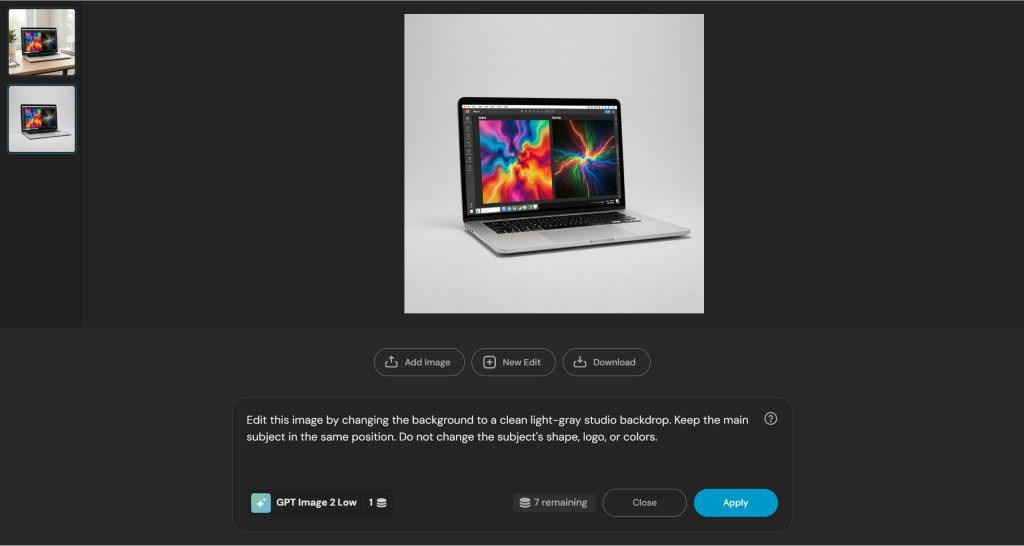
經過編輯的圖片,背景為淺灰色攝影棚背景優點
- 基於瀏覽器的快速編輯功能。.
- 適合用於簡單的圖片清理。.
- 比笨重的設計軟體套件更簡單。.
- 測試期間可查看信用額度使用狀況。.
優點
- 編輯費用會因工具而異。.
- 不著重於廣泛的模型切換。.
- 複雜的編輯可能需要手動整理。.
- 與功能更強大的創意工具相比,經編輯後的成果可能會顯得單調或生硬。.
判決: 若您需要的是快速的瀏覽器編輯功能和簡單的 AI 圖片工具,而非完整的多模型創意工作區,請選擇 Pixlr AI。.
對於那些不僅僅是簡單更換背景、而是更注重人物特徵的編輯工作,請比較以下兩種工作流程: 確保角色在不同場景中保持一致性.
7. Craiyon – 最適合零門檻影像生成
Craiyon 是最容易上手的工具。.
您無需登入即可使用,這使其非常適合用來快速記錄靈感。.
就專業影像編輯而言,這並非最佳選擇。它更適合用於初步構思和早期視覺腦力激盪。.
使用者體驗非常簡單:
- 請輸入提示字串。.
- 產生圖片。.
- 選定一個方向。.
- 如有提供,請使用簡單的編輯選項。.
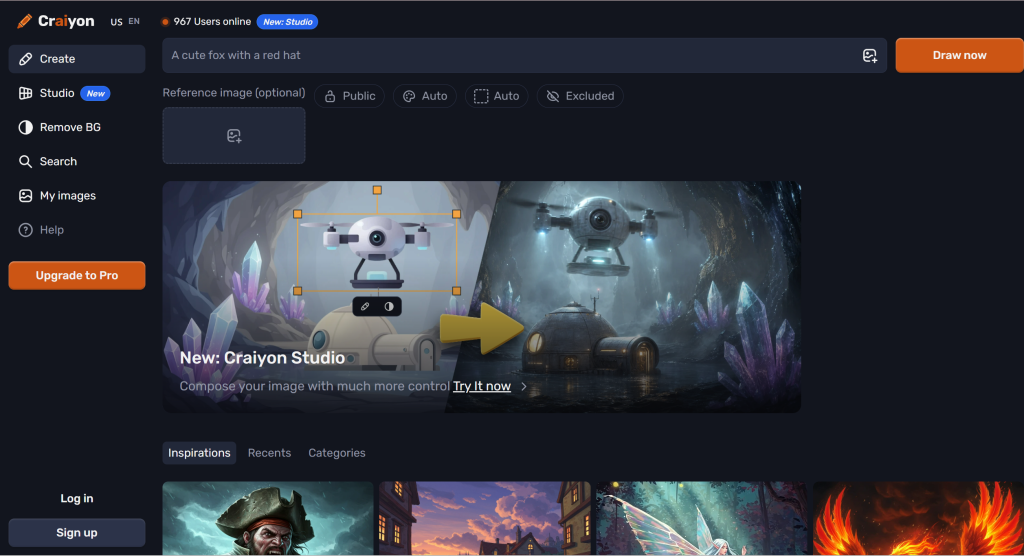
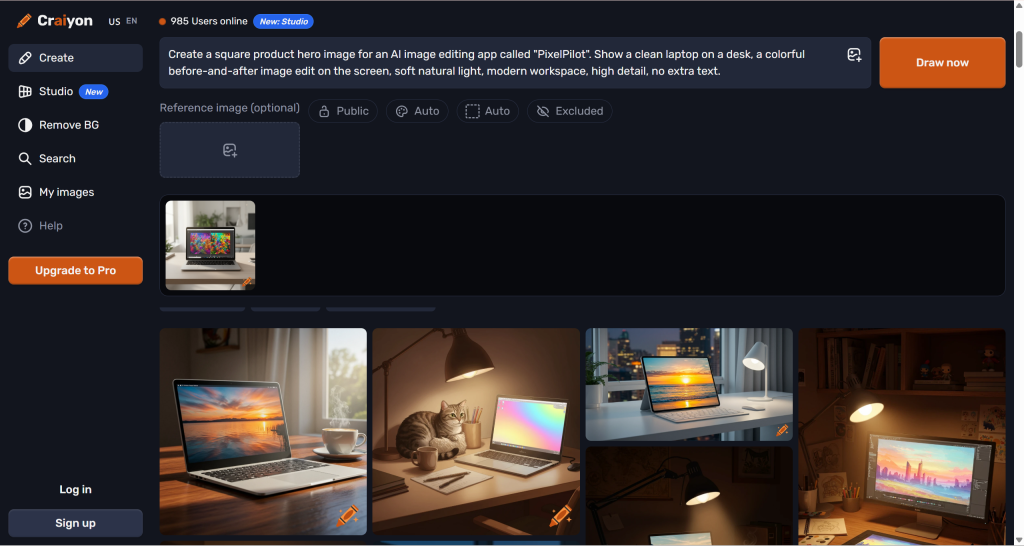
在測試中,Craiyon 根據同一則「產品主視覺」提示生成了數張圖片選項。結果出得很快,對於構思很有幫助,但這些圖片的精準度似乎不如功能更強大的工具。.
生成的筆記型電腦圖像大致符合提示的整體概念。但細節方面較為粗略:
- 筆記型電腦的螢幕並非總是能清楚顯示編輯前後的對比。.
- 有些構圖看起來更像是常見的桌面背景圖片。.
- 這份成果更適合用於腦力激盪,而非直接發表。.
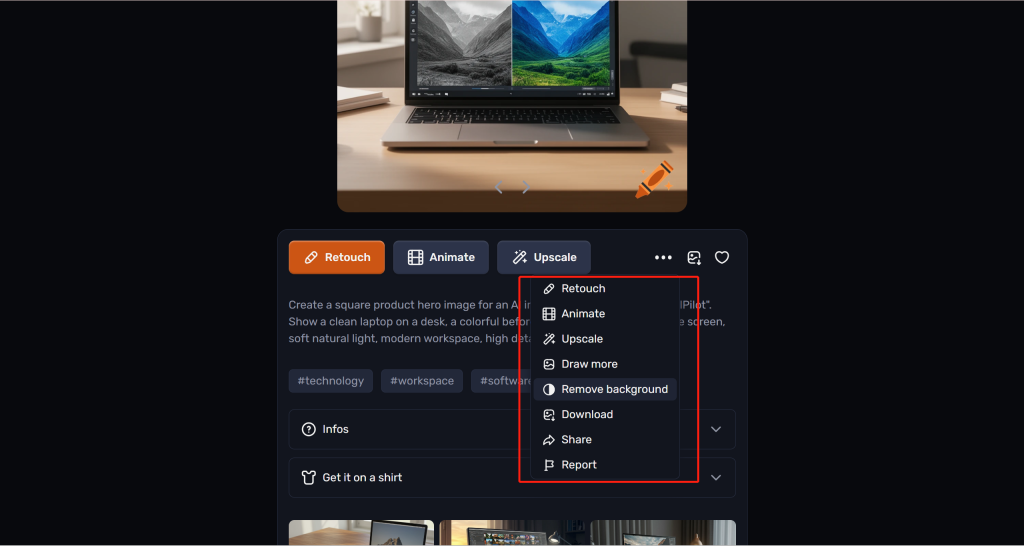
Craiyon 支援簡單的編輯功能,但功能仍有限。這些工具適用於進行簡單的修改,而非精確的基於提示的圖片編輯。.
優點
- 基本功能無需登入即可使用。.
- 非常容易嘗試。.
- 很適合快速構思點子。.
- 對初學者來說門檻很低。.
- 提供簡單的後續處理功能,例如修圖、放大、移除背景及下載。.
優點
- 影像品質可能不如功能更強大的工具。.
- 編輯工具相當有限。.
- 該測試結果雖可作為草稿使用,但尚未經過充分潤飾,尚不足以作為最終產品圖像。.
- 對於已準備好用於品牌推廣的素材而言,這並非理想選擇。.
判決: 若您想要快速、無障礙地獲得圖像靈感,請選擇 Craiyon。但請勿將其作為您的主要專業編輯軟體。.
當一個粗略的概念需要進行更為嚴謹的修訂時,下一步可以是 Nano Banana Pro 初學者指南.
完整比較表
在考量重複生成與修訂的成本時,也請一併考慮 Nano Banana 的 2 項限制。.
| 工具 | 文字轉圖像 | 影像編輯 | 提示式編輯 | 機型選擇 | 最適合 |
|---|---|---|---|---|---|
| GlobalGPT | 強大 | 在經過驗證的工作流程方面表現出色 | 所述工作流程中的提示式編輯 | 平台涵蓋 100 多個 AI 模型 | 整體最佳生成與編輯 |
| Adobe 螢火蟲 | 強大 | 強大 | 生成式編輯工作流程 | 中型 | 品牌安全創意編輯 |
| Microsoft Designer | 好 | 基礎 | 在測試的工作流程中未找到 | 有限 | 快速生成圖片 |
| Canva | 好 | 照片編輯、背景與版面配置工具 | 「魔法編輯」:選取或以畫筆塗抹一個區域,然後描述要進行的變更 | 有限 | 可直接用於設計的素材 |
| Stable Diffusion Online | 品質不錯,但免費版本的輸出檔可能會包含浮水印 | 參考圖片工作流程;不等同於完整的編輯器 | 未透過文件記載的工作流程建立 | 不錯,但設有高級方案層級及水印移除限制 | 瀏覽器生成與模型選擇 |
| Pixlr AI | 適合快速草擬;上一代在測驗中消耗了 1 個學分 | 適合進行簡單的編輯,但成品可能顯得有些單調 | 在已測試的流程中進行基本提示編輯 | 數量有限;價格因工具或型號而異 | 基於瀏覽器的快速編輯 |
| Craiyon | 功能雖基本,但無需登入即可輕鬆開始使用 | 諸如修圖、放大、移除背景和下載等簡單操作 | 有限 | 有限 | 快速草稿 |
為什麼 GlobalGPT 是整體而言的最佳選擇
許多 AI 影像工具的主要問題在於,它們僅能解決其中一個步驟。.
有些工具擅長生成圖像。有些工具擅長編輯圖像。有些工具是優秀的設計編輯器。有些工具則是快速的草稿製作工具。.
GlobalGPT 是 不同的 因為它能支援更多完整的 工作流程:
- 先從一個提示開始。.
- 請從以下選項中選擇 100+ 人工智慧模型.
- 產生一張圖片。.
- 如有需要,請重新生成。.
- 編輯這張圖片。.
- 比較原始版本與編輯後的版本。.
- 繼續編輯。.
常見問題
目前最好的 ChatGPT 替代方案——圖像編輯 AI 工具是哪一款?
若您希望在同一個工作區內進行圖片生成、圖片編輯、重新生成以及模型切換,GlobalGPT 是整體而言的最佳選擇。對於 Adobe 用戶來說,Adobe Firefly 表現出色;而若需在瀏覽器中快速編輯圖片,Pixlr AI 則更為合適。.
ChatGPT 能創建和編輯圖片嗎?
是的。根據 OpenAI 的官方文件所述,ChatGPT 具備建立圖像、編輯圖像以及處理上傳圖像的功能。正因如此,任何替代方案都應針對圖像生成、編輯、上傳及修訂的工作流程進行評估。.
為什麼要使用 GlobalGPT 而不是基本的 AI 圖片生成器?
若您需要的不僅是「單次生成」,請使用 GlobalGPT。對於需要模型選擇、直接編輯圖片、重新生成,以及將創作與修改整合於同一工作流程中的使用者而言,此工具更為合適。.
要編輯現有的圖片,哪種工具最適合?
GlobalGPT 是本清單中綜合表現最佳的選擇,因為它同時支援內容生成與編輯功能。Adobe Firefly 在創意編輯方面也表現出色。Pixlr AI 適合在瀏覽器中進行快速編輯,但經測試的編輯效果看起來較為單調且生硬。.
哪種工具最適合快速製作圖片草稿?
Craiyon 非常適合用於快速草稿,因為它操作簡便,且進行基本生成時無需登入即可使用。此外,它還提供一些簡易的後續操作,例如修圖、放大、移除背景和下載。不過,若要製作精緻的成品圖像,它並非最佳選擇。.
哪款工具最適合製作社群媒體圖像?
當需要將 AI 生成的圖片轉為社群貼文、廣告、縮圖或簡報圖像時,Canva 便是最佳選擇。它的優勢在於生成圖片後,當您將圖片置入完成的版面配置中時,更能發揮其最大效益。.
Stable Diffusion Online 適合用於圖片編輯嗎?
Stable Diffusion Online 主要以影像生成和模型選擇功能聞名。雖然某些工作流程可能支援參考圖片或類似編輯的任務,但在將其稱為完整的影像編輯器之前,您應先測試實際的操作介面。在測試的工作流程中,移除浮水印需要升級至 Premium 方案。.
這些工具提供免費點數嗎?
最初的 Microsoft Designer 測試顯示初始有 15 點積分,且每生成一次會消耗 1 點積分。Pixlr 在登入後顯示有 10 點積分,且每生成一次會消耗 1 點積分。這些是針對特定帳戶的歷史觀察結果,並非保證當前的免費配額。.
我可以將 AI 生成的圖片用於商業用途嗎?
這取決於工具、方案及授權條款。在將生成的內容用於廣告、產品頁面或客戶專案之前,請務必先查閱 GlobalGPT、Adobe Firefly、Microsoft Designer、Canva、Stable Diffusion Online、Pixlr AI 及 Craiyon 的最新條款。.
最後判斷
如果你只需要快速繪製草圖,Craiyon 或 Microsoft Designer 都能勝任。.
如果你需要一張已製作完成的社群圖像,Canva 會是個好幫手。.
若您想要一套精緻的創意工作流程,Adobe Firefly 絕對是強有力的選擇。.
若您希望在瀏覽器上選擇模型,Stable Diffusion Online 值得一試。.
但如果你正在尋找一個 ChatGPT 的替代方案:圖像編輯 AI 就工具而言,GlobalGPT 是整體而言最理想的起點。.
它專為大多數使用者實際所需的工作流程而設計:
- 產生。.
- 編輯。.
- 重生。.
- 比較。.
- 繼續優化。.
- 必要時請更換機型。.
若您希望透過單一工作區即可進行 AI 影像生成、影像編輯及模型切換,不妨試試 GlobalGPT。.