Seedance 2.0は、単なるテキストから動画へのジェネレーターではありません。クリエイター、マーケティング担当者、映画制作者、ブランドチームにとって、Seedance 2.0の真価は、構造化されたプロンプト、参照ファイル、明確なシーン指示によって、いかにうまく誘導するかによって発揮されます。.
このガイドでは、より良いSeedance 2.0プロンプトの書き方、@Mentionリファレンスシステムの使い方、ロゴアニメーション、広告、クリエイタービデオ、ショートフィルムなどの実際の使用例におけるSeedanceの適用方法、Seedance 2.0を使ったビデオの編集と拡張方法、解像度、時間、ファイル入力、顔、不安定な出力に関する一般的な制限の回避方法について説明します。.
TL;DR
プロンプト・フォーミュラ
被写体+アクション+シーン+カメラ+スタイル+リファレンス+制約条件- 誰がその場にいるのか
- 彼らがしていること
- カメラの動き
- 舞台となる場所
- ビジュアル・スタイルとムード
- 一貫性とリアリズムのためのルール
マルチ・モーダル・コンビネーション(@Mention)
image1を最初のフレームとし、@video1を動きの基準とする、,
リズムとムードのための@audio1、[シーンの全容を説明する]。
ビデオ編集
video1の[要素A]を[要素B]、[追加制約]で置き換える。
ビデオ・エクステンション
ビデオ1を[X]秒延長する。
良いシーダンス・プロンプトを書くには?
最も信頼できるシーダンスのプロンプト構成は以下の通り:
被写体+アクション+シーン+カメラ+スタイル+リファレンス+制約条件| プロンプト要素 | 何をコントロールするか | 例 |
|---|---|---|
| テーマ | 主な人物、物、製品、ロゴ | “「銀色のスーツを着た若い宇宙飛行士” |
| アクション | 映像の中で起こること | “ゆっくりと光るドアを開ける” |
| シーン | ロケーションと環境 | “「レトロフューチャーな宇宙ステーションの中” |
| カメラ | ショットの種類と動き | “「ワイドからクローズアップへのスロー・ドリーイン” |
| スタイル | 視覚的なムードと照明 | “「1970年代のSFコマーシャル、暖かい金色の光” |
| 参照 | アップロードされた画像、ビデオ、オーディオファイル | “キャラクターの識別には@Image1を使用” |
| 制約条件 | 安定していなければならないもの | “ロゴをシャープに、不変に” |
入力タイプ別のSeedanceプロンプトの書き方」など、より詳細な情報をお知りになりたい場合や、Seedanceが作成した膨大な動画や、そのままコピーできるプロンプトテンプレートをご覧になりたい場合は、以下をご覧ください。 シーダンス2.0プロンプトガイドと例題.
基本的な使い方
Seedanceの基本的な使い方には、マルチモーダルなリファレンス、ビデオの編集、ビデオの拡張などがあります。.
プロフェッショナルなAIビデオに@メンションシステムを使うには?
Seedance 2.0 Omniは、統一された「クアッドモーダル」入力システムを提供する最初のモデルです。テキスト、画像、動画、音声を同時に処理し、精度の高いシネマティック・コンテンツを作成します。.

このシステムの中核となるのが@メンションロジックです。Seedance 2.0では現在、画像、動画、音声の3種類のファイルを参照としてアップロードすることができます。アップロードしたファイルにタグ付け(例:@img1、@vid1)することで、キャラクターの外見や動き、音声に使用するファイルをAIに正確に伝えることができます。.

シーダンスタイルの@メンション・プロンプトは、通常このロジックに従っている:
IDには@Image1を使う。.
モーションとカメラの動きには@Video1を使う。.
リズム、声、雰囲気には@Audio1を使う。.
すべてのリファレンスに明確な役割があるため、プロンプトをよりコントロールしやすくなります。また、リファレンスとして素材を自由に組み合わせることもできます。一般的な使い方は、以下に用意したチートシートを参照してください。.
シーダンス@メンション・チートシート
| 目標 | ベスト・リファレンス・セットアップ | プロンプト・フォーミュラ |
|---|---|---|
| キャラクターの一貫性を保つ | 画像1 | “@Image1をメインキャラクターのリファレンスとして使用する” |
| ロゴのアニメーション | 画像1 ロゴ PNG | “@Image1のロゴをはっきりと...” |
| ウイルスの動きを再現する | ビデオ1 + 画像1 | “@Video1の動きはそのままに、被写体を@Image1に置き換える。” |
| 2枚の写真を使ったショートフィルムを制作する | 画像1 + 画像2 | “「キャラクターには@Image1、シーンには@Image2を使う。” |
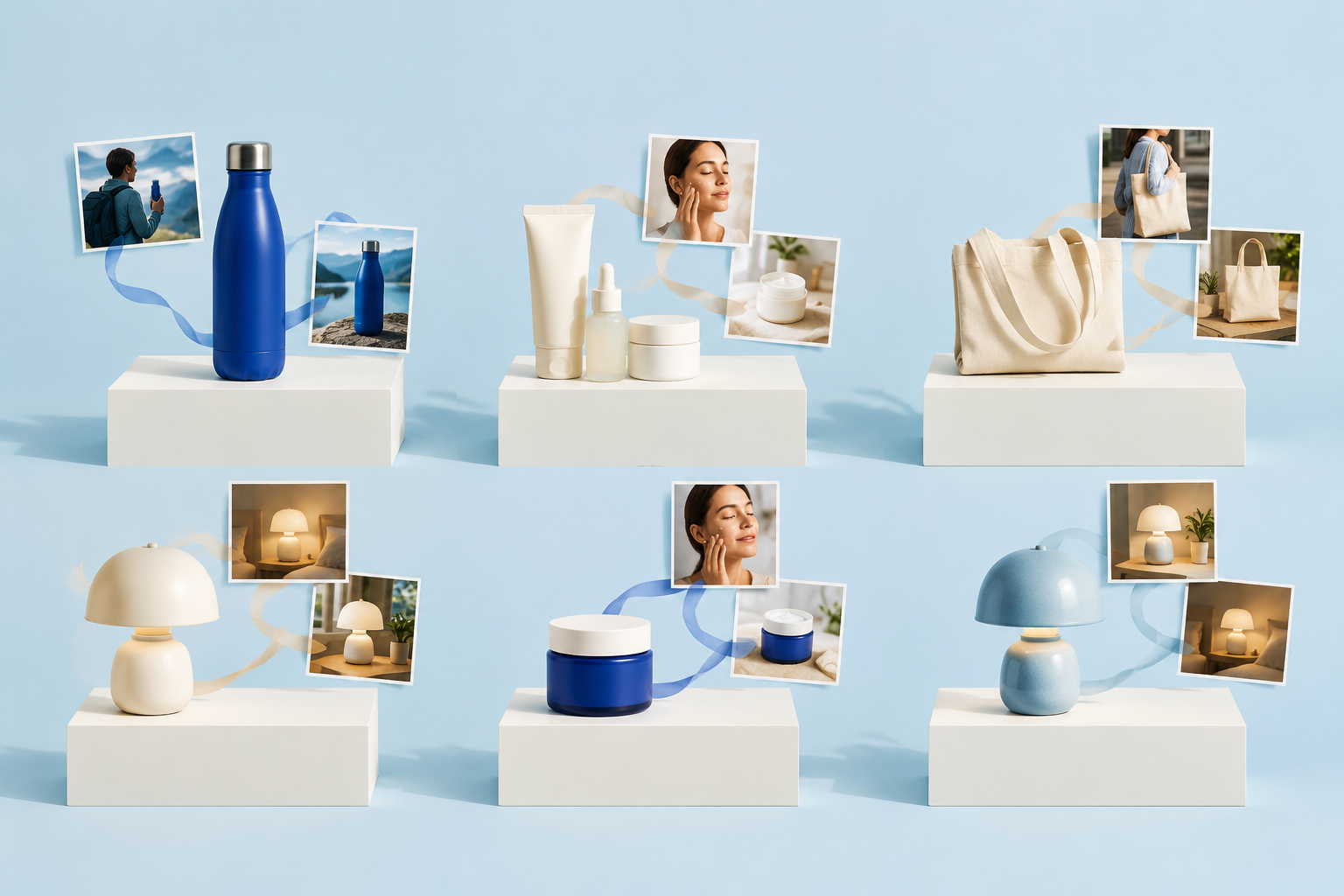
| 商品写真から広告を作る | 画像1 製品 | “@画像1を正確な製品デザインとして使用する” |
| 音楽に同期 | オーディオ1 | “@Audio1のリズムとムードに従う” |
| カメラの動きをコントロールする | ビデオ1 | “@Video1からカメラのパスをたどる” |
私たちは、膨大な数の例と再現可能なプロンプトを提供した。. クリック をクリックしてください。以下の文章では、その他の使用例も紹介していますので、参考にしてください。.
イメージの役割
| ユースケース | プロンプトの出し方 |
|---|---|
| キャラクターの一貫性 | “@Image1をメインキャラクターのリファレンスとして使用する” |
| 製品精度 | “@画像1を正確な製品デザインとして使用する” |
| ロゴの安定性 | “@Image1のロゴを使い、形と色は変えずに” |
| スタイル・リファレンス | “@Image2のライティングとカラーパレットに倣う” |
| 参考シーン | “@Image2を環境参照として使用する” |
ビデオの機能
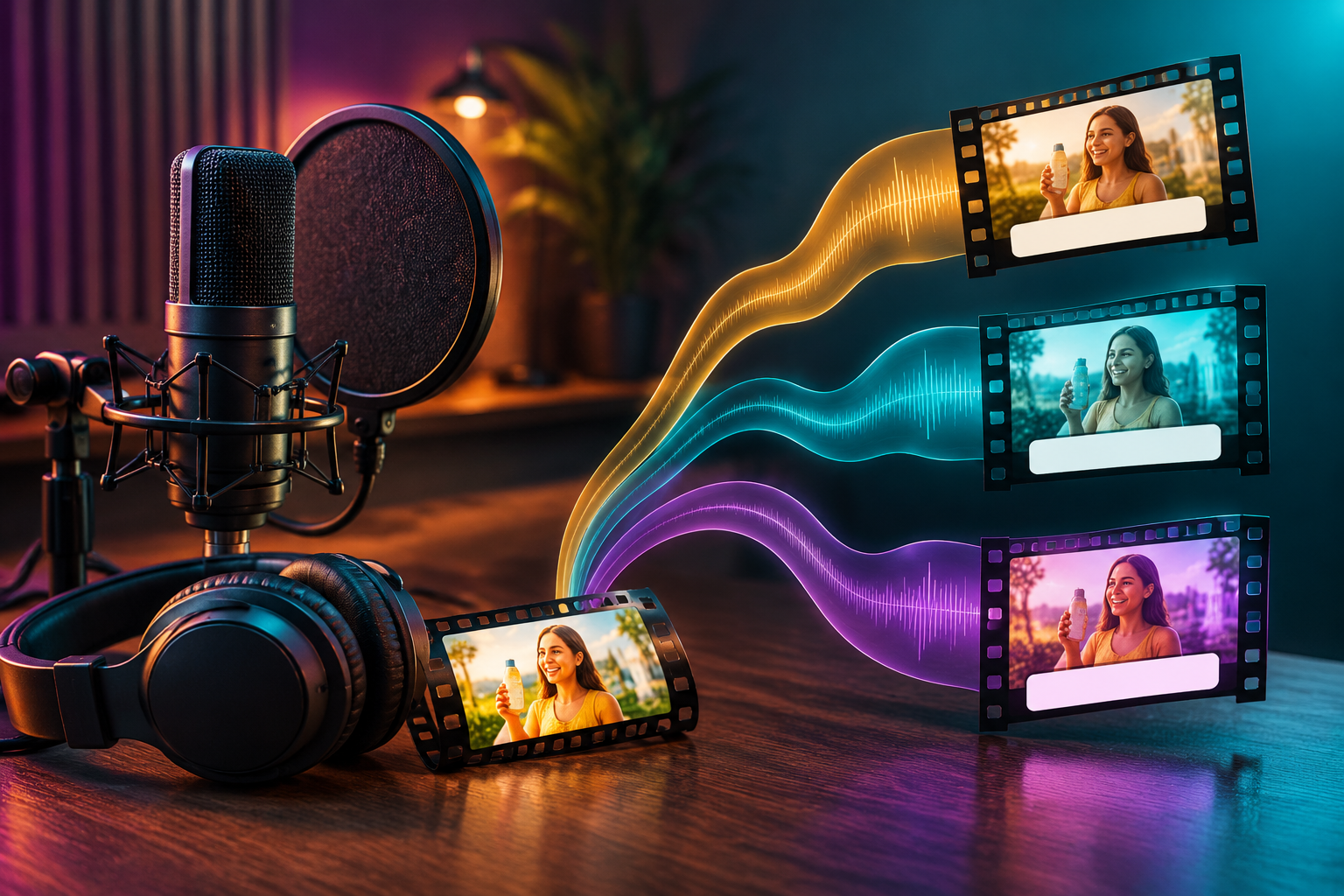
用途 ビデオ モーション、リズム、カメラの動き、バイラルビデオの構成などをコピーしたいとき。.
| ユースケース | プロンプトの出し方 |
| TikTokスタイルのトランジション | “「動画1のトランジションのタイミングとリズムに合わせる。” |
| ファッションウォーキングショット | “@Video1から歩くペースとモデルの姿勢を追う” |
| ダンスの動き | “@ビデオ1の振り付けと体の動きを真似る” |
| カメラトラッキングショット | “@Video2と同じ映画のようなカメラトラッキングの動きを適用する。” |
| 商品ローテーションビデオ | “@Video1と同じ360度スタイルでオブジェクトを回転させる。” |
| アクションシーン | “@ビデオ2のアクションの激しさと動きの流れを再現する” |
| リファレンス・ベースのシネマティック・ショット | “@Video2をカメラの深度とテンポの参考にしてください。” |
オーディオの機能
用途 オーディオ リズム、声、サウンドデザイン、テンポが重要なとき。.
| オーディオ入力 | 最適 |
|---|---|
| 音楽 | ダンスビデオ、広告、予告編、短編編集 |
| ナレーション | ナレーション、製品デモ、キャラクターのセリフ |
| 音響効果 | 爆発, 足音, ガラスが割れる, アンビエンス |
| ビート・リファレンス | 速いカット、トランジション、リズミカルなカメラの動き |
ただし、アップロードした推薦状は以下の条件を満たしている必要があります:
Seedance 2.0 / 2.0 Fast 入力条件
この文書では、以下のものを使用したマルチモーダル参照映像生成の技術仕様と制約について概説する。 シーダンス2.0 シリーズのモデル。.
1.画像要件
| パラメータ | 仕様 |
|---|---|
| 数量 | 1 - 9 画像 (マルチモーダル-ビデオ参照) |
| フォーマット | .jpeg、.png、.webp、.bmp、.tiff、.gif |
| 寸法 | 幅/高さ: [300px, 6000px] アスペクト比:[0.4、2.5] |
| ファイルサイズ | 単一の画像 < 30 MB; リクエスト本文 < 64 MB |
| 入力方法 | URLまたはBase64文字列(URL推奨) |
2.ビデオ要件
| パラメータ | 仕様 |
|---|---|
| 数量 | 最大3本の参考ビデオ |
| 期間 | シングルビデオ[2秒、15秒] 合計持続時間:15秒以下 |
| 決議 | 480p、720p、1080p |
| ピクセル数 | 総画素数(W×H)は、以下の間でなければならない。 409,600 そして 2,086,876 |
| フレームレート | 24 - 60 FPS |
| ファイルサイズ | シングルビデオ ≤ 50 MB |
3.オーディオ要件
| パラメータ | 仕様 |
|---|---|
| 数量 | 最大3つのリファレンス・オーディオ・クリップ |
| 期間 | シングル音声[2秒、15秒] 合計持続時間:15秒以下 |
| フォーマット | .wav, .mp3 |
| ファイルサイズ | 単一オーディオ≦15 MB; リクエスト本文≦64 MB |
ステップバイステップガイド:12のマルチモーダルアセットでオムニモードをマスターする
資産の準備から始めてください。アップロードするファイルが要件を満たしていることを確認してください。そうでない場合、アップロードは失敗します。ページに表示される指示に従って、必要な修正を行ってください。.


ダッシュボードにファイルをアップロードし、@タグを付けます。プロンプトでは、“キャラクターの顔は@img1を参照”、“カメラのパスは@vid1に従ってください ”と具体的に書いてください。”
例
映像1の男の映像、映像2のエレベーターの中の男の映像、映像1のすべてのカメラの動きと主人公の表情を完全に参照すること。主人公は恐怖に駆られるとヒッチコック・ズームを使い、その後、エレベーター内の遠近感を示す周囲のショットが何度か入る。エレベーターのドアが開き、男がエレベーターから出るところをトラッキング・ショットで追う。エレベーターの外のシーンでは、@映像3を参照し、男が周囲を見回し、@映像1のようにロボットアームを使った視線をマルチアングルで追っている。.
ユースケース別💴プロンプト例
マルチモーダル参照機能は、シナリオによって異なる機能を持つ。Seedance2.0は、プロンプトを書く前に明確なユースケースを選択することで、最も力を発揮します。クリエイタービデオ、ロゴアニメーション、製品広告、映画のようなショートフィルムは、同じプロンプト構造を使用すべきではありません。具体的な情報を得たい場合は、関連するコンテンツをクリックして詳細を見ることができます。.
| ユースケース | 説明 | 推奨される@メンション戦略 |
| ロゴアニメーション | ブランドアイデンティティの安定性を重視。元のジオメトリを保持しながら、映画のようなライティングや流動的な動きで静的なロゴをアニメーション化します。. | 画像1: 高解像度のソースロゴ。. ビデオ 特定のモーションパスや「明らかにする」ロジックの参照。. |
| 広告 | コンバージョンの高いマーケティングのために設計されています。バイラル・トレンドの「ビジュアルDNA」を再現し、プロフェッショナルな製品ショーケースを作成します。. | 画像1: 正確な製品写真。. 画像2: ブランドのムードボード. ビデオ バイラル広告の構成/ペーシング. オーディオ BGM/VO。. |
| クリエイター | ソーシャルメディアのインフルエンサーやコンテンツアーティストのために作られました。リズミカルなトランジション、トレンドの動き、一貫性のあるキャラクターに最適化されています。. | ビデオ モーション/リズムの参照(例:TikTokトランジション)。. オーディオ リズム同期のためのビート・リファレンス。. イメージ キャラクターや衣装の紹介。. |
| 短編映画 | 映画のようなストーリーテリングを目指す。正確なカメラ演出(パン、ズーム、トラッキング)と雰囲気のある環境表現を活用。. | イメージ 環境/コンセプトアート。. ビデオ ハリウッドスタイルのカメラトラッキング/アングル。. オーディオ アンビエントなサウンドスケープやダイアログ。. |
ビデオを編集する
を使用することができます。 ビデオ編集 の特徴である。 シーダンス2.0 この強力な「マルチモーダルリファレンス」機能は、次のようなシーンに最適です。この強力な「マルチモーダルリファレンス」機能は、次のようなシナリオに最適です:
- シーンと背景の入れ替え: を使用して、元のビデオの環境を変更する(例えば、スタジオからビーチに製品を移動する)。 イメージ を、元の被写体の動きを維持したまま、新しい環境参照として使用する。.
- ビジュアル・スタイルの移転: バイラル広告や映画の傑作の「ビジュアルDNA」(照明、カラーパレット、ムード)を、自分の生映像に適用する。 ビデオ スタイル・リファレンスとして。.
- キャラクターと服装の一貫性: 特定のキャラクターシートや衣装の写真を参照することで、異なるショット間でキャラクターの外見を更新または維持することができます。 イメージ.
- ダイナミックなプロダクト・プレースメント: 製品をライフスタイルのシーンに挿入し、周囲の環境のリアルな照明や反射を継承します。.
- リズミック・リタイミング: を使用して、既存のビデオのモーションを新しいサウンドトラックに同期させます。 オーディオ, AIは、新しい音楽のビートに合わせてテンポやトランジションを調整できる。.
基本的に、Seedance 2.0 Video Editは、次のような役割を果たします。 AIを駆使した撮影監督, これにより、動画の “アクション ”はそのままに、“美的感覚 ”と “コンテクスト ”を一新することができる。”
ステップ・バイ・ステップ・ガイド
- ステップ1: 編集するビデオ、参照画像またはオーディオを提供します。.
- ステップ2:プロンプトを一緒に使って、ビデオの被写体を入れ替えたり、ビデオ内のオブジェクトを追加、削除、修正したり、部分的なフレームを再描画/修復したりなど、さまざまなビデオ編集タスクを完了します。.
例
カメラの動き、テンポ、アクションのリズムは@Video1のまま。
元の被写体を@Image1の人物/製品に置き換える。
動きの設計図はそのままに、ビジュアル・アイデンティティを変更する。
ビデオを延長する
について ビデオの延長 Seedance 2.0のこの機能は、技術的な継続時間の制限を克服し、長編の物語コンテンツを構築するための主要なツールです。この機能をどのような場合に活用すべきかを説明します:
- 15秒リミットを超える 1回のシーダンス生成は最大15秒までなので、エクステンド機能を使ってシームレスにアクションを続けることで、30秒の広告や1分の説明、あるいは映画のような長編シーンを構築することができます。.
- シーケンシャル・ストーリーテリング 製品の “ヒーロー・ショット ”をうまく作り出せたなら、そのビデオを拡張して、新しいシーンに移行することができる。例えば、クローズアップのテクスチャー・ショットからワイドアングルのライフスタイル・ショットに移行しても、ビジュアルの一貫性を失うことはない。.
- ペーシングとフローを洗練させる: エクステンションツールを使って、クリップに「息継ぎスペース」を追加できます。アクションの終了が突然すぎる場合、ビデオを延長することで、AIが自然なフォロースルーや映画のような余韻のあるエンディングを生成できます。.
- キャラクター・アークの開発 クリエイターや映画制作者にとって、「エクステンド」機能は、キャラクターや環境の安定性を長時間にわたって維持し、最初の数秒間で確立された「ビジュアルDNA」がストーリーが進行してもそのままであることを保証するために不可欠です。.
- ダイナミックなループの作成: 既存の映像を拡張して、ソーシャルメディアの背景やデジタル広告用の完璧で高品質なループを作成することができます。.
各15秒の世代を「ビルディング・ブロック」として扱うことで ビデオの延長 機能は、Seedance 2.0をクリップジェネレーターから包括的なビデオ制作スイートへと効果的に変身させます。.
元のビデオに基づいて、ビデオを前方または後方に延長したり、複数のビデオクリップ(最大3クリップ)を首尾一貫したビデオにつなぎ合わせることができます。.
例
オレンジ色の服を着た男が茶色の馬に乗り、スピードを上げてオレンジ色の花が咲いた大きな木に駆け寄り、枝から2輪の花を折る。カメラがズームインしてオレンジ色の服を着た男が馬から降りるところをとらえ、カメラは素早く彼の周囲を回り、彼は振り返って白馬に乗った白い服の女性に向かって歩き、彼女に花を差し出す。中国風のポートレートスタイル、3D、陽気な民族音楽。.シーダンス・ビデオの上映時間については、以下をクリックしてください。 これ.
🙅シード権の制限とその回避方法
強力なプロンプトがあっても、シーダンスには限界がある。アウトプットの質を向上させる最善の方法は、モデルがうまく処理する部分と、より厳しい指示が必要な部分を理解することです。.
| 特徴 | シーダンス2.0ハードルール | あなたにとっての意味 |
| リアルな人間の顔 | 0 許容(厳禁) | 実在の人物の写真は使えません。AIがブロックします。. 顔認証の制限を回避する方法を知りたいですか?クリック ここにある。. |
| 最大入力ファイル数 | 12 ファイル合計 | 最大9枚の画像、3本の動画、3本の音声の組み合わせに制限されます。. |
| 最大動画の長さ | 15秒 | 一度に15秒以上の連続クリップを生成することはできません。. |
| 基本解像度 | 720pマックス | 標準出力は1080pのフルHDではない。. |
ファイル入力の制限:使用できる参考文献の数
現在お使いのシーダンス・クラスターは、リファレンス・セットアップを中心に構築されています:
| 資産タイプ | 最大数量 | ベストユース |
|---|---|---|
| 画像 | 9 | キャラクター、製品、ロゴ、シーン、スタイル |
| ビデオ | 3 | モーション、カメラの動き、アクション、テンポ |
| オーディオ | 3 | 声、リズム、音楽、効果音 |
| 総資産 | 12 | 複合リファレンス |
重要なのは、できるだけ多くのファイルをアップロードすることではない。重要なのは、すべてのファイルに明確な役割を割り当てることだ。.
例1:
Image1:第四の壁を破り、複数の有名な絵画の世界を旅し続ける少女。Image2」の渦巻く星空の下にわくわくしながら立ち、「Image3」の抱き合って恥ずかしそうに毛布を被るカップルを不思議そうに眺め、「Image4」の真珠の耳飾りの少女と自撮りをし、「Image5」の二人の侍の間を通り抜けるとすぐに中に入り、「Image6」の人物と一緒に変な顔をして叫び、「Image7」のモナリザに駆け寄って頭を撫でられ......。"例2:
Image1の絵コンテ台本を参考に、@Image1のショット、フレーミング、カメラの動き、ビジュアル、コピーを参照し、キャラクターを@Image2、シーンを@Image3、小道具を@Image4とし、15秒のヒーリングビデオを作成する。.期間:シードランスはどれくらいの期間発生するのか?
Seedanceワークフローは、一般的に短い制御クリップで最も効果的に機能する。既存のクラスター・コンテンツでは、より高度なウェブ/APIスタイルのワークフローでは4~15秒の生成範囲が説明されていますが、アプリベースのワークフローでは、固定された短いプリセットを使用するものもあります。.
迅速な品質向上のために、現実的に推奨されるのは
| クリップの長さ | ベストユース |
|---|---|
| 4~5秒 | テストプロンプト、高速反復 |
| 6~8秒 | ソーシャルクリップ、広告、製品ショット |
| 8~10秒 | 短い映画のシーン |
| 10~15秒 | 長めの単発ストーリーテリング |
| 長いビデオ | ビデオをインポートして延長する |
既存のビデオのエンディング部分をアップロードして、Seedance 2.0に延長を依頼することができます。.
video1を5分間延長する。シーダンス・ビデオの上映時間については、以下をクリックしてください。 これ.
解像度Seedanceは1080pをサポートしていますか?
はい。Seedanceは1080pスタイルのHD出力をサポートしており、プラットフォームや設定によっては、より高解像度や2K指向のレンダリングに対応するワークフローもあります。ほとんどのクリエイターにとって、1080pはYouTube、TikTok、Reels、Shorts、クライアントプレビュー、有料ソーシャル広告のための実用的なスイートスポットです。.
推奨解像度設定:
| ユースケース | 推奨決議 |
|---|---|
| 高速ドラフト | 720p |
| ソーシャルメディア | 1080p |
| YouTube/クライアントへの配信 | 1080p以上 |
| コマーシャル・ヒーロー・ショット | 1080p / 2Kワークフロー + 必要に応じてアップスケール |
あなたのビデオがソフトに見える共通の理由:
- ソース画像が低画質
- デフォルトの書き出しは720pに設定されている
- プロンプトに鋭いディテールの指示がない
- 照明が暗すぎる、またはうるさい
- 動く要素が多すぎる
- 被写体が小さすぎる
シーダンスの決議についての詳細は、以下をクリックしてください。 これ.
シーダンス・プロンプトのよくある問題と対策
| 問題点 | 根本原因 | ダイレクトプロンプトの修正(コピー&ペースト) |
| キャラクターの変更 | 弱いアイデンティティ・リファレンス | "@Image1を厳密なキャラクター参照として使用してください。顔、髪型、服装はクリップ全体を通して変えないでください。" |
| ロゴ・モーフ | 装飾品として扱われる | "@Image1のロゴは完全に変更しないでください。タイポグラフィ、スペーシング、カラー、プロポーションを変更しないでください。" |
| 製品の反り | 幾何学的アンカーの欠如 | "「Image1を正確な製品形状として使用してください。物理的な形状、材質、寸法を100%に統一してください。ゆがまないでください。" |
| カオス運動 | 競合するアクションコマンド | "「被写体の主な動作は1つだけ:[例えば、ゆっくりとカメラの方を向く。]急な動きやカットはしない。" |
| ランダムカメラ | カメラパスの指定なし | "「静止した三脚撮影。手ぶれも、不規則なズームも、突然のカメラの回転もない。" |
| ボケた出力 | 曖昧な環境詳細 | "ハイエンドのコマーシャルスタイル、シャープなフォーカス、クリーンなスタジオ照明、リアルな反射、4Kのディテール" |
| 読めないテキスト | モデル固有の限界 | プロのアドバイス "「視覚的な主題に焦点を合わせる。[100%を分かりやすくするために、ポストプロダクションで特定のテキストオーバーレイを加える)" |
| 一般的なビジュアル | 感覚的なディテールの欠如 | "「温かみのある黄金色の太陽光、光沢のあるクロームの反射、浅い被写界深度、クリーンでコマーシャルな構図。" |
| 間違った顔 | 制限付き/不明 | "@Image1を厳密なアイデンティティ・アンカーとして使用する。顔、髪型、体型、年齢は固定され、一貫していなければならない。" |
| 参考:無視された | 役割は@mentionに割り当てられていない | "「キャラクター・アイデンティティには@Image1、環境照明には@Image2、特定のモーション・パスには@Video1を使用する。" |
GlobalGPTにおける究極の2026ワークフロー:ChatGPTのアイデアからSeedance 2.0の制作まで
最も効率的なワークフローは、複数のAIモデルを相乗的に使用することです。まず、ChatGPT 5.4、Claude 4.6、または ジェミニ3.1プロ 脚本と詳細なマルチモーダルなプロンプトをブレインストーミングする。.

次に、以下の方法で参考キャラクターシートを作成する。 旅の途中 または ナノバナナ2. .これらは、最終的なビデオの@imgアセットになります。.

最後に、これらのビジュアルを シーダンス2.0 を使用して最終映像を生成します。この統合されたアプローチは、時間を節約し、最初のプロンプトから最終的な4Kエクスポートまで、クリエイティブなビジョンを一貫したものにします。.

よくある質問シーダンス・プロンプト・ガイド
シーダンス・プロンプトの書き方は?
被写体、アクション、シーン、カメラ、スタイル、参考資料、制約というディレクター・スタイルの構成を使う。何が起こるべきか、何が一貫していなければならないかを具体的に示すこと。.
Seedanceの@Mentionとは何ですか?
メンションでは、アップロードされたファイルをプロンプト内で直接参照することができます。例えば, 画像1 は、キャラクター、製品、ロゴ、スタイルを定義することができます。 ビデオ1 モーションやカメラの動きを定義することができる。.
Seedanceで@Imageを使うには?
画像をアップロードして、シーダンスに使い方を正確に伝えてください。例えば「画像1をメインキャラクターのリファレンスとして使用してください。“
Seedanceで@Videoを使うには?
既存のクリップからモーション、カメラの動き、テンポを転送したい場合に@Videoを使用します。例えば“@Video1をカメラとモーションのリファレンスとして使用し、被写体は@Image1に置き換える。”
Seedanceはバイラルビデオを再現できるか?
シーダンスでは、リファレンスビデオを動きの設計図として使用し、オリジナルの被写体を独自のキャラクターや製品のリファレンスに置き換えることができます。保護されたブランド、顔、著作権で保護された素材を直接コピーすることは避けてください。.
シーダンスはロゴをアニメーション化できるのか?
はい。きれいなロゴ画像、できれば高解像度の透過PNGを使用し、ロゴの形、タイポグラフィ、色、間隔を変えないように明確な指示を書きます。.
Seedanceは1080pに対応していますか?
はい、Seedanceのワークフローは1080pスタイルのHD出力に対応していますし、より高画質な2K生成を参照するワークフローもあります。ほとんどのクリエイターにとって、1080pはソーシャルメディア、YouTube、広告、クライアントのプレビューに最適です。.
Seedanceのビデオはどのくらいの長さがありますか?
多くのSeedanceワークフローは、プラットフォームや設定にもよりますが、一般的に4~15秒の短いコントロールクリップを中心に構築されています。長い動画の場合は、複数のクリップを生成して編集します。.
Seedanceのビデオがぼやけて見えるのはなぜですか?
よくある理由は、解像度の低いソース画像、デフォルトの720p設定、照明の指示が弱い、動きが多すぎる、プロンプトがあいまいなどです。明確な参考画像を使い、“シャープなフォーカス、きれいな照明、高いディテール ”を追加してください。”
なぜSeedanceは私のキャラクターやロゴを変更するのですか?
どのディテールを変更するのか、はっきり言わないとモデルは理解できないかもしれません。“顔は変更しない ”とか、“ロゴのタイポグラフィ、形、色、間隔は変更しない ”といった厳密な表現を使いましょう。”
Seedanceは動画内に完璧なテキストを生成できますか?
確実ではありません。正確なテキスト、スローガン、キャプション、UIラベル、製品コピーは、編集時に後でテキストを追加してください。.
シーダンス・プロンプトの長さはどのくらいがベストですか?
良いプロンプトは通常、詳細だが過不足がない。1つのクリップの場合、80-180ワードで十分なことが多い。複数ショットのビデオの場合は、1つの長い段落ではなく、構造化されたショットリストを使います。.
結論シーダンス・プロンプティングはコントロールのためにある
シーダンスの最高の結果は、プロンプトを長く書くことによってもたらされるのではない。モデルにより明確なコントロールの指示を与えることである。.
用途 イメージ アイデンティティ、製品形状、ロゴデザイン、ビジュアルスタイルをロックする。使用方法 ビデオ を使用して、モーションとカメラの動きを制御します。使用方法 オーディオ リズム、声、テンポ、音をガイドする。一つの主題、一つの主要なアクション、一つの明確なシーン、一つのカメラプラン、厳格な一貫性のルール。.
出力に失敗したら、やみくもにやり直さないこと。アイデンティティ、モーション、カメラ、解像度、デュレーション、参照役割など、弱い部分を修正する。.
適切なプロンプト構造があれば、Seedance 2.0は、クリエイター、広告主、ブランドチーム、そして、ランダムなAIクリップではなく、制御された映画のようなビデオ生成を必要とするAIフィルムメーカーにとって、実用的な制作ツールとなるだろう。.