Can I Create an AI Video with Human Face: Seedance 2.0 vs. Veo vs. Kling

The Short Answer: Yes, But It’s Complicated in 2026
In 2026, AI video creation platforms enforce strict restrictions on human faces. To use these tools safely and effectively, you should
Optimize your prompts by reducing specific facial descriptions
Adopt a "Text-to-Image to Video" workflow
Utilize official virtual face materials
Use stylized filters like animation
The simplest solution is to use an all-in-one platform. GlobalGPT’s Pro Plan ($10.8) streamlines this entire process, providing instant access to the full "Video AI" suite. It allows creators to switch between Seedance, Veo, and Kling seamlessly, bypassing individual restrictions through a unified, compliant professional workflow.
Human Face Restriction Policy & Alternatives
Seedance 2.0
To ensure ethical AI usage and prevent Deepfake-related risks, Seedance (Volcengine’s video model) enforces a strict Human Face Restriction Policy. Understanding these boundaries is essential for seamless content creation. Key restrictions include:
Real-Person Blocking: Direct uploads of identifiable human faces are automatically intercepted to prevent identity theft.
Public Figures: Generating content featuring celebrities, politicians, or public figures is strictly forbidden due to copyright and sensitivity concerns.
Prompt Filtering: Keywords associated with specific real-world identities are blacklisted.
To facitate creators use of portraits, the platform has introduced the following solutions:
Images From Trusted Models: The original facial images generated by some of the models under this account can be used as input materials. They can be reused to conduct secondary creation by calling the Seedance 2.0 series of models, and this will not trigger the input review blocking.
Scope of Trusted Outputs
Effective Date
Validity Period
Videos containing human faces generated by Seedance 2.0 and Seedance 2.0 fast
From March 11, 2026
30 Days
Tail-frame images corresponding to face-containing videos from Seedance 2.0 and Seedance 2.0 fast
From April 16, 2026
30 Days
Images containing human faces obtained via Seedream 5.0 lite text-to-image
From April 16, 2026
30 Days
Use The Pre-set Virtual Avatar: The platform pre-sets a virtual portrait library, providing creators with free, compliant and diverse portrait materials. lt issuitable for scenarios where a realistic human-like face is required but specific individuals are not specified, and where zero compliance risks and rapid creation are sought.
Use Authorized Real-person Materials: Support the use of authorized real portrait images for video generation.
Google Veo 3.1
As a trendsetter in technology, Veo 3.1 is more geared towards creative professionals, and its facial recognition policies tend to prioritize "responsibility and safety".
Human Face & Likeness Policies: Veo 3.1 strictly prohibits the generation of unauthorized real-world individuals. High-level protections are in place for minors, and the system blocks any prompts designed to create non-consensual imagery or deceptive deepfakes.
Identity verification: To use the advanced creative features of Veo 3.1, users must be 18 or older and pass identity verification to access these features.
Core Safety & Transparency: All generated content, whether through Veo or its alternatives, is embedded with SynthID watermarks. This ensures that the AI origin is always detectable.
Official Alternatives for Human Content
When direct text-to-video generation is restricted, Google offers several compliant pathways:
Google Photos "Photo to Video": For personal content, you can animate authorized photos you already own. This tool transforms static portraits into cinematic clips with subtle movements, bypassing the need for synthetic face generation.
Google Vids for Enterprise: Designed for the workplace, Google Vids allows for the secure inclusion of human elements using stock media, self-recordings, and AI voiceovers within a professional, regulated environment.
Whisk Animate for Stylized Remixing: Creators can use Whisk to remix existing images. By providing a reference subject or style, you can guide the model to animate characters in a way that adheres to safety standards while maintaining your artistic vision.
Kling AI
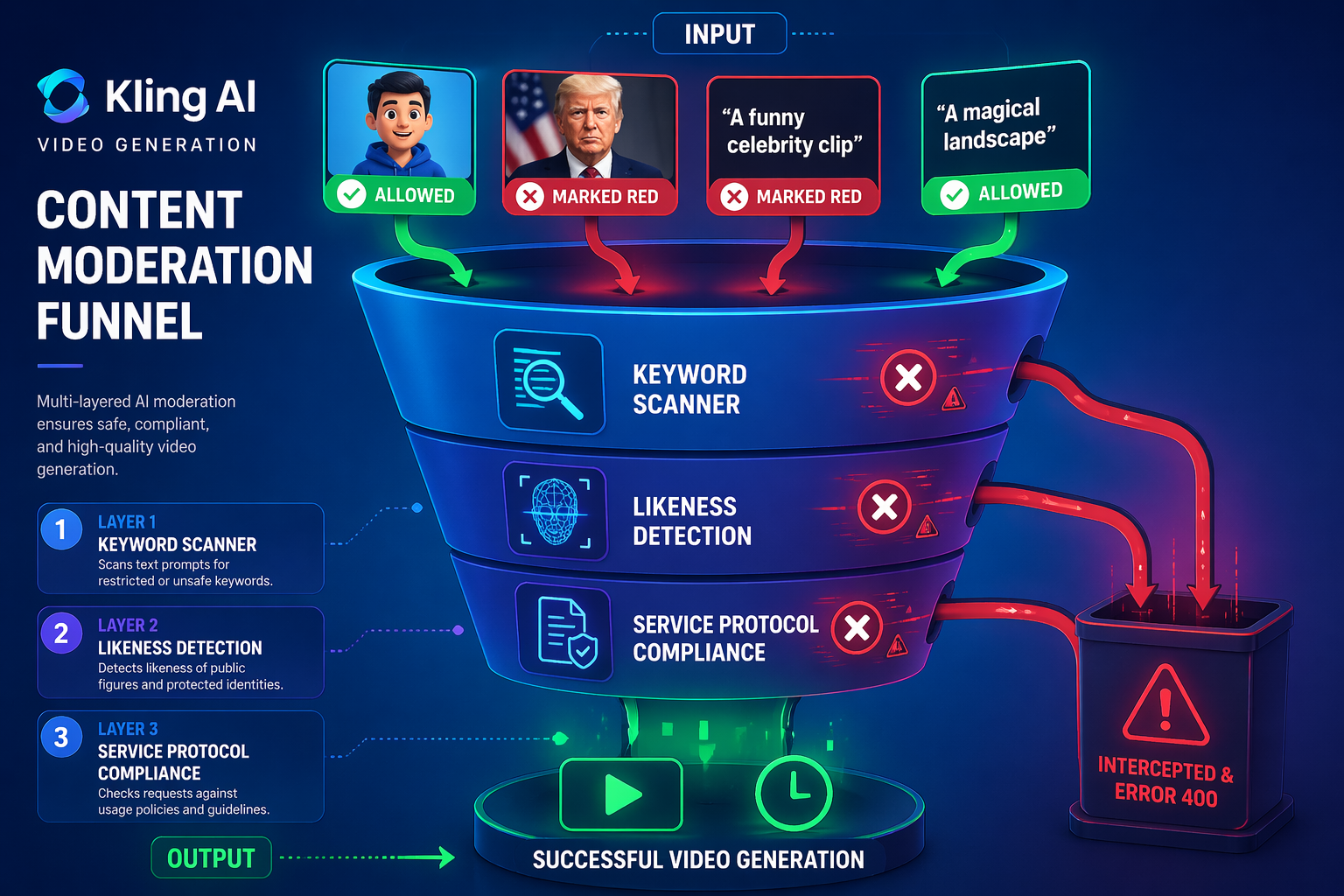
To maintain a secure and ethical creative environment, Kling AI enforces a sophisticated multi-layered safety protocol specifically targeting facial synthesis. While these rules are integrated across the Service Protocol and Community Guidelines, they represent a firm boundary against digital misuse.
Strict Prohibitions on Public Figures: To mitigate the risks of misinformation and "Deepfakes," the platform's automated moderation system intercepts any attempt to generate or modify the likeness of political leaders, celebrities, or public figures.
Non-Consensual Likeness Restrictions: Uploading images of private individuals without explicit legal authorization is strictly forbidden. Any request flagged for infringing on personal personality rights will trigger a 400 Error or a security rejection.
Biometric Data Privacy: Per the Privacy Policy, facial data is utilized exclusively for feature extraction and motion synthesis. Kling AI does not store these biometric markers permanently, ensuring alignment with international data protection standards.
Compliance Alternatives:
Custom Face Training: Instead of generic generation, users are encouraged to use the Kling Face Model feature. By uploading authorized video samples, you can create a consistent "Digital Identity" that bypasses standard likeness filters.
Stylization Strategies: If a request is blocked, developers often pivot to stylized prompts (e.g., "3D digital avatar" or "Cyberpunk character") to avoid the "photorealistic human" redline.
Compositional Shifts: Focusing on silhouettes, back views, or cinematic lighting can fulfill creative needs without triggering facial recognition safeguards.
Comparative Breakdown: Seedance vs. Veo vs. Kling
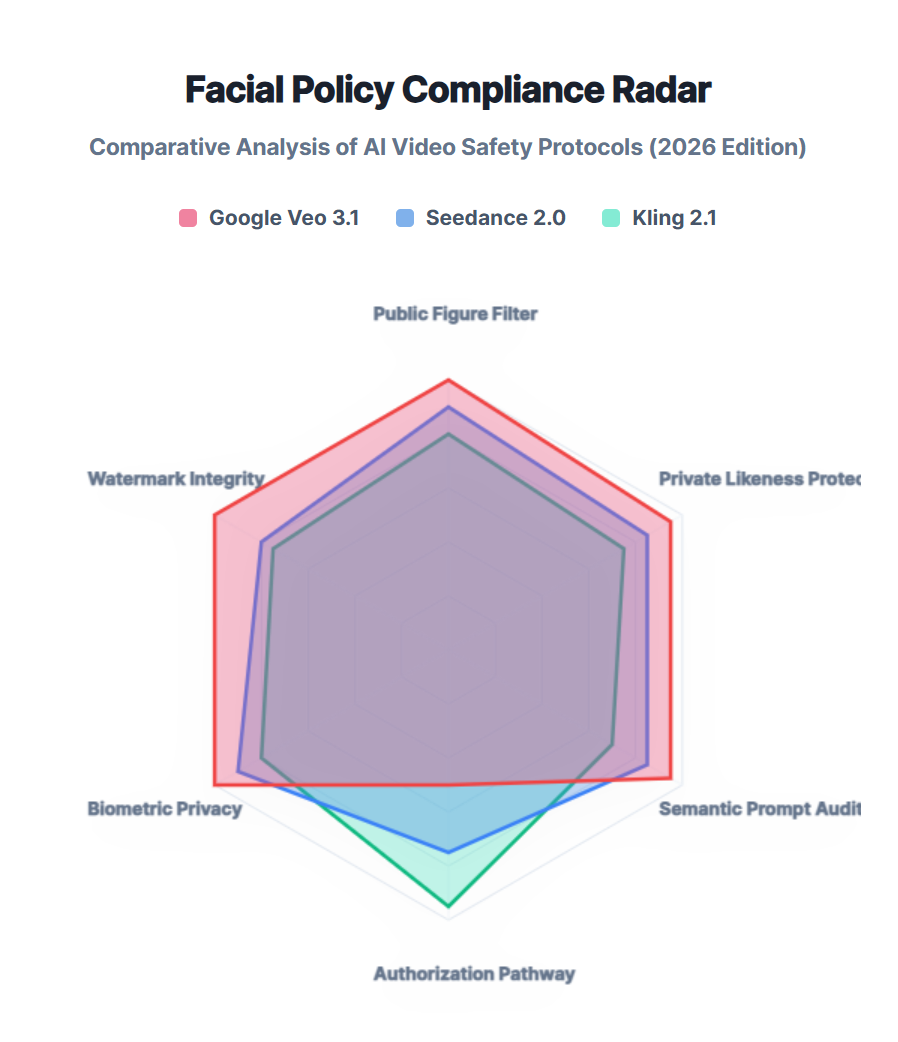
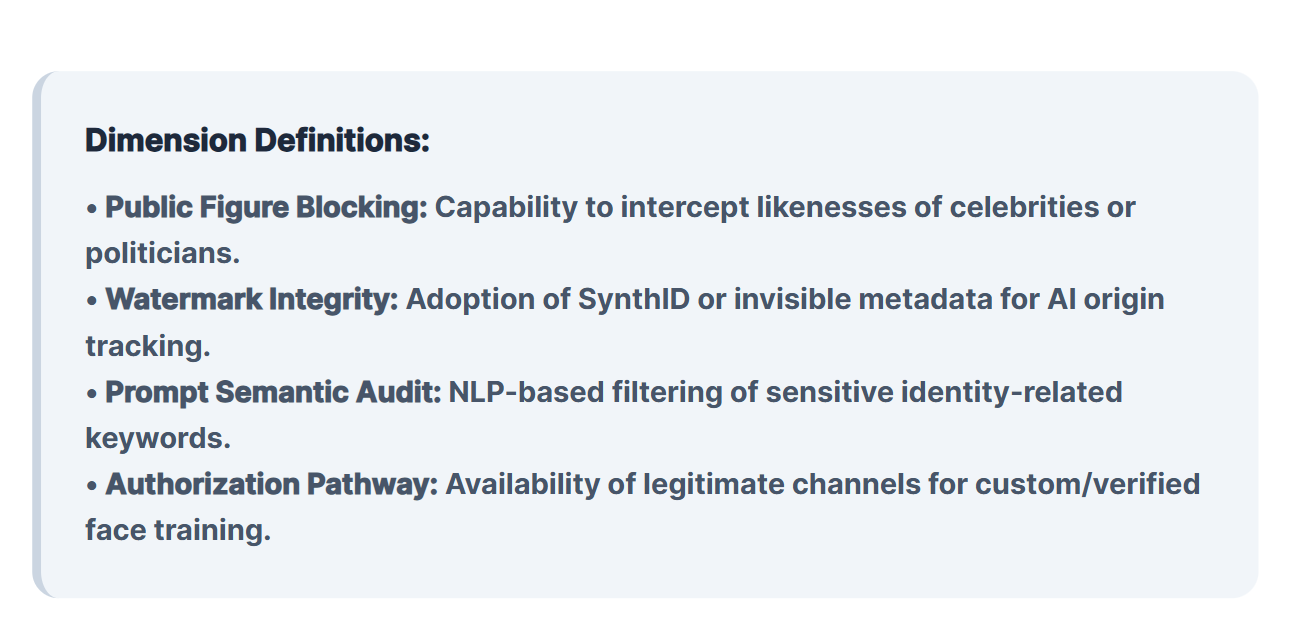
Choosing the right model in 2026 depends on your specific creative goal.
Feature | Seedance 2.0 | Google Veo 3.1 | Kling 2.1 |
Best For | Lip-Sync & Interviews | Commercial Lighting | Dynamic Movement |
Max Resolution | 4K Pro | 4K Cinematic | 4K Ultra |
Safety Rigor | High (Likeness Checks) | Extreme (Prevention-First) | Moderate (Action-Focused) |
Ease of Use | Moderate | High (Data Scientist Focus) | High (Creator Focus) |
Pro-Level Workflow: How to Navigate "Face Restrictions" Legally
Navigating the "Face Restriction" policies of leading video models requires more than just a single prompt; it requires a strategic, multi-model pipeline. By combining specialized AI tools, professional creators can bypass rigid safety filters while staying within ethical boundaries.
The 3-Step Compliance Workflow
To ensure a seamless production process, follow this optimized three-stage pipeline:
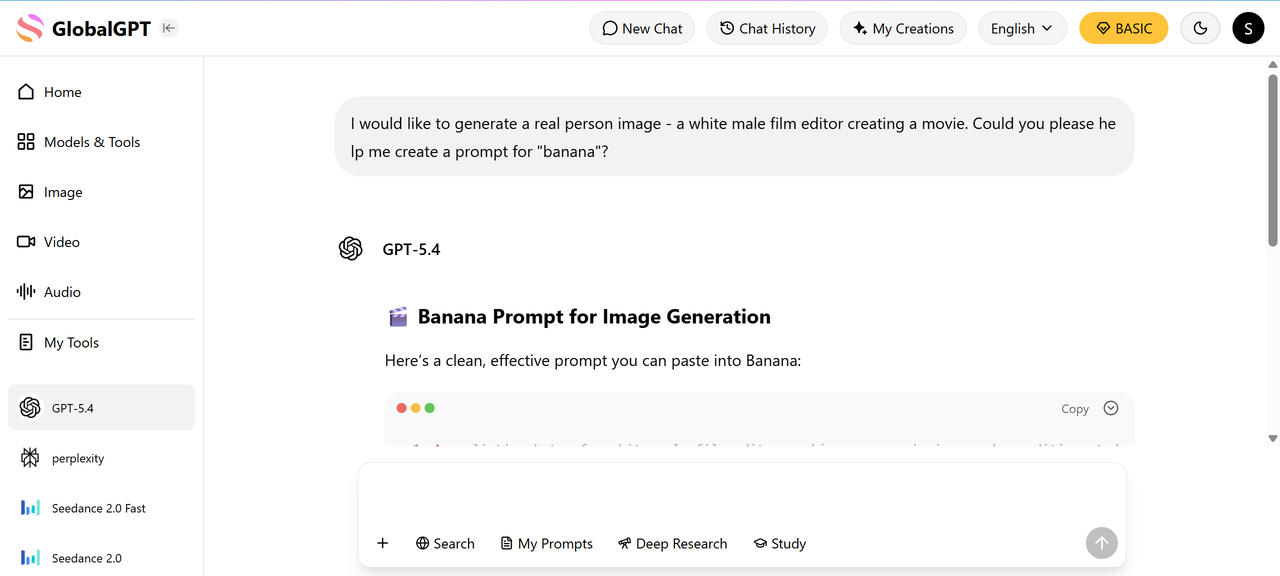
Step 1: Intelligent Prompt Refinement
Before generating visuals, use a high-level LLM like ChatGPT 5.4 or Claude 4.6 to "sanitize" your creative brief.
The Goal: Replace restricted terms or real-world names with descriptive artistic language.
The Result: Clearer creative intent that reduces the likelihood of triggering "Identity" or "Likeness" filters.
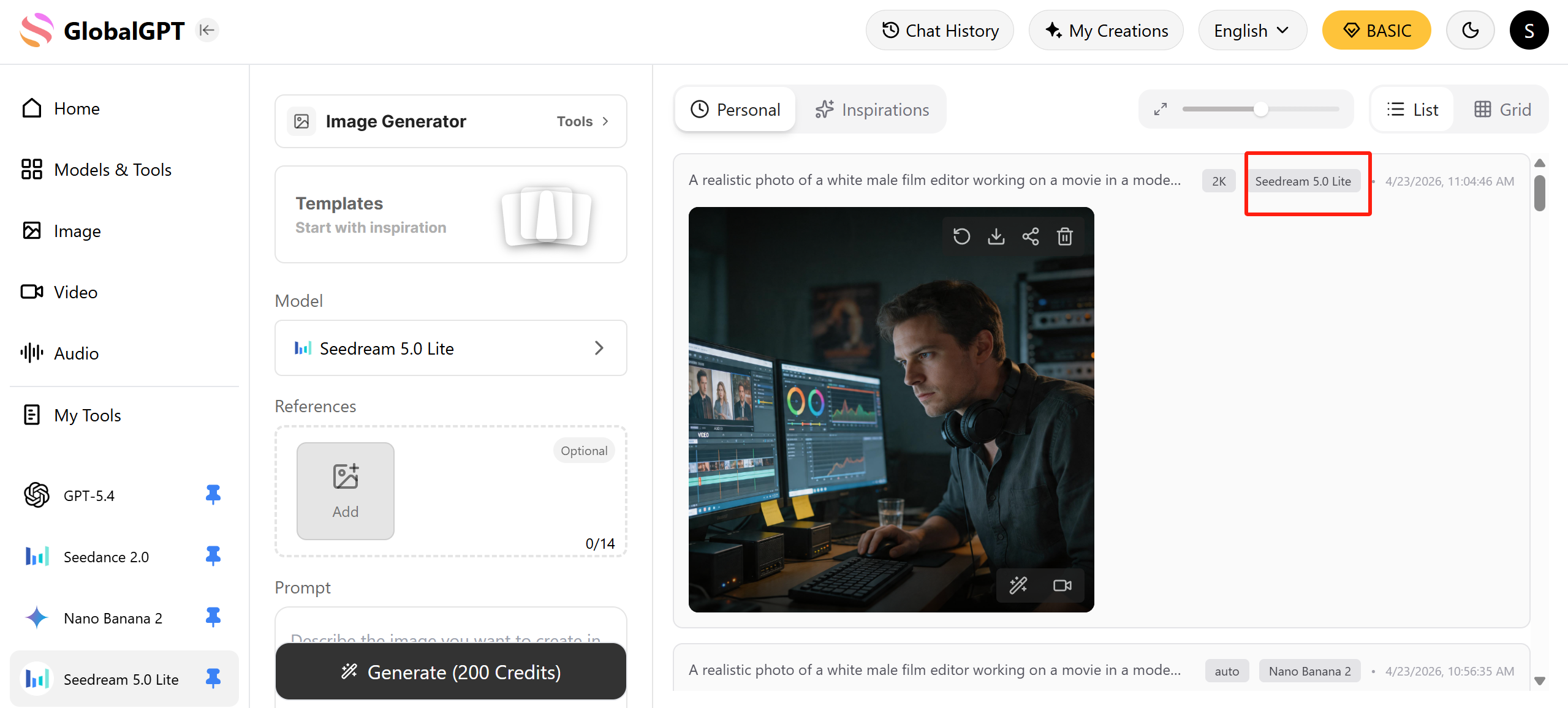
Step 2: High-Fidelity Base Image Generation
Instead of jumping straight to video, establish a visual anchor using specialized image models.
Top Picks: Use Nano Banana 2 or Flux for maximum detail.
Pro Tip: These models allow for fine-tuned control over facial features, ensuring the "Human" elements are AI-synthetic rather than real-world portraits.
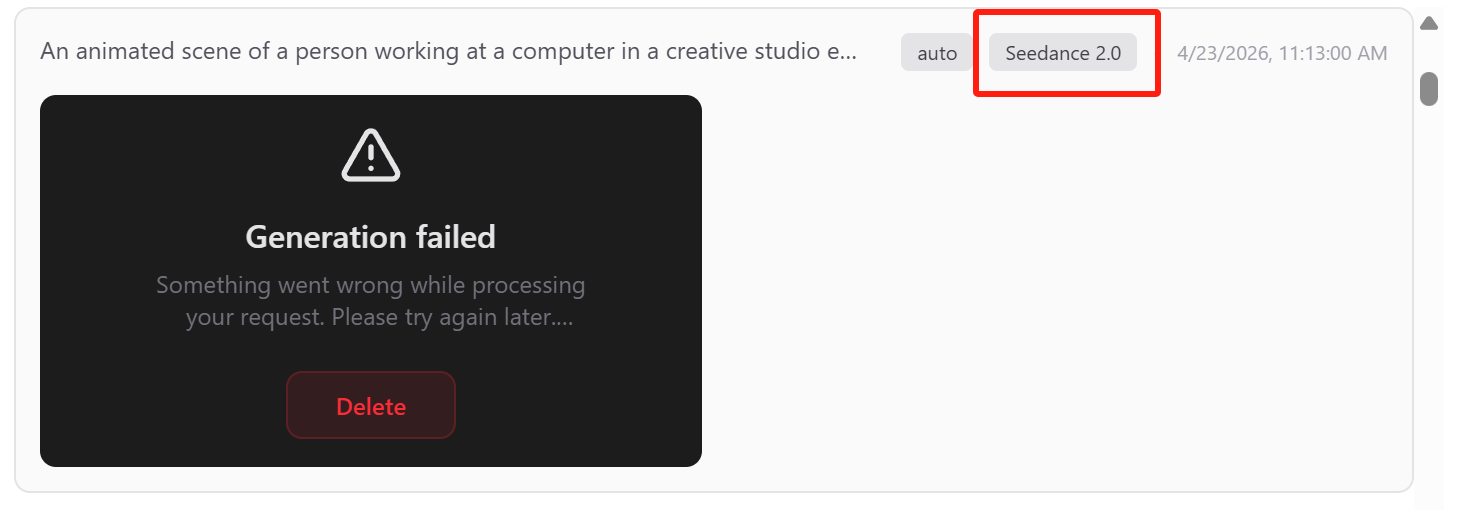
Step 3: Cross-Platform Compatibility Testing
Every AI safety layer is built differently. A rejected asset on one platform may be perfectly compliant on another.
The Strategy: Upload your base image to Seedance 2.0, Google Veo 3.1, and Kling 2.1.
The Reality: Even following official guidelines (like using Seedream for Seedance) can result in a "Face Restriction" block. Often, the exact same image will pass through Kling without issue.

FINAL WORK WITH KLING👆
Efficiency Spotlight: The GlobalGPT Advantage
Moving assets between disparate platforms is time-consuming. For creators managing a high-volume pipeline, a unified workspace is essential.
Platform: GlobalGPT
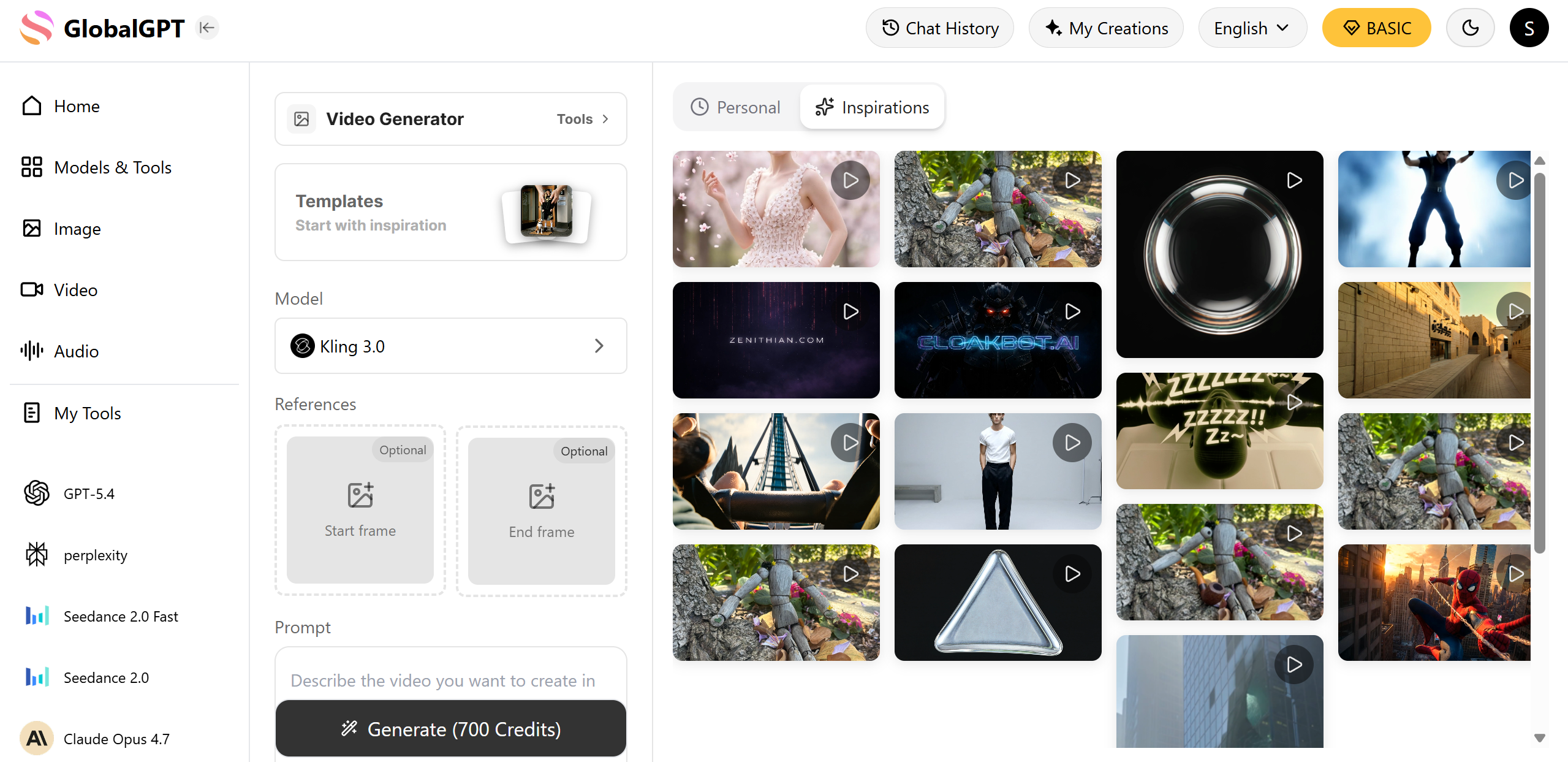
Solution: The Pro Plan ($10.8) integrates the world's most powerful video models into a single dashboard.
Key Benefit: Instantly switch between Seedance, Veo, and Kling. If one model’s safety layer flags your creative context, you can pivot to another with a single click, ensuring your production never hits a dead end.
FAQ
Is it legal to use someone else's face for AI video? In 2026, you cannot generate a celebrity or fictional character without explicit IP owner approval; doing so triggers an instant block. For personal use, Sora 2 and other models require explicit consent for personal likenesses to prevent misuse.
How do I fix "Eye-Drift" in AI-generated humans? Eye-drift usually occurs when the prompt is too vague. Using a platform like GlobalGPT allows you to switch to Seedance 2.0, which features specialized "expression mapping" to lock ocular movement.
Can I use 4K reference images for better results? Yes. High-resolution reference images help models like Veo 3.1 better understand skin texture, though the system will run OCR checks to ensure no banned logos or private details are present in the 4K file.
