24 formal edits · 3 models · Tested October 23, 2026
Krea 3 is worth trying when you want to change a product image without rebuilding the whole scene. In this Krea 3 review, we ran 24 image edits across Krea 3, GPT Image 2.5 and Nano Banana 2.1. The useful question was simple: did the model make the requested change while leaving the rest alone?
Krea produced a strong body-only mug recolor and convincing product scenes, but its two attempts did not always obey the same boundaries. One recolor also changed the handle; one headline replacement collapsed a two-line design into one. Attractive output and faithful editing are different standards.
We tested through GlobalGPT, an all-in-one AI platform that brings chat, research, image, video and agent models into one account and subscription. We also checked Krea’s current documentation: enterprise self-hosting is documented, while a public Krea 3 checkpoint and downloadable license were not verified in the official sources reviewed.
Krea 3 review: the quick verdict
Try Krea 3 for focused product edits, then inspect every detail you asked it to preserve. Its best recolor in our sample kept the ivory handle and dark logo. It also made believable wet-stone product scenes. For exact typography or SKU-level identity, keep a human approval step. Public local deployment remains a separate licensing question.
| 决定 | What our evidence supports |
|---|---|
| Best reason to try it | Focused editing with natural-looking materials and lighting. |
| Main practical weakness | “Keep everything else unchanged” did not reliably freeze all non-target details. |
| 公开级 | Enterprise self-hosting is confirmed; a public Krea 3 checkpoint/license was not verified. |
| Comparison scope | Four tasks, two attempts each, three GlobalGPT model routes; no speed leaderboard. |
What is Krea 3, and what can you use today?
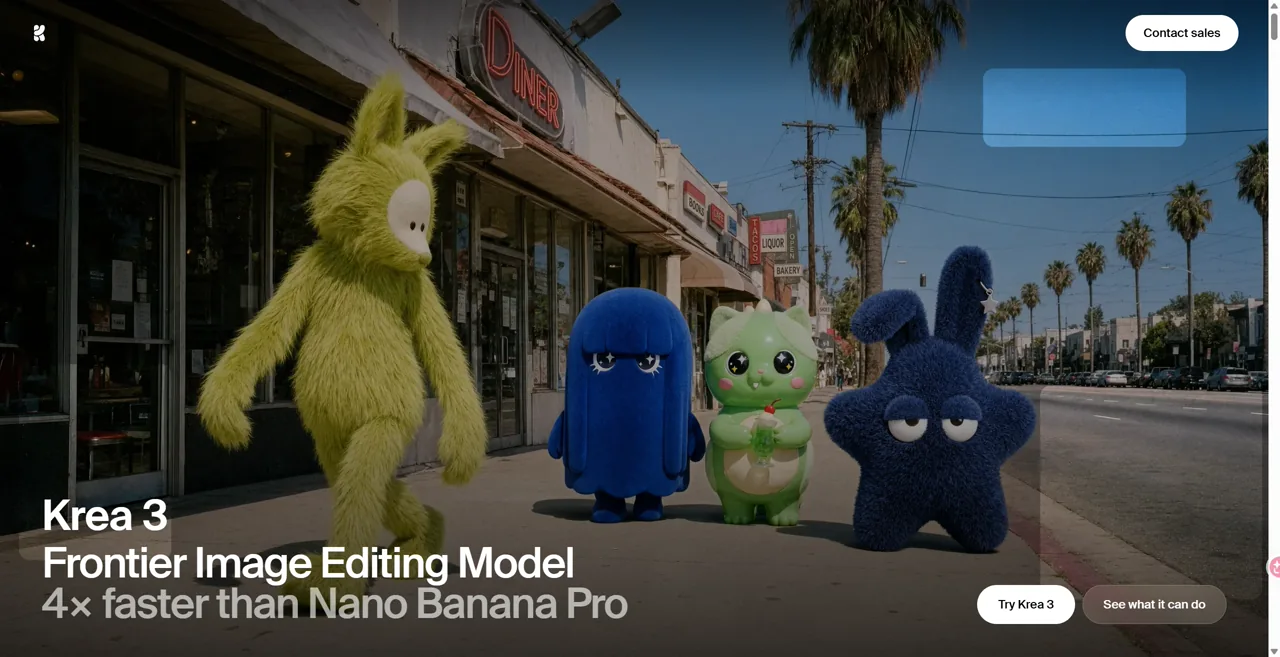
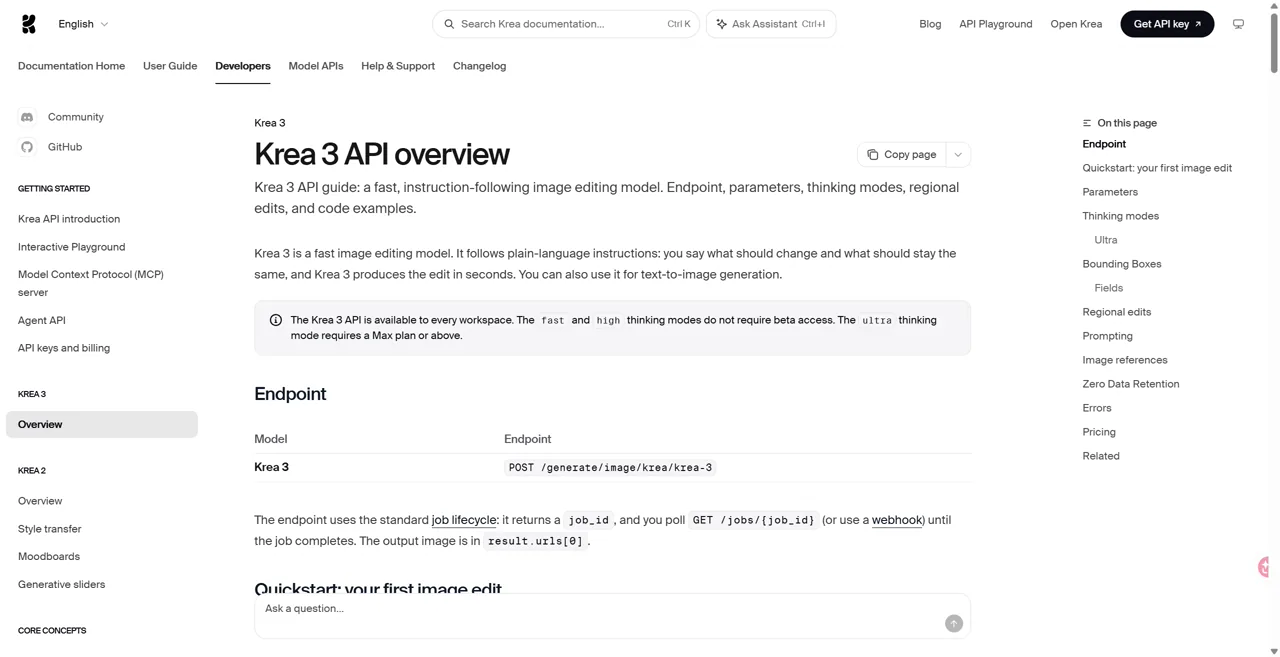
Krea 3 supports image editing and text-to-image generation, ,据 official developer overview. Calling it editing-only misses the current product. Our hands-on work below covers reference-image editing; it does not establish how well Krea generates images from an empty canvas.
The documented API supports up to eight reference images and native 1K or 2K output. Five or more references are resized to a maximum 1536-pixel longest edge. A request field accepting dimensions up to 4096 is not evidence of native 4K output: the documentation says dimensions round to supported canvases.
| Direct Krea API mode | 有哪些变化 | 重要边界 |
|---|---|---|
| 快速 | Lower mode surcharge; regional editing supported. | Different from the High quality label tested on GlobalGPT. |
| 高 | Regional editing; documented bounding-box controls. | Up to 24 normalized boxes; provider/API feature, not a verified GlobalGPT control. |
| 超 | Candidate generation, review and selection; always 2K. | Max or above; may take minutes; no regional_edit. |
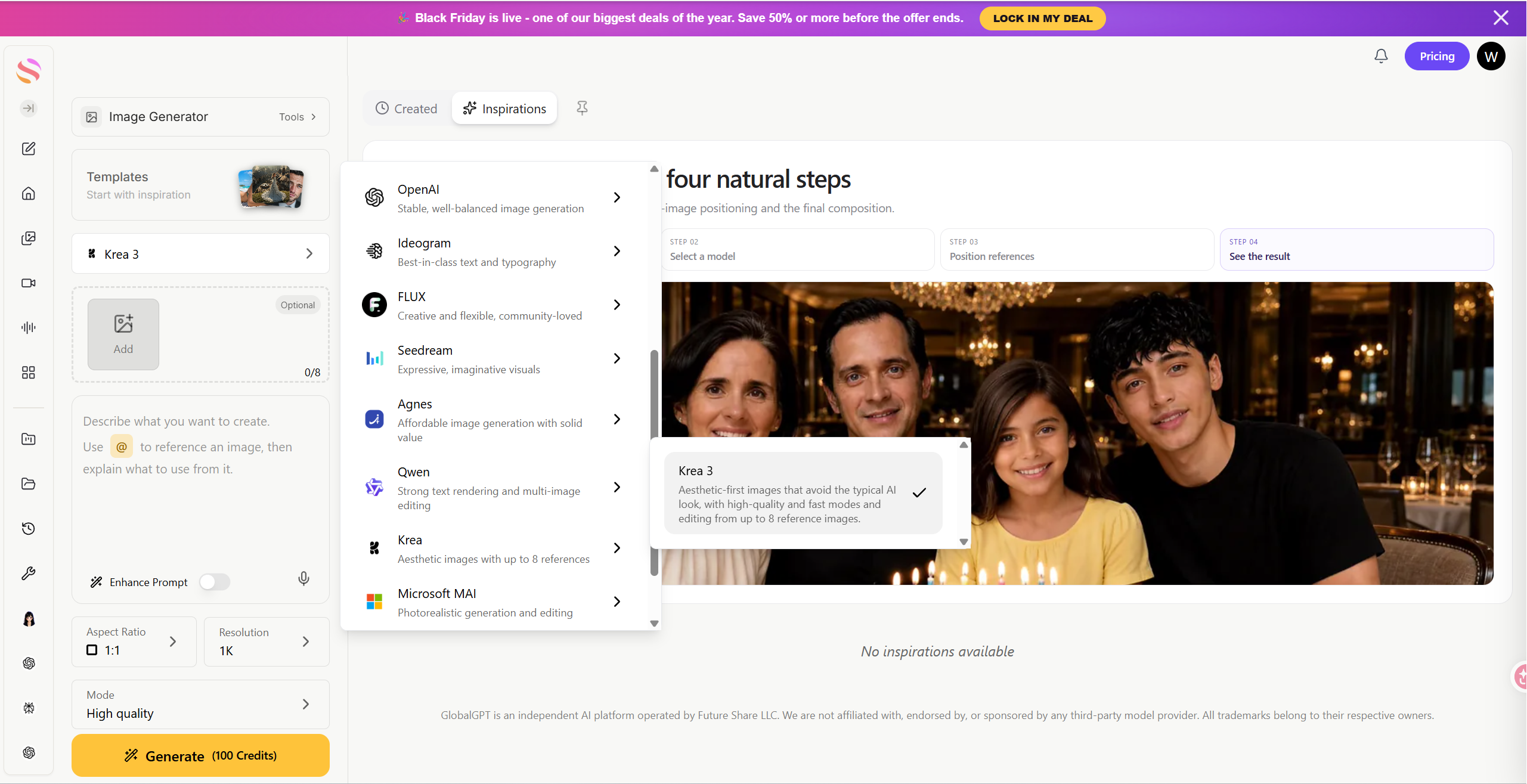
"(《世界人权宣言》) official changelog records public Fast/High API access on October 19 and Ultra access on October 20, 2026. Older beta-only reviews are already out of date. GlobalGPT exposed Fast and High quality during our session; we tested High quality and did not verify an Ultra option or an exact mapping from that label to Krea’s API modes.
Our Krea 3 image-editing tests on GlobalGPT
On October 23, 2026, each model received the same four tasks and unchanged reference files, twice. That produced 24 formal outputs. Both attempts started from the original references; the second was a repeat, not a follow-up edit. Enhance Prompt and community sharing were off. Square tasks used 1:1; the coffee poster used 16:9.
Krea used High quality at 1K, and Nano Banana 2.1 used 1K. GPT Image 2.5 exposed neither a matching resolution nor a mode selector. Actual square outputs ranged from 1024 to 1254 pixels; landscape dimensions also differed. This is a matched-task platform comparison, not a controlled comparison at equal resolution or compute.
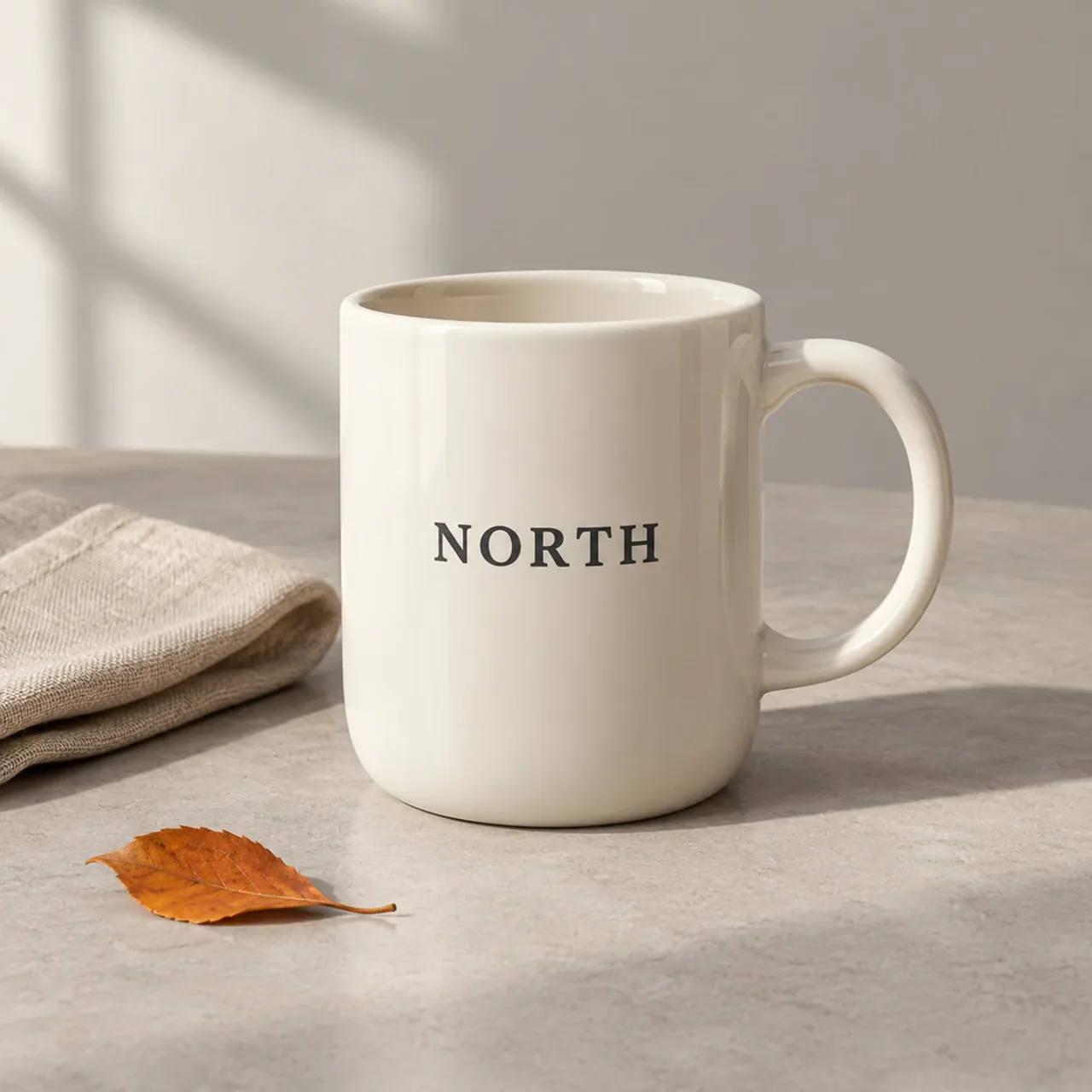
Reference · mug
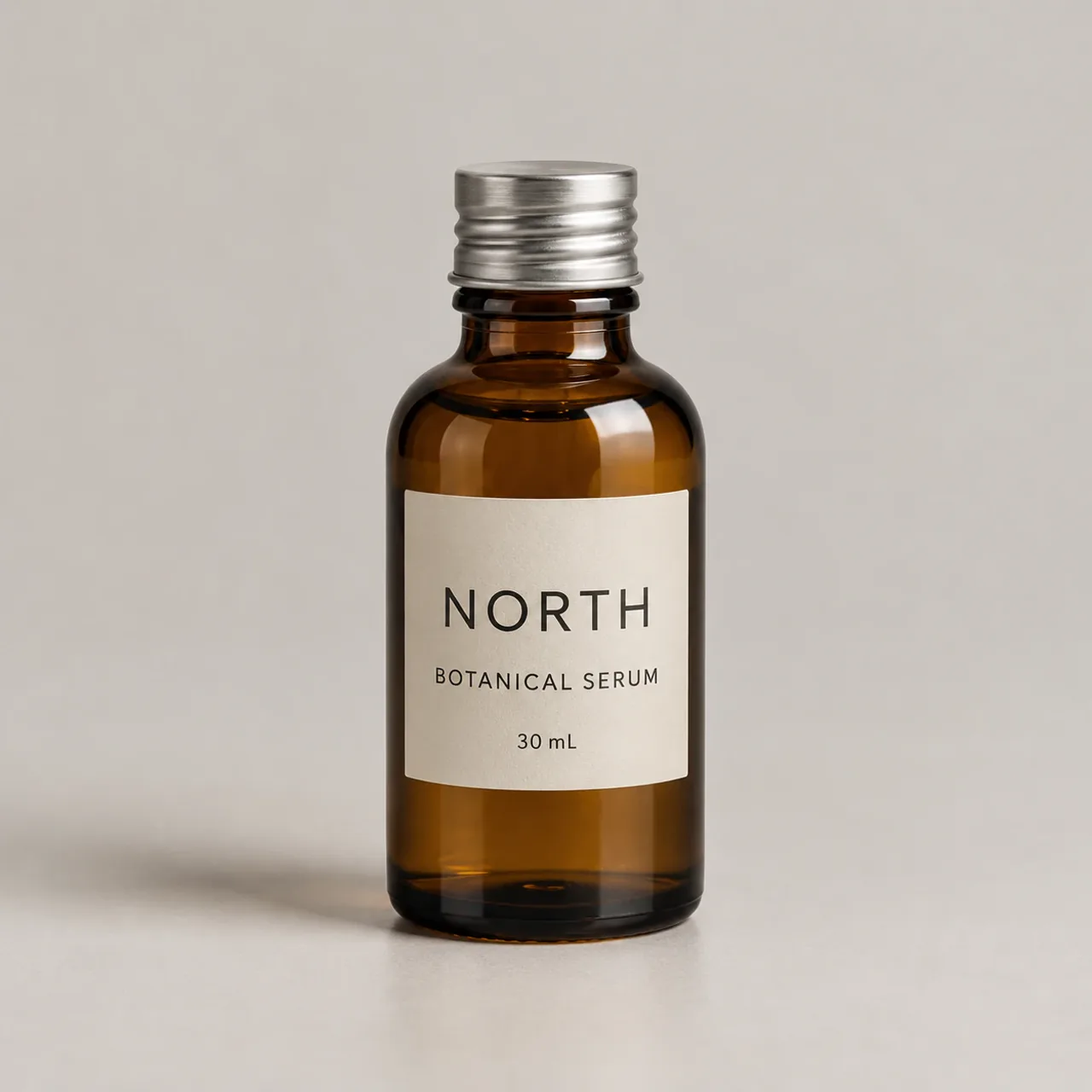
Reference · bottle
Reference · setting
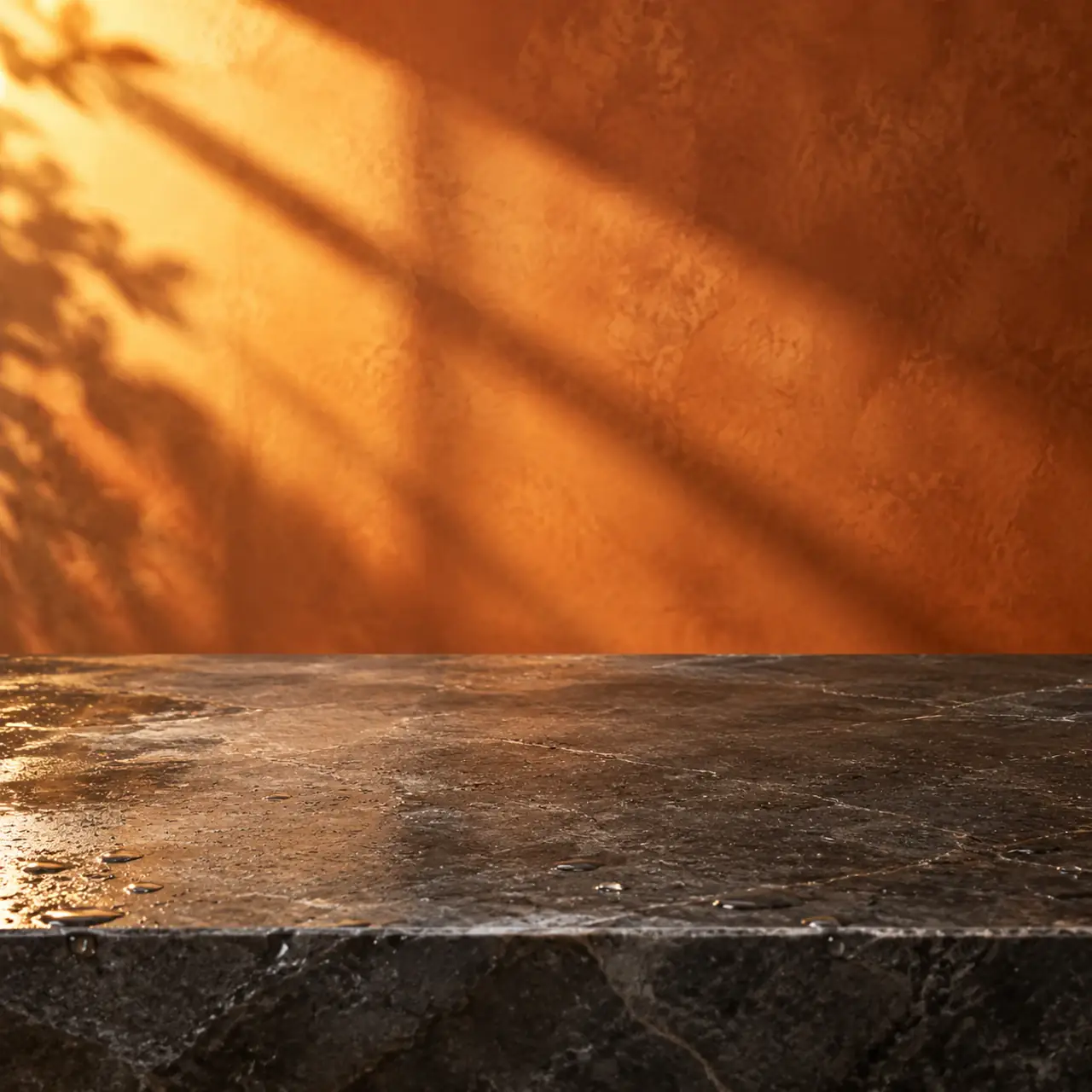
These are synthetic references. The mug, bottle and countertop were generated with GPT Image 2.5 in GlobalGPT; the coffee poster came from an earlier Seedream 5.0 Flash project. Using mostly GPT-generated inputs may favor preservation of that model’s visual patterns. We excluded one extra GPT poster pilot after noticing that its interface ratio had reset. We did not sample completion times uniformly, so there is no measured speed ranking.
1. Recoloring: the handle exposes the difference
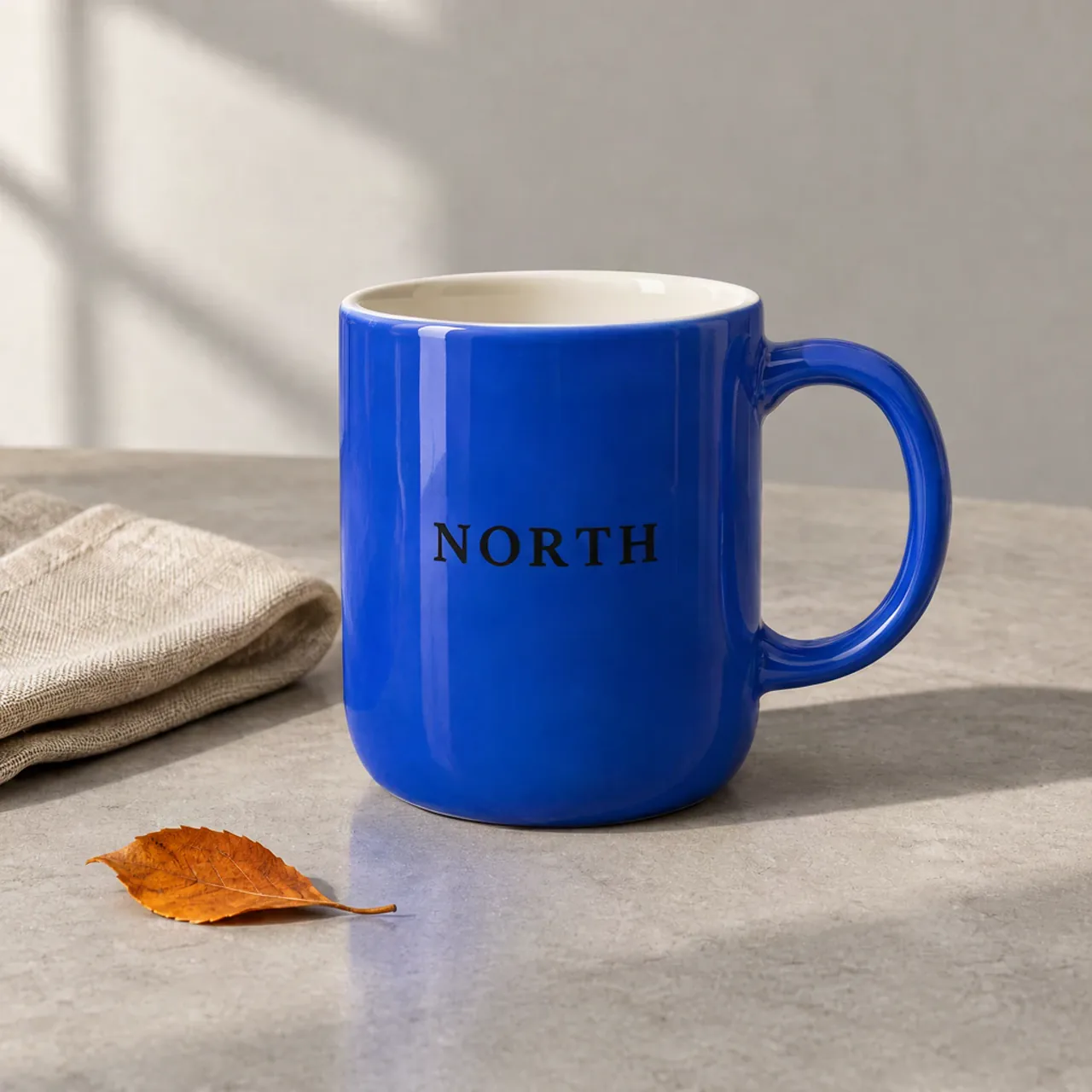
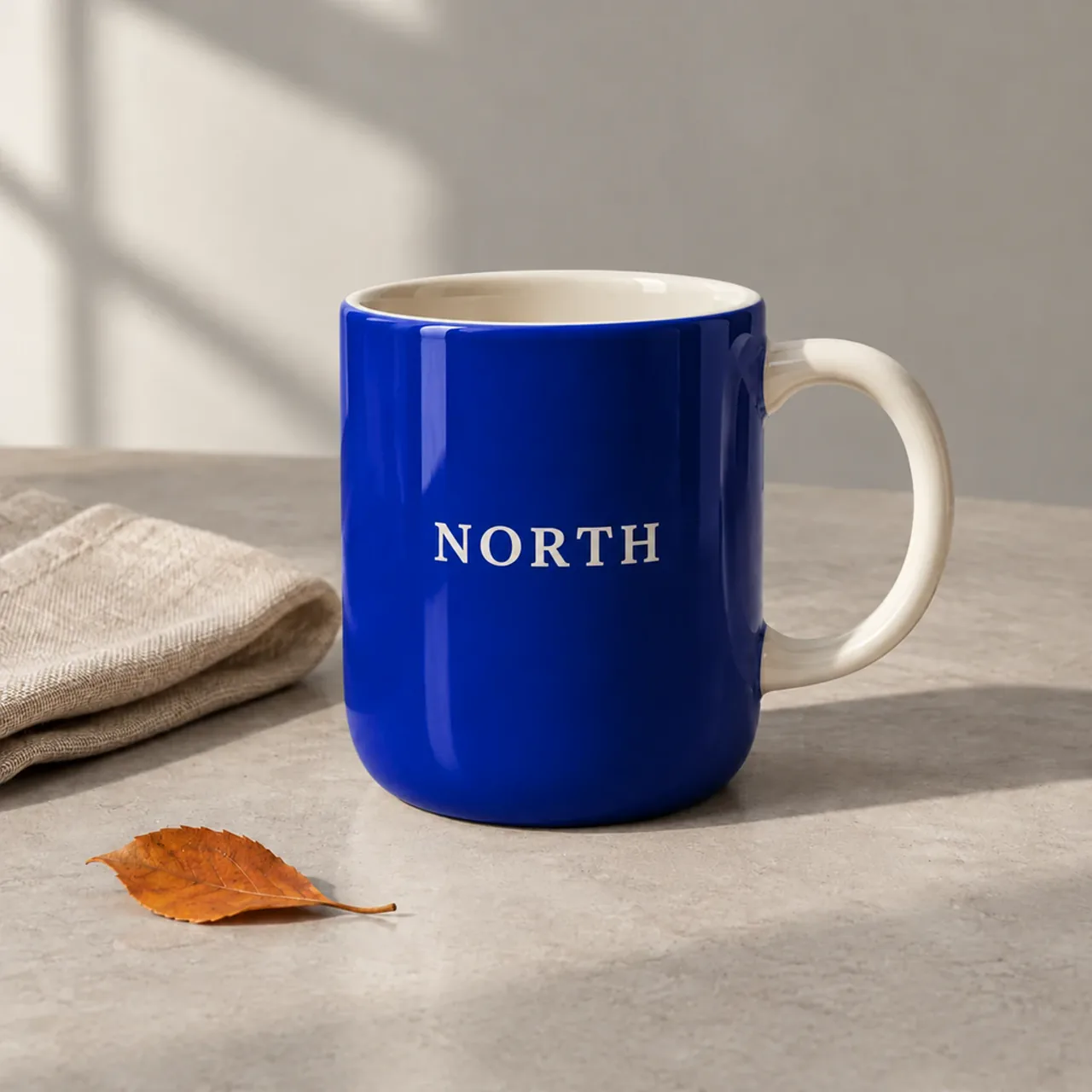
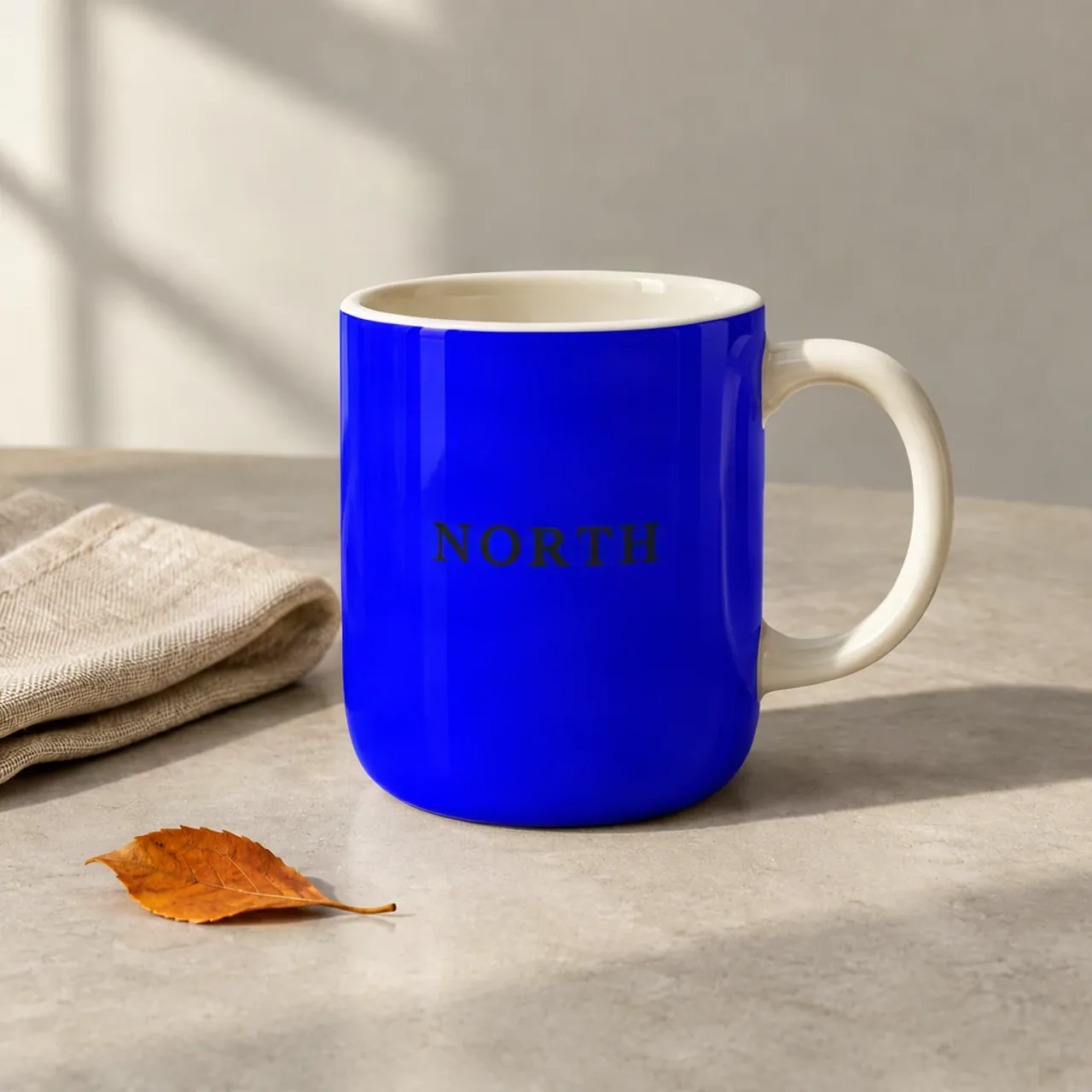
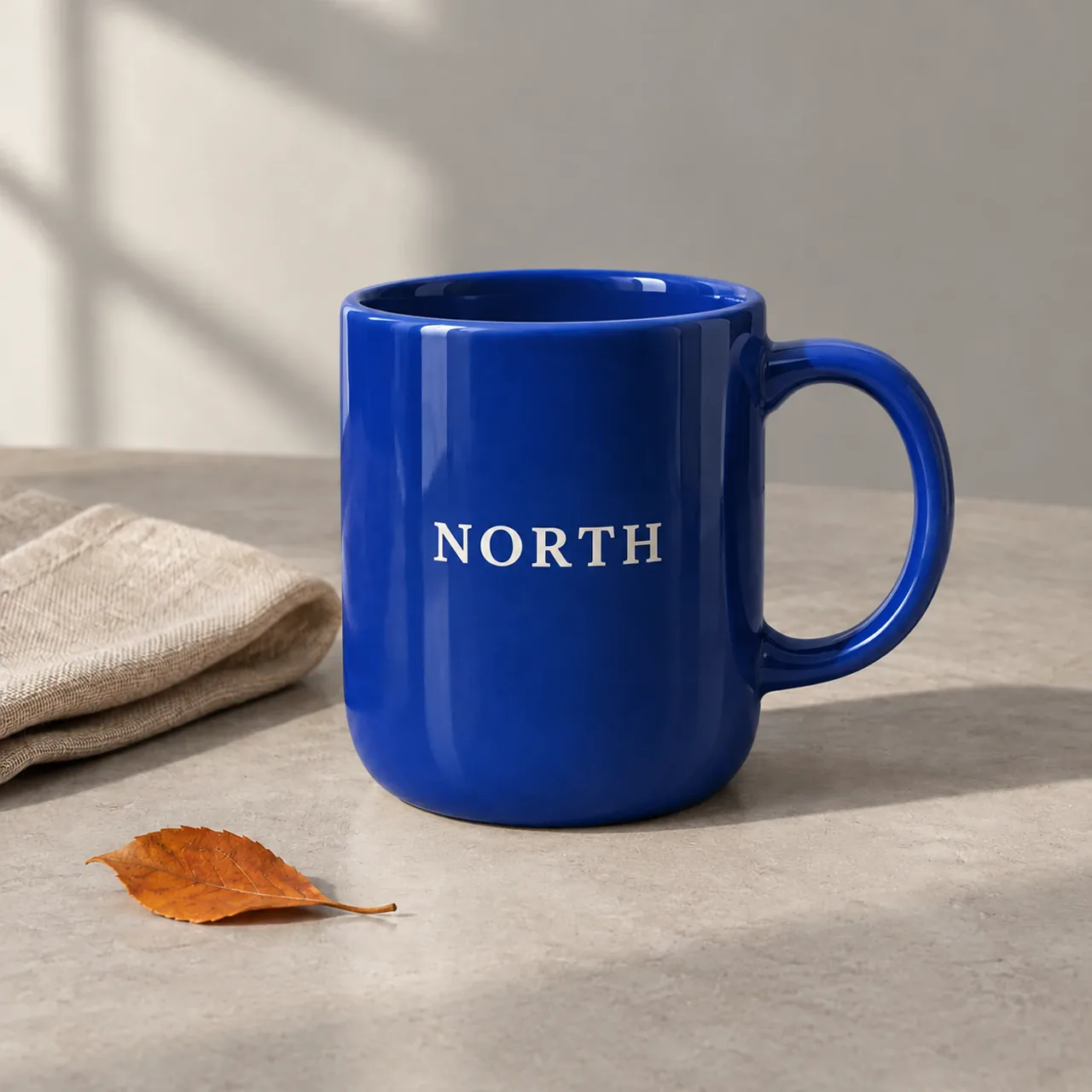
The instruction was to change only the mug body to cobalt blue. Krea’s second attempt was the closest match to that body-only request in this sample: the handle and interior stayed ivory, and NORTH stayed dark. Its first attempt also turned the handle blue.
Krea 3 · attempt 1
GPT Image 2.5 · attempt 1
Nano Banana 2.1 · attempt 1
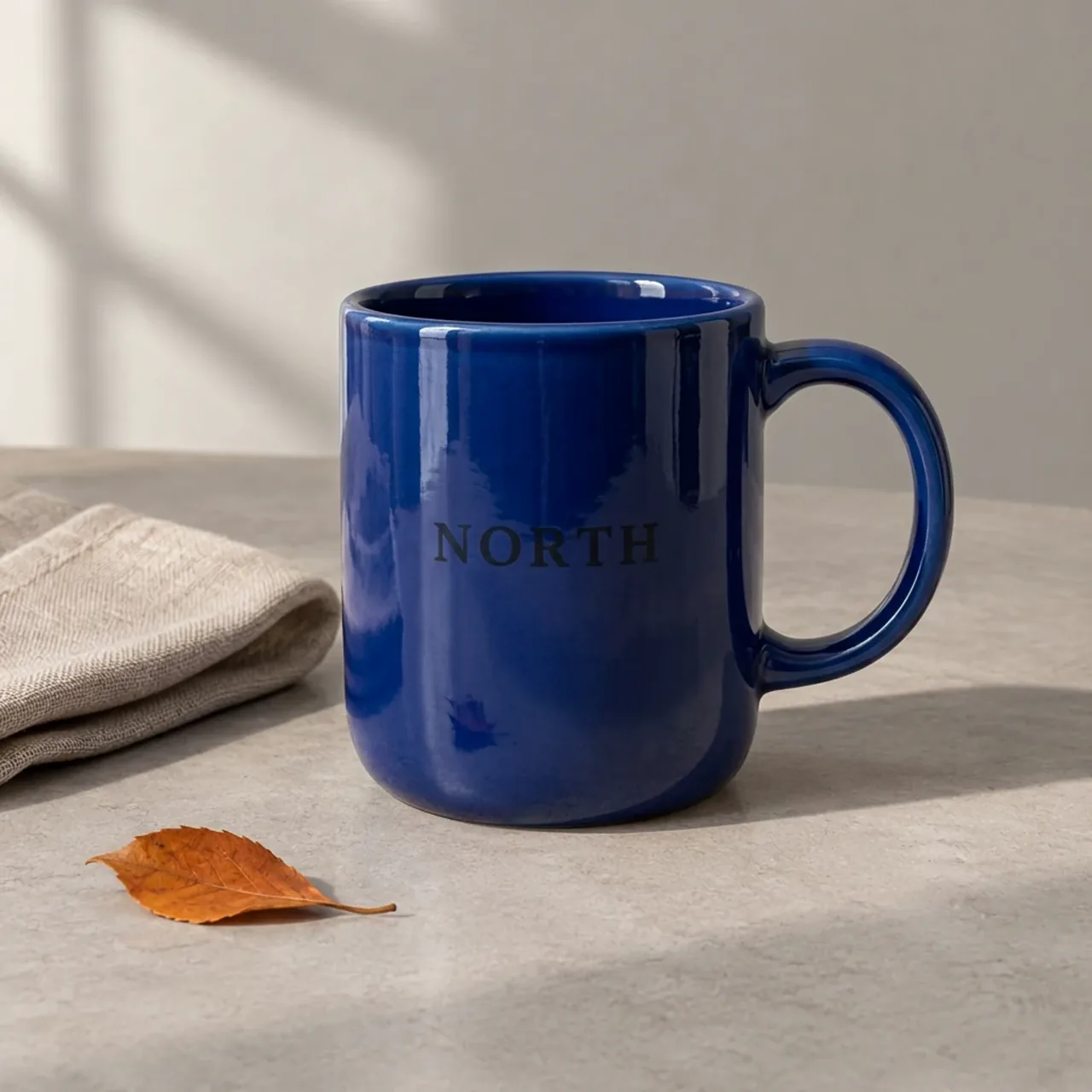
GPT’s first attempt retained the ivory handle but changed NORTH to white; its second also colored the handle and interior. Nano Banana’s two attempts made the body, handle and interior dark navy, and its second changed the logo to white. For a catalog image, those are meaningful differences even if the result looks polished.
See the second recolor attempt from every model
Krea 3 · attempt 2
GPT Image 2.5 · attempt 2
Nano Banana 2.1 · attempt 2
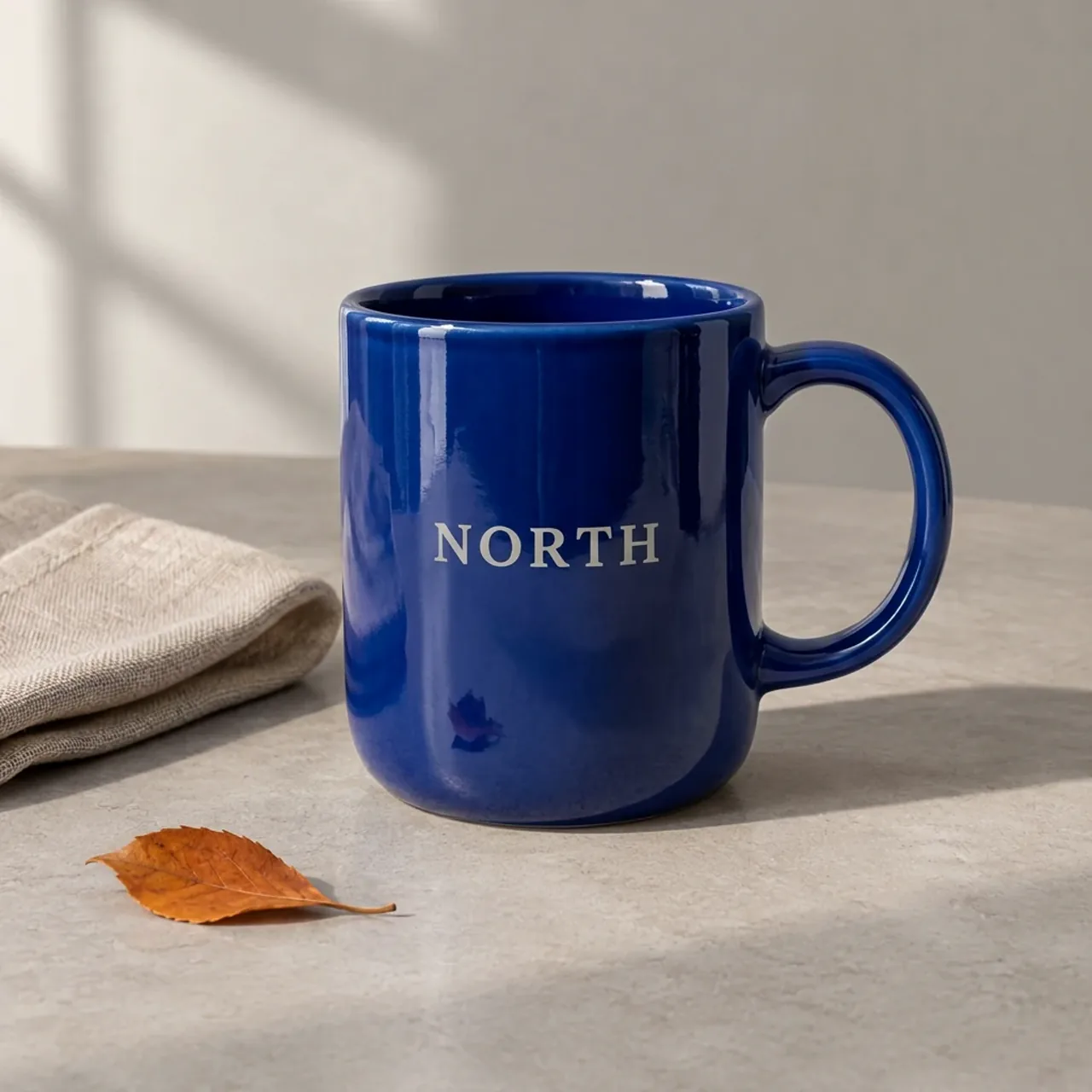
Exact shared prompt
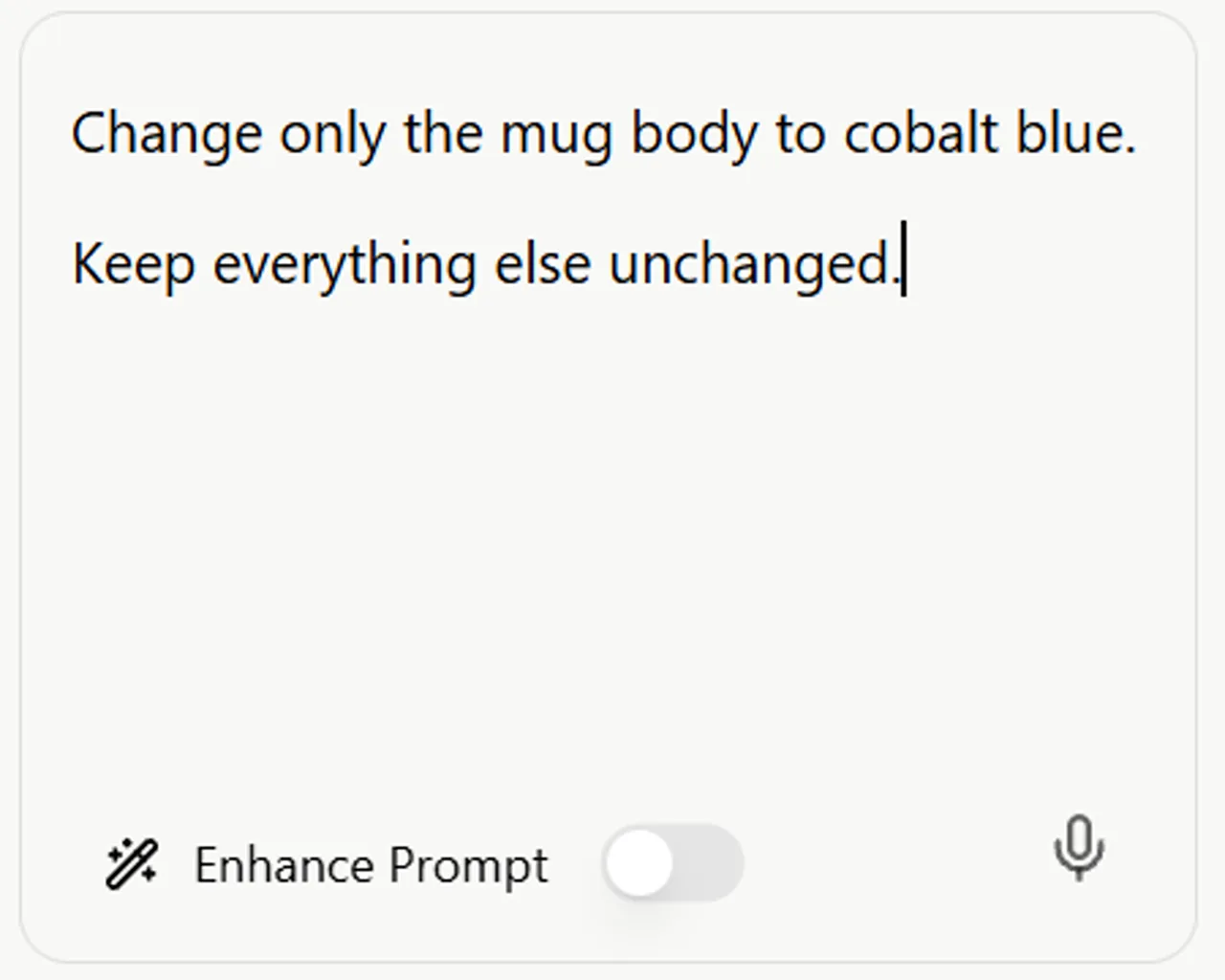
Change only the mug body to cobalt blue. Keep everything else unchanged.
Make preservation requirements explicit: name the handle, interior, logo color, shadow and background individually. We did not retest this expanded prompt. Our guide to improving AI image accuracy gives more ways to tighten an image brief.
2. Changing the scene: attractive light does not lock the product
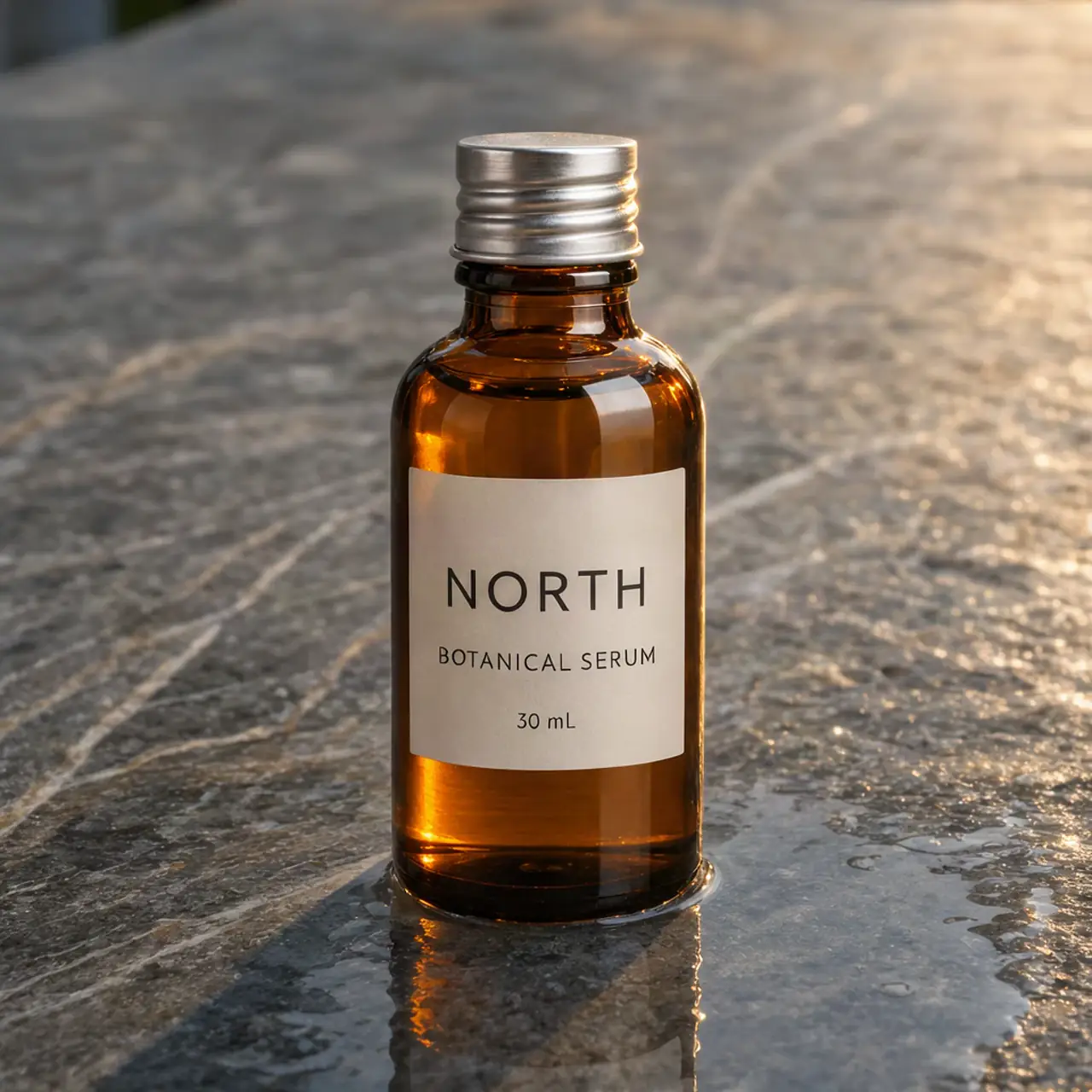
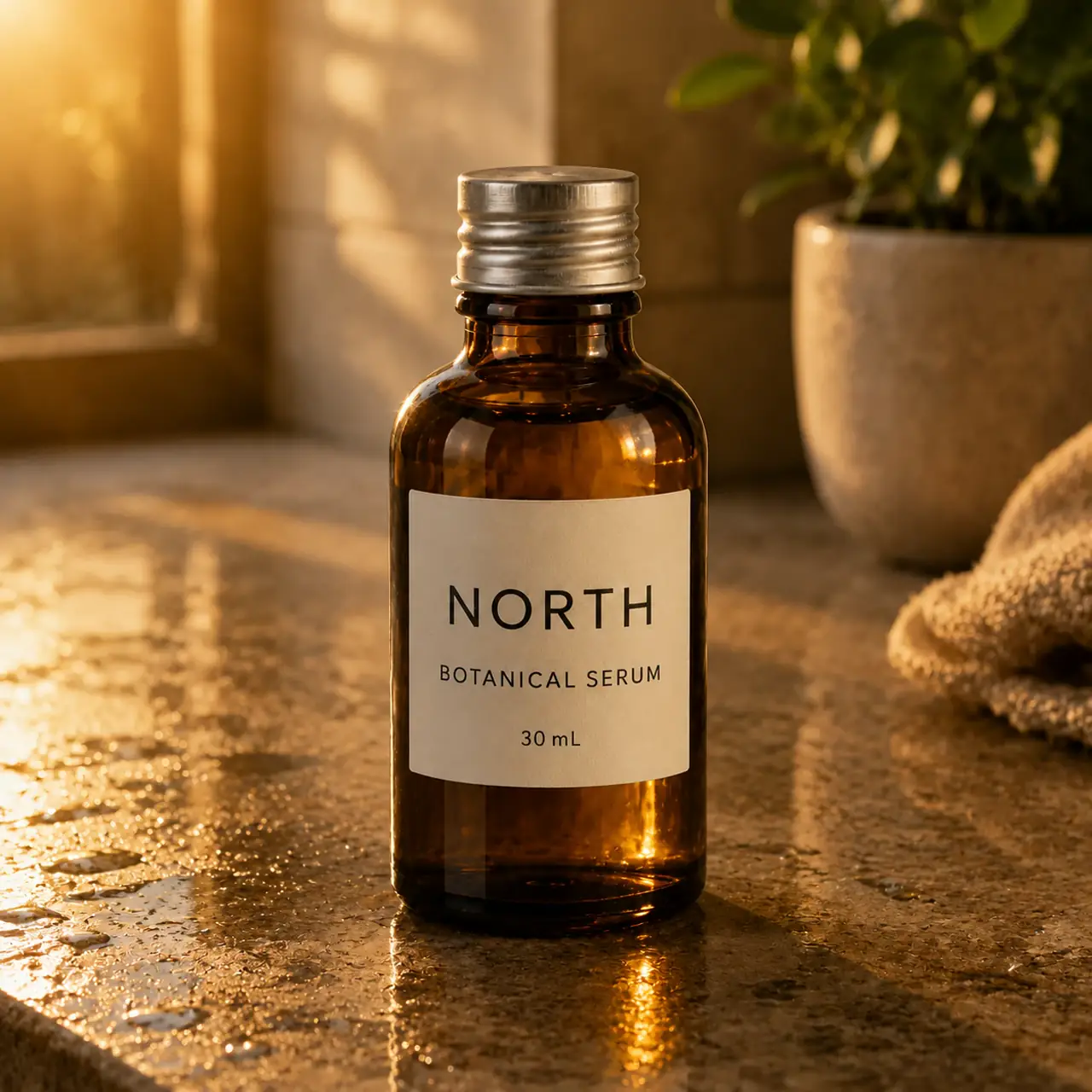
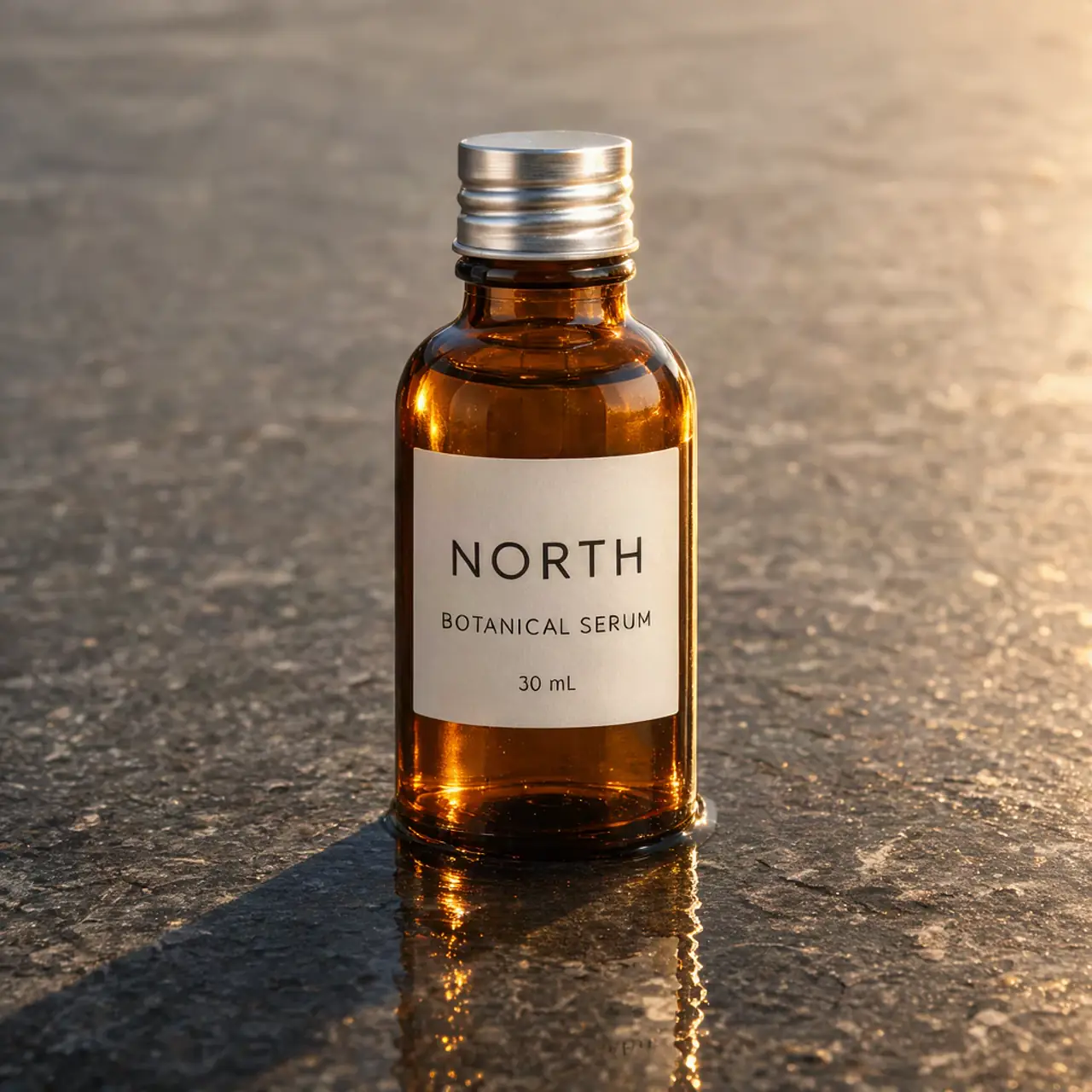
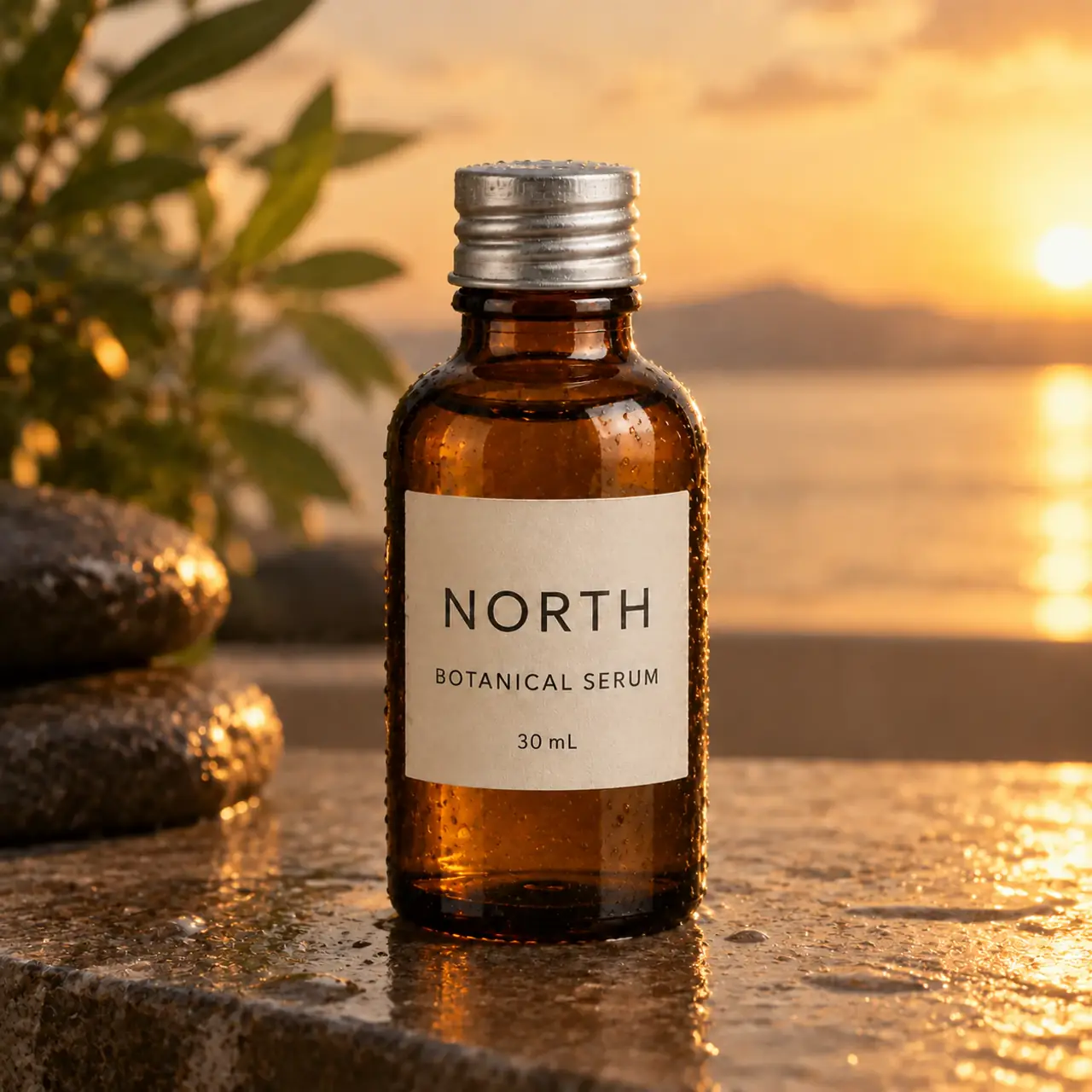
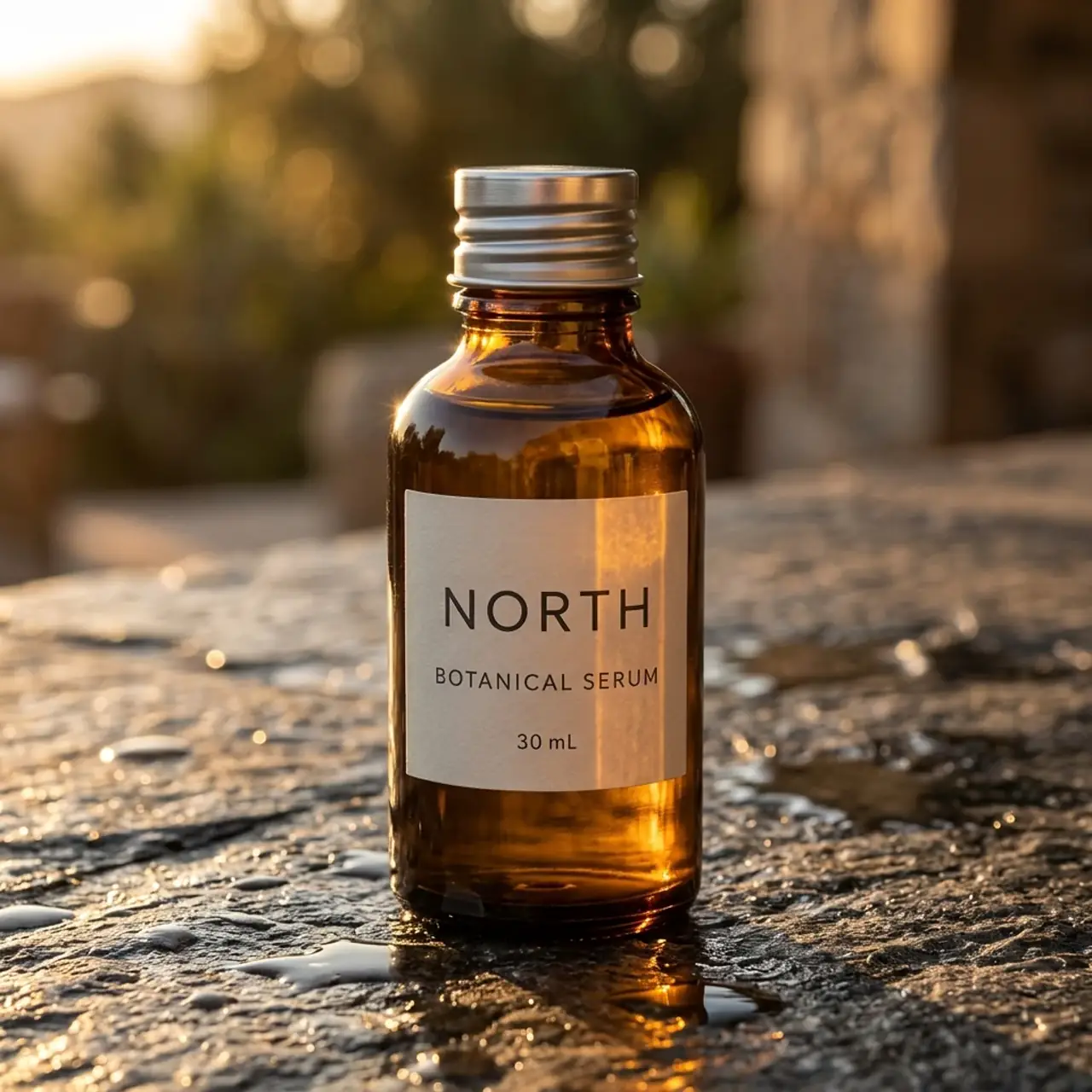
All three models placed the amber bottle into a plausible wet-stone, golden-hour scene. Krea’s first output kept a restrained product-photography composition. GPT introduced more surrounding scene detail, while Nano Banana used a softer outdoor-looking background. These are creative choices, not automatic quality wins.
Krea 3 · attempt 1
GPT Image 2.5 · attempt 1
Nano Banana 2.1 · attempt 1
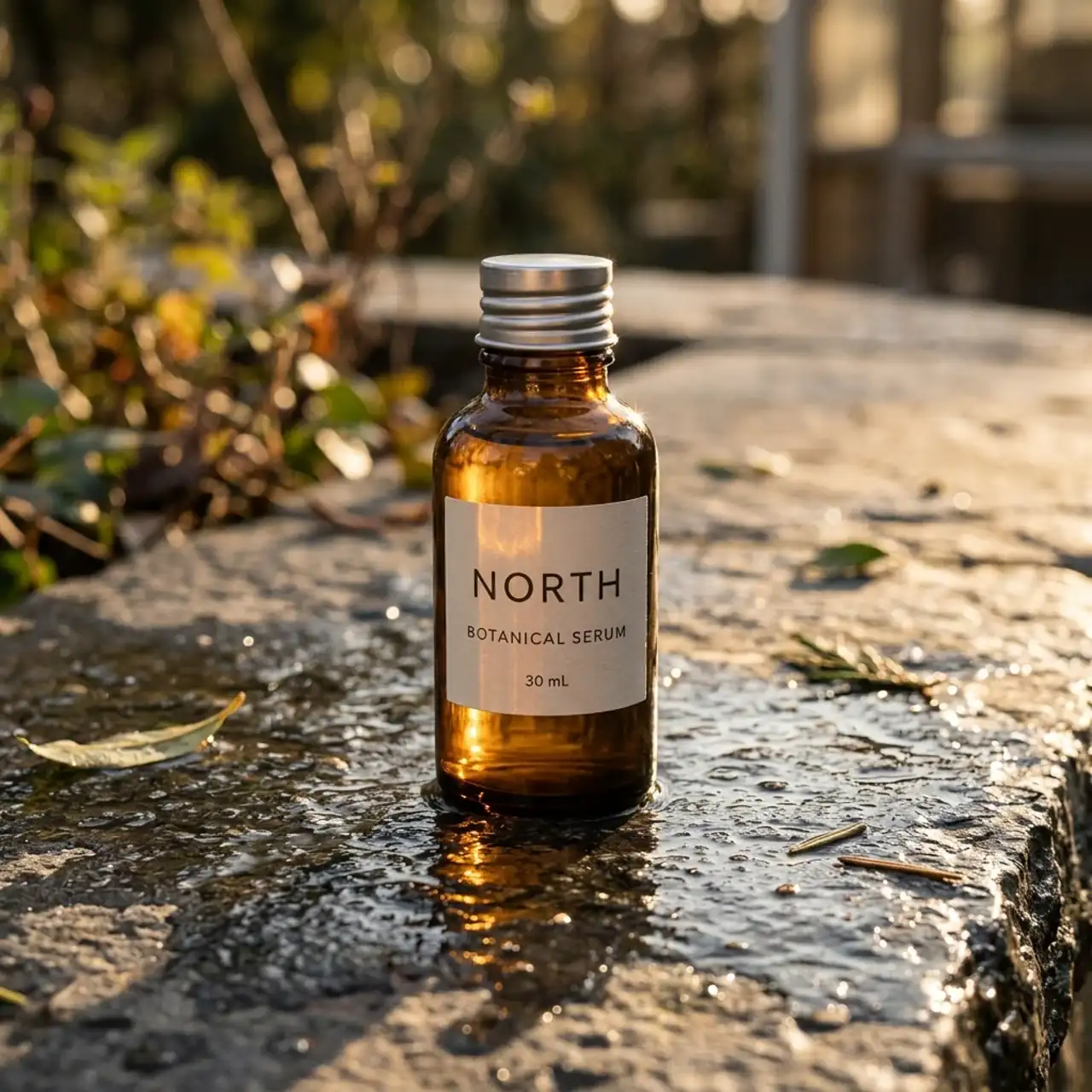
The prominent label wording remained readable across the six images at review size. That does not mean the bottle was unchanged: framing, apparent object size, reflections and the presentation of the cap and shoulders varied. If this were a real SKU, we would compare the silhouette and label against the source before signing off. Readable branding alone is too weak a fidelity test.
See the second scene attempt from every model
Krea 3 · attempt 2
GPT Image 2.5 · attempt 2
Nano Banana 2.1 · attempt 2
Exact shared prompt
Place this bottle on a wet stone counter at golden hour. Keep the bottle, cap, label text and proportions unchanged.
3. Headline replacement: correct words, different layout
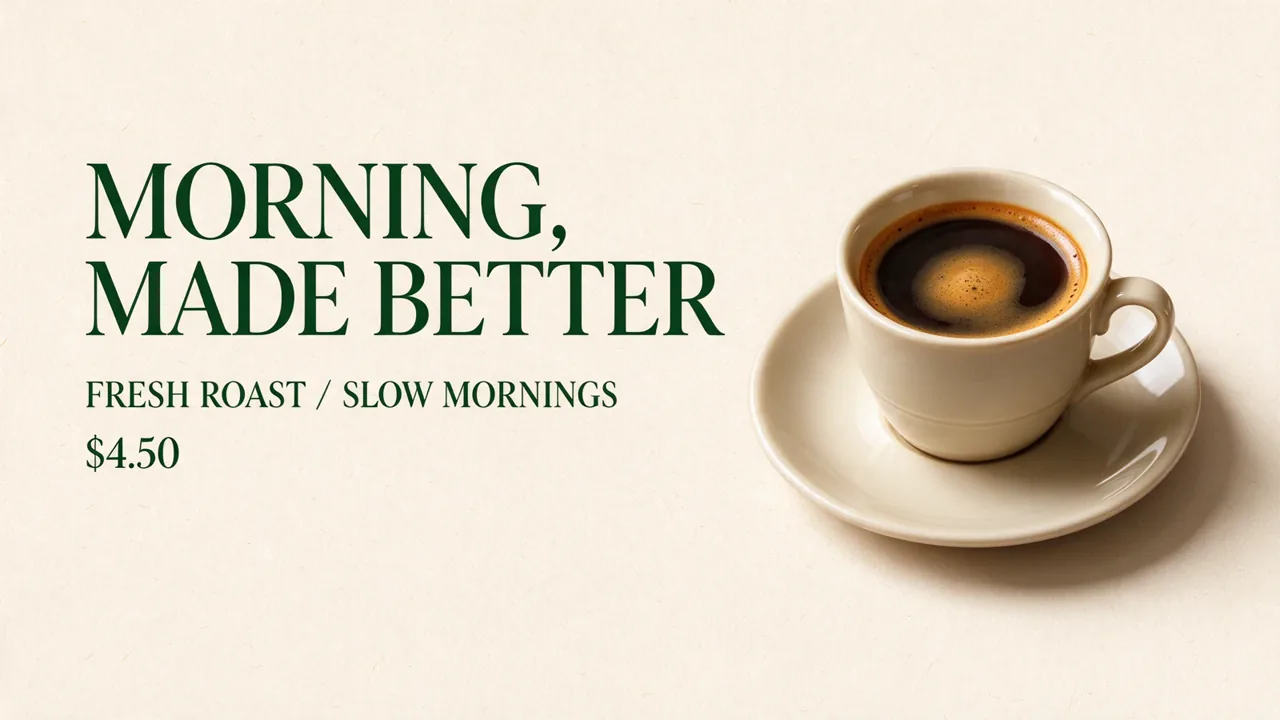
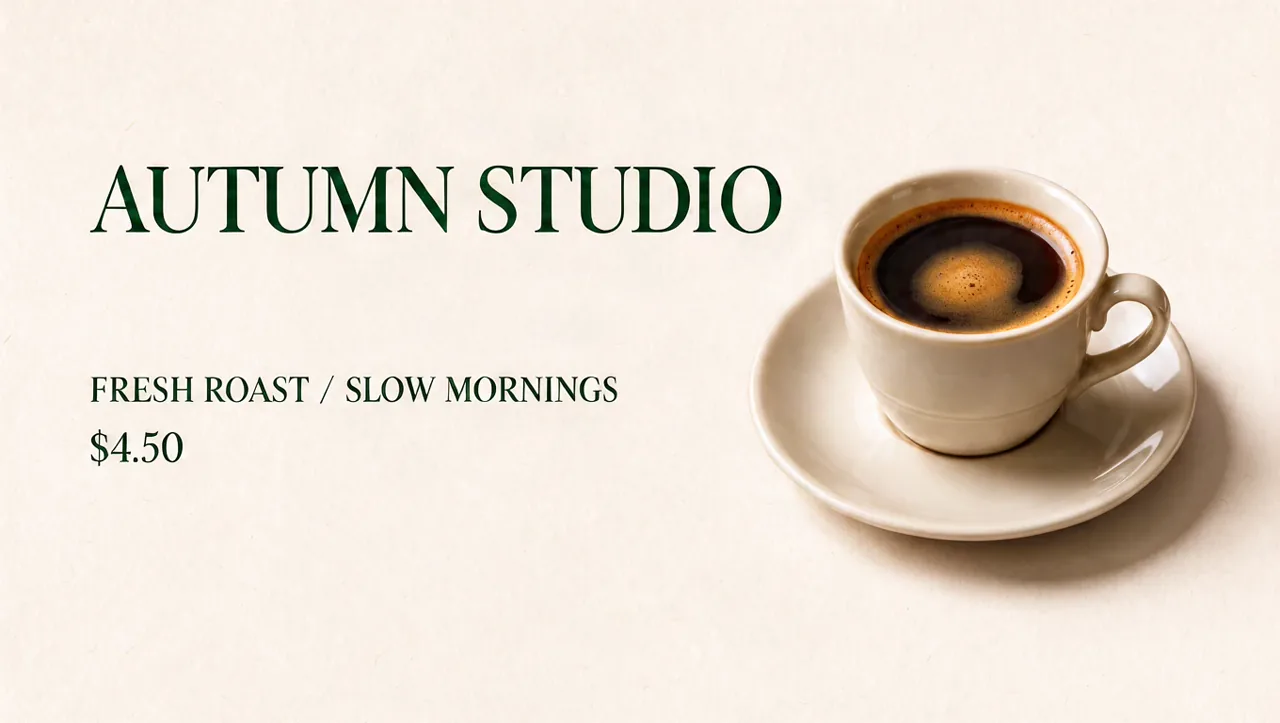
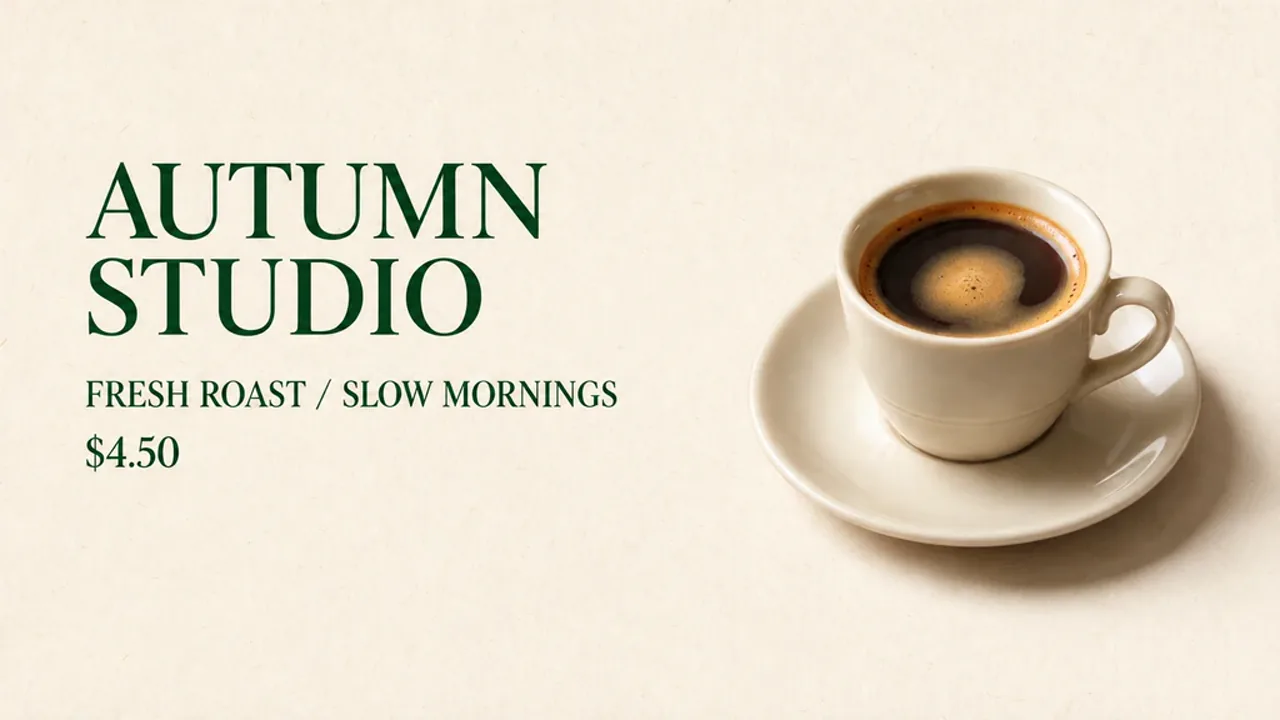
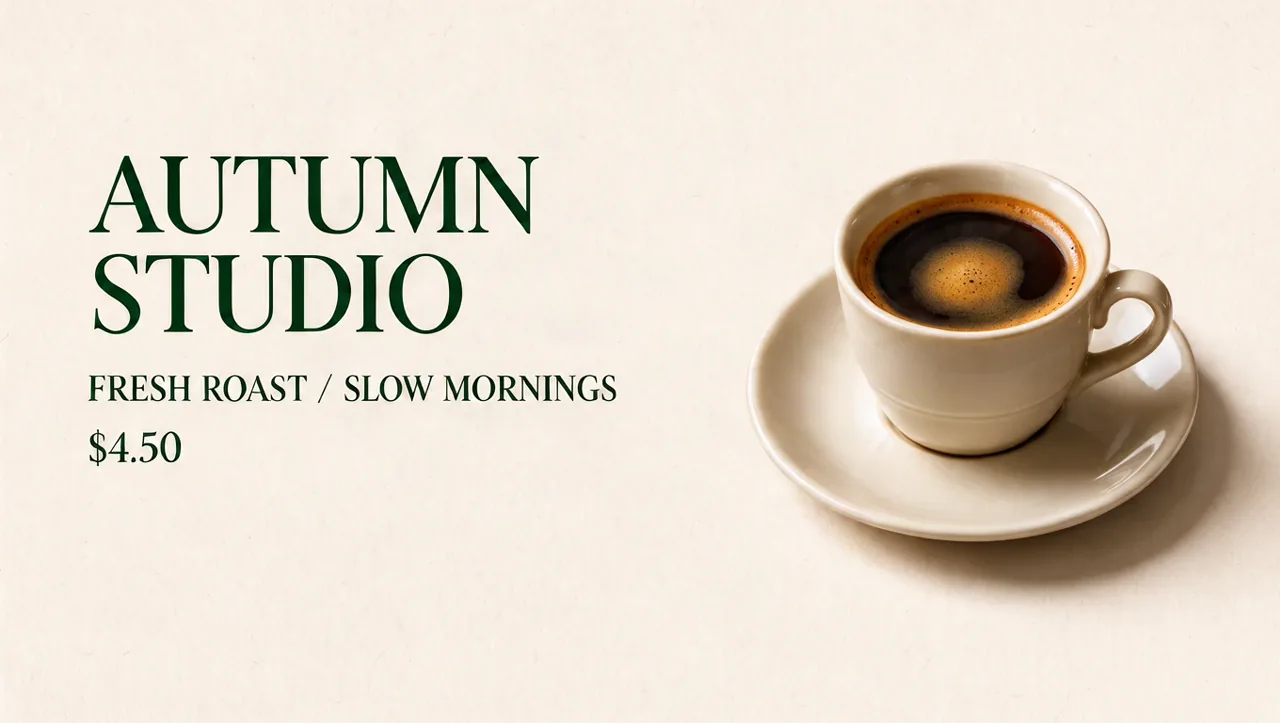
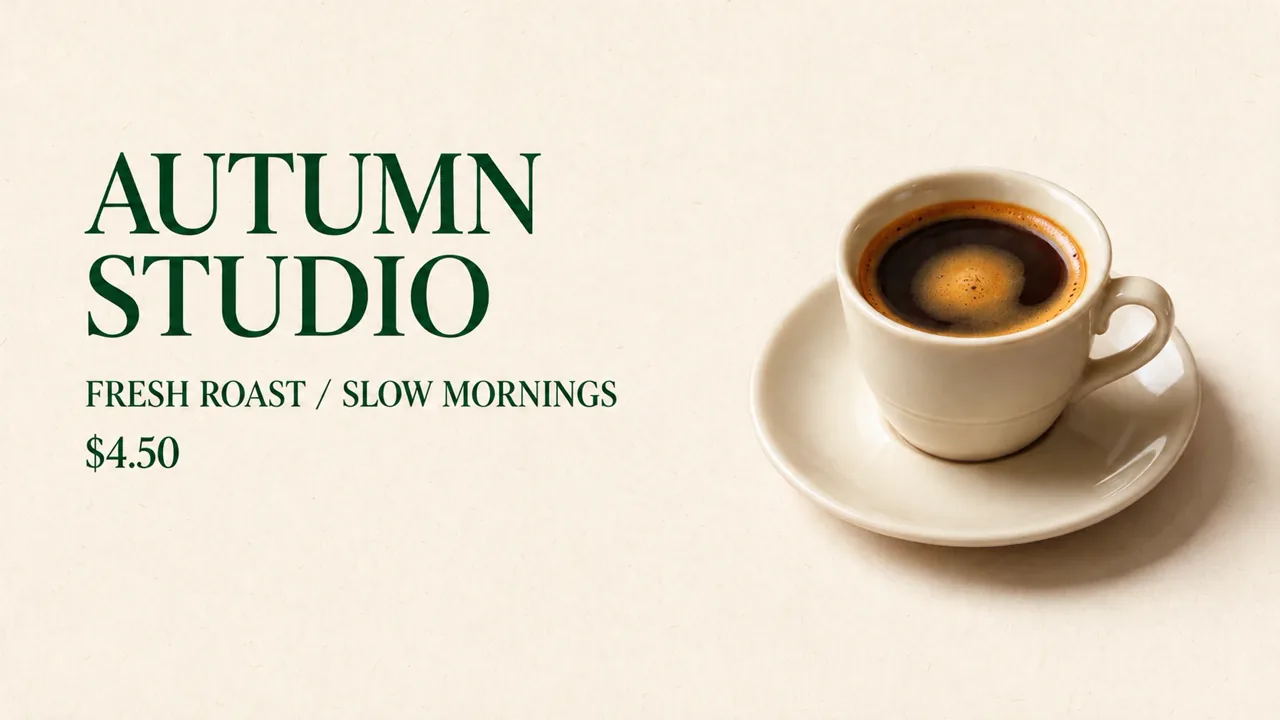
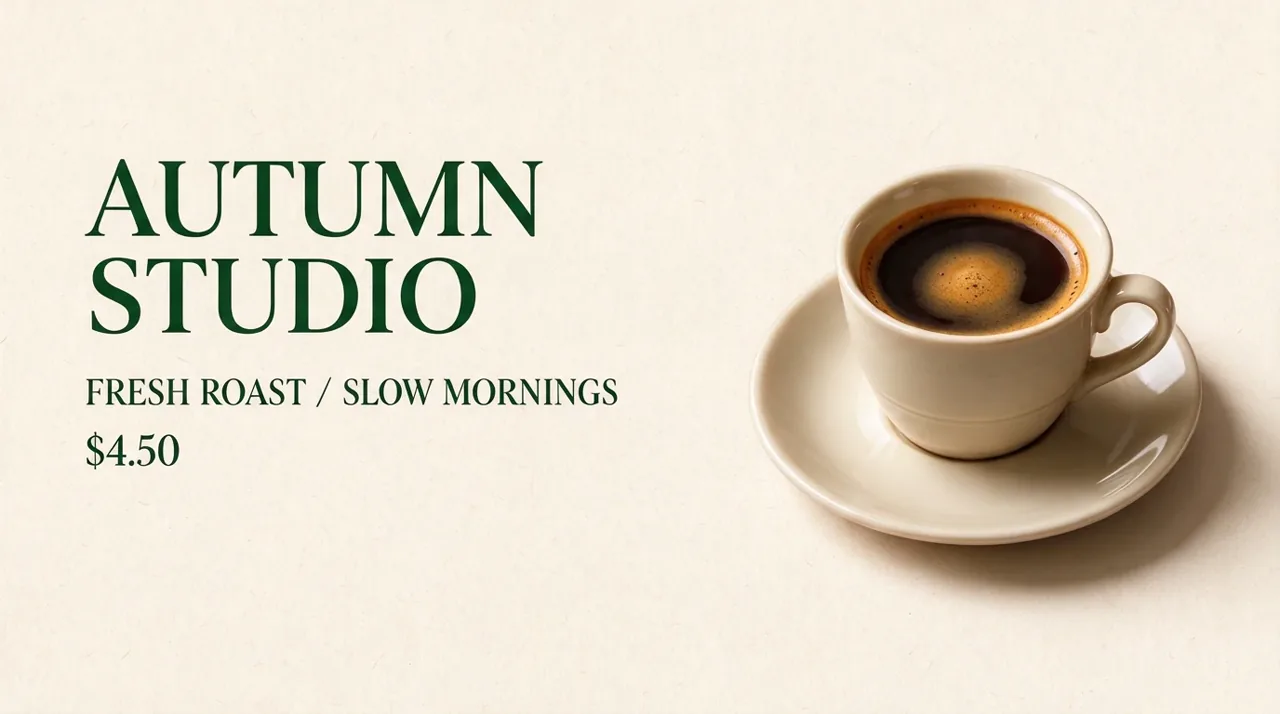
All six formal outputs spelled AUTUMN STUDIO correctly and retained the recognizable subheading and $4.50 price. Krea’s first attempt, however, put the headline on one line. Its second used two lines; both GPT and both Nano Banana outputs also used two lines.
Krea 3 · attempt 1
GPT Image 2.5 · attempt 1
Nano Banana 2.1 · attempt 1
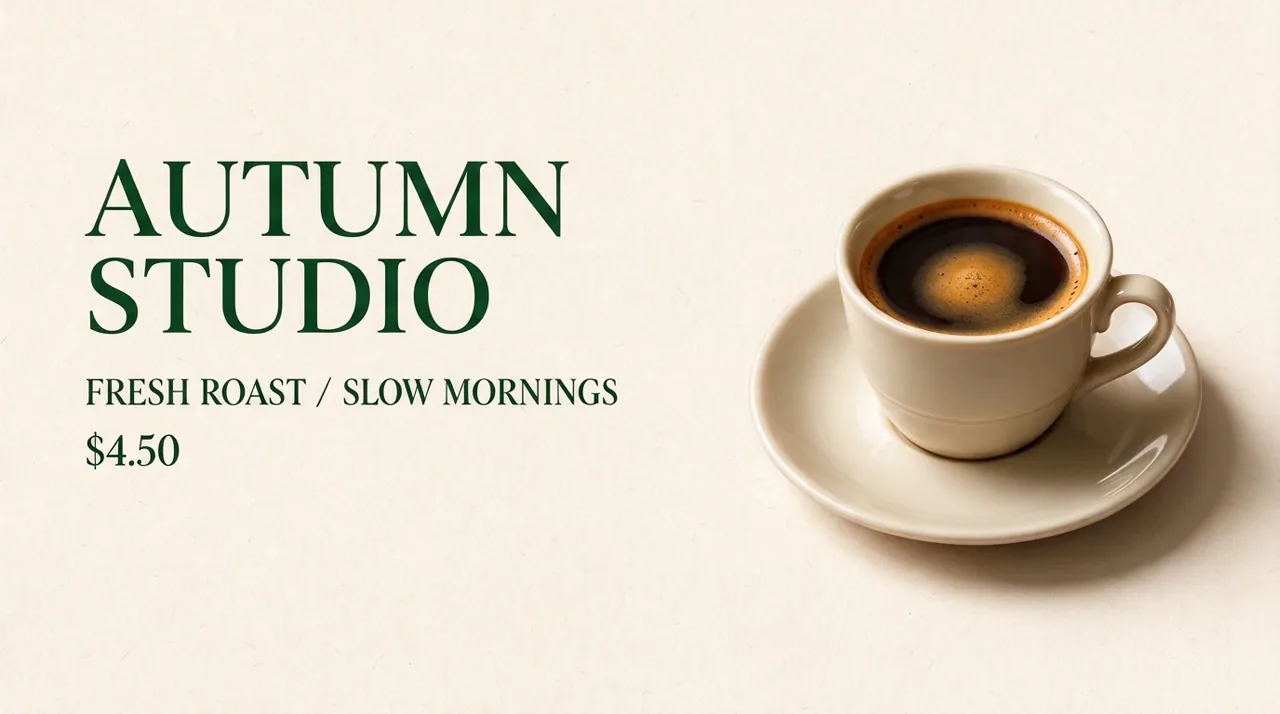
This is why spelling and layout need separate checks. A headline can be correct while its line breaks, width and spacing change enough to disrupt a campaign template. Even the two-line results do not prove exact font or geometry preservation. For locked brand typography, retain the editable design file and place final type there.
See the second headline attempt from every model
Krea 3 · attempt 2
GPT Image 2.5 · attempt 2
Nano Banana 2.1 · attempt 2
Exact shared prompt
Replace only the headline with "AUTUMN STUDIO". Keep the layout and all other text unchanged.
4. Two references: matching the scene is easier than freezing identity
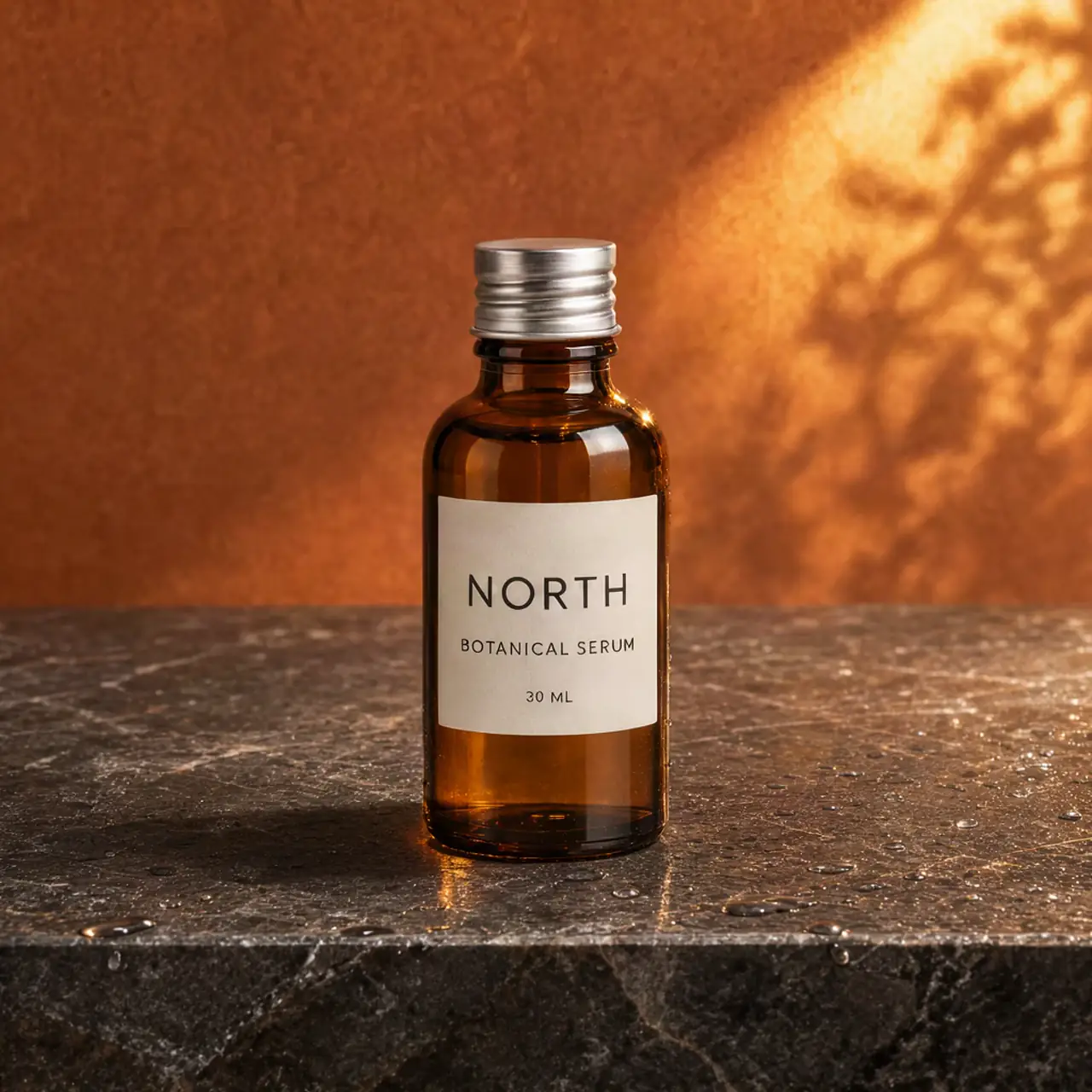
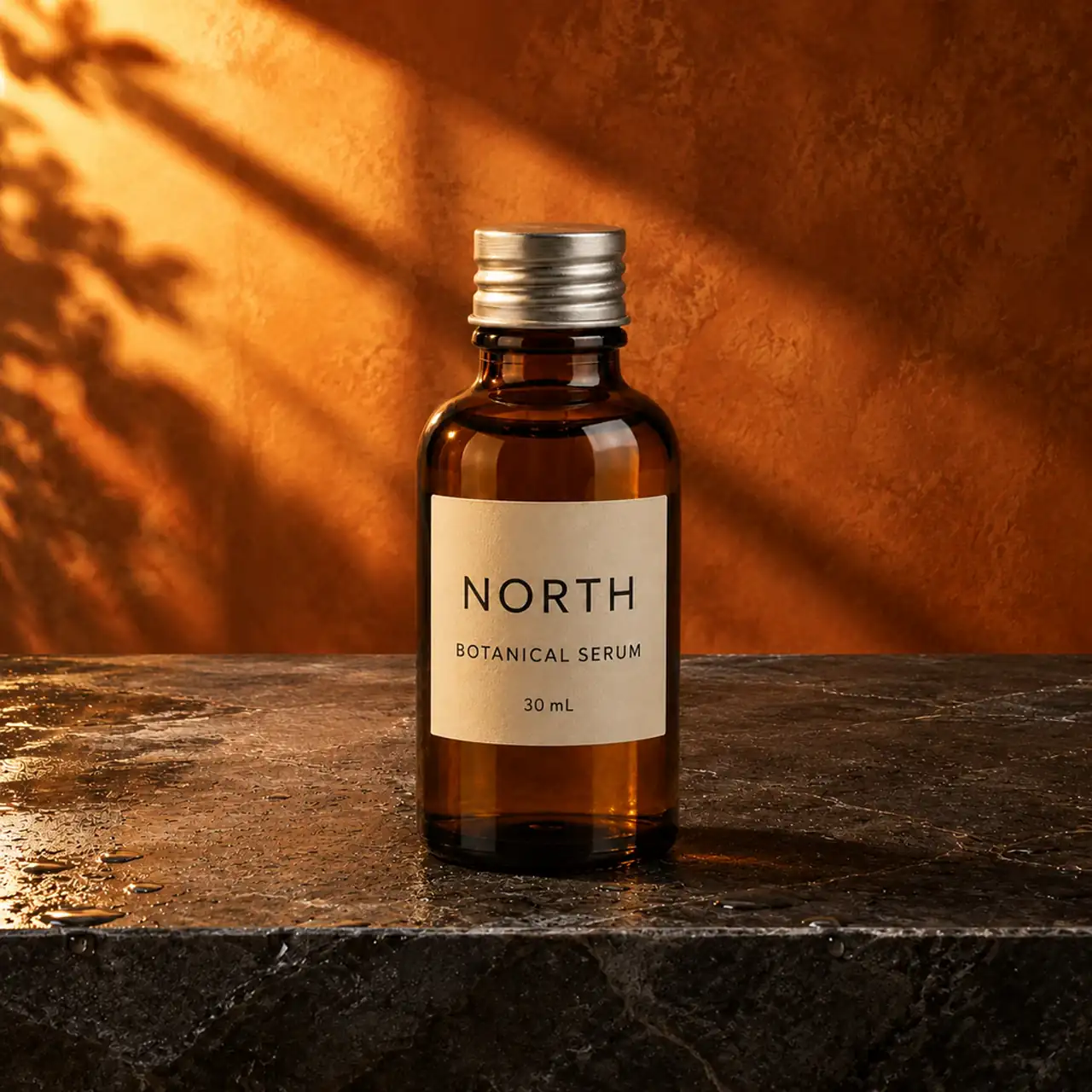
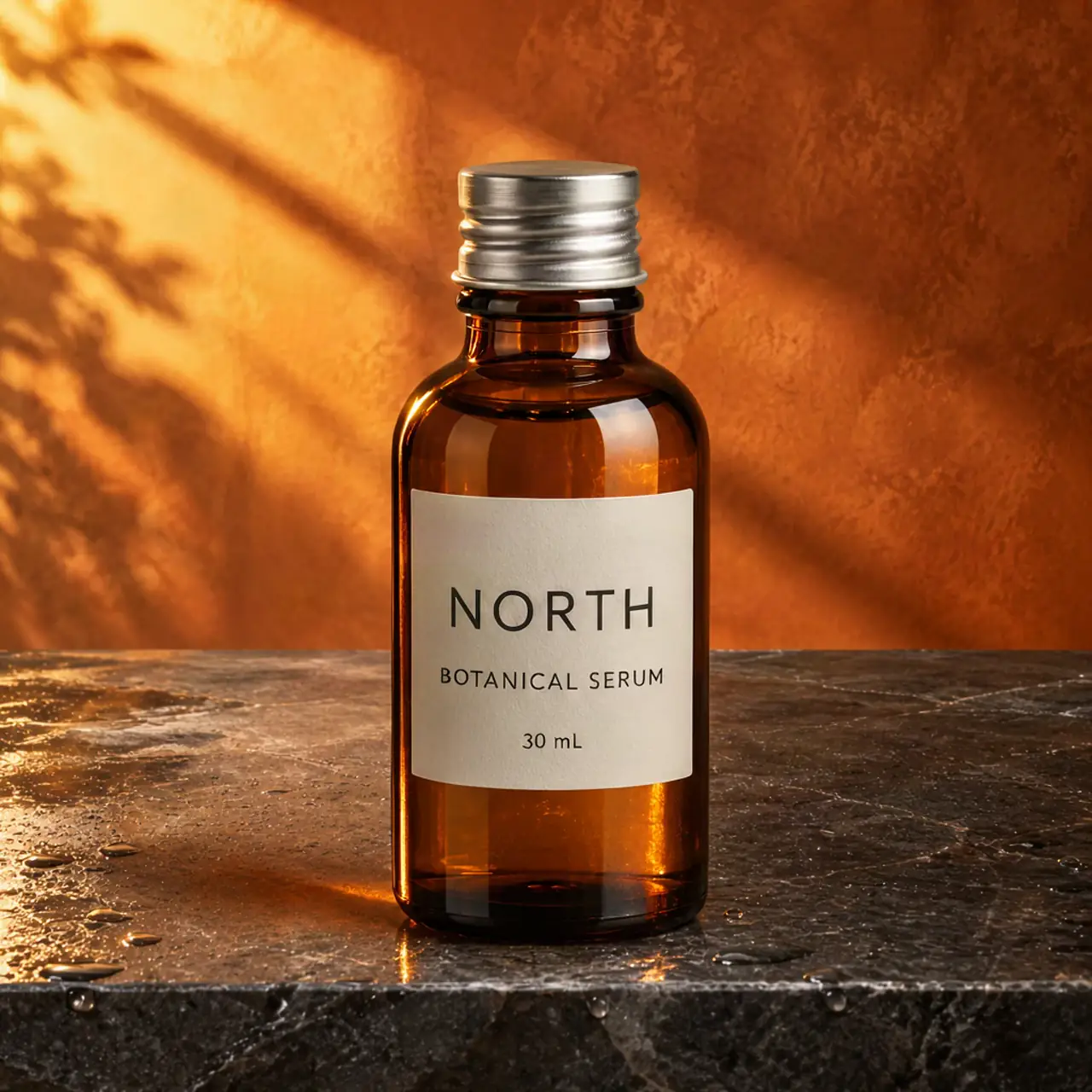
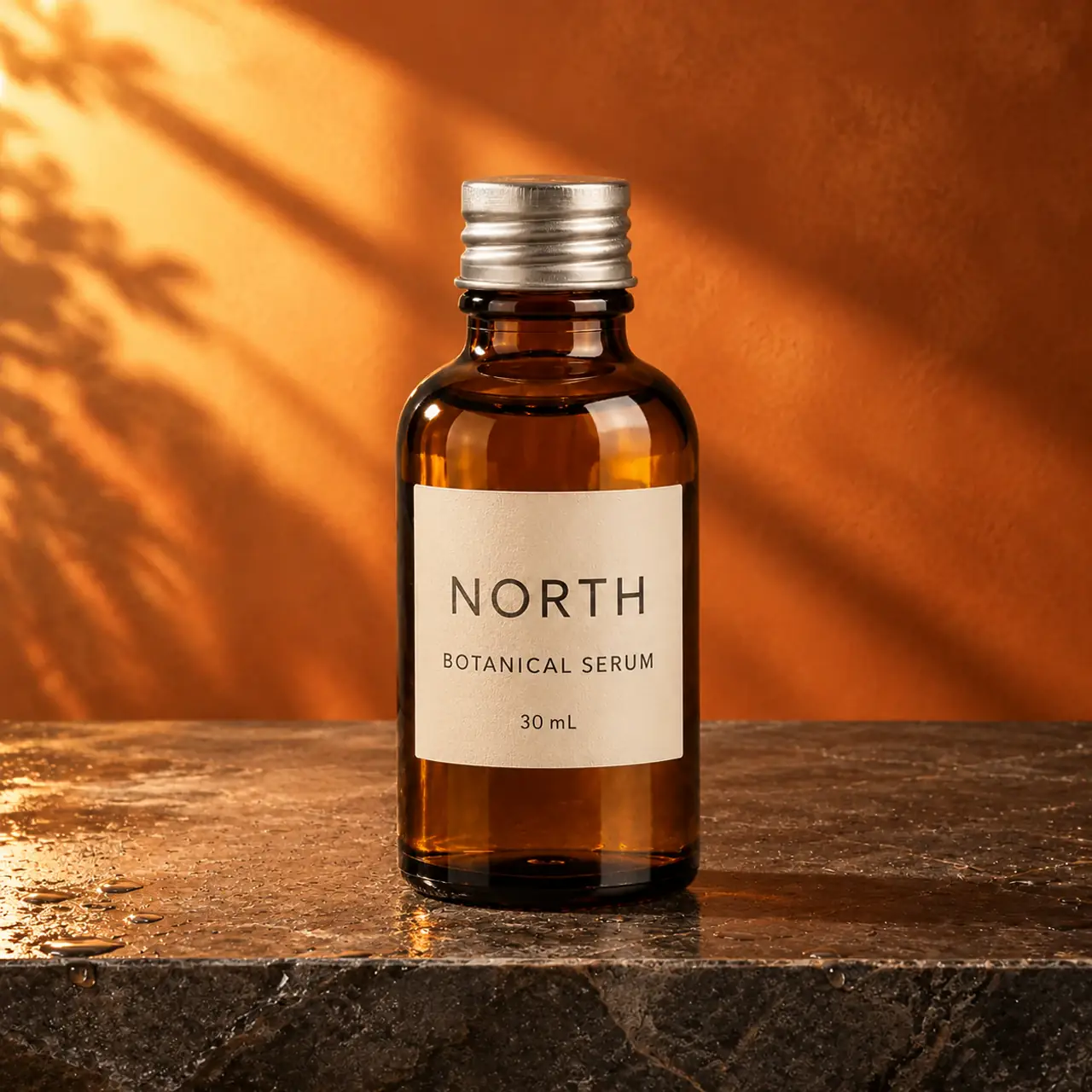
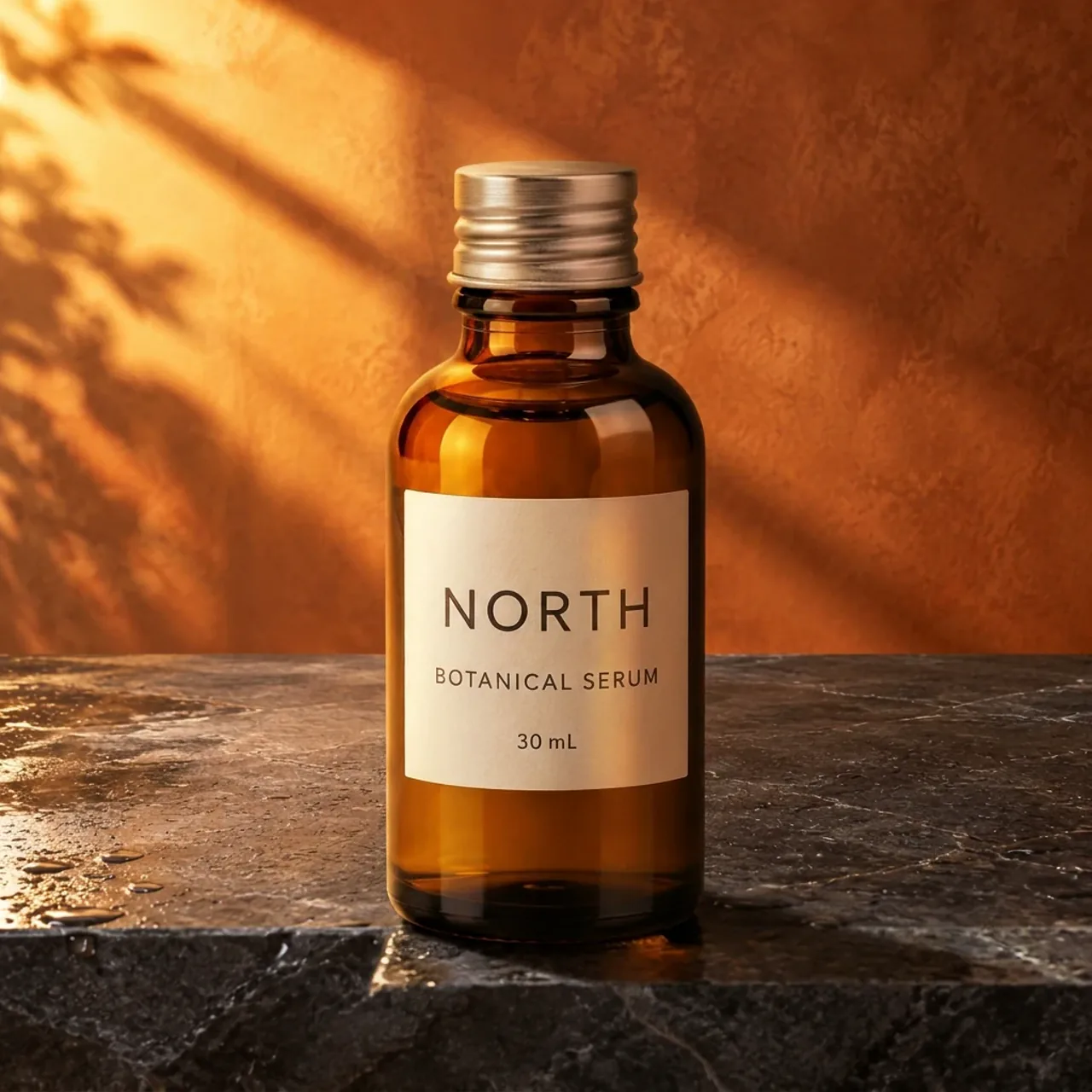
We supplied the bottle as image 1 and the wet terracotta-wall countertop as image 2. All six results visibly combined the intended subject and setting. Krea produced convincing light and contact shadows, but its first result changed the label’s small unit from 30 mL to 30 ML. That tiny capitalization change matters when the brief says to keep the label unchanged.
Krea 3 · attempt 1
GPT Image 2.5 · attempt 1
Nano Banana 2.1 · attempt 1
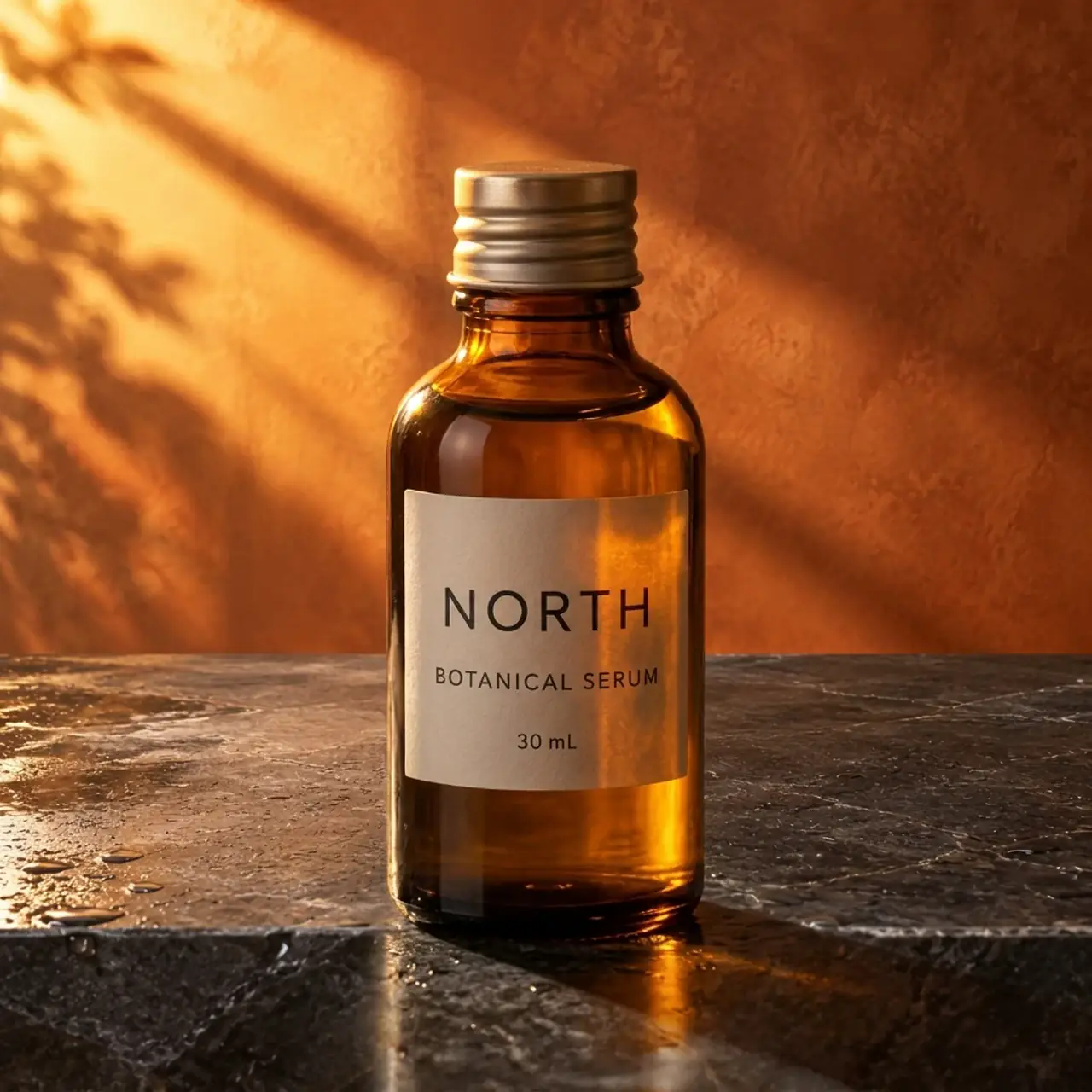
The outputs varied in bottle scale, cap appearance and composition. A synthetic serum bottle makes this easy to demonstrate, but a production image needs stricter checks: exact packaging, cap material, label case and punctuation, plus the product’s contact with the surface. Multi-reference support gives the model more evidence; it does not guarantee a fixed product identity.
See the second two-reference attempt from every model
Krea 3 · attempt 2
GPT Image 2.5 · attempt 2
Nano Banana 2.1 · attempt 2
Exact shared prompt
Place the bottle from image 1 on the countertop from image 2. Keep its label and proportions unchanged, and match the scene lighting.
Is Krea 3 open weight? Downloads, self-hosting and LoRA
Enterprise self-hosting is documented. A public Krea 3 download was not verified. The distinction matters. Krea’s official product FAQ describes enterprise deployment on your own GPUs in your own cloud, with licensing and hardware discussed with the company. That is useful for enterprise procurement, but it does not establish unrestricted public access to the weights.
As of October 23, 2026, we did not locate a verified public Krea 3 checkpoint and downloadable license in the official sources reviewed. Before downloading, confirm the publisher, exact Krea 3 checkpoint and applicable license.
"(《世界人权宣言》) Krea changelog does discuss open weights for Krea 2 Raw and Turbo. Those are different models. A Krea 2 download, a hosted Krea 3 API endpoint or an enterprise self-hosting option does not by itself establish a public Krea 3 ComfyUI workflow.
The current developer documentation also marks LoRA and style_urls support as 即将推出. Do not choose Krea 3 today on the assumption that an advertised future field already provides a working custom LoRA pipeline. For broader creative-workflow choices, our Krea AI alternatives article looks beyond this one model.
Krea 3 vs GPT Image 2.5 vs Nano Banana 2.1
The useful comparison is which detail each model changed when it was supposed to leave that detail alone. We would start with Krea for this particular body-only recolor, but we would not turn two attempts into a universal editing leaderboard.
| 任务 | Krea 3 | GPT Image 2.5 | Nano Banana 2.1 |
|---|---|---|---|
| Body-only recolor | One attempt kept ivory handle and dark logo; one colored the handle. | First kept ivory handle; both changed the logo to white. | Both colored handle and interior; one changed logo to white. |
| Headline replacement | Correct words in both; first became one line. | Correct words; two-line headline in both. | Correct words; two-line headline in both. |
| Scene / two references | Plausible lighting; one small-label case change. | Plausible scenes; framing and product presentation varied. | Plausible scenes; cap and product presentation varied. |
| Displayed single-reference quote | 200 学分 | 320 Credits | 200 学分 |
| Displayed two-reference quote | 300 Credits | 320 Credits | 200 学分 |
GPT’s stronger layout match here makes it worth checking for template-like edits; it still changed the mug logo. Nano Banana kept the short poster wording at the lower displayed quote, but its mug edits expanded beyond the requested body. Consult the ChatGPT Images 2.5 评测 和 Nano Banana 2.1 vs Pro comparison for different prompts and broader context; results from separate articles are not part of this 24-output matrix.
If none matches your brief, the ChatGPT 图片 2.5 种替代方案 guide provides other candidates. Choose the task you need to fix before paying for a different model; “better image quality” is too vague to diagnose a changed label.
What does Krea 3 really cost?
GlobalGPT credits: price the references as well as the model
During our session, Krea quoted 200 Credits for each single-reference edit and 300 for the two-reference composition. GPT quoted 320 for every task, and Nano Banana quoted 200. The table above reports the Generate-button quotes at the tested settings, not audited account charges or an exchange rate into dollars.
The 24 formal submissions totaled 5,960 Credits at those displayed quotes: 1,800 for Krea, 2,560 for GPT and 1,600 for Nano Banana. The excluded GPT pilot added a 320-credit quote; generating the three new references added 960. The pre-existing coffee poster was reused. These preparation costs are outside the formal matrix.
Retries can reverse a cheap-looking decision. At the observed quotes, two single-reference Krea attempts cost 400 Credits, more than one GPT attempt at 320. That is arithmetic, not evidence that GPT needs fewer retries. We did not define an acceptance threshold or measure a statistically reliable accepted-image rate.
Krea direct API: reference resolution changes the bill
Krea’s direct API pricing is a separate system: base output is $0.03 at 1K or $0.06 at 2K; each 1K reference adds $0.02, and each 2K reference adds $0.07. High adds $0.02; Ultra adds $0.20 and uses 2K. A headline “from $0.03” is therefore not the price of every edit.
| Example: 2K output + one 2K reference | 计算 | Direct API total |
|---|---|---|
| 快速 | $0.06 + $0.07 | $0.13 |
| 高 | $0.06 + $0.07 + $0.02 | $0.15 |
| 超 | $0.06 + $0.07 + $0.20 | $0.33 |
These examples use the documented direct-API rates checked October 23, 2026. They are not Krea consumer subscription prices, GlobalGPT credit conversions or promises about available platform controls. Krea app subscriptions, API usage and GlobalGPT subscriptions should be budgeted separately.
Where Krea 3 still falls short
The main observed weakness is preservation variance: the same source and prompt can leave the handle alone on one attempt and recolor it on another. Small label case and headline line breaks are also easy to miss when the overall image is attractive. Our four tasks establish those examples, not a general failure rate.
There are also boundaries we did not test: iterative edits, real customer product photographs, dense multilingual typography, eight-reference tasks, regional editing and Ultra. We did not test commercial licensing terms for these synthetic outputs. Before a paid campaign, review the relevant provider and platform terms; our guide to 人工智能图像的商业用途 explains the questions to ask without treating visual quality as legal clearance.
How to Try Krea 3 on GlobalGPT
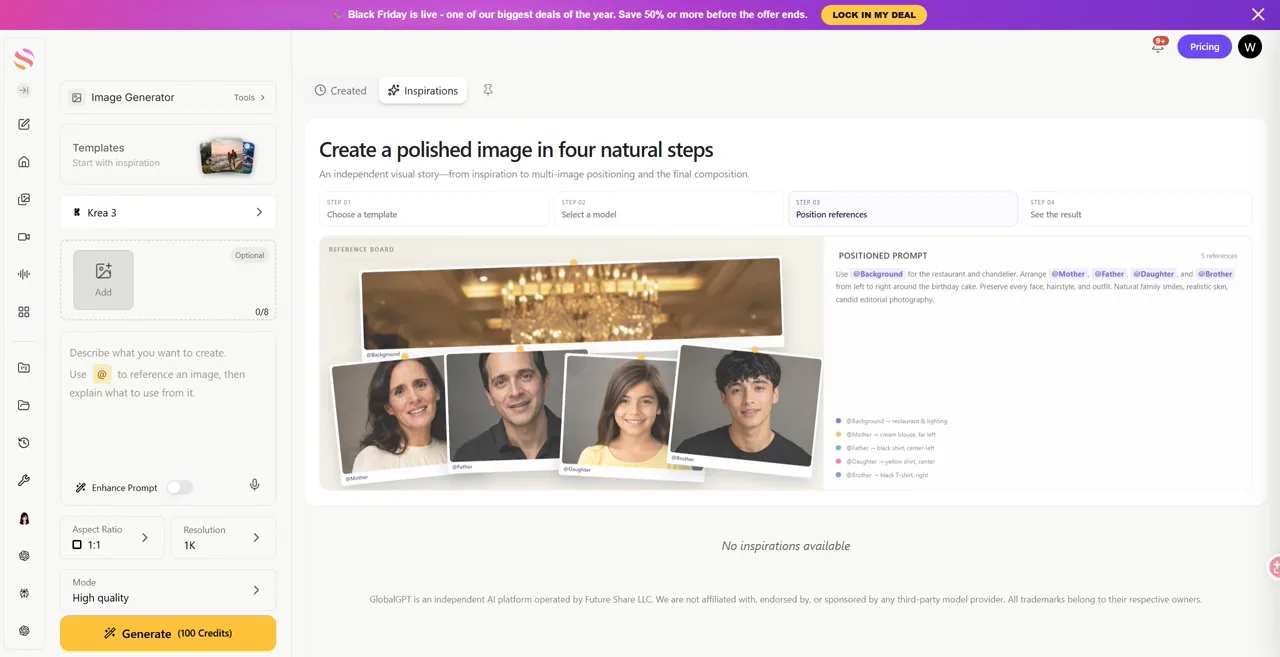
Start with the model page in GlobalGPT and confirm the selected model is Krea 3. The all-in-one subscription is useful if the same project also needs research, copy, image work or video; you can keep those stages in one account instead of maintaining separate provider logins.
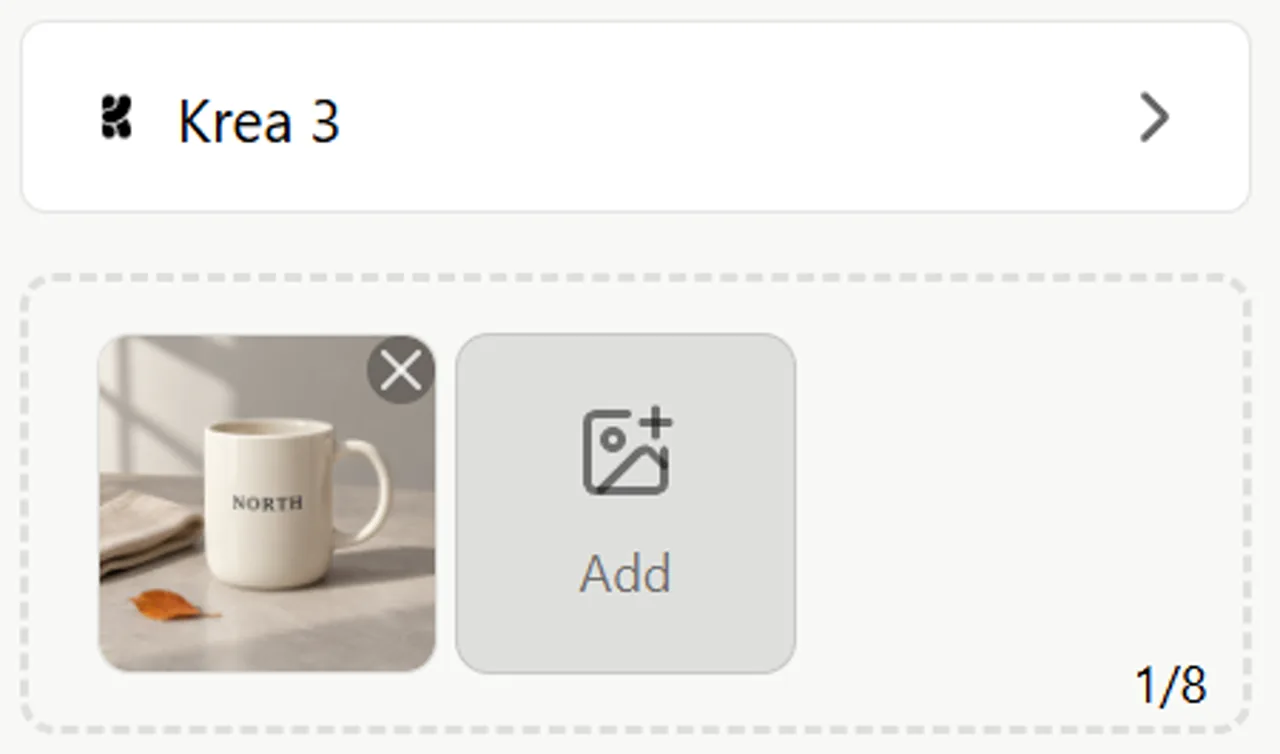
- Add the reference image. For a two-image composition, confirm the bottle is image 1 and the scene is image 2.
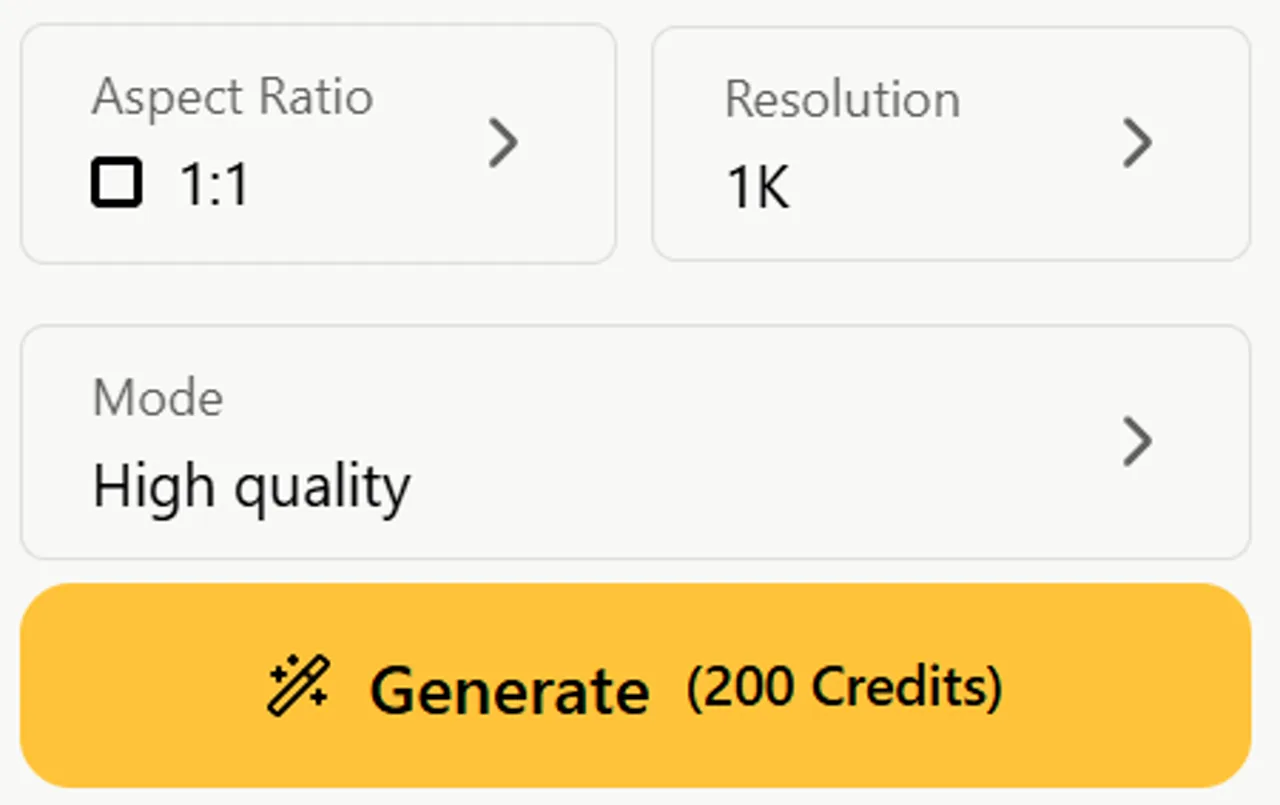
- Recheck aspect ratio, resolution and mode after switching models. In our session, reference selections and ratio could reset.
- Write the requested change and separately list what must stay: logo color, cap, label text, proportions and background.
- Read the displayed credit quote, generate, then compare the whole output with the original at a useful viewing size.
- If a detail fails, tighten that requirement or try a second model. Treat the next generation as another result that needs review.
Step 1 · Add a reference
Step 2 · Write the edit
Step 3 · Check settings
View the full Krea 3 workspace
For the wider workflow, see the GlobalGPT 图片编辑指南. If you want to reproduce the alternative-model side, follow how to use Nano Banana 2.1 and keep the same source files rather than approximating the scene from memory.
Who should use Krea 3?
Product-content creators: try it when the job is a restrained color change or a believable setting around an existing subject. Keep the reference beside the result and review the label, handle, cap and silhouette before approval.
Designers with locked layouts: use it for visual drafts, then verify line breaks and spacing. Our poster test shows that correct wording can coexist with a changed layout. Final brand type is often easier to control in the original design tool.
Local-deployment buyers: ask Krea about the documented enterprise option, or wait for a verifiable public Krea 3 checkpoint and license. A Krea 2 download is a different decision. For everyone else, a small test on your actual image is more useful than a broad model score.
常见问题
Is Krea 3 open source or open weight?
Enterprise self-hosting is documented. As of October 23, 2026, we did not verify a public Krea 3 checkpoint and downloadable license in the official sources reviewed. That is not proof that no release exists anywhere.
Can I download Krea 3 for ComfyUI?
We did not verify an official public Krea 3 download or supported local ComfyUI workflow. Krea 2 Raw/Turbo weights and enterprise Krea 3 self-hosting are different offerings.
Does Krea 3 support text-to-image generation?
Yes. The current Krea developer overview documents both text-to-image generation and image editing. Our hands-on comparison tested reference-image editing, not text-to-image quality.
Can I train or use a Krea 3 LoRA?
The developer overview marked LoRA and style_urls support as coming soon when checked on October 23, 2026. Do not treat those documented future fields as a verified working Krea 3 LoRA workflow.
Does Krea 3 produce native 4K images?
The current API overview documents native 1K and 2K output. Width or height inputs up to 4096 round to supported canvases; that field alone does not establish native 4K output.
Is Krea 3 better than GPT Image 2.5 or Nano Banana 2.1?
There was no universal winner in our 24 edits. Krea had a strong body-only recolor, while all three models preserved the requested short poster wording. Preservation errors and layout changes still needed review.
How much does a Krea 3 edit with a reference cost?
At the direct API rates checked October 23, a 2K output with one 2K reference totals $0.13 Fast, $0.15 High or $0.33 Ultra. GlobalGPT credits are separate; our tested Krea single-reference edits quoted 200 Credits.
Can I use Krea 3 on GlobalGPT?
Yes. We ran Krea 3 reference-image edits in GlobalGPT using its High quality setting. Fast was also visible. We did not verify an Ultra option or an exact mapping between those platform labels and direct API modes.
最终判决
Krea 3 earned a place in our product-editing shortlist because of specific outputs: the second mug recolor, believable lighting and usable reference-based scenes. The failures are equally concrete: a blue handle, a one-line headline and a changed label unit. Try it for the edit you actually need, and approve the details rather than the first impression.