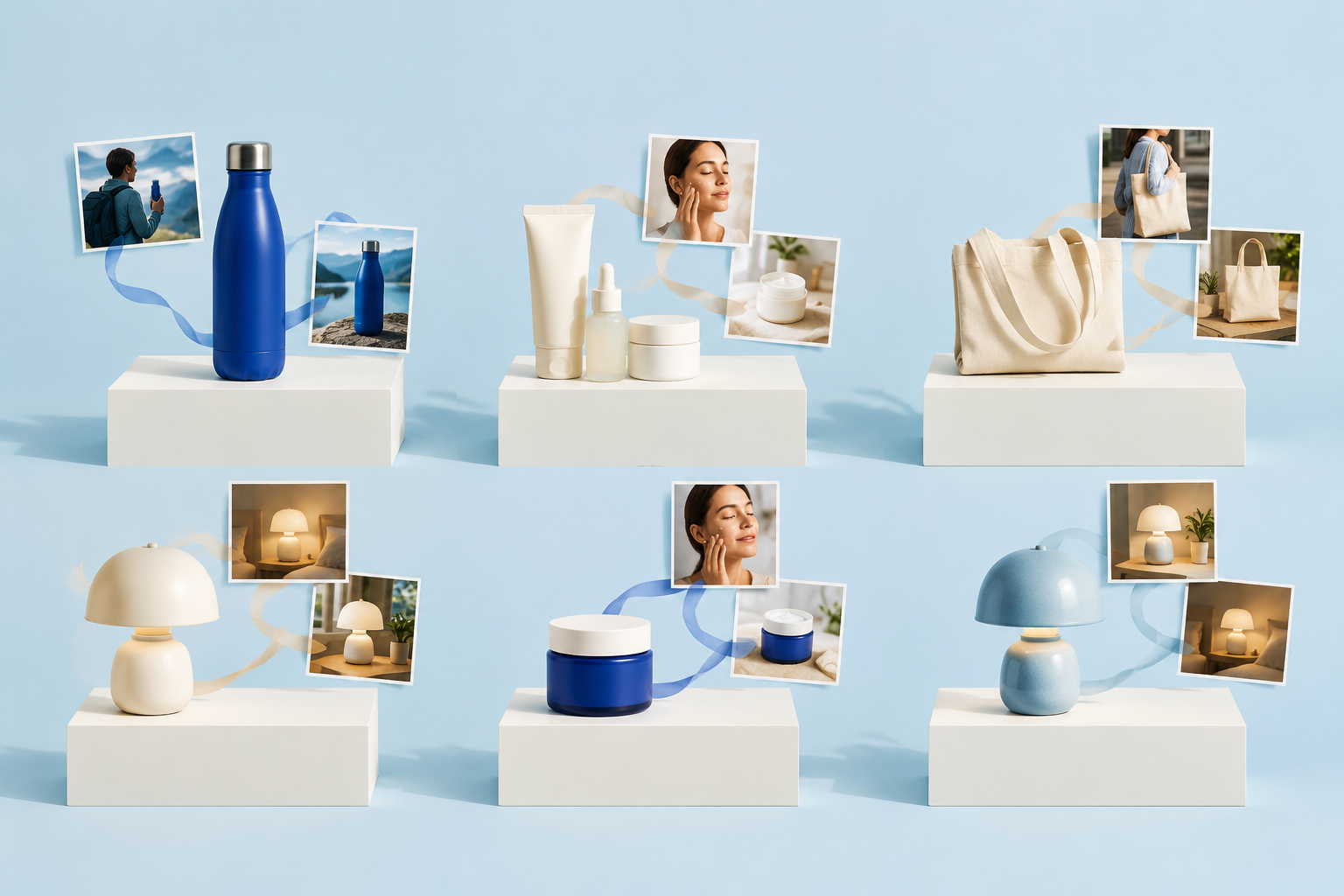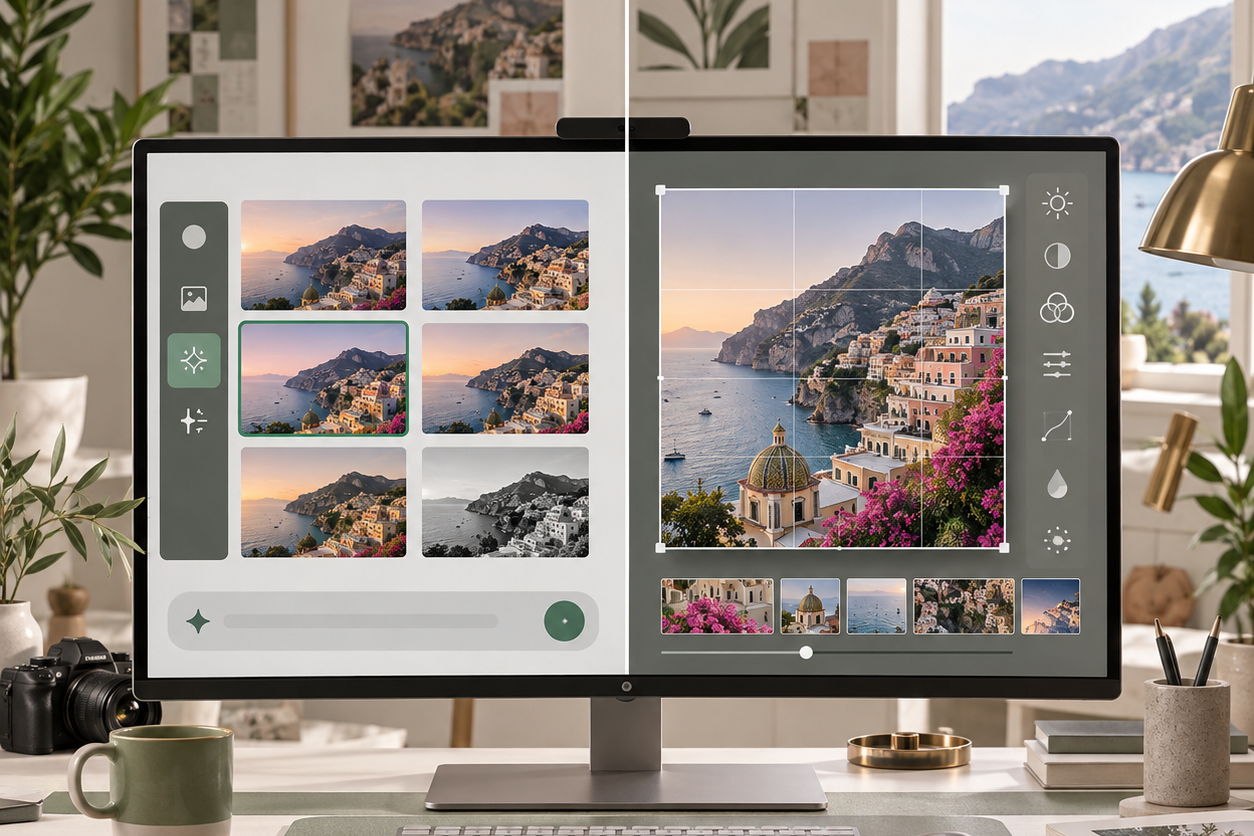
ChatGPT Images 2.5 is more than a routine image-quality update. OpenAI has paired a new ChatGPT creation experience with two API models: the speed-focused GPT-Image-2.5 Flare and the precision-focused GPT-Image-2.5 Sunburst. It also adds Sketch, templates, comment-based editing, prompt sharing, and more control over iterative image work.
Quick Answer
ChatGPT Images 2.5 combines a redesigned ChatGPT image workflow with two developer models. In our Broly-route tests, a dense poster brief passed its core checks and transparent output contained a real alpha channel.
However, localized and multi-turn edits repeatedly changed the bottle, crop, lighting, and background. Use it for strong target-level instruction following, but do not assume untouched regions will remain locked.

Table of Contents
- What Is ChatGPT Images 2.5?
- What Changed in ChatGPT
- Flare vs Sunburst
- Image Quality and Editing
- Speed
- API Pricing
- Safety and Provenance
- Alternatives
- Who Should Use It?
- FAQ
What Is ChatGPT Images 2.5?
ChatGPT Images 2.5 is the image-generation and editing update OpenAI announced on September 8, 2026. It is available through the ChatGPT experience, while developers get two related API models named GPT-Image-2.5 Flare and GPT-Image-2.5 Sunburst.
That product-versus-model distinction matters because the ChatGPT interface and the API expose different controls and workflows.
OpenAI says people create more than 3 billion images per week across ChatGPT Images and its GPT-Image API models. The company also claims up to 50% lower generation latency than Images 2.0, alongside improvements to reference fidelity, targeted editing, multi-turn consistency, lighting, texture, layouts, and transparent backgrounds.
These are official launch claims, not independent benchmark results.
If you need a broader explanation of the product family, the guide to the best ChatGPT model for image generation helps separate ChatGPT product features from individual model names. The simpler ChatGPT image-generation guide covers the basic creation workflow.
What Changed in ChatGPT?
The upgrade moves more of the path from rough idea to reusable asset into one conversational workspace.
The most visible improvements are not hidden in an API parameter. They sit directly in the ChatGPT image workflow and are meant to reduce the amount of prompt rewriting required between an idea and a usable asset.
Sketch
Sketch lets you draw a rough composition directly in ChatGPT and use it as a visual reference. That can be more efficient than describing spatial relationships in a long prompt, especially when the position of a subject, title area, or background element matters more than artistic detail.
The real value will depend on how faithfully Images 2.5 follows a rough layout without treating every line as literal content. A useful test should compare the sketch, the requested hierarchy, and the final composition rather than judging only whether the output looks polished.
Templates
Templates provide structured starting points for common formats such as product photos and flyers. They can help occasional users avoid blank-page prompting, but experienced creators will care about whether the template exposes enough control over text, layout, aspect ratio, and reference preservation.
Comment-Based Editing
Images 2.5 allows users to place comments on an image and request a focused change. This is one of the update’s most practical ideas because it turns editing into a location-aware conversation.
It should reduce ambiguity when a prompt such as “change the label” could otherwise affect the bottle, background, lighting, or typography.
Comment placement does not by itself prove that unchanged regions remain identical. The important measurement is whether the requested region changes successfully while the rest of the image stays stable.
The existing guide to how ChatGPT edits images explains the broader editing workflow.
Remove BG, Resize, and Version History
The updated editor also brings common finishing actions closer to the generated image. Remove BG and Resize can save a trip to another tool when the output only needs basic adaptation.
Version history matters during multi-step editing because users need a reliable way to return to a stronger earlier result when a later instruction introduces drift.
For workflows built around format changes, see how to resize images with ChatGPT. The key question for Images 2.5 is whether these controls produce production-ready files or simply faster drafts.
GPT-Image-2.5 Flare vs Sunburst
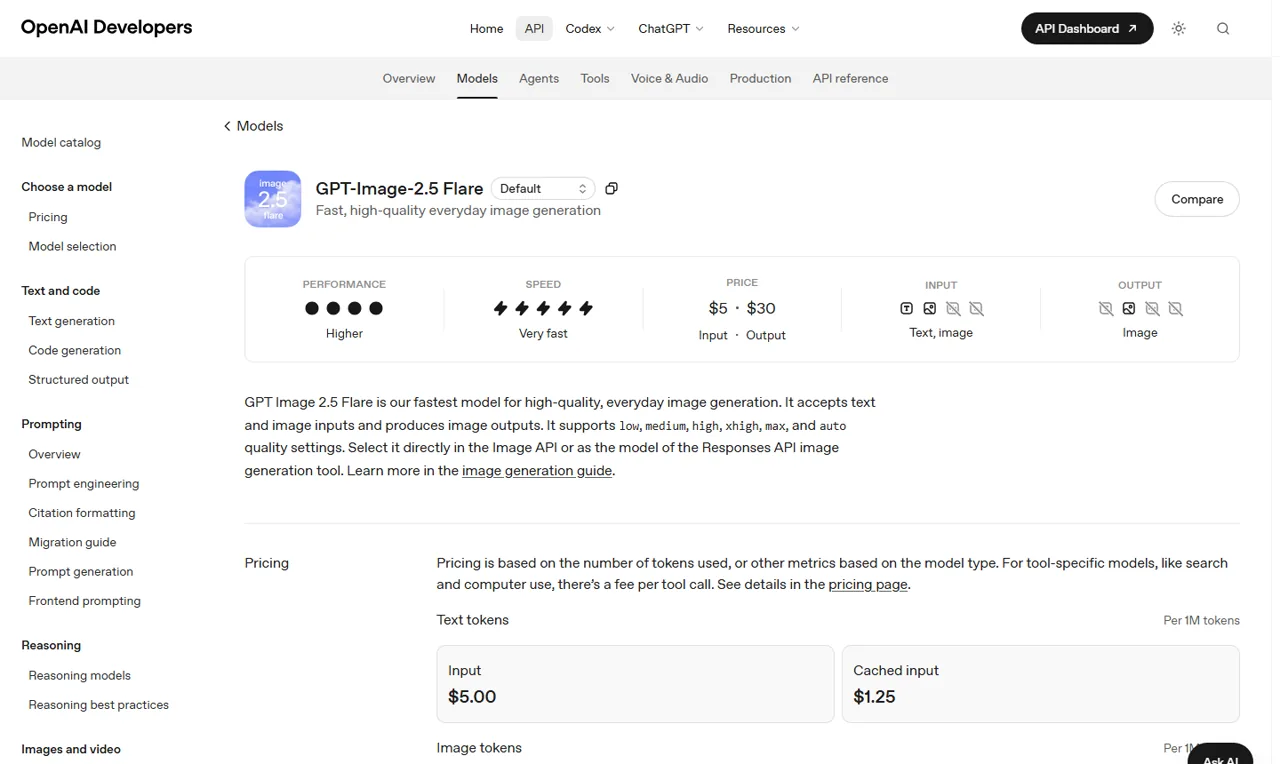
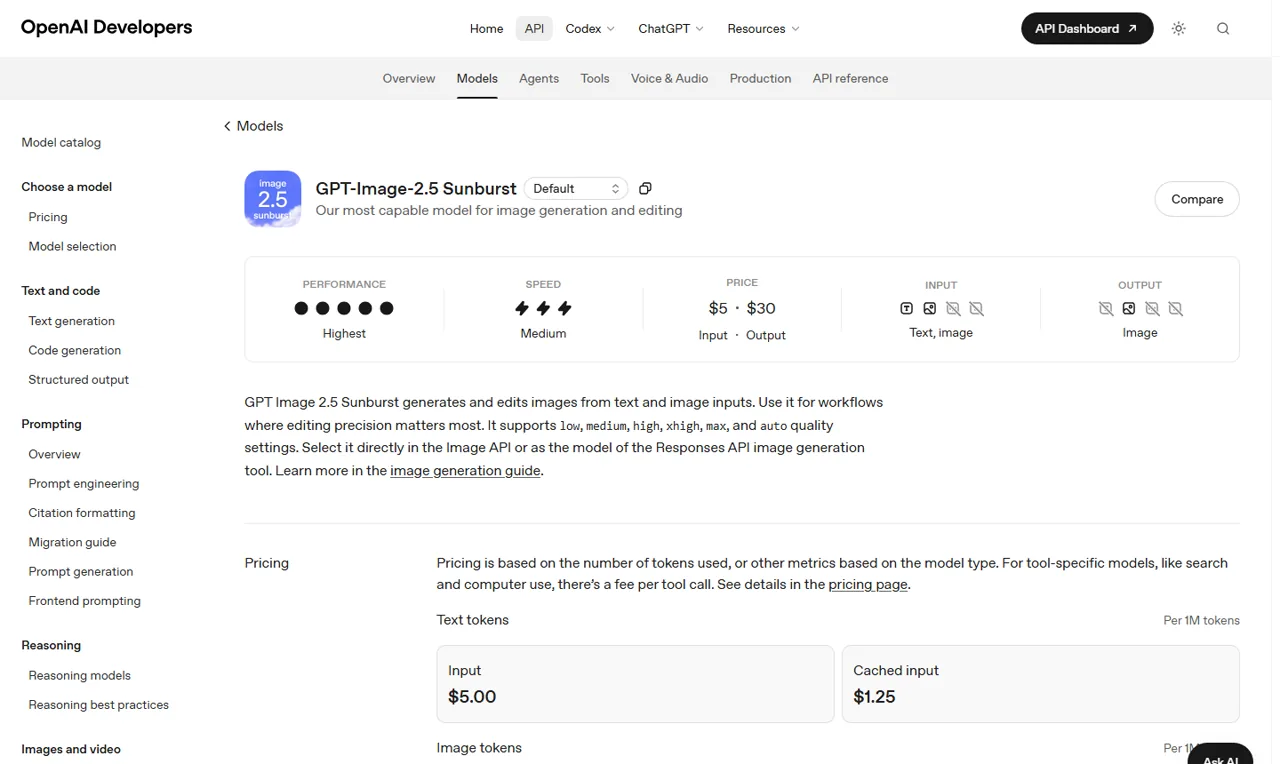
OpenAI describes Flare as its fastest model for high-quality everyday image generation. Sunburst is presented as the most capable option for generation and editing, particularly when editing precision matters.
Both accept text and image inputs and produce image outputs.
| Decision point | GPT-Image-2.5 Flare | GPT-Image-2.5 Sunburst |
|---|---|---|
| Official positioning | Fast, high-quality everyday generation | Highest image performance and editing precision |
| Official speed label | Very fast | Medium |
| Official performance label | Higher | Highest |
| Inputs | Text and image | Text and image |
| Output | Image | Image |
| Quality settings | low, medium, high, xhigh, max, auto | low, medium, high, xhigh, max, auto |
| Best starting fit | Ideation, drafts, repeated everyday generation | Detailed creative work and controlled editing |
The pricing fields on OpenAI’s model pages are the same for both variants, so it would be inaccurate to call Flare the cheaper model based on published token rates alone. The practical cost per completed task can still differ if one model uses more output tokens, needs more retries, or takes longer to reach an acceptable result.
That requires real usage records.
Our generation test used a dense 16:9 product-poster brief with three exact text lines, one can, one blue diagonal band, and strict negative-space requirements. The returned image spelled NORTHLINE, COLD BREW, and ZERO SUGAR correctly, added no extra words, showed exactly one can and one blue band, and preserved usable space on the left.
It completed in 38.16 seconds and returned 264 total tokens, including 171 image-output tokens.
This was a Broly gpt-image-2.5 route result, not a matched Flare/Sunburst test. The gateway returned neither an upstream model ID nor a request ID, so attributing the output to either named API variant would be misleading.
Boundary: the gateway accepted gpt-image-2.5 but returned no upstream model or request ID. Results cannot be assigned to Flare or Sunburst.
Image Quality and Editing
Add one small rectangular cream label to the center of the blue bottle.
The label must contain exactly two lines: "NORTHLINE" and "EAU 25".
Preserve the bottle shape, blue glass color, silver cap, reflections, shadows, white pedestal, camera angle, crop, lighting, and background.
Change nothing outside the new label area.
OpenAI’s launch materials emphasize more natural lighting, richer textures, better subject recognition, stronger reference fidelity, and more reliable instruction following. Those improvements address common weaknesses in conversational image generation: faces and products drifting away from the reference, requested text changing between edits, and a localized instruction unexpectedly rebuilding the scene.
Reference fidelity should be evaluated in parts. Subject identity, silhouette, pose, camera angle, material, reflections, text, background, and crop can fail independently.
A polished image can still be a poor edit if it changes five details the user asked to preserve.
Our editing test started with a landscape product photo of a blue glass bottle and requested one cream label containing the exact lines NORTHLINE and EAU 25. The target edit succeeded, but locality failed: the route changed the image to a square, enlarged and regenerated the bottle, and altered the crop, reflections, pedestal, background, and shadows.
The three-turn sequence showed the same pattern. It correctly changed the label to pale gold, added a green leaf, and brightened the background in sequence.
Every turn also changed unrelated details such as label proportions, typography, bottle scale, crop, reflections, and pedestal framing. Target-level instruction following was strong; unchanged-region preservation was not.
For better baseline prompts, use a repeatable method to improve AI image-generation accuracy before blaming every miss on the model.
These results do not contradict OpenAI’s claim that editing has improved, but they do show that “focused edit” is not the same as pixel-locked preservation on the tested route. Production teams should keep source files, compare every revision, and expect rollback or compositing work when surrounding details matter.
Speed and Latency
OpenAI says Images 2.5 can reduce generation latency by up to 50% compared with Images 2.0. The phrase “up to” describes the best observed reduction under OpenAI’s conditions; it does not mean every prompt or model will finish in half the time.
A useful speed comparison needs identical prompts, dimensions, quality settings, and route conditions. We ran the same square red-teapot prompt three times at high quality on the available Broly route.
Wall times were 94.35, 28.81, and 29.19 seconds, giving a median of 29.19 seconds and a range of 28.81-94.35 seconds.
All three images followed the simple visual brief, but the first run was a major latency outlier. Identical requests also returned between 198 and 765 image-output tokens, and one response returned 1254×1254 pixels despite a requested 1024×1024 size.
The tested route therefore showed meaningful latency, usage, and output-size variability.
This does not verify OpenAI’s “up to 50% lower latency” claim and does not compare Flare with Sunburst. It is a route-specific observation because the gateway did not expose separate model IDs or return upstream identity metadata.
GPT-Image-2.5 API Pricing
OpenAI’s model pages list the same token rates for Flare and Sunburst. These are API token prices, not the price of a ChatGPT subscription and not a GlobalGPT platform price.
| Token category | Flare | Sunburst |
|---|---|---|
| Text input | $5.00 per 1M tokens | $5.00 per 1M tokens |
| Cached text input | $1.25 per 1M tokens | $1.25 per 1M tokens |
| Image input | $8.00 per 1M tokens | $8.00 per 1M tokens |
| Cached image input | $2.00 per 1M tokens | $2.00 per 1M tokens |
| Image output | $30.00 per 1M tokens | $30.00 per 1M tokens |
The published rate table does not tell you the exact cost of a finished poster, edit, or transparent asset. That depends on the request, output, settings, and number of attempts.
A credible cost example should come from the returned usage object for the actual task, not from an invented per-image conversion.
The dated API snapshots are gpt-image-2.5-flare-2026-09-08 and gpt-image-2.5-sunburst-2026-09-08. Developers who need stable behavior should evaluate whether a dated snapshot fits their deployment process better than a moving alias.
Safety, Provenance, and Limitations
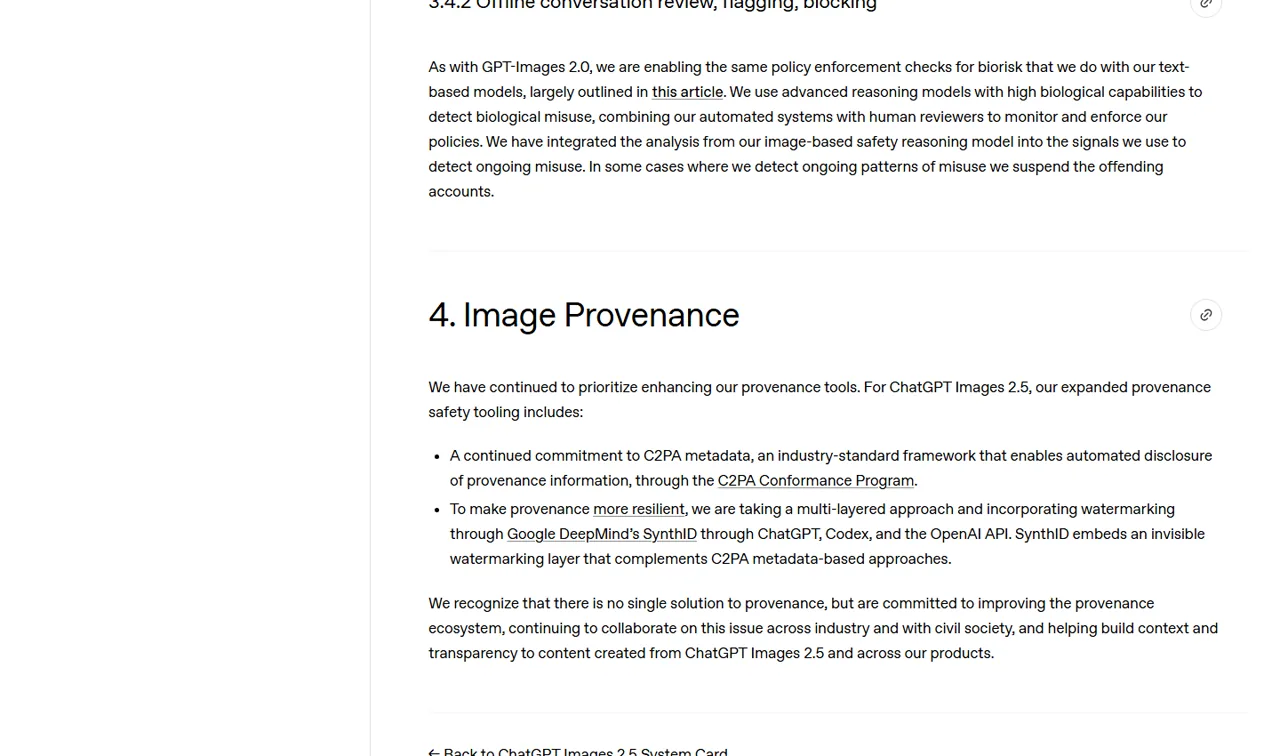
The ChatGPT Images 2.5 System Card describes a layered safety approach covering request filtering, output checks, evaluations, and provenance. It also states that automated policy labels can contain errors and that evaluation conclusions apply to the model and safeguard configuration that was tested.
That is a more useful boundary than a blanket claim that the model is simply “safe.”
OpenAI says it continues to use C2PA metadata and has added SynthID invisible watermarking across ChatGPT, Codex, and the OpenAI API. C2PA can provide machine-readable provenance information when metadata remains attached.
SynthID is designed to be invisible, so its presence cannot be confirmed by looking at an image.
Metadata can also be removed or altered by export and editing workflows. In our transparent-compass test, the downloaded PNG was RGBA, its alpha channel ranged from 0 to 255, and all four corner pixels were fully transparent.
Transparency was real, although visual inspection found a slight light fringe along parts of the object edge.
The five inspected gateway outputs did not contain a C2PA field in their PNG metadata. That only describes the files as downloaded from this route; it does not prove the upstream OpenAI model never creates C2PA metadata.
SynthID is invisible and could not be confirmed or rejected through ordinary pixel or metadata inspection.
Commercial use involves more than model capability. Teams should review the applicable terms, rights in uploaded references, brand permissions, likeness risks, and local law.
The guide to using ChatGPT images commercially covers those practical checks in more detail.
ChatGPT Images 2.5 vs Other Image Models
Images 2.5 competes on conversational creation and editing rather than a single benchmark number. Its strongest potential advantage is the path from prompt or sketch to focused comments, repeated revisions, and reusable prompts inside one conversation.
GPT Image 2 remains the relevant previous-model baseline where it is still available. A matched comparison can show whether Images 2.5 improves text accuracy, reference preservation, edit locality, and latency.
Until that comparison is run through inspectable routes, the previous model should be described as a baseline, not automatically inferior.
Nano Banana 2 is another important comparison for text-heavy and reference-led work. The Nano Banana 2 text-rendering test provides a useful separate data point.
For a broader product-image comparison, see Seedream 5.0 Pro vs GPT Image 2.
GlobalGPT’s verified image selector currently exposes GPT Image 2, not either GPT-Image-2.5 model. Until an exact 2.5 route appears and returns inspectable metadata, it should not be presented as a place to run Flare or Sunburst.
Who Should Use ChatGPT Images 2.5?
Everyday ChatGPT Creators
The new ChatGPT tools are most attractive when you want to sketch an idea, start from a template, make a focused comment, and resize or remove a background without moving between several apps. The upgrade is less decisive if you only generate one-off images and rarely edit them.
Marketing and Design Teams
Teams should focus on reference fidelity, correct text, repeatable brand treatment, and rollback. Sunburst is the logical model to evaluate first for precision work, but only a controlled edit set can establish whether its extra generation time saves enough correction work.
High-Volume Creators
Flare is the natural first choice for ideation, variants, thumbnails, and daily production drafts because OpenAI positions it for speed. The best workflow may use Flare for exploration and Sunburst for the final controlled edit, provided real task costs and handoff quality support that split.
API Developers
Developers need to compare more than output appearance. Model IDs, dated snapshots, request latency, usage fields, image-input forwarding, alpha-channel behavior, moderation responses, and retry rates all affect production reliability.
Pros and Cons
Potential Advantages
- A clearer product workflow built around Sketch, templates, comments, sharing, resizing, background removal, and version history.
- Two API choices with distinct speed and precision positioning.
- Text and image input support for both API variants.
- Official emphasis on reference fidelity, targeted editing, multi-turn consistency, and complex layouts.
- C2PA and SynthID provenance measures described in the System Card.
Important Limitations
- OpenAI’s launch claims are not substitutes for matched independent tests.
- Flare and Sunburst have the same published token rates, so cheaper task-level performance is not established.
- “Up to 50% lower latency” does not guarantee a 50% improvement for every request.
- Targeted editing does not mean untouched pixels are perfectly locked.
- ChatGPT product controls should not be confused with API parameters or model selectors.
- GPT-Image-2.5 availability on GlobalGPT has not been verified.
Frequently Asked Questions
Is ChatGPT Images 2.5 officially released?
Yes. OpenAI announced ChatGPT Images 2.5 on September 8, 2026. The release covers the ChatGPT image experience and two related API models named GPT-Image-2.5 Flare and GPT-Image-2.5 Sunburst. Product access and API access are separate routes.
What is the difference between GPT-Image-2.5 Flare and Sunburst?
OpenAI positions Flare as the very fast option for high-quality everyday image generation. Sunburst is positioned as the highest-performance option for image generation and editing where precision matters most. A final quality or value winner requires matched tests using identical prompts and settings.
Is ChatGPT Images 2.5 really 50% faster?
OpenAI says image-generation latency can be up to 50% lower than Images 2.0. That is an official best-case comparative claim, not a guarantee for every prompt. Independent evaluation should use repeated runs and report the median, range, route, dimensions, and quality settings.
Can ChatGPT Images 2.5 edit only one selected area?
OpenAI says Images 2.5 is better at focused edits while preserving surrounding content. Comment-based editing also helps users identify the intended region. However, that does not prove unchanged pixels remain identical. A controlled edit with outside-region drift measurement is still necessary.
Does ChatGPT Images 2.5 support transparent backgrounds?
OpenAI lists transparent backgrounds among the more complex layouts Images 2.5 can handle. The correct way to verify a result is to inspect the downloaded file for an alpha channel and edge contamination. A checkerboard shown inside an editor is not enough.
Does ChatGPT Images 2.5 use C2PA or SynthID?
The OpenAI System Card says the company continues to use C2PA metadata and adds SynthID invisible watermarking for Images 2.5 across ChatGPT, Codex, and the API. Exported metadata can change during later processing, and invisible SynthID cannot be confirmed by visual inspection alone.
How much does the GPT-Image-2.5 API cost?
Both Flare and Sunburst list text input at $5.00 per 1 million tokens, cached text input at $1.25, image input at $8.00, cached image input at $2.00, and image output at $30.00. Exact task cost depends on returned usage and retries.
Can I use GPT Image 2.5 on GlobalGPT?
Not through the signed-in GlobalGPT CLI at the time of testing. Its live image catalog exposed GPT Image 2 but rejected gpt-image-2.5 as unknown. A separate Broly test gateway exposed a generic 2.5 route, but it did not identify the upstream model as Flare or Sunburst. Do not select GPT Image 2 and describe its output as an Images 2.5 test.
Final Verdict
ChatGPT Images 2.5 is a useful but imperfect upgrade. Our tested route handled exact poster text and composition unusually well, produced genuine transparent PNG output, and completed two of three matched latency runs in about 29 seconds.
Those are practical strengths.
The weakness was edit locality. A simple label edit and every later revision rebuilt visible parts of the bottle, crop, lighting, and background.
Use the model when the requested result matters more than pixel-level preservation, but keep external compositing or rollback options for production assets.
Flare remains the official speed candidate and Sunburst the official precision candidate. Our gateway did not expose them separately, so this review does not declare a winner between those variants.
Official Sources
- Introducing ChatGPT Images 2.5 – release, product features, availability, and official performance claims; checked September 9, 2026.
- OpenAI image generation guide – API workflow and model selection; checked September 9, 2026.
- GPT-Image-2.5 Flare – model positioning, settings, modalities, and rates; checked September 9, 2026.
- GPT-Image-2.5 Sunburst – model positioning, settings, modalities, and rates; checked September 9, 2026.
- ChatGPT Images 2.5 System Card – safety evaluations, limitations, C2PA, and SynthID; checked September 9, 2026.