
To automate ecommerce catalog video with AI, start with a reliable SKU manifest, approved product images and a repeatable shot template. Generate each item as a tracked job, check the result against its reference, and publish only the versions that pass. The hard part is usually preserving product identity across variants—not making one attractive clip.
A catalog pipeline has several separate stages: product data, creative planning, media generation, quality control, and attachment to the correct product or ad. Automating the middle stage does not automatically connect the store or update a promotion when its price changes.
GlobalGPT can supply scripts, reference-image work and video models within that process. Yukie and Canvas can help organize the brief and review context. This guide uses a small fictional lamp catalog to make the method concrete; it does not claim that GlobalGPT has a native Shopify catalog sync or a one-click CSV video importer.
Define the catalog output before choosing the tool
A product-detail-page clip, a lifestyle concept and a performance ad need different checks. A detail-page clip has to represent the actual item closely. A concept can explore a mood if it is not presented as literal product footage. An ad needs both visual accuracy and a complete offer, destination and placement specification.
| Deliverable | 保持不变 | Allowed variation | Approval question |
|---|---|---|---|
| Product-detail video | SKU, color, shape, packaging and actual behavior | Gentle camera move and approved background | Would a buyer receive what this shows? |
| Lifestyle concept | Approved product reference and brand restrictions | Setting, lighting and framing | Is the environment plausible and the product unchanged? |
| Ad variation | Verified claim, price, dates and destination | Hook, pacing, format and CTA wording | Does the full ad match the landing page? |
Step 1: make a small, explicit source-of-truth file
Use one row per sellable variant, not one row for a whole product family with several possible colors. The variant identifier should travel with the reference image, prompt, generation task and output file. A model should not have to infer whether a forest-green lamp belongs to the sand SKU.
| 字段 | 示例 | Why it exists |
|---|---|---|
| sku | CEDAR-SAND | Stable mapping between input and output |
| 参考图片 | Approved sand-lamp image URL | Locks the correct visual starting point |
| verified_claims | Sand finish; visible cable | Limits what the script can assert |
| restricted_claims | No invented brightness, battery or health claim | Prevents plausible but unsupported sales copy |
| market / language | US / English | Controls units, wording and offer review |
| placement | 16:9 product page | Sets crop and final export target |
| offer / expires_at | Empty for evergreen concept | Avoids inventing or silently extending a promotion |
| 目的地 | Verified product URL | Prevents sending shoppers to the wrong item |
| version / approval | v01 / needs review | Keeps unapproved generations out of delivery |
An empty optional offer should mean “no offer,” not permission for a model to invent a discount. A missing image should stop that row before generation. A repeated SKU with different source data should raise a conflict for review. These are cheap input checks compared with discovering a wrong variant after a video has reached an ad account.
Step 2: build references that make errors easy to see
For a real store, start with product photographs you are allowed to use. Keep the defining parts visible: shade, stem, base, handle, connector, label or cable, depending on the item. A reference that hides the difficult detail makes the generation look safer than it is. Do not rely on a pretty hero shot as the only product specification.
Our Cedar demonstration uses two AI-generated reference products, one sand and one forest green. They are fictional visual samples, not photographs of stock for sale. Because the images were generated separately, they should not be interpreted as proof that an image model can change a real product’s color while preserving every dimension.


Step 3: apply a reusable shot template
The prompt deliberately makes the camera do less. A rotating product demands unseen geometry; a hand demonstration adds difficult contact; multiple cuts can reinvent the item. Begin with modest motion and expand only when the additional movement answers a real customer question.
Store the template separately from SKU data. The variable part should be the approved reference and a short explicit description of the variant. Keep the model and settings in the task record. If the template changes, give it a new version so a later rerun is traceable.
Step 4: queue generation without losing the item mapping
- Validate required fields and image access. Assign a stable job key from SKU, source version, placement and template version.
- Submit once and save the returned task identifier immediately. If the response is uncertain, check the saved task before sending another paid request.
- Poll the existing job until success or a recorded failure. Apply a bounded retry policy for a genuine service failure; do not endlessly regenerate an unsatisfactory concept.
- Download the result and record its file hash, duration, dimensions, source reference and status. A successful task is still “needs visual review.”
- Approve, revise or reject against the reference. Only approved rows enter the store-upload or ad-delivery stage.
Implement the queue with a supported API or CLI and a separate job runner. Keep the manifest as the link between catalog data and generation tasks. GlobalGPT’s media generation and the store integration are separate parts of this design; confirm the endpoint, supported image input, limits and billing before scaling beyond a small pilot.
Our two-SKU pilot: inspect the first results
The frozen test requested one five-second, 720p, 16:9 video for each reference using Seedance 2.0 Fast in GlobalGPT. We retained the first successful result rather than selecting only attractive takes. The key checks were product silhouette, finish, cable continuity, unwanted text and whether the ending still matched the beginning.
The opening retains the recognizable shade, stem, base and cable. Later, the camera pushes in much farther than requested: the base starts clipping around three seconds and the base and cable leave the final frame. New plant-like wall shadows also appear. This result fails the full-product framing requirement; the final concept uses only its first 2.25 seconds.
The six sampled frames retain the complete green lamp and visible cable, with a much smaller push-in than the sand result. New wall shadows appear, and the file contains a non-silent audio track despite the silent-shot request. The edited concept removes the original audio and uses the approved narration. Product geometry still needs comparison with the exact reference.
Even when a clip looks convincing, compare it with the specific SKU image. A cable changing route is not merely a cosmetic defect if the video is supposed to demonstrate how the product fits on a desk. Keep the approval decision tied to the intended use: a concept can tolerate differences that a literal catalog representation cannot.
Step 5: handle exceptions before they multiply
| Exception | Correct handling | 避免 |
|---|---|---|
| Missing reference | Mark blocked_input; generate nothing | Substituting a nearby SKU image |
| Duplicate SKU, different data | Ask the catalog owner which version is authoritative | Overwriting by whichever row runs last |
| Task timeout after submission | Resume by saved task ID | Submitting a second job blindly |
| Wrong geometry or color | Reject for literal product use; revise explicitly | Calling it approved because the file decoded |
| Price or promotion changes | Invalidate affected overlays, narration and exports | Updating only the spreadsheet while keeping old ads |
| Wrong crop | Reframe from approved source and recheck the whole item | Stretching the frame or cropping away a defining feature |
A useful dry run includes an intentionally incomplete row. In our local validation example, a missing-image row is excluded before any generation request. It tests the input gate; it is not a claim that the model detects missing product data on its own. Keep such checks deterministic rather than asking a language model to guess whether an asset is safe to publish.
Copy a small SKU input template
sku,reference_image,language,placement,template_version
CEDAR-SAND,cedar-sand.png,en,16:9,v01
CEDAR-FOREST,cedar-forest.png,en,16:9,v01
CEDAR-MISSING,,en,16:9,v01
A local missing-image check (no model requests)
import csv
from pathlib import Path

with open("catalog.csv", newline="", encoding="utf-8") as file:
    for row in csv.DictReader(file):
        image = row["reference_image"].strip()
        ready = bool(image) and Path(image).is_file()
        status = "ready_for_review" if ready else "blocked_input"
        print(row["sku"], status)
Save the CSV as catalog.csv and put the approved reference files beside it, using the filenames in the rows. This small check only verifies local file presence; production code also needs duplicate detection, file validation, task storage and the supported generation integration. The missing row should remain blocked until the catalog owner supplies its correct reference.
Step 6: assemble the delivery variants
Keep a clean video master and put promotional text, captions and changing prices in the editing layer. If a sale ends, replacing an overlay is easier than regenerating a video with the price embedded into the scene. Record the source of every claim and the expiration date of every offer in the manifest.
A 16:9 master is not automatically a good 9:16 advertisement. Check the product crop and empty space before adding captions. A mechanical crop and generative frame expansion solve different problems: expansion can invent new surroundings, while cropping can remove relevant product details. Either route needs another visual pass.
Step 7: upload, wait for readiness, then associate the product
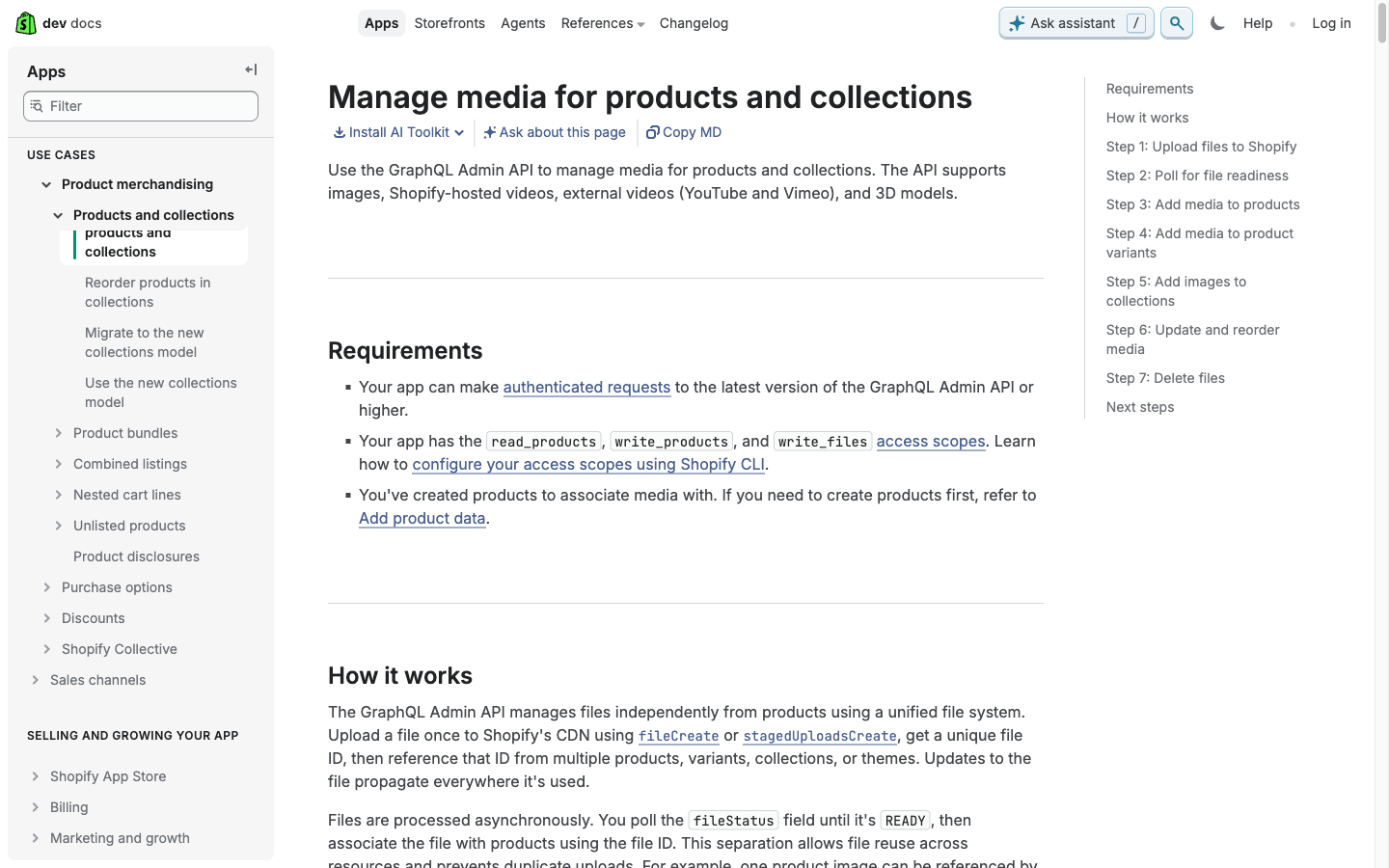
Shopify’s official media guide treats files as independently uploaded resources. Processing is asynchronous; the integration checks readiness and then associates the resulting file with the product or variant. That distinction prevents a common automation bug: storing an upload URL in a spreadsheet and assuming shoppers can already see the video on the correct product page.
For a small batch, an approved manual upload can be enough. For a larger integration, have the implementation record the product and file identifiers, status and association result. Read back the product page and verify the exact variant. Generation success, upload success and correct publication are three separate checks.
Budget by accepted catalog assets
Track reference preparation, generation attempts, review and assembly. Divide the batch’s actual cost by the number of approved deliverables. If one five-second shot is reused in three language edits, record that reuse rather than counting it as three independently generated product videos. Do not extrapolate a two-item pilot into a guaranteed thousand-item daily capacity.
Estimate cost per approved video
Editable planning example, not a vendor quote or measured production cost. Include all rejected takes in your generation spending. Use a currency consistently.Begin with a handful of important SKUs in GlobalGPT, keep the reference and result side by side, and make the review rules explicit. Our Studios product-ad guide covers a more guided single-product route; our Canvas guide shows how to retain visual context. Scale the repeatable decisions once the small batch is reliable.
Useful documentation and current plans
常见问题
Can GlobalGPT import my entire Shopify catalog automatically?
This guide does not verify a native Shopify or CSV catalog importer. It shows a controlled generation workflow; store data extraction and publication need their own supported integration or manual process.
Should every color variant use the same reference?
Use the approved reference for the exact variant. Sharing an ambiguous family image makes it harder to verify the output belongs to the correct SKU.
Does a successful generation mean the video is ready to publish?
No. Check product identity, claims, crop, captions, destination and rights before approval.
How should failed jobs be retried?
Save and query the existing task ID first. Apply a bounded retry rule to confirmed service failures, and keep quality revisions separate from automatic retries.
Can AI videos replace real product photographs?
They can supplement a catalog when accurate and appropriately presented. Do not use an invented visual as evidence of a physical feature that the real product does not have.