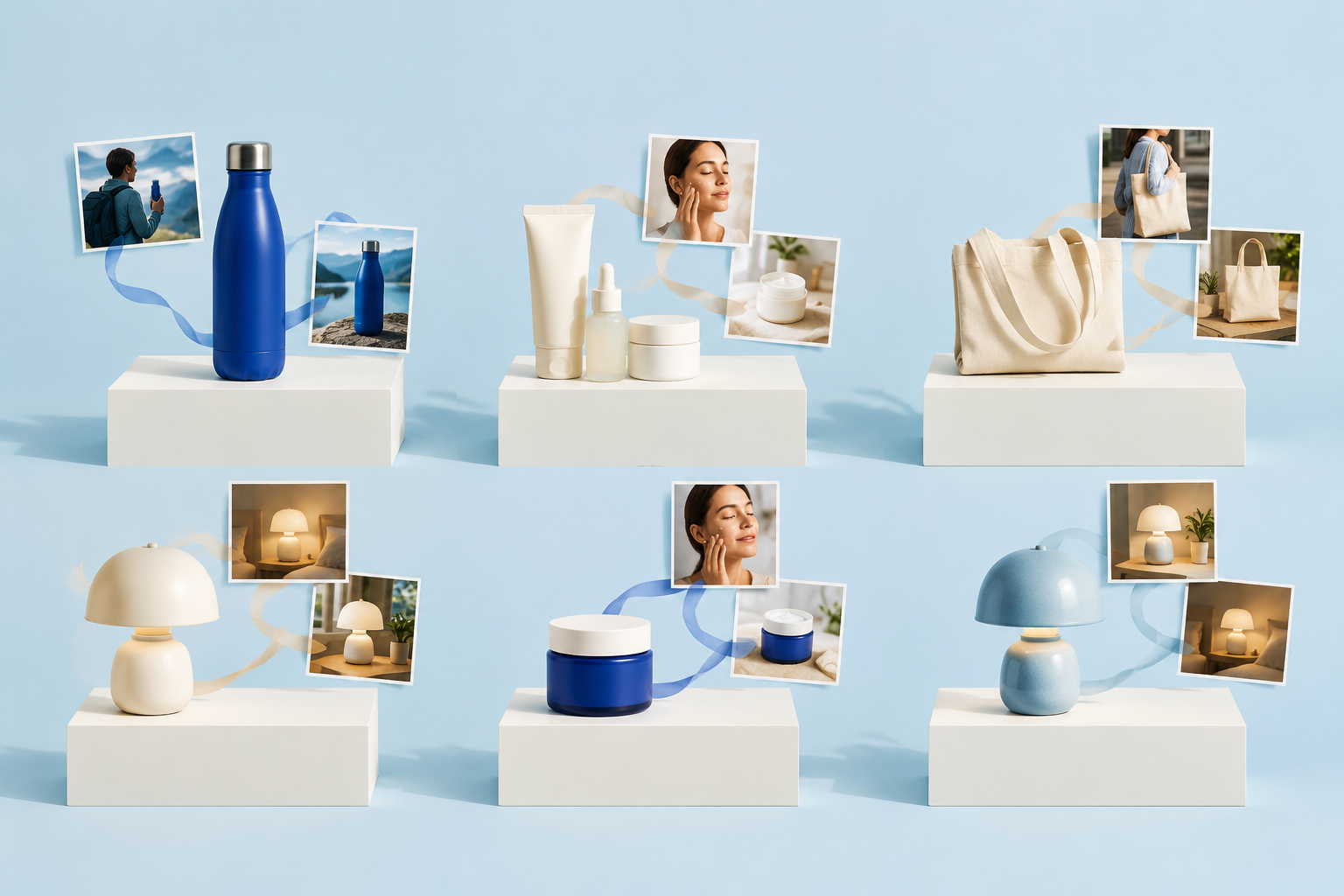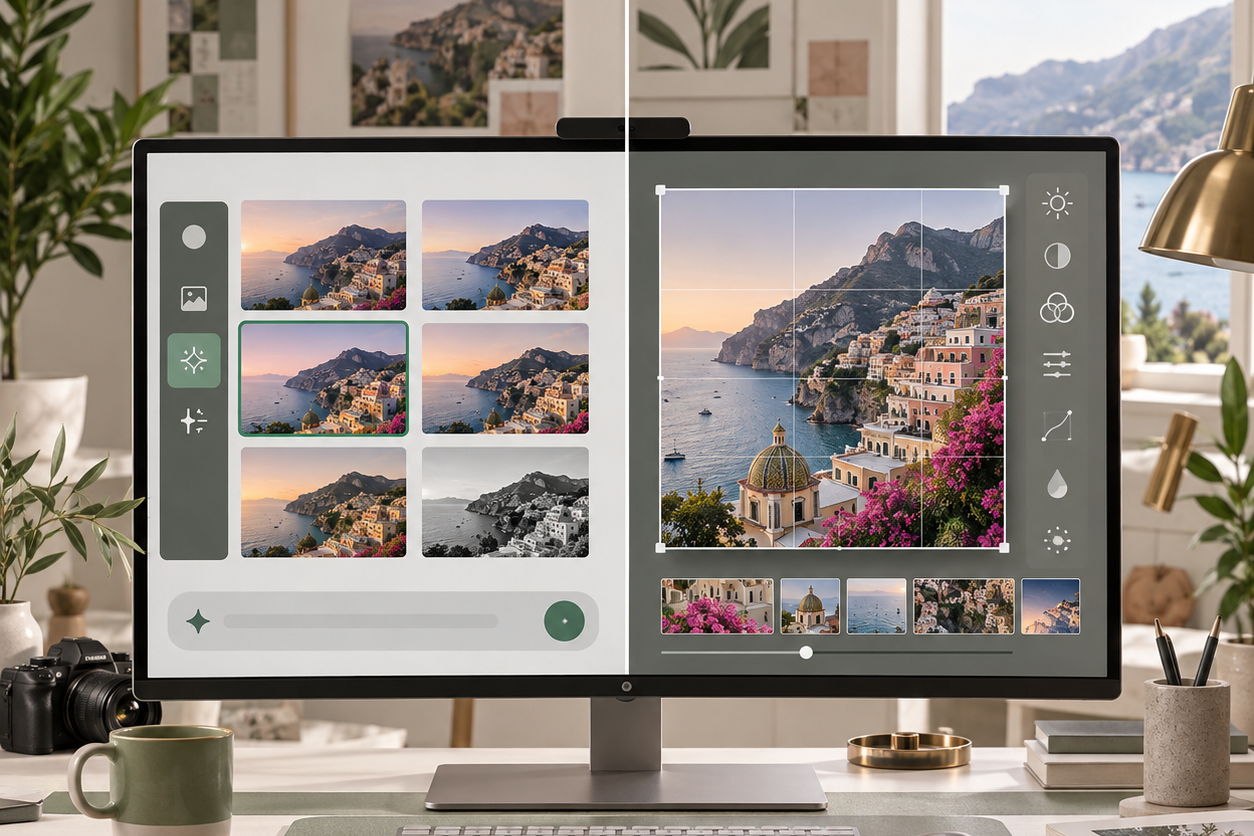
ChatGPT Images 2.5 ไม่ใช่เพียงการอัปเดตคุณภาพภาพตามปกติเท่านั้น OpenAI ได้ผสานประสบการณ์การสร้างภาพ ChatGPT แบบใหม่กับโมเดล API สองแบบ ได้แก่ GPT-Image-2.5 Flare ที่เน้นความเร็ว และ GPT-Image-2.5 Sunburst ที่เน้นความแม่นยำ นอกจากนี้ ยังเพิ่มฟีเจอร์ Sketch, แม่แบบ, การแก้ไขตามความคิดเห็น, การแบ่งปันคำสั่ง และควบคุมการทำงานภาพแบบซ้ำๆ ได้มากขึ้น.
คำตอบอย่างรวดเร็ว
ChatGPT Images 2.5 ผสมผสานกระบวนการทำงานของภาพ ChatGPT ที่ได้รับการออกแบบใหม่กับสองแบบจำลองของโปรแกรมพัฒนาภาพ ในการทดสอบตามแนวทาง Broly ของเรา โปสเตอร์ที่มีรายละเอียดหนาแน่นได้ผ่านการตรวจสอบหลัก และผลลัพธ์ที่โปร่งใสมีช่องอัลฟาที่แท้จริง.
อย่างไรก็ตาม การแก้ไขแบบเฉพาะจุดและแบบหลายรอบได้เปลี่ยนแปลงรูปทรงของขวด วัตถุที่ตัดออก แสง และพื้นหลังอย่างต่อเนื่อง ใช้เครื่องมือนี้เพื่อติดตามการสอนระดับเป้าหมายอย่างแม่นยำ แต่อย่าสมมติว่าพื้นที่ที่ยังไม่ถูกแก้ไขจะยังคงถูกล็อกไว้.

สารบัญ
- ChatGPT Images 2.5 คืออะไร?
- สิ่งที่เปลี่ยนแปลงใน ChatGPT
- Flare vs Sunburst
- คุณภาพภาพและการแก้ไขภาพ
- ความเร็ว
- การกำหนดราคา API
- ความปลอดภัยและที่มา
- ทางเลือก
- ใครควรใช้?
- คำถามที่พบบ่อย
ChatGPT Images 2.5 คืออะไร?
ChatGPT Images 2.5 คือการอัปเดตสำหรับฟังก์ชันการสร้างและแก้ไขภาพ OpenAI ที่ประกาศเมื่อวันที่ 8 กันยายน 2569 อัปเดตนี้สามารถใช้งานได้ผ่านประสบการณ์ ChatGPT ส่วนผู้พัฒนาจะได้รับโมเดล API สองตัวที่เกี่ยวข้อง ได้แก่ GPT-Image-2.5 Flare และ GPT-Image-2.5 Sunburst.
การแยกแยะระหว่างผลิตภัณฑ์กับโมเดลนั้นมีความสำคัญ เพราะอินเทอร์เฟซ ChatGPT และ API เปิดให้ใช้งานส่วนควบคุมและกระบวนการทำงานที่แตกต่างกัน.
OpenAI ระบุว่า ผู้ใช้สร้างภาพมากกว่า 3 พันล้านภาพต่อสัปดาห์ ผ่าน ChatGPT Images และโมเดล GPT-Image API ของบริษัท บริษัทยังอ้างว่ามีความหน่วงในการสร้างภาพต่ำกว่า Images 2.0 ถึง 50% พร้อมกับการปรับปรุงด้านความแม่นยำของภาพอ้างอิง การแก้ไขแบบเฉพาะจุด ความสม่ำเสมอในการสนทนาหลายรอบ แสง พื้นผิว การจัดวาง และพื้นหลังโปร่งใส.
นี่เป็นข้อมูลที่ประกาศอย่างเป็นทางการจากผู้ผลิต ไม่ใช่ผลการทดสอบประสิทธิภาพจากแหล่งอิสระ.
หากท่านต้องการคำอธิบายที่ละเอียดยิ่งขึ้นเกี่ยวกับกลุ่มผลิตภัณฑ์นี้ คู่มือสำหรับ โมเดล ChatGPT ที่ดีที่สุดสำหรับการสร้างภาพ ช่วยแยกคุณสมบัติของผลิตภัณฑ์ ChatGPT ออกจากชื่อรุ่นแต่ละรุ่น ซึ่งทำให้ คู่มือการสร้างภาพ ChatGPT อธิบายขั้นตอนการทำงานพื้นฐานในการสร้าง.
มีอะไรเปลี่ยนแปลงใน ChatGPT?
การอัปเกรดครั้งนี้ช่วยนำกระบวนการจากแนวคิดเบื้องต้นไปสู่สินทรัพย์ที่สามารถนำกลับมาใช้ใหม่ได้มาไว้ในพื้นที่ทำงานแบบสนทนาเดียวได้มากขึ้น.
การปรับปรุงที่เห็นได้ชัดเจนที่สุดไม่ได้ซ่อนอยู่ในพารามิเตอร์ของ API แต่ถูกจัดวางโดยตรงในกระบวนการทำงานของภาพ ChatGPT และมีวัตถุประสงค์เพื่อลดปริมาณการเขียนใหม่ของคำสั่งที่จำเป็นระหว่างขั้นตอนการคิดไอเดียจนถึงการสร้างสินทรัพย์ที่ใช้งานได้.
ภาพร่าง
Sketch ช่วยให้คุณวาดการจัดวางแบบคร่าวๆ ได้โดยตรงใน ChatGPT และใช้มันเป็นจุดอ้างอิงทางภาพ ซึ่งอาจมีประสิทธิภาพมากกว่าการอธิบายความสัมพันธ์ทางพื้นที่ในคำสั่งที่ยาว โดยเฉพาะเมื่อตำแหน่งของวัตถุ พื้นที่ชื่อเรื่อง หรือองค์ประกอบพื้นหลังมีความสำคัญมากกว่ารายละเอียดทางศิลปะ.
มูลค่าที่แท้จริงจะขึ้นอยู่กับว่า Images 2.5 สามารถปฏิบัติตามโครงสร้างคร่าวๆ ได้อย่างแม่นยำเพียงใด โดยไม่ถือว่าทุกบรรทัดเป็นเนื้อหาตามตัวอักษร การทดสอบที่มีประโยชน์ควรเปรียบเทียบระหว่างร่างต้นแบบ โครงสร้างลำดับชั้นที่ร้องขอ และผลลัพธ์สุดท้าย แทนที่จะตัดสินเพียงว่าผลลัพธ์ดูเรียบร้อยหรือไม่.
แม่แบบ
แม่แบบให้จุดเริ่มต้นที่มีโครงสร้างสำหรับรูปแบบทั่วไป เช่น ภาพผลิตภัณฑ์และใบปลิว แม่แบบสามารถช่วยผู้ใช้ทั่วไปหลีกเลี่ยงการต้องเริ่มต้นจากหน้าว่าง แต่ผู้สร้างที่มีประสบการณ์จะให้ความสำคัญว่าแม่แบบนั้นให้สิทธิ์ควบคุมเพียงพอหรือไม่ ในด้านข้อความ การจัดวาง สัดส่วนภาพ และการรักษาข้อมูลอ้างอิง.
การแก้ไขตามความคิดเห็น
Images 2.5 ช่วยให้ผู้ใช้สามารถเพิ่มความคิดเห็นบนภาพและขอให้มีการแก้ไขในส่วนเฉพาะได้ นี่เป็นหนึ่งในคุณสมบัติที่มีประโยชน์ที่สุดของการอัปเดตครั้งนี้ เพราะมันทำให้การแก้ไขกลายเป็นบทสนทนาที่ระบุตำแหน่งได้.
สิ่งนี้ควรช่วยลดความไม่ชัดเจนเมื่อคำสั่งเช่น “เปลี่ยนป้าย” อาจส่งผลต่อขวด พื้นหลัง แสง หรือรูปแบบตัวอักษรได้.
การวางคอมเมนต์เพียงอย่างเดียวไม่สามารถพิสูจน์ได้ว่าพื้นที่ที่ไม่ได้เปลี่ยนแปลงยังคงเหมือนเดิม การวัดที่สำคัญคือพื้นที่ที่ร้องขอมีการเปลี่ยนแปลงได้สำเร็จหรือไม่ ในขณะที่ส่วนที่เหลือของภาพยังคงไม่เปลี่ยนแปลง.
คู่มือที่มีอยู่สำหรับ วิธีที่ ChatGPT แก้ไขภาพ อธิบายขั้นตอนการทำงานในการแก้ไขอย่างละเอียด.
ลบพื้นหลัง ปรับขนาด และประวัติเวอร์ชัน
ตัวแก้ไขที่อัปเดตแล้วยังทำให้ขั้นตอนการปรับแต่งทั่วไปอยู่ใกล้กับภาพที่สร้างขึ้นมากขึ้น การลบพื้นหลังและการปรับขนาดสามารถช่วยประหยัดเวลาในการใช้เครื่องมืออื่นได้ เมื่อผลลัพธ์ต้องการการปรับแต่งเพียงเล็กน้อยเท่านั้น.
ประวัติเวอร์ชันมีความสำคัญในการแก้ไขแบบหลายขั้นตอน เนื่องจากผู้ใช้ต้องการวิธีที่เชื่อถือได้เพื่อกลับไปยังผลลัพธ์ที่ดีกว่าในขั้นตอนก่อนหน้า เมื่อคำสั่งในขั้นตอนถัดไปก่อให้เกิดความคลาดเคลื่อน.
สำหรับกระบวนการทำงานที่ออกแบบมาเพื่อปรับเปลี่ยนรูปแบบ โปรดดูวิธี ปรับขนาดภาพด้วย ChatGPT. คำถามสำคัญสำหรับ Images 2.5 คือว่าเครื่องมือควบคุมเหล่านี้จะสร้างไฟล์ที่พร้อมสำหรับการผลิต หรือเพียงแต่สร้างร่างที่เร็วขึ้นเท่านั้น.
GPT-Image-2.5: Flare vs Sunburst
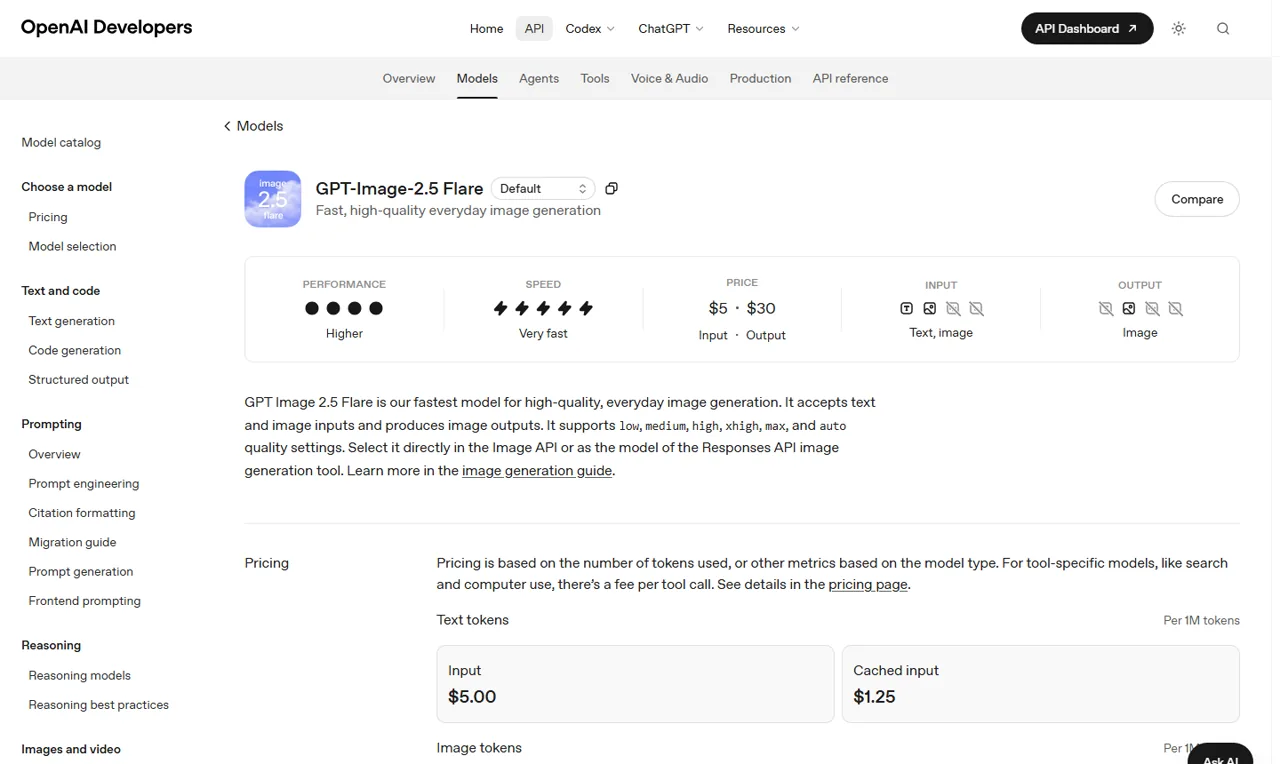
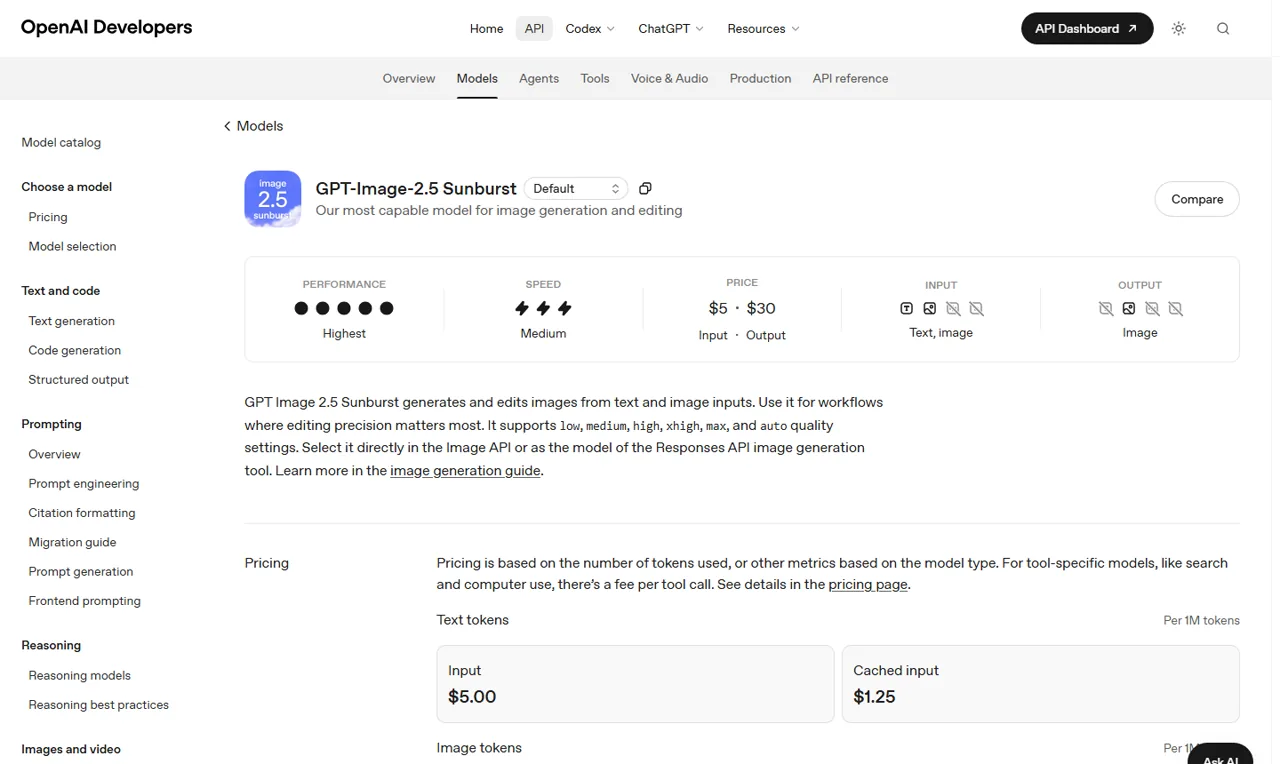
OpenAI อธิบายว่า Flare เป็นโมเดลที่เร็วที่สุดสำหรับการสร้างภาพคุณภาพสูงสำหรับใช้ในชีวิตประจำวัน ส่วน Sunburst ถูกนำเสนอเป็นตัวเลือกที่มีประสิทธิภาพสูงสุดสำหรับการสร้างและแก้ไขภาพ โดยเฉพาะอย่างยิ่งเมื่อความแม่นยำในการแก้ไขเป็นสิ่งสำคัญ.
ทั้งสองระบบสามารถรับข้อมูลเข้าทั้งแบบข้อความและภาพ และสร้างภาพเป็นผลลัพธ์.
| จุดตัดสินใจ | GPT-Image-2.5 Flare | GPT-Image-2.5 Sunburst |
|---|---|---|
| ตำแหน่งอย่างเป็นทางการ | การผลิตสำหรับชีวิตประจำวัน ที่รวดเร็วและคุณภาพสูง | ประสิทธิภาพภาพและความแม่นยำในการแก้ไขภาพสูงสุด |
| ป้ายความเร็วอย่างเป็นทางการ | เร็วมาก | ระดับกลาง |
| ฉลากประสิทธิภาพอย่างเป็นทางการ | สูงขึ้น | สูงสุด |
| ข้อมูลนำเข้า | ข้อความและรูปภาพ | ข้อความและรูปภาพ |
| ผลลัพธ์ | ภาพ | ภาพ |
| การตั้งค่าคุณภาพ | ต่ำ, กลาง, สูง, สูงมาก, สูงสุด, อัตโนมัติ | ต่ำ, กลาง, สูง, สูงมาก, สูงสุด, อัตโนมัติ |
| การเริ่มต้นที่เหมาะสมที่สุด | การคิดสร้างสรรค์, ร่างแรก, การสร้างซ้ำๆ ทุกวัน | งานสร้างสรรค์ที่ละเอียดและกระบวนการแก้ไขที่ควบคุมอย่างเคร่งครัด |
ช่องข้อมูลราคาบนหน้าโมเดลของ OpenAI มีค่าเท่ากันสำหรับทั้งสองรุ่น ดังนั้นการเรียก Flare เป็นโมเดลที่มีราคาถูกกว่าโดยอิงจากอัตราโทเคนที่ประกาศไว้เพียงอย่างเดียว จึงไม่ถูกต้อง ค่าใช้จ่ายจริงต่องานที่เสร็จสิ้นอาจแตกต่างกันได้ หากโมเดลหนึ่งใช้โทเคนผลลัพธ์มากขึ้น ต้องการการลองใหม่หลายครั้งขึ้น หรือใช้เวลานานกว่าเพื่อได้ผลลัพธ์ที่ยอมรับได้.
สิ่งนั้นจำเป็นต้องมีข้อมูลการใช้งานจริง.
การทดสอบการออกแบบของเราใช้บรีฟสำหรับโปสเตอร์ผลิตภัณฑ์แบบ 16:9 ที่มีความหนาแน่นสูง ซึ่งประกอบด้วยข้อความสามบรรทัดที่แม่นยำ กระป๋องหนึ่งใบ แถบสีน้ำเงินแนวทแยงหนึ่งเส้น และข้อกำหนดที่เคร่งครัดเกี่ยวกับพื้นที่ว่าง ภาพที่ส่งกลับมาแสดงว่า NORTHLINE, COLD BREW, และ ไม่มีน้ำตาลเลย ถูกต้อง ไม่เพิ่มคำใดเพิ่มเติม แสดงให้เห็นกระป๋องหนึ่งและแถบสีฟ้าหนึ่งอย่างชัดเจน และรักษาพื้นที่ว่างด้านซ้ายไว้เพื่อใช้งานได้.
กระบวนการนี้เสร็จสิ้นในเวลา 38.16 วินาที และให้ผลลัพธ์เป็นโทเคนรวม 264 โทเคน ซึ่งรวมถึงโทเคนผลลัพธ์ภาพ 171 โทเคน.
นี่คือบโรลี่ gpt-image-2.5 ผลลัพธ์ของ route ไม่ใช่ผลการทดสอบ Flare/Sunburst ที่ตรงกัน เนื่องจากเกตเวย์ไม่ได้ส่งคืนทั้ง ID ของโมเดลต้นทางและ ID ของคำขอ ดังนั้นการระบุผลลัพธ์นี้ว่าเป็นของตัวแปร API ที่ระบุชื่อใดตัวแปรหนึ่งอาจก่อให้เกิดความเข้าใจผิด.
ขอบเขต: ประตูทางเข้าได้รับการยอมรับ gpt-image-2.5 แต่ไม่ส่งคืนโมเดลต้นทางหรือ ID คำขอ ผลลัพธ์จึงไม่สามารถกำหนดให้กับ Flare หรือ Sunburst ได้.
คุณภาพภาพและการแก้ไขภาพ
เพิ่มฉลากสีครีมรูปสี่เหลี่ยมผืนผ้าขนาดเล็กหนึ่งใบลงตรงกลางขวดสีฟ้า
ฉลากต้องมีข้อความสองบรรทัดเท่านั้น ได้แก่ "NORTHLINE" และ "EAU 25"
รักษารูปทรงของขวด สีแก้วสีฟ้า ฝาปิดสีเงิน แสงสะท้อน เงา แท่นสีขาว มุมกล้อง การตัดภาพ แสง และพื้นหลังไว้ตามเดิม
อย่าเปลี่ยนแปลงอะไรทั้งสิ้นนอกพื้นที่ของฉลากใหม่.
เอกสารเปิดตัวของ OpenAI เน้นถึงการใช้แสงธรรมชาติมากขึ้น พื้นผิวที่ละเอียดขึ้น การระบุวัตถุที่ดีขึ้น ความแม่นยำในการอ้างอิงต้นแบบที่สูงขึ้น และการปฏิบัติตามคำสั่งที่เชื่อถือได้มากขึ้น การปรับปรุงเหล่านี้ช่วยแก้ไขจุดอ่อนที่พบบ่อยในการสร้างภาพแบบสนทนา ได้แก่ ใบหน้าและผลิตภัณฑ์ที่เบี่ยงเบนไปจากต้นแบบ ข้อความที่ร้องขอเปลี่ยนแปลงระหว่างการแก้ไข และคำสั่งเฉพาะที่สร้างฉากใหม่โดยไม่คาดคิด.
ความแม่นยำในการอ้างอิงควรได้รับการประเมินเป็นส่วนๆ โดยแต่ละส่วน เช่น ตัวตนของวัตถุ รูปทรง ท่าทาง มุมกล้อง วัสดุ การสะท้อนแสง ข้อความ พื้นหลัง และการตัดภาพ อาจมีข้อผิดพลาดได้โดยอิสระจากกัน.
ภาพที่ผ่านการปรับแต่งให้ดูดีอาจยังคงถือเป็นการแก้ไขที่ผิดพลาดได้ หากมีการเปลี่ยนแปลงรายละเอียด 5 ข้อที่ผู้ใช้ขอให้คงไว้.
การทดสอบการแก้ไขของเราเริ่มต้นด้วยภาพถ่ายผลิตภัณฑ์แบบแนวนอนของขวดแก้วสีฟ้า และมีการขอให้เพิ่มฉลากสีครีมหนึ่งชิ้นที่มีข้อความตามต้นฉบับอย่างถูกต้อง NORTHLINE และ EAU 25. การแก้ไขเป้าหมายสำเร็จแล้ว แต่การรักษาความท้องถิ่นไม่สำเร็จ: เส้นทางได้เปลี่ยนภาพให้เป็นรูปสี่เหลี่ยม ขยายและสร้างขวดใหม่ รวมถึงปรับการตัดภาพ การสะท้อน แผ่นฐาน พื้นหลัง และเงา.
ลำดับการหมุนสามครั้งแสดงรูปแบบที่เหมือนกัน โดยได้เปลี่ยนสีป้ายเป็นสีทองอ่อน เพิ่มใบไม้สีเขียว และทำให้พื้นหลังสว่างขึ้นตามลำดับอย่างถูกต้อง.
ทุกครั้งที่ปรับเปลี่ยน ยังส่งผลให้รายละเอียดที่ไม่เกี่ยวข้องกัน เช่น สัดส่วนของฉลาก รูปแบบตัวอักษร ขนาดขวด การตัดภาพ การสะท้อนแสง และการจัดกรอบฐาน เปลี่ยนแปลงไปด้วย การปฏิบัติตามคำสั่งในระดับเป้าหมายเป็นไปอย่างเข้มงวด แต่การรักษาพื้นที่ที่ไม่เปลี่ยนแปลงกลับไม่เป็นเช่นนั้น.
เพื่อสร้างคำสั่งเริ่มต้นที่ดีขึ้น ให้ใช้วิธีการที่สามารถทำซ้ำได้เพื่อ ปรับปรุงความแม่นยำในการสร้างภาพด้วย AI ก่อนที่จะโทษนางแบบทุกครั้งที่ถ่ายไม่สำเร็จ.
ผลลัพธ์เหล่านี้ไม่ขัดแย้งกับคำกล่าวของ OpenAI ว่าการแก้ไขได้ปรับปรุงขึ้น แต่แสดงให้เห็นว่า “การแก้ไขแบบเฉพาะจุด” ไม่เท่ากับการรักษาภาพแบบล็อกพิกเซลบนเส้นทางที่ทดสอบ ทีมผลิตควรเก็บไฟล์ต้นฉบับไว้ เปรียบเทียบทุกเวอร์ชัน และเตรียมตัวสำหรับงานย้อนกลับหรือการรวมภาพ เมื่อรายละเอียดรอบข้างมีความสำคัญ.
ความเร็วและเวลาแฝง
OpenAI ระบุว่า Images 2.5 สามารถลดความล่าช้าในการสร้างผลลัพธ์ได้สูงสุดถึง 50% เมื่อเทียบกับ Images 2.0 คำว่า “สูงสุดถึง” อธิบายถึงการลดความล่าช้าที่ดีที่สุดที่สังเกตได้ภายใต้เงื่อนไขของ OpenAI; ซึ่งไม่ได้หมายความว่าทุกคำสั่งหรือโมเดลจะเสร็จสิ้นในเวลาครึ่งหนึ่ง.
การเปรียบเทียบความเร็วที่มีประโยชน์จำเป็นต้องใช้คำสั่งเริ่มต้น ขนาด การตั้งค่าคุณภาพ และสภาพเส้นทางที่เหมือนกัน เราได้รันคำสั่งเริ่มต้นรูปกาน้ำชาสีแดงรูปสี่เหลี่ยมเดียวกันสามครั้งด้วยคุณภาพสูงบนเส้นทาง Broly ที่มีอยู่.
เวลาที่วัดได้คือ 94.35, 28.81 และ 29.19 วินาที ซึ่งให้ค่ามัธยฐานอยู่ที่ 29.19 วินาที และช่วงค่าอยู่ระหว่าง 28.81 ถึง 94.35 วินาที.
ภาพทั้งสามภาพล้วนปฏิบัติตามข้อกำหนดทางภาพที่เรียบง่าย แต่ผลลัพธ์ครั้งแรกมีค่าความล่าช้าที่ผิดปกติอย่างมาก นอกจากนี้ คำขอที่เหมือนกันยังให้ผลลัพธ์เป็นโทเคนภาพระหว่าง 198 ถึง 765 โทเคน และหนึ่งในผลลัพธ์มีขนาด 1254×1254 พิกเซล ทั้งที่ขนาดที่ขอคือ 1024×1024 พิกเซล.
ดังนั้น เส้นทางที่ได้รับการทดสอบจึงแสดงให้เห็นถึงความผันผวนที่มีนัยสำคัญในด้านความล่าช้า การใช้งาน และขนาดผลลัพธ์.
สิ่งนี้ไม่ได้ยืนยันคำกล่าวอ้างของ OpenAI ว่า “มีความหน่วงต่ำกว่าถึง 50%” และไม่ได้เปรียบเทียบ Flare กับ Sunburst นี่เป็นข้อสังเกตที่เฉพาะเจาะจงตามเส้นทาง เนื่องจากเกตเวย์ไม่ได้เปิดเผย ID แบบจำลองที่แยกต่างหาก หรือส่งคืนข้อมูลเมตาดาต้าเกี่ยวกับตัวตนของต้นทาง.
ราคา API GPT-Image-2.5
หน้าโมเดลของ OpenAI แสดงอัตราโทเคนเดียวกันสำหรับ Flare และ Sunburst นี่คือราคาโทเคน API ไม่ใช่ราคาการสมัครสมาชิก ChatGPT และไม่ใช่ราคาแพลตฟอร์ม GlobalGPT.
| ประเภทโทเคน | Flare | ซันเบิร์สต์ |
|---|---|---|
| การป้อนข้อความ | $5.00 ต่อ 1M โทเคน | $5.00 ต่อ 1M โทเคน |
| การป้อนข้อความที่เก็บไว้ในแคช | $1.25 ต่อ 1M โทเค็น | $1.25 ต่อ 1M โทเค็น |
| การป้อนภาพ | $8.00 ต่อ 1M โทเคน | $8.00 ต่อ 1M โทเคน |
| ข้อมูลภาพที่เก็บไว้ในแคช | $2.00 ต่อ 1M โทเคน | $2.00 ต่อ 1M โทเคน |
| ผลลัพธ์ภาพ | $30.00 ต่อ 1M โทเคน | $30.00 ต่อ 1M โทเคน |
ตารางราคาที่เผยแพร่ไม่ได้ระบุค่าใช้จ่ายที่แน่นอนของโปสเตอร์ที่เสร็จสมบูรณ์ ไฟล์ที่แก้ไข หรือไฟล์โปร่งใส ซึ่งขึ้นอยู่กับคำขอ ผลลัพธ์ การตั้งค่า และจำนวนครั้งที่ลองทำ.
ตัวอย่างค่าใช้จ่ายที่น่าเชื่อถือควรมาจากอ็อบเจ็กต์การใช้งานที่ส่งคืนสำหรับงานจริง ไม่ใช่จากการแปลงราคาต่อภาพที่ถูกสร้างขึ้นเอง.
ภาพถ่าย API ที่เก่าแล้วคือ gpt-image-2.5-flare-2026-09-08 และ gpt-image-2.5-sunburst-2026-09-08. ผู้พัฒนาที่ต้องการความเสถียรในการทำงานควรพิจารณาว่า snapshot ที่ไม่มีการอัปเดตแล้วจะเหมาะสมกับกระบวนการปรับใช้ของพวกเขาดีกว่า alias ที่มีการอัปเดตอย่างต่อเนื่องหรือไม่.
ความปลอดภัย, ที่มา และข้อจำกัด
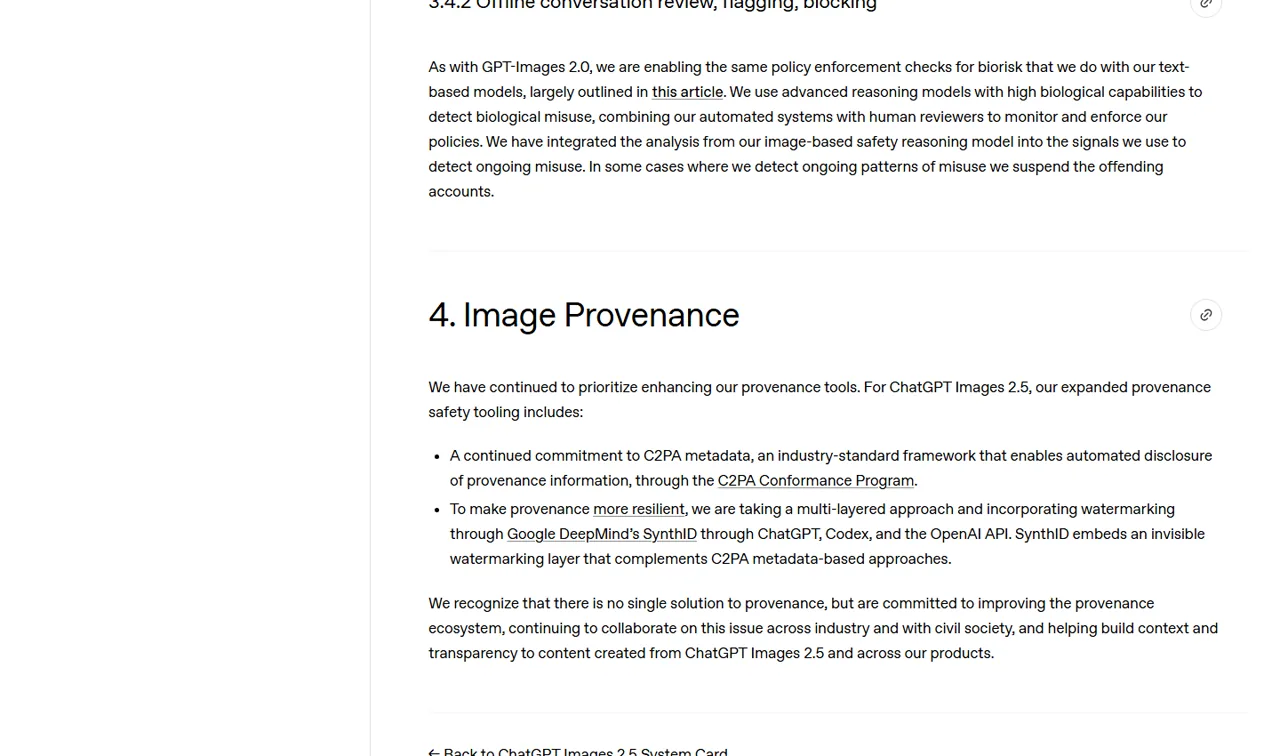
บัตรระบบ ChatGPT Images 2.5 อธิบายถึงวิธีการความปลอดภัยแบบชั้นที่ครอบคลุมการกรองคำขอ การตรวจสอบผลลัพธ์ การประเมินผล และที่มาของข้อมูล นอกจากนี้ยังระบุว่า ป้ายนโยบายอัตโนมัติอาจมีข้อผิดพลาด และข้อสรุปจากการประเมินผลนั้นใช้ได้เฉพาะกับโมเดลและการตั้งค่าการป้องกันที่ได้รับการทดสอบเท่านั้น.
นั่นเป็นเกณฑ์ที่ใช้งานได้มากกว่าการกล่าวอ้างแบบทั่วไปว่าโมเดลนั้น “ปลอดภัย” อย่างง่ายๆ”
OpenAI ระบุว่ายังคงใช้ข้อมูลเมตาดาต้า C2PA และได้เพิ่มระบบน้ำประทับที่มองไม่เห็น SynthID ลงใน ChatGPT, Codex และ API ของ OpenAI C2PA สามารถให้ข้อมูลที่มาของเนื้อหาที่เครื่องอ่านได้ เมื่อข้อมูลเมตาดาต้ายังคงแนบอยู่.
SynthID ได้รับการออกแบบให้มองไม่เห็น ดังนั้นจึงไม่สามารถยืนยันการมีอยู่ของมันได้จากการดูภาพ.
ข้อมูลเมตาดาต้ายังสามารถถูกลบหรือแก้ไขได้ผ่านกระบวนการส่งออกและแก้ไข ในทดสอบ transparent-compass ของเรา ไฟล์ PNG ที่ดาวน์โหลดมาเป็นแบบ RGBA ช่องอัลฟาของมันมีค่าตั้งแต่ 0 ถึง 255 และพิกเซลทั้งสี่มุมเป็นสีโปร่งใสทั้งหมด.
ความโปร่งใสเป็นจริง แต่เมื่อตรวจสอบด้วยตาเปล่า พบว่ามีขอบแสงบางๆ ตามส่วนต่างๆ ของขอบวัตถุ.
ไฟล์ PNG ทั้งห้าไฟล์ที่ผ่านการตรวจสอบไม่มีการระบุฟิลด์ C2PA ในข้อมูลเมตาดาต้าของไฟล์เหล่านั้น ซึ่งข้อมูลดังกล่าวเพียงอธิบายว่าไฟล์เหล่านั้นถูกดาวน์โหลดมาจากเส้นทางนี้เท่านั้น และไม่ได้เป็นหลักฐานว่าโมเดล OpenAI ที่อยู่ต้นทางไม่เคยสร้างข้อมูลเมตาดาต้า C2PA เลย.
SynthID เป็นสิ่งที่มองไม่เห็น และไม่สามารถยืนยันหรือปฏิเสธได้ผ่านการตรวจสอบพิกเซลหรือข้อมูลเมตาดาต้าแบบทั่วไป.
การใช้ในเชิงพาณิชย์ไม่เพียงแต่เกี่ยวข้องกับความสามารถของโมเดลเท่านั้น ทีมควรตรวจสอบเงื่อนไขที่เกี่ยวข้อง สิทธิในภาพอ้างอิงที่อัปโหลด การอนุญาตจากแบรนด์ ความเสี่ยงด้านภาพลักษณ์ และกฎหมายท้องถิ่น.
คู่มือสำหรับ การใช้ภาพ ChatGPT ในวัตถุประสงค์เชิงพาณิชย์ อธิบายการตรวจสอบทางปฏิบัติเหล่านั้นอย่างละเอียดยิ่งขึ้น.
ChatGPT Images 2.5 เทียบกับโมเดลภาพอื่น ๆ
Images 2.5 แข่งขันกันในด้านการสร้างและแก้ไขเนื้อหาผ่านการสนทนา แทนที่จะใช้ตัวเลขมาตรฐานเดียว จุดแข็งที่โดดเด่นที่สุดของมันคือกระบวนการตั้งแต่คำสั่งหรือภาพร่าง ไปจนถึงความคิดเห็นที่เจาะจง การแก้ไขซ้ำหลายครั้ง และคำสั่งที่สามารถนำกลับมาใช้ใหม่ได้ภายในบทสนทนาเดียว.
GPT Image 2 ยังคงเป็นมาตรฐานอ้างอิงจากรุ่นก่อนหน้าที่มีความเกี่ยวข้อง ในกรณีที่รุ่นนี้ยังมีให้ใช้งาน การเปรียบเทียบแบบเทียบเคียงสามารถแสดงให้เห็นได้ว่า Images 2.5 ช่วยปรับปรุงความแม่นยำของข้อความ การรักษาข้อมูลอ้างอิง ขอบเขตการแก้ไข และความล่าช้าได้หรือไม่.
จนกว่าการเปรียบเทียบดังกล่าวจะได้รับการดำเนินการผ่านขั้นตอนที่สามารถตรวจสอบได้ โมเดลเดิมควรถูกระบุว่าเป็นจุดอ้างอิง (baseline) และไม่ควรถือว่าด้อยกว่าโดยอัตโนมัติ.
Nano Banana 2 เป็นการเปรียบเทียบสำคัญอีกอย่างหนึ่งสำหรับงานที่มีเนื้อหาเป็นข้อความเป็นหลักและเน้นการอ้างอิง Nano Banana 2 การทดสอบการแสดงผลข้อความ ให้ข้อมูลเพิ่มเติมที่เป็นประโยชน์.
เพื่อเปรียบเทียบภาพผลิตภัณฑ์อย่างละเอียดยิ่งขึ้น โปรดดู Seedream 5.0 Pro เทียบกับ GPT Image 2.
ตัวเลือกรูปภาพที่ได้รับการยืนยันของ GlobalGPT ในปัจจุบันแสดง GPT Image 2 เท่านั้น ไม่ใช่โมเดล GPT-Image-2.5 ใด ๆ จนกว่าจะมีเส้นทาง 2.5 ที่ถูกต้องปรากฏขึ้นและส่งคืนข้อมูลเมตาดาต้าที่สามารถตรวจสอบได้ จึงไม่ควรนำเสนอเป็นสถานที่สำหรับรัน Flare หรือ Sunburst.
ใครควรใช้ ChatGPT Images 2.5?
ผู้สร้าง ChatGPT ทุกวัน
เครื่องมือ ChatGPT รุ่นใหม่จะมีความน่าสนใจที่สุดเมื่อคุณต้องการวาดร่างไอเดีย เริ่มจากแม่แบบ เขียนความคิดเห็นที่เฉพาะเจาะจง ปรับขนาด หรือลบพื้นหลัง โดยไม่ต้องสลับไปมาระหว่างแอปต่าง ๆ การอัปเกรดนี้อาจไม่จำเป็นมากนักหากคุณสร้างภาพเพียงครั้งเดียวและแทบไม่แก้ไขภาพเหล่านั้นเลย.
ทีมการตลาดและทีมออกแบบ
ทีมควรเน้นไปที่ความแม่นยำของข้อมูลอ้างอิง ความถูกต้องของข้อความ การรักษาภาพลักษณ์แบรนด์ให้สม่ำเสมอ และความสามารถในการย้อนกลับ Sunburst เป็นโมเดลเชิงตรรกะที่ควรประเมินเป็นอันดับแรกสำหรับงานที่ต้องการความแม่นยำ แต่เพียงชุดข้อมูลที่ผ่านการควบคุมเท่านั้นที่สามารถยืนยันได้ว่าเวลาการสร้างผลลัพธ์ที่เพิ่มขึ้นของโมเดลนี้ช่วยลดงานการแก้ไขได้เพียงพอหรือไม่.
ผู้สร้างเนื้อหาปริมาณมาก
Flare เป็นตัวเลือกแรกที่เหมาะที่สุดโดยธรรมชาติสำหรับการสร้างไอเดีย การสร้างเวอร์ชันต่าง ๆ ภาพตัวอย่าง และร่างงานประจำวัน เนื่องจาก OpenAI ออกแบบให้ Flare ทำงานได้อย่างรวดเร็ว กระบวนการทำงานที่ดีที่สุดอาจใช้ Flare สำหรับการสำรวจแนวคิด และใช้ Sunburst สำหรับการแก้ไขขั้นสุดท้ายอย่างควบคุมได้ โดยต้องแน่ใจว่าค่าใช้จ่ายจริงของงานและคุณภาพการส่งต่องานสนับสนุนการแบ่งงานดังกล่าว.
นักพัฒนา API
ผู้พัฒนาต้องพิจารณาปัจจัยอื่นๆ นอกเหนือจากลักษณะของผลลัพธ์ที่แสดงออกมา เช่น รหัสโมเดล (Model IDs), ภาพถ่ายที่บันทึกตามวันที่ (dated snapshots), ความล่าช้าในการส่งคำขอ (request latency), ฟิลด์การใช้งาน (usage fields), การส่งต่อข้อมูลภาพที่ป้อนเข้า (image-input forwarding), พฤติกรรมของช่องอัลฟา (alpha-channel behavior), การตอบสนองจากระบบตรวจสอบ (moderation responses) และอัตราการลองใหม่ (retry rates) ซึ่งทั้งหมดนี้ล้วนส่งผลต่อความน่าเชื่อถือของระบบในสภาพแวดล้อมการผลิต.
ข้อดีและข้อเสีย
ประโยชน์ที่อาจเกิดขึ้น
- กระบวนการทำงานของผลิตภัณฑ์ที่ชัดเจนยิ่งขึ้น โดยใช้ Sketch เป็นศูนย์กลาง พร้อมด้วยแม่แบบ ความคิดเห็น การแชร์ การปรับขนาด การลบพื้นหลัง และประวัติเวอร์ชัน.
- มีสองตัวเลือก API ที่มีความเร็วและความแม่นยำในการกำหนดตำแหน่งที่แตกต่างกัน.
- รองรับการป้อนข้อความและภาพสำหรับทั้งสองเวอร์ชันของ API.
- เน้นอย่างเป็นทางการในเรื่องความถูกต้องของเนื้อหาต้นฉบับ การแก้ไขที่ตรงจุด ความสอดคล้องระหว่างหลายรอบการสนทนา และรูปแบบการจัดวางที่ซับซ้อน.
- มาตรการตรวจสอบที่มาของข้อมูล C2PA และ SynthID ที่อธิบายไว้ใน System Card.
ข้อจำกัดสำคัญ
- คำกล่าวอ้างในการเปิดตัวของ OpenAI ไม่สามารถแทนที่ผลการทดสอบอิสระที่ได้รับการตรวจสอบแล้วได้.
- Flare และ Sunburst มีอัตราโทเคนที่ประกาศไว้เท่ากัน ดังนั้นจึงยังไม่สามารถยืนยันได้ว่า Flare มีประสิทธิภาพในระดับงานที่ถูกกว่า.
- “ความล่าช้าลดลงสูงสุดถึง 50%” ไม่รับประกันว่าทุกคำขอจะได้รับการปรับปรุง 50%.
- การแก้ไขแบบเฉพาะจุดไม่ได้หมายความว่าพิกเซลที่ยังไม่ถูกแก้ไขจะถูกล็อกไว้อย่างสมบูรณ์.
- ไม่ควรสับสนระหว่างการควบคุมผลิตภัณฑ์ ChatGPT กับพารามิเตอร์ API หรือตัวเลือกรูปแบบ.
- ยังไม่ได้ยืนยันว่า GPT-Image-2.5 มีให้บริการบน GlobalGPT หรือไม่.
คำถามที่พบบ่อย
ChatGPT Images 2.5 ได้ออกอย่างเป็นทางการแล้วหรือไม่?
ใช่ครับ OpenAI ได้ประกาศเปิดตัว ChatGPT Images 2.5 เมื่อวันที่ 8 กันยายน 2569 การเปิดตัวครั้งนี้รวมถึงประสบการณ์การใช้งาน ChatGPT Images และโมเดล API สองตัวที่เกี่ยวข้อง ได้แก่ GPT-Image-2.5 Flare และ GPT-Image-2.5 Sunburst การเข้าถึงผลิตภัณฑ์และการเข้าถึง API เป็นสองช่องทางที่แยกกัน.
ความแตกต่างระหว่าง GPT-Image-2.5 Flare และ Sunburst คืออะไร?
OpenAI กำหนดให้ Flare เป็นตัวเลือกที่รวดเร็วที่สุดสำหรับการสร้างภาพคุณภาพสูงในชีวิตประจำวัน ส่วน Sunburst ถูกกำหนดให้เป็นตัวเลือกที่มีประสิทธิภาพสูงสุดสำหรับการสร้างและแก้ไขภาพ ซึ่งความแม่นยำเป็นปัจจัยสำคัญที่สุด การตัดสินว่าตัวเลือกใดมีคุณภาพหรือความคุ้มค่าสูงสุด จำเป็นต้องมีการทดสอบที่เทียบเคียงกัน โดยใช้คำสั่งและตั้งค่าที่เหมือนกัน.
ChatGPT Images 2.5 นั้นเร็วกว่า 50% จริงหรือไม่?
OpenAI ระบุว่าความล่าช้าในการสร้างภาพอาจต่ำกว่า Images 2.0 ถึง 50% นี่เป็นคำกล่าวอ้างเปรียบเทียบอย่างเป็นทางการในกรณีที่ดีที่สุด ไม่ใช่การรับประกันสำหรับทุกคำสั่ง ควรทำการประเมินอย่างอิสระโดยดำเนินการซ้ำหลายครั้ง และรายงานค่ามัธยฐาน ช่วง ค่าเบี่ยงเบนมาตรฐาน ขนาด และการตั้งค่าคุณภาพ.
โปรแกรม ChatGPT Images 2.5 สามารถแก้ไขได้เฉพาะพื้นที่ที่เลือกไว้เพียงแห่งเดียวหรือไม่?
OpenAI ระบุว่า Images 2.5 มีประสิทธิภาพดีกว่าในการแก้ไขแบบเฉพาะจุด โดยยังคงรักษาเนื้อหาโดยรอบไว้ การแก้ไขที่อิงจากคำอธิบายยังช่วยให้ผู้ใช้ระบุพื้นที่ที่ต้องการแก้ไขได้ อย่างไรก็ตาม สิ่งนี้ไม่ได้พิสูจน์ว่าพิกเซลที่ไม่ได้ถูกแก้ไขจะยังคงเหมือนเดิม การแก้ไขแบบควบคุมพร้อมการวัดการเบี่ยงเบนนอกพื้นที่เป้าหมายยังคงเป็นสิ่งจำเป็น.
ChatGPT Images 2.5 รองรับพื้นหลังโปร่งใสหรือไม่?
OpenAI ระบุพื้นหลังโปร่งใสเป็นหนึ่งในรูปแบบการจัดวางที่ซับซ้อนยิ่งขึ้น ซึ่ง Images 2.5 สามารถจัดการได้ วิธีที่ถูกต้องในการตรวจสอบผลลัพธ์คือการตรวจสอบไฟล์ที่ดาวน์โหลดมาเพื่อหาช่องอัลฟา (alpha channel) และปัญหาการปนเปื้อนที่ขอบภาพ การแสดงตารางหมากรุกภายในโปรแกรมแก้ไขภาพนั้นไม่เพียงพอ.
โปรแกรม ChatGPT Images 2.5 ใช้ C2PA หรือ SynthID?
บัตรระบบ OpenAI ระบุว่า บริษัทยังคงใช้ข้อมูลเมตา C2PA และเพิ่มระบบน้ำตราที่มองไม่เห็น SynthID สำหรับ Images 2.5 ในระบบ ChatGPT, Codex และ API ข้อมูลเมตาที่ส่งออกอาจเปลี่ยนแปลงได้ระหว่างการประมวลผลในขั้นตอนต่อไป และน้ำตรา SynthID ที่มองไม่เห็นไม่สามารถยืนยันได้ด้วยการตรวจสอบด้วยตาเปล่าเพียงอย่างเดียว.
API GPT-Image-2.5 มีค่าใช้จ่ายเท่าไร?
ทั้ง Flare และ Sunburst ต่างกำหนดราคาการป้อนข้อมูลข้อความที่ $5.00 ต่อ 1 ล้านโทเคน การป้อนข้อมูลข้อความที่เก็บไว้ในแคชที่ $1.25, การป้อนภาพที่ $8.00, การป้อนภาพที่เก็บไว้ในแคชที่ $2.00, และการส่งออกภาพที่ $30.00 ค่าใช้จ่ายของงานที่แน่นอนขึ้นอยู่กับปริมาณการใช้งานที่ส่งคืนและจำนวนครั้งการลองใหม่.
สามารถใช้ GPT Image 2.5 บน GlobalGPT ได้ไหม?
ไม่ได้ผ่าน CLI GlobalGPT ที่ได้เข้าสู่ระบบแล้ว ณ เวลาที่ทำการทดสอบ แคตตาล็อกภาพสดของมันได้แสดง GPT Image 2 แต่ถูกปฏิเสธ gpt-image-2.5 ไม่ทราบรายละเอียด เกตเวย์ทดสอบ Broly ที่แยกต่างหากได้เปิดเผยเส้นทาง 2.5 แบบทั่วไป แต่ไม่ได้ระบุโมเดลต้นทางว่าเป็น Flare หรือ Sunburst อย่าเลือก GPT Image 2 และอย่าอธิบายผลลัพธ์ของมันว่าเป็นการทดสอบ Images 2.5.
คำตัดสินสุดท้าย
ChatGPT Images 2.5 เป็นการอัปเกรดที่มีประโยชน์แต่ยังไม่สมบูรณ์แบบ เส้นทางที่เรารับมาทดสอบสามารถจัดการกับข้อความและองค์ประกอบของโปสเตอร์ได้อย่างแม่นยำและดีเกินคาด สร้างไฟล์ PNG ที่โปร่งใสอย่างแท้จริง และเสร็จสิ้นการทดสอบความหน่วงเวลาที่ตรงกันสองในสามครั้งภายในเวลาประมาณ 29 วินาที.
นั่นคือจุดแข็งทางปฏิบัติ.
จุดอ่อนคือความเฉพาะที่ของการแก้ไข การแก้ไขป้ายกำกับอย่างง่ายๆ ก็ทำให้ทุกการแก้ไขในครั้งถัดไปต้องสร้างส่วนที่มองเห็นได้ของขวด ส่วนที่ตัดออก แสง และพื้นหลังขึ้นใหม่.
ใช้โมเดลนี้เมื่อผลลัพธ์ที่ต้องการมีความสำคัญมากกว่าการรักษาความละเอียดระดับพิกเซล แต่ควรเก็บตัวเลือกการรวมภาพจากภายนอกหรือการย้อนกลับไว้สำหรับสินทรัพย์ที่ใช้ในขั้นตอนการผลิต.
Flare ยังคงเป็นผู้เข้าชิงอย่างเป็นทางการในหมวดความเร็ว ส่วน Sunburst ยังคงเป็นผู้เข้าชิงอย่างเป็นทางการในหมวดความแม่นยำ เนื่องจากเกตเวย์ของเราไม่ได้แสดงข้อมูลของทั้งสองเวอร์ชันแยกกัน ดังนั้นการรีวิวนี้จึงไม่ได้ประกาศผู้ชนะระหว่างเวอร์ชันทั้งสอง.
แหล่งข้อมูลอย่างเป็นทางการ
- แนะนำ ChatGPT Images 2.5 – การเปิดตัว, คุณสมบัติของผลิตภัณฑ์, ความพร้อมจำหน่าย, และข้อมูลประสิทธิภาพอย่างเป็นทางการ; ตรวจสอบเมื่อวันที่ 9 กันยายน 2026.
- คู่มือการสร้างภาพ OpenAI – กระบวนการทำงานของ API และการเลือกโมเดล; ตรวจสอบเมื่อวันที่ 9 กันยายน 2026.
- GPT-Image-2.5 Flare – ตำแหน่งของแบบจำลอง, การตั้งค่า, วิธีการ และอัตรา; ตรวจสอบเมื่อวันที่ 9 กันยายน 2026.
- GPT-Image-2.5 Sunburst – ตำแหน่งของแบบจำลอง, การตั้งค่า, วิธีการ และอัตรา; ตรวจสอบเมื่อวันที่ 9 กันยายน 2026.
- ChatGPT Images 2.5 System Card – การประเมินความปลอดภัย ข้อจำกัด C2PA และ SynthID; ตรวจสอบเมื่อวันที่ 9 กันยายน 2026.