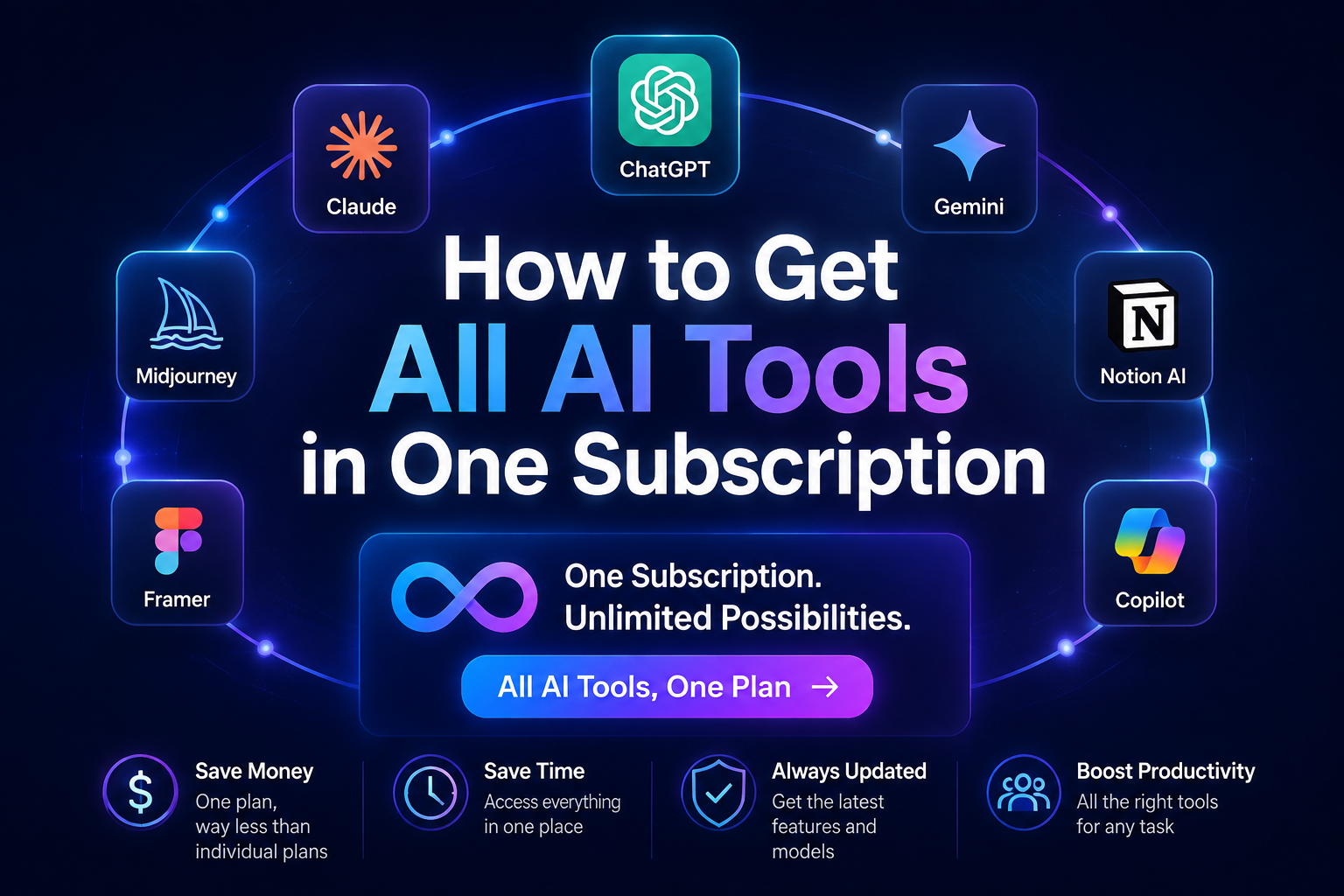
Você realmente precisa de assinaturas separadas para o ChatGPT, o Claude, o Gemini, um gerador de imagens e uma ferramenta de vídeo com IA? Em muitos casos, não. Um assinatura de IA com tudo incluído é possível reunir várias famílias de modelos e ferramentas criativas em uma única conta e com um único pagamento.
A palavra importante não é “todas”. É “incluídas”. Cada plataforma escolhe seus próprios modelos, ferramentas, limites e unidades de cobrança. A pergunta relevante é, portanto: Qual assinatura oferece as ferramentas que você realmente usa, com o menor número possível de contas extras e etapas de configuração?
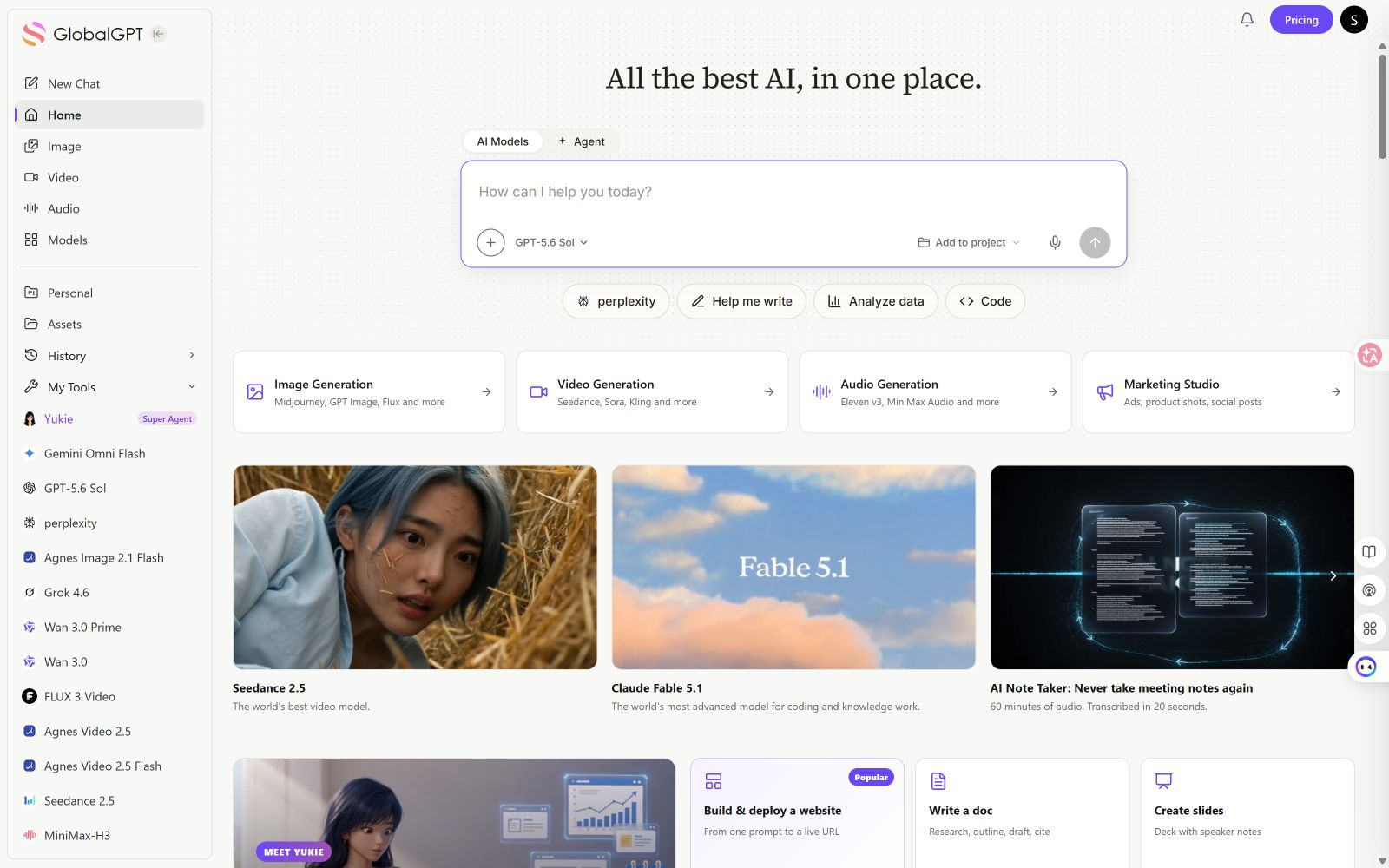
Resposta rápida: O caminho mais curto é uma plataforma multimodelo voltada para o consumidor: crie uma conta, verifique quais ferramentas de chat, imagem, vídeo, pesquisa e atendimento estão incluídas e, em seguida, abra a ferramenta de que você precisa a partir do mesmo espaço de trabalho. GLBGPT Esta é a primeira rota deste guia porque sua área de trabalho com login exposto apresentava várias categorias de IA sem solicitar uma chave de API ou um projeto na nuvem para alternar entre as ferramentas visíveis. O acesso à conta não foi testado novamente; os métodos de pagamento, modelos e limites de uso ainda podem depender da conta e do plano atuais.
É mesmo possível ter acesso a todas as ferramentas de IA em uma única assinatura?
Sim, mas nenhuma assinatura válida inclui, literalmente, todos os produtos de IA e todos os recursos nativos. Uma plataforma “tudo em um” geralmente reúne uma seleção útil de ferramentas em uma única conta:
- Conversa e raciocínio: acesso a modelos de mais de um fornecedor ou família de modelos.
- Pesquisas e documentos: pesquisa na web, análise de arquivos, resumos, tabelas ou apresentações.
- Imagens e vídeo: ferramentas de criação ou edição com custos ou limites de crédito distintos.
- Agentes: ferramentas capazes de planejar uma tarefa, utilizar arquivos, realizar pesquisas ou gerar um resultado em várias etapas.
Uma plataforma integrada pode economizar tempo no gerenciamento de contas, mas não substitui automaticamente todos os aplicativos oficiais. O ChatGPT, o Claude e o Gemini podem, cada um, oferecer recursos nativos, integrações ou limites mais altos para seus próprios planos. Para uma comparação mais abrangente entre as categorias, consulte o guia existente sobre ferramentas e plataformas de IA completas. Esta página explica como se inscrever e começar a usá-los.
A maneira mais rápida de se inscrever em várias ferramentas de IA
Para um usuário comum, o trajeto mais curto tem três partes:
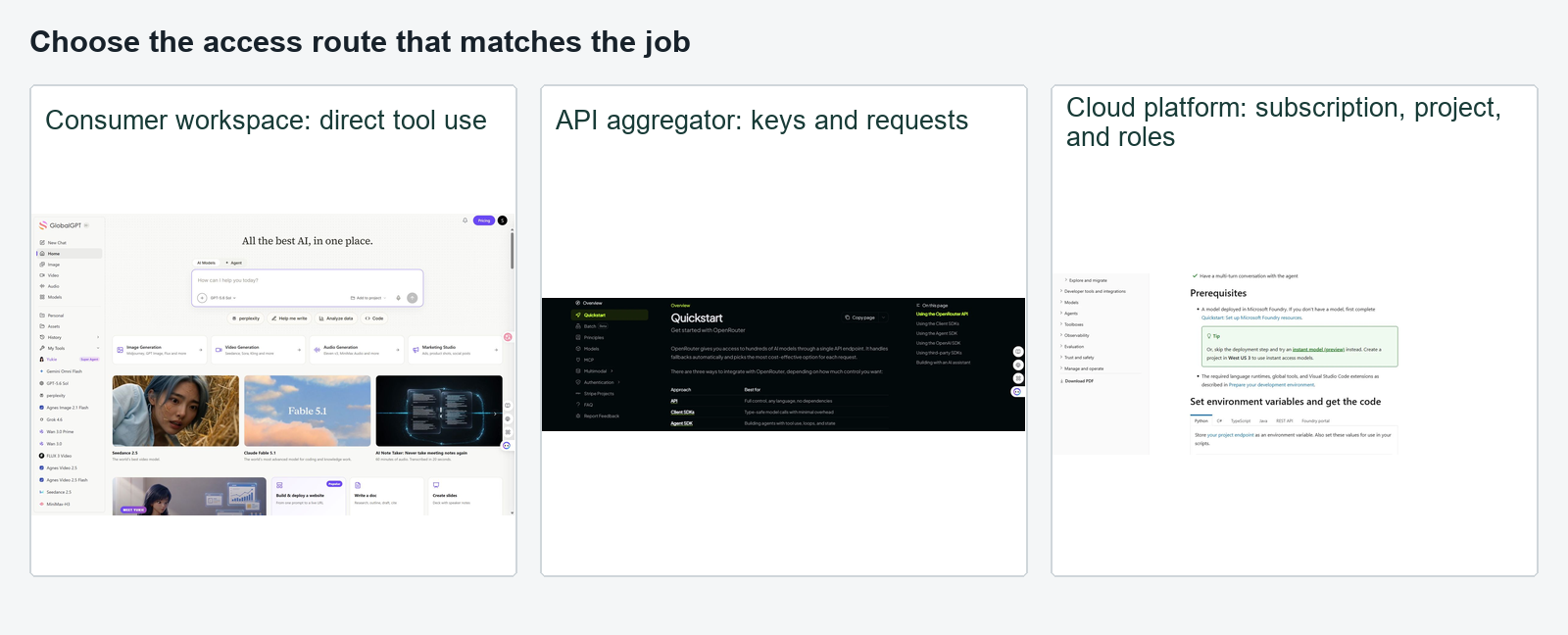
- Escolha uma plataforma multifuncional voltada para o consumidor. Evite usar uma API ou um produto em nuvem, a menos que você precise especificamente de controles para desenvolvedores.
- Crie uma conta e confira o plano. Siga o fluxo de lançamento contábil em tempo real e, em seguida, confirme as ferramentas exatas e as unidades de subsídio antes de inserir os detalhes do pagamento.
- Abra as ferramentas incluídas a partir de um único painel. Teste uma tarefa recorrente antes de decidir se deseja fazer o upgrade.
| Rota | O que você costuma configurar | Ideal para | Atrito principal |
|---|---|---|---|
| Assinatura para consumidores | Conta, plano, pagamento | Conversas, pesquisas e trabalhos criativos | Entendendo os créditos e os limites do modelo |
| Agregador de APIs | Conta, créditos, chave de API, cliente | Aplicativos e automações | Configuração técnica |
| Central de modelos em nuvem | Conta na nuvem, projeto de faturamento, permissões | Equipes que desenvolvem produtos | Configuração do projeto e da identidade |
| Planos oficiais distintos | Uma conta e um boleto por prestador de serviços | Recursos nativos máximos | Assinaturas recorrentes e gerenciamento |
Como assinar ferramentas de IA completas com o GLBGPT
O GLBGPT segue a abordagem voltada para o consumidor: uma única conta dá acesso a um espaço de trabalho que abrange diversas categorias de modelos e mídias. Você pode começar com um endereço de e-mail ou usar as opções do Google ou da Apple exibidas no painel de login atual. De acordo com as informações públicas de cadastro do GLBGPT verificadas em 2 de setembro de 2026, Os novos usuários recebem três utilizações gratuitas após o cadastro, e não é necessário informar nenhum meio de pagamento.
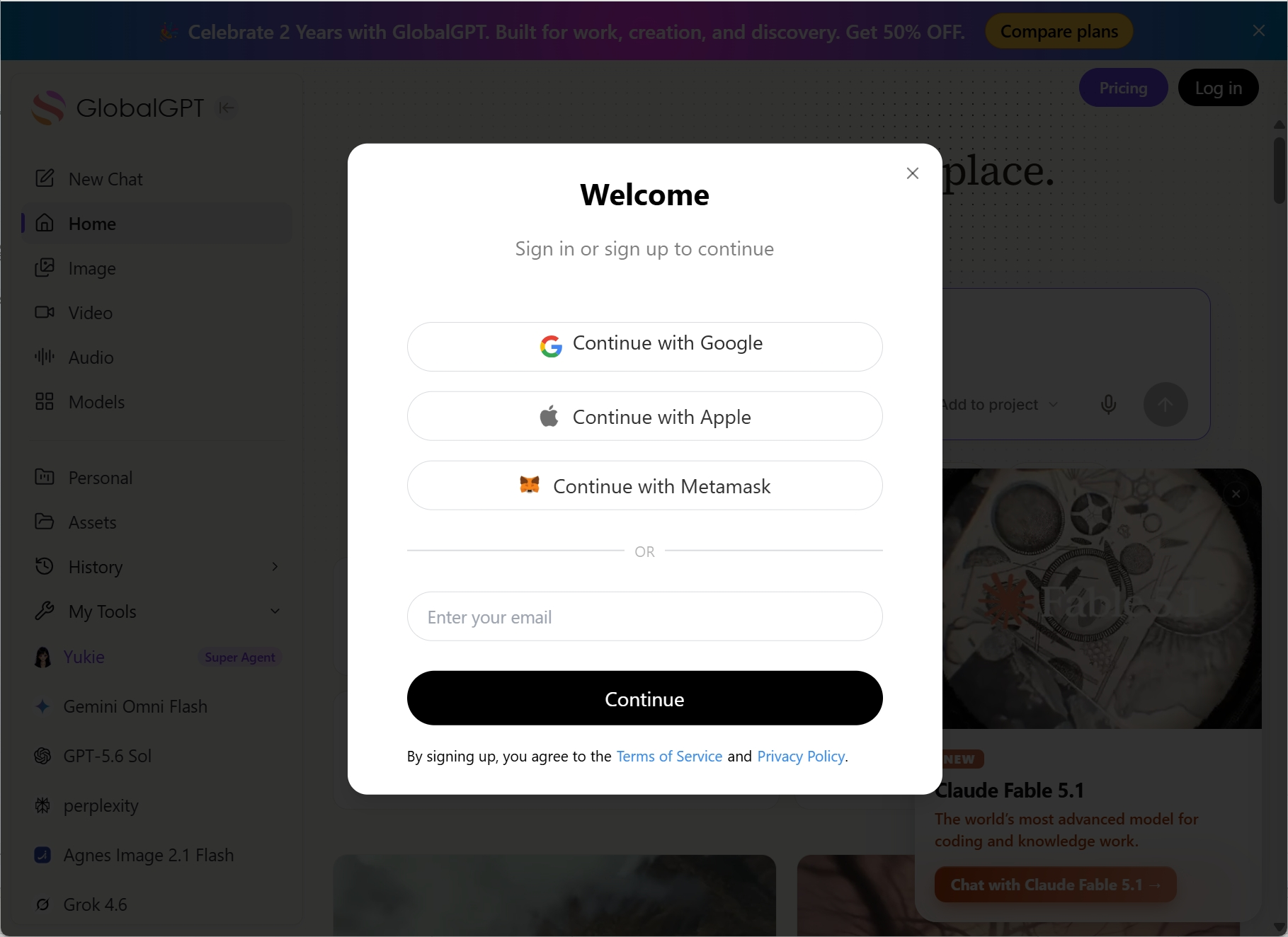
- Escolha como deseja se inscrever. Continue com o Google ou a Apple, ou insira um endereço de e-mail e conclua a etapa de verificação exibida na tela. Não é necessário fornecer nenhum meio de pagamento para os três usos gratuitos descritos na página pública de cadastro.
- Analise o plano atual. Verifique se as ferramentas de que você precisa estão incluídas e se o uso é contabilizado por meio de uma cota do plano, créditos ou ambos.
- Abra sua primeira ferramenta. Comece com uma conversa normal ou uma tarefa relacionada a documentos para verificar se a conta funciona antes de pagar por um uso criativo mais intenso.
- Mude para outro modelo ou categoria. Abra uma imagem, um vídeo, uma pesquisa ou uma ferramenta de agente no mesmo espaço de trabalho e verifique se ela está disponível no seu plano.
- Verifique o uso antes de atualizar. Execute uma tarefa que você repete toda semana e anote o consumo real de energia ou a cota utilizada.
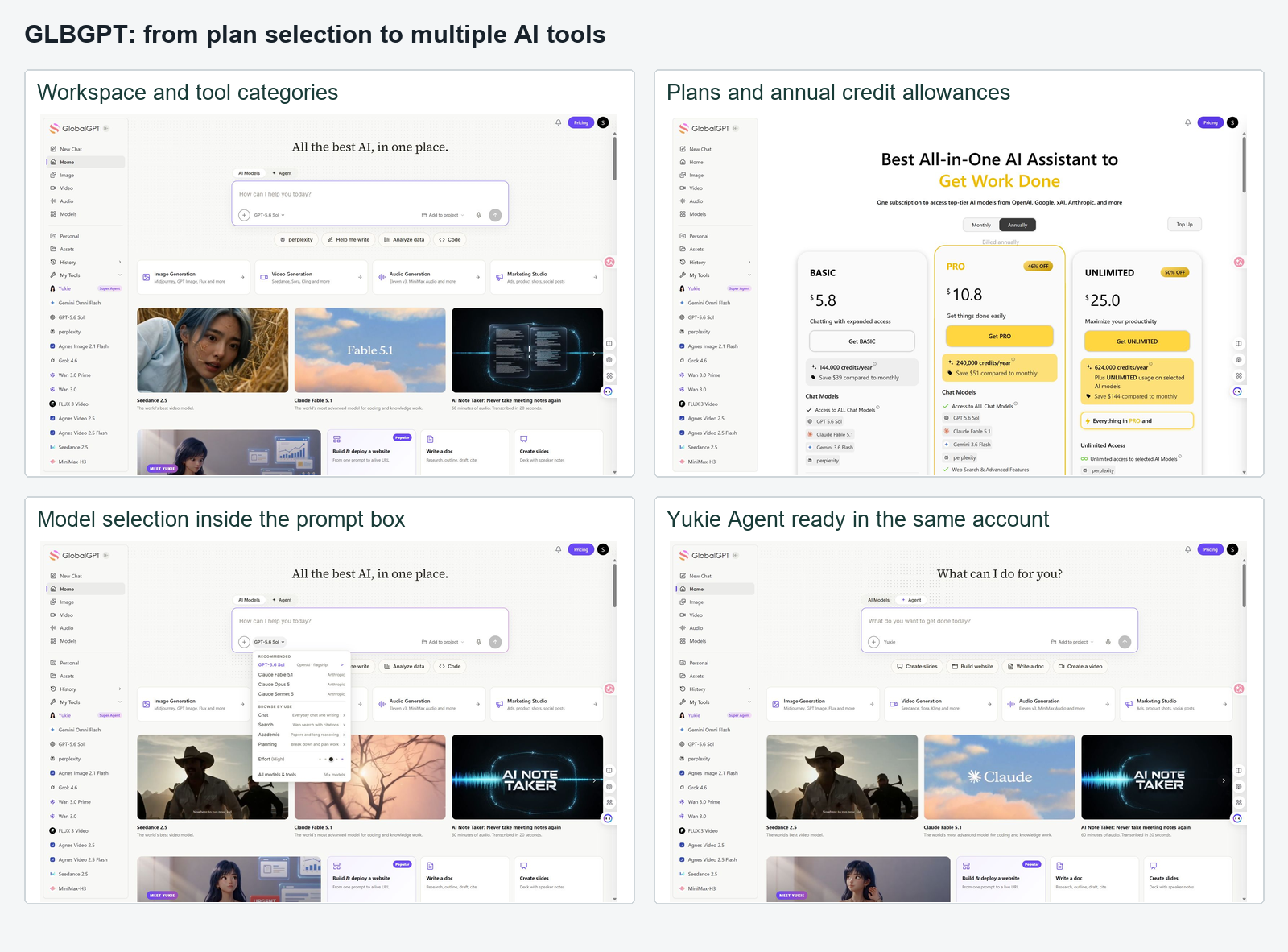
A principal vantagem não é que você nunca precise fazer uma escolha. É que você pode fazer essa escolha dentro de uma única conta. A melhor modelo de IA Isso ainda depende da tarefa, e as tarefas envolvendo imagens ou vídeos podem consumir uma cota diferente daquela destinada ao chat.
Prova prática: Crie a conta, abra duas ferramentas das quais você realmente precisa e conclua uma pequena tarefa em cada uma delas. Só faça o upgrade depois de verificar quais modelos estão disponíveis e como o uso é contabilizado.
Como se inscrever em outras plataformas de IA completas
Outras plataformas também combinam modelos ou ferramentas de IA, mas o termo “assinatura” nem sempre tem o mesmo significado. Algumas oferecem um plano mensal comum, outras utilizam créditos e outras ainda são projetadas com base no acesso à API.
| Plataforma | Como começar | O que verificar antes de assinar | Melhor ajuste |
|---|---|---|---|
| GLBGPT | Conta e plano do consumidor | Modelos incluídos, ferramentas de mídia, acesso de agentes e unidades de uso | Usuários que desejam ter várias categorias de IA em um único espaço de trabalho |
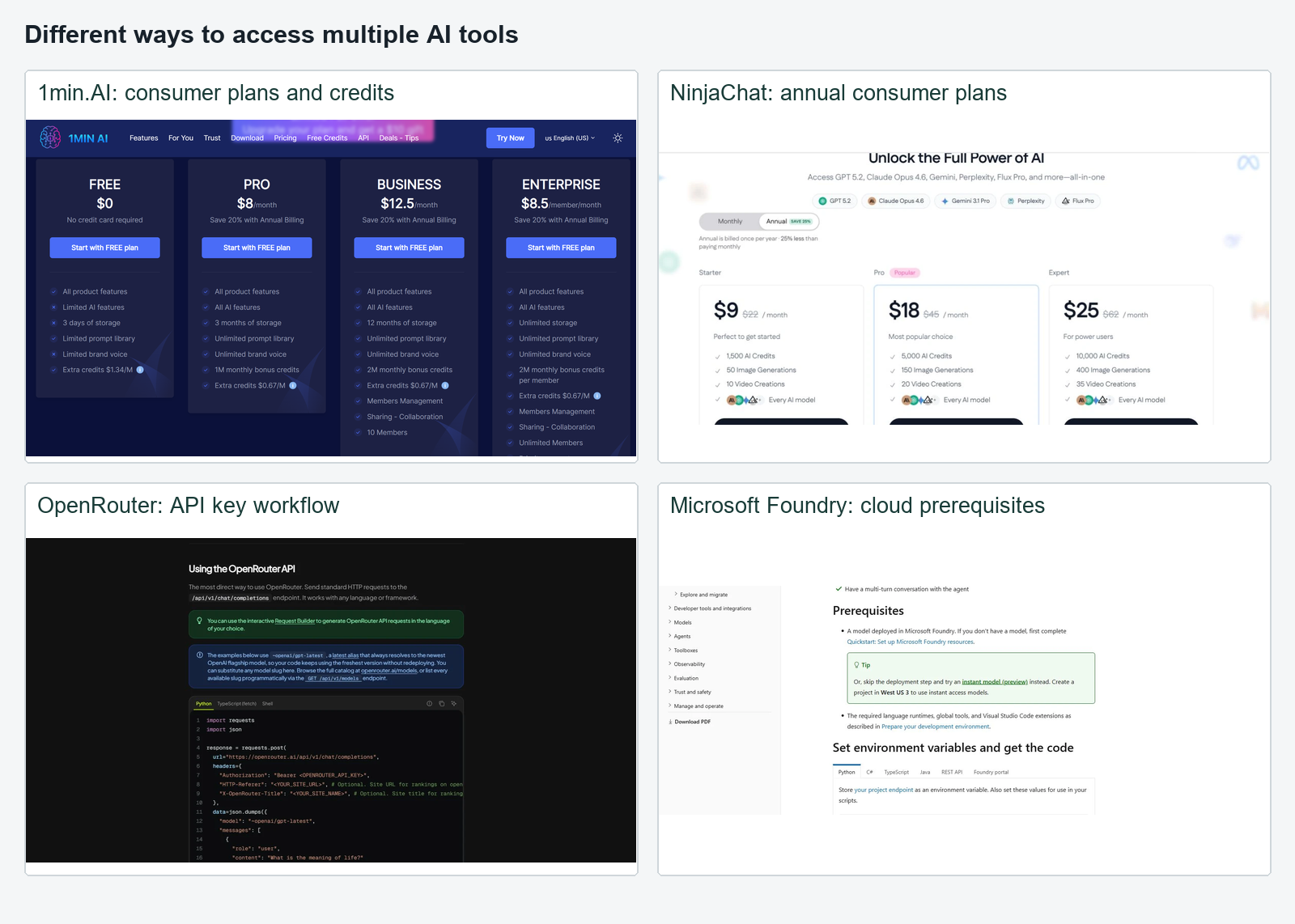
| 1min.AI | Conta de consumidor com plano ou uso baseado em crédito | Custo de crédito por tarefa e se um recurso específico requer acesso separado | Usuários que preferem ferramentas baseadas em tarefas |
| NinjaChat | Conta do consumidor e plano por faixas | Créditos de IA, cotas de imagens/vídeos e disponibilidade de modelos ao vivo | Usuários comparando ferramentas de bate-papo e de criação |
| OpenRouter | Conta, créditos pré-pagos e uma chave de API | Preços da API por modelo e o cliente utilizado para enviar solicitações | Desenvolvedores e usuários técnicos |
Essa distinção é importante. O guia oficial de início rápido do OpenRouter descreve um único endpoint de API para centenas de modelos, mas os exemplos exigem uma chave de API e código ou um cliente compatível. Trata-se de um acesso amplo, que não é a mesma experiência de abrir um painel de chat para consumidores. Da mesma forma, a tela do 1min.AI Agent testada utilizava uma pesquisa de acesso antecipado e aprovação administrativa; essa informação se aplica ao recurso Agent, e não à assinatura completa do 1min.AI. Veja os detalhes Análise do 1min.AI por essa distinção.
Uma assinatura de IA x planos separados ChatGPT, Claude e Gemini
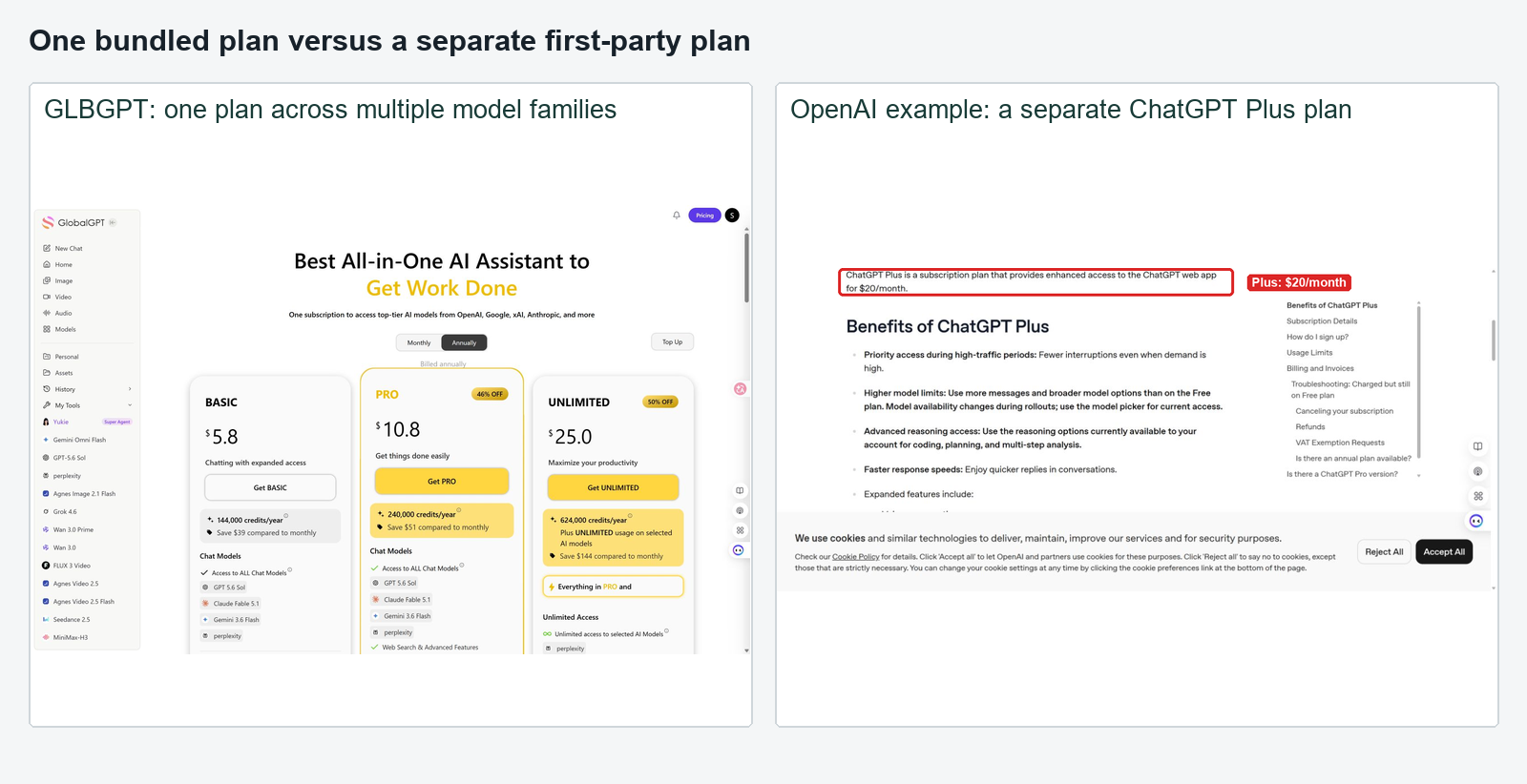
Uma assinatura “tudo em um” reduz principalmente as despesas administrativas relacionadas à conta e ao faturamento. Os planos oficiais separados garantem principalmente o acesso aos recursos nativos de cada provedor e aos limites específicos de cada plano. Nenhuma das duas opções é a melhor para todos.
| Fator decisivo | Uma assinatura com tudo incluído | Assinaturas oficiais separadas |
|---|---|---|
| Contas e faturas | Normalmente, um | Um por prestador |
| Escolha do modelo | Catálogo central selecionado pela plataforma | Modelos oferecidos diretamente por cada provedor |
| Recursos nativos | Podem ser omitidas ferramentas ou integrações específicas de cada provedor | Normalmente, a rota mais eficaz para recursos nativos |
| Limites de uso | Créditos compartilhados, mensagens, tokens ou regras de uso justo | Limites distintos para cada plano |
| Comutação | Normalmente, dentro de um espaço de trabalho | Alternar entre aplicativos e contas |
| Ideal para | Usuários que costumam combinar modelos e ferramentas de mídia | Usuários interessados em recursos específicos do próprio site |
Use uma planilha simples em vez de inserir preços planejados que ficarão desatualizados rapidamente:
Custo prático total = taxas de assinatura + créditos adicionais + atritos relacionados a pagamentos ou à região + tempo gasto com o gerenciamento das contas.
Se você usa principalmente um modelo, o plano oficial desse modelo pode ser a opção mais simples. Se você costuma comparar modelos ou alternar entre bate-papo, imagens e vídeo, uma única conta se torna mais vantajosa. Os guias para Geradores de imagens de IA e Geradores de vídeo com IA pode ajudar você a identificar quais categorias criativas realmente fazem parte da sua assinatura.
O que verificar antes de pagar
Uma longa lista de modelos não é suficiente. Abra o plano em tempo real e o seletor de modelos e, em seguida, verifique os detalhes que determinam o uso real:
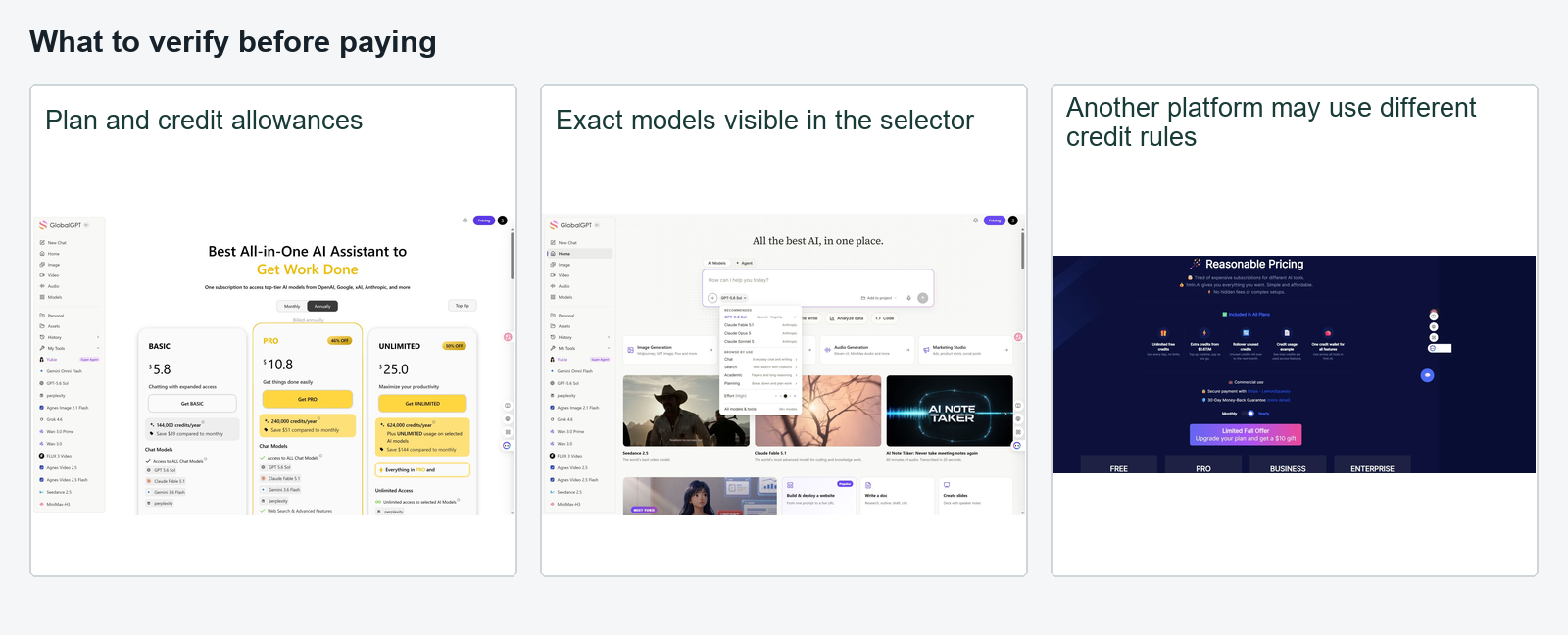
- As versões exatas dos modelos são indicadas e podem ser selecionadas?
- O plano inclui ferramentas de chat, imagens, vídeo, pesquisa e atendimento, ou apenas algumas delas?
- O uso é medido em mensagens, tokens, créditos, gerações ou uso justo?
- Os trabalhos caros de imagem e vídeo utilizam um limite de gastos separado?
- Esse meio de pagamento é aceito no seu país?
- Algum recurso está sujeito a lista de espera, pesquisa, aprovação de administrador, projeto na nuvem ou chave de API?
- É possível cancelar ou mudar para um plano inferior sem entrar em contato com o departamento de vendas?
- Os termos relativos a reembolso, transferência, excedente, privacidade e retenção de dados estão claros?
- Quais recursos próprios não estão disponíveis por meio do pacote?
Para tomar uma decisão mais abrangente sobre o pagamento, compare esta lista de verificação com o guia sobre por qual IA vale a pena pagar. A assinatura certa é aquela que cobre tarefas repetitivas, não aquela com a faixa de logotipo mais longa.
Perguntas frequentes e recomendação final
Como faço para assinar ferramentas de IA completas?
Escolha uma plataforma multimodelo para consumidores, crie uma conta, verifique o plano atual e os limites de uso e, em seguida, acesse as ferramentas incluídas no painel de controle. Teste exatamente o recurso de chat, imagem, vídeo, pesquisa ou tarefa de agente de que você precisa antes de fazer o upgrade.
Posso adquirir o ChatGPT, o Claude e o Gemini em uma única assinatura?
Algumas plataformas de terceiros oferecem acesso a modelos da OpenAI, da Anthropic e do Google por meio de uma única conta. Verifique os nomes exatos dos modelos e os limites no seletor ativo, pois a disponibilidade pode mudar, e o acesso por meio de plataformas de terceiros não inclui automaticamente todos os recursos dos aplicativos oficiais.
Uma assinatura de IA com tudo incluído é mais barata?
Pode sair mais barato do que manter várias assinaturas completas, especialmente quando você usa cada modelo apenas ocasionalmente. No entanto, pode não ser mais econômico para uso intenso, caso a geração de mídia ou os modelos premium consumam créditos rapidamente.
Preciso de uma chave de API?
Isso não se aplica a uma plataforma voltada para o consumidor comum, como a rota GLBGPT descrita aqui. Agregadores de API, como o OpenRouter, exigem uma chave de API, pois foram projetados para conectar modelos a softwares ou clientes compatíveis.
É possível que um plano inclua ferramentas de bate-papo, imagem e vídeo?
Sim, algumas plataformas agrupam as três categorias. Verifique se elas compartilham um único saldo de créditos ou utilizam limites separados e confirme os modelos exatos antes de efetuar o pagamento.
Qual é a opção mais fácil para um iniciante?
Uma plataforma “tudo em um” voltada para o consumidor costuma ser mais simples do que um agregador de APIs ou um hub de modelos na nuvem, pois não exige código, chave de API, projeto de cobrança nem permissões de identidade. A facilidade de cadastro não elimina a necessidade de verificar os limites do plano.
Recomendação final: Se o seu objetivo é usar várias ferramentas de IA em vez de desenvolver software, comece com uma assinatura “tudo em um” voltada para o consumidor. Abrir GLBGPT, confirme os modelos ativos e as margens de tolerância e execute uma tarefa real em duas categorias diferentes de ferramentas. Opte por uma API ou pela nuvem somente quando precisar de um controle técnico adicional.
Status da evidência: o acesso ao produto, os planos, os catálogos de modelos e os limites são dinâmicos. As afirmações relativas à interface no pacote final devem permanecer vinculadas a capturas de tela datadas ou a páginas oficiais. Esta versão preliminar não garante uma qualidade de saída padronizada em todas as plataformas.