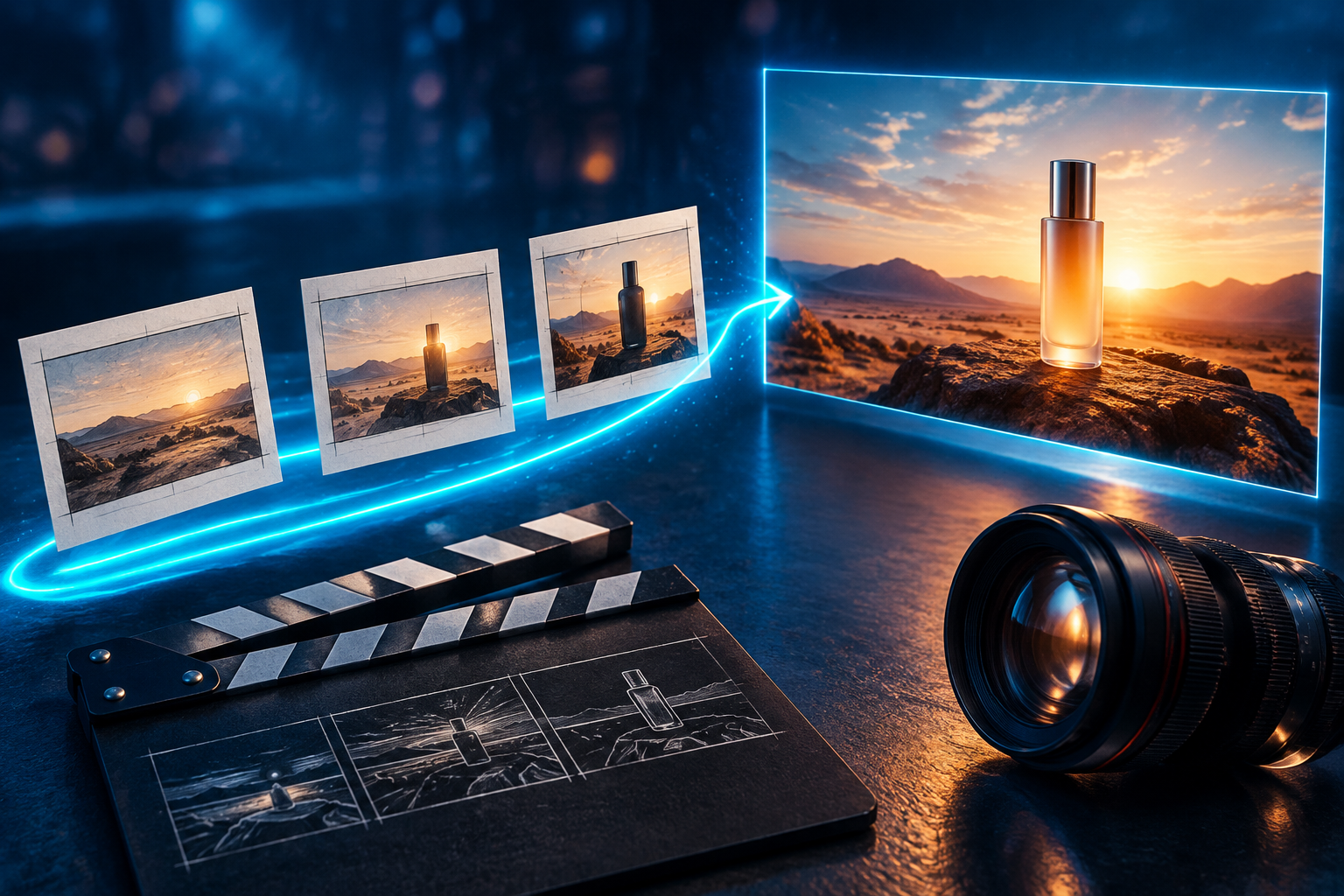
An AI video agent helps organize the work between an idea and a video: the brief, shot plan, media creation and follow-up requests. To keep control, specify the deliverable, ask for a budget before generation, review the first output, then request one focused change. A written script, a generated clip and an edited sequence are three different deliverables.
We used GlobalGPT Yukie to turn a two-beat travel-mug brief into a playable 10-second video, then saved a square version and brought the first cut into Canvas for review notes. The files worked; the product did not stay identical between shots. That distinction matters if you are making an ad rather than exploring a visual concept.
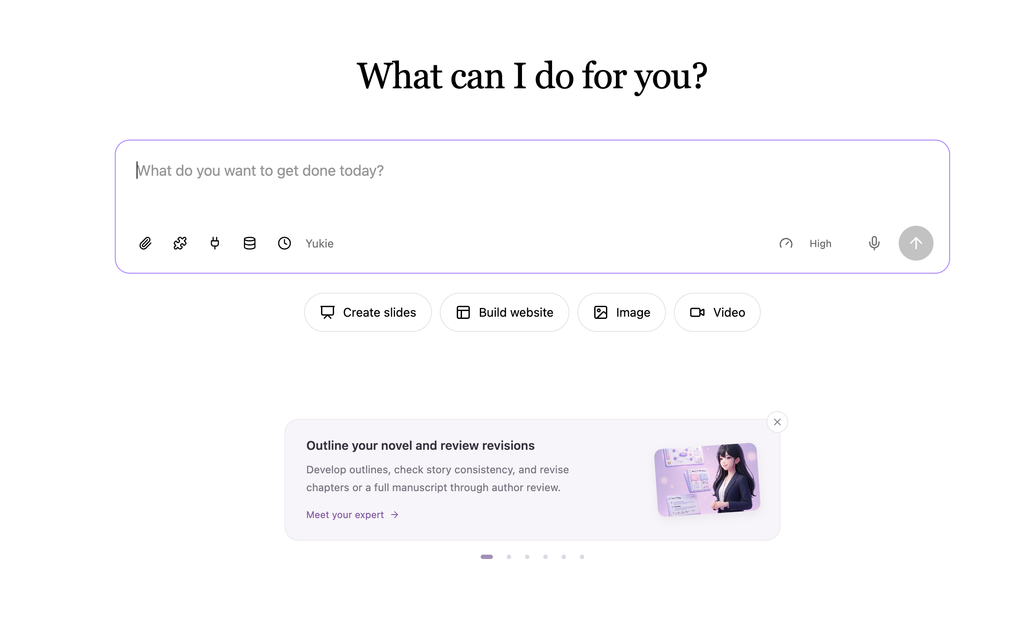
GlobalGPT brings multiple AI models and creative functions into one subscription platform. Yukie is its task-oriented agent workspace, with video entry options for a vlog, product ad, product demo or animated concept. Start in Yukie with the job you want to finish, then use Canvas when you want to develop the visual workflow. Yukie also powers the Canvas agent.
The first result: a 10-second travel-mug concept
The brief called for a forest-green mug on a pale oak counter, then the same mug beside a canvas bag near a sunlit doorway. It asked for no people, logos, words or audio. Here is the first delivered silent version, preserved without another aesthetic generation attempt.
GlobalGPT Yukie — first delivered video
| Checkpoint | 관측된 결과 | 실질적인 의미 |
|---|---|---|
| 파일 전달 | 1280×720; H.264; 30fps; 10.000 seconds; 300 decoded frames; no audio track | A complete playable landscape file, checked through to the end |
| Two visual beats | Countertop scene followed by a doorway scene | The basic story structure came through |
| Product continuity | Second shot adds a green lower ring, changes the metal rim and alters proportions | Do not approve it as an accurate branded product video |
| Canvas-bag instruction | The cloth prop looks rolled up rather than like a clearly identifiable bag | Prop accuracy needs a separate review |
| People, words and logos | None noticed during playback and sampled-frame review | Visual review, not a claim of automated frame-by-frame recognition |
The useful outcome is a workable concept with a visible review problem. We checked both video files by full decoding and played them through to the end in a browser. This is one project, not a reliability benchmark: the mug’s changing details remain a reason to revise or choose real product footage before campaign use.
How to use an AI video agent: the workflow at a glance
Use a small project for your first attempt: one subject, two visual beats and a clear final format. That gives you enough structure to judge continuity without spending the whole budget on a complicated story.
From a brief to a usable deliverable
- 1 · DefineAudience, subject, format and the file you need.
- 2 · PlanShots, materials, tools and proposed budget.
- 3 · 리뷰Play the first output and check the whole story.
- 4 · ReviseChange one thing; name what must stay.
- 5 · ContinueUse Canvas for the visual workflow or a timeline for the cut.
- 6 · DeliverOpen the downloaded file and check it independently.
The planning conversation is where you settle assumptions. Ask whether the proposed output is one assembled video or separate clips, whether the target length is supported, and which steps would create new paid media. Do that before accepting a generation plan.
1. Prepare a script, reference materials and delivery target
A script can be a sequence of visual actions. It does not have to be a voiceover. For a silent product concept, describe what the viewer sees, in what order, and what the closing shot should leave them thinking. For narration, prepare the exact words separately so visual prompts do not become improvised sales copy.
Start with seven decisions: audience, purpose, subject, visual beats, aspect ratio, target length and audio/text requirements. “Make it cinematic” leaves most of the useful decisions open. “A short landscape product concept for commuters, with two calm scenes and no on-screen text” gives the agent a practical direction.
| 재료 | What it contributes | 준비물 |
|---|---|---|
| Product reference | A visual anchor for shape, color and details | A clear authorized image; identify the details that must remain |
| Existing footage | Real actions and product identity | Choose relevant takes and explain which moments matter |
| Visual script | Story order and purpose | One main action per beat; a defined closing composition |
| Spoken script | Exact message and pronunciation | Approved facts, language and intended delivery |
| 스타일 참조 | Lighting, mood and composition | Say which qualities to borrow and what should remain original |
Use only materials you have permission to use. Inspect the current upload controls for accepted formats and size limits before preparing a large batch of files. Give each reference a role: “use this for the mug shape” is clearer than uploading several unrelated images and expecting the agent to infer your priorities.
If you begin without a product image, describe the object consistently and treat the result as a concept. For a real campaign, compare the product with approved source material before delivery. A prompt alone does not establish that the generated object matches the real product.
A 16:9 landscape concept and a vertical social cut have different framing needs. Choose the destination first. Ask whether the available output settings match it; simply adding “vertical” to a request does not confirm the returned file’s dimensions. For more preparation examples, see the 스크립트에서 영상으로의 워크플로.
2. Give Yukie a complete brief
열기 Yukie in GlobalGPT and choose a video task that matches your purpose. Its video entry choices include Make TikTok vlog, product ad, product demo 그리고 개념에 생동감을 불어넣기. Use the choice as a starting point, then supply your own requirements rather than relying on the preset name to define the entire video.
This is the complete brief used for the travel-mug task. It requests a plan and a playable file, specifies two visual beats, and sets a ceiling before generation. You can adapt it to your own subject, format and budget.
Exact input: the silent travel-mug task
Create a 10-second, 16:9 product video for a fictional unbranded reusable travel mug. Audience: commuters who want a calmer morning. Two visual beats: first, a warm close-up of a matte forest-green mug on a pale oak kitchen counter with soft morning light; second, the same mug beside a canvas bag near a sunlit doorway, with a slow gentle camera move. Keep the mug shape and color consistent. No people, no logos, no on-screen words, no subtitles, no voiceover, no music. Please plan the shots, choose suitable tools, and show the credit budget before generating. Keep the proposed total at or below 2,000 credits. Deliver a playable video file, not only a written script.
Run on October 14, 2026 in GlobalGPT Yukie. We kept the first playable result and used a separate follow-up for a square version. The 2,000-credit ceiling is a requested media allowance, not the total project cost.
For a real product, replace “fictional” with approved product facts and attach the authorized reference if the input supports it. Keep claims separate from visual direction: do not let “reusable” expand into an invented environmental saving, temperature-retention promise or certification.
If the account shows an upgrade prompt, check the entitlement before trying again. Repeatedly submitting the same brief will not resolve an access requirement. Review the applicable plan and payment terms before purchasing; a video task and a subscription are separate spending decisions.
3. Review the plan and budget before creating media
Ask Yukie to explain what it proposes to create before approving paid work. A useful plan should connect each shot with a material or generation step, identify what can be reused, and state whether any assembly is needed. You should be able to explain the proposed deliverable in one sentence.
If the plan returns a different duration, aspect ratio or number of shots, resolve that mismatch first. It is easier to change a written plan than to regenerate several clips. If it proposes separate clips, decide where the final sequence will be assembled instead of assuming a continuous video will appear automatically.
For the travel-mug brief, Yukie proposed a 10-second, two-beat video at 720p in 16:9 using Wan 2.7, with a media quote of 1,700 credits. It then used post-production to lock the aspect ratio and remove audio: the underlying generated clip had sound, while the delivered file has no audio track. The budget card is where you decide whether to authorize that work.
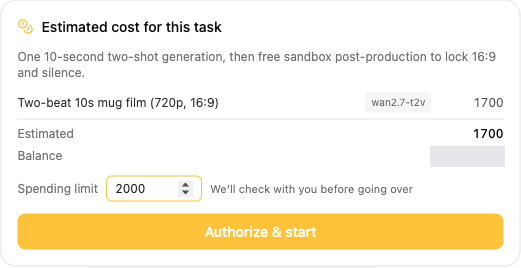
The card initially offered a 3,400-credit limit. We reduced it to 2,000 credits and selected Authorize & start. A proposed allowance is a decision you can review, not a number you have to accept unchanged. Here, the 1,700-credit estimate and the 2,000-credit authorization ceiling are different figures.
| Travel-mug budget example | Observed value | 읽는 방법 |
|---|---|---|
| 미디어 생성 | Wan 2.7; 720p; 16:9; 10 seconds; two visual beats | The delivered landscape file is 1280×720 and 10 seconds |
| Media quote and recorded media cost | 1,700 credits | Separate from the reasoning used for planning and follow-up |
| Spending limit | Changed from 3,400 to 2,000 credits | Authorized ceiling for the media work |
| Cumulative reasoning after three conversation rounds | 455.63 credits | Planning, generation processing and square revision; not capped by the media ceiling |
| Combined video-task UI figures | 2,155.63 credits | 1,700 media + 455.63 reasoning; excludes Canvas and document-task reasoning |
| Cumulative UI elapsed time | 7 minutes 43 seconds | Three rounds together, not pure model-generation latency |
The 2,000-credit media ceiling did not cap the whole conversation. The recorded media and reasoning figures total 2,155.63 credits for the video task. Canvas and document work are outside that sum. Keep the scope of each number visible instead of presenting the media quote as an all-in project price.
| Cost term | 그 의미는 | Your decision |
|---|---|---|
| 구독 액세스 | The account’s entitlement to use the workflow | Does this account have the required access? |
| Task estimate | A proposal for planned work | Do the shots and output settings justify it? |
| Budget ceiling | The maximum you agree to for a defined scope | Which steps does it cover, and when is new approval needed? |
| Actual usage | The amount recorded for completed or attempted work | What does the task or usage history report? |
| Revision budget | Additional work after the first result | Will this reuse media, edit it, or generate new media? |
A credit budget is not a fixed currency quote unless the applicable billing terms provide that conversion. Keep the displayed estimate, your approved ceiling and recorded usage separate. Do not read a maximum allowance as the amount already spent, or assume that a subscription makes every video and revision unlimited.
Keep room for review and a deliberate revision. An elaborate first brief can use the allowance before you have learned which shot needs attention. A two-beat concept is a useful starting point because you can judge the story and product identity before expanding it.
Avoid submitting a second task while the first is pending. Check its status first, especially after a connection interruption. Planning time, generation time and your own approval time are different parts of the process; none should be treated as a promise of instant delivery.
4. Review the first output as a video, not a poster frame
Yukie returned the landscape video as a downloadable file. The result panel shows the file handoff, but the video itself is the evidence to inspect for identity, timing and sound.
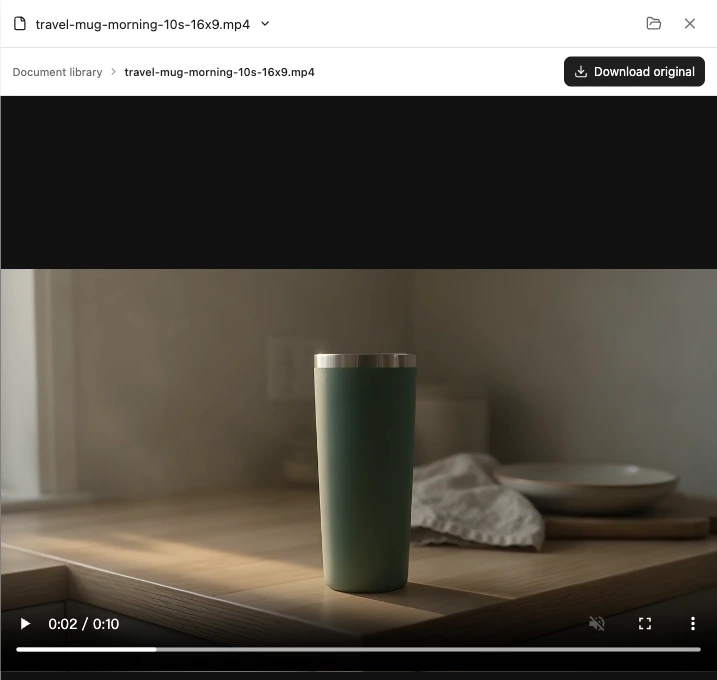
Play every returned clip from beginning to end. A strong still frame can conceal a changing cap, a warped object or a sudden background jump. Check the first and last frames as well as the movement between them.
- Story: do the shots show the intended beats in a useful order?
- 신원: does the product keep its shape, color and important details?
- 동의안: is the camera move calm enough for the brief, and does the object remain believable?
- Text and audio: did words, captions, speech or music appear when you asked for none?
- 형식: what are the actual duration and dimensions of the returned file?
- Completeness: did you receive the sequence you requested or clips that still need assembly?
In this first cut, the mug changes after the scene transition: the second shot has a different metal rim and a new green ring near its base. The cloth beside it is also ambiguous. Keeping the original makes those flaws visible instead of hiding them behind a better-looking reroll. Separate a creative problem from a technical one: this file plays correctly, but its product fidelity needs work.
For branded work, judge fidelity before polish. A beautifully lit mug with the wrong lid or label is still the wrong product. Simplifying the action can make the subject easier to evaluate, but inspect the revised result rather than assuming that a narrower prompt guarantees consistency.
5. Request a focused revision and preserve the original
For the actual follow-up, we chose an editing task rather than another media generation: save a separate square social version, preserve both shots and keep the video silent. The first cut remained available. The new file is 1080×1080, 10 seconds and 30fps, with no audio track.
Exact revision input: a separate square version
Keep the original video. Make one separate 1:1 square social version of the delivered 10-second silent file using sandbox editing only. Preserve both shots and the 10-second duration. Keep the mug fully visible by choosing an appropriate crop; if a crop would cut off the product, use a restrained padded layout instead. Do not run any additional image or video generation. Deliver a downloadable MP4 named travel-mug-morning-10s-square.mp4, and briefly explain the edit.
This follow-up used the delivered first cut. It requested editing only, not another image or video generation.
GlobalGPT Yukie — square revision
| Revision check | 관측된 결과 | 결정 |
|---|---|---|
| Format and duration | 1:1; 1080×1080; 10 seconds; 300 decoded frames | The requested square delivery file was created |
| 오디오 | No audio track | Silent requirement retained |
| Shot content | Both shots retained; mug stays within the square crop | The framing keeps the main subject visible |
| 문맥 | Cloth/bag prop partially cropped out | A square adaptation loses some of the landscape context |
| Detail and identity | Enlarged from 720p; original mug mismatch remains | Not native 1080 detail and not a product-consistency fix |
This illustrates the difference between a format revision and a creative repair. Cropping can adapt a file for another destination, but it does not make the mug consistent or recover the context lost outside the square frame. Inspect the new version at its intended viewing size.
A useful revision names the target, the change and the elements to preserve. “Make it better” can alter the whole direction. “Change the closing shot to a steady close-up; keep the mug and the opening shot” gives you a result you can assess.
If your next priority is the appearance of one shot rather than the delivery format, use a request like the following. This is a reusable example, not the square-edit request used above. If the task returns separate clips, identify the actual closing clip rather than calling it a finished sequence.
Copyable follow-up: change one shot
Revise only the closing shot. Use a steady close-up of the same forest-green travel mug beside the canvas bag, rather than a moving camera. Keep the mug shape and color, the opening shot, 16:9 format, and the no-people, no-logo, no-words and no-audio requirements. Preserve the original result. Before making new media, explain what can be reused, what needs regeneration and any additional credit budget.
Adapt the shot description to the actual output. Compare both versions after the change; naming an invariant does not guarantee it will remain identical.
Ask whether the change will edit an existing asset or generate a new version. Those routes can have different costs and different effects on continuity. An approved revision should have a defined scope, especially if the agent proposes replacing more than the shot you named.
Review what changed and what changed accidentally. Check the mug silhouette, lid, lighting and opening shot alongside the requested camera change. If the new version solves framing but loses product identity, keep the original and narrow the next decision. For more precise shot language, use the camera moves guide.
6. Continue in Canvas with Yukie
GlobalGPT 캔버스 is the visual workflow workspace, and its agent is Yukie. Use it when you want to reason about a particular output and the steps around it. A selected node gives your request a concrete scope; it also makes it easier to describe which result should remain untouched.
You can put your video brief in a Text node to keep it visible as a reference for the node workflow.
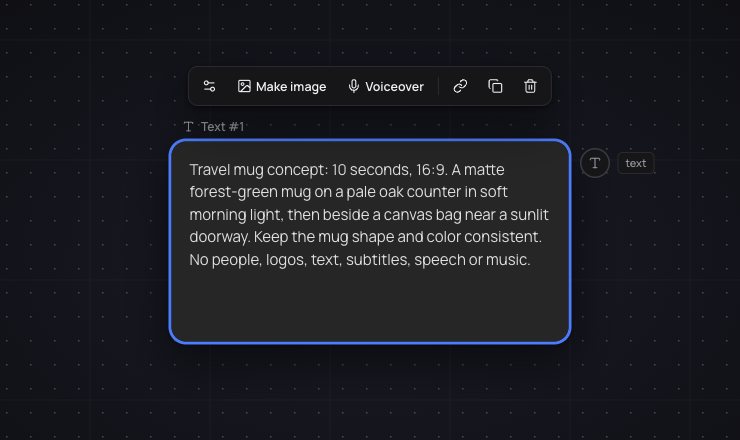
For the real continuation, we used Add node → Upload to import the first delivered video into Canvas. We then asked Yukie to organize the existing material and link review notes without generating new media. It renamed the video Morning mug — first cut, created a Review notes text node and marked the earlier generation proposal as not executed.
Exact Canvas input: organize the imported first cut
I have uploaded the actual first video from the standalone Yukie task as Media #1. Continue with this existing clip only. Do not generate any image, video or audio, and do not run paid generation nodes. Rename the uploaded video node to Morning mug — first cut. Add a linked Text node named Review notes with these supplied review findings: 10 seconds, 16:9, silent; keep both shots; the mug changes its base band and metal collar after the cut, so product identity needs review; a square social crop has been exported separately. Mark the earlier plan text node as an unexecuted proposal, not a completed workflow. Arrange the brief, real video and review note so the relationship is clear. Reply in English.
The real video was manually uploaded before this request. No new image, video or audio generation was requested.
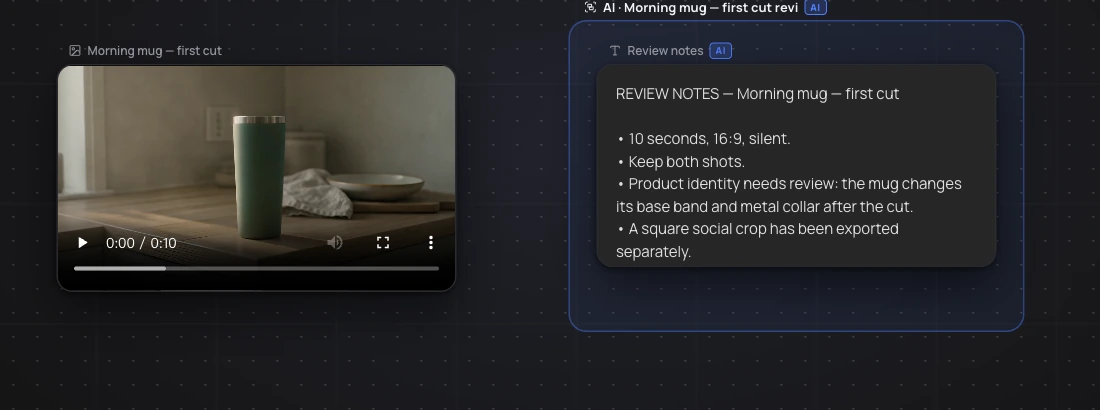
| 액션 | What actually happened | 경계 |
|---|---|---|
| Bring in the video | Manual Add node → Upload of the delivered first cut | The original conversation was not automatically transferred |
| Organize the asset | Yukie renamed it Morning mug — first cut | An operation on the imported asset |
| Attach review context | Review notes text node created and linked | Useful continuation without claiming a new video |
| Retain plan status | Old generation proposal marked not executed | Planning text is not proof of paid generation |
That is a practical handoff: a saved file becomes an asset you can organize and discuss in a visible workflow. The important distinction is how it arrived. In this case, we uploaded the file manually; the agent then acted on that imported material.
When an output offers an Open in Canvas action, inspect what arrives in the graph. A media node represents an output; it should not be treated as proof that the entire conversation, every reference or an assembled sequence transferred with it. Check the graph before asking for another generation.
For a future closing-shot alternative, select the relevant output and ask Yukie to plan the change while preserving the original. Review any proposed nodes, connections and additional generation before applying or running the plan. If the graph has changed since the proposal, ask for an updated plan instead of applying an outdated scope. This would be a different task from the asset organization we performed.
Copyable Canvas request: a scoped alternative
Work only on the selected output node. Keep the original. Plan an alternative closing shot of the same forest-green travel mug beside the canvas bag, using a steady close-up rather than a moving camera. Keep the mug shape and color, 16:9 format, and no people, logos, words or audio. Show the proposed node changes and any additional credit budget before applying or running them.
Check the selected node and the available operation before proceeding. A request to plan a branch is not an instruction to overwrite every output.
The benefit of keeping the project in GlobalGPT is the connection between planning and creative work: develop the brief, make media and decide the next step in the same platform. Use Canvas to make that next step specific, rather than starting each revision with a vague description of the whole project. The GlobalGPT Canvas guide provides broader context for the workspace.
Canvas versus a timeline editor: choose the right kind of change
Canvas organizes a visual workflow as nodes and connections. A video timeline organizes footage and audio over time. They answer different questions: “What should create or transform this output?” versus “At what point should this clip, title or sound play?”
| Your change | Useful route | 확인해야 할 사항 |
|---|---|---|
| A different scene, camera move or background | A scoped generation or revision request | New media budget and product continuity |
| An alternative output or a specific workflow step | Canvas with Yukie | Selected node, proposed graph changes and preserved original |
| Trim a pause or rearrange two existing clips | A timeline editor | Sequence order and exact cut points |
| Place a title, caption or logo at a precise time | Editable graphic layers in an editor | Text accuracy, placement and safe margins |
| Adjust music or speech against pictures | A timeline with audio controls | Timing, levels and rights to the source audio |
Choose the route based on the requested change. Recreating a whole clip to remove a short pause may waste work; moving clips on a timeline will not create a missing scene. Confirm the editor and controls available to your project before relying on a particular operation.
Keep final brand wording, subtitles and graphics accurate. Text generated inside the picture may not behave like an editable caption layer. If a deliverable needs precise copy, plan a separate editable text step where the chosen editor supports it, then review every word in the final file.
7. Download, assemble if needed, and check the final file
Both delivered files in the travel-mug project passed complete decoding and browser playback to their 10-second end. The landscape file is 1280×720; the square file is 1080×1080 after cropping and enlargement. Both contain 300 H.264 frames at 30fps and no audio track. File validity passed; exact product identity did not.
Decide what counts as delivery before you finish: a client-ready sequence, a silent concept, individual shots or an editable project. Separate clips can be useful assets, but a folder of clips is not the same handoff as one finished video.
Download the available media or export from the editor you actually used. Open the file outside its original result player and watch it all the way through. Confirm the duration, aspect ratio, sound and first/last frames again; a preview does not establish that the exported file has the same settings.
- Confirm the file opens and plays from start to finish.
- Check sequence order, transitions and the closing composition.
- Compare the product with its approved reference.
- Inspect text, captions and logos at their actual viewing size.
- Confirm any narration and music are intentional and properly cleared.
- Keep the original takes and note which version is the final delivery.
For a campaign, also check the destination’s format requirements and who signs off on the creative. Commercial use depends on the platform terms and rights to the materials you supply; an exported file does not by itself clear a third-party logo, person, song or image.
Common problems and the next useful action
| 보시는 대로 | 다음으로 취할 유용한 조치 | 피하기 |
|---|---|---|
| Only a script or storyboard | Restate the playable-file requirement and review the proposed execution steps | Calling text a completed video |
| An upgrade prompt | Check the current account entitlement and applicable plan | Repeatedly submitting or assuming another account’s access |
| A task still pending | Inspect the existing task status before trying again | Duplicate generation and duplicate spend |
| The product changes between shots | Clarify visual invariants and simplify competing actions/references | Accepting a beautiful but inaccurate object |
| A revision alters unrelated details | Compare with the preserved original and narrow the next request | Overwriting the only useful take |
| Canvas contains only an output node | Inspect what transferred and plan the next step explicitly | Assuming the graph already contains a finished sequence |
| The clips are good but the cut feels wrong | Use sequence editing for order, timing and pacing | Regenerating every scene to fix a cut |
Keep recovery tied to the actual problem. An access requirement needs the right entitlement, a failed task needs a status check, and an unsatisfying result needs creative direction. Treating all three as “try again” can cost time without improving the outcome.
Start with a brief you can evaluate
The most useful first project is small enough to review and specific enough to revise. Write two visual beats, name the subject details to preserve, set the delivery target and ask for the budget before generation. Then judge the whole video, not its best frame.
사용 GlobalGPT to develop the brief and creative workflow, then open Yukie for the task. Expand the project after you know what the first output needs. A precise follow-up and a careful file check are more useful than another broad “make it cinematic” request.
자주 묻는 질문
What is an AI video agent?
An AI video agent helps organize a video task across planning, media creation and follow-up work. A video generator produces media from an input; the agent workflow also involves deciding the steps and carrying the task forward. The useful test is the deliverable you receive and the control you keep over it.
How do I turn a script into a video with Yukie?
Open Yukie, choose a relevant video task and provide the audience, visual beats, format, target length and text/audio requirements. Ask for a shot plan, a proposed budget and a playable file. Resolve settings and output type before approving generation, then review the returned media.
Do I need a voiceover script?
No. A silent concept can use visual beats as its script. If the video needs narration, prepare exact approved words and state the language and delivery. Confirm the available voice and caption controls for the chosen workflow before relying on them.
Can I use my own product images or footage?
Prepare clear materials you own or have permission to use, and check the current upload controls for supported formats and limits. Explain each reference’s role and which product details should stay consistent. Review the output against the source before using it in a campaign.
Can I ask for only one scene to change?
You can make a scoped request: identify the scene, name the change and list what should remain. Preserve the original and review any new generation budget. Our tested revision changed the delivery format to square, not the mug’s appearance; the original continuity problem remained.
Is GlobalGPT Canvas a video timeline editor?
Canvas is a node-based visual workflow workspace with Yukie as its agent. A timeline editor arranges clips, graphics and audio over time. Use the graph to plan or change workflow steps; use an appropriate timeline for precise cuts, sequence timing and audio placement.
Is the example video supposed to cost 2,000 credits?
No. The media quote and recorded media cost were 1,700 credits, with a 2,000-credit media spending limit. Three video-task conversation rounds also used 455.63 reasoning credits, making the combined UI figures 2,155.63 credits. Canvas and document reasoning are outside that sum.
Is every revision free?
Do not assume it is. A revision may reuse an asset, edit it or create new media. Ask what the change involves and review any additional budget before proceeding. Subscription access and the cost of a particular media task are separate questions.
How long does an AI video agent take?
The travel-mug task displayed 7 minutes 43 seconds across three conversation rounds covering planning, generation processing and the square revision. That is cumulative UI elapsed time, not pure generation latency or a promised turnaround. Check task status before submitting a duplicate request.
Can I use the finished video commercially?
Review the applicable platform terms and the rights to every source asset, including images, footage, music, logos and depicted people. Also check product claims and brand accuracy. Downloading a playable video does not automatically clear third-party rights.