
Yukie is GlobalGPT’s task-oriented AI agent. You describe a result you want, provide relevant information, and use a conversation to guide the work. Its dedicated workspace brings task entry points together with Skills, Connectors, Data sources, Projects, and Assets.
That makes the starting question practical: what do you want to leave with? A presentation needs an audience and a story. A website needs a purpose and page content. A product video needs a message, reference materials, and a publishing format.
GlobalGPT remains a multi-model AI subscription platform. Yukie adds an agent-centered way to approach work within that broader platform. GlobalGPT 살펴보기 if you want to move between everyday AI work and a task-based workspace.
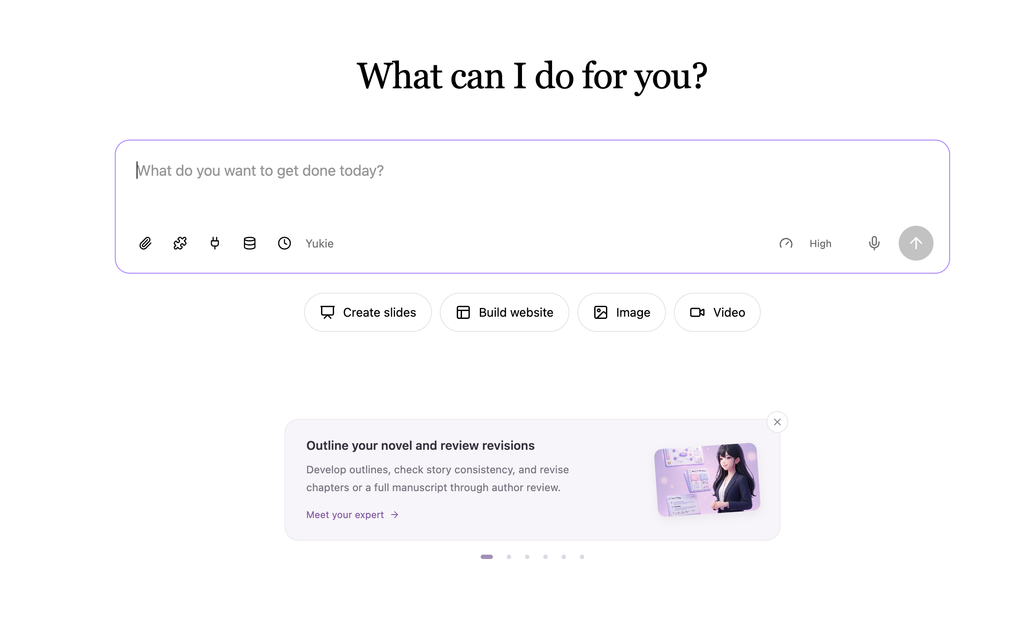
What can you make with Yukie?
The Yukie workspace offers starting points for slides, websites, images, and video. Choose the task first, then make the brief specific enough to judge the result. A scene label helps you get started; the details you supply determine what you are asking for.
Video mode includes a TikTok vlog, a product ad, a product demo, and animating a concept. Those are different communication jobs. An ad needs a clear benefit and next action; a demo needs to show how a product works. Use the task choice to frame your request rather than expecting one generic prompt to fit every format.
The built-in Skills directory extends that picture. slides is described around editable PowerPoint work; writer covers Word, Excel, PDF, and HTML; visual covers images, video, voiceover, and post-production. 연구 focuses on finding information and reading links, while analyst covers data, calculations, and charts.
For other outcomes, site is oriented toward an accessible website, explainer toward interactive explanations, and skill-creator toward reusable ways of working. These descriptions help you choose a starting method. Check the actual output and available controls for your task before committing to a particular delivery format.
Match the brief to the task
| 시작점 | Useful input | What to review |
|---|---|---|
| 슬라이드 | Audience, topic, source facts, story | Accuracy, sequence, text density |
| 웹사이트 | Purpose, page content, desired action | Copy, page structure, calls to action |
| 이미지 | Subject, visual references, composition | Appearance, framing, text |
| 영상 | Message, references, format, scene direction | Visual consistency, timing, sound |
Who is Yukie useful for?
Yukie is a useful starting point for marketers turning a brief into campaign materials, creators working from visual references, and people preparing a presentation or website around a defined goal. The common thread is having an outcome to manage, rather than an isolated question to answer.
Start small when the work matters. One presentation section or one product concept is easier to review than a request to build an entire campaign at once. Provide approved facts and original materials, and keep factual, brand, and publishing decisions in your own review.
How to start your first Yukie task
- Open the workspace. 다음으로 이동 유키에 and sign in. Check that your account has access before preparing a large task.
- Choose one deliverable. Say whether you want slides, a website, an image, a video, or another clearly described output.
- Supply the context. Name the audience, purpose, required facts, and relevant reference materials. Explain how each reference should be used.
- Set boundaries. Specify what must stay unchanged and what Yukie should ask you about instead of inventing.
- Read the next step. Respond to clarification questions and review any proposed work, approval request, or credit requirement before continuing.
- Review before delivery. Check the actual output, request a focused revision, and use the available download or export controls for that output.
If an upgrade message appears, the task needs an account with the required access before it can proceed. Rewording the brief does not resolve a subscription access requirement.
Before approving the next step
- Is this the right output and working context?
- Are the source facts and references correct?
- Do you understand the proposed work and any credit request?
- What will you check before requesting another version?
Write a brief that gives Yukie something concrete to work with
A strong brief names the result, the audience, the source facts, and the boundaries. You do not need to dictate every sentence. You do need to make clear which information is approved and which decisions remain open.
For example, a fictional bottle brand could supply its capacity, materials, and colors while explicitly excluding unconfirmed prices and performance claims. Use the sample brief below as a starting point.
Sample brief
Create a six-slide English launch presentation for an invented reusable bottle brand called Northline. Audience: commuters. Use only these facts: 600 ml capacity, stainless-steel body, and three colors: sand, slate, and forest. Include positioning, three campaign messages, and a final slide listing facts we still need to confirm. Do not invent price, insulation duration, certifications, or environmental impact figures. Keep the slides concise.
Adapt the audience, approved facts, and deliverable to your own project.
A real first task: create a launch brief, then revise it
We asked Yukie to create a downloadable Markdown launch brief for a fictional, unbranded forest-green travel mug. The request supplied the setting and audience, specified the structure, and prohibited invented specifications, prices, discounts, or performance claims.
Yukie delivered an actual file with three headline options, a 93-word campaign concept, two five-second storyboard shots, and a five-item production checklist. A follow-up moved the opening to evening bag preparation while keeping the sunlit doorway as the next-morning payoff. It produced a separate revised file and retained the original.
The first storyboard’s doorway shot emphasized the bag without explicitly keeping the mug in that shot. The revised version placed both together. That is a useful review habit: check whether the brief actually says what the next production step needs, even when the requested structure is correct.
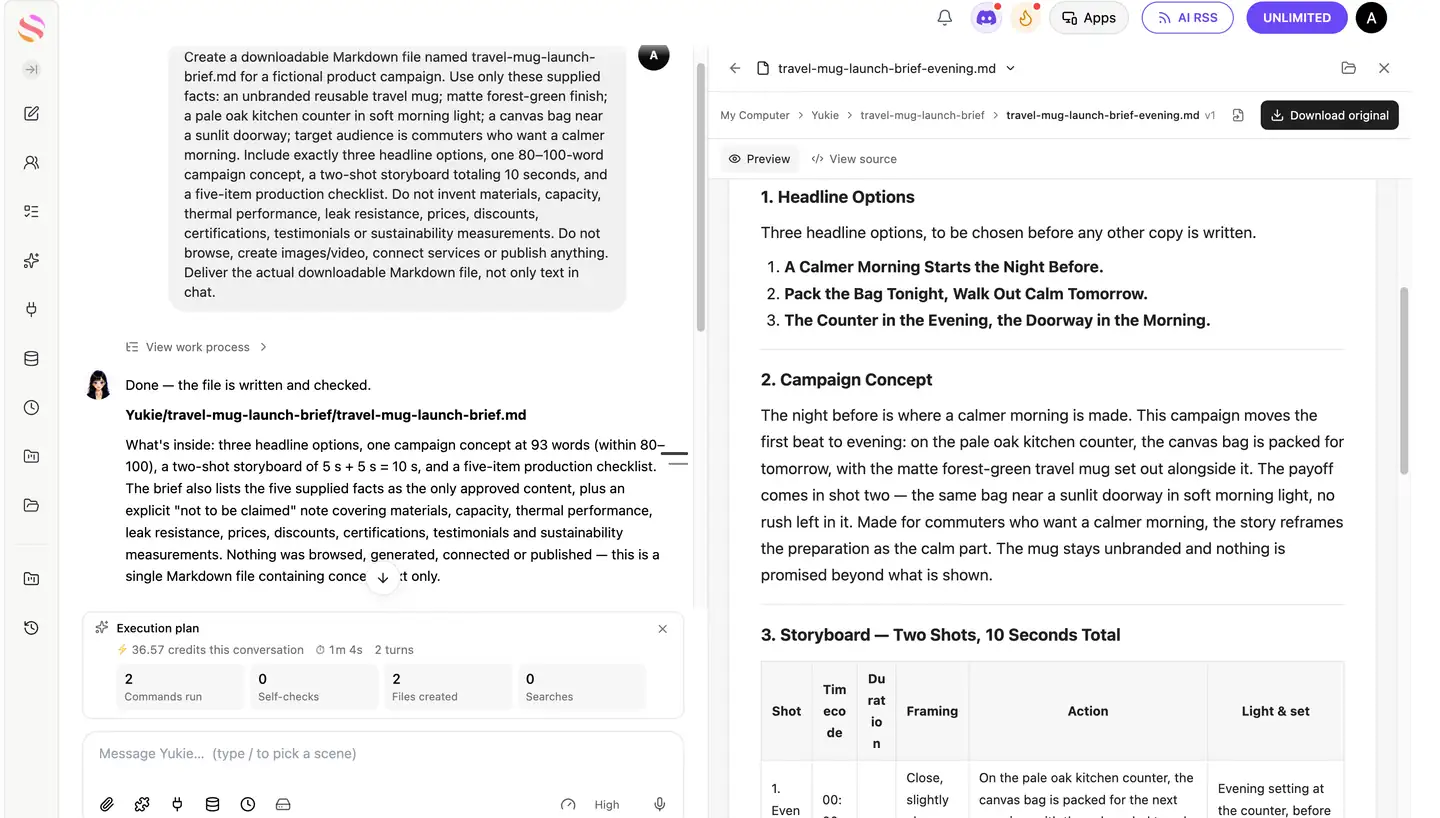
Launch brief: original and revision
과제: downloadable Markdown campaign brief, followed by a separately saved evening version.
Both files: three headlines · 93-word concept · 5s + 5s storyboard · five checklist items.
리뷰: the requested structure and factual restrictions were preserved. The first doorway shot needed a clearer instruction to keep the mug alongside the bag.
Original request — complete input
Create a downloadable Markdown file named travel-mug-launch-brief.md for a fictional product campaign. Use only these supplied facts: an unbranded reusable travel mug; matte forest-green finish; a pale oak kitchen counter in soft morning light; a canvas bag near a sunlit doorway; target audience is commuters who want a calmer morning. Include exactly three headline options, one 80–100-word campaign concept, a two-shot storyboard totaling 10 seconds, and a five-item production checklist. Do not invent materials, capacity, thermal performance, leak resistance, prices, discounts, certifications, testimonials or sustainability measurements. Do not browse, create images/video, connect services or publish anything. Deliver the actual downloadable Markdown file, not only text in chat.
Original file — complete output
# Travel Mug Launch Brief

**Campaign:** a fictional launch campaign for an unbranded reusable travel mug
**Audience:** commuters who want a calmer morning
**Status:** concept brief for internal use — no media, imagery or publishing has been produced

---

## 1. Headline Options

Three headline options, to be chosen before any other copy is written.

1. **A Calmer Morning Starts on the Counter.**
2. **Matte Forest Green, Soft Morning Light, No Rush.**
3. **The Quiet Moment Before the Doorway.**

---

## 2. Campaign Concept

Morning does not have to feel rushed. This campaign follows one quiet moment: a matte forest-green travel mug resting on a pale oak kitchen counter in soft morning light, then a canvas bag waiting near a sunlit doorway. Nothing loud, nothing hurried — just the small pause before a commuter steps out. The work speaks to commuters who want a calmer morning, showing the ritual they already recognize. Each frame keeps the same warm, low light so the mood carries across formats, and the mug stays unbranded, letting the feeling do the work.

---

## 3. Storyboard — Two Shots, 10 Seconds Total

| Shot | Timecode | Duration | Framing | Action | Light & set |
| --- | --- | --- | --- | --- | --- |
| 1. Kitchen counter | 00:00–00:05 | 5 s | Close, slightly above the counter line | The unbranded travel mug sits still on the pale oak kitchen counter. No person is in frame; the mug does not move. | Soft morning light across the counter surface; pale oak counter as the only surface. |
| 2. Doorway | 00:05–00:10 | 5 s | Medium, doorway in the background | The canvas bag rests near a sunlit doorway, ready for the commute. Cuts on the same quiet beat as shot 1. | Soft morning light falling in at the doorway; canvas bag as the only prop in frame. |

**Cut note:** hard cut between the two shots, five seconds each, so the finished piece runs exactly 10 seconds. No third shot, no voiceover and no on-screen claims are included at this stage.

---

## 4. Production Checklist

- [ ] **1. Keep the mug unbranded.** Every frame shows the unbranded reusable travel mug as supplied; no logos, labels, engraved text or added marks on the product or elsewhere in frame.
- [ ] **2. Match the light across both shots.** Shot 1 and shot 2 use soft morning light from the same direction and warmth, so the 5-second cut reads as one continuous moment rather than two separate setups.
- [ ] **3. Set and props locked to supplied facts.** Shot 1 uses only the pale oak kitchen counter; shot 2 uses only the canvas bag near a sunlit doorway. The matte forest-green finish is the mug's noted finish and nothing further is implied about it.
- [ ] **4. Timing verified.** Confirm the cut is two shots only, 5 seconds each, totalling exactly 10 seconds in the delivered edit.
- [ ] **5. Copy review against the fact sheet.** Check headlines, the campaign concept and any on-screen text against the notes below before anything is approved for production.

---

## 5. Facts Available to the Work

The following supplied facts are the only approved content for this campaign:

- An unbranded reusable travel mug.
- A matte forest-green finish.
- A pale oak kitchen counter in soft morning light.
- A canvas bag near a sunlit doorway.
- Target audience: commuters who want a calmer morning.

## 6. Not to Be Claimed or Shown

This brief makes no statement about, and no asset may add, any of the following: product materials, capacity, thermal performance (including hot or cold retention times), leak resistance, prices, discounts, certifications, testimonials, or sustainability measurements. No comparative or superlative performance claim is made, and no time, temperature or durability figure appears in the copy.
Revision request — complete input
Revise the same brief into a version for commuters preparing their bag the night before. Keep the forest-green mug, the canvas bag, and the sunlit doorway as the next-morning payoff. Change the first shot to an evening packing scene on the pale oak counter. Keep exactly three headline options, an 80–100-word concept, a two-shot storyboard totaling 10 seconds, and a five-item checklist. Keep all factual restrictions from the original task. Save a separate downloadable Markdown file named travel-mug-launch-brief-evening.md and retain the original.
Revised file — complete output
# Travel Mug Launch Brief — Evening Version

**Campaign:** a fictional launch campaign for an unbranded reusable travel mug, told from the night before
**Audience:** commuters who want a calmer morning, addressed while they prepare their bag the night before
**Status:** concept brief for internal use — no media, imagery or publishing has been produced
**Note:** this is a variant of `travel-mug-launch-brief.md`, which is retained unchanged alongside it

---

## 1. Headline Options

Three headline options, to be chosen before any other copy is written.

1. **A Calmer Morning Starts the Night Before.**
2. **Pack the Bag Tonight, Walk Out Calm Tomorrow.**
3. **The Counter in the Evening, the Doorway in the Morning.**

---

## 2. Campaign Concept

The night before is where a calmer morning is made. This campaign moves the first beat to evening: on the pale oak kitchen counter, the canvas bag is packed for tomorrow, with the matte forest-green travel mug set out alongside it. The payoff comes in shot two — the same bag near a sunlit doorway in soft morning light, no rush left in it. Made for commuters who want a calmer morning, the story reframes the preparation as the calm part. The mug stays unbranded and nothing is promised beyond what is shown.

---

## 3. Storyboard — Two Shots, 10 Seconds Total

| Shot | Timecode | Duration | Framing | Action | Light & set |
| --- | --- | --- | --- | --- | --- |
| 1. Evening packing | 00:00–00:05 | 5 s | Close, slightly above the counter line | On the pale oak kitchen counter, the canvas bag is packed for the next morning, with the unbranded travel mug in its matte forest-green finish set out beside it. No person is in frame. | Evening setting at the counter, before the commute; the pale oak counter is the only surface. |
| 2. Morning payoff | 00:05–00:10 | 5 s | Medium, doorway in the background | The same canvas bag sits near the sunlit doorway, with the same forest-green travel mug alongside it, ready for the commute. | Soft morning light falling in at the doorway; the bag and the mug are the only props in frame. |

**Cut note:** hard cut from evening to the next morning between the two shots, five seconds each, so the finished piece runs exactly 10 seconds. No third shot, no voiceover and no on-screen claims are included at this stage.

---

## 4. Production Checklist

- [ ] **1. Keep the mug unbranded.** Every frame shows the unbranded reusable travel mug as supplied; no logos, labels, engraved text or added marks on the product or elsewhere in frame.
- [ ] **2. Read the two shots as one night and one morning.** Shot 1 is an evening setting at the counter; shot 2 is the next morning with soft morning light at the doorway. The contrast between them is the story, so keep the doorway light soft and the cut clean.
- [ ] **3. Set and props locked to supplied facts.** Shot 1 uses the pale oak kitchen counter; shot 2 uses the canvas bag near a sunlit doorway. The forest-green travel mug appears in both shots, and the matte forest-green finish is the mug's noted finish — nothing further is implied about it.
- [ ] **4. Timing verified.** Confirm the cut is two shots only, 5 seconds each, totalling exactly 10 seconds in the delivered edit.
- [ ] **5. Copy review against the fact sheet.** Check headlines, the campaign concept and any on-screen text against the notes below before anything is approved for production.

---

## 5. Facts Available to the Work

The following supplied facts are the only approved content for this campaign:

- An unbranded reusable travel mug.
- A matte forest-green finish.
- A pale oak kitchen counter in soft morning light.
- A canvas bag near a sunlit doorway.
- Target audience: commuters who want a calmer morning.

The evening framing in this version — packing the bag on the pale oak counter the night before, with the forest-green mug set out beside it — comes from the approved direction for this variant. The sunlit doorway and the soft morning light remain the next-morning payoff.

## 6. Not to Be Claimed or Shown

This brief makes no statement about, and no asset may add, any of the following: product materials, capacity, thermal performance (including hot or cold retention times, overnight or otherwise), leak resistance, prices, discounts, certifications, testimonials, or sustainability measurements. No comparative or superlative performance claim is made, and no time, temperature or durability figure appears in the copy — including any figure suggesting what the mug does between the evening scene and the morning payoff.
Skills, Connectors, Data sources, and experts
These controls answer different setup questions. Skills describe reusable methods and instructions. Connectors link external services you authorize. Data sources supply information relevant to a task. The Expert control is a separate choice: read the description of the option you select and still provide your own outcome and constraints.
Skills: keep a useful method
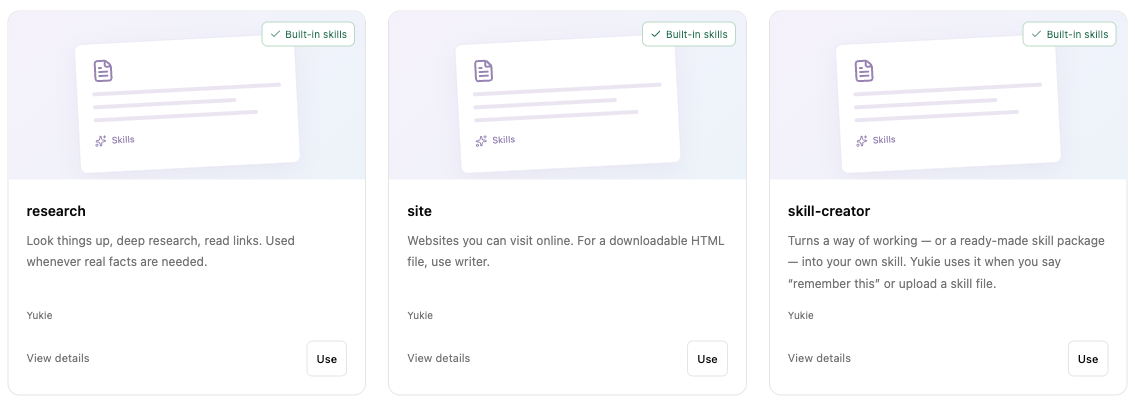
For repeat work, identify what should stay consistent: tone, document structure, review criteria, or a campaign checklist. Start with a relevant built-in skill rather than rebuilding every instruction from scratch. Yukie also offers conversational skill creation, a skill-upload option, and an advanced creation route.
For example, a recurring campaign brief could use the same approved-facts section and review checklist each time. Keep that reusable method separate from the product facts that change from one campaign to the next.
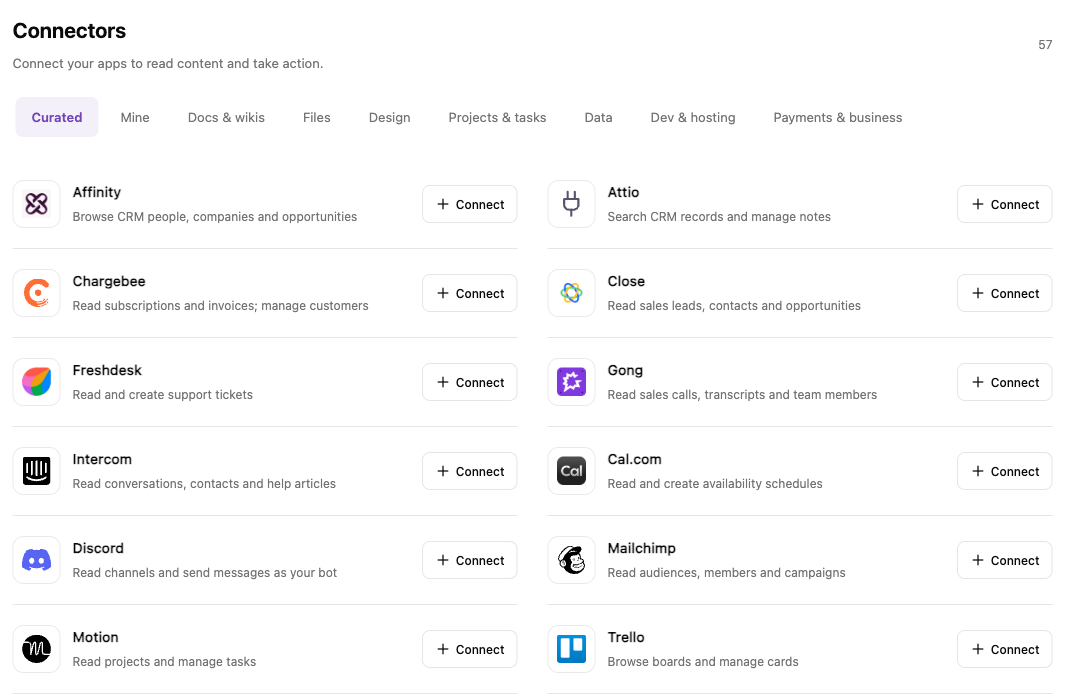
Connectors: authorize the services you need
The directory includes Google Docs, Sheets, and Slides, Notion, Canva, Trello, and WordPress.com, alongside other document, file, design, task, data, development, and business services. Choose the relevant service, select Connect, and review the authorization request before granting access.
A service appearing in the directory does not mean your account is connected. Check the connection state and permissions, and use only the context needed for the task. Do not assume that every connector has the same read, edit, or publishing permissions.
Data sources: match the source to the question
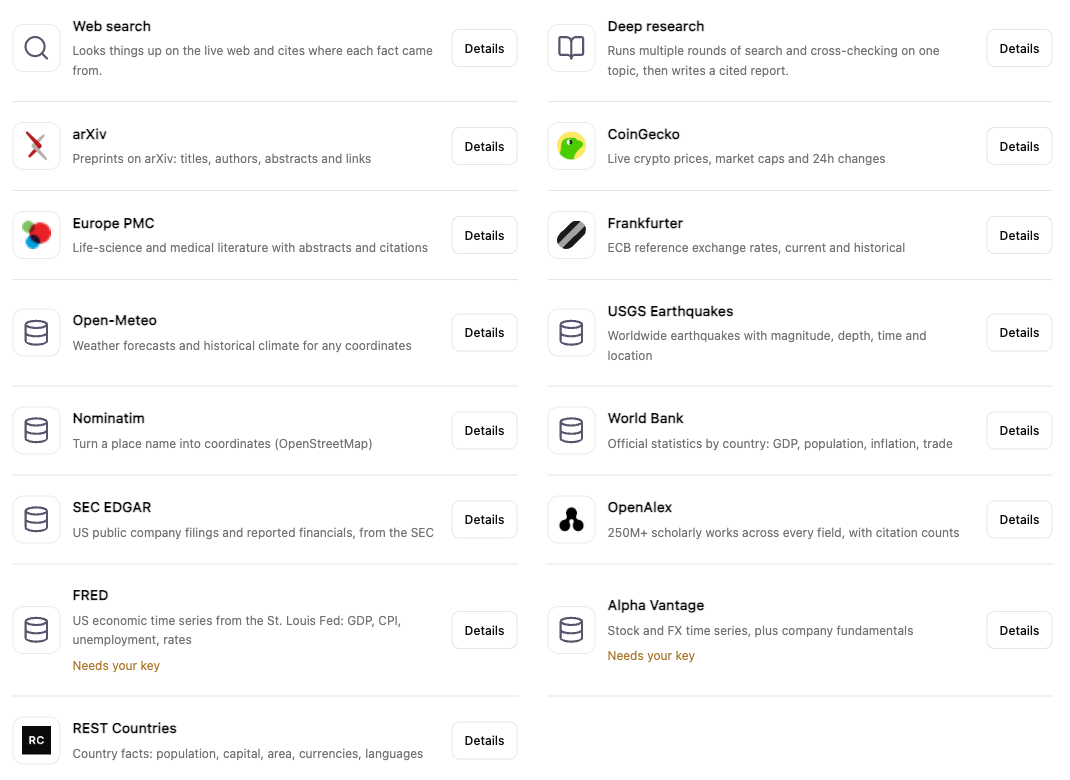
Options include Web search and Deep research, academic sources such as arXiv, Europe PMC, and OpenAlex, and sources for economic, company, geographic, and environmental information. Examples include World Bank, SEC EDGAR, Open-Meteo, and USGS Earthquakes.
Read the setup requirement for the source you choose. FRED and Alpha Vantage are labeled Needs your key; a listed source is not automatically configuration-free. For time-sensitive work, ask for source links and dates, then check the information before relying on it.
The useful distinction is simple: a Skill describes how to work, a Connector authorizes access to an external service, and a Data source helps supply information. Choose each one because it serves the task, rather than adding context indiscriminately.
Keep projects, materials, and outputs organized
The workspace includes Projects, Assets, Personal, and conversation history. Give related work recognizable names so you can find the task and its materials again. For a launch, a project name such as “Northline launch” is more useful than several unrelated chats named “new task.”
Keep a simple distinction between a source and an output. The product specification is a source; the resulting presentation is an output. When requesting a revision, identify the output and the section to change rather than assuming every earlier file is the intended reference.
Before continuing an older task, check that the right conversation and materials are open. Grouping work in a project is useful organization; the task brief should still make the relevant context explicit.
Yukie workspace, Canvas, and the video editor
Yukie is also the agent in GlobalGPT Canvas. The identity is shared, but the interfaces serve different decisions.
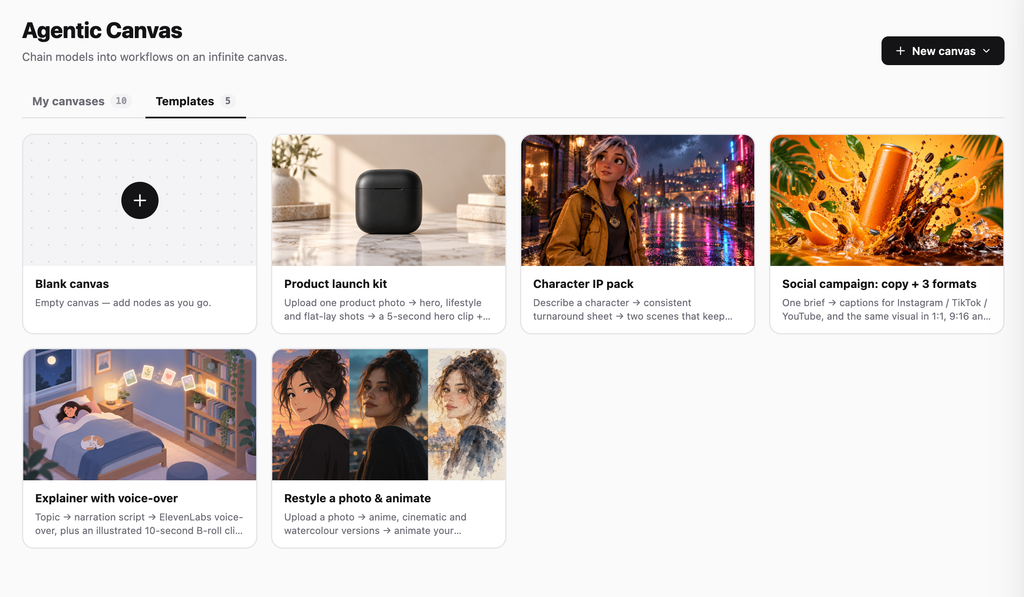
The dedicated Yukie workspace starts from a task conversation. Canvas puts the agent beside a visual workflow, where the arrangement and selection of nodes matter. The video editor is a separate surface built around a timeline for arranging and refining a sequence.
Choose the interface around the work you need to inspect: the brief and conversation, the visual workflow, or the timing of a video sequence. When switching surfaces, check which materials and selections are actually present before asking for changes.
참조 GlobalGPT 캔버스 for the visual workflow, or explore a video ad workflow when your next task is campaign video.
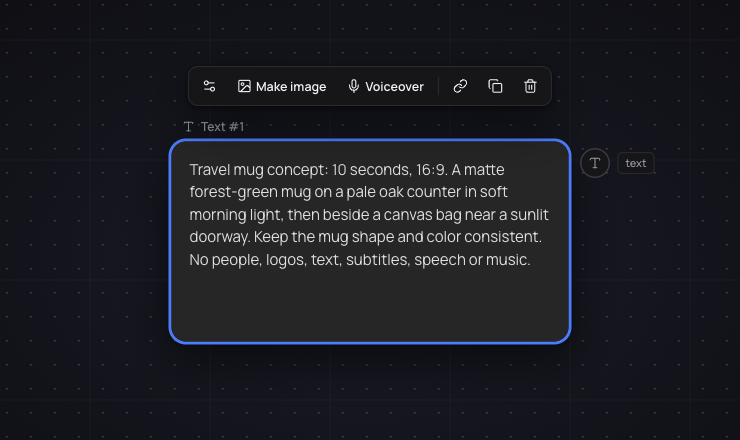
Place the brief in a text node to keep it visible as a reference while you build and review the node workflow.
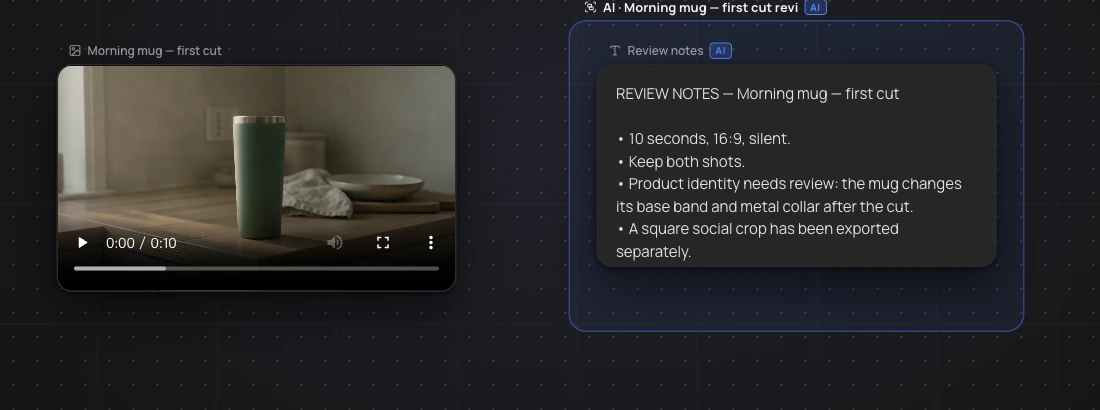
For the travel mug campaign, we manually imported the completed video into Canvas, then asked Yukie to organize the existing material without generating new media. The agent named the clip “Morning mug — first cut” and created a “Review notes” text node. This is a practical way to continue reviewing an existing asset while keeping the next decisions visible.
Review, revise, and deliver the work
A focused revision is easier to assess than “make it better.” Name the part that needs changing, the desired result, and the facts or design choices that must stay fixed. For the bottle example, you might change the audience from commuters to university students while preserving the capacity, materials, and colors.
Check factual claims against your sources. For slides, review the story and text density. For a website, check the page content and calls to action. For images and video, inspect product appearance, readable text, framing, and the intended message.
Use the download, export, or sharing options available for the specific output. Open the downloaded file before treating it as delivered. Before creating a share link, check what it makes visible and who can access it; do not assume a viewing link provides collaborative editing.
Account access and task credits
Account access and the cost of a task are separate questions. First confirm that your subscription enables Yukie. Then read any task-specific credit estimate or approval request before starting work.
For your first task, choose one small output and a clear stopping point. Review it before commissioning additional variations. If a task’s status is unclear, inspect the conversation and existing results before submitting it again.
Once you have a clear brief and the required access, GlobalGPT로 시작하세요 and give Yukie one useful task you can review from beginning to end.
Bring one clear brief to Yukie
Choose a small deliverable, supply approved facts, and review the work before expanding the task.
자주 묻는 질문
What is Yukie AI?
Yukie is GlobalGPT’s task-oriented AI agent, with a dedicated workspace for describing a goal, supplying context, and guiding the work.
Is Yukie only for video?
No. Its workspace also offers starting points for slides, websites, and images. Video is one task category.
Is the agent in Canvas also Yukie?
Yes. Yukie is also the agent in GlobalGPT Canvas. Canvas and the dedicated workspace have different interfaces and working contexts.
What should I put in my first prompt?
State one deliverable, its audience, the facts and references to use, and anything that must not change or be invented.
How are Skills different from Connectors?
Skills concern reusable instructions and methods. Connectors concern external services you authorize for relevant task context.
What should I do if Yukie asks me to upgrade?
Check the subscription access requirement. The task needs an account with the required access before it can proceed.
How should I ask for a revision?
Identify the output and section to change, describe the desired result, and state which facts or design choices must stay unchanged.