If you searched for “Nano Banana Pro API,” the first confusing bit is the name. The product name is Nano Banana Pro. The API name you actually use in code is gemini-3-pro-image. Once that is clear, the rest of the setup is much less mysterious.
Use Nano Banana Pro when the image has to hold together: readable text, product details, brand references, localized layouts, or a visual brief with lots of small constraints. If you are still trying ten versions of the same idea, start with Nano Banana 2 first and move to Pro when the direction is worth spending more on.
If your team is still shaping prompts rather than shipping an app, GlobalGPT’s Nano Banana Pro workspace is a practical place to compare outputs before a developer wires the official API. It is a creative workflow shortcut, not a substitute for Google’s API console, billing, logs, or enterprise controls.
Quick Answer
To use Nano Banana Pro through an API, create a Google AI Studio or Google Cloud project, generate a Gemini API key, install the Google Gen AI SDK, and call gemini-3-pro-image. Start with one plain text-to-image request. If you are still checking access before an API build, the Gemini 3 Pro free trial walkthrough is a useful companion read.
The short version
- API model ID for Nano Banana Pro:
gemini-3-pro-image. - Use Nano Banana Pro for final assets, tricky text, brand constraints, and detailed references.
- Use Nano Banana 2, documented as
gemini-3.1-flash-image, for faster draft cycles. - If you are not building an app yet, test the prompt workflow in GlobalGPT before touching API keys.
What the Nano Banana Pro API Actually Is
Nano Banana Pro is Google’s premium native image generation model in the Gemini image family. In the developer docs, Google names it Gemini 3 Pro Image. That is why the model string looks different from the marketing name.
The API can generate an image from text, use one or more reference images, and edit an existing image according to written instructions. That makes it useful for product mockups, ad variants, diagrams, localized creatives, and image workflows where the text inside the image has to stay readable; for no-code exploration, the GlobalGPT image generator is the easier place to test the creative direction first.
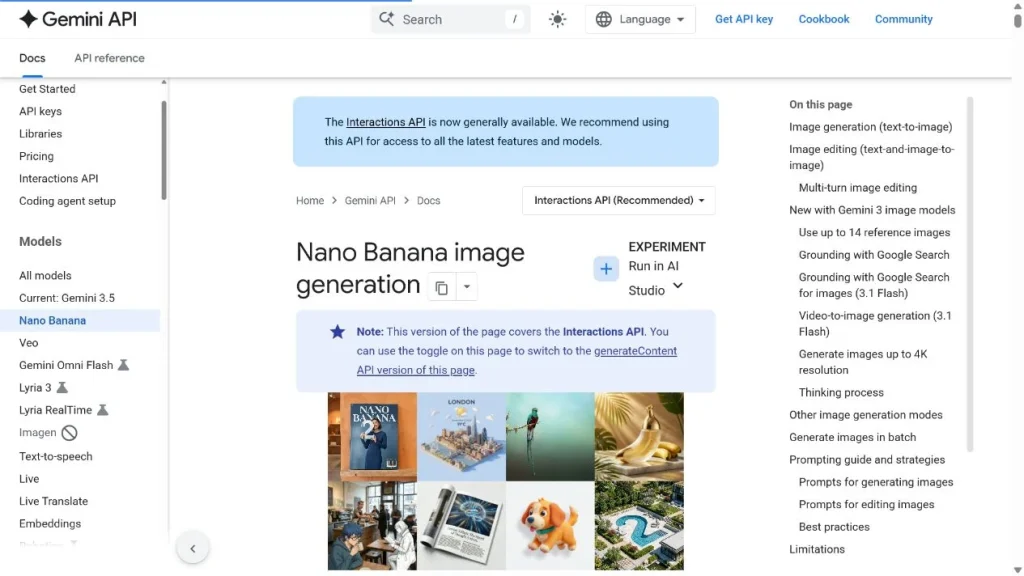
Nano Banana Pro vs Nano Banana 2
The choice is less about which name sounds newer and more about where you are in the work. Pro is for the careful pass. Nano Banana 2 is for the messy draft loop; if that faster route is what you need, read the Nano Banana 2 free trial guide before you design the whole workflow around Pro.
| Decision | Nano Banana Pro | Nano Banana 2 |
| API model ID | gemini-3-pro-image | gemini-3.1-flash-image |
| Best job | Final creative assets, text-heavy images, brand consistency, controlled edits | Drafts, prompt exploration, quick variations, lower-cost image runs |
| Prompting style | Specific constraints, reference images, output size, text rules, localization notes | Shorter prompts and wider variation testing |
| Cost habit | Use after the idea is already close | Use while the idea is still moving around |
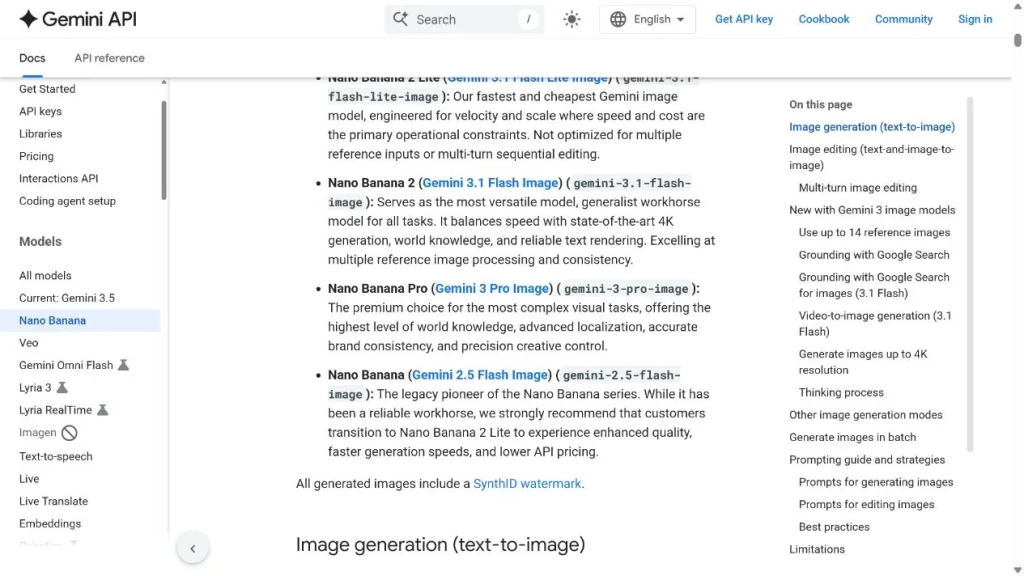
Set Up the API with the Real Entry Points
For a prototype, Google AI Studio is usually the shortest path. For a company app, use the Google Cloud setup your team already trusts, especially if you need shared billing, access control, logging, or Vertex AI governance. If the access decision is really about Google plan tiers, compare the tradeoffs in the Google AI Plus vs Pro guide before treating API setup as the only issue.
The public documentation is the cleanest first stop. It lets you confirm that you are on the Nano Banana image generation page, check whether the page is using the recommended Interactions API path, and jump from there to the API key or AI Studio entry points.
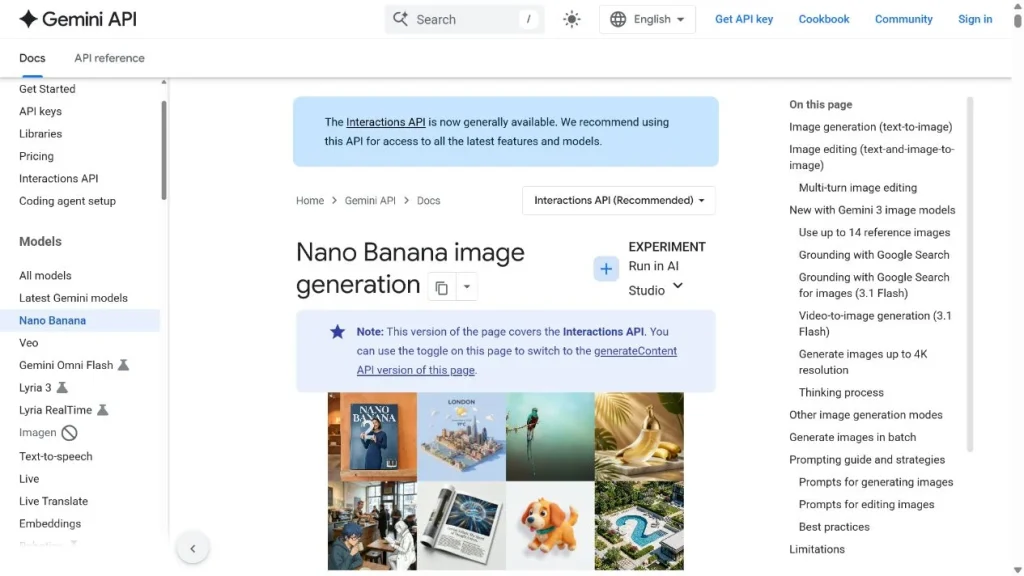
- Create or open a Google AI Studio or Google Cloud project.
- Create a Gemini API key.
- Store the key as a server-side environment variable.
- Install the Google Gen AI SDK in your backend project.
- Run one low-resolution test before adding reference images or user-facing features.
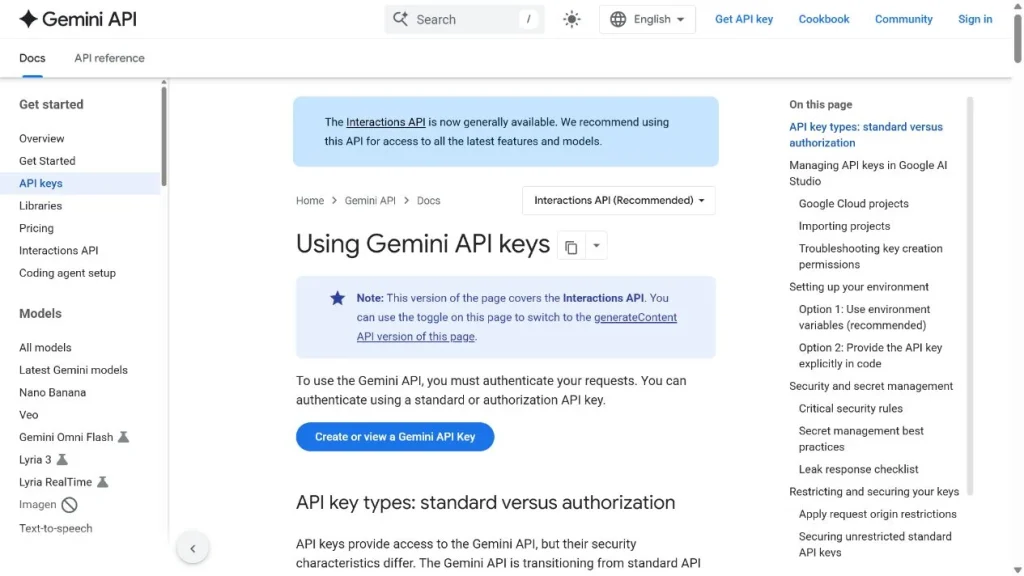
The API key page is also public, but creating or viewing a key depends on your Google account and project permissions. The key point: keep that key out of frontend JavaScript. A browser or mobile app should call your backend, and your backend should call Gemini.
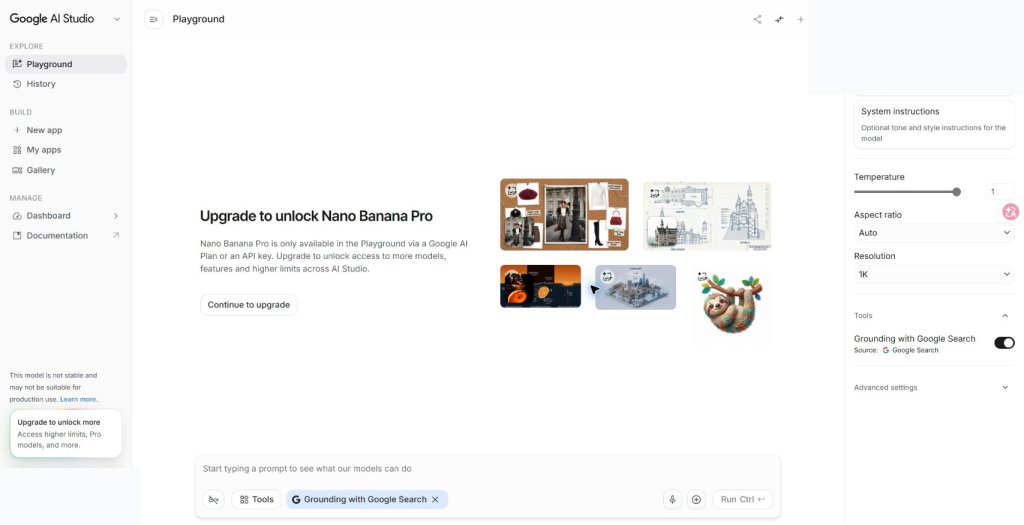
After sign-in, the direct AI Studio URL does land in Playground with Nano Banana Pro selected as gemini-3-pro-image. In this account, AI Studio also showed the practical access catch: Nano Banana Pro needs a Google AI Plan or an API key before the Playground can run it.
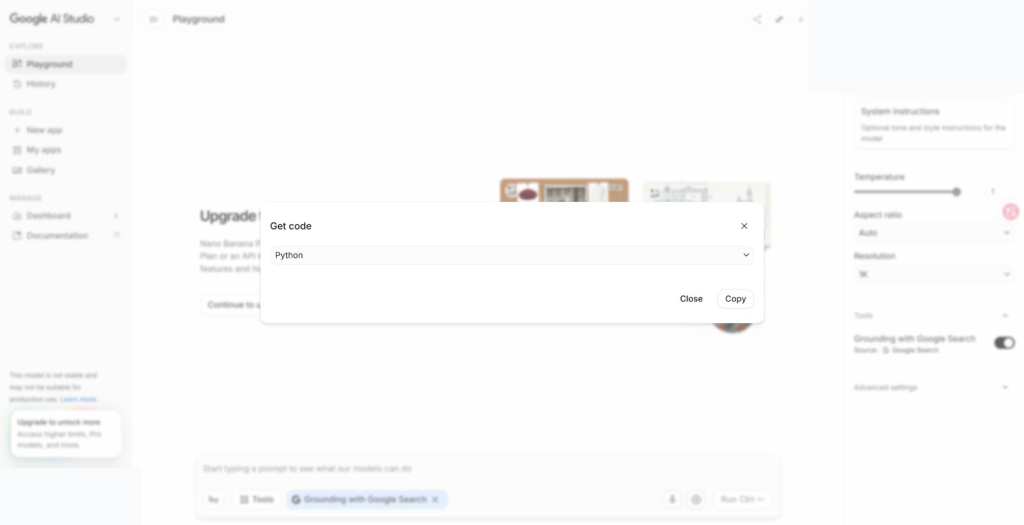
The Get code button is still worth checking at this point. It confirms you are in the developer workflow, but if the model is locked for the account, the code panel may open without a complete runnable snippet. That is a setup signal, not a prompt bug.
Generate a First Image
The first request should be deliberately simple. You are checking authentication, model access, response shape, and file handling. Fancy prompt work can wait until the pipe is clean.
This prompt asks for a simple product mockup with readable text. That gives you a quick signal on three things that matter in real work: object realism, composition, and whether the model can keep short text crisp. For prompt shaping without touching credentials, try the same brief in GlobalGPT’s Nano Banana Pro workspace first.
Edit Images with References
Reference-based editing is where Nano Banana Pro starts to earn its keep. Instead of asking for a new image from scratch, you give the model an image and tell it exactly what may change and what must stay put.
If you are not a developer, read this block as a workflow example rather than something you need to run. The file name product-reference.png simply means “your existing product image.” If your main job is comparing image models, the broader Gemini 3 Pro alternatives test can help you decide whether Pro is worth the extra setup.
A good edit prompt sounds almost like feedback to a designer: keep this, change that, do not move the logo, keep the text readable. Vague instructions such as “make it premium” tend to waste runs because they leave too much for the model to guess.
Pricing and Cost Control
Use Google’s pricing page as the source of truth before you publish fixed budget numbers. As verified on July 21, 2026, Google lists Nano Banana Pro under Gemini 3 Pro Image and separates text/thinking cost from image output cost.
API image output costs, verified July 21, 2026
| Model | Paid image output | Google-listed equivalent | Good default use |
| Gemini 3 Pro Image / Nano Banana Pro | $120.00 per 1M image tokens | $0.134 per 1K/2K image; $0.24 per 4K image | Final assets and high-control image work |
| Gemini 3.1 Flash Image / Nano Banana 2 | $30.00 per 1M image tokens | $0.0336 per 1K image | Drafts, variants, and prompt testing |
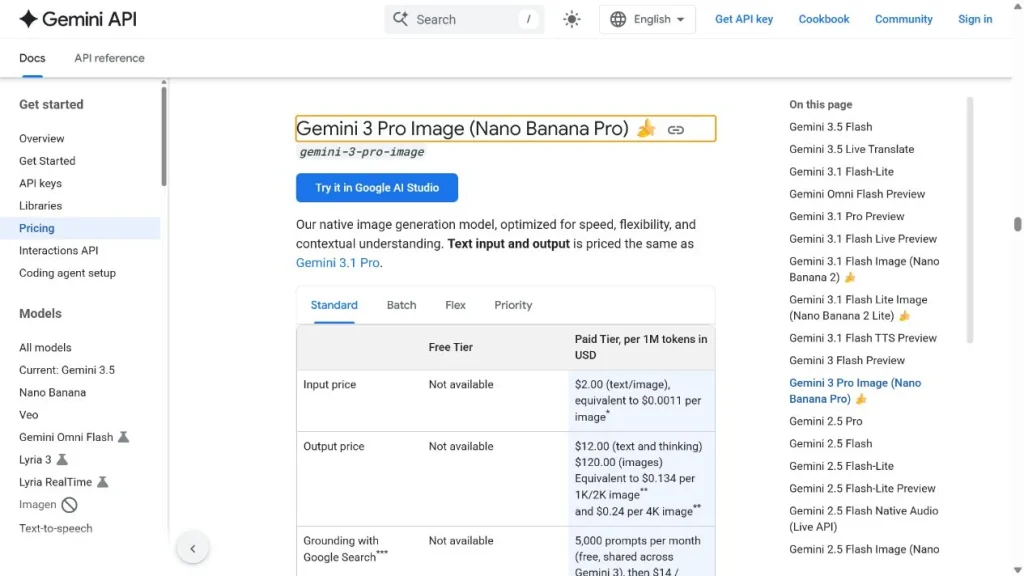
The practical cost pattern is simple: draft cheaper, finish carefully. Let Nano Banana 2 handle early variations, then send the strongest prompts and references to Nano Banana Pro for final images. Also cap resolution by user tier and avoid repeat generations when the prompt has not changed; if you want a product-side drafting lane, Nano Banana 2 in GlobalGPT is the lighter option to test first.
Production Notes
Once users can generate images from your product, you need guardrails. Image APIs can become expensive quickly, and failures need to be explainable without exposing raw provider details. Teams that are still deciding who needs paid AI access can also compare subscription-style workflows in the ChatGPT Business plan guide.
- Keep keys server-side: do not ship the Gemini API key in a browser or mobile client.
- Log enough to debug: model ID, prompt hash, output size, latency, user ID, and result status.
- Set quotas: limit images per user, workspace, and billing period.
- Retry carefully: retry temporary failures, but do not retry policy or quota errors in a loop.
- Decide storage rules: know how long you keep generated images and uploaded references.
- Write useful errors: tell the user whether the problem is access, file format, quota, or prompt policy.
Where GlobalGPT Fits
GlobalGPT fits best before or beside the API build. A designer can compare Nano Banana Pro with Nano Banana 2, GPT Image, Flux, and other image models in one workspace, then hand the winning prompt pattern to the developer.
For official API keys, billing, logs, enterprise access, or Vertex AI routing, stay with Google’s developer platform. For faster creative comparison and fewer tabs during prompt development, GlobalGPT’s image generator workspace can make the early work less clunky.
FAQ
Is Nano Banana Pro API the same as Gemini 3 Pro Image?
For developer work, yes. Google documents Nano Banana Pro as Gemini 3 Pro Image, and the API model ID is gemini-3-pro-image.
Should I use Nano Banana Pro or Nano Banana 2?
Use Nano Banana Pro for final images that need tighter control, readable text, references, or brand consistency. Use Nano Banana 2 for faster drafts and cheaper iteration.
Can I call Nano Banana Pro directly from frontend JavaScript?
No. Keep the API key server-side, route requests through your backend, and apply user quotas before sending requests to the Gemini API.
Does GlobalGPT replace the official Google API?
No. GlobalGPT is useful for prompt testing and multi-model creative comparison, but official API keys, billing, logs, and enterprise controls belong in Google’s developer platform.
How should I estimate Nano Banana Pro API costs?
Use Google’s current Gemini API pricing page and estimate by model, output resolution, and image volume. A common cost-control pattern is to draft with the lower-cost model first, then use Nano Banana Pro for selected final assets.