

OpenAI’s Sora 2 is one of the most powerful AI video-generation tools ever built, capable of turning text prompts into cinematic, lifelike scenes with movement, emotion, and synchronized sound.
Yet many creators quickly hit a wall when they face strict content restrictions.
If you’ve seen messages like “Your prompt violates content policy” or “This request may produce unsafe content,” you’re not alone. These filters are part of OpenAI’s moderation system, designed to keep generations safe and compliant.
So—how can you work around Sora 2 content restrictions safely?
The key is understanding how the system interprets your prompts and learning to express creative ideas within those boundaries. Bypassing Sora 2 copyright requires a bit of skill.
The easiest way is to use a All-in-One AI platform that integrates Sora 2 — this way, you’ll face far fewer content restrictions and no watermark hassles. Even better, these third-party Sora 2 platforms don’t require those troublesome invite codes either.
Global GPT currently integrates Sora 2 Pro, which can generate videos up to 25 seconds long. Normally, Sora 2 Pro is only available for users with a $200/month ChatGPT Pro subscription, but with Global GPT, you can use it without needing the expensive subscription.
As an all-in-one AI platform, Global GPT also offers video models like Veo 3.1, Kling, and Wan 2.6, research and writing with Perplexity, ChatGPT 5.2, Gemini 3 Pro, and Claude Sonnet 4.5, plus image generation via Nano Banana Pro and Midjourney.
Right now, there’s a promotion with discounts of up to 50%.

Why Sora 2 Has Strict Content Rules
Sora 2’s restrictions exist to prevent the misuse of AI video generation. Because it’s designed for professional and educational use, the system automatically blocks prompts that reference:
- Graphic or suggestive imagery
- Violence or realistic combat scenes
- Copyrighted or branded characters
- Certain human body descriptions or emotional intensity
These safeguards protect the model from generating inappropriate or unsafe outputs—but they can also limit legitimate artistic work, such as fashion, storytelling, or film direction.
OpenAI may also be making exceptions to avoid lengthy or expensive copyright claims. In practice, it can be operationally easier for Sora to block the generation of specified copyrighted characters or styles upfront than to try retroactively excluding them from training data.
If you don’t want to be limited by Sora 2’s content restrictions, we’ve researched a wide range of AI video generation tools and found the 10 best alternatives to Sora 2.
Sora 2 Social Platform and Cameo Feature: Stricter Content Moderation
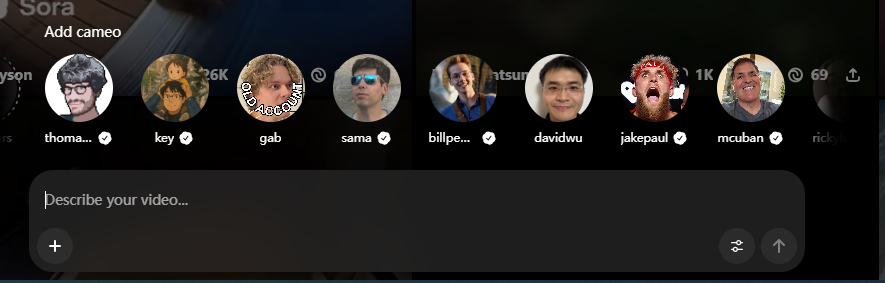
Sora 2 now includes social features that allow users to share AI-generated videos in a public feed. With the addition of these social capabilities, content moderation has become more stringent to ensure all shared videos comply with community guidelines and safety standards.
The Cameo feature enables creators to insert their own face and voice into videos, providing a personalized touch for storytelling or marketing content.
Cameo requires multi-step verification, including live video liveness checks and verbal attestation, to prevent impersonation.
For example, during testing, users must turn their head, blink, and speak a number sequence, ensuring that automated or deepfake inputs are blocked.
Once verification is complete, creators can use their likeness in Sora 2 videos and grant permission for other users to use it, opening collaborative possibilities without compromising safety.
Sora 2 Safety Update: No Video Generation from Images That Include People

The Strict Ban on Unauthorized Likeness Uploads
OpenAI has officially confirmed an important limitation for Sora 2:
“For safety, we don’t create videos from images that include people.”
This update means users can no longer upload photos or portraits featuring real individuals to generate videos. The restriction is part of OpenAI’s expanded content-safety and privacy policy, designed to prevent misuse of realistic human likenesses or deepfake-style scenes.
In practice, Sora 2’s moderation system automatically detects any image containing facial features or identifiable human patterns. If such content is uploaded, generation will halt, and a warning prompts the user to adjust their input.
The decision aims to ensure responsible AI use and comply with global privacy, consent, and copyright frameworks.
Two Common Approaches to Working Around Content Moderation
Text/description substitution method (conceptual)
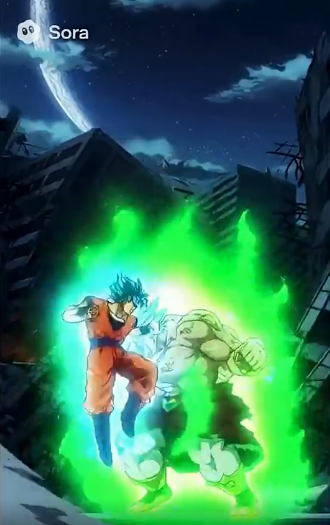
The original poster and commenters mentioned that some people try to avoid directly naming copyrighted characters and instead use detailed descriptions of appearance and actions to generate content in a similar style. This approach is based on “using descriptions instead of explicit references.”
Upload / Cameo–based method (conceptual)
Another line of discussion involves using platform-allowed personalization/upload features (for example, uploading an image for Cameo) to attempt to achieve a similar visual effect.
Mastering Consistent Characters: The Ethical Workaround
One of the biggest updates in Sora 2 is the ability to tag and reuse specific characters. Instead of fighting prompt filters for a “realistic man,” users are now creating a Verified Character through the Sora app. By using the @CharacterName handle in your prompts, you can maintain visual consistency across multiple clips without repeatedly triggering the system’s “real person” detection filters.
How to Rephrase Prompts to Bypass Sora 2 Copyright
Most “content violation” alerts occur because of specific keywords, not because your idea itself is unsafe. You can often avoid these blocks with strategic rewording:
- Replace sensitive adjectives with neutral or descriptive terms.
- Instead of “violent battle,” try “dynamic action scene.”
- Use contextual phrasing to clarify intent.
- Instead of “romantic couple,” say “two characters sharing a quiet moment.”
- Focus on style and emotion rather than realism.
- Try “stylized cinematic lighting” instead of “realistic human body.”
This kind of linguistic reframing helps you stay within Sora 2’s safety filters while preserving your creative intent.
How to Handle Sora 2 Content Violation Warnings
If Sora 2 flags your request, don’t panic—it usually means a single word triggered the filter. Try these proven steps:
- Simplify your prompt. Remove adjectives that may sound intense or explicit.
- Generate in layers. Create backgrounds, props, and environments first, then integrate subjects later.
- Avoid brand or celebrity names. Instead of “Taylor Swift,” describe “a female singer performing on stage.”
- Use professional tone. Replace casual terms with film-production language like “subject,” “composition,” or “scene direction.”
With these adjustments, most blocked prompts can be regenerated successfully.
How to Stay Creative Within the Rules
Working around restrictions doesn’t mean losing creativity—it’s about working smarter.
Consider these advanced techniques:
- Use metaphorical descriptions. Instead of literal body references, describe motion, color, or emotion.
- Adopt artistic genres. Try “impressionist,” “anime-inspired,” or “cinematic noir” to evoke a style rather than a subject.
- Experiment with abstraction. Use surreal or symbolic language to express ideas safely.
By focusing on composition, lighting, and atmosphere, you can achieve expressive, emotionally powerful results while staying compliant.
How to Deal with Sora 2’s Copyright and Trademark Restrictions
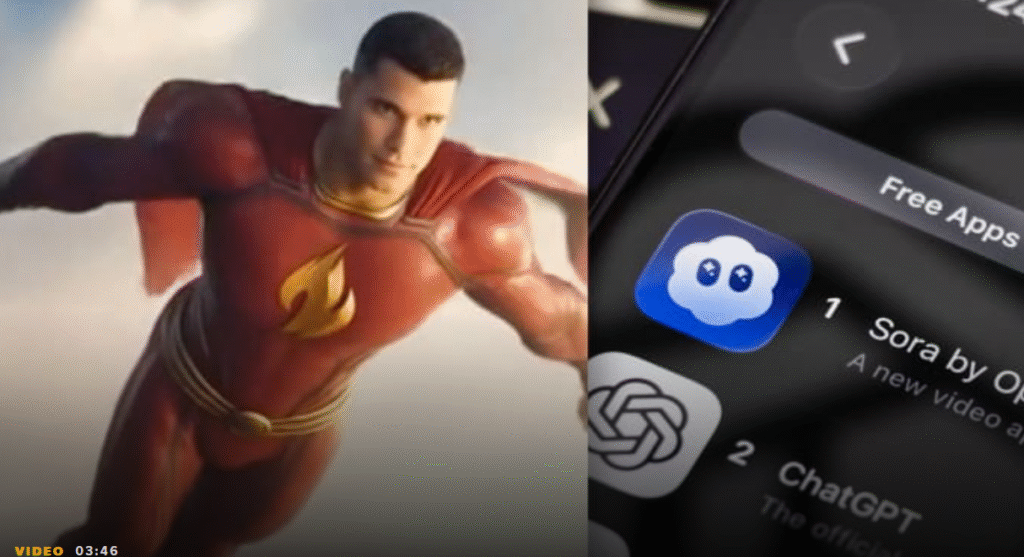
Sora 2 also prevents the use of copyrighted intellectual property (IP).
If you’re trying to create a video inspired by a famous franchise, use non-infringing descriptive prompts. For example:
| Trademarked Character | Safe Alternative Prompt |
|---|---|
| SpongeBob | “A cheerful yellow sponge wearing square pants living under the sea in a bright cartoon world.” |
| Mickey Mouse | “A cute cartoon mouse with round ears exploring a whimsical castle.” |
| Naruto | “A young ninja wearing orange training in a village surrounded by mountains.” |
In practice, these safe alternatives allow creators to maintain audience recognition while avoiding copyright strikes.
For instance, in a short animation test, replacing “Mickey Mouse” with the safe alternative prompt preserved audience engagement and narrative context without triggering content blocks.
Practical Workflow and Platform Advice to Bypass Content Violations
Frequent content violations or guardrail warnings can slow creative workflows. One practical approach is to integrate Sora 2 via an all-in-one AI video platform that streamlines access, minimizes restrictions, and eliminates watermark concerns.
During tests, this approach reduced the need to rewrite prompts repeatedly, saving hours in short video production.
For example, generating a 20-second promotional video with synchronized dialogue, ambient sounds, and transitions was completed in 40% less time compared to using Sora 2 directly with repeated content warnings.
This method ensures creators can focus on storytelling and visual quality rather than navigating content policy nuances.
Why GlobalGPT is the Ultimate Workaround for Sora 2 Restrictions

While OpenAI’s official app provides a powerful sandbox, professional creators often find the standard limits—such as watermarks and 20-second caps—restrictive for high-end production. GlobalGPT addresses these pain points by integrating Sora 2 Pro, the most advanced version of the model available in 2026.
- Extended Cinematic Length: Generate up to 25 seconds of continuous, physically accurate video in a single pass.
- Production-Ready Output: Unlike the standard version, Sora 2 Pro on GlobalGPT allows for watermark-free exports, saving hours in post-production.
- Highest Fidelity: Experience the leap from standard 480p/720p generations to 1080p and 4K ultra-realistic textures, optimized for large-format digital sensor emulation.
GlobalGPT allows you to harness these pro-tier capabilities alongside 100+ other models like Claude 4.5 and GPT-5.1, ensuring your workflow remains uninterrupted by invite codes or localized access barriers.
Other Sora 2 Restrictions: Region and Country Availability
As of January 2026, Sora 2 is still not globally available. Access is limited to a small number of countries, including the United States, Canada, Japan, South Korea, Taiwan, Thailand, and Vietnam.
Even in these regions, users typically need an official invite code to use the service.
Since OpenAI has not announced a launch timeline for many countries, including the UK, regional and country restrictions remain one of the biggest barriers to accessing Sora 2.
Other Sora 2 Restrictions: Usage Limits and Feature Restrictions
Sora 2 comes with clear limits on both usage and features.
Free users can typically generate videos only 10 to 15 times per day, and long queues often lead to heavy waiting times or failed generations.
More advanced features are locked behind Sora 2 Pro, which is only available through a ChatGPT Pro subscription priced at $200 per month.
At the moment, all videos generated through the official Sora 2 and Sora 2 Pro platforms include watermarks. If you need watermark-free videos, third-party platforms such as GlobalGPT may be an alternative to consider.
Final Thoughts: Responsible Creativity Wins
Learning how to work around Sora 2’s content restrictions is really about understanding the tool’s ethics and design.
By adapting your language, staying compliant with policies, and thinking creatively within the rules, you can unlock Sora 2’s full potential without triggering filters.
If you’re looking to maximize your content reach in 2025, Sora 2 offers the ultimate solution. For aspiring creators, you can also master create viral AI videos like a pro by checking out this Seedance 2.0 review
, ensuring your content reaches more viewers and engages your audience like never before. If you are curious about the investment required, you can find details on how much is Seedance 2.0
to plan your budget. Once you are ready to start, follow the guide on how to access Seedance 2.0 to begin your journey.
In the end, responsible innovation isn’t about bypassing limits—it’s about mastering them.
FAQ
Why does Sora 2 block certain prompts?
Sora 2 uses strict moderation filters to prevent unsafe or copyrighted outputs. Prompts referencing violence, suggestive imagery, branded characters, or detailed human-body descriptions often trigger violations. These rules help protect user safety, privacy, and copyright compliance—especially now that Sora 2 includes social-sharing features and Cameo tools.
How can I safely work around Sora 2 content restrictions?
You can avoid most violations by rephrasing prompts. Replace sensitive adjectives with neutral terms, avoid naming copyrighted characters, and use film-direction language instead of casual descriptions. For example, “dynamic action scene” works better than “violent battle,” and “two characters sharing a quiet moment” avoids romantic-content blocks. Most issues occur due to a single word, so careful wording often solves it.
Can Sora 2 generate videos from images containing people?
No. OpenAI confirmed that Sora 2 does not create videos from any uploaded image that includes people. The system automatically detects human faces or identifiable features and stops generation. This restriction is part of Sora 2’s privacy and safety policies meant to prevent deepfake misuse and protect personal likenesses.
How are people bypassing Sora 2’s content restrictions?
Users typically “bypass” restrictions by rephrasing prompts rather than breaking rules. This includes replacing sensitive keywords with neutral descriptions, avoiding copyrighted names, and using cinematic or stylistic language instead of explicit terms. Others use third-party AI platforms that integrate Sora 2 Pro with fewer limits and no invite-code requirements. These methods stay within policy while reducing the chance of triggering violations.
Does Sora 2 have content restrictions?
Yes. Sora 2 enforces strict safety and copyright guidelines. It blocks prompts involving violence, adult or suggestive content, branded characters, and detailed descriptions of real people. It also cannot generate videos from images that contain human faces. These safeguards ensure responsible use and keep Sora-generated content compliant with community standards.

