How to Access Seedance 2.0 Globally : No VPN Required
Claude McKenzie
Last Updated 2026-08-19
Current status — August 17, 2026: ByteDance still publishes an official Seedance 2.0 page. Its current buttons send creators to Dreamina and developers to BytePlus ModelArk, so a VPN is not required for those global routes.
For developers, the official BytePlus Seedance 2.5 tutorial identifies dreamina-seedance-2-5-260628 and documents the 30-second generation and two-extension limits. The Seedance 2.5 review explains what the newer route changes without replacing this Seedance 2.0 access guide.
Seedance 2.0 is one of ByteDance Seed’s flagship AI video models, built for cinematic motion, multimodal references, and controllable video creation. The main question for many creators is how to access it.
As of August 3, 2026, the official creator route is Dreamina, while BytePlus ModelArk documents the international API path. Its current Seedance 2.0 tutorial lists the full, Fast, and Mini models with 4–15-second output duration.
In this blog, you can see:
How to Access the Mainland China Version of Seedance 2.0 A step-by-step guide to using the China Mainland version, including platform access, account setup, and usage notes.
How to Access the China Mainland Version of Seedance 2.0 Using a VPN Guidance for users outside Mainland China who want to try the domestic version through VPN access.
How to Access the International Version of Seedance 2.0 An overview of the international access route, supported platforms, availability, and key differences from the Mainland China version.
If cost is the deciding factor, the Seedance 2.0 free-access guide separates daily Dreamina credits, paid API usage, and GlobalGPT subscription access.
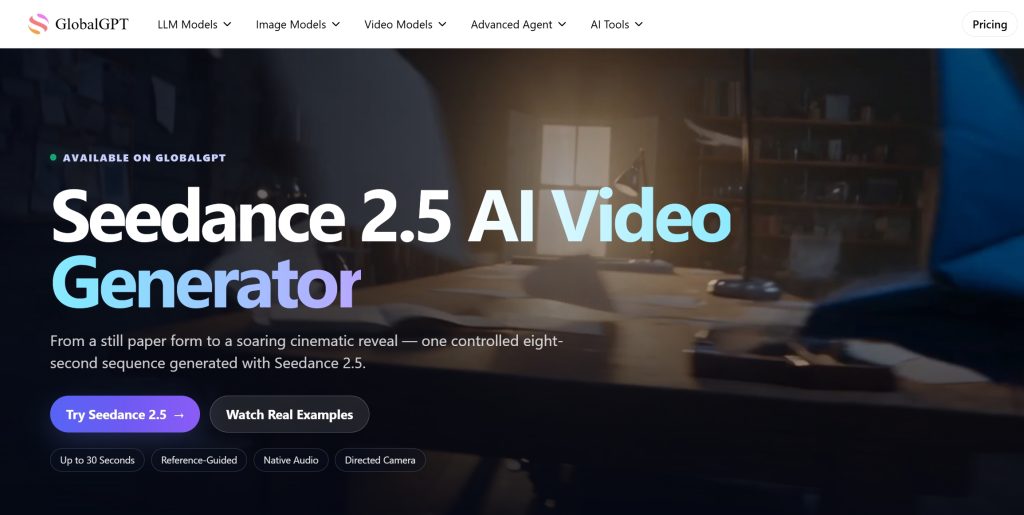
Need Seedance access now? Start with Seedance 2.0 on GlobalGPT or use the newer Seedance 2.5 generator, then compare Veo 3.1, Kling 3.0, Wan 2.7, Grok Imagine 1.5, and other video models if your project needs a different style.
Historical UI snapshot (February 2026): the visible 900-credit setting reflects that capture, not current GlobalGPT pricing.
Update: What Is the Current Seedance 2.0 Access Status?
ByteDance Seed‘s official Seedance 2.0 page presents the model as a multimodal audio-video generation system with text, image, audio, and video inputs.
ByteDance’s February 12, 2026 launch note says Seedance 2.0 can combine up to nine images, three video clips, and three audio clips and can produce 15-second multi-shot audio-video output.
Teams needing exact model IDs, parameters, and integration
Use the Asia-Pacific region; activate with the qualifying balance, savings plan, or resource pack.
Can You Use Seedance 2.0 on GlobalGPT?
Yes. GlobalGPT currently lists Seedance 2.0 as a video model option, making it the simplest route for many global users who want to test Seedance without setting up every official China app or API path separately.
GlobalGPT is especially useful if you want to:
Try Seedance 2.0 from one model workspace.
Compare Seedance with Veo 3.1, Kling O1, Wan 2.7, Grok Imagine, and other video models.
Avoid switching between multiple provider accounts.
Move faster when official routes have account, region, queue, or payment friction.
Test prompts before deciding whether you need a provider-specific API route.
Before using output commercially, check the current GlobalGPT plan, model settings, export quality, content rules, and licensing terms. For sensitive client work, confirm the underlying model route and keep a record of the prompt, output, and usage rights.
Immediate Access to Seedance 2.0(Mainland China Version)
If you are a user from mainland China, you can access Seedance 2.0 through four main routes: Jimeng / Dreamina, Little Skylark / Xiao Yunque, Doubao, and the VolcEngine Experience Center.
Domestic app credits, international consumer access, and API billing use different limits and should not be treated as equivalent.
Jimeng / Dreamina is the official professional platform for creators who need the full Seedance 2.0 feature set, advanced reference modes, higher-quality output, and a more stable workflow.
Little Skylark is a lighter testing option, often more suitable for students, hobbyists, or users who want to try Seedance 2.0 with free or low-cost credits.
Doubao provides a more casual mobile entry point, making it easier for everyday users to generate short AI videos directly from the app.
For developers or enterprise users, the VolcEngine Experience Center offers a more technical route to test the doubao-seedance-2.0 model directly, adjust parameters, and evaluate its core generation performance.
How to Access the China Mainland Version of Seedance 2.0 Using a VPN
⚠️ Note: Accessing region-restricted services via VPN may violate platform terms of service. Policies can change at any time. The following is a summary of the commonly described method, not an endorsement.
How to access Doubao Website?
The idea is to make the Doubao website detect you as being located in Hong Kong or mainland China, allowing access to the domestic version of Seedance 2.0.
This typically involves:
Using a clean browser profile
Connecting to a Hong Kong or mainland China VPN server
Visiting Doubao’s official website
Manually selecting the Seedance 2.0 video model
Explicitly prompting it to generate video instead of images
⭐Step-by-Step Summary
1. Create a Clean Browser Profile (Recommended)
To avoid region conflicts:
Open Chrome
Click Profile icon → Add
Create a new profile (e.g., “Seedance 2.0”)
This prevents:
Old cookies
Conflicting regional logins
Automatic redirects
2. Connect to a VPN (Hong Kong or Mainland China)
Use a reputable VPN provider.
Connect to:
Hong Kong (most commonly used)
Mainland China (if available)
Hong Kong usually provides better speed and stability.
If the site loads slowly, switch between nearby Asian servers.
Most modern browsers can auto-translate instantly.
4. Enter the Seedance 2.0 Creation Interface
Inside Doubao:
Look for “AI Creation” or similar tools.
Navigate to the Video / Creation Center section.
Select “Seedance 2.0” (text-to-video or image-to-video).
You should see:
Historical UI snapshot (February 2026): Doubao model labels, credits, and controls may differ in the current interface.
2. How to Register for Jimeng (Dreamina) outside China
Getting started with Jimeng (Dreamina) works a little differently because of ByteDance’s closed account system. You can’t register for Jimeng directly. Instead, you must first create a Douyin account and then use it to authorize your Jimeng login.
⭐Step-by-Step Summary
1 Create a Douyin Account Download the Douyin app and complete the standard registration process. You’ll need a valid mobile number for SMS verification.
If you’re located outside mainland China, you can register through the Douyin web version instead. It supports mobile numbers from the United States and most major countries worldwide. You can sign up here: https://www.douyin.com/
Historical login snapshot (February 2026): country-code availability and registration rules may change.
2 Authorize Login to Jimeng Visit the Jimeng (Dreamina) website or open the app. You can access the official site here: https://jimeng.jianying.com/
Click Log In, and a user agreement window will appear. After clicking the Agree button on the right side, the system will prompt you to scan a QR code using the Douyin app. As shown below, simply scan the code inside Douyin, and you’ll be logged in automatically and can start using Jimeng normally.
Historical login snapshot (February 2026): confirm the current Jimeng agreement before authorizing access.Historical authorization snapshot (February 2026): the live Douyin/Jimeng QR flow may look different.
3 Access the Creation Dashboard Once authorization is complete, your Jimeng account is automatically created. You can immediately enter the creation studio and start using Seedance 2.0 features (depending on your membership tier).
That’s it. The entire setup typically takes just a few minutes once your Douyin account is active.
How to Access the International Version of Seedance 2.0
1. Visit the Official Website Go to: https://seed.bytedance.com/en The interface defaults to English and can be switched to any of the other 8 supported languages.
2. Create an Account Click “Sign Up” in the upper-right corner. You can register using:
Gmail or Outlook email
One-click Google login
No Chinese mainland phone number is required.
3. Enter the Creation Interface After registration, select “Seedance 2.0” from the homepage navigation. The entire creation process runs directly in your browser — no software download required.
Method 2: BytePlus ModelArk API Access
(Best for enterprises and developers)
BytePlus ModelArk provides the current international API route for the Seedance 2.0 series. The documented model IDs are dreamina-seedance-2-0-260128, dreamina-seedance-2-0-fast-260128, and dreamina-seedance-2-0-mini-260615. Activation can use an account balance over USD 30, an AI Savings Plan of at least USD 30, or an active Seedance 2.0 resource pack. The Seedance 2.0 API guide covers integration details.
Activate dreamina-seedance-2-0-260128, dreamina-seedance-2-0-fast-260128, or dreamina-seedance-2-0-mini-260615.
Apply for API access.
Supports:
Python
Java
Other mainstream programming languages
Historical Method 3: Doubao International / CapCut International
Historical context: ByteDance’s current Seedance 2.0 page does not list separate Doubao International or CapCut International buttons. Its live consumer button points to Dreamina.
(Best for short-form content creators)
Seedance 2.0 is fully integrated into:
Doubao (international version)
CapCut (international version)
Both are optimized for overseas creators and integrate seamlessly with TikTok.
Step-by-Step Summary
1. Download
Search for:
“Doubao”
“CapCut”
Available on App Store and Google Play.
2. Register
Use an overseas phone number or email. No mainland China verification required.
3. Access Seedance 2.0
Doubao: Type “Seedance 2.0” in the chat box.
CapCut: Go to Create → AI Generation → Video Generation → Select Seedance 2.0.
You can complete editing, subtitles, effects, and directly publish to TikTok.
Compliance Guidelines & Legal Boundaries of Seedance 2.0 International Access
ByteDance’s official launch note says real-human portrait references require identity verification or prior legal authorization. The Seedance privacy and terms guide explains the practical data, likeness, and copyright checks for creators.
1.Global Copyright & Likeness Rules
Category
Items
Prohibited
Uploading or recreating celebrities, influencers, or public figures;Using unlicensed film, TV, anime, or advertising IP;Deepfake impersonation
Allowed
Original fictional characters;Real-world scenery, architecture, objects, animals;Fully authorized personal materials;Verified personal digital avatars (non-commercial use only)
2. Network & Access Optimization
BytePlus currently documents ModelArk regions in Johor and Dublin. Its region-availability page does not list Seedance among the EU models, so the documented Seedance 2.0 API examples use the Asia-Pacific endpoint.
If latency occurs:
Switch to a closer regional node.
Use compliant local network services.
Avoid illegal cross-border network tools.
3. Content Restrictions
Prohibited content includes:
Pornography
Violence
Terrorism
Hate speech
Political manipulation
Financial misinformation
Public safety misinformation
Commercial use must comply with:
Local advertising laws
Intellectual property laws
Data protection regulations
Which Seedance 2.0 Access Method Should You Use?
User need
Recommended route
Why
I want the fastest way to try Seedance 2.0 globally
Use it to verify official model positioning, capability updates, and ByteDance Seed announcements.
I am in mainland China and want app-based creation
Jimeng/Dreamina, Xiaoyunque, Doubao
These are the most relevant China-facing product routes, but account and plan rules can change.
I am a developer or business testing integration
BytePlus ModelArk API
Best for controlled testing, parameters, workflow integration, and enterprise evaluation.
I am blocked by region, payment, or account setup
GlobalGPT first, then official route if needed
Start with the route that removes the most friction, then move to official consumer or API paths only when the project requires it.
How Much Does Seedance 2.0 Cost?
Historical China-App Price Snapshot
Historical context: The 69/199/499 RMB figures in this section describe an earlier China-app purchase screen. They are not the current public international Dreamina price card.
As of early 2026, Seedance 2.0 is officially accessible on the Jimeng (Dreamina) platform, with entry-level membership priced at around 69 RMB (~$9.60 USD) per month. This subscription grants direct access to the model’s “director-level” video generation tools, including HD output, lip-sync, and advanced image integration, without requiring API setup. New users can also try the model via a 1 RMB trial or daily free login points, making it easy to explore capabilities before committing to a full subscription.
For mobile users, the Xiaoyunque app was described as offering a free trial period where content generation did not deduct points, allowing creators to test features such as 15-second video outputs at no cost. Paid plans scale up to higher tiers, offering faster generation, higher resolution (up to 4K), larger monthly quotas, and smoother HD video for professional use.
The current order page lists Seedance 2.5, 2.0, and 2.0 Fast.
GlobalGPT annual-equivalent
Basic $5.8; Pro $10.8; Unlimited $25.0 per month
Billed annually
The public order page labels these as annual-equivalent monthly prices.
Limited-time API pricing: As checked on August 17, 2026, BytePlus’s official pricing page lists the Mini and Fast 480p/720p offers through September 7, 2026, and the Seedance 2.5 1080p offer through September 17, 2026. Recheck that page before budgeting because these promotional rates expire.
The Seedance 2.0 maximum-video-length guide explains why a 15-second official API limit and longer platform workflows can both appear in the same buying decision.
For output quality, the Seedance 1080p resolution guide compares HD and higher-resolution routes without mixing consumer credits with API prices.
Conclusion: Start Creating with Seedance 2.0 Today
Seedance 2.0 is making cinematic AI video creation faster and more accessible. Whether you use Little Skylark, Jimeng, or GlobalGPT, the key is learning how to control Seedance 2.0 prompts, use the “@” workflow, and navigate platform limits.
For a simpler workflow, GlobalGPT offers immediate access to Seedance 2.0, Veo 3.1, and 100+ leading AI models in one place, without VPN hassles, platform congestion, or switching between separate tools. Now is the right time to start mastering director-level AI video creation.
If Seedance 2.0 is not the best fit for a specific shot, compare the top Seedance 2.0 alternatives for global availability, native audio, motion style, and generation cost.
Frequently Asked Questions About Seedance 2.0 Access
Can I use Seedance 2.0 on GlobalGPT?
Yes. GlobalGPT currently lists Seedance 2.0 as a video model option, making it one of the easiest global routes for testing Seedance without setting up separate China app or API accounts. Check the current model page, plan, credits, and export settings before using it for client or commercial work.
What is the easiest way to access Seedance 2.0 globally?
For most global creators, the easiest route is to start with GlobalGPT’s Seedance 2.0 tool. Official ByteDance, China app, and API routes can still be useful, but they may require region support, account setup, payment compatibility, or developer configuration.
Do I need a VPN to use Seedance 2.0?
Not necessarily. A VPN should not be the default route because it can violate platform terms, break payments, or create account risk. Start with GlobalGPT, official ByteDance pages, or approved API routes. Use China-only routes only after checking platform rules and local compliance.
Is Seedance 2.0 free?
Seedance 2.0 may have trials, free credits, or limited testing routes depending on the platform, but free access is not the same as unlimited access. Check the current route for credits, duration, resolution, watermark, queue speed, and commercial-use terms before relying on it.
How do I pay for Seedance 2.0?
Payment depends on the access route. China apps may use memberships or app credits, APIs may charge by generation settings, and GlobalGPT uses its own plan or credit system. Before paying, confirm that Seedance 2.0 is included and that your payment method works in your country.
Is the official ByteDance Seedance 2.0 page the same as using the model?
No. The official ByteDance Seed page is the best source for model positioning and updates, but it may not be the easiest creation interface for every user. For hands-on creation, compare GlobalGPT, Jimeng/Dreamina, Xiaoyunque, Doubao, and API routes.
What should I use if Seedance 2.0 is unavailable?
If Seedance 2.0 is unavailable in your route, test other GlobalGPT video models such as Veo 3.1, Kling 3.0, Wan 2.7, or Grok Imagine 1.5. If the workflow starts with images or style frames, consider Seedream 5.0 Lite or another current image model first.
Understand GPT-6 Sol pricing with OpenAI's published token rates, worked API estimates, a validated calculator, hands-on checks, and GlobalGPT workflow choices.
Is Grok accurate? Sometimes, but fluent text is not proof. Learn a claim-by-claim source check for citations, dates, numbers and high-stakes decisions.