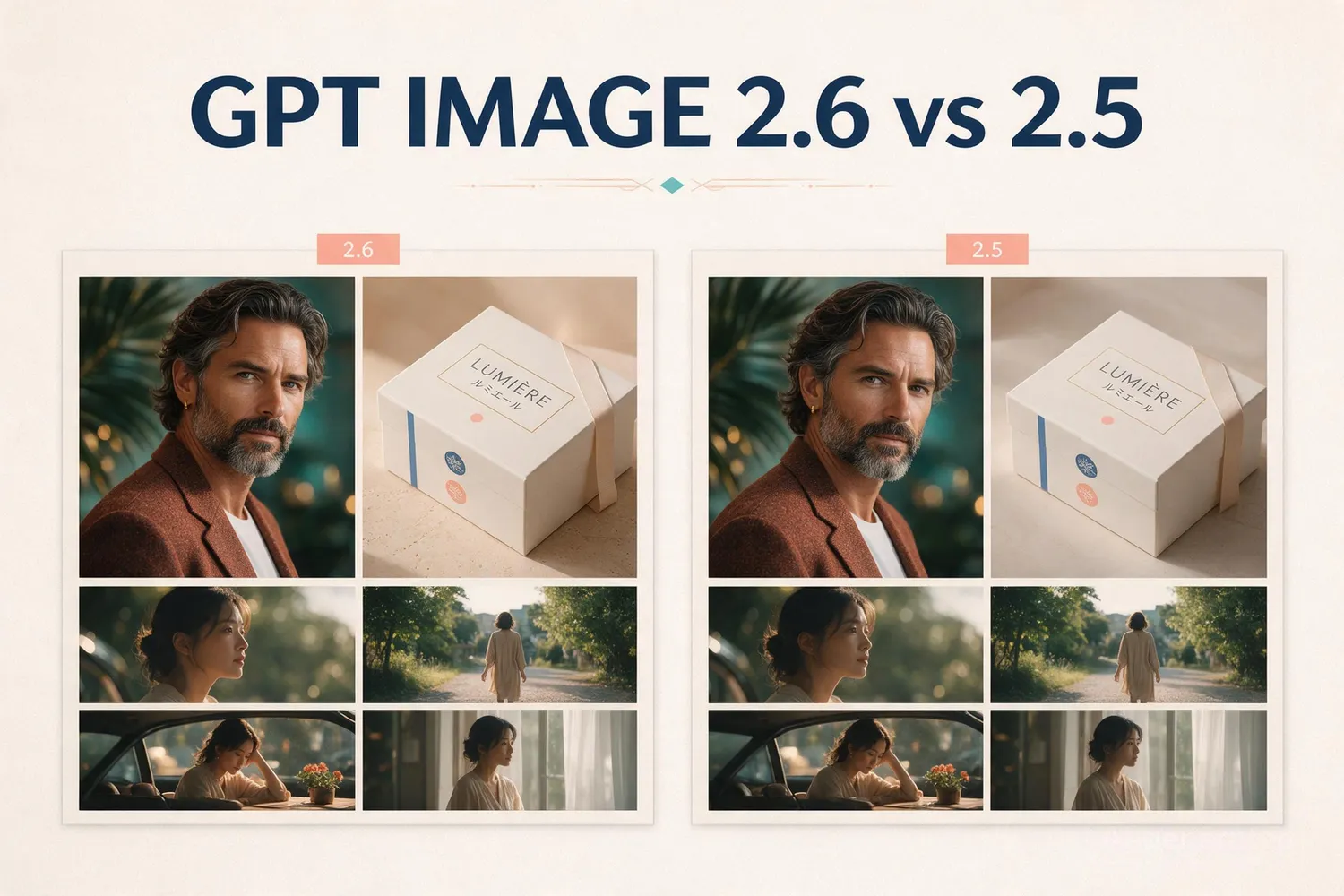
GPT Image 2.6 Review: Which Model and Output Should You Use?
Compare Sunburst and Flare through six original poster results and an animated GIF, with quality ratings, relative costs, and official API pricing.
 Chloe Murphy

GPT Image 2.6 gives you two model choices: Sunburst for detailed visual work and Flare for fast iteration. Its more interesting additions are animated GIFs, and a separate complexity control for how much planning goes into a composition or edit.
The practical question is which combination fits your job. Here is the shorter route through the model choice, output settings, official access, and cost.
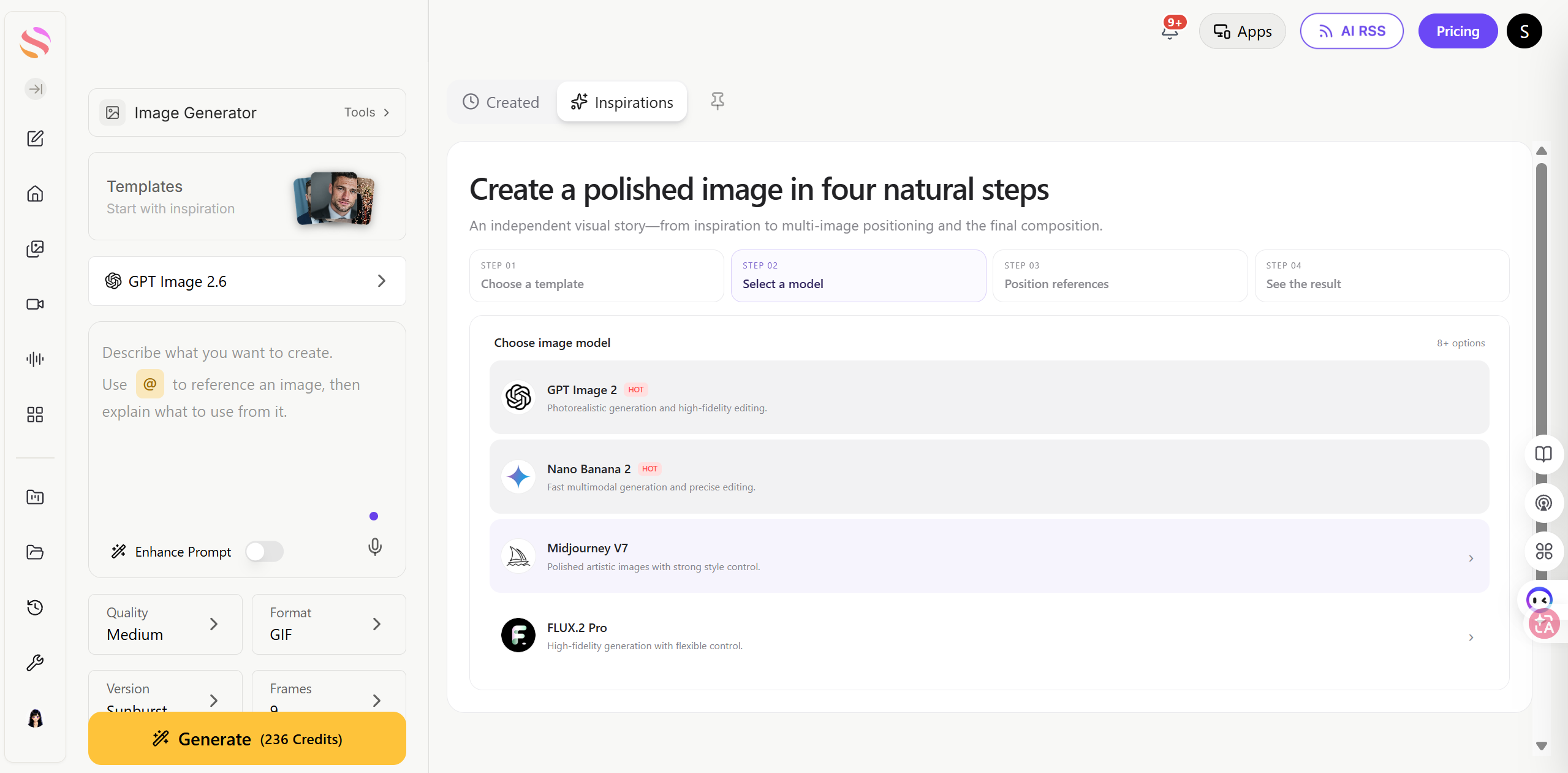
How to choose between Sunburst and Flare
| Your priority | Start with | Why |
|---|---|---|
| Explore ideas and iterate quickly | Flare | OpenAI positions it for fast iteration. |
| Detailed compositions and careful edits | Sunburst | OpenAI positions it for detailed visual work. |
| GIF or markup-guided editing | Either | Both support these documented capabilities. |
The Sunburst and Flare descriptions establish their intended roles. A quality winner still needs a matched test; the model names alone do not prove which will handle your prompt better.
How to choose quality: our six-image comparison
We used the same desk-lamp poster prompt with Flare and Sunburst at low, medium, and high quality. Prompt enhancement was off, and all six requests selected 1K output. Each combination was generated once. These settings vary quality, not complexity.
Our visual-quality stars are editorial judgments of this poster task: text readability, requested object placement, visible details, and overall finish. Five stars means fewer visible compromises. Cost stars rank the recorded platform charges within these six still-image requests: more stars means more expensive. They are not official API dollar prices.
Visual quality: ★★★★☆
Relative cost: ★☆☆
Readable headline and subtitle, clear separation, and a visible brass switch. A strong starting result.

Visual quality: ★★★☆☆
Relative cost: ★★☆
Readable text and a clean arrangement, but the brass switch is not clearly visible in the front view.

Visual quality: ★★★★☆
Relative cost: ★★★
A visible brass switch and glossy ceramic finish. The changed lamp shape is a variation, rather than proof of a quality jump.

Visual quality: ★★★★☆
Relative cost: ★☆☆
A clear brass control and a spacious layout; all three requested objects are easy to distinguish.

Visual quality: ★★★★☆
Relative cost: ★★☆
A more compact arrangement with a small brass control and readable text. No decisive advantage over low in this example.

Visual quality: ★★★★☆
Relative cost: ★★★
A rounded lamp silhouette and clear typography. The higher setting does not produce an obvious improvement in this brief.
What changed? Lamp silhouettes, spacing, and reflections vary more visibly than overall polish. All six place the lamp, notebook, and plant in the requested order, with the lamp taller than the plant and the two text lines readable at this viewing size. Flare medium makes the brass control harder to verify. All six favor a natural wood tabletop over the requested pale-cream surface.
Our choice for this brief: start with low quality. Both low-quality results are usable starting points, and the high-quality outputs do not show a decisive gain for this simple poster. This is one sample per setting, not a general success-rate or speed benchmark.
How to choose your output
Choose the model first, then the task, then the output. Sunburst is the detailed-work model; Flare is the fast-iteration model. These are two model variants, and either can generate a new image or edit an existing one. PNG, JPEG, WebP, and GIF describe the deliverable, rather than another model choice.
Choose the output for the job
| Output | How to request it | When to use it | Important limits |
|---|---|---|---|
| Still raster image | output_format: "png", "jpeg", or "webp" | Photos, campaign artwork, product images, and ordinary image edits | PNG is the default. JPEG and WebP support output compression. |
| Animated GIF | output_format: "gif" on generations or edits | Looping product visuals, character reactions, and lightweight animation | 2–16 frames; 20–2000 ms per frame, rounded to 10 ms. Defaults: 9 frames and 200 ms. No streaming, partial images, or custom output compression. |
For a GIF, describe the motion and loop explicitly: “A paper-cut mascot waves once, then returns to its starting pose; fixed camera and unchanged background.” Request frame_count: 9 and frame_duration_ms: 200 for a nominal 1.8-second animation. Use the edit endpoint to supply still references. Frame size and count must fit the model's size and total pixel limits; reduce them if the request is too large.
Our animated GIF result

This is the original animated file, rather than a still-image preview. Its relative cost was ★★★★ on the same observed charge scale, above each still-image request. Its output size and task differ, so that price difference is not a like-for-like model comparison.
How to choose complexity
The six images above do not test complexity: the saved requests contain no explicit complexity field. The following is official parameter guidance, rather than a measured comparison.
Complexity changes planning effort; quality controls rendering fidelity. Keep quality fixed when comparing complexity so the result answers one question at a time.
| Complexity | Starting use case | Trade-off to check |
|---|---|---|
| Low | Focused edits and simple scenes | Does a faster, simpler pass miss a constraint? |
| Medium | Layouts with several requirements | Does it improve placement without unnecessary changes? |
| High (default) | Dense text and complex object relationships | Extra planning may increase latency and introduce unwanted edits. |
How to access GPT Image 2.6
Official API + command line: use an OpenAI API key, select Sunburst or Flare, and call the Image API through Python or curl. Both use the same account, endpoint, and token pricing. curl is a command-line client, not another model or subscription.
| Task | Official endpoint | What to send |
|---|---|---|
| Generate | POST /v1/images/generations | Model, prompt, quality, complexity, and output format |
| Edit | POST /v1/images/edits | Reference image(s), model, and change instruction |
Keep your key in OPENAI_API_KEY. API Organization Verification may be required. See the official API setup and output instructions.
Python
from openai import OpenAI
import base64

client = OpenAI()

result = client.images.generate(
    model="gpt-image-2.6-sunburst",
    prompt=(
        "A clean editorial product photograph of a modern desk lamp, "
        "warm window light, walnut desk, realistic materials, no text"
    ),
    size="1536x1024",
    quality="medium",
)

image_bytes = base64.b64decode(result.data[0].b64_json)
with open("desk-lamp.png", "wb") as image_file:
    image_file.write(image_bytes)
Command line: curl
curl https://api.openai.com/v1/images/generations \
  -H "Content-Type: application/json" \
  -H "Authorization: Bearer $OPENAI_API_KEY" \
  -d '{
    "model": "gpt-image-2.6-flare",
    "prompt": "A bold editorial poster of a coastal city at sunset, geometric architecture, orange and teal palette, no text",
    "size": "1024x1024",
    "quality": "medium"
  }'
GPT Image 2.6 pricing
OpenAI lists GPT Image 2.6 pricing by token unit. The official image-generation pricing table is summarized below. Both official model pages list these same USD rates. Cached rates are separate rate-card entries, not a guaranteed discount on every request; do not assume every cache hit is exposed in response usage.
| Billing unit | Standard rate | Cached rate |
|---|---|---|
| Text input | $5.00 / 1 million tokens | $1.25 / 1 million tokens |
| Image input | $8.00 / 1 million tokens | $2.00 / 1 million tokens |
| Image output | $30.00 / 1 million tokens | — |
There is no separate fee for the complexity setting. Higher complexity can take longer, but it does not add a second complexity surcharge to the rate card. Equal token rates do not guarantee equal cost per result.
Our take
Flare is the sensible starting point for exploring directions; Sunburst is the detailed-work option to evaluate for your final composition. GIF is useful when a small loop communicates more than a still. Choose the output for the deliverable, then tune complexity for the task rather than assuming the highest value will always look best.
Frequently asked questions
What is the difference between GPT Image 2.6 Sunburst and Flare?
Sunburst is positioned for detailed visual work, while Flare focuses on fast iteration. In our single poster test at each quality setting, both produced readable text and clear object placement; neither was a decisive overall winner.
Which quality setting should I choose?
Start with low for a simple brief and inspect the result before spending more. In this six-image poster test, medium and high changed the lamp design and spacing without consistently producing a better finished image.
Is complexity the same as quality?
No. Quality controls rendering fidelity, while complexity controls planning effort. The six poster images compare quality settings; they do not measure the effect of changing complexity.
Can GPT Image 2.6 generate animated GIFs?
Yes. Our Sunburst GIF result contains nine 512 × 512 frames displayed at 200 milliseconds per frame, giving a 1.8-second cycle. GIF output is useful for lightweight looping visuals.
What do the quality and price stars mean?
Quality stars are our editorial assessment of text readability, layout, visible details, and finish in this test. Price stars indicate relative observed cost: more stars means more expensive. They are not official API dollar quotes.
How much does the official GPT Image 2.6 API cost?
Both model pages list $5 per million text input tokens, $1.25 for cached text input, $8 for image input, $2 for cached image input, and $30 for image output. Total request cost depends on token usage and applicable cache rules.
Can I access GPT Image 2.6 through Python or curl?
Yes. Use an OpenAI API key with the Image API and select gpt-image-2.6-sunburst or gpt-image-2.6-flare. Python and curl are two clients for the same API; organization verification may be required.