 GlobalGPT
Your AI agent in Chrome's side panel
Ask about any page, let Yukie finish tasks for you, and create images, videos and audio, without leaving the tab you're on.
Leading AI models in one side panel
- GPT-6.1
- Claude Opus 5.5
- Gemini 4 Argon
- + and more
Works with Chrome, Edge, Brave and Arc · One GlobalGPT account for everything
Stop copy-pasting between tabs
Switching tabs to ask AI
Ask right in the side panel
Juggling several AI subscriptions
Leading models in one place
Doing multi-step work by hand
Yukie does it for you
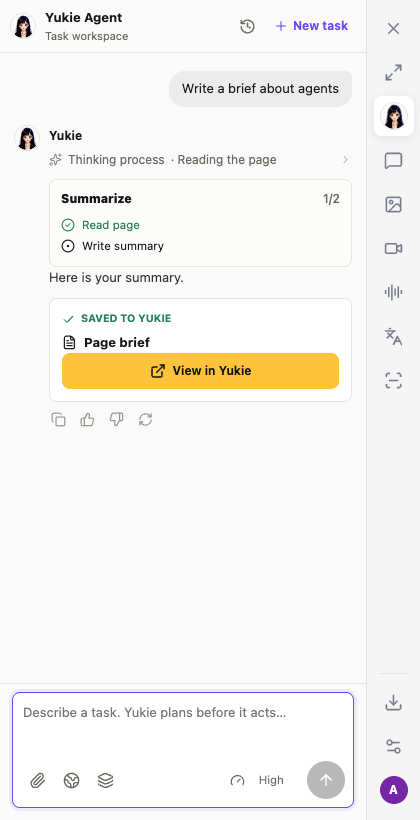
Meet Yukie, an agent that gets things done
Give Yukie a goal. It plans the steps, reads the pages you allow, and delivers the result, whether that's a report, a comparison table or a draft.
- ✓Plans before it acts, so you can see each step
- ✓Saves deliverables to your Yukie workspace
- ✓Picks up the page you're on as context
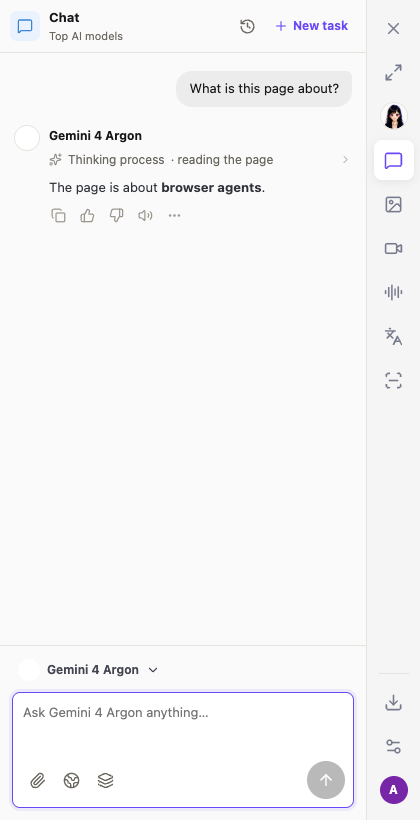
Chat with any page, video or PDF
Leading AI models from multiple providers, with the page you're reading as context.
- ✓One-click summary with sources
- ✓Ask follow-up questions about what you're reading
- ✓Summarize YouTube videos
- ✓Compare several open tabs at once
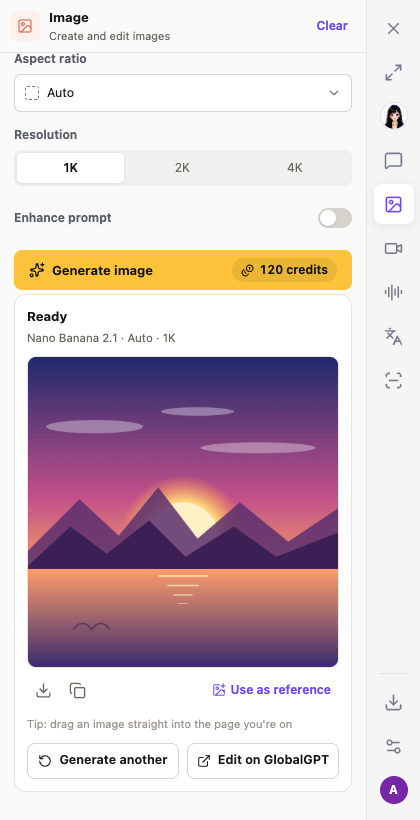
Create images, videos and audio from anywhere
Turn an idea, or the page you're reading, into visuals and sound, with top image, video and voice models built in.
- ✓Image, video and audio in the same panel
- ✓Start from a page, a selection or a prompt
- ✓Everything lands in your GlobalGPT library
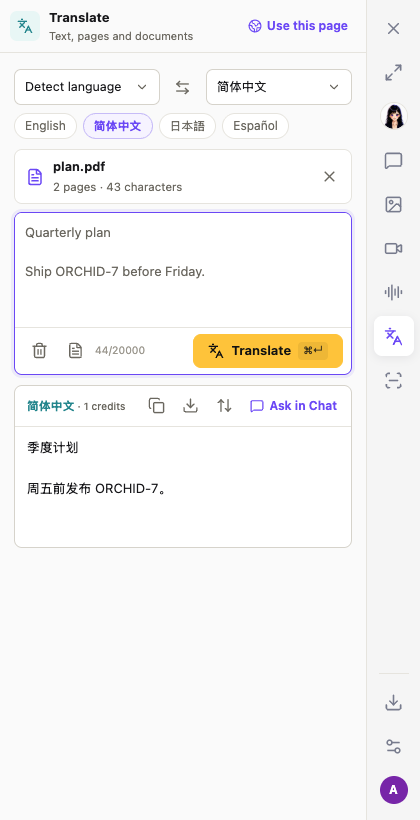
Translate and extract text in a click
Read anything in your language and pull text out of images, without leaving the page.
- ✓Translate pages or selections
- ✓Grab text from any screenshot
- ✓Right-click actions on any site
You decide what it reads
Only when you ask
It reads a page only after you start a task. Never in the background.
Per-site control
Choose "Allow once" or "Always allow" for each site, and change it any time.
Sensitive fields stay out
Passwords and payment fields are never read.
Get more done with a GlobalGPT plan
One plan works everywhere: the extension, the website and the apps.
More credits
Chat, create and run Yukie tasks without running short.
More advanced models
Higher plans unlock more advanced chat, image, video and audio models.
One account
Your history and creations follow you across devices.
Frequently asked questions
Do I need a plan?
You can sign in with any GlobalGPT account. A plan gives you more credits, and higher plans unlock more advanced models.
Do I need a GlobalGPT account?
Yes. Sign in once from the side panel and the extension uses the same account as the website and apps.
Which browsers are supported?
Chrome and other Chromium browsers that support the Chrome Web Store, such as Edge, Brave and Arc.
What does the extension read?
Only the page, selection, tabs or files you choose to share for a task. It never reads pages in the background, and never reads passwords or payment fields.
How do credits work?
Chat, Yukie tasks and generations use credits from your GlobalGPT account, the same balance you use on the website.
Where do my chats and creations go?
They are saved to your GlobalGPT account, so you can pick them up on the website or in the apps.