GLM เป็นโมเดลการเข้ารหัสที่มีประสิทธิภาพสูงและต้นทุนต่ำ แต่การสมัครสมาชิกอย่างเป็นทางการที่สะดวกอาจเป็นเรื่องยาก. คำตอบที่ใช้งานได้จริงคือ GlobalGPT: GLB ของมัน glbgpt CLI ช่วยให้คุณเรียกใช้ GLM ได้โดยตรงจาก Codex หรือเทอร์มินัล Claude Code คุณสามารถรักษาขั้นตอนการทำงานที่มีอยู่ได้ เลือกโมเดล GLM ที่มีในบัญชีของคุณ แนบไฟล์เมื่อจำเป็น และตรวจสอบผลลัพธ์ข้างๆ โค้ดของคุณ.
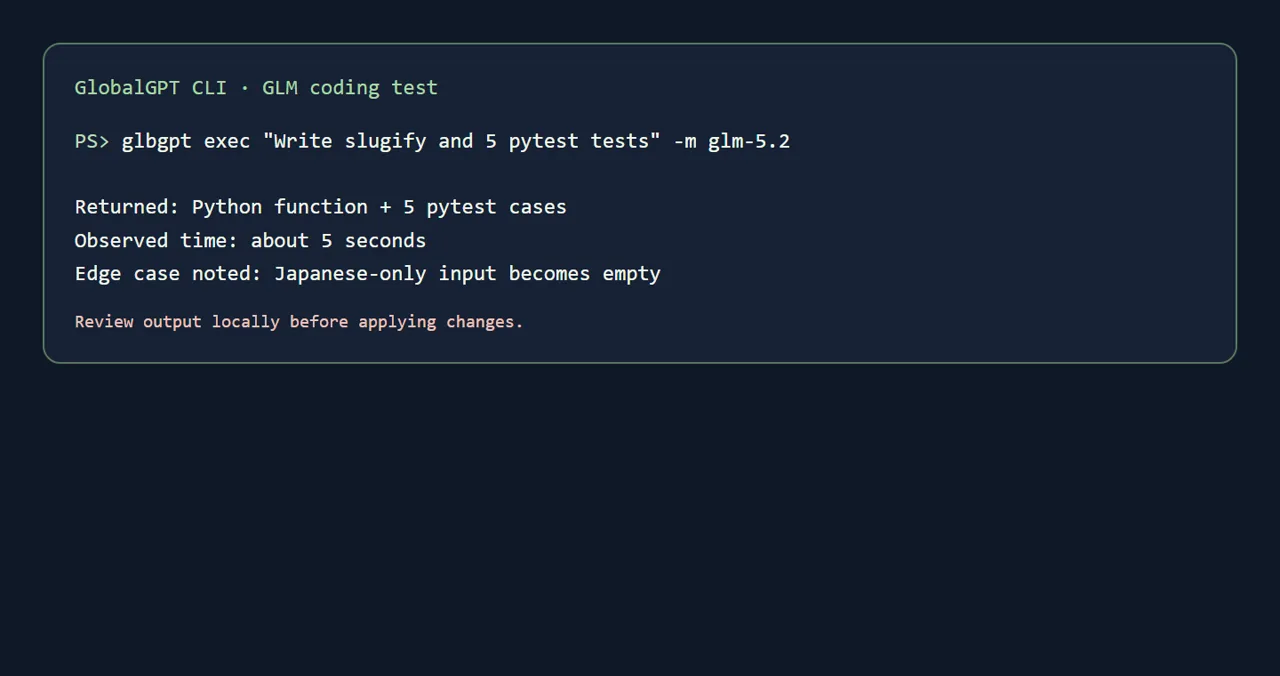
glbgpt exec "..." -m glm-5.2 ใน Codex หรือรหัส Claude ในการทดสอบภายในหนึ่งครั้ง มันได้คืนฟังก์ชัน Python และกรณีทดสอบ pytest ห้ากรณีภายในเวลาประมาณห้าวินาที.มีประโยชน์สำหรับการพัฒนา การแก้ไขข้อผิดพลาด การทดสอบ การปรับโครงสร้างโค้ด และการอธิบายโค้ด.
วิธีใช้ CLI ที่ประหยัดและสะดวก เมื่อการเข้าถึงผ่านบริการสมัครสมาชิกอย่างเป็นทางการไม่สะดวก.
เรียกใช้ GLM ใน Codex หรือโค้ด Claude, แนบไฟล์, คัดลอกคำสั่ง และตรวจสอบผลลัพธ์ในเครื่อง.
ลองใช้ GlobalGPT กับ GLB CLI หากคุณต้องการทดสอบกระบวนการทำงานนี้โดยไม่ต้องตั้งค่าตัวแก้ไขใหม่.
แผนการเขียนโค้ด GLM ที่ใช้งานได้จริง
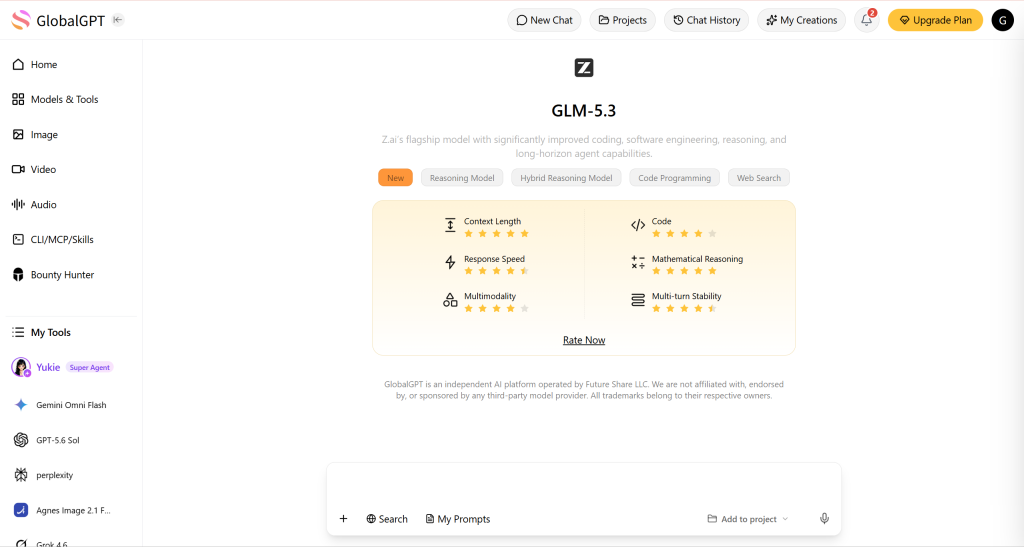
ในความเป็นจริง คำนี้หมายถึงการผสมผสานระหว่างโมเดล ระบบการเข้าถึง และกระบวนการทำงานที่คุณใช้ในการเขียนโปรแกรม GLM ให้ผลลัพธ์; GlobalGPT ให้ระบบการเข้าถึง; และ glbgpt กำหนดวิธีที่คุณส่งคำสั่ง แนบไฟล์ และส่งผลลัพธ์กลับไปยังรีโพสิตอรีของคุณ นี่คือเหตุผลที่เส้นทาง GLB มีความสำคัญ: คุณสามารถใช้เทอร์มินัลที่มีอยู่ต่อไปได้ แทนที่จะต้องสร้างระบบพัฒนาใหม่ทั้งหมดรอบหน้าแชทที่แยกต่างหาก.
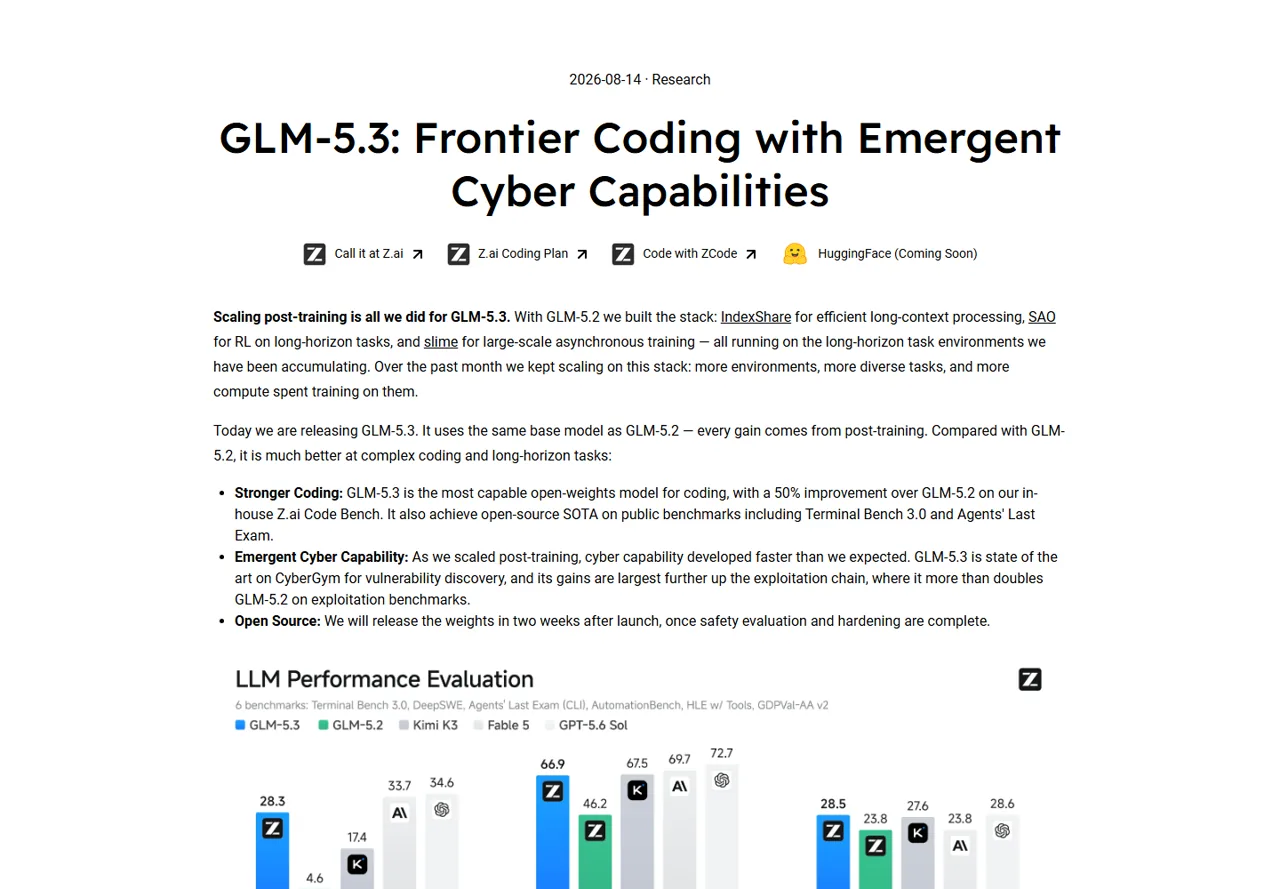
สำหรับนักพัฒนา คำถามที่มีประโยชน์นั้นเรียบง่ายกว่า: ฉันสามารถขอให้ GLM ตรวจสอบไฟล์ เขียนแพตช์ที่มุ่งเป้า อธิบายการทดสอบที่ล้มเหลว หรือสร้างชุดทดสอบขนาดเล็กได้หรือไม่ โดยไม่ต้องออกจากเทอร์มินัลปกติของฉัน? ด้วย GlobalGPT คำตอบคือได้ หากบัญชีและแคตตาล็อกโมเดลเปิดเผยเส้นทาง GLM ที่คุณต้องการ The คู่มือเลือกรุ่น AI ที่ดีที่สุดสำหรับการเขียนโค้ด เป็นเครื่องมือที่มีประโยชน์หากคุณกำลังเปรียบเทียบหลายกลุ่มรุ่นต่าง ๆ แทนที่จะเลือก GLM เพียงอย่างเดียว.
ทำไม GLM จึงเป็นเครื่องมือที่ควรลองใช้ในการเขียนโค้ด
GLM มีจุดดึงดูดเพราะมันอยู่ในจุดสมดุลที่ใช้งานได้จริง คุณสามารถใช้มันสำหรับงานวิศวกรรมทั่วไป — ฟังก์ชันขนาดเล็ก การทดสอบหน่วย (unit tests) การอธิบายโค้ด การปรับโครงสร้างโค้ด (refactoring) และการแยกหาข้อผิดพลาด — โดยไม่ต้องมองทุกคำสั่งเป็นโครงการวิจัย กระบวนการเขียนโค้ดที่ดีนั้นไม่เน้นไปที่การสาธิตที่ดูน่าตื่นตาตื่นใจ แต่เน้นไปที่วงจรสั้นๆ: อธิบายการเปลี่ยนแปลงหนึ่งอย่าง ตรวจสอบความแตกต่าง (diff) ดำเนินการทดสอบ และถามคำถามติดตามเมื่อมีข้อผิดพลาดเกิดขึ้น.
- ผลลัพธ์ที่มีประโยชน์ในชีวิตประจำวัน: ขอให้ระบุฟังก์ชันที่มีขอบเขต ไฟล์ทดสอบ หรือคำอธิบายที่สั้น gọn.
- การกำหนดตำแหน่งที่มีต้นทุนต่ำ: GLM มักเป็นตัวเลือกที่นักพัฒนาพิจารณาเมื่อต้องการคุณภาพโดยไม่ต้องสมัครบริการหลายอย่างที่มีราคาแพงหลายบริการ ตรวจสอบราคาปัจจุบันบนหน้าบัญชีหรือหน้าผู้ให้บริการก่อนซื้อ.
- การเข้าถึงที่สะดวกสำหรับเทอร์มินัล: CLI เหมาะสำหรับใช้กับ repositories, สคริปต์เชลล์ และกระบวนการทำงานที่ผสานรวมกับโปรแกรมแก้ไขข้อความ.
- กำหนดขอบเขตการทบทวนให้ชัดเจน: โค้ดที่สร้างขึ้นยังจำเป็นต้องผ่านการทดสอบ การตรวจสอบความถูกต้องของโค้ด การตรวจสอบความสัมพันธ์ของไลบรารี และการตรวจสอบความปลอดภัย.
หากคุณกำลังตัดสินใจระหว่าง Codex และ Claude Code ให้เริ่มจากกระบวนการทำงานก่อน แทนที่จะเปรียบเทียบความนิยมของโมเดลต่างๆ การเปรียบเทียบรหัสระหว่าง Codex และ Claude ช่วยคุณเลือกเชลล์ที่คุณจะเรียกใช้คำสั่ง; GLM จึงสามารถเป็นโมเดลที่คุณเรียกใช้จากเชลล์นั้นได้.
วิธีใช้ GlobalGPT เพื่อเข้าถึง GLM
จุดเข้าของบรรทัดคำสั่ง GlobalGPT คือ glbgpt. การตั้งค่านี้ถูกทำให้สั้นลงอย่างตั้งใจ:
- ติดตั้ง: ติดตั้ง CLI GlobalGPT ด้วย npm.
- ยืนยันตัวตน: วิ่ง
เข้าสู่ระบบ glbgptและดำเนินการเข้าสู่ระบบผ่านเบราว์เซอร์ให้เสร็จสิ้น. - ยืนยันสิทธิ์การเข้าถึง: วิ่ง
glbgpt whoami, แล้วตรวจสอบรายชื่อโมเดล glbgpt สำหรับการสนทนาสำหรับglm-5.3หรือglm-5.2. - ทำงาน: โทร
glbgpt exec, แนบเพียงไฟล์ที่จำเป็นเท่านั้น และตรวจสอบคำตอบก่อนนำไปใช้.
CLI ไม่มีสถานะในแต่ละครั้งที่เรียกใช้ เว้นแต่คุณจะสร้าง wrapper รอบมัน นี่เป็นคุณสมบัติที่ช่วยให้สามารถทำซ้ำได้: แต่ละคำขอมีข้อความแจ้งเตือนที่ชัดเจน บริบทไฟล์ที่ชัดเจน และคำตอบที่สามารถตรวจสอบได้ สำหรับบริบทไฟล์ ให้ทำซ้ำ --ไฟล์ ธง: glbgpt exec "อธิบายโมดูลนี้และแสดงรายการความเสี่ยง" -m glm-5.2 --file src/parser.py. อย่าใส่ข้อมูลลับ กุญแจส่วนตัว หรือข้อมูลการเข้าสู่ระบบในระบบผลิตลงในช่องคำสั่งเด็ดขาด.
หากต้องการข้อมูลเพิ่มเติม โปรดดูคู่มือปฏิบัติเกี่ยวกับ การใช้ CLI GlobalGPT ใน Codex และ การใช้ CLI ของ GlobalGPT ในโค้ด Claude.
ใช้ GLM จาก Codex หรือรหัส Claude
เปิดไฟล์ Codex หรือ Claude Code ใน repositori ที่คุณกำลังแก้ไขอยู่.
เลือก GLM และแนบเฉพาะไฟล์ที่จำเป็นสำหรับงานนี้เท่านั้น.
อ่านคำตอบ ปรับเปลี่ยนอย่างระมัดระวัง และดำเนินการทดสอบในระบบท้องถิ่น.
ใน Codex รูปแบบที่ง่ายที่สุดคือเปิดเทอร์มินัลที่รวมไว้แล้วและรันคำสั่งไปพร้อมกับเซสชันการเขียนโค้ดปกติของคุณ ก่อนจะทำการแก้ไขไฟล์ในปริมาณมาก ให้ขอแผนการทำงานก่อน แล้วจึงขอ patch สำหรับไฟล์ละไฟล์ ใน Claude Code ให้ใช้ shell ของโครงการเดียวกันและรักษา prompt ให้อยู่ในขอบเขต CLI ไม่ให้สิทธิ์แก่เครื่องมือใด ๆ ในการแก้ไขไฟล์โดยอัตโนมัติ; มันจะส่งคืนผลลัพธ์แบบโมเดล และคุณเป็นผู้ตัดสินใจว่าข้อมูลใดจะถูกส่งเข้าสู่ repository.
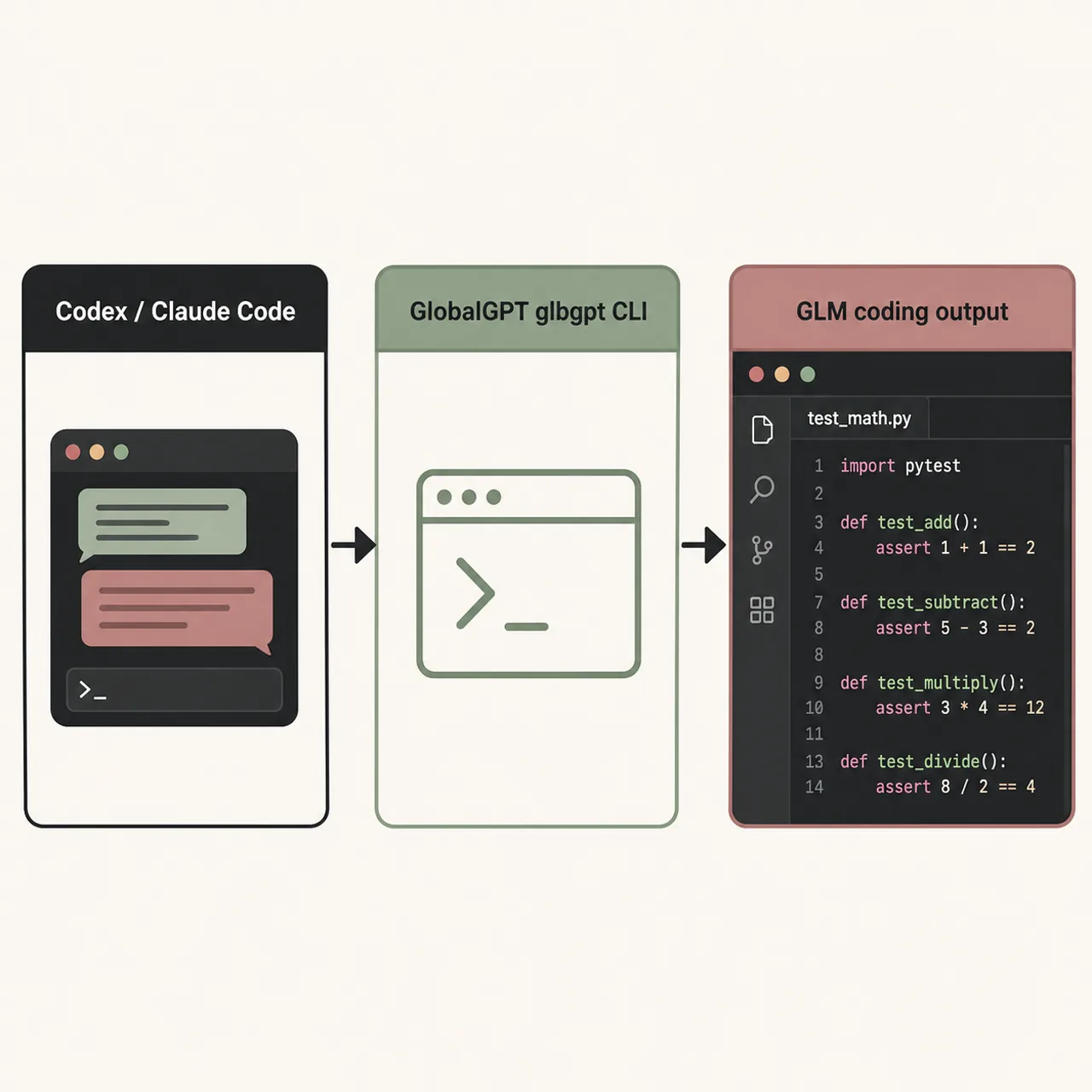
การแยกส่วนนี้มีประโยชน์เมื่อคุณต้องการเปรียบเทียบโมเดลต่าง ๆ คุณสามารถขอให้ GLM สร้างการดำเนินการครั้งแรก ดำเนินการทดสอบ แล้วขอให้โมเดลอื่นตรวจสอบความแตกต่างได้ คู่มือการใช้งาน GLB CLI ใน Cursor แสดงแนวคิดพื้นฐานเดียวกันในสภาพแวดล้อมของโปรแกรมแก้ไขอื่น.
การทดสอบ CLI ของ Real GLM: ฟังก์ชันหนึ่งบวกกับการทดสอบห้าครั้ง
ผมได้รันงานเล็กๆ ที่สามารถทำซ้ำได้ผ่าน CLI ของ GlobalGPT: “เขียนฟังก์ชัน Python” slugify(text) และห้าการทดสอบ pytest ที่ครอบคลุมข้อมูลเข้าภาษาอังกฤษ ช่องว่าง เครื่องหมายวรรคตอน ตัวคั่นที่ซ้ำกัน และข้อมูลเข้าที่ว่างเปล่า” คำสั่งที่ใช้คือ:
ในการทดสอบในระบบท้องถิ่นนี้ ผลตอบกลับปรากฏขึ้นภายในประมาณ 5 วินาที โดยระบบได้ส่งคืนการดำเนินการที่กะทัดรัดโดยใช้ unicodedata และนิพจน์ปกติ พร้อมทั้งการทดสอบห้าครั้ง ส่วนที่มีประโยชน์ไม่ใช่เพียงกรณีที่ทำงานได้ตามปกติเท่านั้น: โมเดลได้ระบุอย่างชัดเจนว่า การเข้ารหัส ASCII จะเปลี่ยน “café” เป็น “cafe” แต่สามารถเปลี่ยนข้อมูลที่ประกอบด้วยตัวอักษรภาษาญี่ปุ่นเท่านั้น ให้กลายเป็นสตริงว่างได้ นี่คือประเภทของขอบเขตที่นักพัฒนาควรนำเข้ามาในแผนการทดสอบจริง.
PS> glbgpt exec "Write slugify and 5 pytest tests" -m glm-5.2
ผลลัพธ์: ฟังก์ชัน Python + 5 กรณีทดสอบ pytest
เวลาที่วัดได้: ประมาณ 5 วินาที
กรณีพิเศษที่พบ: ข้อมูลเข้าที่มีแต่ภาษาญี่ปุ่นจะกลายเป็นว่าง
| ตรวจสอบ | ผลการสังเกต |
|---|---|
| เส้นทาง CLI | โกลบอลจีพีที glbgpt exec |
| แบบจำลอง | glm-5.2 |
| ขอบเขตการคุ้มครองที่ขอ | 5 กรณีทดสอบ pytest |
| ผลลัพธ์ | ฟังก์ชัน, การทดสอบ, หมายเหตุเกี่ยวกับกรณีพิเศษ |
| เวลาที่สังเกตได้ | ประมาณ 5 วินาที ต่อครั้ง |
| การติดตามผล | เรียกใช้ pytest และตรวจสอบนโยบาย Unicode |
นี่เป็นการทดสอบการทำงานเบื้องต้น ไม่ใช่การวัดประสิทธิภาพ การเรียกใช้แยกต่างหากโดยใช้ glm-5.3 ไม่กลับมาภายในช่วงเวลาทดสอบ ดังนั้นผมจึงไม่นำผลนี้มาพิจารณาว่าเป็นความสำเร็จหรือความล้มเหลว ความพร้อมใช้งานของโมเดลและพฤติกรรมการตอบสนองอาจขึ้นอยู่กับแคตตาล็อกบัญชี ขนาดของข้อความคำสั่ง และสถานะของบริการ.
รูปแบบคำสั่งที่ช่วยให้ผลลัพธ์สามารถตรวจสอบได้
สำหรับงานผลิต ให้ส่งสัญญาขนาดเล็กให้กับ GLM แทนที่จะส่งคำขอที่ไม่ชัดเจน ให้ระบุชื่อไฟล์ ฟังก์ชันหรือพฤติกรรม การทดสอบที่คุณคาดหวัง และรูปแบบของคำตอบ ตัวอย่างเช่น: “Inspect src/parser.py. ”อธิบายข้อผิดพลาดในสามข้อหลัก เสนอแพตช์แบบขั้นต่ำ แล้วเพิ่มกรณีทดสอบ pytest สองกรณี อย่าเปลี่ยนแปลงการพึ่งพา” โครงสร้างนี้ช่วยให้การเปรียบเทียบคำตอบกับเหตุผลของคุณเองง่ายขึ้น และลดความเสี่ยงจากการแก้ไขโดยไม่ได้ตั้งใจในทั้งรีโพสิตอรี.
คุณยังสามารถขอสิทธิ์การเข้าถึงแบบอ่านอย่างเดียวได้หลังจากที่ระบบถูกนำไปใช้งานแล้ว: glbgpt exec "ตรวจสอบความถูกต้องของ diff นี้ รวมถึงการทดสอบที่ขาดหายไปและความเสี่ยงด้านความปลอดภัย อย่าเขียนโค้ดใหม่; ส่งคืนผลการตรวจสอบที่จัดกลุ่มตามระดับความรุนแรง" -m glm-5.2 --file patch.diff. เก็บคำตอบที่สร้างขึ้นไว้เป็นวัสดุสำหรับการทบทวนจนกว่าการตรวจสอบภายในจะผ่าน.
ค่าใช้จ่าย การเข้าถึง และข้อจำกัด
จุดดึงดูดหลักของเส้นทาง GLB คือความสะดวกสบายและการกำหนดราคาที่ประหยัด: CLI เดียวสามารถเปิดเผยโมเดลหลายตัวได้ ดังนั้นคุณจึงไม่จำเป็นต้องสมัครบริการแยกต่างหากสำหรับทุกการทดลอง แต่โปรดอย่ามองบทความบล็อกนี้เหมือนใบราคา แผนบริการสำหรับผู้บริโภค การคิดค่าบริการ API และเครดิต GlobalGPT เป็นผลิตภัณฑ์ที่แตกต่างกัน ตรวจสอบยอดเงินในบัญชีปัจจุบัน แคตตาล็อกโมเดล และเงื่อนไขก่อนที่จะตัดสินใจใช้งานอย่างหนัก.
ยังมีข้อจำกัดทางปฏิบัติด้วย การตอบสนองของ CLI ไม่ใช่การตรวจสอบโค้ด มันอาจไม่ปฏิบัติตามกฎเกณฑ์ของรีโพสิตอรี เข้าใจผิดเกี่ยวกับข้อกำหนดที่ไม่ได้ระบุไว้อย่างชัดเจน หรือเลือกนโยบาย Unicode ที่สูญเสียข้อมูล เช่น อย่างในตัวอย่างการทดสอบ ให้กำหนดคำสั่งให้แคบที่สุด แนบชุดไฟล์ที่มีประโยชน์น้อยที่สุด และรันการทดสอบในเครื่องท้องถิ่น สำหรับการเปรียบเทียบโมเดลที่กว้างขึ้น ให้อ่าน ภาพรวมของโมเดล AI ที่ดีที่สุด และ คู่มือทางเลือกในการเขียนโค้ด.
หากคุณกำลังเปรียบเทียบโมเดลเศรษฐกิจแบบสมัครสมาชิก, แล้ว คู่มือราคา Codex และ คู่มือกำหนดราคาตามรหัส Claude ให้บริบทสำหรับเครื่องมือที่เกี่ยวข้องกับโมเดลดังกล่าว เครื่องมือเหล่านี้ไม่ได้มาแทนที่มุมมองบัญชี GlobalGPT ที่มีอยู่ในปัจจุบัน สำหรับค่าใช้จ่ายที่เกี่ยวข้องกับ GLB โดยเฉพาะ.
ใครควรใช้ GLM CLI?
- นักพัฒนาที่ต้องการโมเดลการเขียนโค้ดที่ราบรื่นในกระบวนการทำงานของเทอร์มินัลที่มีอยู่.
- ทีมที่ชอบใช้คำสั่งสั้นๆ ที่สามารถตรวจสอบได้ มากกว่าการใช้เซสชันของเอเจนต์อัตโนมัติที่มีขนาดใหญ่.
- ผู้ใช้ที่ต้องการเปรียบเทียบ GLM กับโมเดลอื่น ๆ โดยไม่ต้องติดตั้งโปรแกรมแก้ไขใหม่.
- นักศึกษาและผู้พัฒนาเกมอิสระที่ให้ความสำคัญกับประโยชน์ทางปฏิบัติและขั้นตอนการรีวิวที่ชัดเจน.
เลือกเส้นทางอื่นเมื่อต้องการข้อตกลงทางธุรกิจอย่างเป็นทางการ SLA ระดับภูมิภาคที่มีการรับประกัน หรือคุณสมบัติเฉพาะของผู้ให้บริการที่แคตตาล็อก GLB ไม่แสดงไว้ ทางเลือกที่ถูกต้อง แผนการเขียนโค้ด glm คือผู้ให้บริการที่มีเงื่อนไขการเข้าถึง ค่าใช้จ่าย และกระบวนการตรวจสอบที่เหมาะกับโครงการของคุณ — ไม่ใช่ผู้ให้บริการที่อ้างอิงผลการทดสอบประสิทธิภาพอย่างโอ้อวดที่สุด.
คำถามที่มักถูกถาม
GLB นั้นเป็นบริการเดียวกันกับบริการสมัครสมาชิก GLM อย่างเป็นทางการหรือไม่?
ไม่ครับ GLM เป็นกลุ่มโมเดล ส่วน GlobalGPT/GLB เป็นชั้นการเข้าถึงที่ใช้ในกระบวนการทำงานนี้ โปรดแยกข้อมูลอย่างเป็นทางการของผู้ให้บริการออกจากบัญชี GLB ข้อมูลเครดิต และพฤติกรรมของ CLI และตรวจสอบทั้งสองแหล่งข้อมูลก่อนตัดสินใจซื้อ.
ผมสามารถใช้ GLM ใน Codex ได้ไหม?
ใช่ครับ เมื่อบัญชี GlobalGPT ของคุณแสดงโมเดลแชท GLM ให้เปิดเทอร์มินัลโครงการของ Codex และรัน glbgpt exec กับ -m glm-5.2 หรือโมเดล GLM อื่นที่อยู่ในรายชื่อปัจจุบัน ให้ตรวจสอบและทดสอบโค้ดที่คืนมา.
GLM CLI เป็นโปรแกรมฟรีหรือไม่?
การติดตั้ง CLI นั้นเป็นกระบวนการที่แยกต่างหากจากการใช้งานโมเดล การเรียกใช้โมเดลอาจใช้เครดิตในบัญชีหรือตามแผนบริการที่ใช้งานอยู่ ดังนั้นโปรดตรวจสอบ บัญชี glbgpt และเงื่อนไขของโมเดลปัจจุบัน แทนที่จะสมมติว่ามีการเข้าถึงฟรีอย่างไม่จำกัด.
ทำไมแผนการเขียนโค้ด GLM จึงน่าสนใจ?
GLM มีจุดเด่นอยู่ที่สามารถจัดการงานเขียนโค้ดทั่วไปได้ พร้อมทั้งรักษาให้การสนทนาเกี่ยวกับการเข้าถึงมุ่งเน้นไปที่มูลค่า นักพัฒนามักมองหาบริการนี้เมื่อการสมัครสมาชิกบริการเขียนโค้ดแยกต่างหากมีราคาสูงหรือยากที่จะได้รับ ราคาที่แน่นอนและรูปแบบการเข้าถึงขึ้นอยู่กับผู้ให้บริการปัจจุบันหรือบัญชี GlobalGPT ดังนั้นควรตรวจสอบข้อมูลเหล่านั้นก่อนทำการซื้อ.
ใช้ GLM ผ่าน GlobalGPT อย่างไร?
ติดตั้ง @glbgpt/cli, ดำเนินการ เข้าสู่ระบบ glbgpt, ยืนยันแคตตาล็อกด้วย รายชื่อโมเดล glbgpt สำหรับการสนทนา, และโทร glbgpt exec ด้วยโมเดล GLM ที่ระบุไว้แล้ว ดำเนินการคำสั่งจากเทอร์มินัลของโครงการ Codex หรือ Claude Code และตรวจสอบผลลัพธ์บนเครื่องท้องถิ่น.
ผมควรเชื่อถือโค้ดที่สร้างขึ้นโดยอัตโนมัติโดยไม่ผ่านการทดสอบหรือไม่?
ไม่ครับ ให้ขอทำทดสอบ ตรวจสอบ diff รันชุดทดสอบ และตรวจสอบความพึ่งพาและโค้ดที่เกี่ยวข้องกับความปลอดภัย ในขั้นตอนการทดสอบเบื้องต้น (smoke test) หมายเหตุเกี่ยวกับกรณีขอบเขต (edge-case) นั้นมีค่ามาก เพราะมันเปิดเผยการตัดสินใจเกี่ยวกับ Unicode ที่จำเป็นต้องมีการตัดสินใจในระดับผลิตภัณฑ์.
สรุป: แผนการเขียนโค้ด glm ที่ใช้งานได้จริง
GLM เป็นตัวเลือกที่ควรลองใช้เมื่อคุณต้องการความช่วยเหลือด้านการเขียนโค้ดที่มีประโยชน์ โดยไม่ต้องเปลี่ยนทุกงานให้กลายเป็นปัญหาการสมัครสมาชิก GlobalGPT glbgpt CLI ทำให้กระบวนการทำงานชัดเจนขึ้น: ติดตั้งครั้งเดียว, ลงชื่อเข้าใช้, เลือก GLM, แนบไฟล์ที่ถูกต้อง, และเก็บผลการตรวจสอบขั้นสุดท้ายไว้ใน Codex หรือ Claude Code การทดสอบ GLM-5.2 ของผมในเครื่องท้องถิ่นได้สร้างจุดเริ่มต้นที่ใช้งานได้ และพบกรณีขอบเขต Unicode ที่แท้จริงในครั้งเดียวที่สั้นๆ.
หากกระบวนการทำงานนั้นสอดคล้องกับวิธีที่คุณพัฒนาซอฟต์แวร์, เปิด GlobalGPT และลองใช้ GLM ผ่าน GLB CLI เริ่มด้วยงานเล็กๆ ที่สามารถทดสอบได้ก่อน เริ่มจากฟังก์ชันหนึ่ง การทดสอบที่ล้มเหลว หรือการปรับโครงสร้างโค้ดที่มุ่งเน้นเฉพาะจุด — แล้วค่อยขยายขนาดขึ้นก็ต่อเมื่อผลลัพธ์นั้นได้รับความเชื่อถือจากคุณแล้ว.