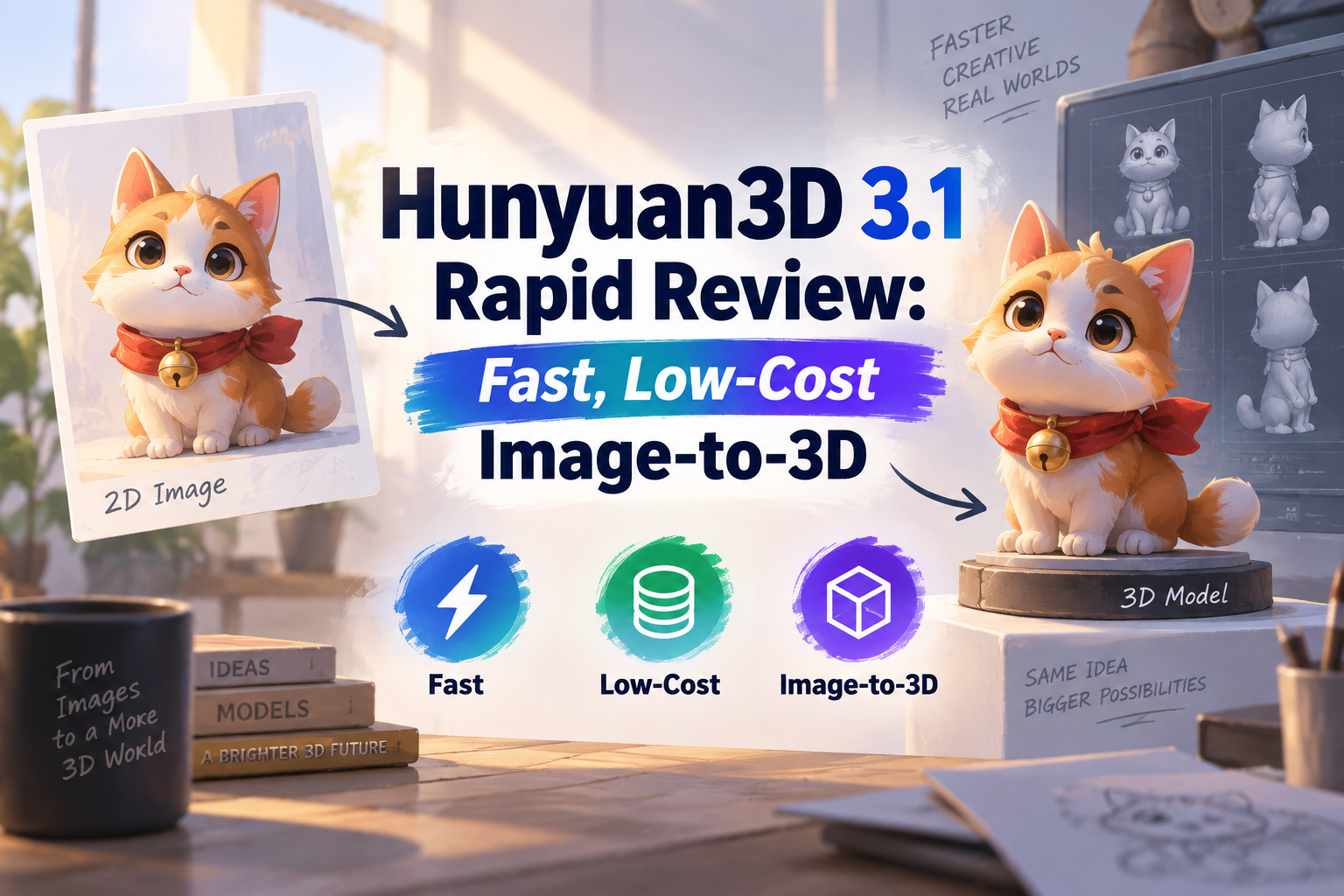
Hunyuan3D 3.1 Rapid biedt een handige snelkoppeling: zet een enkele productafbeelding of een concept om in een 3D-model zonder uren te hoeven besteden aan het bouwen van de eerste mesh. Het voordeel is dat je snel en goedkoop kunt itereren. De moeilijkere vraag is of het resultaat daadwerkelijk tijd bespaart als je de vorm, materialen en onderdelen gaat bekijken die de camera nooit heeft vastgelegd.
We hebben Rapid getest met originele referentieafbeeldingen en de gedownloade 3D-bestanden vanuit verschillende hoeken bekeken. In deze beoordeling ligt de nadruk op wat belangrijk is als je het zelf gaat uitproberen: herkenbare vormen, behouden openingen, kleine details, materialen, generatietijd en kosten.
Klaar om je eigen afbeelding om te zetten in een 3D-object? Probeer Hunyuan3D 3.1 Rapid op GlobalGPT. Begin met een productfoto of conceptafbeelding en gebruik de afbeeldingsmodellen van GlobalGPT om je referentie te verfijnen als je een duidelijker uitgangspunt nodig hebt.
Kort antwoord
Wat doet Hunyuan3D 3.1 Rapid eigenlijk?
De Hunyuan3D 3.1: Snelle omzetting van afbeeldingen naar 3D-eindpunten neemt een referentieafbeelding als uitgangspunt en genereert een 3D-resultaat. Dat is iets anders dan een platte afbeelding die er alleen maar uitziet als een render. Je kunt een mesh bekijken vanuit gezichtspunten die niet in de bron voorkomen, hoewel die onzichtbare oppervlakken worden afgeleid in plaats van gemeten.
Dit onderscheid is van belang als je een Afbeelding van een 3D-beeldje. Een beeldgenerator kan een verzamelobject op een bureau weergeven; het creëert niet per se een bewerkbaar 3D-object. Rapid pakt die volgende stap aan.
De fal Rapid API biedt de mogelijkheid om één invoerafbeelding, optionele PBR-materialen en een optie voor uitsluitend geometrie te gebruiken. PBR staat voor ‘physically based rendering’: materiaalinformatie waarmee een renderprogramma kan beschrijven hoe een oppervlak op licht reageert. Bij het genereren van uitsluitend geometrie wordt het uiterlijk met textuur weggelaten.
Hoe goedkoop en snel is Rapid?
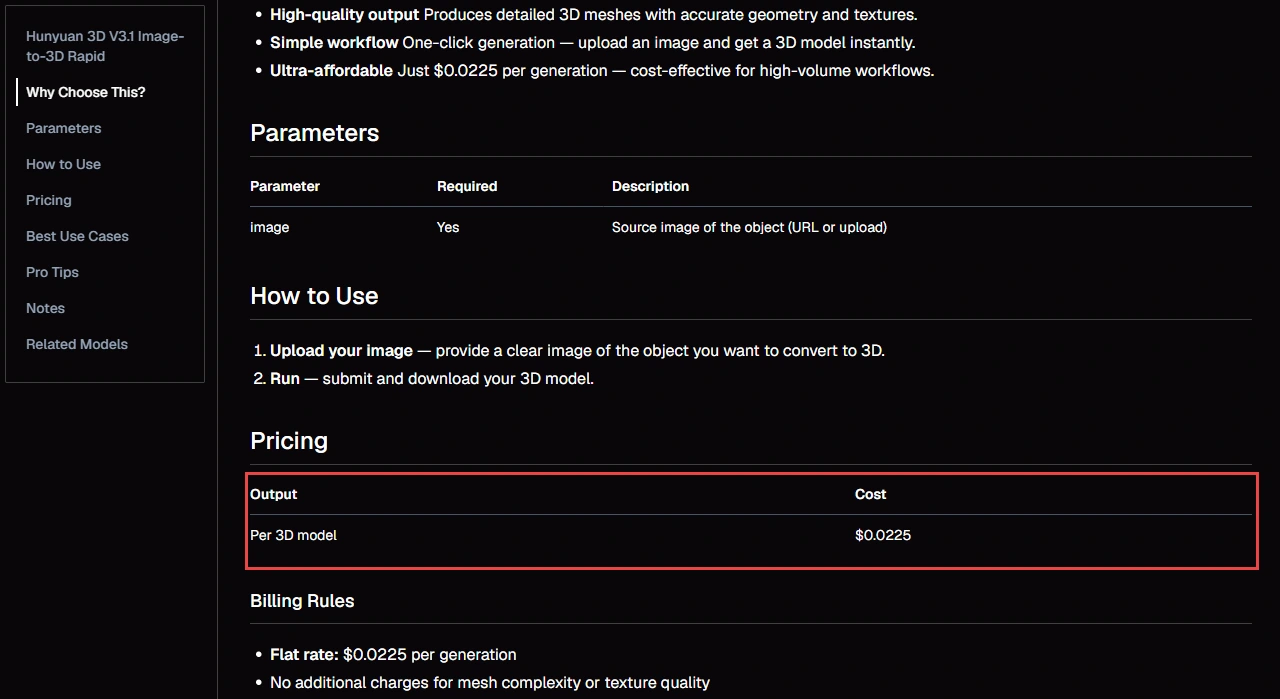
WaveSpeed vermeldt Rapid bij $0,0225 per run en rapporteert een mediane end-to-end-generatietijd van ongeveer 62 seconden op basis van recente succesvolle testruns. Onze eigen drie meetresultaten zijn weergegeven in de onderstaande testgrafiek.
Op De Rapid-notering van fal, de basisgeneratie kost $0,225 en PBR voegt $0,15 toe. De aanbiedingen hebben verschillende instellingen; kies op basis van de gewenste output, niet alleen op basis van de prijs in de kop.
| Route / configuratie | Gevermelde of geboekte kosten | Bewijs | Toepassingsgebied |
|---|---|---|---|
| WaveSpeed Rapid | $0.0225 / run | Gepubliceerde directe API-prijs | Beeldinvoer; er is geen PBR-selector opgenomen in het openbare verzoekschema |
| fal Rapid, basis | $0,225 / run | Gepubliceerde basisprijs volgens de API | Optionele modus met alleen geometrie; PBR wordt apart in rekening gebracht |
| fal Rapid met PBR | $0,375 / run | $0.225 + $0.15 | Genereren van geconfigureerd materiaal; hier niet getest |
| Onze testresultaten | $0.10 equivalent / run | Geregistreerd API-gebruik, geen abonnementsprijs | Het maken van referentieafbeeldingen is niet meegenomen; zie de afzonderlijke tests hieronder |
Wat zo’n kleine partij zou kosten
Onze ‘Image-to-3D’-tests
We hebben gebruikgemaakt van de originele Seedream 5.0 Pro-referentieafbeeldingen, waarop telkens één compleet object tegen een lichte achtergrond te zien is. Elke invoer is visueel gecontroleerd voordat deze werd ingediend. We hebben voor elk object het eerste resultaat behouden en hebben gedurende het hele proces dezelfde API-configuratie voor het omzetten van afbeeldingen naar 3D gebruikt, zonder een optie voor alleen geometrie of PBR aan te vragen.
Bij de onderstaande generatietijden wordt uitgegaan van de tijdstempels van de server voor het indienen en voltooien van de opdracht; deze omvatten dus de wachtrijinterval, maar niet het downloaden en controleren van het bestand. De kosten worden uitgedrukt in API-gebruiksquivalenten en zijn exclusief het aanmaken van referentieafbeeldingen; het gaat hier niet om de abonnementsprijzen van GlobalGPT.
Drie objecten, elk iets meer dan een minuut
Dezelfde Rapid-configuratie. Eén eerste poging per object.
Verzoeken die GLB’s hebben geretourneerd
3D-generatie: nieuwe pogingen
Totaal geregistreerd API-gebruik
Wat zat er eigenlijk in die GLB’s?
| In het teruggestuurde bestand | Mok | Voorzitter | Rugzak |
|---|---|---|---|
| 3D-geometrie | Heden | Heden | Heden |
| Materialen | Afwezig | Afwezig | Afwezig |
| Texturen | Afwezig | Afwezig | Afwezig |
| UV-coördinaten | Afwezig | Afwezig | Afwezig |
Praktisch resultaat: een bruikbare uitgangsgeometrie, waarbij de kleur en het materiaal nog moeten worden uitgewerkt.
Test 1: Blauwe mok – Handvat en binnenruimte
De referentie van 2048 bij 2048 toonde een kobaltblauwe keramische mok met een leeg kopje en een open oor. Dit is een handige eerste controle, omdat die openingen een echte geometrie moeten hebben; een donkere vlek op een massief blok zou niet volstaan.
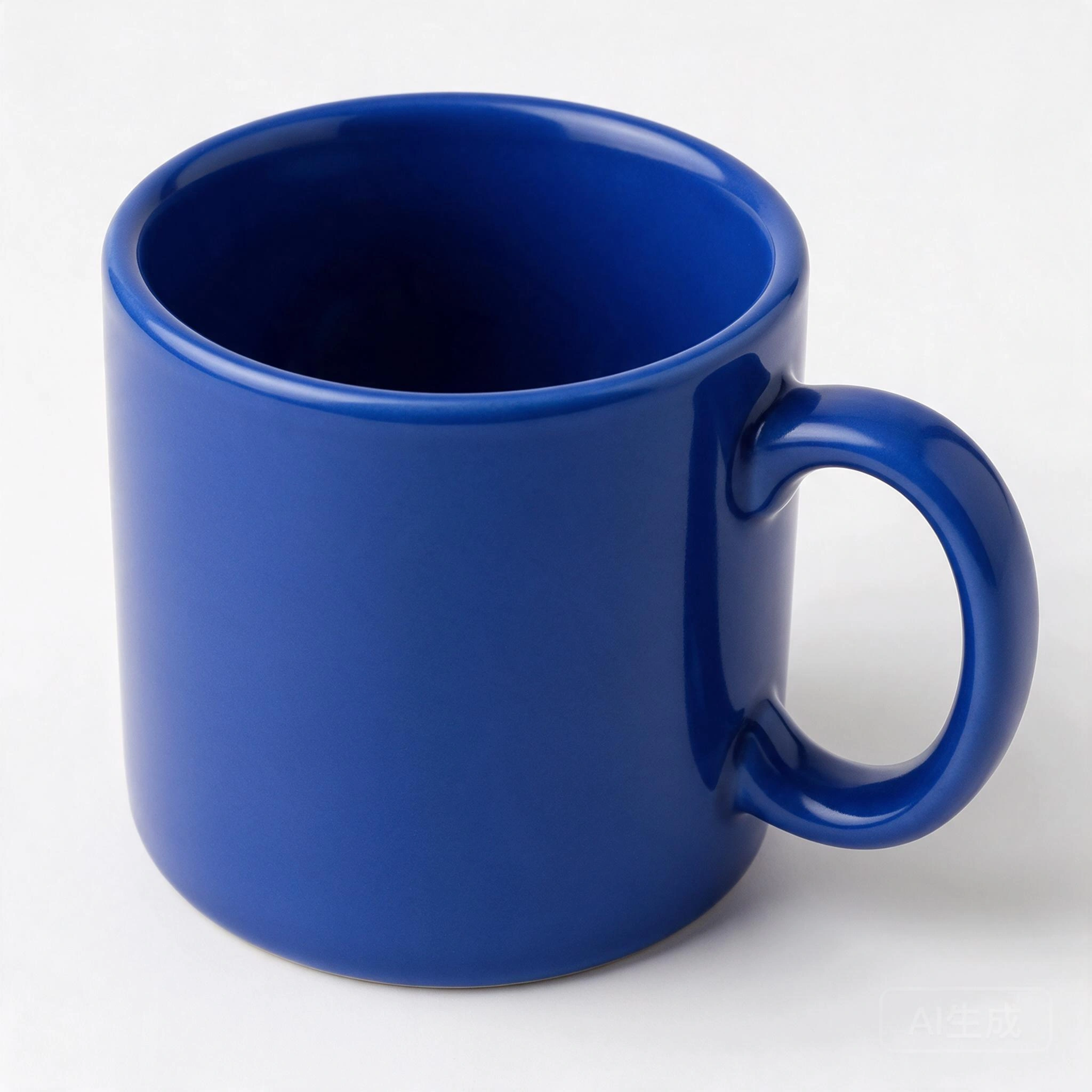
Het gaas behield de cilindrische vorm, de opening voor het handvat en de binnenruimte van de mok. Het doorstond ook de waterdichtheidstests en de windbestendigheidstests, hoewel geen van beide tests de werkelijke afmetingen of de veilige wanddikte controleert.
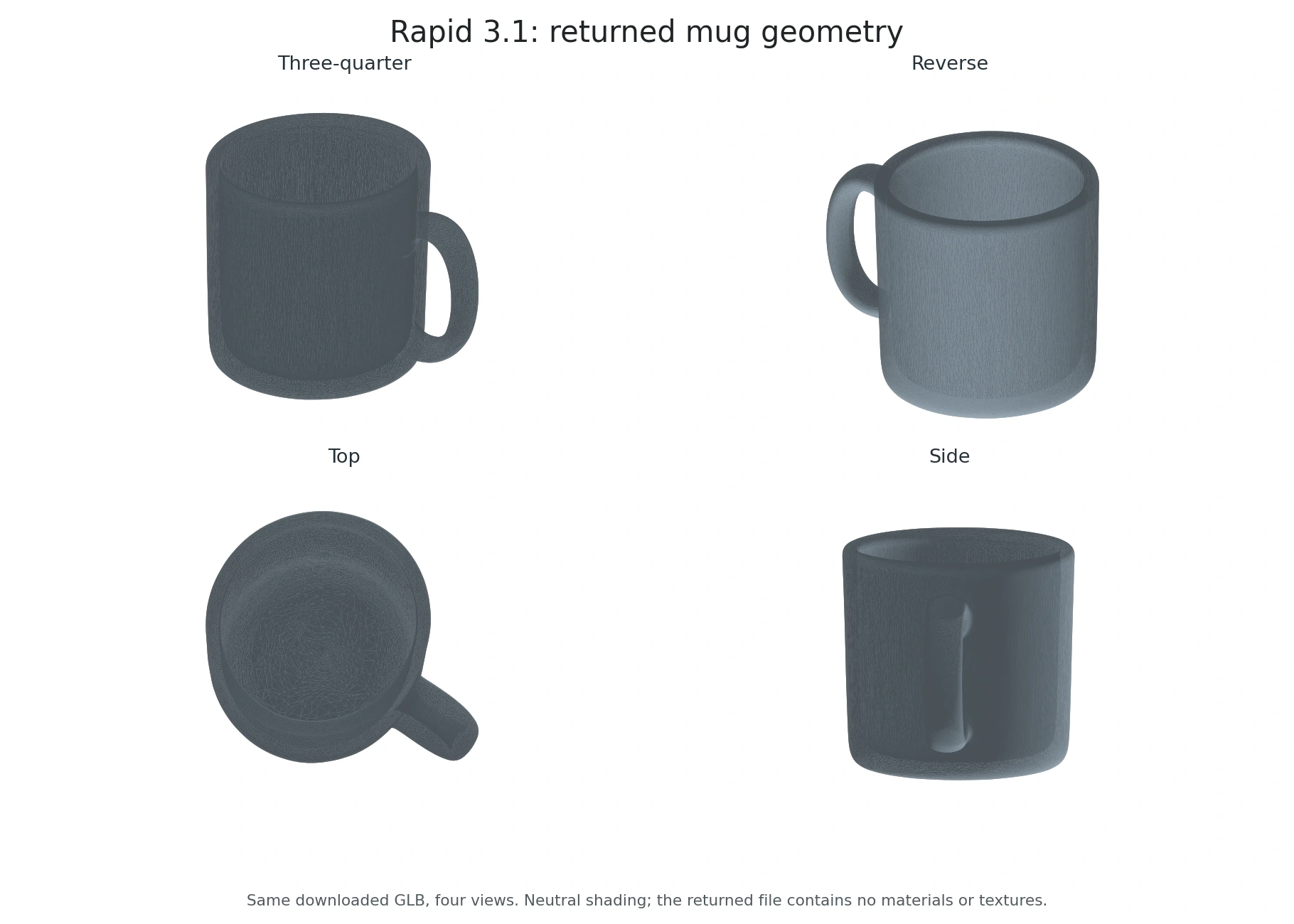
Het resultaat is iets eenvoudiger en regelmatiger dan het referentie-exemplaar. Het ontbreekt aan het blauwe glazuur, zoals te zien is in de bovenstaande bestandsmatrix. De neutrale schakering is hier plaatselijk aangebracht ter inspectie.
Controleer de originele mok GLB om de vorm vanuit andere hoeken te beoordelen.
Test 2: Gele stoel – dunne poten en een open rugleuning
We hebben een driekwartafbeelding van een gele houten stoel met vier dunne poten en drie verticale rugleuninglatten gebruikt om te testen of Rapid de smalle steunen en de openingen daartussen zou behouden.
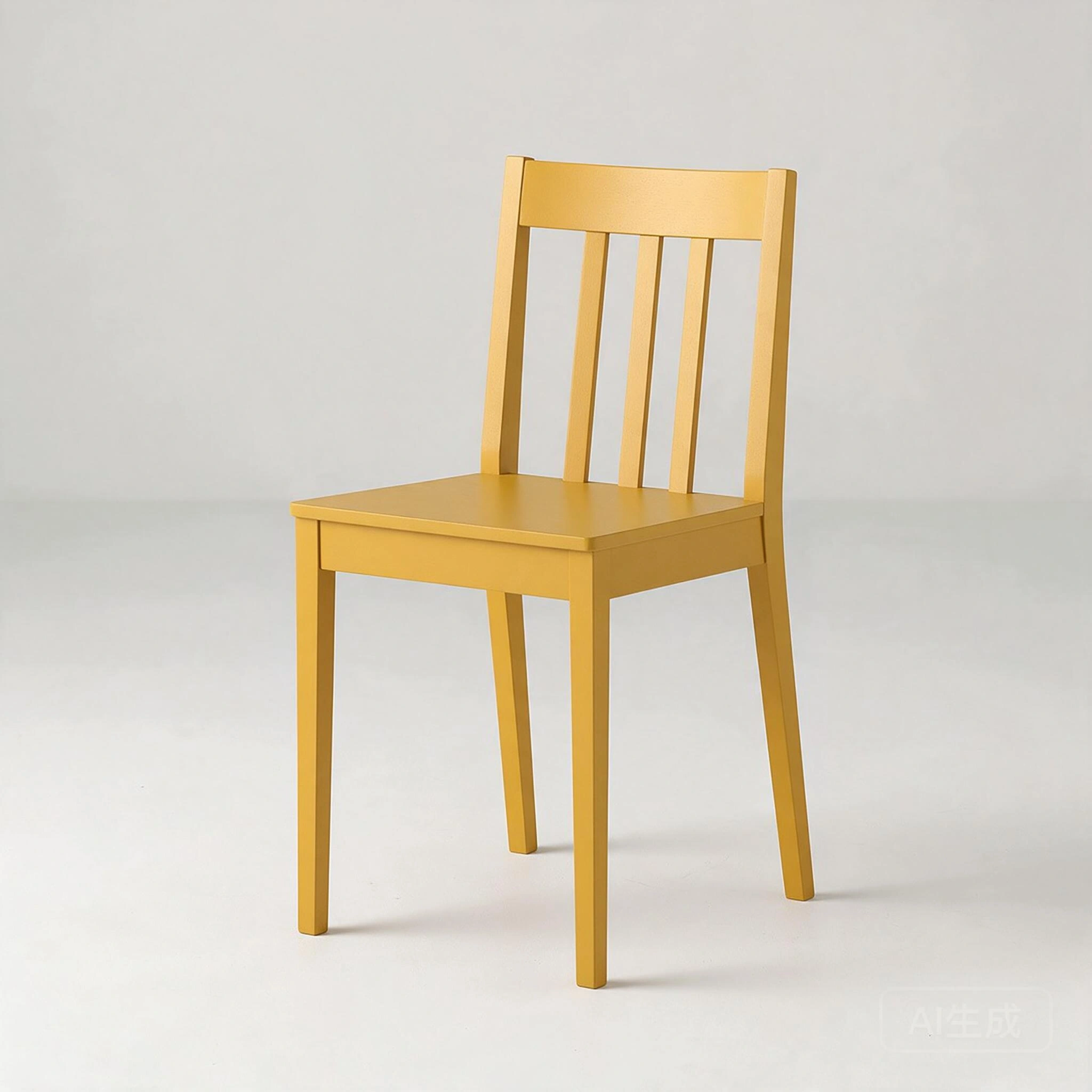
Het gedownloade model bestaat uit vier afzonderlijke poten, de zitting en drie interne rugleuninglatten. De openingen tussen de latten en onder de zitting blijven open.
Bij inspectie van voren, van achteren, van boven en van opzij is een samenhangend stoelsilhouet te zien. De bovenste leuning lijkt meer gebogen en sommige randen zijn ronder dan bij het referentiemodel.
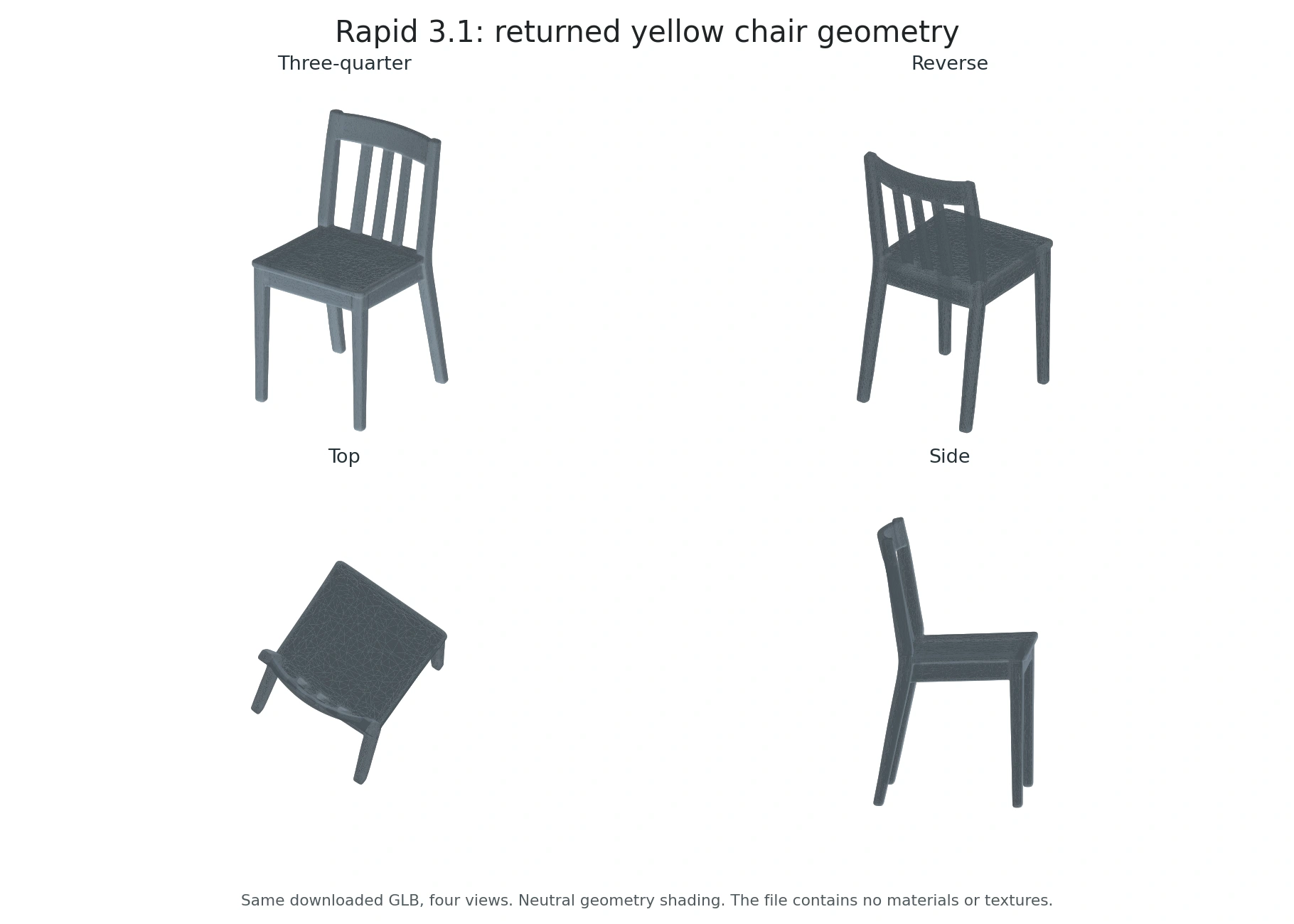
We hebben de werkelijke afmetingen, de verbindingen, de fysieke stabiliteit en de geschiktheid voor CAD-ontwerp en productie niet gecontroleerd.
Controleer de originele gele stoel GLB om het in je eigen 3D-programma te bekijken.
Test 3: Rode rugzak – Zakken, handvat en schouderbanden
We hebben een rode rugzak als referentie gebruikt, met een uitgestoken voorvak, opvallende ritssluitingen, een handvat aan de bovenkant en schouderbanden, om een complexer silhouet en kleine oppervlaktedetails te testen.
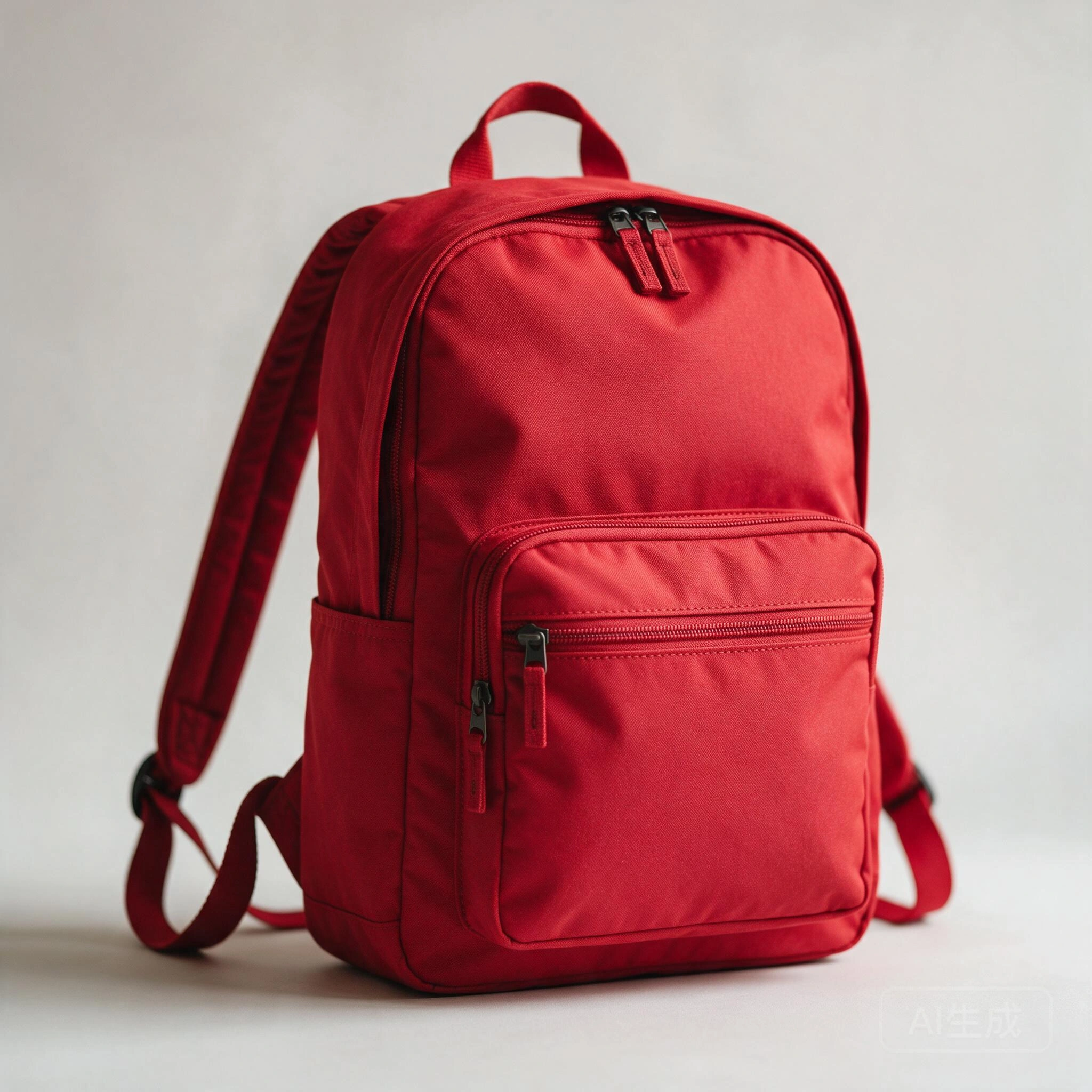
Het hoofdvolume van de tas, het naar voren uitstekende voorvak, de opening bij het handvat aan de bovenkant en de lussen voor de schouderriemen zijn herkenbaar in de weergegeven geometrie.
Sommige vormen van ritslipjes en grotere plooien in de stof blijven als geometrische vormen zichtbaar, maar de fijne details van de rits en de stof zijn vereenvoudigd.
Op de achteraanzicht- en zijaanzichtfoto’s is te zien dat de geometrie rond de verbindingen van de onderste riem en de gesp onregelmatig en warrig oogt. Deze delen moeten worden bijgewerkt voordat de afbeelding voor close-ups kan worden gebruikt.
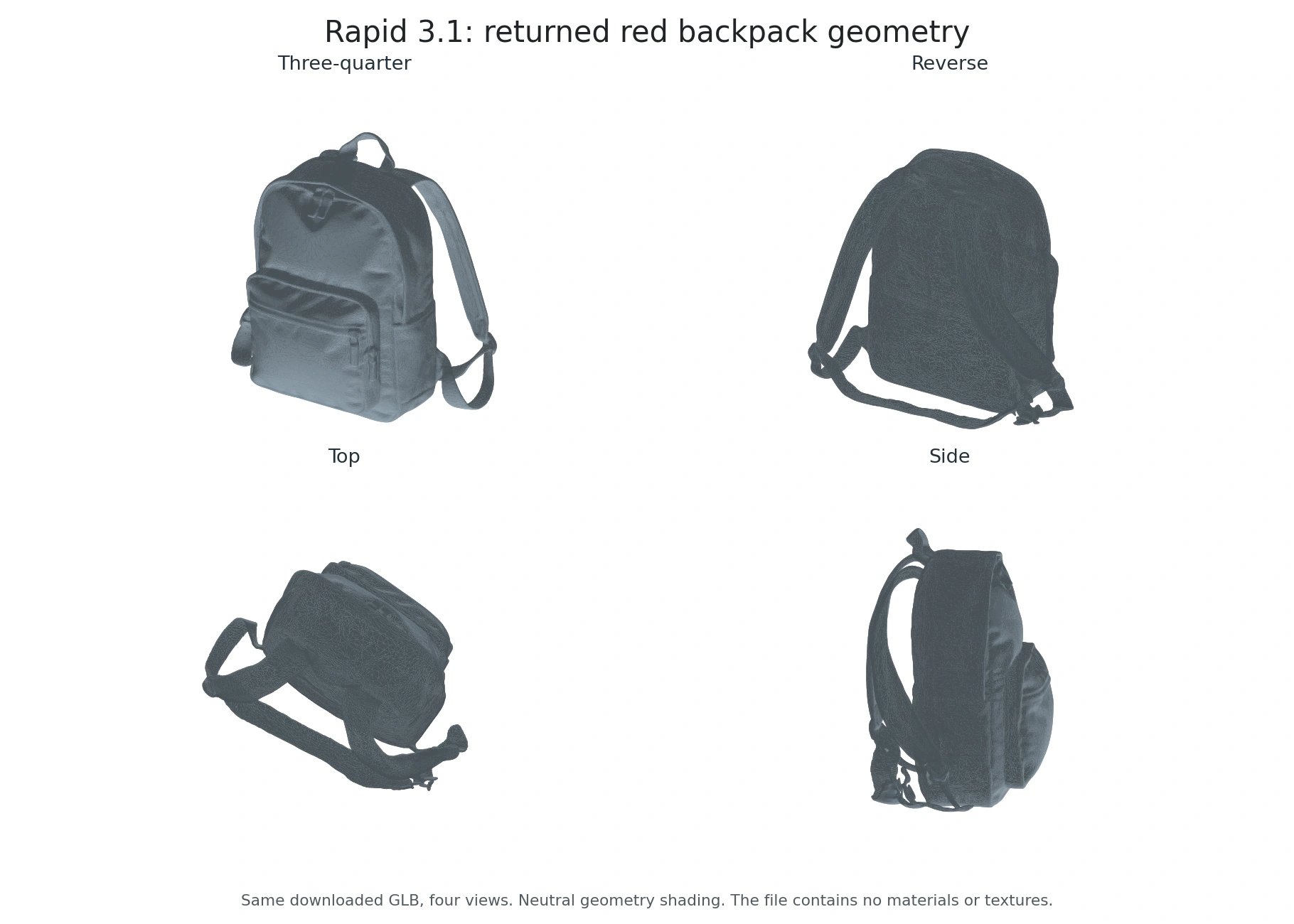
De verborgen achterkant kan niet op nauwkeurigheid worden gecontroleerd aan de hand van één enkel, op de voorkant gericht referentiebeeld. Een waterdichte geometrie garandeert nog geen zuivere topologie van de riemen, een correcte constructie of geschiktheid voor rigging en animatie.
Bekijk de originele rode rugzak GLB om het in je eigen 3D-programma te bekijken.
Hoe maak je een afbeelding die Gives Rapid een eerlijke kans geeft?
Begin met één volledig object tegen een rustige achtergrond. Kies een driekwartperspectief dat diepte weergeeft zonder het hoofdsilhouet te verbergen. Bij een mok moet de opening van het oor zichtbaar zijn; bij een stoel moeten de poten duidelijk te zien zijn. Als je de voet afsnijdt of een dun onderdeel achter een ander oppervlak laat zitten, dwingt dat het model om extra geometrische vormen te bedenken.
Voor een concept dat nog niet bestaat, maak je een duidelijke referentie met behulp van de Handleiding voor Seedream 5.0 Pro. Beschrijf het object, het materiaal, de camerahoek en de achtergrond zo gedetailleerd mogelijk. Controleer de afbeelding zelf voordat je deze naar een 3D-model stuurt: een realistisch ogend maar onmogelijk handvat blijft een slechte referentie.
De voorbereiding van fotomateriaal volgt hetzelfde principe. Onze gids voor realistische productafbeeldingen maken is handig om een duidelijke vorm en belichting vast te leggen, maar laat een beeldbewerking niet leiden tot een herontwerp van een echt product waarvan de afmetingen van belang zijn.
Een tweede invalshoek kan je helpen beoordelen of je concept samenhangend is. Wanneer de hoek of het perspectief van een foto aanpassen, beschouw de nieuwe weergave als een andere interpretatie, niet als een gemeten scan. De invoer van één afbeelding in Rapid leidt niet automatisch tot een reconstructie op basis van meerdere weergaven, alleen maar omdat je meerdere afbeeldingen hebt voorbereid.
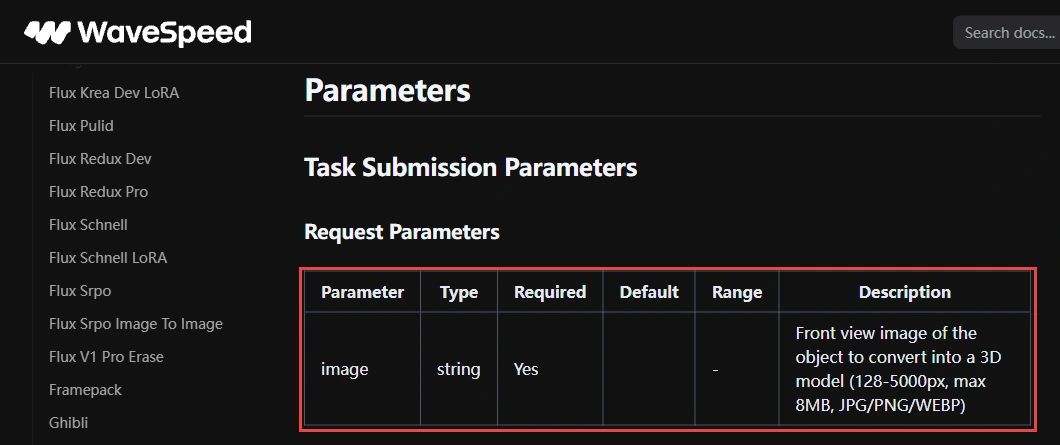
fal accepteert afbeeldingen met een resolutie van 128 tot 5.000 pixels in JPG-, PNG- of WebP-formaat, met een maximale grootte van 8 MB; het wordt aanbevolen dat één enkel object meer dan de helft van het beeld in beslag neemt. Dit zijn de gepubliceerde vereisten voor die route. Houd je aan de limieten van het eindpunt dat je daadwerkelijk gebruikt.
Wat moet je controleren voordat je het project als afgerond beschouwt?
Een goed vooraanzicht is slechts de eerste controle. Draai het model zodat je de achterkant, de onderkant en de bovenkant kunt bekijken. Let op samengesmolten onderdelen, opgevulde openingen, ongelijkmatige dikte, losse fragmenten en textuurmarkeringen die ruwe geometrie verbergen. Een beker met een donkere vlek op de plek waar de binnenkant zou moeten zitten, kan er in een miniatuurafbeelding hol uitzien zonder dat er daadwerkelijk een bruikbare holte is.
Bekijk de mesh ook eens zonder de kleurtextuur. Controleer vervolgens hoe deze zich gedraagt bij een andere belichting. Hooglichten die in de textuur zijn geschilderd, kunnen er vanuit de hoek van de lichtbron overtuigend uitzien, maar bewegen mogelijk onjuist wanneer het object draait.
Controleer bij een webviewer of game de bestandsgrootte, het aantal driehoeken, de materialen en de laadprestaties in de doeltoepassing. Een succesvol gedownloade mesh is niet automatisch geoptimaliseerd voor een mobiele browser. Beoordeel bij animaties de randstroom en vervorming vóór het riggen; controleer bij het afdrukken de schaal, wanddikte, waterdichtheid en het reparatierapport van de slicer.
De precieze productetikettering moet apart worden beoordeeld. Hetzelfde zorgvuldige proces dat wordt gevolgd bij tekst en merkelementen toevoegen aan productafbeeldingen geldt na het genereren van 3D-modellen: bekijk kleine letters en logo’s van dichtbij in plaats van ervan uit te gaan dat de referentie ongewijzigd is gebleven.
Rapid versus Pro: welke verschillen zijn van belang?
Kies ‘Rapid’ voor een snelle eerste mesh op basis van één scherpe afbeelding. Kies ‘Pro’ als je extra weergaven nodig hebt of meer controle wilt over de complexiteit van de mesh. In de onderstaande vergelijking wordt gebruikgemaakt van De door fal gedocumenteerde bedieningselementen van Hunyuan3D; we hebben geen kwaliteitstest uitgevoerd waarin de Rapid-versie werd vergeleken met de Pro-versie.
Rapid of Pro: kies de bedieningselementen die je nodig hebt
| Besturing | Snel | Pro |
|---|---|---|
| Referentiebeelden | 1 afbeelding | Maximaal 8 weergaven |
| Polygon-besturing | Vaste uitgang | 40.000–1,5 miljoen gezichten |
| Beste pasvorm | Snel eerste raster | Meer overzicht en controle |
Mag je het resultaat commercieel gebruiken?
Bij commercieel gebruik spelen twee afzonderlijke vragen een rol: of je toestemming hebt om de input te gebruiken, en of de gebruiksvoorwaarden van de dienst het door jou beoogde gebruik van de output toestaan. De prijs van een API houdt geen vrijgave van rechten in. Een foto van je eigen product vormt een duidelijker uitgangspunt dan een merkpersonage of een afbeelding uit het portfolio van iemand anders.
Dezelfde kwesties die aan de orde zijn gekomen in ons Richtlijnen voor commercieel gebruik van AI-afbeeldingen pas dit toe op de referentiefase. Controleer voor het gegenereerde raster de actuele voorwaarden van de betreffende aanbieder en eventuele rechten van derden op het object. Beschouw de licentie van een ouder, downloadbaar Hunyuan3D-model niet als de overeenkomst voor een gehoste 3.1 Rapid API.
Oordeel: Een betaalbaar startpunt, met ruimte voor verbetering
In onze drie tests bleek Rapid het beste in staat om een duidelijk silhouet snel om te zetten in herkenbare geometrische vormen. Het behield de holte van de mok, de afzonderlijke poten van de stoel en de openingen in de rugleuning, en de hoofdvakken van de rugzak. De vervaagde vorm van de stoel en de verwarde details van de onderste riemen van de rugzak laten zien waar handmatig bijwerken van pas komt.
Wat telkens ontbrak, was het uiterlijk: geen van deze bestanden bevatte materialen of texturen. Daardoor zijn de resultaten eerder bruikbare uitgangsmeshes dan voltooide, ingekleurde producten. Houd rekening met het bewerken van materialen en controleer dunne verbindingen en verborgen oppervlakken voordat je een asset in productie neemt.
Wanneer de invoer zelf dubbelzinnig is, de nauwkeurigheid van de referentieafbeelding verbeteren voordat je nog meer geld uitgeeft aan 3D-herhalingen. Met een duidelijkere bron kun je beter beoordelen of het volgende resultaat je daadwerkelijke ontwerpprobleem oplost.
Neem je eigen productfoto of conceptafbeelding mee naar GlobalGPT en probeer Hunyuan3D 3.1 Rapid eens uit. Begin met één object, bekijk de eerste mesh en bouw verder op basis van het resultaat dat bij je project past.
Veelgestelde vragen
Is Hunyuan3D 3.1 Rapid gratis?
De hier besproken gehoste Rapid-routes zijn betaald. WaveSpeed hanteert een tarief van $0.0225 per run; fal hanteert een tarief van $0.225 voor het genereren van basismodellen, plus $0.15 voor optionele PBR. Proefcredits of promoties vallen niet onder de hier vermelde tarieven.
Hoe lang duurt Hunyuan3D 3.1 Rapid?
Onze mok, stoel en rugzak deden er respectievelijk 69, 74 en 78 seconden over, gemeten vanaf het moment van verzending naar de server tot het moment van voltooiing. Het downloaden en controleren kostte nog extra tijd. Deze drie tests geven een beeld van onze testervaring, maar vormen geen gegarandeerde levertijd.
Accepteert Rapid meerdere referentieafbeeldingen?
De hier beschreven Rapid-methoden voor het omzetten van afbeeldingen naar 3D maken gebruik van één bronafbeelding. In de fal-documentatie wordt invoer vanuit meerdere gezichtspunten beschreven als een Pro-functie; ga er niet vanuit dat deze functie in Rapid is opgenomen.
Kan ik in Rapid het aantal polygonen kiezen?
fal beschrijft Rapid als een optie met een vaste output en plaatst instelbare polygoonaantallen in Pro. Controleer de exacte instellingen van de dienst voordat je een abonnement kiest voor een bepaald mesh-budget.
Zijn de kleuren en materialen van de objecten bij de sneltests behouden gebleven?
Nee. Alle drie de geretourneerde GLB-bestanden bevatten wel geometrie, maar geen materialen, texturen, ingesloten afbeeldingen, UV-coördinaten of vertexkleuren. De blauwe mok, de gele stoel en de rode rugzak verloren hun oorspronkelijke uiterlijk. Deze bevinding geldt voor de API-configuratie die we hebben getest; bij andere materiaalinstellingen kan het gedrag afwijken.
Kan Rapid een afdrukklaar object genereren?
Ons moknetwerk heeft de geautomatiseerde controles op waterdichtheid en consistentie van de wikkeling doorstaan, maar dat betekent nog niet dat het klaar is om te worden afgedrukt. De schaal, wanddikte en compatibiliteit met de slicer moeten nog worden gecontroleerd voor de beoogde printer en het beoogde materiaal.
Waar kan ik Hunyuan3D 3.1 Rapid uitproberen?
Probeer Hunyuan3D 3.1 Rapid eens uit op GlobalGPT met een duidelijke afbeelding van het object dat je wilt bouwen. Gebruik voor een nieuw concept eerst een afbeeldingsmodel om de referentie te maken en zet die afbeelding vervolgens om in een 3D-uitgangspunt.