

如果你想加入 OpenAI 的官方 Discord 服务器,过程可能比你想象的要简单。在本指南中,我将根据自己的经验指导您完成每一个步骤,包括顺利通过验证和完全访问社区的技巧。.
按照这些步骤,您就能与其他 OpenAI 爱好者建立联系,获得早期更新,并参与有关 ChatGPT、人工智能工具等的讨论。.
以前有很多人参加 OpenAI 的 Discord 服务器 希望能拿到一个 Sora 2 的邀请码。但这已不再是切实可行的途径:OpenAI 的 视频生成文档 称 Sora 2 模型和视频 API 已被标记为弃用,并计划于 2026 年 9 月 24 日停止服务。加入社区对于获取公告和参与讨论仍然很有帮助,但这不应成为阻碍您开展下一个 AI 项目的因素。.
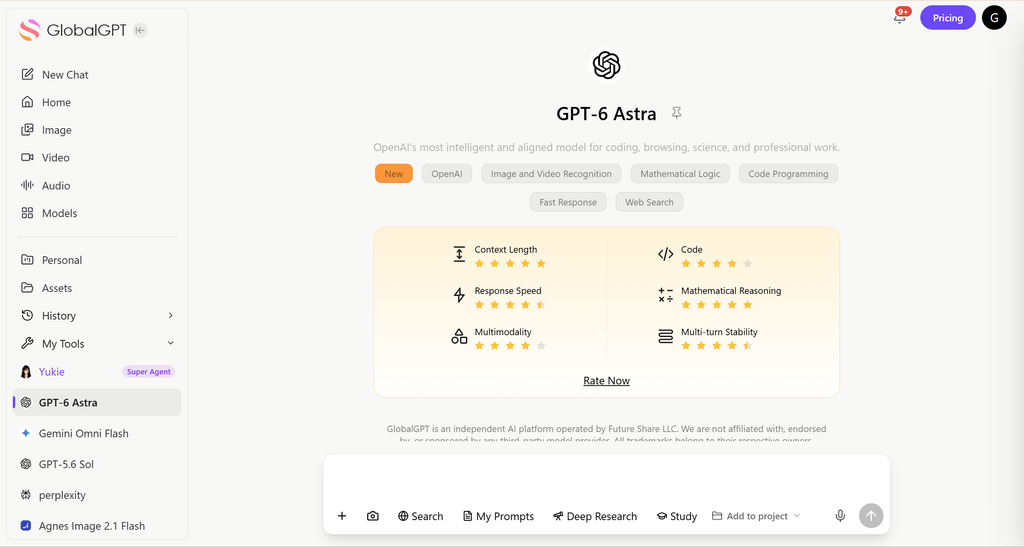
如果你来这里是为了使用人工智能,而不是参与讨论,, 基于 GlobalGPT 的 GPT-6 Astra 为您提供了一个在多模型工作区中进行写作、研究和分析的模型入口。您可以直接从需要完成的任务开始,无需等待 Discord 邀请。加入 OpenAI 社区和购买模型访问权限是两个独立的选择。.
步骤 1:加入 OpenAI Discord 邀请函
第一步是 获取 OpenAI Discord 服务器的有效邀请链接. .OpenAI 经常通过其网站或可信资源分享官方链接。获得邀请函后
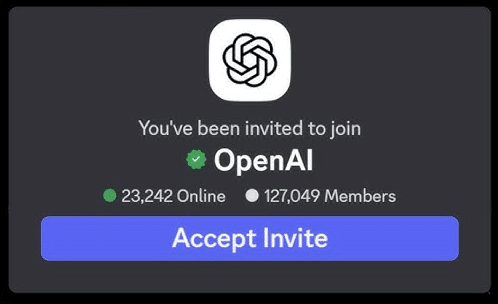
- 登录您现有的 Discord 帐户,或根据需要创建一个新帐户。.
- 接受邀请加入服务器。.
小贴士务必确保使用官方邀请链接,以防受骗或使用假冒服务器。.
"(《世界人权宣言》) OpenAI 邀请函 已于2026年9月10日核查:Discord将该服务器标识为OpenAI,入口频道为openai-verification。加入后看到的提问和账户验证内容可能会有所变化;请遵循该服务器当前的指引。.
接受邀请后,您就可以正式加入服务器并查看公共频道。不过,在访问所有内容之前,您需要完成验证。.
步骤 2:完成 Discord 验证
OpenAI 的 Discord 有一个验证过程,以确保所有成员都是真实用户并遵守规则。根据我的经验,只要注意步骤,验证过程是简单明了的:
- 回答服务器提供的三个问题。这些问题很简单,有助于版主了解谁要加入。.
- 阅读并同意服务器规则。这一步可确保您不会意外违反社区准则。.
- 在 Discord 的左侧面板上,点击 OpenAI 徽标 展开菜单。然后找到 #openai-verification 频道并点击它。.
专业提示:回答验证问题时一定要准确。不正确或不完整的回答可能会延迟您的访问。.
第 3 步:验证您的 OpenAI 账户
最后一步是将您的 Discord 帐户与活跃的 OpenAI 帐户相连。这一步可确保只有通过验证的用户才能访问受限频道和内容:
- 点击 “用 OpenAI 验证” #openai-验证通道内。.
- 如果您已经登录 ChatGPT,验证应该会立即完成。.
- 通过验证后,您就可以访问所有服务器频道,包括独家讨论、公告和社区活动。.
个人见解:这一步最为关键。我见过有人试图跳过先登录 ChatGPT 而卡死在这里,所以一定要先登录再验证。.
顺利体验小贴士
若需获取模型访问权限(而非社区公告),请访问 GPT-6 Astra 指南 提供了一个不同的起点。.
| 问题 | 需要检查的内容 | 下一步行动 |
|---|---|---|
| 邀请无法打开 | URL 以及您的 Discord 登录状态 | 访问 discord.com/invite/openai 并试用已登录的 Discord 应用 |
| 缺少频道 | 入职流程或身份验证未完成 | 返回服务器的验证通道,并按照显示的步骤操作 |
| 请求进行账户核查 | 当前服务器指令和目标域 | 请按照指定的验证流程操作;如果失败,请咨询服务器管理员 |
| 你本以为会收到模特订阅邀请或Sora邀请 | 社区会员资格与产品使用权限不同 | 请单独选择实际产品;不要向出售验证服务的人付款 |
根据我加入和使用 OpenAI Discord 的经验,这里有一些额外的提示,可以让您更顺利地访问 Discord:
- 定期查看 Discord 链接: 邀请链接可能会过期,请确保使用最新的链接。.
- 迅速完成核查: 越快完成三个问题和账户验证,就能越快使用频道。.
- 使用经过验证的 OpenAI 账户: 避免使用测试账户,因为验证可能会失败。.
- 礼貌地参与: 进入社区后,要遵守规则,尊重他人,充分发挥社区的作用。.
加入后您可以做什么
如果通过交谈,你决定尝试ChatGPT,那么 ChatGPT 免费访问指南 说明了哪些功能可以免费使用。.
获得完全访问权限后,OpenAI 的 Discord 服务器将为您提供以下服务:
- 独家更新 第一时间了解 ChatGPT 的新功能和人工智能工具。.
- 社区支持: 从人工智能爱好者和专业人士那里获得帮助。.
- 讨论渠道: 参与有关人工智能应用、编码和创意项目的对话。.
- 测试版访问机会: 有时,OpenAI 会与服务器成员分享新工具的早期使用权。.
根据我自己的经验,加入这个服务器帮助我发现了有效使用 ChatGPT 的技巧,并与世界各地的其他人工智能创作者建立了联系。.
常见问题
OpenAI 的 Discord 邀请链接是什么?
请使用 https://discord.com/invite/openai。该公开邀请已于 2026 年 9 月 10 日经过核查,其中指明了 OpenAI 服务器及其验证入口通道。.
我需要购买付费的 ChatGPT 套餐才能按照本指南操作吗?
加入社区和购买订阅套餐是两件独立的事情。请按照当前服务器的入门指南操作;本指南并不将付费 AI 套餐视为先决条件。.
为什么我只能看到几个频道?
入职或验证流程可能尚未完成。在断定您的账户无法访问之前,请返回服务器的验证频道并按照其当前的指示操作。.
加入 Discord 能否保证获得 Sora 2 的邀请?
不。加入社区并不意味着一定能访问模型。OpenAI 已计划于 2026 年 9 月 24 日关闭其 Sora 2 模型和视频 API。.
如果不加入 OpenAI 的 Discord 频道,我能使用 GlobalGPT 吗?
GlobalGPT 是一个独立的平台,拥有自己的账户和订阅服务。其 GPT-6 Astra 入口无需您先完成 OpenAI Discord 教程。.
验证步骤会发生变化吗?
是的。现有的指南描述了服务器流程,但实时提示、频道权限和检查可能会发生变化。请按照实际的 OpenAI 服务器中的说明操作。.
结论
访问 OpenAI 的 Discord 服务器并不复杂。只需按照以下三个步骤加入邀请、完成验证和确认 OpenAI 帐户,您就能解锁一个充满活力的人工智能爱好者社区,并获得最新更新和讨论。.
无论您是使用 ChatGPT 进行创意项目、研究还是学习,加入官方 Discord 服务器都是在人工智能领域保持领先和建立联系的绝佳方式。.





