
เครื่องมือสร้างโฆษณา AI ที่ดีที่สุดคือเครื่องมือที่ช่วยคุณเปลี่ยนผลิตภัณฑ์ให้เป็นโฆษณาที่คุณสามารถนำไปใช้ได้จริง. สำหรับธุรกิจขนาดเล็กหรือผู้สร้างเนื้อหาแบบอิสระ สิ่งนี้หมายถึงจุดดึงดูดที่ชัดเจน ภาพผลิตภัณฑ์ที่จดจำได้ง่าย และวิธีที่เรียบง่ายในการสร้างเวอร์ชันต่าง ๆ ได้ไม่กี่แบบ.
GlobalGPT รวมการเขียนด้วย AI ภาพ และวิดีโอไว้ในพื้นที่ทำงานเดียว. สร้างบทโฆษณาของคุณ สร้างฉากผลิตภัณฑ์ หรือใช้ Studios เพื่อเปลี่ยนภาพผลิตภัณฑ์และผู้นำเสนอให้กลายเป็นโฆษณาสั้นๆ คุณสามารถสำรวจตัวเลือกสร้างสรรค์ต่างๆ ได้โดยไม่ต้องสมัครใช้บริการใหม่ทุกขั้นตอน.
เลือกเครื่องมือโฆษณา AI ที่เหมาะสมใน GlobalGPT
โฆษณาที่ดีมักต้องการมากกว่าแค่เครื่องมือสร้างวิดีโอ คุณต้องการคำพูดที่คุ้มค่าแก่การฟัง ภาพที่ทำให้ผลิตภัณฑ์ดูน่าดึงดูด และส่วนเปิดเรื่องที่ดึงดูดความสนใจ GlobalGPT รวมเครื่องมือเหล่านี้ไว้ด้วยกัน เพื่อให้คุณสามารถพัฒนาแนวคิดโดยรวมได้อย่างครบถ้วน.
เริ่มด้วยคำเปิดเรื่องที่ผู้คนสามารถเข้าใจได้อย่างรวดเร็ว
ให้เครื่องมือเขียนทราบถึงคำอธิบายผลิตภัณฑ์ กลุ่มเป้าหมาย และข้อเสนอของคุณ แล้วขอให้เสนอสามแบบเปิดเรื่องที่น่าสนใจ จุดดึงดูดที่มีประโยชน์จะเน้นไปที่เหตุผลเดียวที่ทำให้ผู้อ่านสนใจ: กระเป๋าที่เหมาะสำหรับการเดินทางไปทำงานทุกวัน สมุดบันทึกที่ช่วยจัดเก็บบันทึกโครงการไว้เป็นชุด หรือชุดของขวัญที่พร้อมมอบให้.
ให้คำพูดฟังดูเป็นธรรมชาติเหมือนการสนทนา อ่านบทพูดออกเสียงและตัดส่วนใดก็ตามที่คุณจะไม่พูดกับลูกค้า คุณควรมีส่วนเปิดเรื่องที่สั้น ประโยชน์หลักหนึ่งข้อ และขั้นตอนต่อไปที่ชัดเจน การจัดเรียงส่วนเหล่านี้ก่อนจะทำให้การตัดสินใจเลือกภาพและมุมถ่ายที่ต้องการทำได้ง่ายขึ้นมาก.
สร้างภาพผลิตภัณฑ์ก่อนที่จะเพิ่มการเคลื่อนไหว
สำหรับโฆษณาที่เน้นผลิตภัณฑ์ ให้เริ่มด้วยภาพอ้างอิงที่ชัดเจน ใช้เครื่องมือภาพเพื่อปรับแต่งพื้นหลัง แสง และการจัดองค์ประกอบ โดยยังคงให้ผลิตภัณฑ์สามารถระบุได้ชัดเจน ตัวอย่างเช่น ขวดน้ำหอมที่วางบนแท่นเรียบง่าย จะให้กรอบภาพเริ่มต้นที่ดูสะอาดตา มากกว่าฉากที่เต็มไปด้วยอุปกรณ์ประกอบฉาก.
เมื่อภาพนิ่งพร้อมแล้ว ให้เปลี่ยนมันเป็นฉากสั้นที่มีท่าทางเดียวที่ควบคุมได้: การซูมเข้าอย่างช้าๆ การเคลื่อนกล้องเป็นวงกลมอย่างนุ่มนวล หรือการเปิดเผยภาพ คุณสามารถใช้ทิศทางภาพเดียวกันนี้ได้ทั้งสำหรับภาพบนโซเชียลมีเดีย ฉากเปิดวิดีโอ และภาพตัวอย่างของแคมเปญ.
ลองใช้โมเดลวิดีโอในพื้นที่ทำงานเดียวกัน
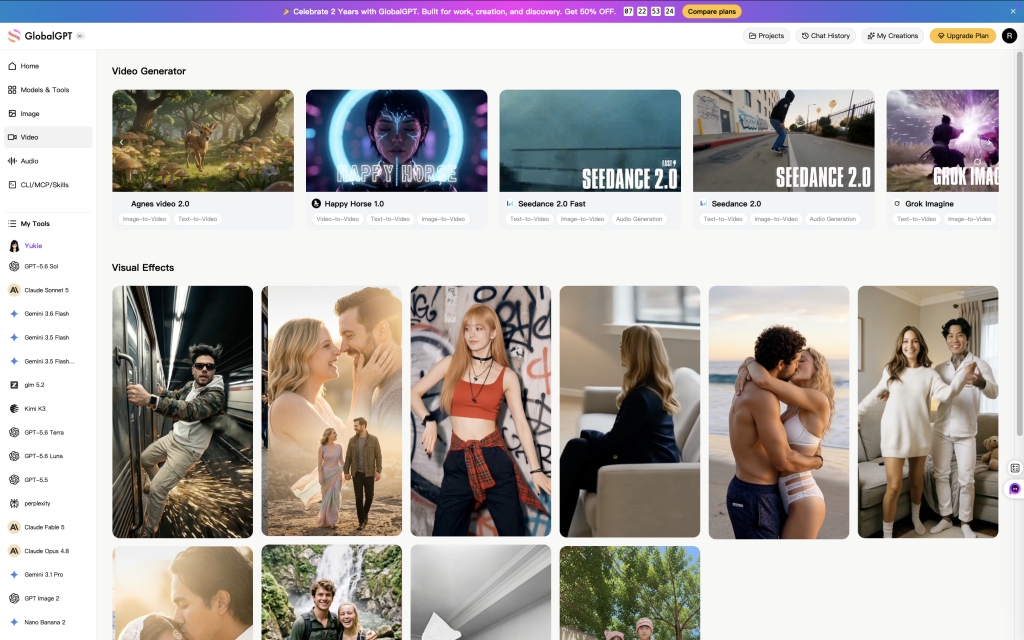
เครื่องมือวิดีโอของ GlobalGPT รวมถึง Seedance 2.5, Agnes Video 2.5, Wan 3.0 Prime และ Veo 3.1 ซึ่งให้คุณมีตัวเลือกหลายอย่างในการพัฒนาช็อต โดยยังคงเก็บงานของคุณไว้ในบัญชีเดียวกัน เลือกโมเดลที่มีอยู่ เพิ่มวัสดุอ้างอิงที่โมเดลนั้นรองรับ และอธิบายการเคลื่อนไหวที่คุณต้องการ.
เมื่อเปรียบเทียบสองตัวเลือก ให้รักษาภาพผลิตภัณฑ์และท่าทางเคลื่อนไหวให้เหมือนกัน ดูรายละเอียดที่สำคัญต่อโฆษณาของคุณ: รูปทรงของขวด เนื้อผ้าของกระเป๋า ตำแหน่งของฉลาก และวิธีที่กล้องแสดงรายละเอียดเหล่านั้นออกมา การเปรียบเทียบเครื่องมือสร้างวิดีโอด้วย AI ช่วยให้คุณมีข้อมูลเพิ่มเติมเพื่อช่วยในการตัดสินใจเลือกระหว่างเครื่องมือวิดีโอต่าง ๆ.
ใช้ Studios เพื่อสร้างโฆษณาแบบผลิตภัณฑ์และผู้นำเสนอ
หากต้องการเส้นทางที่มีคำแนะนำอย่างละเอียดมากขึ้น, GlobalGPT Studios ให้คุณเลือกรูปแบบโฆษณา อัปโหลดรูปภาพสินค้า และเลือกผู้ดำเนินรายการ หรืออัปโหลดวิดีโอของคุณเอง เพิ่มรายละเอียดสินค้า เลือกการตั้งค่าที่มีอยู่ และสร้างวิดีโอ.
สไตล์ต่าง ๆ ได้แก่ Street Review, Unboxing, Everyday Moment และ In-Hand Showcase เลือกฉากที่เหมาะกับผลิตภัณฑ์ของคุณ: ฉากเปิดกล่องสำหรับชุดของขวัญ ฉากชีวิตประจำวันสำหรับอุปกรณ์ตกแต่งบ้าน หรือภาพถือในมือเพื่อแสดงบรรจุภัณฑ์และพื้นผิว Studios จะช่วยกำหนดฉากและบทสนทนา ให้คุณมีจุดเริ่มต้นโดยไม่ต้องสร้างทุกช็อตจากศูนย์.
3 ไอเดียโฆษณา AI ที่ควรลองใช้ก่อน
คุณไม่จำเป็นต้องสร้างแคมเปญใหม่ทั้งหมดสำหรับแต่ละเวอร์ชัน เพียงแค่รักษาผลิตภัณฑ์และข้อเสนอให้เหมือนเดิม แล้วลองใช้ข้อความเปิดที่ต่างกัน รูปแบบทั้งสามนี้เป็นจุดเริ่มต้นที่มีประโยชน์สำหรับชุดโฆษณาชุดแรกของแบรนด์ขนาดเล็ก.
- เน้นผลิตภัณฑ์เป็นจุดเริ่มต้น: แสดงสินค้าให้ชัดเจนด้วยภาพ close-up การเคลื่อนไหวของกล้องอย่างเรียบง่าย หรือการสาธิตสั้นๆ เหมาะสำหรับบรรจุภัณฑ์ วัสดุ และรายละเอียดการออกแบบ.
- ให้ผู้บรรยายมาแนะนำเรื่องนี้: เขียนเหตุผลหนึ่งในการซื้อลงในบทสั้นๆ ที่ดูเป็นธรรมชาติ เหมาะสำหรับการแสดงให้เห็นว่าผลิตภัณฑ์นั้นเข้ากับชีวิตประจำวันอย่างไร.
- สร้างการเปิดเผยแบบภาพ: ใช้การเคลื่อนไหวหรือการจัดวางที่โดดเด่นเพื่อแนะนำสินค้า เหมาะสำหรับการสร้างภาพลักษณ์แรกที่แตกต่างออกไป แม้จะใช้ข้อเสนอเดิม.
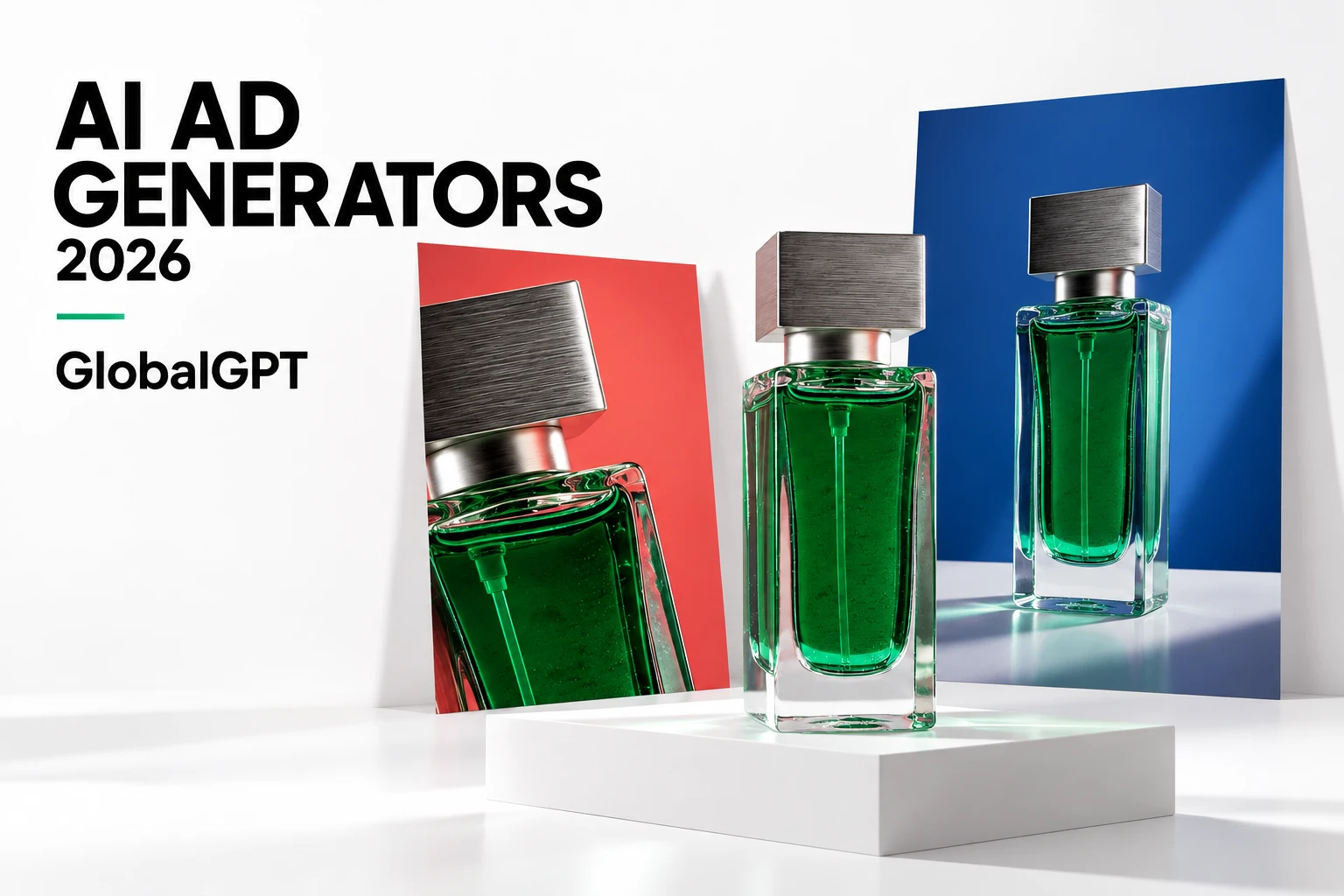
ภาพถ่ายน้ำหอมข้างบนนี้ใช้ฉากที่เรียบง่ายและการเคลื่อนไหวที่ควบคุมได้ เพื่อดึงดูดความสนใจไปยังขวดน้ำหอม สำหรับผลิตภัณฑ์ของคุณเอง ให้คิดถึงรายละเอียดที่ลูกค้าต้องการเห็นก่อนตัดสินใจซื้อ เช่น การตกแต่งผิว ขนาด เนื้อสัมผัส หรือลักษณะเมื่อใช้งาน.
ผู้นำเสนอสามารถทำให้ส่วนการแนะนำดูเป็นธรรมชาติเหมือนการสนทนาได้มากขึ้น ให้การนำเสนอเรียบง่าย เช่น การถือสมุดโน้ตหรือแสดงกล่องสินค้า และให้บทพูดอธิบายประโยชน์ที่เป็นประโยชน์อย่างหนึ่ง ใช้คำพูดจริงจากลูกค้าเมื่อต้องการคำรับรอง; ผู้นำเสนอที่สร้างขึ้นด้วยระบบจะมีประโยชน์สำหรับการแนะนำผลิตภัณฑ์ตามบทพูดที่กำหนดไว้.
สำหรับฉากที่มีบทสนทนา, Veo 3.1 คู่มือการสนทนาและการซิงค์ริมฝีปาก รวมถึงการเขียนเส้นและปรับให้สอดคล้องกับภาพ.
การเปิดเผยช่วยให้คุณสามารถเปิดหน้าด้วยวิธีอื่นได้ ตัวอย่างเช่น การเลื่อนเลมอนไปด้านข้างเพื่อเปิดเผยเครื่องดื่ม ใช้การกระทำเล็กๆ เพียงหนึ่งครั้งเพื่อดึงดูดความสนใจไปยังผลิตภัณฑ์ ให้ข้อเสนอเดิมไม่เปลี่ยนแปลง เพื่อให้การเปิดหน้าแบบใหม่นี้ยังคงเป็นส่วนหนึ่งของแคมเปญเดิม.
วิธีสร้างโฆษณาวิดีโอ AI ครั้งแรกของคุณด้วย GlobalGPT
เริ่มด้วยรูปภาพผลิตภัณฑ์หนึ่งรูป คำอธิบายสั้นๆ และขั้นตอนเฉพาะที่คุณต้องการให้ผู้ชมดำเนินการ นั่นก็เพียงพอแล้วเพื่อพัฒนาแนวคิดเบื้องต้น คุณสามารถเพิ่มตัวเลือกอื่นๆ ได้เมื่อมีโฆษณาที่สื่อสารข้อเสนอได้อย่างชัดเจนแล้ว.
เปลี่ยนรายละเอียดผลิตภัณฑ์ของคุณให้เป็นบทสรุปสั้นๆ
หลังจากกรอกข้อมูลของคุณแล้ว ให้คัดลอกข้อความสั้นด้านล่างนี้ไปวางใน GlobalGPT ขอให้เสนอไอเดียโฆษณา 3 แบบ เลือกไอเดียที่สอดคล้องกับแบรนด์ของคุณที่สุด และใช้แผนการถ่ายทำเพื่อตัดสินใจว่าจะผลิตโฆษณาแบบใด สำหรับโฆษณาชิ้นแรก ให้เน้นข้อความให้มุ่งเน้นไปที่ผลิตภัณฑ์หนึ่งชิ้นและเหตุผลในการซื้อเพียงหนึ่งข้อเท่านั้น.
เอกสารสรุปโครงการที่ดีจะช่วยควบคุมค่าใช้จ่ายให้คุณได้บางส่วน. เขียนสคริปต์โฆษณาของคุณใน GlobalGPT ก่อนที่จะสร้างวิดีโอหลายเวอร์ชัน เพื่อให้แต่ละช็อตมีวัตถุประสงค์ที่ชัดเจน.
เลือกโฆษณาที่มีคำแนะนำหรือภาพผลิตภัณฑ์ที่ปรับแต่งเอง
สำหรับโฆษณาแบบมีผู้ดำเนินรายการ ให้เปิด Studios และเลือกสไตล์ที่เหมาะกับผลิตภัณฑ์ อัปโหลดภาพผลิตภัณฑ์ที่ชัดเจน เลือกผู้ดำเนินรายการ และเพิ่มข้อมูลที่คุณต้องการให้บทพูดใช้ ตรวจสอบระยะเวลา อัตราส่วนภาพ และประมาณการค่าใช้จ่ายก่อนสร้าง.
หากต้องการสร้างภาพตามความต้องการ ให้ใช้เครื่องมือภาพและวิดีโอ สร้างหรืออัปโหลดกรอบภาพของผลิตภัณฑ์ แล้วอธิบายการกระทำหนึ่งอย่าง เช่น “เคลื่อนกล้องเป็นวงโค้งช้าๆ รอบขวด โดยให้ส่วนฝาและฐานขวดอยู่ในกรอบภาพ” จะง่ายต่อการให้คำสั่งกว่าการขอให้สร้างแคมเปญทั้งชุดในคำสั่งเดียว.
The Veo 3.1 คู่มือการให้คำแนะนำ มีตัวอย่างเพิ่มเติมสำหรับการอธิบายการเคลื่อนไหวของกล้อง แสง และการแสดง ให้รักษาความสอดคล้องของข้อมูลอ้างอิงผลิตภัณฑ์ไว้ขณะปรับแต่งภาพ.
เลือกมุมถ่ายที่ดูดีที่สุดและทำโฆษณาให้เสร็จ
เล่นผลลัพธ์ตั้งแต่ต้นจนจบ ค้นหาผลิตภัณฑ์ที่ชัดเจน การเคลื่อนไหวที่เป็นธรรมชาติ และส่วนเปิดที่เข้าเรื่องทันที คุณอาจต้องการเพียงไม่กี่วินาทีที่ดีจากคลิปที่ยาวกว่า ตัดส่วนที่ไม่จำเป็นออกโดยเน้นที่ส่วนที่มีประโยชน์ แทนที่จะเก็บส่วนท้ายที่อ่อนแอไว้.
เพิ่มโลโก้ ข้อเสนอ คำบรรยาย และ CTA สุดท้ายในตัวแก้ไขที่คุณใช้เป็นประจำ ให้องค์ประกอบเหล่านั้นสามารถแก้ไขได้ เพื่อที่คุณจะสามารถปรับราคาหรือโปรโมชั่นได้โดยไม่ต้องสร้างคลิปใหม่ ดูตัวอย่างโฆษณาบนโทรศัพท์มือถือ และตรวจสอบให้แน่ใจว่าข้อความและผลิตภัณฑ์ยังคงชัดเจนอยู่เบื้องหลังปุ่มควบคุมตำแหน่งโฆษณา.
สำหรับโฆษณาที่ยาวกว่า ให้รวมส่วนเปิดเรื่อง ส่วนแสดงผลิตภัณฑ์ และส่วนเสนอข้อเสนอปิดท้ายเข้าด้วยกัน Veo 3.1 กระบวนการทำงานสำหรับวิดีโอความยาว แสดงให้เห็นว่าคลิปต่าง ๆ สามารถประกอบเข้าด้วยกันได้อย่างไร สิ่งนี้ยังช่วยให้การเปลี่ยนคลิปที่อ่อนแอหนึ่งคลิปเป็นเรื่องง่ายขึ้น โดยไม่ต้องทำใหม่ทั้งหมด.
แผน GlobalGPT: คุณควรตั้งงบประมาณไว้เท่าไร?
คุณสามารถใช้แพ็กเกจ GlobalGPT หนึ่งชุดได้กับเครื่องมือ AI ทั้งหมดที่รองรับ ซึ่งจะเป็นประโยชน์มากเมื่องานโฆษณาของคุณรวมถึงข้อความ รูปภาพ และวิดีโอ หน้าแผน GlobalGPT มีแพ็กเกจ Basic, Pro และ Unlimited ราคาตามการชำระรายปีด้านล่างนี้จะเป็นจุดเริ่มต้นสำหรับการเปรียบเทียบแพ็กเกจต่าง ๆ.
| แผน | มูลค่าเทียบเท่าต่อเดือน | การเรียกเก็บเงิน |
|---|---|---|
| พื้นฐาน | US$5.80 | ทุกปี |
| ข้อดี | US$10.80 | ทุกปี |
| ไม่จำกัด | US$25.00 | ทุกปี |
สำหรับงานวิดีโอ ให้ตรวจสอบการประมาณค่าใช้จ่ายของงานที่คุณกำลังจะดำเนินการด้วย แบบจำลอง ระยะเวลา ความละเอียด และโหมดสร้างสรรค์ ล้วนมีผลต่อปริมาณทรัพยากรที่ระบบใช้ในกระบวนการสร้างเนื้อหา ให้เลือกแพ็กเกจที่เหมาะสมกับเครื่องมือและปริมาณงานที่คุณต้องการ แล้วตรวจสอบการประมาณค่าใช้จ่ายในหน้าจอการสร้างเนื้อหา.
หากคุณกำลังสร้างแคมเปญครั้งแรก ให้เริ่มต้นด้วยชุดเนื้อหาขนาดเล็ก: ภาพผลิตภัณฑ์หนึ่งภาพ ข้อความดึงดูดความสนใจสามข้อ และวิดีโอทดลองทำไม่กี่คลิป เมื่อคุณรู้แล้วว่ารูปแบบใดที่คุณจะใช้ซ้ำ ก็จะทำให้การเลือกแผนที่เหมาะสมสำหรับการผลิตประจำเดือนของคุณง่ายขึ้น.
ลดค่าใช้จ่ายสำหรับโฆษณาที่คุณจะไม่ใช้
วิธีที่ประหยัดที่สุดไม่เสมอไปที่จะให้โฆษณาที่เสร็จสิ้นแล้วมีต้นทุนต่ำที่สุด ลองคำนวณค่าใช้จ่ายในการผลิตและเวลาที่ใช้ในการแก้ไข แล้วแบ่งด้วยจำนวนโฆษณาที่คุณตัดสินใจใช้ ผลลัพธ์ที่ได้จะเป็นตัวเลขที่มีประโยชน์สำหรับการวางแผนแคมเปญครั้งต่อไป.
(ค่าใช้จ่ายในการผลิต + ค่าใช้จ่ายในการตัดต่อ) / จำนวนโฆษณาที่เสร็จสมบูรณ์
ปรับปรุงข้อความก่อนที่จะลงทุนในภาพถ่ายราคาแพง ให้การอ้างอิงผลิตภัณฑ์มีความสม่ำเสมอ เปลี่ยนส่วนหนึ่งของส่วนเปิดทีละส่วน นิสัยเล็กๆ เหล่านี้จะช่วยให้เรียนรู้จากแต่ละเวอร์ชันได้ง่ายขึ้น และหลีกเลี่ยงการต้องจ่ายเงินสำหรับความพยายามใหม่เพียงเพราะข้อกำหนดไม่ชัดเจน.
พื้นที่ทำงานแบบหลายโมเดลจะมีประโยชน์ในกรณีนี้: คุณสามารถปรับแต่งข้อความ ปรับภาพ และลองตัวเลือกวิดีโออื่น ๆ ภายใน GlobalGPT ได้ เก็บส่วนที่ดีจากแต่ละรอบไว้และนำไปใช้ในรอบถัดไป คุณไม่จำเป็นต้องเริ่มกระบวนการสร้างสรรค์ใหม่ทั้งหมดทุกครั้งที่ช็อตหนึ่งไม่สำเร็จ.
ก่อนที่จะเผยแพร่โฆษณา โปรดตรวจสอบให้แน่ใจว่าคุณได้รับอนุญาตใช้รูปภาพ เพลง และเสียงในโฆษณาแล้ว เมื่อทำงานร่วมกับ Veo, Veo 3.1 คู่มือการใช้งานเชิงพาณิชย์ อธิบายถึงปัจจัยเฉพาะรุ่นที่ควรพิจารณา.
ควรเริ่มจากที่ไหนดี?
เลือก Studios หากต้องการโฆษณาแบบมีผู้แนะนำผลิตภัณฑ์และผู้เสนอสินค้า เลือกเครื่องมือภาพและวิดีโอหากต้องการควบคุมการถ่ายทำได้อย่างอิสระมากขึ้น. ไม่ว่าจะในกรณีใดก็ตาม ให้ใช้เครื่องมือเขียนของ GlobalGPT สำหรับบทเขียน เพื่อรักษาให้แนวคิด ข้อความ และภาพลักษณ์ ทำงานร่วมกันเพื่อสนับสนุนข้อเสนอเดียวกัน.
คุณกำลังใช้แอปผู้นำเสนอเฉพาะอยู่แล้วใช่ไหม? คุณสามารถใช้แอปนั้นต่อไปสำหรับงานเฉพาะนั้น และใช้ GlobalGPT สำหรับสคริปต์ ฉากผลิตภัณฑ์ และทรัพยากรอื่นๆ ของแคมเปญได้ครับ การเปรียบเทียบตัวเลือกแทน HeyGen ช่วยให้คุณตัดสินใจได้ว่าคุณยังจำเป็นต้องใช้เครื่องมือนำเสนอแยกต่างหากหรือไม่.
หากการตั้งค่าปัจจุบันของคุณมีบริการสมัครสมาชิกวิดีโอหลายบริการ, แล้ว การเปรียบเทียบตัวเลือกอื่น ๆ ของ Higgsfield อธิบายการเปลี่ยนไปสู่พื้นที่ทำงานสร้างสรรค์ที่กว้างขึ้น เริ่มจากงานที่คุณทำเป็นประจำ และรักษาการจัดวางให้เรียบง่าย.
สำหรับโฆษณาครั้งต่อไปของคุณ ให้เตรียมรูปภาพผลิตภัณฑ์หนึ่งภาพและข้อเสนอที่ชัดเจนหนึ่งข้อ พัฒนาจุดดึงดูดความสนใจสามข้อ เลือกข้อที่แข็งแกร่งที่สุด และสร้างเวอร์ชันแรกที่สั้นๆ คุณจะมีสิ่งที่ชัดเจนเพื่อปรับปรุง และเป็นจุดเริ่มต้นที่สามารถทำซ้ำได้สำหรับผลิตภัณฑ์ถัดไป.
คำถามที่มักถูกถาม
เครื่องมือสร้างโฆษณาด้วย AI ที่ดีที่สุดสำหรับธุรกิจขนาดเล็กคืออะไร?
GlobalGPT เป็นตัวเลือกที่สะดวกและใช้งานได้จริง หากคุณต้องการใช้สคริปต์ รูปภาพผลิตภัณฑ์ และวิดีโอในพื้นที่ทำงานเดียว เริ่มต้นด้วย Studios เพื่อสร้างโฆษณาแบบผู้นำเสนอที่มีคำแนะนำ หรือใช้เครื่องมือรูปภาพและวิดีโอเพื่อสร้างฉากแต่ละฉากสำหรับแคมเปญของคุณ.
สามารถสร้างโฆษณาวิดีโอจากรูปภาพสินค้าได้ไหม?
ใช่ครับ GlobalGPT Studios ช่วยให้คุณอัปโหลดภาพผลิตภัณฑ์ เลือกผู้แนะนำ และเลือกสไตล์โฆษณา นอกจากนี้ คุณยังสามารถใช้ภาพอ้างอิงในโหมดวิดีโอที่รองรับได้ เมื่อต้องการถ่ายภาพผลิตภัณฑ์ด้วยตัวเอง.
สามารถใช้โมเดลวิดีโอใดได้บ้างใน GlobalGPT?
ตัวเลือกวิดีโอของ GlobalGPT ได้แก่ Seedance 2.5, Agnes Video 2.5, Wan 3.0 Prime และ Veo 3.1 ให้เลือกรุ่นในพื้นที่ทำงานวิดีโอ แล้วตรวจสอบตัวเลือกการรับข้อมูล การตั้งค่าการส่งออก และการประมาณค่าใช้จ่ายสำหรับฉากของคุณ.
ราคาของ GlobalGPT เท่าไหร่?
ข้อเสนอการชำระค่าบริการแบบรายปีสำหรับวันที่ 10 กันยายน 2569 มีดังนี้: แพ็กเกจ Basic ราคา US$5.80/เดือน, แพ็กเกจ Pro ราคา US$10.80/เดือน และแพ็กเกจ Unlimited ราคา US$25.00/เดือน ซึ่งเป็นการคิดค่าบริการแบบรายเดือนที่ชำระแบบรายปี ตรวจสอบแพ็กเกจและโควตาการใช้งานที่เหมาะสมกับงานของคุณ.
ผมต้องปรากฏตัวหน้ากล้องหรือไม่?
ไม่ครับ คุณสามารถสร้างโฆษณาที่เน้นผลิตภัณฑ์ หรือเลือกผู้นำเสนอใน GlobalGPT Studios ได้ครับ หากต้องการเริ่มต้นอย่างง่ายๆ ให้อัปโหลดภาพผลิตภัณฑ์และลองใช้สไตล์ Unboxing, Everyday Moment หรือ In-Hand Showcase ดูครับ.
ผมยังจำเป็นต้องใช้โปรแกรมตัดต่อวิดีโออยู่ไหมครับ?
โปรแกรมตัดต่อมีประโยชน์ในการรวมคลิปวิดีโอ เพิ่มโลโก้และข้อเสนอของคุณ ปรับคำบรรยาย และเตรียมรูปแบบการจัดวางต่าง ๆ ให้สร้างบทและเนื้อหาภาพใน GlobalGPT แล้วเสร็จสิ้นการตัดต่อตามแบรนด์ในโปรแกรมตัดต่อที่คุณใช้เป็นประจำ.
ทำอย่างไรเพื่อลดค่าใช้จ่ายในการผลิตโฆษณา AI?
เลือกจุดดึงดูดความสนใจก่อนสร้างโฆษณา ใช้ภาพผลิตภัณฑ์ที่มีคุณภาพสูงซ้ำ และเริ่มด้วยคลิปสั้นๆ บันทึกการทดลองและเวลาที่ใช้ในการตัดต่อ เปรียบเทียบค่าใช้จ่ายต่อโฆษณาที่เสร็จสมบูรณ์ เพื่อดูว่าวิธีการใดควรทำซ้ำ.





