使用するには クリングAI 2026年に、kling.aiにアクセスしてログインし、「テキストから動画」と「画像から動画」のいずれかを選択してください。Klingの VIDEO 3.0 720pまたは1080pの高画質で、3~15秒の動画に対応しており、有効にすれば音声も同期されます。開始フレームと終了フレームで映像を指定でき、Klingのスタジオにある「マルチショット」機能を使用すると、自動でカメラカットを追加できます。.
Kling 3.0 は非常に高性能ですが、ネイティブオーディオやキャラクターの一貫性といったハイエンドな機能を公式サイト上で直接テストすると、クレジットがあっという間に尽きてしまいます。. グローバルGPT Pro版では、「オールインワンのクリエイティブ・サンドボックス」を提供することで、この問題を解決しています。 $15 月次 または 月額$10.80(年額$129.60). 個別のサブスクリプションをいくつも契約して費用をかける代わりに、GPT-6 Astraでスクリプトを作成し、Midjourneyでベースイメージを生成し、Kling 3.0でアニメーションを作成することができます。これらすべてを1つのダッシュボード上で完結させることができます。.
2026年9月30日現在: Klingの公式サイト Kling 4.0 を推奨しており、そのアプリでは Kling 4.0 Flash の早期アクセスが宣伝されています。GlobalGPT では Kling 3.0 が提供されています。以下の設定を行う前に、モデルとプラットフォームを選択してください。.
- 2026年版 初心者向けKling AIチュートリアル:初めての動画制作を始めるには?
- Kling 3.0は映像品質にどのような変化をもたらすのでしょうか?
- テキストからビデオへ、画像からビデオへのステップ・バイ・ステップの方法とは?
- マルチショットやキャラクターの一貫性といった高度な機能をマスターするには?
- 高価なクレジットを無駄にすることなく、プロフェッショナルなビデオを作成するには?
- TikTok、YouTube、プロフェッショナル広告フォーマットの最適な設定とは?
- よくあるご質問
- 結論
2026年版 初心者向けKling AIチュートリアル:初めての動画制作を始めるには?
初めてのKlingプロジェクトを始めるには、作業場所を選択してください。Kling独自のスタジオか、GlobalGPT内の「Kling 3.0」ワークスペースのいずれかです。これら2つのサービスでは、別々のアカウントとクレジット残高が使用されます。.
- ログイン: Klingのウェブサイトで、ページに表示されているログイン方法のいずれかを選択してください。GlobalGPTをご利用の場合は、GlobalGPTアカウントにログインし、動画ツールからKling 3.0を起動してください。.
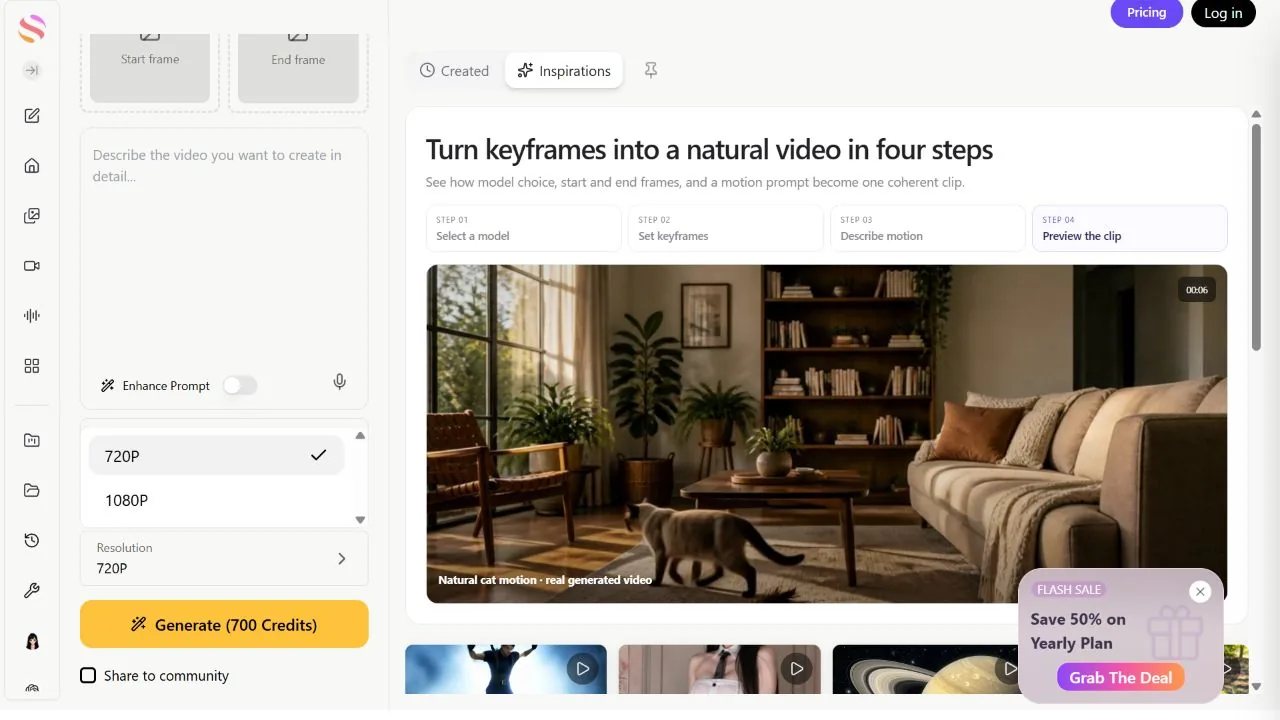
- ダッシュボードを理解する GlobalGPTの「Kling 3.0」ワークスペースでは、テキスト用のプロンプトボックスを使用するか、開始フレームと(任意で)終了フレームをアップロードしてください。アスペクト比、再生時間、解像度、および「ネイティブオーディオ」を有効にするかどうかを選択してください。.
- 適切なモデルを選ぶ: 「VIDEO 3.0」と「VIDEO 3.0 Omni」は別々のモデルです。クリップ設定を選択する前に、Klingのスタジオでは「VIDEO 3.0」を、GlobalGPTでは「Kling 3.0」を選択してください。.
Kling 3.0は映像品質にどのような変化をもたらすのでしょうか?
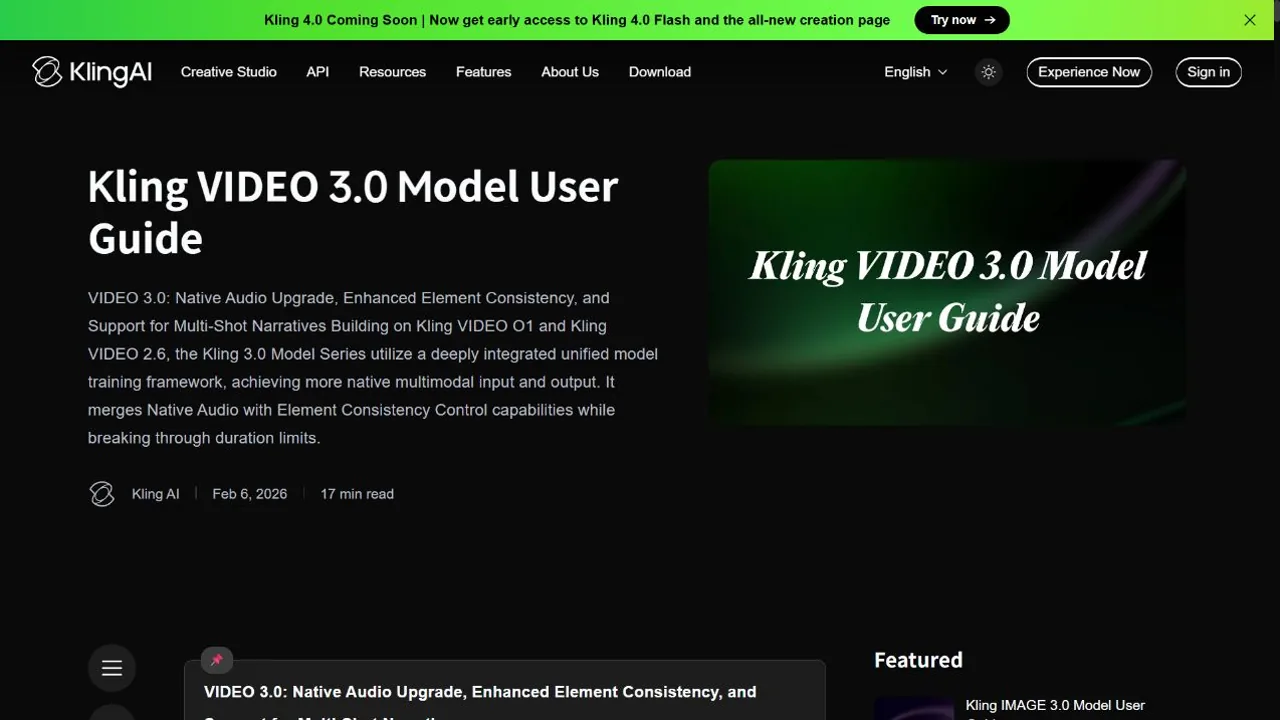
Kling VIDEO 3.0 では、1つのワークフローで映像、音声、カメラの動きを生成できます。セリフや環境音を取り入れたい場合は、「ネイティブオーディオ」を有効にしてください。.
クリップの長さや音声設定については、 『VIDEO 3.0』公式ガイド. 高解像度の加入者向けオプションは、 Kling アプリ また、選択したワークフローによって異なります。.
- 15秒の物語: VIDEO 3.0 は 3 秒から 15 秒のクリップに対応しており、完全な 15秒ストーリー. .これは、キャラクターが部屋に入ってきて座り、会話を始めるのに十分な時間だ。.
- 解像度はモードによって異なります: 「VIDEO 3.0」ガイドには、以下の内容が記載されています 720p および 1080p, 、そしてGlobalGPTのKling 3.0パネルでは、これら2つのオプションが利用可能です。Klingのアプリでは、他のワークフローにおいても加入者が4Kを利用できることが謳われています。 ここで説明する設定では、720pまたは1080pを使用してください。GlobalGPTパネルでは、4K/60fpsは利用可能なオプションではありません。.
- ネイティブ・オーディオ: ネイティブオーディオが有効になっている場合、AIは視覚的なアクションに合わせて、それに見合った音声(セリフや環境音)を生成します。プロンプトには、希望するセリフや音を含めてください。.
5秒のクリップの場合、VIDEO 3.0の公式料金体系では、 30 Kling、720p、音声なし または 1080p、60fps、ネイティブ音声. 1080pの音声サンプルに音声トーン制御を追加すると、さらに10クレジットかかります。これにより、合計は 70 Kling 単位. これらはKlingの単位であり、GlobalGPTの単位ではありません。.
テキストからビデオへ、画像からビデオへのステップ・バイ・ステップの方法とは?
Kling AIは、ゼロから説明を書くか、静止画に命を吹き込むか、主に2つの作成方法を提供している。.
最初のプロンプトはシンプルにしましょう。主題は1つ、動作は1つ、カメラの動きも1つに留めます。これは Kling 3.0 プロンプトガイド 画面をごちゃごちゃにせずにディテールを加える方法を示しています。.
- テキスト・トゥ・ビデオ(T2V): プロンプト欄では、映画監督のようにその場面を描写してください。「猫」とだけ書くのではなく、「フェンスを飛び越える猫の映画のようなクローズアップ、スローモーション、朝の日差し」といった具合に表現してください。そうすることで、AIに動きに関するより具体的な指示を与えることができます。.
- イメージ・トゥ・ビデオ(I2V): 「開始フレーム」として高品質な写真をアップロードし、何が動くべきか、カメラがどのように動作すべきかを記述してください。例:「川は右に向かってゆっくりと流れており、カメラは静止したままです。」その他の例については、こちらをご覧ください。 Kling 画像から動画への変換ガイド.
- 開始フレームと終了フレーム: 複雑な変化を表現する場合は、2つの異なる画像をアップロードしてください。AIが「中間」の部分を計算して、滑らかな 変形またはコマ撮りビデオ.
マルチショットやキャラクターの一貫性といった高度な機能をマスターするには?
クリング3.0の高度な機能により、プロの編集チームが作成したような複雑なフィルムを作成できます。.
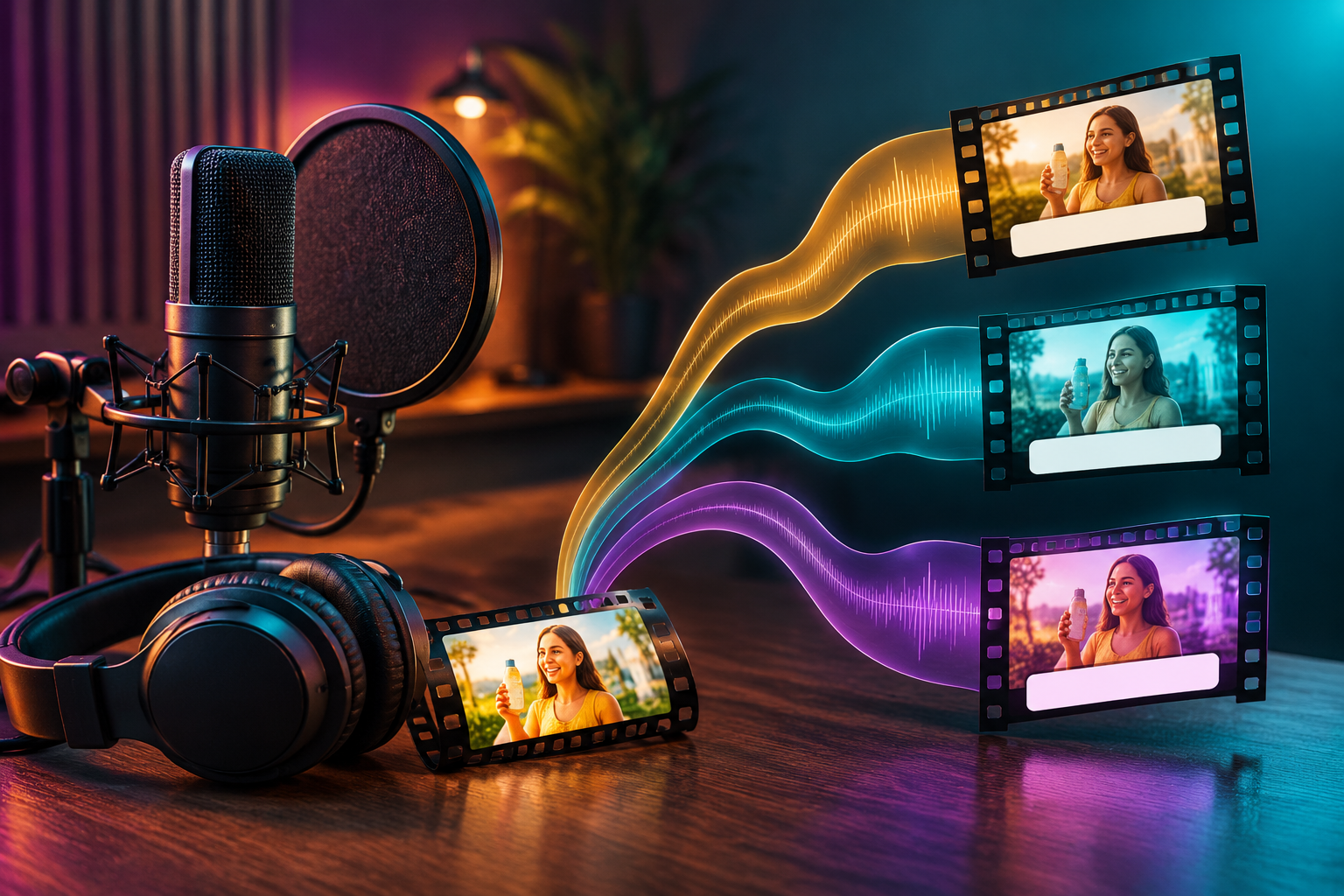
- マルチショット絵コンテ: Klingの専用スタジオで、「マルチショット」をオンにして生成します 異なるカメラアングル 同じシーンについてです。15秒のクリップ内で、「ワイドショット」から「極限のクローズアップ」へと自動的にカットを切り替えることができます。ショットを自分で設定したい場合は、「カスタム・マルチショット」を開いてください。.
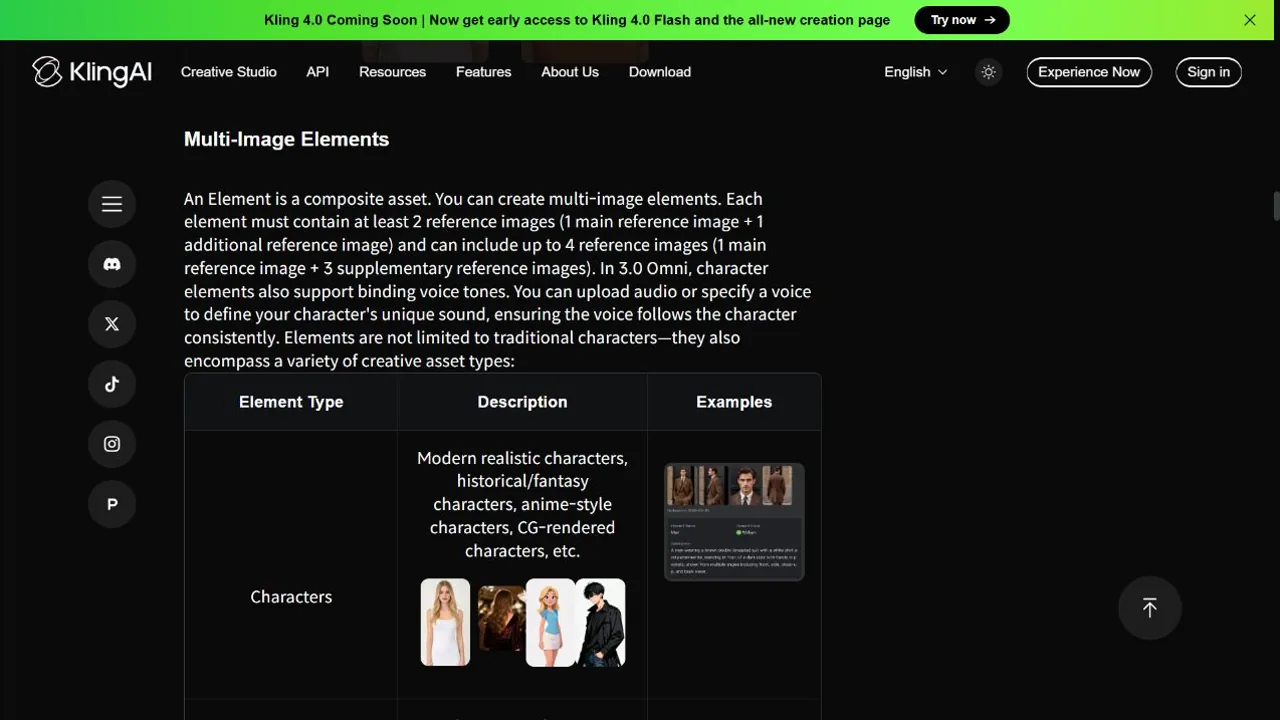
- 被写体拘束(キャラクターの一貫性): Klingのスタジオで開始フレームをアップロードした後、以下を選択してください “「一貫性を高めるために被験者を拘束する」” そして、2~4枚の参考画像から要素を作成します。その要素を再利用することで、シーンAの主人公がシーンBでも同じ顔や服装を保てるようにします。以下の手順に従って キャラクターの一貫性ガイド 参考設定として。.
- ネイティブ・リップシンク: キャラクターに話させたい場合は、ネイティブオーディオを有効にして、プロンプトボックスにセリフを入力してください。AIがキャラクターの声と口の動きを同時に生成します。.
について 要素ライブラリガイド Klingのスタジオで、被写体のバインディングに必要な参照画像について説明しています。GlobalGPTでは、「開始フレーム」から参照画像をアップロードし、特定の仕上げ画像が必要な場合は「終了フレーム」を使用してください。.
高価なクレジットを無駄にすることなく、プロフェッショナルなビデオを作成するには?
「ゼロ・ウェイスト」ワークフローでは、計画段階では安価なAIツールを活用し、準備が100%整った時点で初めて、価値の高いKlingクレジットを使用するようにします。.
- GPTとミッドジャーニーでプリプロダクション: クリングを開く前に GPT-6 アストラ プロンプトに磨きをかけ 旅の途中 完璧なベース画像を作成するためです。Midjourneyで「質の悪い画像」を修正する方が、Klingで「質の悪い動画」を修正するよりもはるかに安上がりです。.
- GlobalGPTサンドボックス: GlobalGPTはMJ、GPT、Klingを1つのプラットフォームに統合しているため、ツールを瞬時に切り替えることができます。さらに必要な場合は NSFW-フレキシブル・モデル, まずはコンテンツ制限を比較してください。別の画像モデルを参照先に設定しても、Klingが入力として受け入れる内容が変わることはありません。.
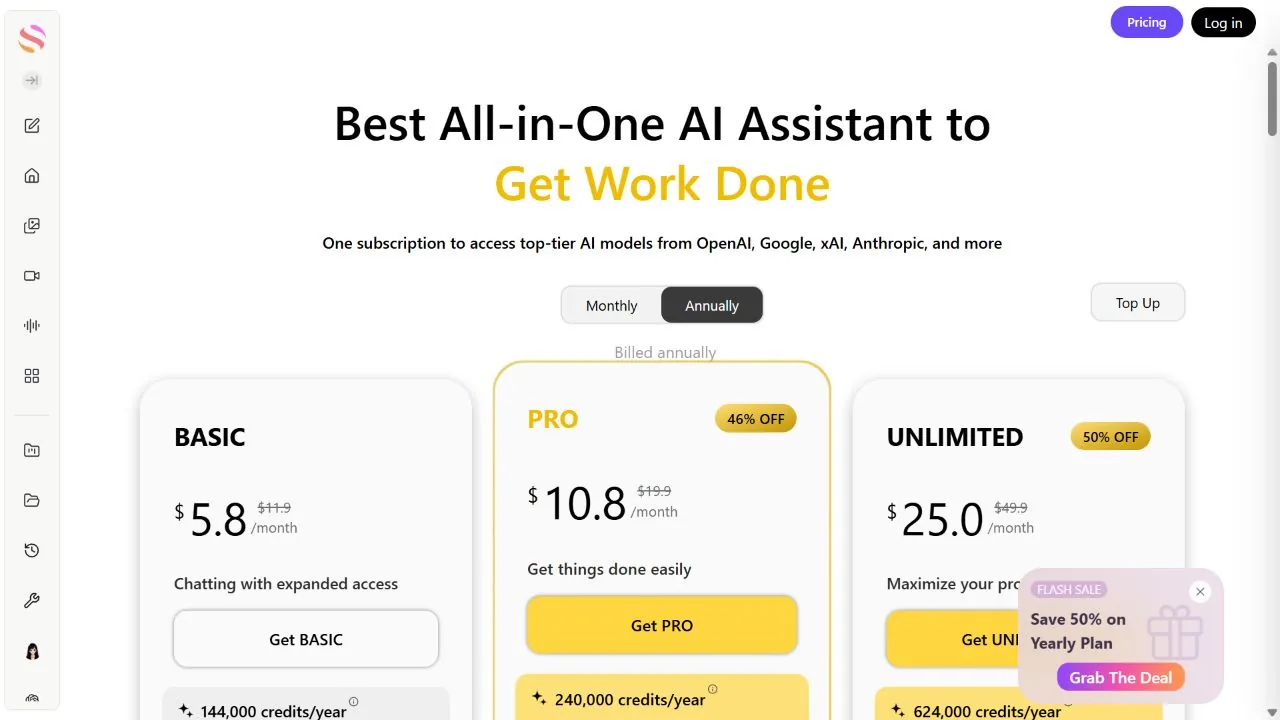
について 現在のGlobalGPT価格ページ Proプランは、月額$15、または年払いでの月額$10.80となっています: $129.60を1年分の前払いとして. 12回の月払いの合計は$180となるため、この期間において、年間プランの方が$50.40安くなります。価格は2026年9月30日時点で確認済みです。.
- まずは短いクリップで試してみてください: まずは720pで短時間の映像から始め、そのシーンで音声が不要な場合は音声をオフにしてください。動きに問題がなくなったら、GlobalGPTで1080pの最終テイクを生成し、再度確認してください。新しいテイクはテスト用とは異なる場合があります。以下の 動画クレジットガイド プロバイダーのクレジットとプラットフォームのクレジットを区別しておくため。.
試してみたい映画的なプロンプト
[シネマティック・アクション・プロンプト]
カメラ:背後からスローなトラッキングショット。
被写体:雨の降る東京のネオンが輝く路地を歩く侍。
アクション:壊れた看板から火花が飛び散り、水たまりに波紋が広がる。
雰囲気:サイバーパンク、35mmフィルムの粒子感、4K。.
“このプロンプトの「4k」は画質を表すものであり、選択された出力解像度を変更するものではありません。テストがうまくいかない場合は、これを使用してください。 動画生成の失敗に関するガイド 別のテイクにクレジットを使う前に。.
TikTok、YouTube、プロフェッショナル広告フォーマットの最適な設定とは?
適切な技術設定を選択することで、動画を投稿する予定の特定のプラットフォームで完璧に見えるようにします。.
| プラットフォーム | アスペクト比 | 決議 | 説明を求める動議 |
|---|---|---|---|
| TikTok / リール | 9:16(縦) | 1080p | ハイ(ダイナミック) |
| ユーチューブ | 16:9(ワイドスクリーン) | 1080p | ミディアム(シネマティック) |
| Instagram投稿 | 1:1(正方形) | 1080p | 低い(微妙) |
- アスペクト比の選択: 用途 9:16 モバイルファーストコンテンツを画面いっぱいに。使用方法 16:9 映画のようなストーリーやプレゼンテーションのために。.
- 申立の趣旨: カーチェイスなどのアクションシーンでは、スピード感とカメラワークの1つを説明してください。コーヒーを飲む人物のような落ち着いたシーンでは、微細な動きと安定したカメラワークを求めます。これらは Klingのカメラ動作例 プロンプトで使える表現をご紹介します。.
動画:Kling 3.0 初心者ガイド
動画をご覧いただければ、操作方法を視覚的にご確認いただけます。ボタンの表示や利用可能なモデルは、現在のインターフェースとは異なる場合があります。.
よくあるご質問
2026年、クリングAIは無料で使えるのか?
はい、Kling AIでは現在、ユーザーがプラットフォームを試用できるよう期間限定の無料クレジットを提供していますが、アプリでは4K生成が有料会員限定機能として記載されています。毎日66クレジットが支給されると決めつけるのではなく、アカウントに表示されている利用可能枠をご利用ください。.
クリングAIで長尺の映画を作ることはできますか?
はい。VIDEO 3.0のクリップ1つあたりの長さは3~15秒ですが、再利用することは可能です。 件名バインディング 参考資料やクリップをまとめて編集して 長めのストーリーテリング・シークエンス.
クリングAIはリップシンクに対応していますか?
はい、VIDEO 3.0では、ネイティブオーディオを有効にした状態で、プロンプトボックスにセリフを入力することで、ネイティブなリップシンクに対応しています。キャラクターの音声割り当て用の音声サンプルをアップロードするのは、これとは別のワークフローとなります。.
クリングAIのクレジットを節約する最善の方法は?
「画像から動画」機能を使用する前に、鮮明な参照画像を用意し、720pで短いクリップをテストしてください。手持ちの画像を使用するか、Midjourneyで画像を作成してください。音声が必要ないシーンでは、ネイティブオーディオをオフにしてください。.
GlobalGPTでKling AIを使えますか?
はい。GlobalGPTは、開始/終了フレーム付きで、720pまたは1080p出力のKling 3.0に対応しています。 Proプランは、月額$15、または年額$129.60です(年額払い場合は月額$10.80)。.
結論
2026年にKling AIをマスターするには、もはや技術の専門家であるかどうかではなく、優れたディレクターであることが求められます。単純なテキストプロンプトから高度な「画像から動画」ワークフローへと移行し、開始/終了フレームやマルチショットなどの機能を活用することで、スマートフォンでもハリウッド級のコンテンツを作成できるようになります。 成果を最大化し、予算を抑えるためには、まず低コストのツールでシーンを計画し、オールインワンプラットフォームを活用して、クリエイティブプロセスをスムーズかつ効率的に進めるようにしましょう。.