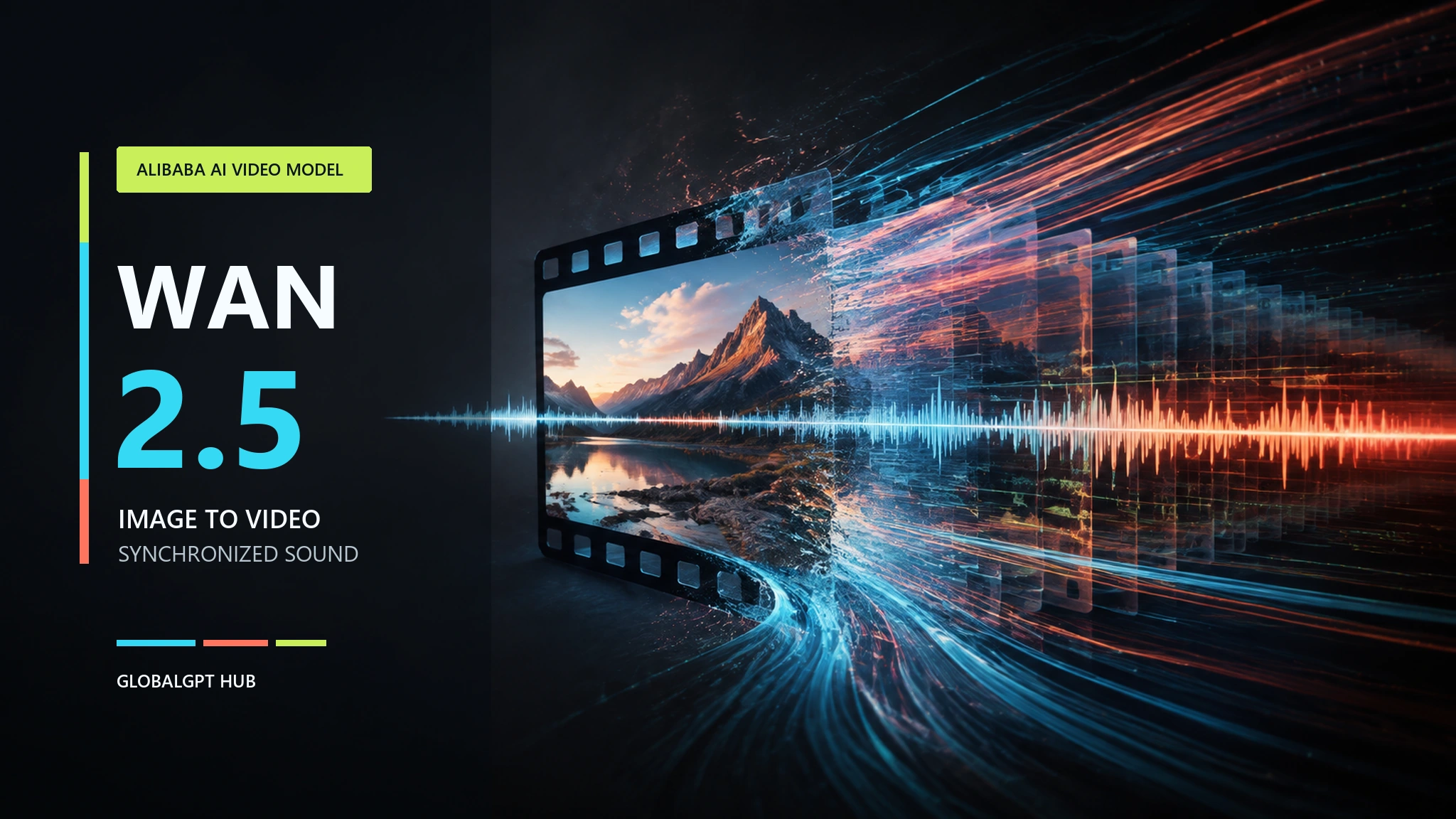
Risposta rapida: Wan 2.5 è il modello video basato sull’intelligenza artificiale ospitato da Alibaba per la generazione di video a partire da testo e immagini. I suoi endpoint ufficiali di Model Studio possono produrre clip MP4 da 5 o 10 secondi a 480P, 720P o 1080P, con audio sincronizzato generato insieme alle immagini. Il modello è ancora presente nella documentazione di Alibaba Cloud, sebbene non sia più l'ultima versione della famiglia Wan.
Gran parte della confusione riguardo a Wan 2.5 deriva dal suo rapporto con i modelli Wan open source di Alibaba. Appartengono alla stessa famiglia, ma gli endpoint video ufficiali di Wan 2.5 sono stati rilasciati come servizi Preview ospitati. Alibaba non ha pubblicato pesi verificati di Wan 2.5 per l’uso locale con ComfyUI, pertanto l’accesso, le licenze e la configurazione differiscono dalle versioni con pesi aperti come Wan 2.2.
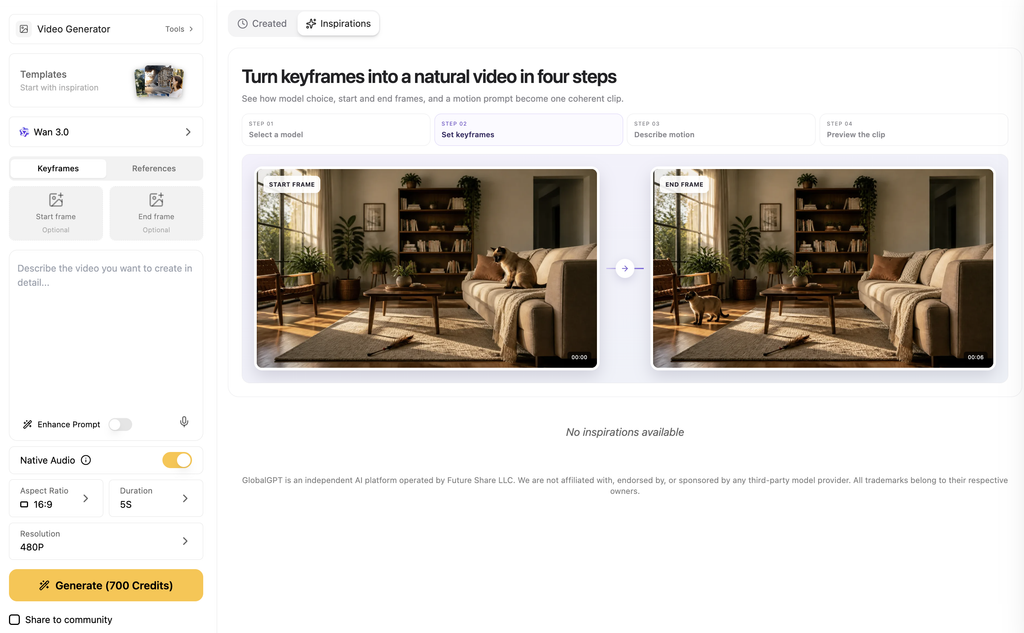
Per i lettori che preferiscono avere in un unico posto gli strumenti per la chat, la ricerca, le immagini, i video e gli agenti, GlobalGPT offre uno spazio di lavoro completo, accessibile tramite un unico account. Può essere un modo pratico per verificare se è disponibile il modello Wan 2.5 o un modello Wan più recente senza dover passare da un sito all’altro dei vari fornitori. Poiché la disponibilità è soggetta a variazioni, ti consigliamo di controllare il selettore video in tempo reale prima di iniziare un progetto.
Indice
Che cos’è Wan 2.5 AI?
Wan 2.5 fa parte della famiglia di modelli di generazione visiva Wan di Alibaba. Alibaba ha presentato in anteprima quattro modelli Wan 2.5 in occasione dell’Apsara Conference 2025, tra cui modelli per la generazione di video, la generazione di immagini e il ritocco delle immagini. L’azienda ha descritto i modelli video come basati su un’architettura integrata di testo, audio e immagini addestrata congiuntamente, progettata per migliorare la risposta ai prompt e sincronizzare l’audio con l’immagine generata.
La tempistica spiega il titolo originale. Nel suo Settembre 2025: annuncio relativo a Wan 2.5, Alibaba ha inserito il modello nel quadro della sua più ampia strategia incentrata sull’intelligenza artificiale full-stack. Wan 2.5 non era semplicemente l’ennesimo generatore di video muti. L’audio nativo era la caratteristica che lo collocava allo stesso livello dei sistemi video in hosting di fascia alta.
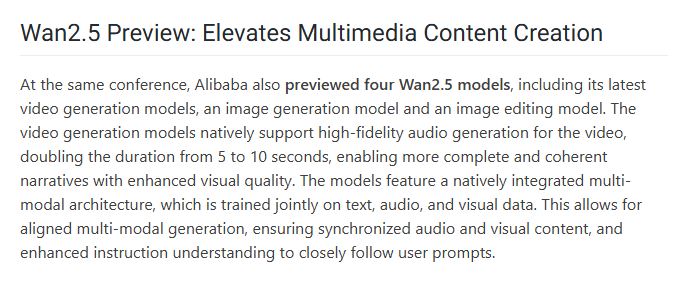
A settembre 2026, tuttavia, la linea di prodotti di Alibaba aveva fatto passi avanti. Il catalogo ufficiale di Model Studio riporta ancora Wan 2.5 Preview, mentre gli endpoint più recenti Wan 2.7 e Wan 3.0 offrono clip più lunghe o controlli di riferimento più ampi. Se state cercando informazioni sulla famiglia attuale piuttosto che su questa versione specifica, iniziate con il Guida alla versione 3.0 e alle funzionalità di Wan.
Specifiche Wan 2.5
Il Catalogo di Alibaba Cloud Model Studio, aggiornato il 2 settembre 2026, elenca due endpoint Wan 2.5 Preview:
| ID modello | Modalità di immissione | Audio | Risoluzione | Durata | Uscita |
|---|---|---|---|---|---|
wan2.5-t2v-anteprima | Da testo a video | Sincronizzazione audio | 480P, 720P, 1080P | 5 o 10 secondi | 30 fps, MP4 |
wan2.5-i2v-preview | Da immagine a video | Sincronizzazione audio | 480P, 720P, 1080P | 5 o 10 secondi | 30 fps, MP4 |
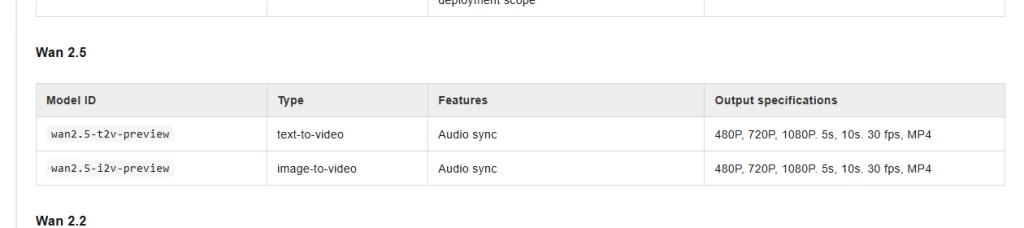
La parola Anteprima non ha alcuna funzione decorativa. Fa parte degli ID dei modelli e indica un endpoint di un prodotto ospitato, non un checkpoint scaricabile. Significa inoltre che dovresti verificare l'accesso e la fatturazione sulla piattaforma che intendi utilizzare, anziché affidarti a un vecchio percorso salvato nei segnalibri.
Cosa può fare il generatore di video con IA Wan 2.5?
Genera video e audio insieme
L'aggiornamento più significativo di Wan 2.5 è stato l'audio sincronizzato. Alibaba ha affermato che il modello è in grado di generare audio ad alta fedeltà insieme al video, evitando così ai creatori di dover realizzare la traccia audio con uno strumento separato. Nel caso di un breve dialogo, di un'inquadratura di un prodotto o di una scena d'atmosfera, ciò può eliminare un'intera fase del processo di montaggio.
Trasforma i prompt in brevi clip a 1080p
L'endpoint “text-to-video” accetta una descrizione scritta della scena e restituisce un filmato della durata di 5 o 10 secondi. Una descrizione efficace dovrebbe includere il soggetto, l'azione, la ripresa, l'ambientazione, lo stile visivo e il suono. Questa struttura è più affidabile rispetto all'uso di termini vaghi come “cinematografico” e "mozzafiato".”
Animare un'immagine fissa
L'endpoint "da immagine a video" fornisce al modello un punto di partenza visivo. Ciò risulta utile quando il prodotto, il personaggio, la composizione o la tavolozza di colori specifici sono più importanti della libera inventiva. Per una visione più ampia del mercato, il Confronto tra i migliori generatori di video basati sull'intelligenza artificiale illustra come diversi strumenti affrontino i temi della qualità, del controllo e del flusso di lavoro.
Wan 2.5 Da immagine a video: un flusso di lavoro pratico
Inizia con un'immagine di partenza pulita. Un fotogramma con un soggetto ben definito, una netta separazione dallo sfondo e spazio sufficiente per il movimento riduce il numero di conflitti che il modello deve risolvere. Se l'immagine di partenza presenta già mani distorte, testo illeggibile o geometrie impossibili, il movimento di solito rende questi difetti ancora più evidenti.
- Seleziona il primo fotogramma. Utilizza l'immagine che meglio rappresenta l'argomento e la direzione artistica finale.
- Descrivi il movimento, non solo l'aspetto. Spiega al modello cosa fa il soggetto e a che velocità avviene.
- Punta la telecamera. Utilizza un'unica ripresa chiara, come una panoramica lenta, una ripresa con inseguimento laterale o una ripresa con la telecamera fissa.
- Scrivi il livello audio. Descrivi i dialoghi, l'atmosfera, gli effetti sonori o la musica solo quando ciò contribuisce a rendere la scena.
- Per prima cosa, scrivi una breve bozza. Prima di investire in una risoluzione più alta, sistemate il movimento e la composizione.
I modelli di conversione da immagine a video non funzionano tutti allo stesso modo. Il Flusso di lavoro Kling per la conversione di immagini in video tramite IA è un utile termine di paragone quando serve un secondo approccio al movimento delle immagini di partenza e alla produzione di video per i social.
Come utilizzare Wan 2.5 nel 2026
Opzione 1: Alibaba Cloud Model Studio
Model Studio è il percorso ospitato ufficiale per i due endpoint Wan 2.5 Preview. Rappresenta la scelta più ovvia per gli sviluppatori che necessitano di ID modello denominati, processi controllati tramite API e documentazione del provider. È necessario disporre di un account Alibaba Cloud, dell'ambito di distribuzione corretto e di una quota o di un saldo di fatturazione sufficienti per il processo.
Opzione 2: l’area di lavoro video di GlobalGPT
GlobalGPT è pensato per gli utenti che preferiscono gestire diversi flussi di lavoro basati sull'intelligenza artificiale con un unico account e un unico abbonamento. Il suo pagina del piano pubblico Il 3 settembre 2026, al momento della verifica, Wan 2.5 figurava tra i modelli video inclusi, insieme alle opzioni Wan più recenti. Il vantaggio pratico è una copertura più ampia delle funzionalità senza dover mantenere abbonamenti separati per ogni fornitore.
Prima di iniziare, apri l'area di lavoro "Video" ed esamina il selettore dei modelli in tempo reale. Se Wan 2.5 non è disponibile, non utilizzare a tutti i costi un vecchio URL dedicato. Scegli Wan 2.7 o Wan 3.0 in base ai controlli e alla durata di cui hai bisogno. Gli utenti che stanno valutando la famiglia più recente possono anche consultare Differenze in termini di velocità e prezzo di Wan 3.0 Prime.
Wan 2.5 è gratuito?
Wan 2.5 non è un modello open source scaricabile gratuitamente. Si tratta di un servizio Preview in hosting, pertanto il suo utilizzo dipende dalla quota attuale, dai crediti o dalle regole di fatturazione del provider. La quota riservata ai nuovi utenti o i crediti promozionali devono essere considerati come una prova limitata, non come un accesso gratuito permanente.
Questo è un altro motivo per confrontare l’intero flusso di lavoro anziché limitarsi a un unico prezzo di listino. La risoluzione, la durata, le generazioni non riuscite e l’audio possono influire sul costo effettivo per clip utilizzabile. Per la nuova famiglia di modelli, il Guida ai prezzi e ai costi delle API di Wan 3.0 fornisce un quadro di riferimento più aggiornato in materia di pianificazione.
Wan 2.5 è open source?
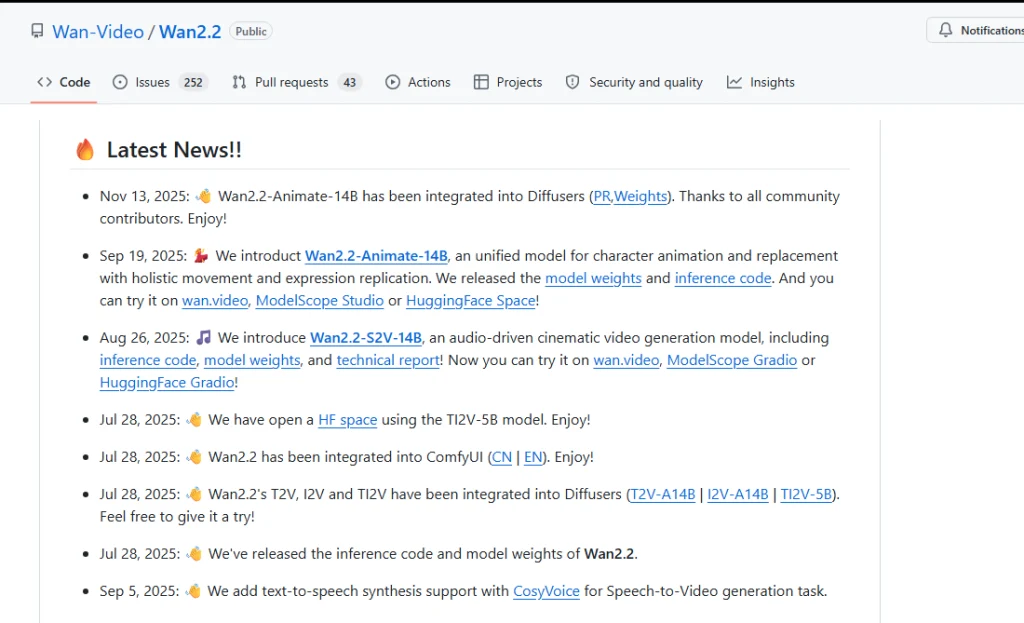
Al momento della verifica, effettuata il 3 settembre 2026, nel repository pubblico di Wan su Alibaba non erano riportati pesi ufficiali dei modelli Wan 2.5. Il sito ufficiale Repository GitHub di Wan2.2 fornisce il codice di inferenza, i checkpoint e una licenza Apache 2.0 per le versioni di Wan 2.2. Non rende disponibili come download open source gli endpoint di Wan 2.5 Preview, ospitati separatamente.
Questa è la causa più comune di confusione legata all’espressione “Wan 2.5 open source”. Wan è una famiglia di modelli open source in senso lato, ma non tutti i prodotti contrassegnati da un numero vengono automaticamente rilasciati alle stesse condizioni. L’accesso alle API significa che è possibile richiamare un modello. Il fatto che i pesi siano open source significa che è possibile scaricare ed eseguire i suoi parametri. Si tratta di cose diverse.
È possibile eseguire Wan 2.5 su ComfyUI?
Non esiste un flusso di lavoro locale ufficiale e verificato per Wan 2.5 ComfyUI senza i pesi ufficiali di Wan 2.5. Il repository Wan2.2 di Alibaba documenta esplicitamente l'integrazione di ComfyUI per le attività di Wan2.2 relative alla conversione da testo a video, da immagine a video, da testo e immagine a video, da voce a video e alle animazioni. Tali informazioni si riferiscono a Wan 2.2, non alla versione Wan 2.5 Preview.
Un nodo ComfyUI di terze parti potrebbe comunque richiamare un'API Wan 2.5 ospitata. Si tratta di un wrapper API, non di un'inferenza locale. Prima di installarlo, verifica dove il nodo invia il tuo prompt e le immagini di partenza, come memorizza le credenziali e come addebita i costi per le generazioni.
Se il controllo locale è più importante rispetto a questo specifico numero di versione, utilizzare un checkpoint Wan 2.2 rilasciato ufficialmente e il relativo flusso di lavoro ComfyUI documentato. Il compromesso è che gli endpoint principali di Wan 2.2 per la conversione da testo a video e da immagine a video non sono compatibili con il set di funzionalità native per l'audio sincronizzato di Wan 2.5 Preview.
Wan 2.5 vs modelli Wan più recenti
| Versione | Il motivo principale per cui vale la pena usarlo | Durata e risoluzione | Flusso di lavoro locale/aperto |
|---|---|---|---|
| Wan 2.2 | Punti di controllo ufficiali e supporto per ComfyUI | Varia a seconda del checkpoint; la versione base di T2V/I2V supporta 480P o 720P | Sì, per i modelli Wan 2.2 commercializzati ufficialmente |
| Anteprima di Wan 2.5 | Breve video con audio sincronizzato | 5 o 10 secondi; 480P, 720P, 1080P | Nessun peso ufficiale verificato |
| Wan 2.7 | Clip ospitate più lunghe e funzionalità multi-shot | Fino a 15 secondi; 720p o 1080p per T2V/I2V | Endpoint ospitati in Model Studio |
| Wan 3.0 | Clip più lunghe e input di riferimento più ampi | Da 2 a 30 secondi; 480P, 720P, 1080P | Endpoint ospitati in Model Studio |
Wan 2.5 rimane una scelta valida quando serve il suo endpoint ospitato specifico o si desidera riprodurre un flusso di lavoro precedente. Per i nuovi progetti, è consigliabile confrontarlo prima con l'opzione più recente. Il Confronto tra Wan 3.0 e Kling 3.0 rappresenta un punto di partenza migliore per una decisione di acquisto attuale.
Lista di controllo rapida per Wan 2.5
Utilizza questo ordine per garantire la leggibilità del prompt:
Soggetto + azione + ambientazione + ripresa + illuminazione/stile + audio + vincoli
Esempio di prompt "da testo a video": Una tazza da caffè in ceramica è appoggiata su un bancone di legno scuro, mentre il vapore si alza a spirale. La telecamera esegue una lenta inquadratura ravvicinata. La calda luce del mattino entra da sinistra. Atmosfera tranquilla da caffetteria, un leggero tintinnio di tazze, nessun dialogo, nessun testo sullo schermo.
Esempio di prompt "da immagine a video": Mantenere inalterati la forma del prodotto e l’etichetta. Sulla bottiglia si forma lentamente della condensa mentre la telecamera effettua una ripresa da sinistra a destra. Illuminazione da studio fredda, profondità di campo ridotta, leggero crepitio del ghiaccio e rumore ambientale. Nessun oggetto superfluo e nessuna distorsione del testo.
- Utilizza un’azione principale per ogni breve clip.
- Scegli un unico movimento di macchina invece di combinarne diversi.
- Indica con precisione i momenti in cui inserire le musiche di sottofondo, invece di chiedere semplicemente un “buon sottofondo”.”
- Proteggi le informazioni importanti relative al prodotto con vincoli espliciti.
- Durante la verifica del movimento, genera l'immagine a una risoluzione inferiore, quindi aumenta la qualità.
Per le domande relative a contenuti per adulti o soggetti a restrizioni, occorre distinguere le funzionalità del modello dalle politiche della piattaforma. Il Guida completa alle politiche sui contenuti e al flusso di lavoro dei prompt spiega i limiti pratici senza considerare accettabile ogni richiesta generata.
Domande frequenti
Che cos’è Wan 2.5?
Wan 2.5 è un modello video basato sull'intelligenza artificiale di Alibaba, rilasciato come servizio in anteprima ospitato. I suoi endpoint ufficiali "da testo a video" e "da immagine a video" generano clip MP4 della durata di 5 o 10 secondi con risoluzione fino a 1080P e includono la generazione di audio sincronizzato.
Wan 2.5 è un modello video basato sull'intelligenza artificiale di Alibaba?
Sì. Wan è la famiglia di modelli di generazione visiva di Alibaba, che ha presentato Wan2.5 Preview in occasione dell’Apsara Conference 2025. L’azienda ha presentato quattro modelli Wan2.5 che coprono la generazione di video, la generazione di immagini e il ritocco delle immagini.
Wan 2.5 è open source?
Al 3 settembre 2026, nel repository pubblico di Wan su Alibaba non erano presenti pesi ufficiali relativi a Wan 2.5. Esistono checkpoint open source relativi a Wan 2.2, ma ciò non rende open source gli endpoint ospitati di Wan 2.5 Preview.
Posso usare Wan 2.5 con ComfyUI?
Non si tratta di un'inferenza locale verificata senza i pesi ufficiali di Wan 2.5. Alcuni nodi di terze parti potrebbero richiamare un'API ospitata, ma ciò è diverso dall'esecuzione del modello in locale. L'integrazione ufficiale con ComfyUI è documentata per i checkpoint rilasciati di Wan 2.2.
L'uso di Wan 2.5 è gratuito?
Wan 2.5 non è un modello scaricabile gratuitamente in modo permanente. L'accesso tramite hosting può avvenire tramite crediti del provider, quota di prova o fatturazione a pagamento. Verifica la piattaforma live prima di generare il modello, poiché l'idoneità dell'account, i costi dei crediti e la disponibilità del modello possono subire variazioni.
Wan 2.5 supporta la generazione di video a partire da immagini?
Sì. Il sito ufficiale wan2.5-i2v-preview L'endpoint trasforma un'immagine in ingresso in un video della durata di 5 o 10 secondi. Supporta l'output in formato MP4 a 480P, 720P e 1080P a 30 fps con audio sincronizzato.
Dovrei continuare a usare Wan 2.5 nel 2026?
Utilizza Wan 2.5 quando hai bisogno proprio di quell’endpoint di anteprima specifico o devi riprodurre un flusso di lavoro precedente. Per un nuovo progetto, confronta prima Wan 2.7 e Wan 3.0, poiché l’attuale catalogo di Alibaba offre per queste versioni una durata maggiore o controlli più ampi.
Verdetto finale
Wan 2.5 ha rappresentato un passo importante nella strategia di Alibaba nel campo dei video basati sull’intelligenza artificiale, poiché ha combinato la generazione di video da testo e da immagini con l’audio sincronizzato. Le sue specifiche ufficiali rimangono utili: due endpoint Preview ospitati, risoluzione fino a 1080P, durata di 5 o 10 secondi, 30 fps e output in formato MP4.