
Il miglior generatore di avatar basati sull'intelligenza artificiale per i video parlati dipende dal tipo di lavoro: Seleziona HeyGen per presentatori ricorrenti e contenuti multilingue, Synthesia per video aziendali strutturati, Colossyan per l’apprendimento interattivo, D-ID per un flusso di lavoro basato su foto parlanti e Creatify per annunci pubblicitari basati su avatar. Inizia dal risultato che devi approvare, poi confronta gli strumenti in grado di produrlo.
Un volto convincente è solo l’inizio. Il presentatore deve anche dire le parole giuste, mantenere la propria identità tra una scena e l’altra, adattarsi a un cambio di lingua e rientrare in un budget che includa le revisioni. Un breve filmato di cinque secondi, per quanto ben realizzato, dice ben poco su questi requisiti di produzione.
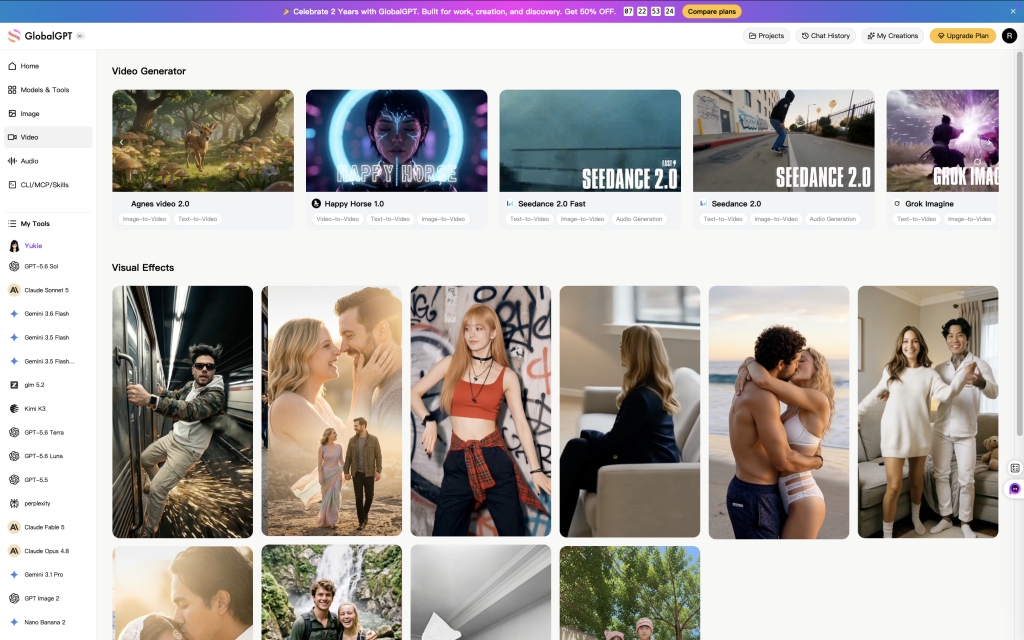
Per lo sviluppo della sceneggiatura e dei relativi concetti visivi, puoi iniziare con GlobalGPT prima di passare al servizio di avatar più adatto alle tue esigenze di produzione.
I migliori generatori di avatar basati sull'intelligenza artificiale per video parlati: cinque strumenti in base al caso d'uso
Si tratta di consigli sul flusso di lavoro, non di una classifica del realismo dei volti. Ogni servizio risolve un aspetto diverso del lavoro. Utilizza l'ultima colonna per decidere cosa testare prima di sottoscrivere un abbonamento.
| Strumento | La migliore vestibilità | Cosa spicca | Provalo prima di acquistarlo |
|---|---|---|---|
| HeyGen | Presentatori ricorrenti e localizzazione | Avatar predefiniti, foto e registrazioni personalizzate; voce e sincronizzazione labiale localizzate | Utilizzate i vostri nomi e i termini relativi ai prodotti, quindi verificate l'aspetto, il suono e il significato nella lingua di destinazione |
| Sintesi | Video esplicativi aziendali e formazione | Presentatori standard/personalizzati, branding e produzione basata sulle scene | Modificare una frase e una scena; verificare il flusso di approvazione, le tempistiche, pianificare l'accesso e aggiornare i costi |
| Colossiano | Lezioni e corsi interattivi | Quiz, percorsi ramificati, localizzazione e distribuzione tramite SCORM/MP4/link condivisi | Crea una lezione vera e propria e apri il risultato nel tuo LMS; verifica le esportazioni specifiche per il piano |
| D-ID | Foto e messaggi brevi | Inserimento di testo, audio o immagini fisse con opzioni relative all'avatar e alla traduzione | Utilizza il ritratto previsto; osserva i denti, la linea della mascella e gli occhi. Pianifica un movimento più ampio dell'immagine fissa con il Guida alla conversione da immagine a video per Kling |
| Creatify | Pubblicità di prodotti con protagonisti gli avatar | Video degli avatar insieme ai flussi di lavoro pubblicitari "da URL a video" | Confronta due offerte iniziali che presentano la stessa offerta precisa; respingi le affermazioni o le approvazioni inventate |
Scegli il tipo di avatar prima di sottoscrivere l'abbonamento
| Tipo di avatar | Sceglilo quando | Esegui un test prima di effettuare il commit |
|---|---|---|
| Presentatore di borsa | La velocità conta più di un’identità unica | Adattamento vocale, accesso al piano e un unico copione reale |
| Foto profilo | Hai una foto autorizzata e ti serve un breve messaggio | Fedeltà dei tratti del viso all’inizio e alla fine, in particolare della bocca, dei denti e degli occhi |
| Avatar personalizzato | Una persona autorizzata deve presentarsi più volte | Due scene, una revisione della sceneggiatura, il flusso dei consensi e l'identità ricorrente |
| Carattere generativo | La libertà visiva conta più di un presentatore in carne e ossa registrato | Accuratezza e coerenza della sceneggiatura; utilizzare un flusso di lavoro per la coerenza dei personaggi e delle scene per le apparizioni successive |
Prezzi: preventivo per i video approvati e le revisioni
Il prezzo dell'abbonamento mensile non corrisponde al costo per singolo video. La generazione degli avatar, la traduzione, le risorse video e le revisioni possono consumare quote diverse di un pacchetto condiviso. Questi esempi ufficiali di piani ti offrono un punto di partenza; non costituiscono una classifica standardizzata dei costi per clip.
| Piano | Prezzo mensile | Buono e assegno di acquisto |
|---|---|---|
| HeyGen Creator | $29 | 600 crediti; esportazione a 1080p. Conferma l'addebito per il tuo avatar e il flusso di lavoro di traduzione. |
| Synthesia Starter | $29, fatturazione mensile | 1.200 crediti condivisi al mese, corrispondenti a un massimo di 12 minuti di video. Anche altri utilizzi dell’IA idonei attingono allo stesso monte crediti. |
| Creatify Starter | $39 | 100 crediti al mese. Verificare il costo di ciascun formato pubblicitario e di ciascuna revisione. |
Per ottenere un preventivo utile, calcola spesa totale per la produzione divisa per i minuti di video approvati. Includi l’assegnazione dell’abbonamento, i tentativi addebitati, i crediti extra e le traduzioni richieste o i componenti aggiuntivi per gli avatar. Indica il tempo dedicato dall’editor in una riga separata, in modo che un rendering economico non nasconda un costoso lavoro di rifinitura.
Ad esempio, un’ipotetica allocazione di $30 che produce dieci video approvati da 30 secondi consente di acquistare cinque minuti di contenuto finito, ovvero $6 per ogni minuto approvato. Se la stessa spesa produce solo cinque video approvati, il costo raddoppia a $12. Si tratta di esempi aritmetici, non di prezzi né di risultati misurati forniti da alcun operatore.
I piani gratuiti sono utili per valutare l'interfaccia e vedere un esempio di risultato. Il piano gratuito offerto da HeyGen, ad esempio, consente di caricare tre video al mese della durata massima di un minuto ciascuno. Verificate separatamente le opzioni relative al download, alla presenza di filigrane, alla scelta della voce e alle autorizzazioni per uso commerciale prima di considerare qualsiasi piano gratuito come un piano di produzione.
Come verificare la sincronizzazione labiale di un avatar generato dall'intelligenza artificiale
Inizia con un breve copione che conosci bene. Includi parole che richiedono la chiusura delle labbra, un nome proprio, un numero e una pausa. Ascolta la frase completa a velocità normale, poi esamina più lentamente i momenti che ti sembrano sospetti. Una forma delle labbra convincente in un fotogramma non è prova che il movimento corrisponda all’audio.
| Controllo | Segnale di passaggio | Segnale di rifiuto |
|---|---|---|
| Parole | I nomi, i numeri e le istruzioni corrispondono al copione approvato | Una pronuncia fluida sostituisce o omette una parola richiesta |
| Pause | Nel silenzio, la bocca si placa | Il movimento delle labbra continua anche dopo che l'audio si è interrotto |
| Bocca e denti | Chiusure chiare su P, B e M; denti e mascella stabili | Chiusure incomplete, denti che si spostano o cambiamenti improvvisi nella posizione della mascella |
| Voce | Una voce uniforme a velocità naturale | Cambiamenti di tono, identità o pronuncia a metà strada |
La sincronizzazione labiale basata sull'audio anima un volto sulla base di una traccia esistente; la generazione audiovisiva nativa crea il parlato in sincronia con la performance. Il Veo 3.1 Guida al dialogo e alla sincronizzazione labiale copre il secondo percorso. Quando una clip non funziona, utilizzare il Guida agli errori nella generazione di video tramite IA per risolvere i problemi relativi alla registrazione, alla pronuncia, all'animazione e all'esportazione prima di investire in un altro tentativo.
I video parlati multilingue richiedono molto più di una semplice traduzione
Decidi se vuoi localizzare una registrazione esistente o creare una nuova interpretazione partendo da un copione tradotto. Un master esistente offre ai revisori un riferimento concreto. Un nuovo copione nella lingua di destinazione ti dà la possibilità di riscrivere un esempio o un invito all’azione su misura per quel pubblico. Entrambe le opzioni richiedono una revisione linguistica.
| Livello di revisione | Cosa verificare | Azione da intraprendere in caso di errore |
|---|---|---|
| Terminologia | I nomi, i termini relativi ai prodotti e le espressioni tecniche sono riportati in un glossario approvato | Correggere lo script nella lingua di destinazione prima di procedere nuovamente al rendering |
| Significato | Prezzi, quantità, date, istruzioni e inviti all'azione rimangono corretti | Chiedi a un revisore esperto di riscrivere quella frase, invece di affidarti solo ai sottotitoli |
| Tempistica | Il discorso si inserisce nella scena senza affrettarsi; i gesti continuano ad accompagnare le parole | Accorciare o riscrivere il testo insieme al revisore, anziché insistere sulla durata originale |
| Identità | Il volto, la voce, l'abbigliamento e il modo di esprimersi rimangono coerenti in tutti i filmati | Utilizzare il flusso di lavoro per video lunghi con personaggi ricorrenti |
Un flusso di lavoro pratico per il tuo primo video di presentazione
| Passo | Decisione | Azione | Segnale di approvazione |
|---|---|---|---|
| 1 | Destinatari e risultati | Scegli un'azione del spettatore, una destinazione, un formato e una durata approssimativa | Il riassunto si riduce a una sola frase |
| 2 | Presentatore e voce ufficiale | Utilizza immagini d'archivio con licenza, un personaggio di fantasia originale o una persona che abbia dato il proprio consenso; segui la procedura per ottenere il consenso del soggetto ritratto | I diritti coprono l'uso previsto |
| 3 | Copione approvato | Leggere ad alta voce; semplificare le frasi lunghe; verificare nomi, numeri e promesse; ascoltare un’anteprima della voce, se disponibile | Un revisore approva il testo esatto |
| 4 | Breve esempio | Tieni la telecamera ferma e mantieni i movimenti contenuti; controlla l’espressione del viso, il tono di voce, i tempi e lo sfondo con il Lista di controllo degli errori nei video generati dall'IA | Viene esportato il risultato effettivo, non solo l'anteprima |
| 5 | Didascalie e dispositivi | Correggere i sottotitoli in base all'audio definitivo; assicurarsi che non coprano la bocca; testare su telefono e computer | Il filmato è leggibile e udibile in entrambe le dimensioni |
Il ruolo di GlobalGPT nel flusso di lavoro video di un avatar
GlobalGPT può supportare il lavoro relativo al relatore: elaborazione di una sintesi, stesura di brevi varianti del copione ed esplorazione di idee per immagini o video di supporto. Utilizzate la piattaforma di avatar che preferite per le sue funzionalità specifiche relative al presentatore salvato, alla traduzione o alla erogazione dei contenuti didattici. L’accesso a GlobalGPT non implica un abbonamento a HeyGen, Synthesia, Colossyan, D-ID o Creatify.
Se un progetto richiede anche dimostrazioni, inquadrature di ambientazione o inserti visivi, valutate tali requisiti separatamente rispetto alle interviste. Il nostro Confronto tra generatori di video basati sull'intelligenza artificiale copre la categoria più ampia. Assicurati che la scelta del presentatore si concentri sul discorso, sull’identità e sulle caratteristiche di produzione che il tuo team utilizzerà effettivamente.
Elabora il brief del tuo video in GlobalGPT
Domande frequenti
Quale generatore di avatar basati sull'intelligenza artificiale dovrei provare per primo?
Prova HeyGen per un presentatore multilingue ricorrente, Synthesia per video esplicativi aziendali, Colossyan per corsi interattivi, D-ID per foto parlanti o Creatify per pubblicità con avatar. Verifica il tuo copione effettivo e i requisiti di output prima di acquistare ulteriore capacità.
Posso creare un avatar parlante gratuitamente?
Alcuni fornitori offrono un piano gratuito limitato o una versione di prova. HeyGen mette a disposizione, nel suo piano gratuito, tre video al mese della durata massima di un minuto ciascuno. Verificate separatamente le opzioni di esportazione, le filigrane e i diritti d’uso; un’anteprima gratuita non è necessariamente un prodotto finito.
Un avatar basato sull'intelligenza artificiale può parlare diverse lingue?
Sì, i flussi di lavoro supportati consentono di tradurre una performance esistente o di generare un discorso a partire da un copione nella lingua di destinazione. Verificate la voce, la formulazione e il movimento delle labbra in ciascuna lingua. I nomi, i numeri e l’identità del presentatore richiedono controlli specifici.
Una foto parlante è la stessa cosa di un avatar personalizzato?
Una foto parlante anima un'immagine fissa. Un avatar personalizzato può utilizzare registrazioni e un'identità salvata per consentire apparizioni ripetute, a seconda del fornitore. Verifica il metodo di creazione esatto che intendi utilizzare, anziché dare per scontato che entrambi funzionino allo stesso modo.
Come faccio a verificare se la sincronizzazione labiale è buona?
Rivedi una breve sequenza a velocità normale, poi esamina lentamente i momenti sospetti. Cerca di notare se le labbra si chiudono sui suoni chiari, se la bocca si ferma durante le pause, se i denti sono fermi e se le parole pronunciate sono precise. Un fotogramma nitido non è sufficiente a stabilire la sincronizzazione audio-video.
Quanto dovrei mettere in conto per i video con avatar parlanti?
Prevedi un budget per l'abbonamento, i tentativi a pagamento, le traduzioni, i componenti aggiuntivi e il tempo dedicato al montaggio. Dividi la spesa effettiva per i minuti di video approvati per confrontare i tuoi flussi di lavoro. I prezzi mensili pubblicati da soli non determinano il costo di un video utilizzabile.
Posso utilizzare un presentatore generato dall'intelligenza artificiale nei video pubblicitari?
Questo dipende dai termini del fornitore, dal tuo piano e dai diritti relativi all’immagine, alla voce e ad altri elementi. Ottieni l’autorizzazione per l’uso dell’immagine o della voce di una persona reale ed evita di inventare testimonianze dei clienti. Un abbonamento a pagamento non autorizza ogni possibile utilizzo.
GlobalGPT può sostituire una piattaforma dedicata agli avatar?
GlobalGPT può fornire assistenza per gli script e i concetti visivi di supporto. I controlli relativi agli avatar salvati, le funzionalità di traduzione specifiche e l'esportazione dei corsi dipendono dal servizio dedicato che scegli. Non dare per scontato che un abbonamento a GlobalGPT includa tali account separati.
Scegli lo strumento che supera il tuo test di produzione
Scegli il servizio più adatto al tuo prodotto finale, esegui uno script breve utilizzando la tua terminologia e apporta una revisione effettiva. Per i lavori multilingue, approva una versione nella lingua di destinazione prima di procedere con l’espansione. Per la formazione, verifica il flusso di lavoro di revisione e consegna. Per gli annunci pubblicitari, valuta la versione completa rispetto all’offerta effettiva.
Il generatore di avatar basato sull'intelligenza artificiale più adatto è quello che riesce a far approvare il tuo messaggio in modo costante a un costo sostenibile. Acquista maggiore capacità dopo aver effettuato tale test, non prima.





