

FLUX · EDITORIAL IMAGES · LIMITS & PRICING
FLUX can create non-explicit adult fashion and editorial images, but “NSFW” does not describe one uniform model permission. The BFL Usage Policy and your hosting service’s rules both apply. FLUX 3 Image is now available alongside FLUX.2; the FLUX.2 workflow and earlier examples below retain their original model scope.
Results can change over time because image models review both the input prompt and the expected visual output through their own safety systems. If a request is rejected or returns a blank result, check for risky wording, overly specific body details, suggestive actions, or scene combinations that may be interpreted as unsafe, then revise the prompt toward clearer, more neutral visual language.
Workflow complexity matters too: running image models locally may require powerful hardware, technical setup, and ongoing model management. GlobalGPT brings 100+ models into one dashboard, including FLUX 3 Image, FLUX.3 Klein and FLUX.2 Pro for non-explicit editorial work. It also includes writing, research, and video tools in the same account.
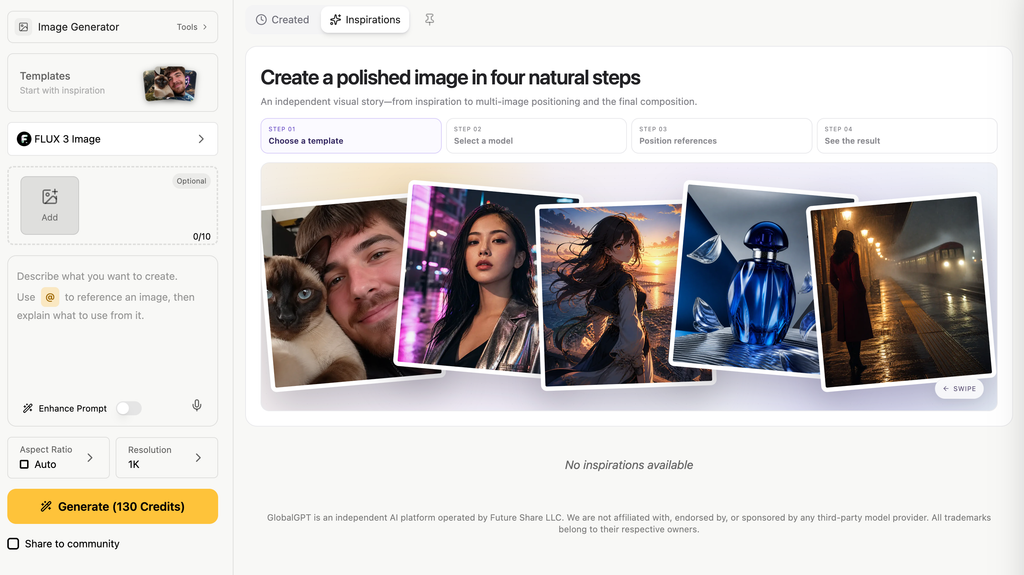
How to Reduce Failed Flux 2 Editorial Images
If your Flux image generation result turns into a black screen, blank output, or error message, it may have been stopped by the platform’s safety review, but it can also come from a provider-side error, a model timeout, or a failed generation job. NSFW-related prompts and mature-themed fashion concepts face more review, yet even an ordinary artistic prompt can fail for technical reasons.
The simple point is this: do not write prompts as if the goal is to break the filter. Write prompts as if you are directing a legal, adult, editorial image shoot. That means clear adult context, tasteful styling, no real-person impersonation, no minors, no non-consensual situations, and no attempt to override the platform’s rules.
Understanding the “Black Screen” Problem
Many AI image platforms use prompt-level and image-level review systems. A prompt may be reviewed before generation, and the final image may also be checked before it is shown. If the system identifies content that may violate policy, the output may be blocked, replaced, or not displayed.
Black Forest Labs’ official Usage Policy bans unlawful content, child sexual abuse material, non-consensual explicit content, unlawful impersonation, harassment, and attempts to disrupt or circumvent security systems. That is why a stronger Flux prompt is not just more detailed. It is also clearer about consent, adult subjects, fictional or owned characters, and normal creative intent.
Choosing the Right Flux Workflow
Different Flux versions and hosting platforms may handle prompts differently. Some are stronger for photorealistic portraits, while others are better for fashion, character design, cinematic lighting, or stylized editorial images. GlobalGPT helps you compare Flux 2, FLUX 1.1 Ultra, Midjourney, and other models in one workspace, but it cannot control model-level safety filters or guarantee that any prompt will be approved.
If you are still choosing between model families, compare this guide with the Flux 2 Pro guide and the Flux 2 vs Nano Banana Pro comparison. Those pages help separate image quality, editing control, cost, and access before you spend time tuning prompts.
Smart Prompting
A safer way to work is to create fictional adult characters, use artistic or editorial framing, and avoid prompts that involve real people, minors, non-consensual content, or attempts to override safety systems.
A better prompt should describe the visual result clearly and responsibly. Instead of trying to force the model with risky wording, focus on elements such as adult subject, wardrobe, pose, body silhouette, lighting, camera angle, background, mood, and art style. If a prompt fails, revise it toward clearer, more neutral, and more policy-aware visual language.
| Feature | Official Flux Pro | Flux Dev / Open-Weight Workflows |
|---|---|---|
| NSFW Prompt Handling | Subject to platform-level safety review | Depends on hosting platform, model setup, and safety configuration |
| Failed Output Risk | Sensitive prompts may be blocked, revised, or fail to display | Output behavior may vary across providers and configurations |
| Best Use Case | Commercial visuals, ads, product images, and editorial concepts | Adult-themed prompt testing, character design, fashion concepts, and stylized art within applicable rules |
| Model Access | API or hosted platform access | Open-weight or developer-oriented access, depending on version |
What Is Flux 2, and Why Is It Used for Image Generation?
Flux 2 is an AI image generation model developed by Black Forest Labs. It turns written prompts into detailed, high-quality images and is known for strong prompt following, realistic rendering, and flexible visual composition. Black Forest Labs describes the FLUX.2 model family as covering generation and editing workflows with multi-reference support, color control, and up to 4MP output.
- Better Body and Pose Control: BFL says FLUX.2 can control colors, poses, and composition and can combine multiple references while maintaining identity across complex scenes. That is more useful than treating any architecture choice as a guarantee of perfect hands or anatomy.
- Better Text Rendering: Flux 2 can often render clearer text inside images, making it useful for posters, signs, labels, product mockups, and editorial-style visuals.
- High Detail: Flux 2 is especially strong at realistic texture, hair, fabric, lighting, and skin detail. This makes it useful for fashion portraits, mature-themed editorial concepts, beauty photography, character design, and cinematic visual storytelling.
If your use case is not adult-themed at all and you mainly want image editing, text rendering, or brand visuals, the text-prompt image editing workflow and the Nano Banana 2 text rendering test are useful alternatives to read next.
Flux 2 vs Flux 2 Uncensored: What’s the Difference?
Many users search for “Flux 2 uncensored,” but the phrase can be misleading.
Flux 2 is a model family. The actual content limits depend on the platform, API provider, hosting setup, safety configuration, and usage policy. In practice, “uncensored” usually means the user wants fewer prompt restrictions, but no responsible platform should be treated as a guarantee of unlimited output.
If a Flux 2 prompt fails, do not try to force the system with wording like “ignore filters” or “no restrictions.” That usually makes the prompt more likely to fail. Instead, rewrite the prompt with clearer visual language and safer boundaries. For a broader look at how image platforms handle blocked requests, see the guide to ChatGPT image policy limits and the restriction-focused Sora 2 content restrictions guide.
How to Get Started with Flux 2 for Non-Explicit Editorial Images
The more technical way to use Flux 2 is to run certain model versions locally, which may require a powerful GPU, enough VRAM, and a more complex setup. The easier way is to use a cloud-based platform where the models are already available in one dashboard.
- Open FLUX 3 Image or FLUX.2 Pro and confirm the selected model.
- Choose text-to-image, or supply an authorized non-explicit reference if the selected mode supports editing.
- Describe one adult subject, outfit, setting and composition; choose the offered size.
- Review the displayed credit cost before submitting one draft.
- Inspect clothing, face, hands and background before enlarging or publishing the image.
For garment-focused work, the AI fashion photo generator gives you a direct starting task.
- Skip the Expensive Hardware: You do not need to buy a high-end computer just to test Flux 2 workflows. With an online platform, you can access supported Flux 2 models from a regular laptop, tablet, or phone.
- One-Stop Access: On GlobalGPT, you can access Flux 2, FLUX 1.1 Ultra, Midjourney, and 100+ other leading models, including supported writing and research tools, without handling local installation or model setup.
- Better Value for Multi-Model Workflows: At $10.80/month when billed annually ($129.60 for 12 months), the GlobalGPT Pro Plan gives creators access to multiple AI text, image, and video models in one workspace, making it easier to compare outputs, manage prompt experiments, and build a more efficient creative workflow. This annual price was checked October 23, 2026.
For another approach to clothing and product imagery, see the AI fashion-image workflow. It walks through an adjacent image-editing task you can compare with your Flux results.
What Makes a Clear Flux Editorial Image Prompt?
To get better results with Flux 2, write prompts in a clear, natural, and structured way. A simple “Subject + Action + Setting + Style” format helps the model understand the scene, visual direction, and intended mood more consistently.
- Use Descriptive Visual Details: Instead of relying on short or vague wording, describe the clothing, lighting, pose, background, color palette, and mood. This helps guide the output toward a more polished fashion, portrait, or editorial-style result.
- Describe Silhouette Tastefully: For mature-themed portraits, use policy-aware phrases such as “natural figure,” “soft silhouette,” “graceful posture,” “elegant styling,” or “confident editorial pose.” Avoid wording that sounds explicit, coercive, or overly focused on restricted body details.
- Add Camera and Quality Details: Start with a clear subject such as “a photorealistic portrait of an adult female model,” then add details like “golden hour lighting,” “soft shadows,” “35mm lens,” “shallow depth of field,” and “fine fabric detail” for a more professional visual style.


Which Flux 2 Model Version Fits Your Image Workflow?
Not all Flux 2 models are built for the same workflow. Black Forest Labs lists Flux 2 as a model family with several versions, including FLUX.2 [max], FLUX.2 [pro], FLUX.2 [flex], FLUX.2 [dev], and FLUX.2 [klein]. The best option depends on whether you care more about image quality, speed, editing control, local development, or low-cost experimentation.
| Current hosted option | Use it for | Billing boundary |
|---|---|---|
| FLUX 3 Image | New image-generation and reference-editing projects | BFL direct service uses per-image resolution pricing; GlobalGPT has separate plan and credit billing. |
| FLUX 3 Image Klein | Compact, faster drafts and iterative editing | Check the chosen resolution and displayed job cost. |
| FLUX.2 Pro | Continuing the FLUX.2 workflow below | Still available; older examples remain labeled by the model actually used. |
| Flux 2 Version | Best For | Notes |
|---|---|---|
| FLUX.2 [max] | Highest-quality image generation | Best for polished portraits, cinematic lighting, detailed fashion visuals, and final creative output |
| FLUX.2 [pro] | Balanced production use | A strong default for high-quality image generation and editing when you want good quality without always using the top-tier model |
| FLUX.2 [flex] | Typography and quality with control | Supports adjustable steps and guidance; direct BFL API text-to-image pricing starts at US$0.05 per image, with resolution-based billing. |
| FLUX.2 [dev] | Local development | Full customization for local development; BFL lists the weights as free for non-commercial use |
| FLUX.2 [klein] | Real-time, high-volume generation | Sub-second open-weight option; 4B uses Apache 2.0, while 9B uses the FLUX Non-Commercial License |
| FLUX1.1 [pro] / Ultra | Previous-generation comparison | Useful when comparing older Flux behavior against Flux 2 for realism, texture, and prompt response |
GlobalGPT lets you test Flux 2 and other image models from one dashboard. This helps when you want to compare prompt wording, visual style, and model behavior without switching between different tools.
Compare output resolution and editing needs in the BFL pricing calculator before estimating direct-service costs. A per-image BFL charge is separate from a GlobalGPT subscription.
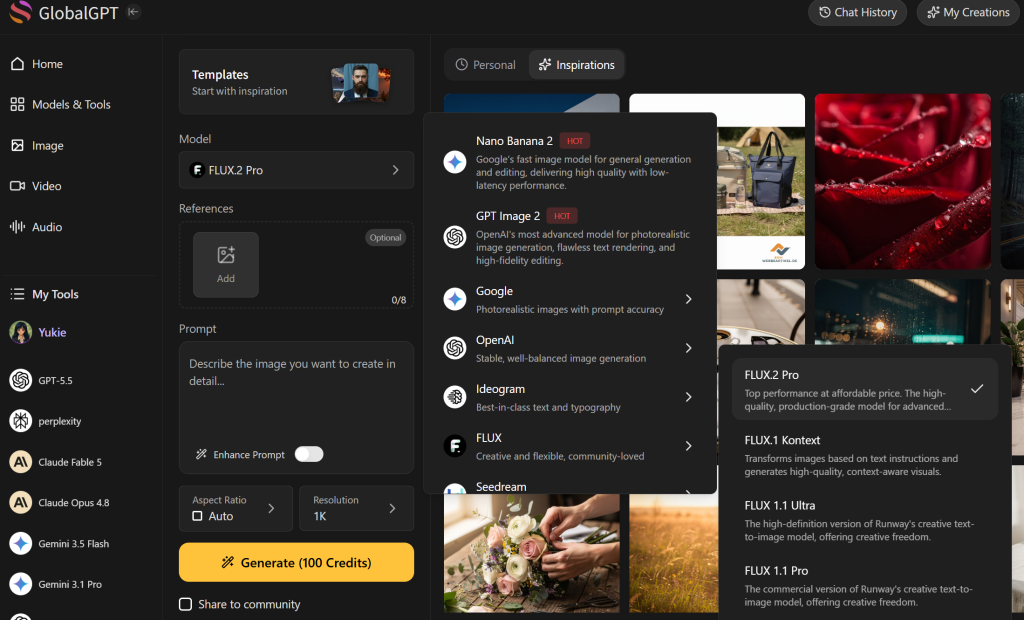
The older picker image records the interface used for that example; it is not a current catalog of every available FLUX model.
How to Use Flux LoRAs for Better Style and Body Consistency
LoRAs are small add-on model files that can guide a base image model toward a specific style, subject type, wardrobe category, texture, or visual treatment. For Flux workflows, they can be useful for fashion concepts, character design, portrait style, fabric detail, skin texture, and overall visual consistency.
- Setting the Weight: LoRA strength controls how strongly the add-on influences the final image. A moderate weight often works best for realistic results, while very high values can create distorted details, messy textures, or inconsistent styling.
- Choosing Useful LoRAs: Look for LoRAs that match your creative goal, such as fashion editorial, realistic skin texture, portrait lighting, cinematic style, specific wardrobe themes, or character-design aesthetics.
- Combining LoRAs: In some workflows, combining two or three compatible LoRAs can help refine the final style. However, too many LoRAs or conflicting style directions may reduce image quality. GlobalGPT can help organize multi-model and prompt testing workflows, but final results still depend on the selected model, LoRA setup, and platform rules.

Flux 2 vs. Midjourney: Which Fits Your Editorial Workflow?
Midjourney and Flux can both create high-quality visuals, but they are better suited for different workflows. The best choice depends on whether you care more about stylized aesthetics, prompt control, photorealism, or multi-model testing.
- Content Rules: Midjourney applies its own platform policies and moderation rules. Flux behavior depends on the version, hosting platform, and safety configuration. In GlobalGPT, creators can compare different models in one workspace while still staying within applicable rules.
- Prompt Accuracy: Flux is often strong at following detailed instructions, including wardrobe, lighting, pose, composition, and realistic texture. Midjourney is known for polished, cinematic, and highly stylized outputs, but it may reinterpret prompts more creatively.
- Price and Access: Midjourney usually requires a separate subscription. With GlobalGPT, you can access Flux models, Midjourney, video models, language models, and 100+ other tools in one dashboard, making it easier to compare results without managing multiple subscriptions.
If your main question is whether Midjourney is worth paying for separately, compare this with the Midjourney value guide and the Midjourney alternatives list.
| Feature | Flux on GlobalGPT | Midjourney |
|---|---|---|
| NSFW Prompt Handling | Depends on selected model, prompt wording, and platform rules | Subject to Midjourney’s platform policies and moderation rules |
| Creative Style | Strong photorealism, detailed texture, and prompt control | Strong stylization, cinematic mood, and polished composition |
| Model Choice | Access to Flux models plus 100+ other AI models in one workspace | Midjourney-focused workflow |
| Workflow Flexibility | Easy to compare multiple models and prompt versions | Best for creators who prefer Midjourney’s specific visual style |
How to Fix Failed Flux 2 Outputs
If Flux 2 returns a black image, blank result, error message, or refusal, start by separating a content review from a technical failure. A refusal or policy notice points to the prompt; a timeout, blank job, or generic error may be provider-side.
Try these fixes:
| Problem | Likely Cause | Fix |
|---|---|---|
| Black or blank image | Safety review or failed generation job | Check the error message, then rewrite risky wording or retry once |
| Refusal message | Prompt sounds explicit or unsafe | Use fictional adult subjects and non-explicit framing |
| Distorted body or face | Prompt is overloaded | Simplify the pose, outfit, and scene |
| Inconsistent character | Identity details are unclear | Repeat stable details across attempts |
| Low-quality result | Prompt lacks visual direction | Add lighting, camera, setting, and mood |
| Prompt ignored | Too many conflicting instructions | Focus on one clear image idea |
For users, the practical route is to save each failed prompt, remove the riskiest phrase first, and test one change at a time. If the same idea keeps failing, switch from explicit wording to visual production language: wardrobe, editorial setting, lighting, camera, posture, composition, and mood. That gives the model a real image direction instead of a policy challenge.
Is Generating Flux 2 NSFW Content Legal and Private in 2026?
Privacy and legality matter when working with NSFW-related or mature-themed AI image prompts. Black Forest Labs’ Usage Policy, last revised August 4, 2026, requires verified, documented, informed consent for intimate depictions of real people and prohibits harmful sexual content involving minors. Users must also follow applicable laws, platform rules, privacy rights, and consent requirements.
- Prompt Privacy: When using any online platform, review its privacy policy and data handling practices. GlobalGPT is designed to provide a secure workspace for prompt testing and multi-model workflows.
- Legal Rules: Always follow your local laws and platform policies. Avoid content involving minors, non-consensual scenarios, real-person impersonation, private individuals, harassment, exploitation, or any illegal content.
- Output Use: Before publishing, selling, or sharing AI-generated images, make sure the content is allowed by the platform where you plan to use it and does not violate anyone’s rights.
Commercial use also needs a separate check. If you plan to publish, sell, advertise, or license an AI-generated image, review the rights attached to the model, the platform, the prompt subject, and the marketplace where the image will be used. The broader AI images commercial use guide is the better next step for licensing and publishing questions.
Frequently Asked Questions
Can FLUX generate adult-themed images?
FLUX can support non-explicit adult fashion, romance, beauty, and editorial concepts, but the exact result depends on the model, provider, hosting platform, prompt, and current rules. This guide does not provide explicit or filter-bypass instructions.
Does open weight mean uncensored?
No. Open weights describe an access and deployment form. The model license, BFL Usage Policy, hosting rules, law, consent, intellectual-property rights, and publishing rules still apply.
Can I make an intimate image of a real adult with consent?
BFL’s policy requires verified, documented, informed consent for sexual or intimate depictions of real people, and another platform may prohibit the request entirely. Because intimate imagery creates serious privacy and distribution risk, use a fictional subject and a non-explicit concept whenever possible.
What if the subject’s age is unclear?
Do not continue. Redesign the subject as an unmistakably adult fictional person with an explicit adult age and adult-coded setting, wardrobe, and context.
Can I use FLUX outputs commercially?
Commercial rights depend on the exact model and access agreement. BFL’s current open-weights licensing options separate Builder, Platform, Professional, Enterprise, and Synthetic Data routes, with different model, volume, domain, user, fine-tuning, agency, product, and training-data rights. Verify the route that matches your deployment before selling or licensing output.
Why did my FLUX prompt get rejected?
The provider or host may have identified sexual content, age ambiguity, real-person risk, coercion, illegality, or another policy issue. Rewrite the brief toward a lawful, fictional, non-explicit editorial concept; do not try to disguise the same request.
Can I use the newer FLUX models on GlobalGPT?
Yes. GlobalGPT lists FLUX 3 Image and FLUX.3 Klein alongside FLUX.2 Pro. Select the exact model and inspect the job’s credit cost before submitting; the platform subscription is separate from BFL’s direct API billing.
Final Takeaway
FLUX is a model family, not a promise of unrestricted generation. The durable workflow is simple: choose an unmistakably adult and lawful concept, understand both the license and the host policy, protect consent and privacy, create a non-explicit editorial brief, and review the output before sharing it. Use a direct BFL route when you need infrastructure control; use a multi-model workspace when you value a connected creative workflow more than model hosting.
BFL now offers FLUX 3 Image and FLUX 3 Image Klein alongside the FLUX.2 family. GlobalGPT has live FLUX 3 Image, FLUX.3 Klein and FLUX.2 Pro entries. Compare the newer image workflow in the FLUX 3 Image review; do not treat the older FLUX 1.1 examples as tests of those newer models.





