As of July 27, 2026, OpenAI’s current Deep Research instructions let you start by typing /Deepresearch, selecting Deep research from the + tools menu, or choosing it from the sidebar. Pick the public web, uploaded files, enabled apps, or specific sites; review the proposed plan; then let ChatGPT build a cited report. Usage depends on your plan and country, and the in-product counter shows the tasks remaining on your account.
When you need answers that go deeper than a single AI model, use GlobalGPT Deep Research as your gateway to multi-model intelligence. Its verified current GPT route is GPT-5.6 Sol on GlobalGPT, so you can compare research approaches in one workspace instead of switching tabs.
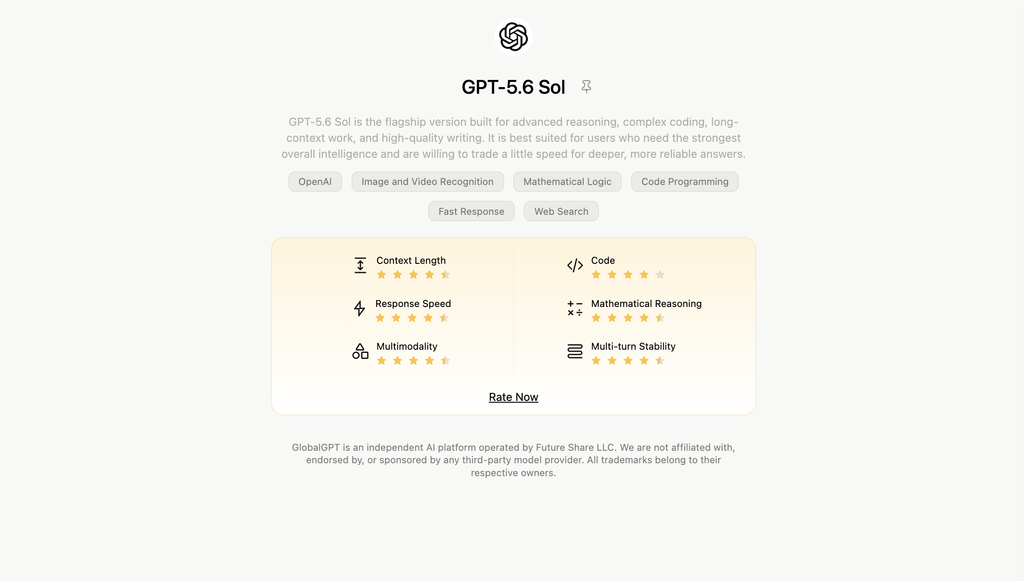

Table of contents
- What Is ChatGPT Deep Research — and Why You Should Care
- How the Engine Works — The Mechanics Behind ChatGPT Deep Research
- Access & Eligibility — Who Can Use ChatGPT Deep Research and What Are the Limits
- Step-by-Step Tutorial — How to Start a Deep Research Session in ChatGPT
- How to Write Effective Instructions
- Boost Your AI Workflow with GLBGPT
- Real-World Use Cases and Scenario Examples
- Troubleshooting & Knowing the Limitations
- FAQs — Quick Answers
What Is ChatGPT Deep Research — and Why You Should Care
Deep Research is an AI research agent inside ChatGPT that autonomously browses trusted sources, synthesizes findings, and returns a structured, cited report. OpenAI describes it as an end-to-end research workflow using browsing and a Python tool trained via reinforcement learning on real tasks.
- Why it matters: For multi-source literature reviews, competitive analysis, or due diligence, it saves hours and delivers stronger evidence-based insights. OpenAI’s current guidance positions Deep Research for thorough, multi-step synthesis and Search for urgent lookups.
The core value of deep research lies in its ability to sift through broader data sources—such as arXiv, academic journals, and websites—and generate extensive reports, sometimes spanning 25 or even 50 pages of analysis. If you frequently tackle complex subjects like dissertations, conference papers, or large-scale market research, having an AI-powered “agent” to consolidate all data can save you significant time.

How the Engine Works — The Mechanics Behind ChatGPT Deep Research
Unlike normal ChatGPT conversations, Deep Research uses a structured five-step pipeline inspired by agentic reasoning (as outlined by GPTBots AI and OpenAI documentation):
- Query Decomposition — The model breaks your prompt into sub-tasks and search questions.
- Agentic Browsing — It autonomously visits multiple web sources for relevant data.
- Critical Synthesis — It filters low-credibility sites, aggregates core facts, and compares evidence.
- Structured Output Generation — Findings are organized into sections with inline citations and summaries.
- Iterative Refinement — If gaps appear, the agent loops to strengthen accuracy and consistency.
The April 2025 lightweight rollout
OpenAI’s April 2025 update introduced a cost-efficient “lightweight” variant powered by o4-mini for shorter tasks.
As of July 27, 2026, OpenAI’s current consumer guide no longer promises that every account will automatically fall back to o4-mini after a full-version cap. It says Deep Research uses the latest model by default and lets eligible users choose a legacy model.
For API builders, o4-mini-deep-research remains a separate documented model alongside o3-deep-research in the Responses API Deep Research guide. That API option is separate from any ChatGPT subscription fallback.
Access & Eligibility — Who Can Use ChatGPT Deep Research and What Are the Limits
The April 24, 2025 allowance snapshot
Availability varies by plan and region; usage resets every 30 days from first use.Current allowances (Apr 24 2025):
- Plus / Team / Enterprise / Edu → 25 queries per month
- Pro → 250 queries
- Free → 5 queries + a lightweight fallback mode
Those numbers document the April 2025 rollout, not a universal July 2026 entitlement. OpenAI’s current Deep Research page says usage varies by plan, the product shows your remaining tasks, and fixed monthly allowances reset 30 days from the date of first use.
Current ChatGPT plan and price status
As of July 27, 2026, ChatGPT Plus costs $20 per month, billed monthly, and includes Deep Research tools where available. The API is not included and is billed separately.
OpenAI’s current Pro documentation lists $100 and $200 monthly Pro tiers. Both include Deep Research; the $100 tier has 5× Plus usage and the $200 tier has 20× Plus usage, although individual models and tools can have separate allowances.
For a reader-friendly breakdown of subscription billing and alternatives, compare the current ChatGPT Plus price, limits, and alternatives before choosing a plan.
| Access route | Deep Research status | Current price status | How limits work |
|---|---|---|---|
| ChatGPT Free | Availability depends on the account, plan rollout, and country | $0 | The in-product counter shows remaining tasks when the feature is available |
| ChatGPT Plus | Included where available | $20/month, monthly billing | Plan-dependent; current remaining usage appears in the product |
| ChatGPT Pro | Included in both Pro tiers | $100/month or $200/month | 5× or 20× Plus usage overall; separate model or tool allowances can apply |
| Business / Enterprise / Edu | Workspace and role controls can affect access | Workspace or contract pricing | Plan, role, workspace settings, and app enablement can apply |
If Plus is your likely route, the practical ChatGPT Plus capabilities guide helps separate everyday chat benefits from research-specific needs.
Deep Research API models and pricing
ChatGPT subscription pricing and API pricing are different products. As of July 27, 2026, the official model pages price o3-deep-research and o4-mini-deep-research by tokens, with tool-call charges added where applicable.
| API model | Input / 1M tokens | Cached input / 1M | Output / 1M tokens |
|---|---|---|---|
o3-deep-research | $10.00 | $2.50 | $40.00 |
o4-mini-deep-research | $2.00 | $0.50 | $8.00 |
From connectors to apps and plugins
OpenAI is also rolling out data connectors (SharePoint, OneDrive, GitHub) for Deep Research on eligible accounts.
As of July 27, 2026, the source picker can use the public web, files you upload, specific websites, and enabled ChatGPT apps. OpenAI names Google Drive, SharePoint, FactSet, PitchBook, and Scholar Gateway as examples, and says Deep Research uses read actions rather than app write actions.
OpenAI also says that, as of July 9, 2026, discovery moved from the App Directory to the Plugins Directory. Apps remain the underlying integrations, while plan, workspace, role, supported surface, region, and app configuration can all affect availability.
If your research starts in cloud storage, follow the steps for making ChatGPT read a Google Drive document before you launch the longer research job.

Step-by-Step Tutorial — How to Start a Deep Research Session in ChatGPT
- Log in to ChatGPT on a plan with Deep Research access.
- Type /Deepresearch, select Deep research from the + tools menu, or choose it from the sidebar.
- Choose the public web, uploaded files, enabled apps, or specific sites as your sources.
- Define a clear question with scope and expected output.
- Attach PDFs or spreadsheets for context.
- Review and edit ChatGPT’s proposed research plan.
- Submit and wait as it gathers and synthesizes.
- Follow progress and interrupt the task if you need to change the focus or sources.
- Review citations and refine if needed. Use standard Search instead when the answer is urgent.
For document-heavy work, use the step-by-step PDF upload guide to prepare the file before the research plan is created.
For spreadsheet research, the ChatGPT Excel data analysis workflow explains how to structure a workbook so the model can interpret it more reliably.

How to Write Effective Instructions
Crafting the right prompt is crucial. Be specific about yours:
- Objective (“Compare X and Y technologies for 2025 trends”).
- Scope (Time frame, geography, industry).
- Format (Report outline, table, key insights).
- Depth level (1-page summary vs 10-page analysis).
The April 2025 two-stage workflow
A recommended workflow: first ask a standard GPT-4 model to draft a research plan, then run Deep Research on that plan to save credits and improve focus.
The current consumer flow can generate the plan for you before research starts, so edit that plan directly when possible. If you want a separate planning model, compare current reasoning options with the GPT-5.6 pricing, plans, and API cost guide instead of assuming a legacy model is still the best fit.
Boost Your AI Workflow with GLBGPT
Looking to push beyond ChatGPT Deep Research? Try GLBGPT, a next-generation platform that lets you Access 100+ Powerful AI Models — All in One Place. Compare GPT-5, Claude, Gemini, Veo 3, Midjourney, and more side-by-side for writing, research, design, and data tasks within a single workspace. Perfect for marketers, creators, and engineers who need multi-model superpowers without switching tabs. Try GLBGPT today and turn AI chaos into clarity.
For a verified current GPT option, open GPT-5.6 Sol on GlobalGPT and use a second model when you want an independent synthesis or a different reporting style.

All-in-one AI platform for research, writing, image and video generation with GPT-5.6 Sol and more
Real-World Use Cases and Scenario Examples
- Market & competitor analysis
- Academic literature review with citations
- Technical comparisons (architectures, frameworks)
- High-stakes consumer decisions
If you want a second citation-first research route, compare the best Perplexity AI alternatives for research, writing, and cost before committing to one workflow.

Troubleshooting & Knowing the Limitations
Even the best tools have constraints—when using Deep Research you may encounter missing or weak citations, especially on pay-walled or niche topics; excessive runtime, particularly if the prompt is too broad or lacks structure; and limited availability, as features may not yet be fully deployed in all regions or all subscription tiers. Always manually verify key findings, ensure references include full metadata (title, author, date, URL), and be ready to break large tasks into smaller iterations if the system starts to run long. Keeping these checks in place helps you maintain accuracy and productivity.
If a large source set fails before the research begins, check the current ChatGPT Plus file-upload limits, reduce the batch, and retry with the most important files first.
FAQs — Quick Answers
What was the original 2025 runtime estimate?
Usually 5–30 minutes, depending on topic complexity, number of sub-queries, and data availability.
Does it search live web?
Yes. It browses current web sources, compiles information, and provides inline citations with publication dates and URLs.
What were the April 2025 monthly query numbers?
Plus/Team/Enterprise/Edu plans get 25 tasks per month; Pro users 250; Free users 5 plus a lightweight fallback mode once the full quota is reached.
Accuracy?
Generally high, since every claim is backed by multi-source reasoning, but always verify key data and numerical values manually before publishing or citing.
How do I start Deep Research now?
Type /Deepresearch in a ChatGPT prompt, choose Deep research from the + tools menu, or select it from the sidebar. Then choose sources, review the plan, and start.
What are the current Deep Research limits?
As of July 27, 2026, OpenAI says usage varies by plan and the in-product counter shows remaining tasks. Fixed monthly allowances reset 30 days from first use.
Is the lightweight Deep Research version still available?
OpenAI’s current consumer guide no longer promises an automatic o4-mini fallback. The API still lists o4-mini-deep-research as a separate Responses API model.
Which models can Deep Research use?
Consumer Deep Research uses OpenAI’s latest model by default and lets eligible users choose legacy models. The API separately supports o3-deep-research and o4-mini-deep-research.
What sources and apps can it use?
It can use the public web, uploaded files, specific websites, and enabled ChatGPT apps. Connected-app research uses read actions, not write actions.
Which plans and countries support Deep Research?
Availability depends on your ChatGPT plan, country or territory, and workspace settings. Plus and Pro document Deep Research access; managed workspaces may apply admin controls.
Can I use Deep Research on GlobalGPT?
Yes. GlobalGPT provides a multi-model research workflow, and GPT-5.6 Sol is the verified current GPT route as of July 27, 2026.