

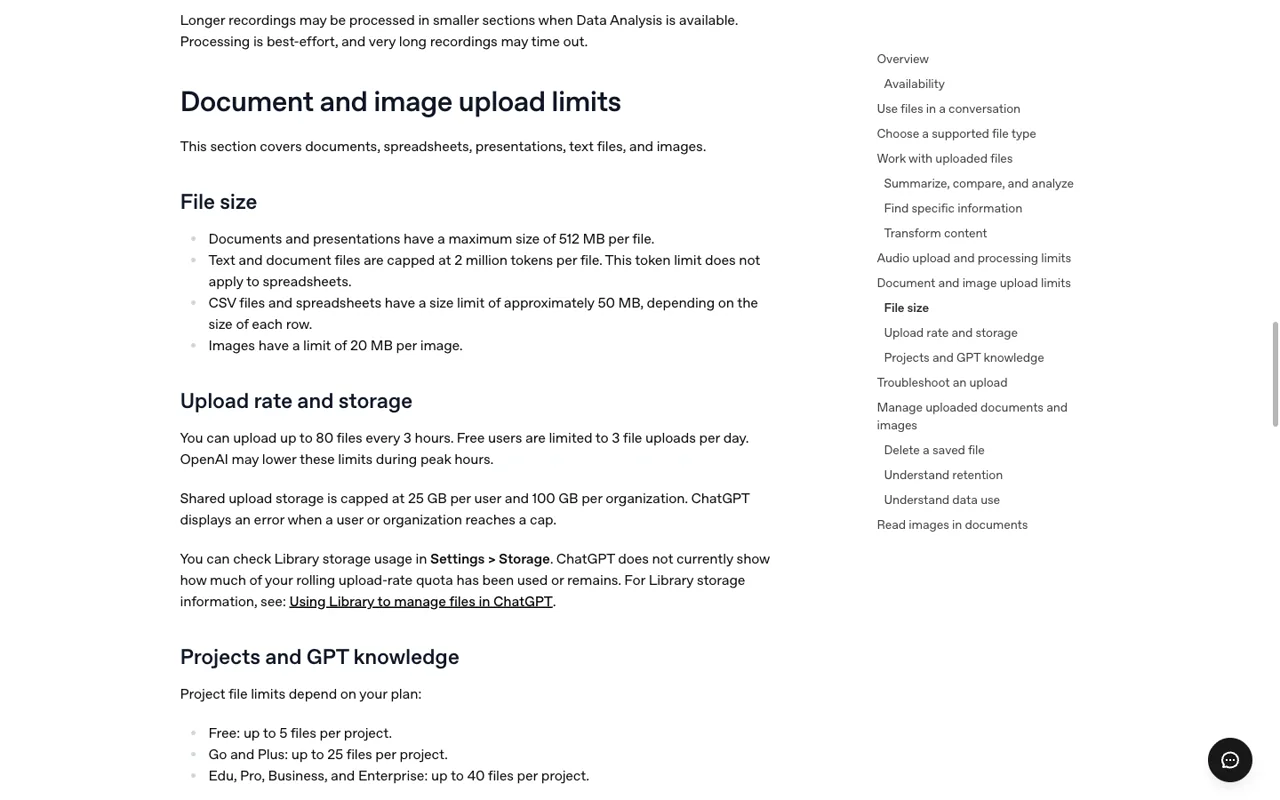
ChatGPT Plus allows up to 80 file uploads every 3 hours. Free accounts are limited to 3 file uploads per day. OpenAI also lists a 512 MB maximum for documents and presentations, a 2 million-token limit for text and document files, approximately 50 MB for spreadsheets, and 20 MB per image.
Those numbers answer the question people usually ask, but they are not one single quota. A file can be rejected because of the rolling upload rate, a per-file limit, a project limit, or shared Library storage. This guide separates each one using OpenAI’s current upload help page, checked October 16, 2026.
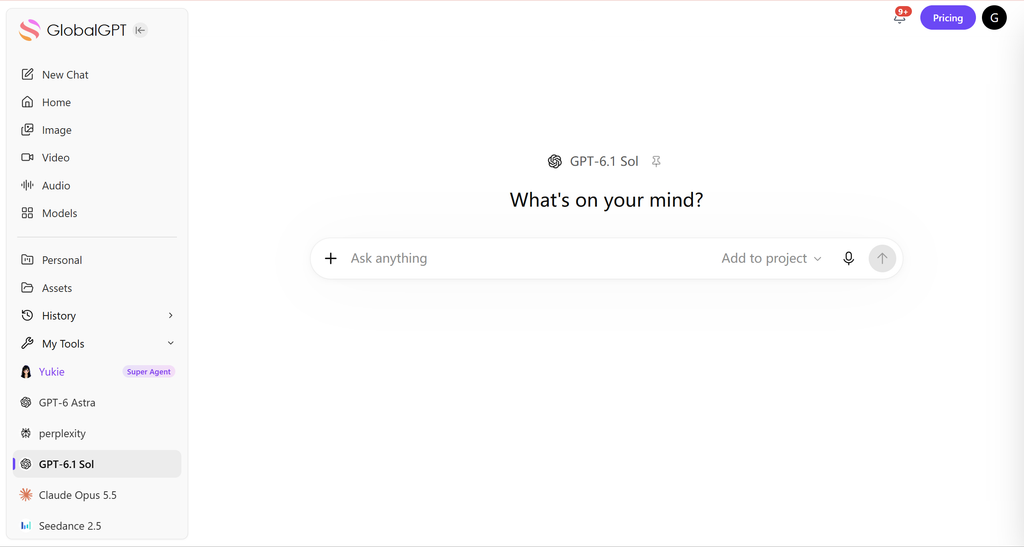
When the job is larger than one chat—say, sorting research files, comparing drafts, then turning the findings into images or code—GlobalGPT gives you one workspace for multiple models and AI functions. It is a practical route when the next step changes from document analysis to writing, coding, image, or video work.
- ChatGPT file upload limit: the short answer
- Free vs Plus: what changes in practice?
- Supported formats and file sizes
- How to upload and manage files
- Projects, Library storage, and retention
- What to do when ChatGPT says “upload limit reached”
- When a multi-model workspace helps
- The limits are separate counters
- Projects, Library, and a file-heavy workflow
- What to do when an upload fails
- FAQ
ChatGPT file upload limit: the short answer
| Limit | Free | Plus and paid plans |
|---|---|---|
| Rolling upload rate | 3 file uploads per day | Up to 80 files every 3 hours |
| Document/presentation size | 512 MB per file | 512 MB per file |
| Text/document content | 2 million tokens per file | 2 million tokens per file |
| Spreadsheet size | About 50 MB, depending on row size | About 50 MB, depending on row size |
| Image size | 20 MB per image | 20 MB per image |
| Shared Library storage | 25 GB per user; 100 GB per organization | |
The practical reading is simple: an upload can fail even when the file itself is small if the rolling rate, project cap, or saved Library storage is already full. Check the matching limit before changing plans or retrying repeatedly.
OpenAI says these limits can be lowered during periods of high demand. The rolling allowance is not a promise that every account will see the same number at every moment, so treat the table as the published ceiling rather than a guaranteed real-time counter.
Free vs Plus: what changes in practice?
The biggest difference is the rolling upload rate. Free users get 3 uploads per day, while Plus users can upload up to 80 files in a 3-hour window. Both plans still face the same published per-file size limits listed above.
- Free is fine for occasional files: one paper, a short brief, or a small spreadsheet.
- Plus is better for a work session: a batch of meeting notes, drafts, or source documents over several hours.
- Neither limit is a storage plan: deleting a chat does not necessarily remove a saved Library file.
Audio has its own rules. OpenAI’s current help page lists audio uploads up to 512 MB for supported paid plans and workspaces, while Free accounts do not currently have audio uploads. Audio transcription quality can vary by language, and long recordings may be processed in smaller sections.
Supported formats and file sizes

OpenAI’s supported examples cover the formats most people use in a normal research or work queue:
- Documents and text: DOCX, PDF, and TXT. A Google Docs file must be exported first; a .gdoc shortcut is not a document upload.
- Spreadsheets: XLSX, XLS, CSV, and TSV. The approximately 50 MB ceiling depends on how large each row is.
- Presentations: PPTX, with the 512 MB per-file ceiling.
- Images: PNG and JPG are common examples, with a 20 MB limit per image.
- Audio: WAV, MP3/MPEG, OGG/OGA, audio-only WebM, PCM, FLAC, AAC, and M4A are listed for audio upload; video files identified as MP4 or WebM are not treated as audio uploads.
A file’s extension is only the first check. A damaged spreadsheet, an empty audio stream, or a file that is technically within the size limit can still fail validation.
How to upload and manage files
- Open a chat and use the attachment or upload control.
- Select a supported file and wait for the file chip or preview to finish loading.
- Give the task in the same message: summarize, compare, extract rows, transcribe, or turn the notes into a draft.
- Ask a follow-up question and verify important numbers against the original file.
For a spreadsheet, specify the columns and the output you want. For a long document, start with a short extraction request before asking for a full rewrite. That keeps the conversation easier to inspect and reduces unnecessary rereading.
Projects, Library storage, and retention
Project file caps are separate from the rolling upload rate. OpenAI’s current help page lists up to 5 files per project on Free, 25 on Go and Plus, and 40 on Edu, Pro, Business, and Enterprise. A custom GPT can have up to 10 knowledge files over its lifetime. File-size and account storage limits still apply.
To remove a saved file, open Library, select the file, and choose Delete or the trash icon. If the workspace offers Recently deleted, follow that retention flow when you need a permanent removal.

What to do when ChatGPT says “upload limit reached”
First check which limit you actually hit. OpenAI recommends confirming the account and plan, checking both the upload-rate limit and storage use, and checking OpenAI Status for an incident. Failed attempts can sometimes count toward the rolling rate.
- Confirm you are signed into the intended account.
- Check the file size and the format-specific limit.
- Look at Library storage instead of deleting chats at random.
- Start a new chat when the old thread has become very long.
- For audio, confirm that the file contains a valid, decodable audio stream.
- If the issue persists, contact support with the timestamp, time zone, platform, and request ID when available.
When a multi-model workspace helps
File limits are only one part of the task. If you need to extract facts from a PDF, ask a second model to check the reasoning, draft a response, and then create an image or a short video from the same brief, switching tabs and accounts can become the real friction.
That is where GlobalGPT can fit: one dashboard for different models and functions, with the option to continue into coding or other production steps. The value is workflow continuity and model choice; it does not change OpenAI’s own ChatGPT upload allowance.
The limits are separate counters
“How many files can I upload?” has several answers because ChatGPT reports different constraints for rate, storage, file size, and tokens. A plan can allow a certain number of uploads in a rolling window while a single file, a project, or the account storage has a separate ceiling.
| Counter | What it controls | How to diagnose it |
|---|---|---|
| Upload rate | How many files can be added in a time window | Check the upload-rate message and time. |
| Per-file size | Whether one document, image, or spreadsheet is accepted | Check the file type and size before retrying. |
| Token or row limit | How much content can be processed | Split the document or select the relevant rows. |
| Account or project storage | How much material remains saved | Remove old files or use the project/library controls. |
Hitting one counter does not prove that every other counter is exhausted. The right fix depends on the message shown by the product.
Projects, Library, and a file-heavy workflow
A long project becomes easier to manage when you separate the reference set from the question. Keep the stable documents in the project or library, then upload only the new material needed for the current task. This reduces duplicate uploads and makes it easier to identify which file supports an answer.
- Name files with the date and purpose.
- Remove duplicate exports before uploading.
- Ask for page, section, or row references in the answer.
- Keep a copy of the original file outside the chat.
- Check the project’s current storage message before moving a large archive.
The upload limit is a product constraint; it does not change what a model can infer from a file. For sensitive files, also apply your organization’s sharing and retention policy.
What to do when an upload fails
Use this order instead of repeatedly clicking Upload:
- Read the exact failure text and note the time.
- Check the file extension, size, and whether the file opens locally.
- Try a smaller excerpt to separate a file problem from an account limit.
- If the rate window is full, wait for the displayed reset time.
- If the task is urgent, continue with a permitted alternative file or another approved workflow.
- Re-upload only after the cause is clear.
When the work turns into a research or media project, GlobalGPT can carry the brief into other models and functions in one workspace. It does not change ChatGPT’s file counters; it gives you another route for the work that follows.
FAQ
How many files can ChatGPT Plus upload?
OpenAI currently lists up to 80 files every 3 hours for Plus and other paid plans, subject to temporary reductions and other caps.
How many files can Free users upload?
Free users are limited to 3 file uploads per day on the current OpenAI help page.
What is the maximum ChatGPT file size?
Documents and presentations can be up to 512 MB per file. Text and document files are capped at 2 million tokens, spreadsheets are approximately 50 MB, and images are 20 MB each.
Does deleting a chat delete the uploaded file?
No. A file saved in Library can be retained separately from the conversation that used it. Delete the Library copy when you want to remove it.
Can GlobalGPT increase my ChatGPT limit?
No. GlobalGPT is a separate workspace. It can give you another route for model and AI-function work, but it does not change OpenAI’s account limits.
The practical rule: keep the rolling rate, project cap, per-file size, and Library storage as four separate checks. That makes an upload error much easier to diagnose.


