The short answer: Perplexity is the better choice if you need real-time research, verified citations, and fast factual answers. Gemini is the winner when you need complex reasoning, browser automation, and multimodal capabilities like text, image, audio, and video processing.
Most professionals actually benefit from using both together – Perplexity for trustworthy knowledge gathering, and Gemini for executing complex tasks, automation, and richly structured outputs. Many Perplexity users also compare it with current models such as GPT 5.6, Claude Sonnet, and Gemini when they want a wider research bench.
GlobalGPT solves this problem. It gives you access to 100+ top AI models – Perplexity, GPT-5.6, Claude Sonnet, Gemini, Sora 2, and Nano Banana – all in one place, so you do not need multiple subscriptions to cover your workflow. It spans the full AI workflow, from chat and research to image and video generation, and with a basic plan around $5.8, it is one of the cheapest ways to access a multi-model toolkit.
Quick take
If your work starts with a question you cannot afford to get wrong, Perplexity is the cleaner default. It is built to search, cite, and summarize quickly, and the current Perplexity Pro help center says its Pro tier includes high-volume daily Pro Searches, Best mode without quota limits, and model selection that includes Sonar, GPT-5.2, Claude Sonnet 4.6, and Gemini 3.1 Pro. If your work starts with a task that needs deeper reasoning or richer output formats, Gemini is usually the stronger fit.
That is why the best comparison is not “which one is better in every case?” The real question is which one matches the job in front of you. For a broader side-by-side look at how the platforms differ in practice, the companion Perplexity vs Gemini 3 Pro comparison is the natural next stop.
Feature comparison at a glance
Here is the simplest way to read the matchup: Perplexity is stronger when the output needs sources, freshness, and search-first workflows. Gemini is stronger when the output needs longer reasoning chains, Google ecosystem integration, or broader multimodal handling. If you are still mapping the two products to your daily work, the article How is Perplexity different than Google? helps separate search behavior from answer behavior.
| Category | Perplexity | Gemini | Best fit |
|---|---|---|---|
| Primary strength | Search, synthesis, and citation-first answers | Reasoning, multimodal work, and automation | Pick the tool that matches the task shape |
| Sources | Strong citation and source-list workflow | Search is useful, but not as citation-centric | Research notes and fact checks |
| Model access | Pro includes Sonar, GPT-5.2, Claude Sonnet 4.6, and Gemini 3.1 Pro | Gemini app centers on Flash-Lite, Flash, and Pro families | Pick the model family you actually need |
| Limits | Daily Pro Searches; Best mode has no quota limit | Compute-based usage limits that refresh every 5 hours until the weekly limit is reached | Heavier research or heavier generation, depending on workflow |
| Availability | Web and app access with higher tiers for heavier use | Available in more than 70 languages and over 230 countries and territories, with some features country-limited | Choose by region and feature needs |
The source page for Gemini’s current limits is Google’s Gemini usage limits article, which explains that the app uses compute-based limits rather than a simple flat message count. Google also says those limits refresh every 5 hours until the weekly limit is reached, and the Gemini app is available in more than 70 languages and over 230 countries and territories. For a current pricing overview, Google’s Google AI plans page is the cleanest reference.
Perplexity for research and citations
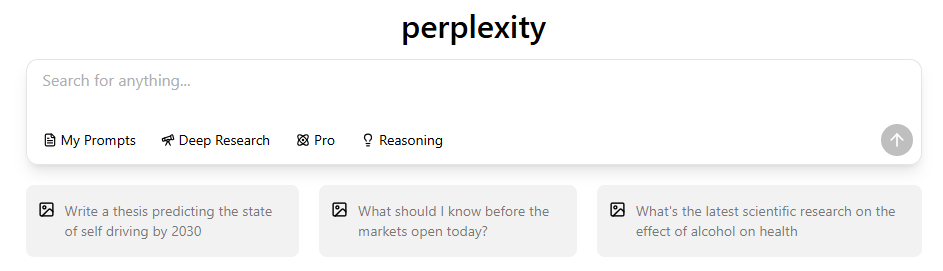
Perplexity still feels closer to a research assistant than a blank chat box. In the live test, it is the better answer when you need sources you can inspect, not just a nice summary. That is exactly why the How to use Perplexity AI: a complete beginner’s guide page pairs well with this comparison if you want to turn the tool into a repeatable workflow.
The source-list view matters because it makes the claim-checking path visible. In the picture, you can see how the answer is anchored to linked sources instead of floating free. That is one reason Perplexity often feels safer for first-pass fact gathering than a general-purpose assistant. For the deeper model mix behind the Pro tier, see the official Perplexity Pro help center article.

If you care about the underlying LLM pool, the next internal read is What LLM does Perplexity use? That guide is useful when you want to know which model is actually doing the work behind a search result or a deep-research run.
Gemini for reasoning and multimodal work
Gemini is the cleaner pick when the job goes beyond search. It handles longer reasoning chains, image-heavy prompts, file analysis, and more structured automation than Perplexity usually tries to expose. Google’s current consumer-app documentation lists Flash-Lite, Flash, and Pro families, and the current Gemini Pro family maps to Gemini 3 Pro in the consumer app experience.
That is also why Gemini feels better for people who bounce between writing, analysis, and multimodal input all day. If you want the next-step comparison inside the Gemini family itself, the linked page Gemini 3.1 Pro vs Gemini 3 Pro is the relevant follow-up.

One thing Gemini generally does better is let you move from thinking to doing without changing tools. Google’s AI plan pages show that the consumer app and the higher paid tiers are tied to usage limits, plan access, and feature availability, so the exact experience depends on whether you are on Plus, Pro, or Ultra. For the current plan ladder, the official Google AI plans page is the authoritative source.

If you want a practical checklist for choosing between the two, the safest framing is this: Perplexity is the research layer, Gemini is the working layer. That is also why some readers pair them with broader alternative stacks like the ones in 11 best Perplexity AI alternatives in 2026.
Pricing, limits, access, and regions
This is where the comparison becomes less about raw intelligence and more about the subscription model. In the U.S., Google’s current AI plan page lists Google AI Plus at $9.99/month, Google AI Pro at $19.99/month, and Google AI Ultra starting at $99.99/month. Google also says some features are country-limited, which matters if you are choosing a plan for a specific region or workflow.
Perplexity’s current help center says Pro costs $20/month or $200/year and Max costs $200/month or $2,000/year. The same help center page says Pro provides high-volume daily Pro Searches, while Best mode has no quota limit. If you want the wider cost breakdown, the companion article How much does Perplexity Pro cost? savings tips inside is the right next read.
For readers who want the higher-end Perplexity tier specifically, the page Perplexity Pro vs Max features 2026 is the cleanest companion guide. And if you are comparing the Gemini side of the subscription ladder, the Gemini 3.1 Pro cost complete 2026 pricing guide gives the current structure without forcing you to piece the tiers together from separate pages.
The practical takeaway is simple: Perplexity tends to reward users who live in research mode, while Gemini tends to reward users who need a broader assistant that can also think through content, files, and media. If you are deciding which side of the market you want to spend real money on, that distinction matters more than any single feature checkbox.
Real-world workflows
In practice, the tool you want depends on the state of the task. If the work is “find the freshest answer, show me where it came from, and keep the source chain visible,” Perplexity usually wins. If the work is “take my notes, reason through them, and return something structured I can reuse,” Gemini usually wins.
The article Perplexity Pro benefits is useful when you want to decide whether the Pro tier pays for itself. For people who are still in the how-do-I-use-this phase, the step-by-step Perplexity AI beginner’s guide is a better companion than a feature page.

That older privacy-interface view is still worth keeping in the article because it shows how the product was positioned visually, but it should be read as historical context only. If you want a broader list of other tools that cover similar ground, the page 11 best Perplexity AI alternatives in 2026 is the natural related article.
When Perplexity wins
- You need a research-first workflow with visible sources.
- You want a fast way to move from question to cited answer.
- You care about daily search volume more than creative generation.
- You want a lighter, cleaner path for fact gathering and verification.
The strongest Perplexity use case is still “I need to trust this answer quickly.” That is why the platform feels so comfortable for market research, news synthesis, and any workflow where the citation trail matters more than the final tone. The linked comparison Perplexity vs Gemini 3 Pro comparison adds a model-level view if you want to see the trade-off in a different format.
When Gemini wins
- You need deeper reasoning or a larger working surface.
- You want to move between text, images, and files without changing tools.
- You prefer a Google ecosystem path with plan-based access.
- You want automation-friendly output instead of a research-only answer.
Gemini becomes the smarter pick as soon as the task asks for more than a source-backed summary. It is especially strong when the next step is editing, planning, reasoning, or multimodal work. For readers who want the pricing side of that decision, the Google AI plan page and the companion Gemini 3.1 Pro cost complete 2026 pricing guide are the quickest way to check the current ladder.
FAQ
Is Perplexity better than Gemini for research?
Yes, if your main goal is to get a fresh answer with visible sources attached. Perplexity is built around search and citation flow, so it usually feels cleaner for fact gathering, quick market checks, and anything where you want to inspect the source chain before you trust the result.
Is Gemini better than Perplexity for reasoning and multimodal work?
Usually yes. Gemini is the stronger pick when the task needs more than a cited summary, especially if you want deeper reasoning, file analysis, or image and audio handling in the same workspace. It is the more flexible general assistant of the two.
Which one is cheaper?
On the U.S. plan pages, Google AI Plus starts at $9.99/month and Google AI Pro starts at $19.99/month, while Perplexity Pro is listed at $20/month or $200/year. Which one is cheaper depends on the tier you actually need, so the real comparison is not just the sticker price but the features that come with it.
Can I use both tools together?
Absolutely. That is often the best setup. Use Perplexity when you need to gather and verify information, then use Gemini when you need to reason through the result, restructure the notes, or turn them into a finished deliverable. That split is faster than forcing one tool to do both jobs badly.
What should I choose if I only want one subscription?
Choose Perplexity if your day is mostly search, citation checking, and source-based answers. Choose Gemini if your day is mostly drafting, analysis, automation, or multimodal work. If you sit in the middle, start with the cheaper plan that matches your most common task and revisit after a week of real use.
Bottom line
Perplexity is the better tool when trust, source visibility, and speed are the whole game. Gemini is the better tool when the task needs deeper reasoning, broader input types, and more flexible execution. If you use both, the workflow is simple: research in Perplexity, then build in Gemini.
If you want to keep digging, start with Perplexity Pro benefits for the subscription side, Perplexity Pro vs Max features 2026 for tier comparison, and Gemini 3.1 Pro vs Gemini 3 Pro for the Gemini family itself.
Official sources used for this update: Gemini usage limits, Gemini availability, Google AI plans, Perplexity Pro, Perplexity model selection, and Perplexity Max.