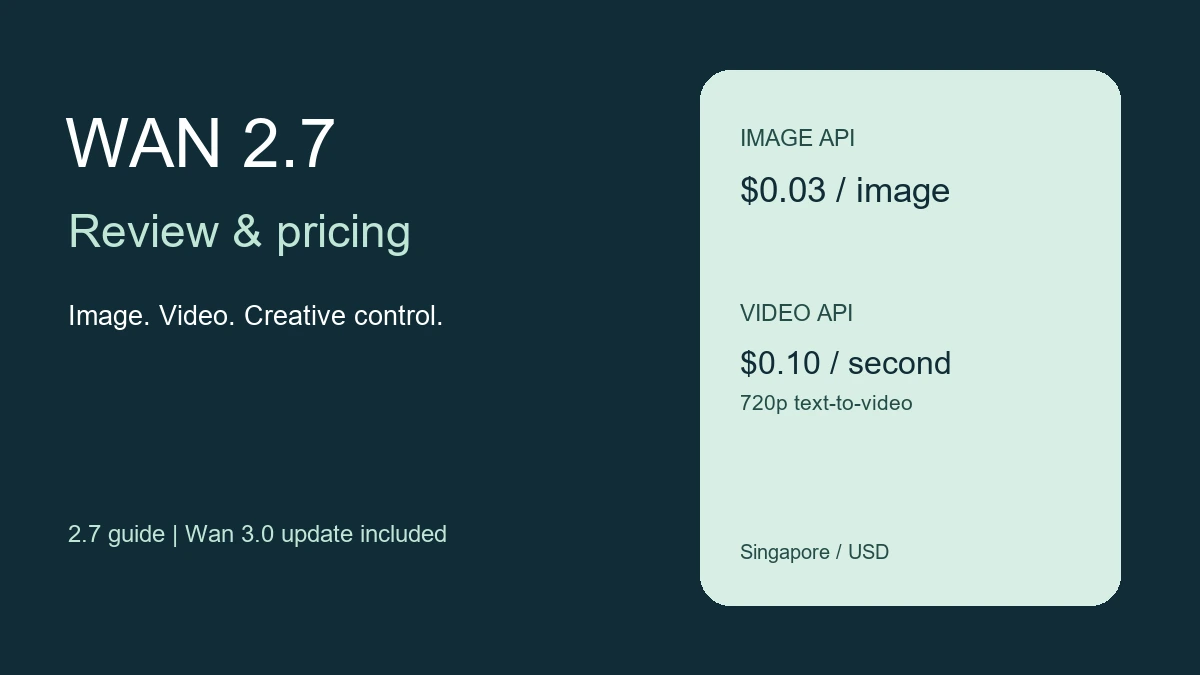
Wan 2.7 brings image generation, video generation and editing into the same model family, with reference inputs and controls for more consistent creative work. Wan 3.0 is now the newer video generation family, while the specific 2.7 image and video models remain available through the access routes below.
For a new video project, compare 2.7 with the current Wan model release list before choosing an API or subscription. The distinction matters: creator-site plans, individual API models and third-party workspaces have separate prices and available features.
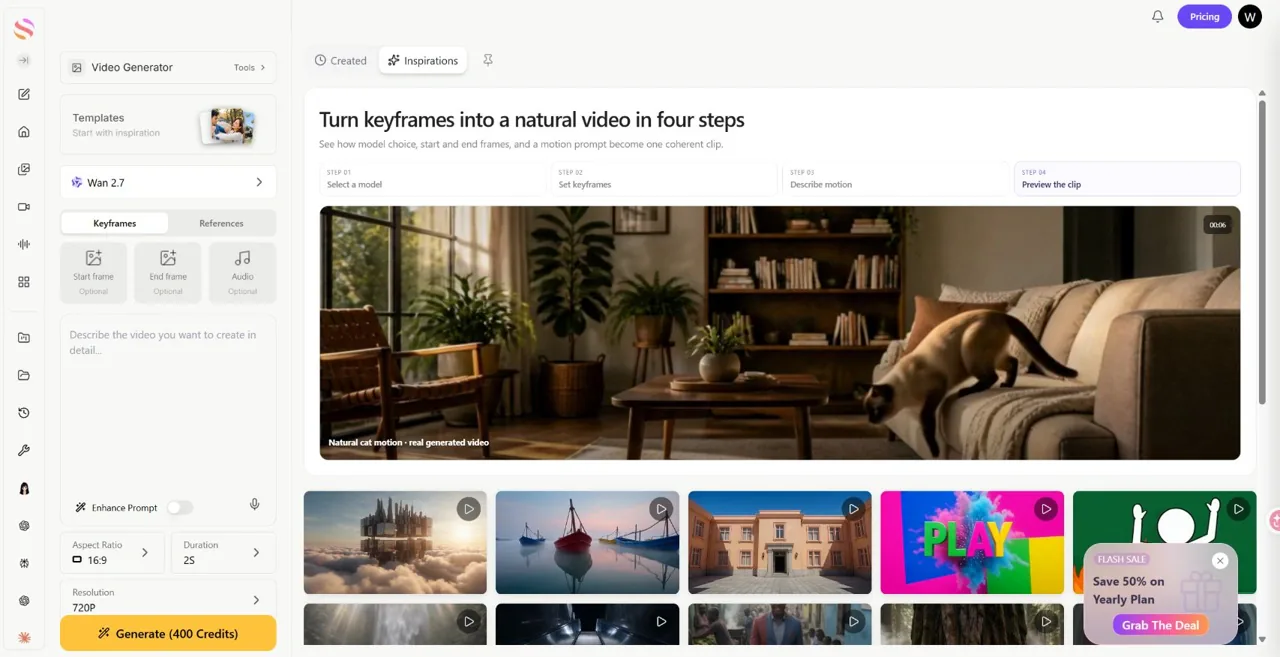
If you already work across several AI tools, GlobalGPT offers image and video models in one workspace, including Wan 2.7 video generation. That can simplify model switching while you work on a concept, its still assets and the final clips.
The useful question is whether those controls save you revisions. For brands, agencies and content teams, references, editing and repeatable settings matter more than a single impressive demo.
What Is Wan 2.7?
What Wan 2.7 is as Alibaba’s creative AI model family
Wan 2.7 is best understood as a creative AI system, not just a single model update. In practice, Wan 2.7 now spans both image and video generation, which makes it more relevant to real production workflows than many point tools that only solve one part of the pipeline. That broader scope is a big reason Wan 2.7 is drawing attention in 2026.
What’s new in Wan 2.7 compared with earlier Wan releases
Compared with earlier Wan releases, Wan 2.7 expands across both image and video workflows, with more emphasis on editing, reference-based control and consistency. Those controls let you revise an asset and carry a visual direction through several production steps.
Why Wan 2.7 is getting attention from creators, developers, and brands
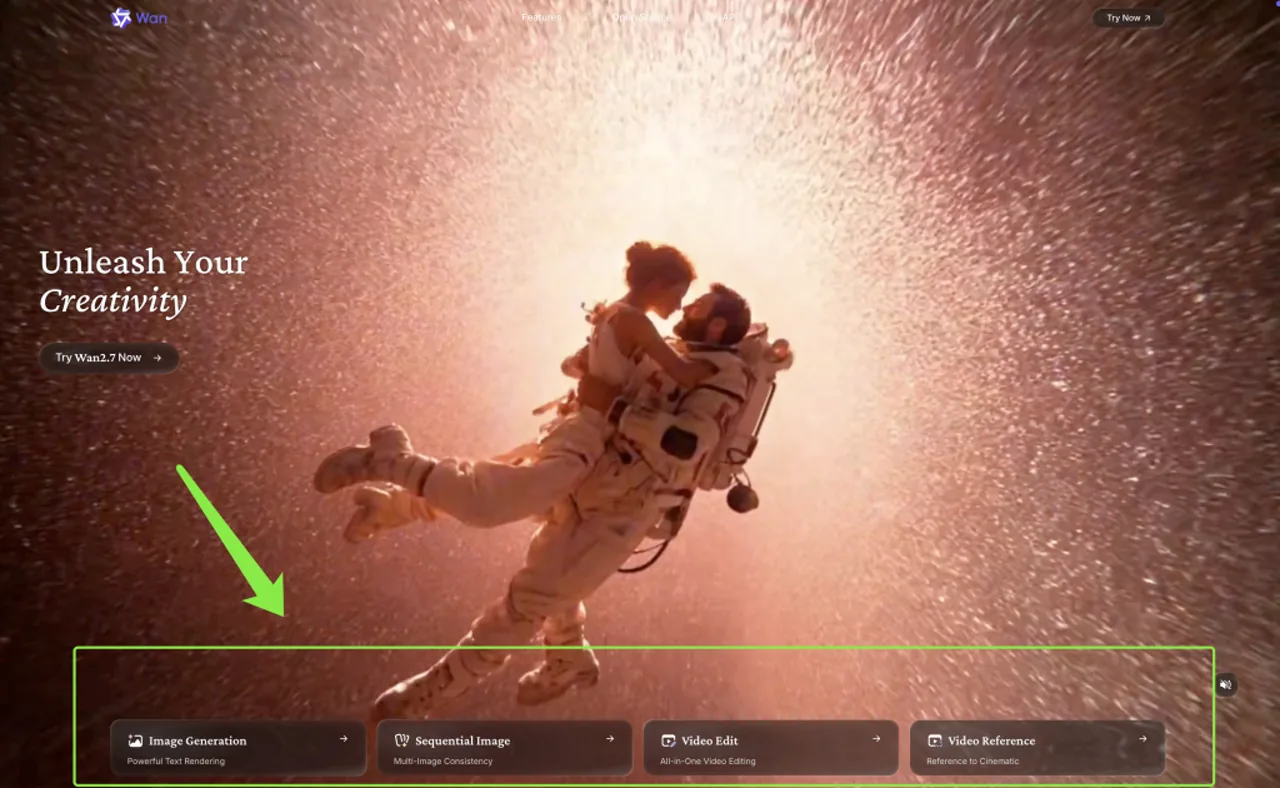
Creators are watching Wan 2.7 because it is being positioned around control, consistency, and editability, not just “generate something fast.” Developers are also paying attention because it is already appearing across official APIs and workflow tools, while brands see Wan 2.7 as potentially useful for repeatable visual output rather than one-off experiments.
How Wan 2.7 fits into the 2026 AI image and video landscape
In the 2026 market, Wan 2.7 sits between flashy demo models and more production-oriented systems. What makes Wan 2.7 stand out is that it is trying to connect image creation, video generation, reference-based control, and editing into one stack, which is a more serious direction than simple text-to-output novelty.
Who should care about Wan 2.7 before testing it
The people who should care most about Wan 2.7 are creators who need more control, agencies that need repeatable output, and teams that want image and video tools inside the same workflow. Wan 2.7 matters less for people who only want the fastest possible one-click result and more for users who value controllable creative production. For another approach to the same production problems, compare creator workflows with Seedance.
Wan 2.7 Release Dates
Wan 2.7 release date for Wan 2.7 Image
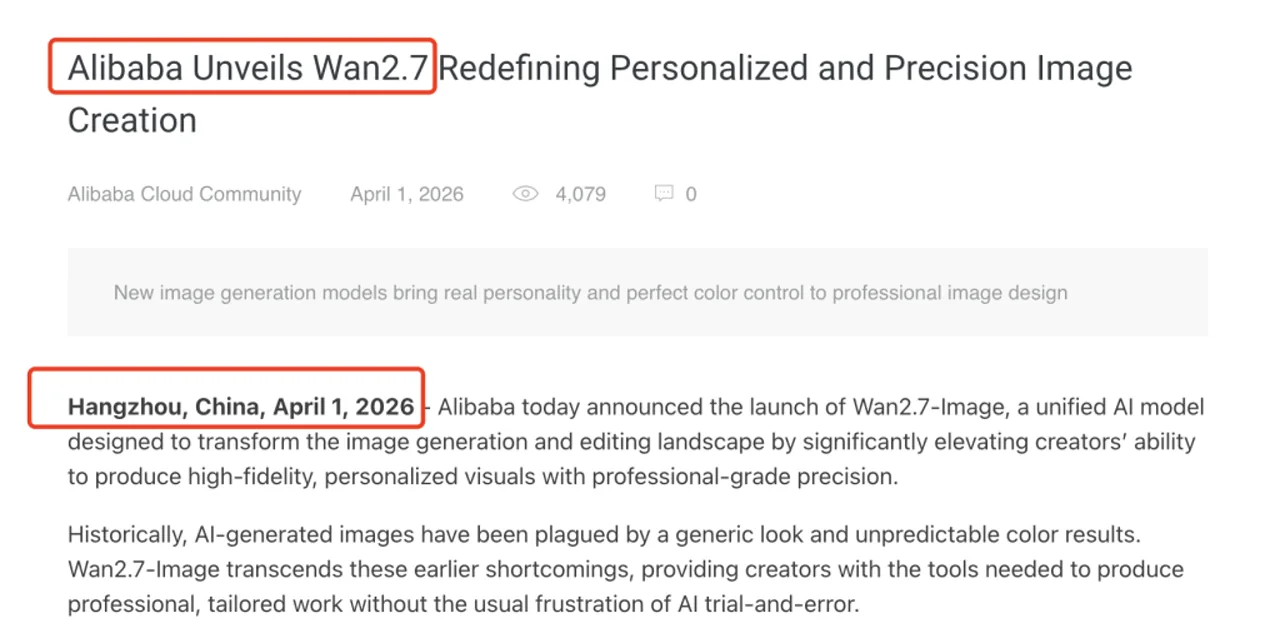
Wan2.7-Image launched on April 1, 2026. Alibaba introduced it as a unified image generation and editing model, bringing creation and revision into the same image workflow.
Wan 2.7 release date for Wan 2.7 Video
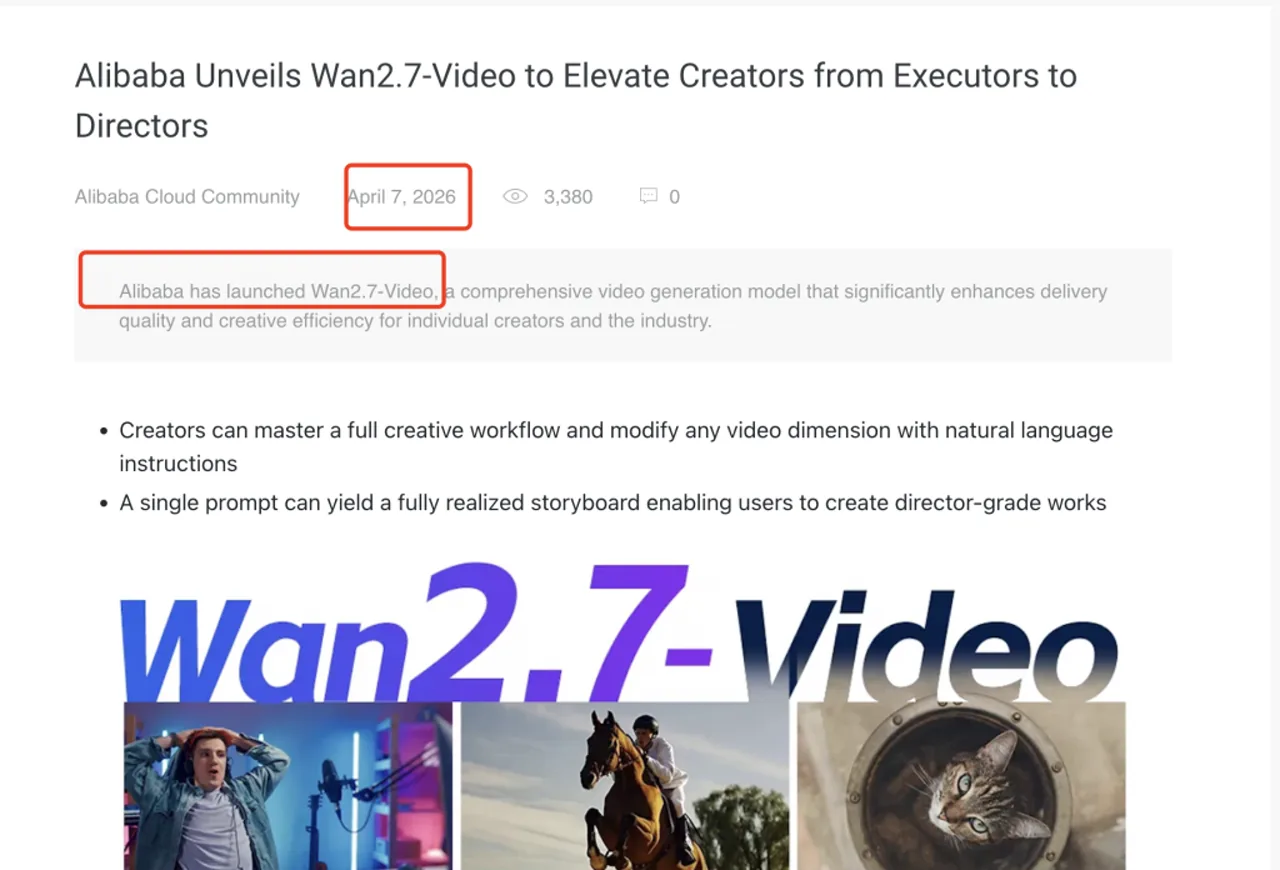
Alibaba Cloud published its Wan2.7-Video announcement on April 7, 2026. The Model Studio release log separately lists the 2.7 video API models on April 3. These dates describe different milestones: API availability and the later announcement.
Kernfunktionen
| Aufgabe | Useful control |
|---|---|
| Create a still | Text prompts and image editing |
| Make related assets | Reference images and image sets |
| Animate a concept | Start frame / start and end frames |
| Revise footage | Video editing and continuation |
Features for controllability, consistency, and prompt adherence
Wan 2.7 puts emphasis on precision, consistency and creative control in both image and video workflows. For production work, the useful question is how closely the result follows your references and how much revision it needs.
Features for multimodal inputs including text, image, video, and audio
A major reason Wan 2.7 feels more complete is that it supports multiple input types across its workflow stack. Official materials describe Wan 2.7 as working with text, image, video, and audio inputs in different modes, which makes it more flexible than tools limited to a single prompt format. If you work across models, Seedance reference prompting shows how reference inputs are organized in another workflow.
Features for generation, editing, continuation, and reference-based workflows
Wan 2.7 features extend beyond generation. Wan 2.7 also supports editing, continuation, and reference-driven workflows, which means users can use Wan 2.7 not only to create assets from scratch but also to refine, extend, and control outputs with more intention.
Features that matter most for creators, marketers, and production teams
For creators, the best Wan 2.7 features are usually workflow flexibility and subject control. For marketers and production teams, the most useful Wan 2.7 features are consistency, editing support, and the ability to move from still assets to motion content without switching creative logic completely.
Features that make the biggest difference vs earlier Wan versions
The clearest difference is that Wan 2.7 looks more like a full creative platform than earlier Wan releases. The combination of Wan 2.7 image workflows, Wan 2.7 video workflows, official docs, and ComfyUI partner-node support suggests a more mature push toward end-to-end usability.
Wan 2.7 Image: Generation and Editing
Image generation for text-to-image creation
Wan 2.7 Image supports text-to-image creation as well as editing. You can start with a written brief, choose the appropriate resolution and use the result as a concept, a finished still or a reference for a video.
Image editing for instruction-based visual changes
One of the strongest reasons to care about Wan 2.7 image is that it supports instruction-based editing. For practical users, this makes Wan 2.7 more useful than simple image generation alone, because the workflow can move from idea to revision inside the same model family. For motion built around a finished brand asset, see using Seedance with brand logos.
Image workflows for multiple reference images and image sets
Wan 2.7 image also supports multiple reference images and image-set generation. That gives it a stronger production feel, especially for users who need several related outputs rather than one isolated result.
Image quality for color control, brand consistency, and resolution options
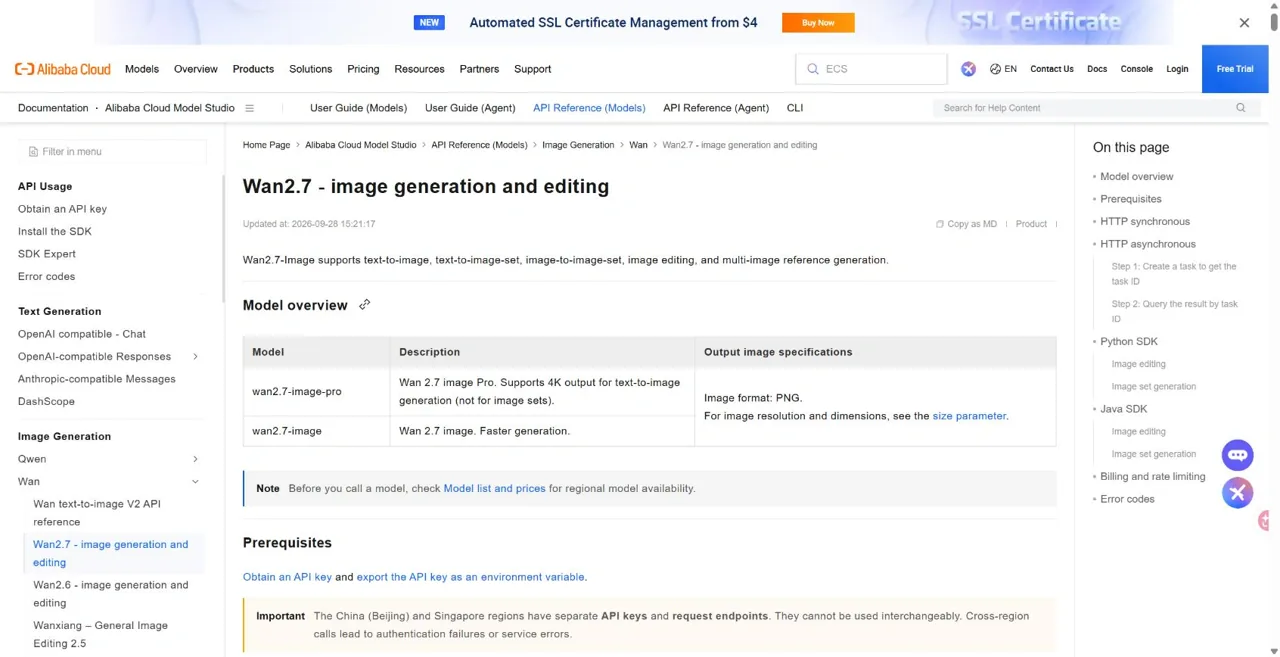
Alibaba emphasizes color control and precision for structured visual work. The Wan 2.7 image API specifications list 1K and 2K for wan2.7-image. The Pro model also supports 4K, but only for text-to-image generation without reference images and outside image-set mode. Editing and image sets remain limited to 2K.
Image use cases for ads, product visuals, social media, and design teams
The most obvious Wan 2.7 image use cases include ad concepts, product hero shots, social media assets, visual variations, and brand-consistent design drafts. Wan 2.7 image is especially relevant when the user cares about visual coherence across several outputs instead of just one “best looking” image.
Image limitations for users expecting simple one-click generation
Wan 2.7 image may feel complex for casual users because the strength of Wan 2.7 lies in control, not just speed. If a user wants a purely lightweight consumer experience, Wan 2.7 image may feel more serious and workflow-oriented than necessary.
Wan 2.7 Video: Modes and Controls
Wan 2.7 text-to-video capabilities for prompt-based cinematic generation
Wan 2.7 text-to-video turns a written prompt into a clip. Describe the subject, action, setting and camera movement clearly so that each generation has a specific scene to follow.
Image-to-video capabilities for turning still images into motion
Wan 2.7 image-to-video is one of the most practical parts of the stack. Official docs and ComfyUI guides show that Wan 2.7 image-to-video supports workflows such as first-frame generation, first-and-last-frame control, and continuation, which makes it useful for moving from still concept art to motion assets. You can compare the still-to-motion setup with this Kling-Workflow von Bild zu Video.
Wan 2.7 reference-to-video capabilities for subject consistency and guided storytelling
Wan 2.7 reference-to-video matters because subject consistency is one of the hardest problems in AI video. The fact that Wan 2.7 includes a dedicated reference-oriented path suggests that it is not just chasing flashy motion but also trying to solve repeatability and character control.
Video editing capabilities for transformation, continuation, and control
Wan 2.7 video editing is one of the strongest reasons the video workflow feels more production-ready than many pure generation tools. When Wan 2.7 can edit or continue a video rather than only create one from zero, the model becomes more relevant to real creative iteration. For a broader explanation of reworking existing footage, use our video-to-video editing guide.
Video resolution, duration and supported inputs
The 2.7 video API price table lists 720p and 1080p output. Available durations and inputs depend on the endpoint and interface; check the selected model before submitting a job. Wan 3.0 supports videos up to 30 seconds, but that limit does not apply to the 2.7 endpoints.
Video use cases for ads, short films, explainers, and social content
The most useful Wan 2.7 video use cases include ad concepts, product explainers, social clips, storyboards, motion tests, and short narrative scenes. Wan 2.7 video becomes especially valuable when teams want to move from rough direction to editable motion without rebuilding everything from scratch.
Video limitations for creators seeking instant beginner-friendly outputs
Wan 2.7 video may not be ideal for every casual user. Because Wan 2.7 video is built around multiple modes and controls, some beginners may find Wan 2.7 more demanding than simple consumer apps that hide most workflow choices.
| Video route | Beginnen Sie mit | Verwenden Sie es für |
|---|---|---|
| Text zu Video | Prompt; optional audio where supported | A new scene |
| Bild-zu-Video | Start frame or start/end frames | Animating a defined visual |
| Verweis auf ein Video | Reference subjects and assets | Guided subjects and scenes |
| Videobearbeitung | Existing footage and instructions | Revisions to a clip |
Wan 2.7 Pricing: Website Plans and API Costs
Official Wan creator-site subscription plans
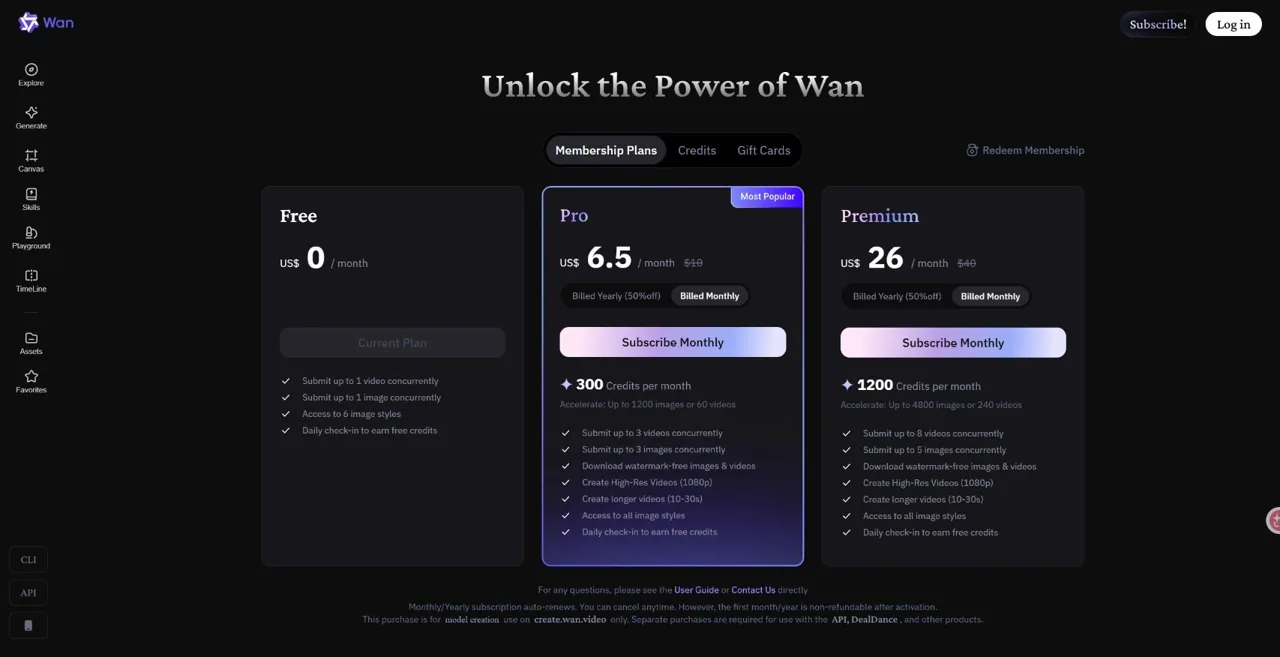
Die official Wan creator plans are separate from Alibaba Cloud API billing. The prices below are the public USD offers checked on September 30, 2026. They apply to the creator website, whose current video offering is Wan 3.0, rather than a dedicated Wan 2.7-only subscription.
| Plan | Monatliche Abrechnung | Jährliche Abrechnung | Guthaben / Monat |
|---|---|---|---|
| Kostenlos | $0 | $0 | Free tier; see account limits |
| Pro | $6.50 / month | $60 / year ($5 / month equivalent) | 300 |
| Prämie | $26 / month | $240 / year ($20 / month equivalent) | 1,200 |
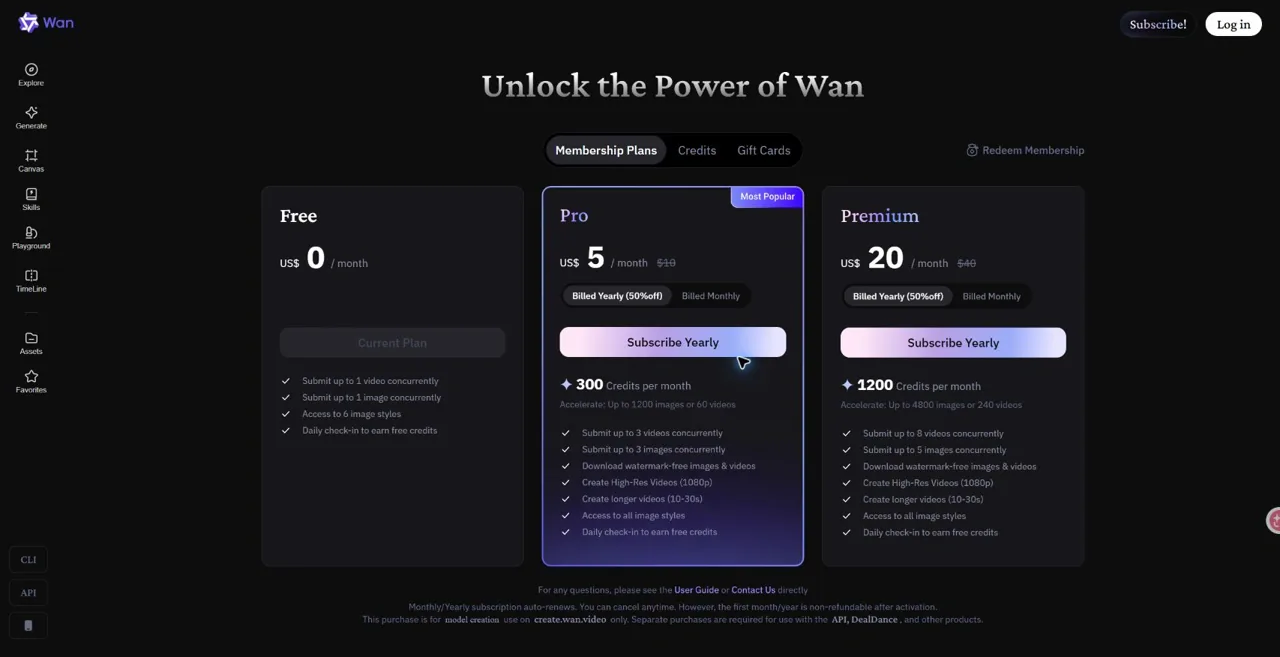
Pro includes 300 credits per month and Premium includes 1,200. Paid plans list 1080p and watermark-free downloads; supported durations depend on the current model. Annual billing means paying $60 or $240 for the year, not paying $5 or $20 each month. These purchases apply only to create.wan.video and do not include Model Studio API usage. Plans auto-renew; the pricing page states that the initial month or year is non-refundable after activation. Check the final checkout amount for your account.
Wan 2.7 API pricing on Alibaba Cloud Model Studio
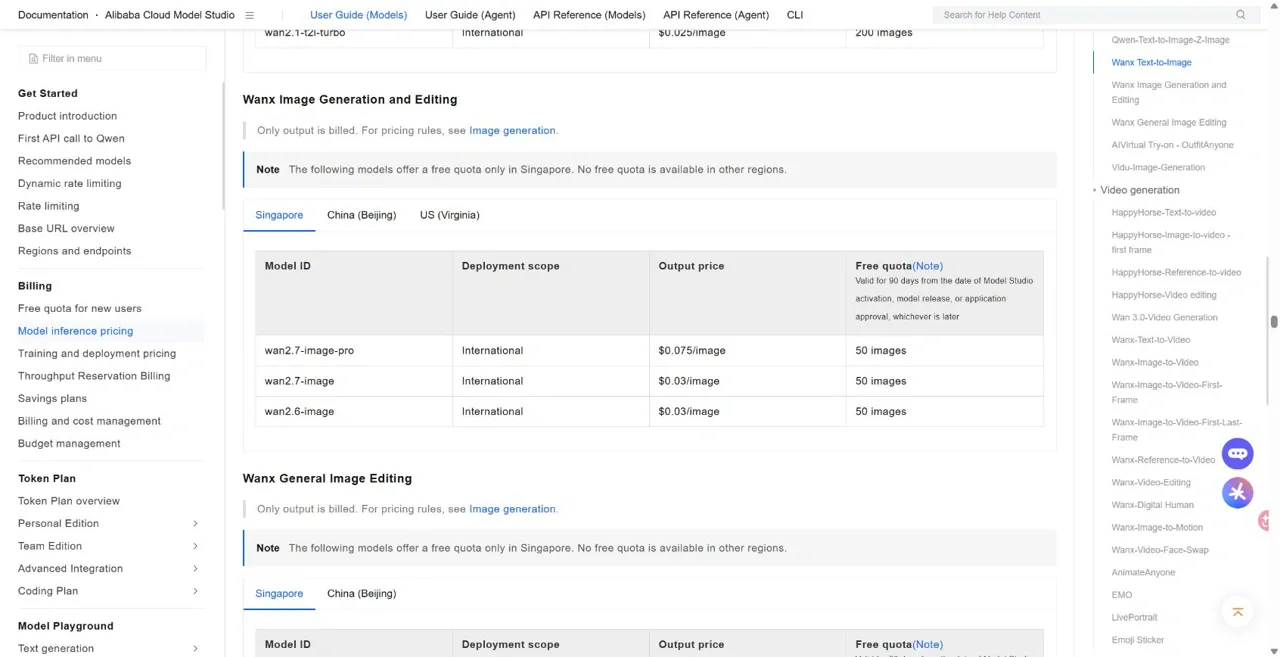
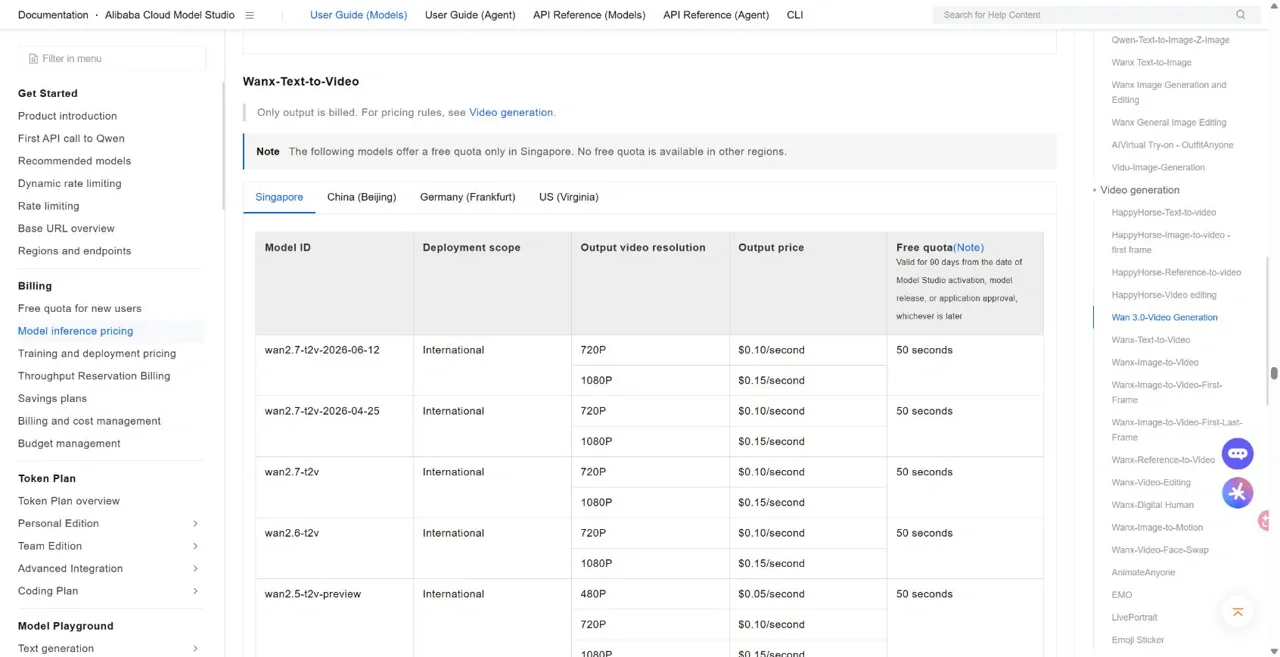
For API use, the Alibaba Cloud Model Studio price list bills each model separately. The table below uses Singapore / International pricing in USD. Image generation is charged per output image; text-to-video and image-to-video are charged per output second. Reference-to-video also bills input video, capped at five input seconds, while video editing bills both input and output duration. Failed requests are not billed.
| Model / mode | Singapore / International rate | Beispiel |
|---|---|---|
| wan2.7-image | $0.03 / image | 100 images = $3 |
| wan2.7-image-pro | $0.075 / image | 100 images = $7.50 |
| 2.7 T2V / I2V, 720p | $0.10 / output second | 10-second output = $1 |
| 2.7 T2V / I2V, 1080p | $0.15 / output second | 10-second output = $1.50 |
| 2.7 R2V, 720p / 1080p | $0.10 / $0.15 per billable second | 5 input + 10 output seconds = $1.50 / $2.25 |
| 2.7 video editing, 720p / 1080p | $0.10 / $0.15 per billable second | Input + output duration is billed |
Is Wan 2.7 Open Source?
Open source status based on officially confirmed information
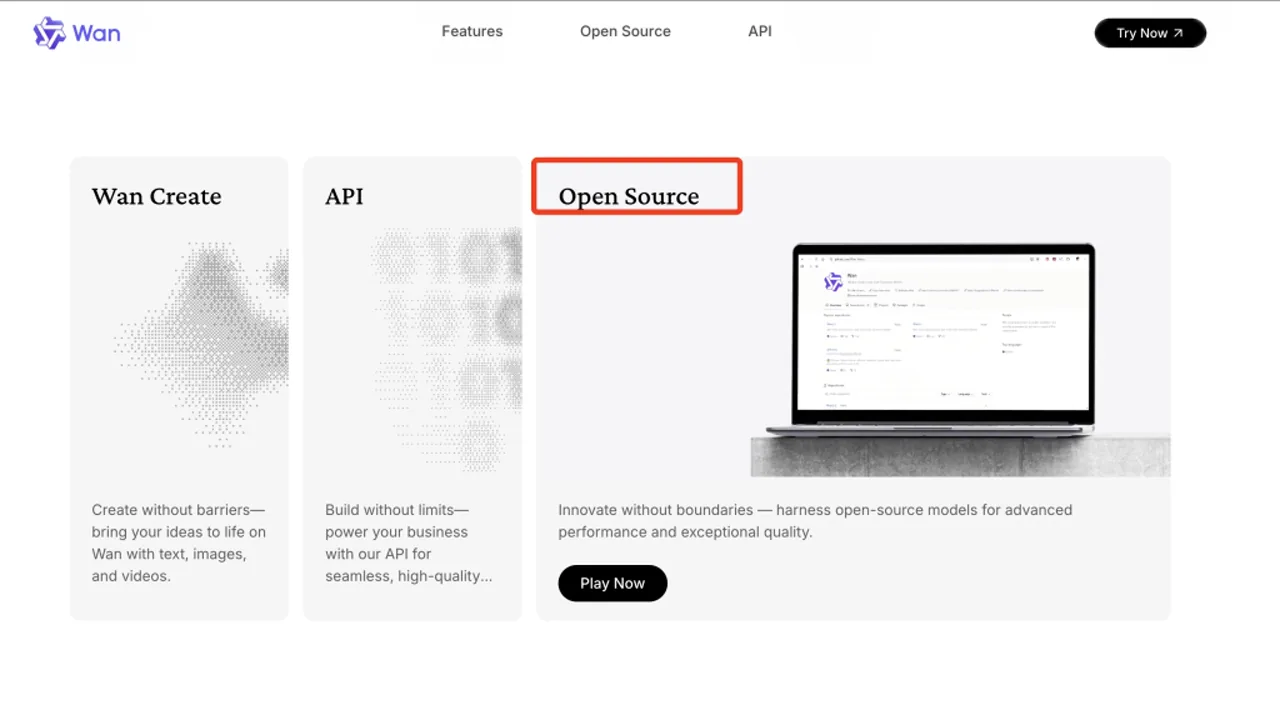
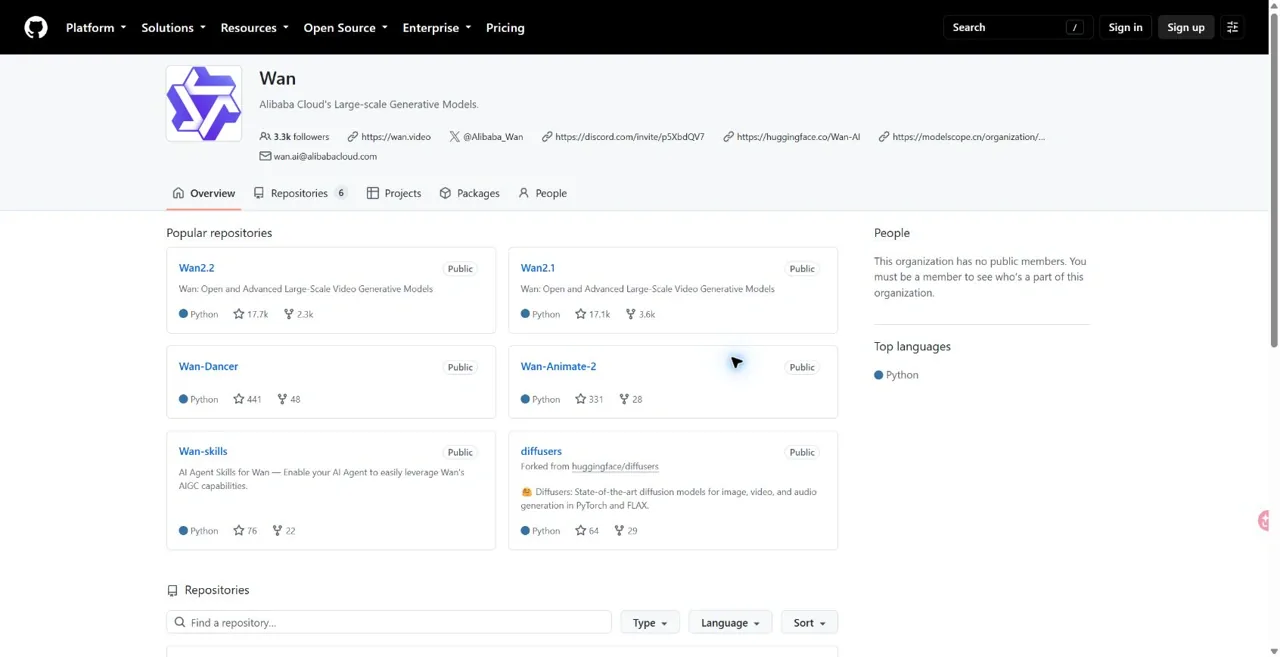
Wan has official open-source releases, but the Wan-Video GitHub organization did not list a Wan 2.7 model repository among its six public repositories when checked on September 30, 2026. The documented 2.7 routes are hosted products, APIs and partner nodes. We could not verify an official 2.7 weights release from these sources.
Open source vs the earlier Wan open-source lineage
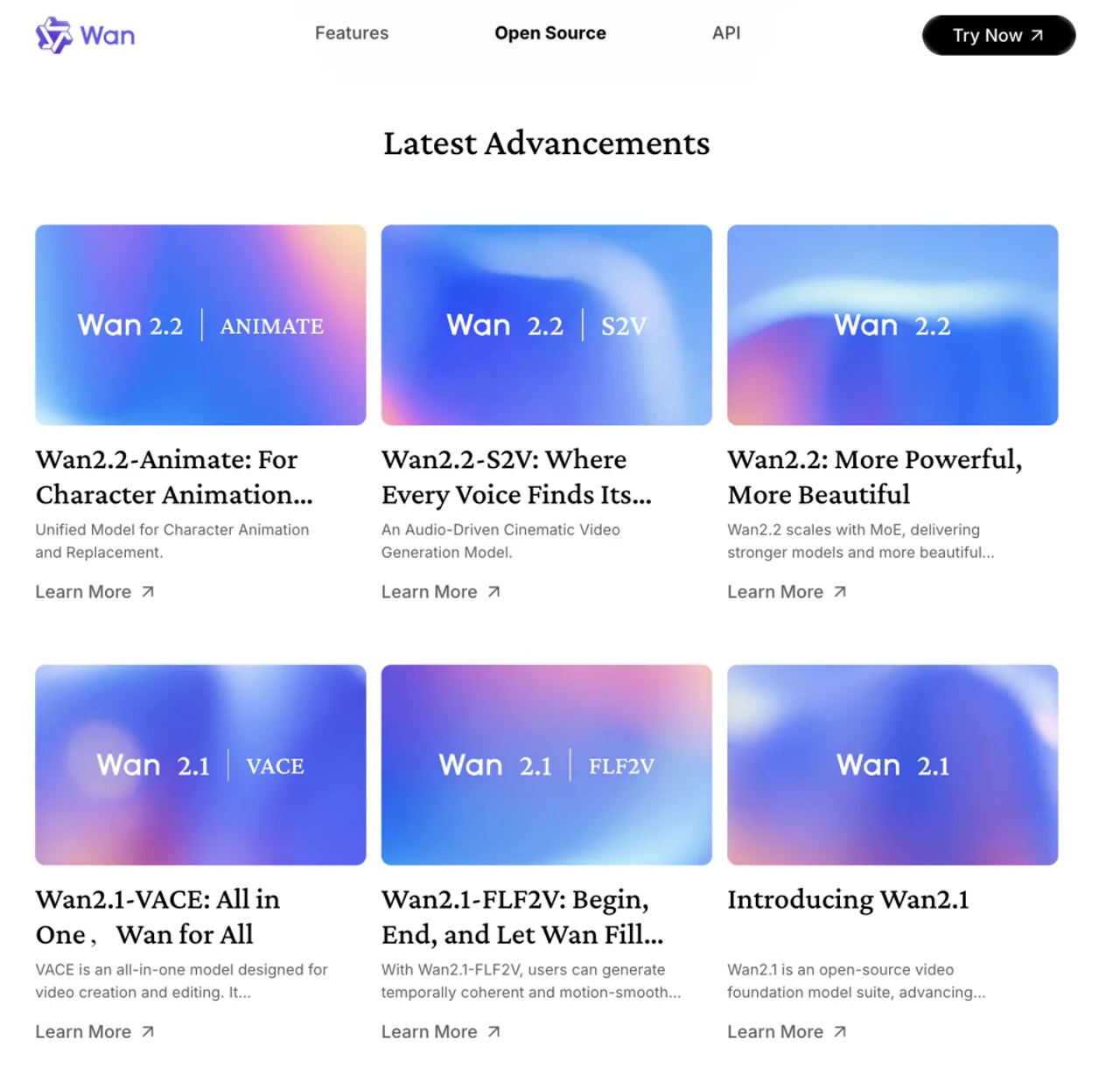
Part of the confusion comes from Wan’s earlier public releases. The official Wan GitHub organization clearly shows repositories such as Wan2.1 und Wan2.2, which makes it easy to assume Wan 2.7 follows exactly the same public pattern. But Wan 2.7 is currently more visible through official access points and launch materials than through an equally obvious repo-based release path.
Open source questions around weights, repos, and local deployment
If you need local deployment, look for the exact model weights, code and license before committing to a workflow. A hosted API or ComfyUI integration alone does not establish that Wan 2.7 can run on your own GPU.
Open source risks, ambiguities, and what users should not assume yet
The main risk is overstating what “open source” means here. Users should not assume that Wan 2.7 automatically implies a clearly published repo, unrestricted local deployment, or the same level of public artifact visibility across every Wan 2.7 branch. The official signals support Wan’s broader open-source identity, but the public presentation of Wan 2.7 itself is more platform- and access-oriented. For a separate example of hosted model access, see the Seedance 2.0 API integration guide.
What local deployment means for privacy and cost
For developers, local weights would allow deployment on their own infrastructure and more control over how inputs are handled. Hosting also brings GPU, maintenance and capacity costs. If self-hosting is a requirement, verify the exact model release and license before choosing Wan 2.7.
How to check whether a model can run locally
For a self-hosted workflow, verify the specific version you plan to download. The same distinction between API access and published weights matters when evaluating Seedance 2.0 open-source claims.
How to Access Wan 2.7
Choosing between the Wan website and API access
Choose an access route based on the model and controls you need: the creator website for a browser interface, Model Studio for an API, or Partner Nodes for a ComfyUI workflow.
Die offizielle Wan-Website now promotes Wan 3.0. If you specifically need 2.7, confirm that it appears in your account’s model selector before buying a plan.
How to use Wan 2.7 through Alibaba Cloud Model Studio
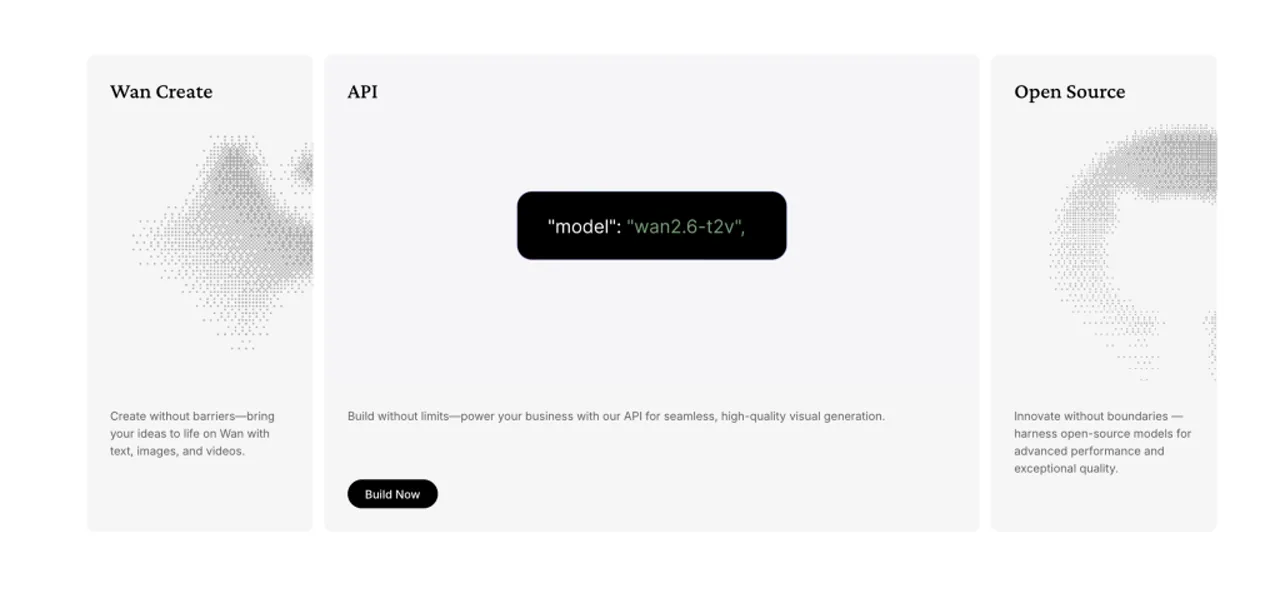
Alibaba Cloud Model Studio provides the documented 2.7 API route. Its release log lists wan2.7-t2v-2026-06-12 and wan2.7-r2v-2026-06-12, plus wan2.7-i2v-2026-04-25. Check the endpoint, region and model ID together when building a repeatable pipeline.
How to use Wan 2.7 in ComfyUI workflows
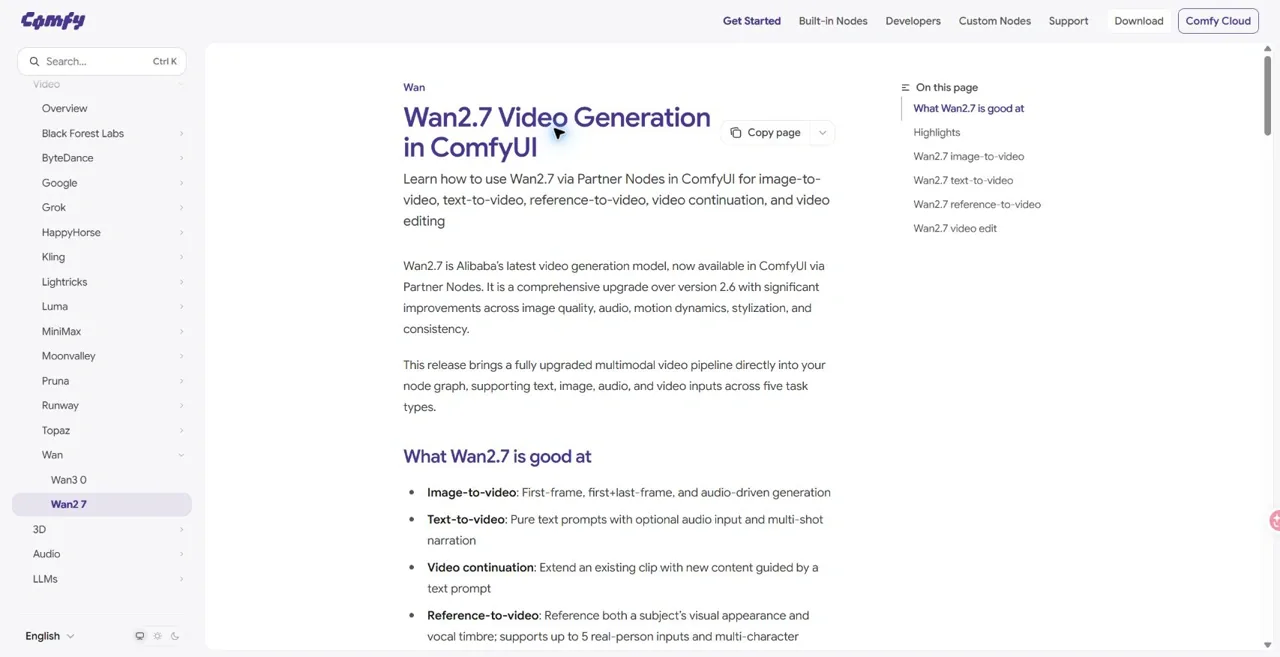
Die official ComfyUI Wan 2.7 tutorial covers text-to-video, image-to-video, reference-to-video, continuation and editing. These are Partner Nodes for hosted generation, not evidence of downloadable 2.7 weights. They suit users who want to connect generation steps inside a node workflow.
How to use Wan 2.7 through third-party AI platforms and APIs
GlobalGPT provides a Wan 2.7 video interface with keyframe and reference controls, as well as a separate Wan 3.0 entry. GlobalGPT credits and plan access are separate from Wan creator subscriptions and Alibaba Cloud API prices.
How to choose the best Wan 2.7 access path for creators, developers, and teams
The best Wan 2.7 access path depends on the user. Creators may prefer the simplest interface, developers may prefer API-based Wan 2.7 access, and teams may value workflow platforms that make Wan 2.7 easier to integrate into broader production.
How beginners should start with Wan 2.7 without overcomplicating the workflow
Beginners should start with the easiest Wan 2.7 interface first, then move into more advanced Wan 2.7 paths only when they know what kind of output they actually need. That keeps Wan 2.7 from feeling more complicated than it has to be. If you are comparing prompting styles, these Beispiele für Seedance 2.0-Eingabeaufforderungen offer a useful starting point; adapt syntax to the tool you select.
Pros, Cons and Value
Wan 2.7 pros
control, consistency, and production-oriented workflows
The biggest Wan 2.7 pros are control and workflow depth. It feels designed for users who care about consistency, editability, and multi-stage production rather than one-off outputs only.
multimodal input and flexible creative pipelines
Another major Wan 2.7 strength is flexibility. Because Wan 2.7 connects image and video branches with multiple input types, it can fit more types of pipelines than tools limited to one prompt style or one media format.
Wan 2.7 cons
complexity, learning curve, and fragmented access paths
The main Wan 2.7 cons are complexity and fragmentation. Wan 2.7 may be powerful, but it also asks users to understand modes, access paths, and workflow differences that more casual tools often hide.
pricing clarity, open source clarity, and onboarding friction
Costs and access conditions vary by platform. Website credits, API billing and third-party plans are separate, and access through a hosted tool does not include local model weights. Choose the route that fits your workflow before comparing its price.
When Wan 2.7 is worth it for solo creators, agencies, and serious production teams
Wan 2.7 is worth it when the user needs more than pure novelty. Solo creators who iterate heavily, agencies that need repeatable results, and teams that care about end-to-end output quality are the groups most likely to get real value from Wan 2.7.
When Wan 2.7 may not be worth the cost or complexity yet
Wan 2.7 may not be worth it for casual users who just want quick clips or occasional images. In those cases, Wan 2.7 can feel heavier than necessary because the user is not benefiting from the deeper control that makes Wan 2.7 special.
How to judge Wan 2.7 value beyond hype, demos, and surface-level comparisons
The best way to judge Wan 2.7 is to ask whether it reduces rework, improves consistency, and fits the actual pipeline. Compare the time spent revising each result with the time saved later in production. For another way to evaluate repeatable subjects, read about character consistency in Kling.
Who should pay for Wan 2.7 and who should wait before investing
Teams that need creative control and repeatable output should start with a small test budget. If you only need occasional images or clips, try the simplest available interface before committing to a subscription or API integration.
| Your need | First check |
|---|---|
| Occasional creator | Free access and the simplest interface |
| Frequent revisions | Cost per usable result, not cost per attempt |
| Agency workflow | References, approvals and repeatable settings |
| Lokale Bereitstellung | Exact weights, code and model license |
Wan 2.7 Image vs Video: Which Should You Use?
When image generation is the better choice
Wan 2.7 image is the better choice when the user needs still visuals, brand consistency, fast concept exploration, or editable visual variations. If the immediate goal is strong image assets, Wan 2.7 image is usually the cleaner starting point.
When video generation is the better choice
Wan 2.7 video makes more sense when motion, sequencing, pacing, or scene control matters most. For campaigns, short clips, or explainers, Wan 2.7 video becomes the stronger path because the output goal is narrative or dynamic rather than purely visual.
How image and video serve different production goals
Wan 2.7 Image and Wan 2.7 Video solve related but different jobs. Use Image to create still assets and visual variations; use Video to turn assets or prompts into motion.
Combining image and video in one workflow
A strong workflow is often to use Wan 2.7 image for concepts, references, and branded stills, then use Wan 2.7 video to animate or extend those ideas. This is where it starts to feel less like two tools and more like one production stack. A two-photo short-film workflow provides a concrete example of planning start and end frames.
How Wan 2.7 supports a full workflow from still concepts to finished motion assets
In a concept-to-motion workflow, Wan 2.7 Image establishes the visual direction. Selected stills then become inputs for Wan 2.7 Video, where you add movement and develop the scene.
Which Wan 2.7 path makes more sense for speed, control, and output goals
For speed, Wan 2.7 image may be easier to start with. For control over motion and storytelling, Wan 2.7 video is often the better fit. The right Wan 2.7 path depends less on hype and more on the exact creative output the user needs next.
| Choose Image for | Choose Video for |
|---|---|
| Still concepts and reference boards | Motion and pacing |
| Product shots and visual variations | Clips, scenes and explainers |
| Image edits and image sets | Video edits and continuation |
Wan 2.7 vs Other Models
Wan 2.7 vs Seedance for controllable video generation
For a comparison with Seedance 2.0, use the same brief, references, duration and resolution on both platforms. Wan 2.7 offers several documented generation and editing routes, but those features alone do not establish a quality winner. Judge the usable result and the revisions needed.
Before budgeting a side-by-side test, compare the billing route in this Seedance 2.0 – Preisübersicht with the Wan API and website prices above.
Wan 2.7 vs Wan 3.0 for a new video project
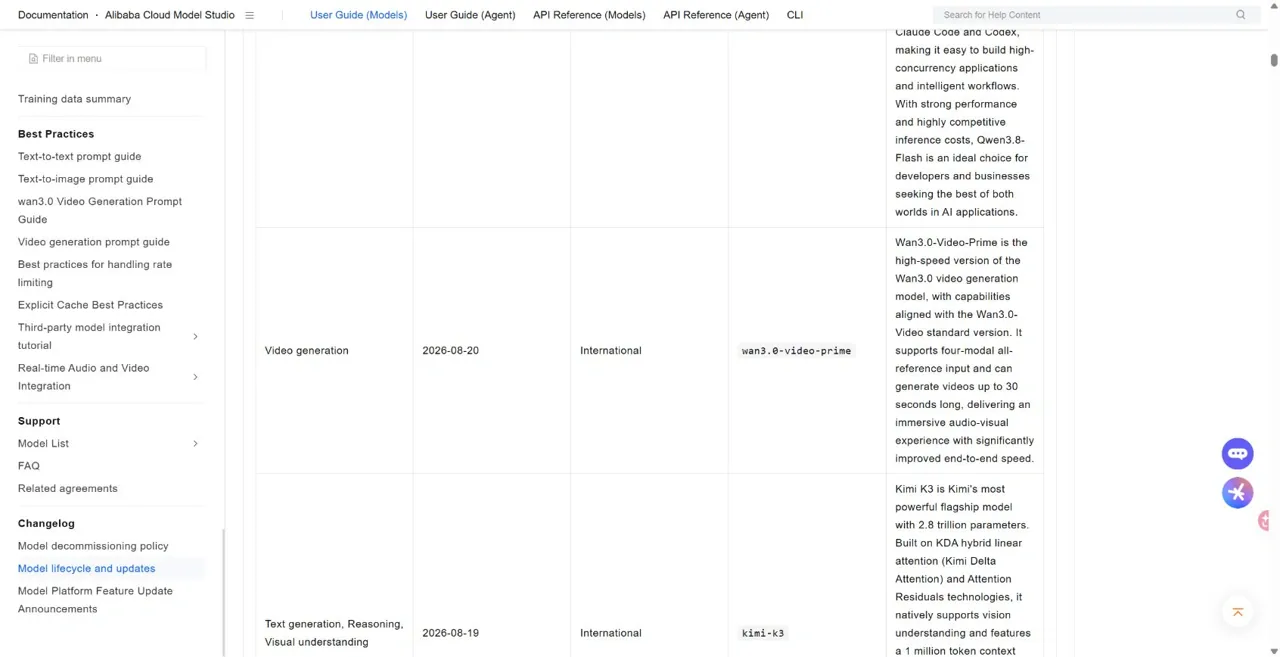
Wan 3.0 is the newer video family. Alibaba lists wan3.0-video from August 6, 2026 and wan3.0-video-prime from August 20, with up to 30-second generation. Keep 2.7 if an existing pipeline depends on its endpoints or behavior; for a new workflow, compare the current 3.0 option before standardizing. You can also inspect the separate Wan 3.0 workspace in GlobalGPT.
Wan 2.7 vs other image and video models for subject consistency and editing flexibility
One of Wan 2.7’s strongest angles is that it is not only about generation but also about consistency and editing. When users care about repeatability, references, and iteration, Wan 2.7 may compare better than tools that look impressive in isolated demos but are weaker in multi-step workflows.
Why Wan 2.7 can be attractive even when other models look more polished in demos
Wan 2.7 can still be attractive because polished demos do not always equal workflow value. The real question is whether it helps the user create, revise, and scale assets with less rework, and that is where it may outperform simpler competitors.
How to choose a platform for your workflow
Choose a platform by the job you need to finish. Check whether it exposes the references, editing modes and output settings you need, then compare the total cost of producing a usable result. A familiar model name alone does not tell you which controls a platform provides.
What type of user should choose Wan 2.7 over competing creative AI tools
Users who should choose Wan 2.7 are the ones who need structured creative control, not just the easiest first output. Wan 2.7 is especially relevant for teams that want one system to support stills, motion, references, and revisions in a connected way.
Using Wan 2.7 for Business
How Wan 2.7 helps brands improve visual consistency
Wan 2.7 matters for brands because it places unusual emphasis on precision and control. In business settings, that means it may be more useful for maintaining visual consistency across multiple outputs, especially when brand language matters more than raw experimentation.
How Wan 2.7 helps agencies speed up creative iteration
For agencies, Wan 2.7 can reduce friction between ideation and revision. The fact that it supports both generation and editing means it is better suited to iterative client work than tools that only do one-shot creation.
How Wan 2.7 helps teams move from one-off generation to structured workflows
The business value of Wan 2.7 is not just better-looking outputs. The larger opportunity is that Wan 2.7 can help teams move from random AI experiments toward more structured image-and-video workflows that are easier to repeat and refine.
Why Wan 2.7 is relevant for AI-native marketing and content operations
Wan 2.7 is especially relevant for AI-native marketing teams because it can connect brand visuals, concept testing, short-form motion, and revisions within one ecosystem. That gives it more operational value than tools that solve only one creative task at a time.
How Wan 2.7 can support campaign production across image and video assets
A practical campaign pipeline could use Wan 2.7 for image concepts, product visuals, ad variants, animated scenes, and short-form clips. That is why Wan 2.7 matters to production teams: Wan 2.7 is increasingly relevant not just as a model, but as a visual content workflow layer. For another campaign approach, compare this Seedance advertising workflow.
- Define the visual brief
- Create and approve still assets
- Animate selected assets
- Review, revise and export
Approve the visual direction before animating assets to avoid repeating the same revision across several clips.
Limitations to Plan For
Limitations in realism, motion edge cases, and output reliability
Like every generative system, Wan 2.7 still has limitations. It may improve control and workflow depth, but it does not automatically solve every realism issue, motion edge case, or output inconsistency that can appear in advanced generation.
Limitations in beginner usability and workflow complexity
A clear Wan 2.7 limitation is complexity. The same features that make Wan 2.7 valuable for advanced users can make Wan 2.7 harder for beginners who want fast results without choosing between multiple workflow paths.
Limitations in public documentation consistency
Another Wan 2.7 limitation is that users may need to piece together information from release posts, model pages, pricing pages, and workflow docs. Even though Wan 2.7 has official documentation, the overall Wan 2.7 information landscape can still feel fragmented.
Limitations in open source visibility and release certainty
Wan 2.7 open source visibility remains one of the biggest unresolved questions. That does not reduce the value of Wan 2.7 as a platform-access model, but it does mean users should be careful about assuming a future Wan 2.7 deployment path that is not clearly confirmed yet.
Limitations in pricing transparency across access paths
Wan 2.7 pricing can also be confusing because official Wan 2.7 paths and third-party Wan 2.7 platforms may expose cost differently. For many users, that makes the practical cost of Wan 2.7 harder to compare at a glance.
Working around limitations in production
Start with the simplest relevant workflow, check subject consistency and calculate the cost per usable output. Scale only after a small batch meets your quality and budget targets.
Should You Try Wan 2.7 Now?
Who should try Wan 2.7 right now
Users who should try Wan 2.7 now are those who want more control, need both image and video possibilities, or are building serious creative workflows. For that group, Wan 2.7 is already interesting enough to justify hands-on testing.
Who should wait before adopting Wan 2.7 at scale
Hold off on a larger commitment if you need local deployment, have not tested the required controls or do not yet know your cost per usable result. A small pilot can answer those questions before you pay for a larger plan.
Model updates and open-source releases to watch
Watch the official model lifecycle, snapshot IDs and regional availability for the endpoints you actually use. For new video work, include Wan 3.0 in the decision. For local deployment, wait for a verifiable model-specific repository, weights and license.
How to evaluate Wan 2.7 inside a broader AI workflow stack
Evaluate Wan 2.7 against a real brief for stills, motion or editing. Keep the references and output requirements consistent, then record which setup gives you a usable asset with the least rework.
Why Wan 2.7 may be the right fit for some users and the wrong fit for others
Wan 2.7 is most compelling when control, consistency and workflow depth matter more than simplicity. It is worth testing for image editing, reference-driven video and existing 2.7 pipelines. For a new video workflow, compare Wan 3.0 as well; occasional users may prefer a simpler interface.
FAQ
What is Wan 2.7?
Wan 2.7 is Alibaba’s creative AI model family for both image and video generation. Official materials position it as a broader creation system rather than a single one-off model, with separate image and video branches.
When was Wan 2.7 released?
Wan2.7-Image launched on April 1, 2026. The video API models appear in the Model Studio log on April 3; Alibaba Cloud published the video announcement on April 7. These are separate release milestones.
Is Wan 2.7 Image the same as Wan 2.7 Video?
No. Wan 2.7 Image and Wan 2.7 Video are related, but they are not the same product branch. The image model launched first, and the video model followed as a separate release with its own workflow focus.
What can Wan 2.7 Video do?
Wan 2.7 Video is built around several workflow types, including text-to-video, image-to-video, reference-to-video, and editing-oriented video workflows. Official and ecosystem materials consistently describe it as a more controllable, production-style video system.
Is Wan 2.7 open source?
We could not verify an official Wan 2.7 weights release from the official site and Wan-Video GitHub organization checked on September 30, 2026. Wan2.1 and Wan2.2 repositories do not establish that 2.7 is open source. ComfyUI Partner Nodes use hosted access.
Where can I use Wan 2.7?
Documented routes include Alibaba Cloud Model Studio APIs and ComfyUI Partner Nodes. GlobalGPT also has a Wan 2.7 video interface. The official Wan creator website now promotes Wan 3.0, so check the model selector if you need 2.7 specifically.
How much does Wan 2.7 cost?
In Singapore / International API pricing, wan2.7-image costs $0.03 per image and Pro costs $0.075. Wan 2.7 text-to-video and image-to-video cost $0.10 per output second at 720p or $0.15 at 1080p. Reference-video and editing input can add billable seconds. The separate creator website offers Pro at $6.50 monthly or $60 annually, and Premium at $26 monthly or $240 annually, at the offers checked on September 30, 2026.
Is Wan 2.7 good for serious creators or just for demos?
Wan 2.7 offers reference inputs, editing and several generation modes that suit iterative creative work. Try it on a small part of a real project and check consistency, revision time and cost before using it at scale.
Should I choose Wan 2.7 Image or Wan 2.7 Video?
Wählen Sie Wan 2.7 Image if you mainly need still assets, design variations or brand visuals. Choose Wan 2.7 Video if you need motion, scene continuity or short-form storytelling. You can also use an approved still as an input for video generation.
What is the biggest thing that is new in Wan 2.7?
Compared with earlier Wan releases, 2.7 combines image and video options with editing, multi-input generation and reference controls. These features help you move from creating an asset to revising or animating it.
Is Wan 2.7 the latest Wan video model?
No. As of September 30, 2026, Wan 3.0 is the newer video family. Alibaba lists wan3.0-video and the faster wan3.0-video-prime. Wan 2.7 remains a separate set of image and video models with its own API endpoints.