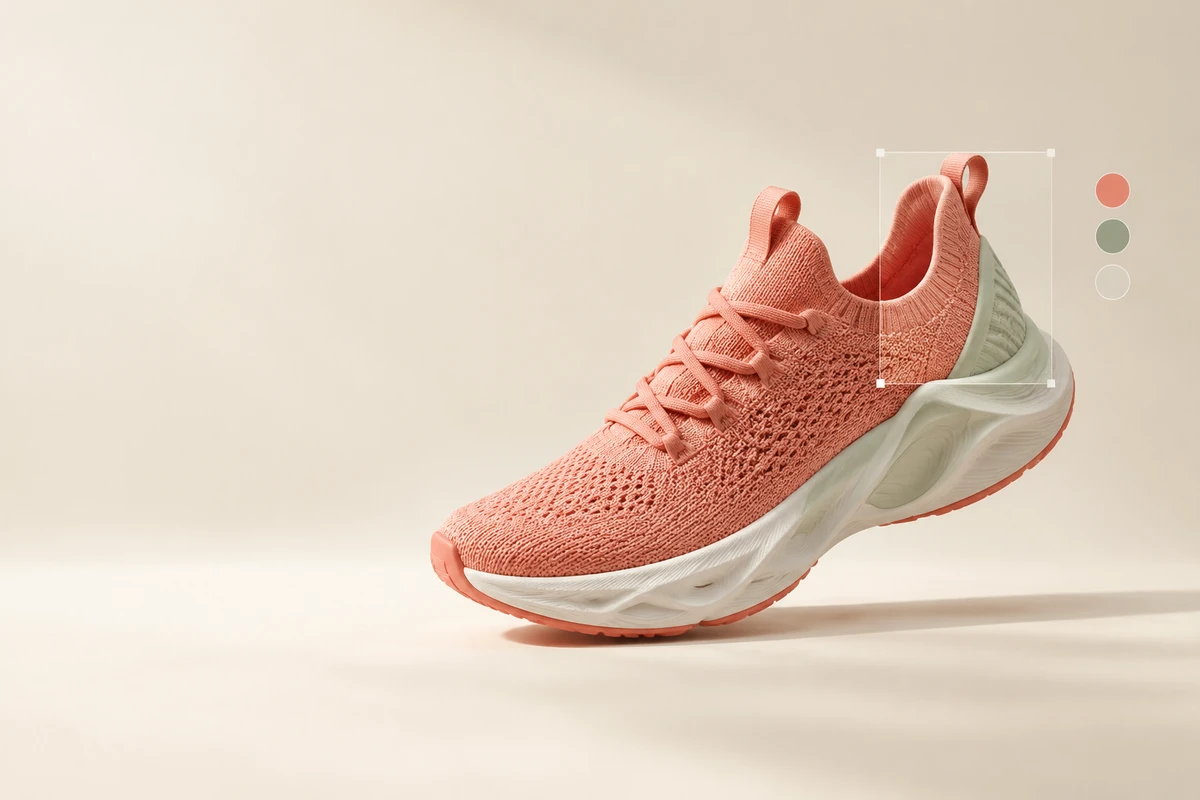
Ideogram 4.5 is built around a practical design problem: changing one detail without having to repair the rest of the image. Its Precise Edit workflow targets product photos, small corrections and repeated revisions. The official API price table starts at $0.008 per image for very-low-quality reference generation or editing; medium quality is $0.06 per image. Prices and documentation below were checked on October 21, 2026.
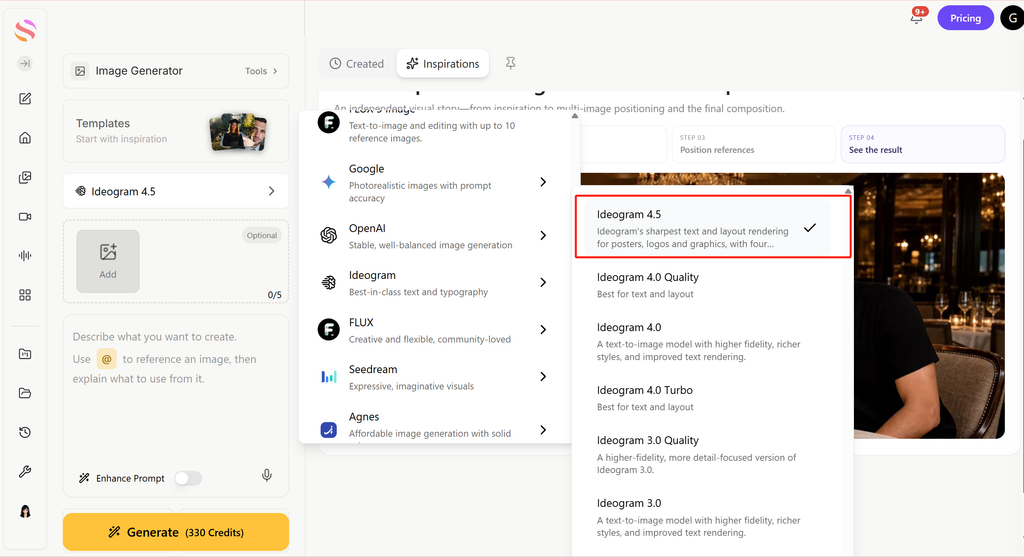
For a quick place to start, GlobalGPT has a dedicated Ideogram 4.5 image-generator page. Upload a reference, describe the change and keep the original beside the result so you can judge what stayed intact.
What is new in Ideogram 4.5?
The important shift is from making an attractive replacement to preserving an image through a working edit session. According to the official Ideogram 4.5 page, the model focuses on precise local edits, native 2K generation and a crop-and-zoom approach for editing high-resolution images. That combination is particularly relevant when a client wants a different cap color, a cleaner background or a new piece of packaging copy.
These are different jobs. A scene-generation request can intentionally change composition; a local correction should be judged by how little it disturbs outside the requested area. Before judging either result, decide whether your deliverable is a new creative direction or a faithful revision.
If you used the earlier release, the Ideogram 4.0 review provides the historical context for its generation, API and local-model workflows. Its results and license discussion should not be transferred to 4.5 as if they described the same release.
Ideogramme September 30 launch post on X describes the model as avoiding artifact buildup over repeated edits. That is the vendor’s stated goal. For production work, inspect the final image at full size and compare each revision with the original; the launch claim does not replace that check.
Ideogram 4.5 API pricing: how much does each image cost?
Die official model page’s API table publishes the following USD rates per image. The high-quality rate depends on whether the request is prompt-only generation or uses references/editing. Very low quality is available for reference-based generation and Precise Edit, rather than prompt-only generation.
For 100 medium-quality outputs, the displayed-rate calculation is 100 × $0.06 = $6. For 100 high-quality Precise Edit outputs, it is 100 × $0.22 = $22. Five medium edits on each of 20 images also produces 100 outputs, so the same $6 estimate applies before taxes or further attempts.
Calculation: 100 × price per output. Taxes, additional attempts and account-specific adjustments excluded. Confirm the exact request with dry_run.
A lower quality setting is useful for checking whether the edit direction is right. It is less useful if the eventual deliverable needs tiny packaging text or fine fabric detail. Review the small crop that matters to the customer before paying to repeat the same edit across a catalog.
When comparing providers, keep the billing unit visible. The GPT Image 2.5 API guide explains the token-based alternative; a token rate cannot become a trustworthy per-image price until you know the request’s actual usage.
Ideogram subscriptions, free credits and API access
Ideogram’s app subscriptions are a separate buying decision from API usage. The current plans and billing documentation lists the following prices in USD before tax. Annual prices are monthly equivalents with a yearly commitment; included credits are allocated monthly.
Email-and-password accounts do not receive the Free plan’s weekly credit allocation under the current help rules. The older Basic plan is a legacy plan, rather than a new subscription option. Unused monthly credits expire, so compare the plan with your normal workload instead of treating its credit allowance as a permanent balance.
The unlimited slow queue on Plus, Pro and Team has a narrower scope than “unlimited editing.” The plan documentation excludes reference-image generation, edits, partner models, upscales and custom models from that unlimited allowance. A catalog workflow built around Precise Edit should budget for the actual edit cost.
Privacy also changes the buying decision: Free and legacy Basic generations are public, while paid-plan generations are private until published. Check the account mode before uploading client material. The API price table does not provide a conversion rate from app credits, and a GlobalGPT balance is another separate system.
How to edit a product photo with Ideogram 4.5
Start with the cleanest source you have. A sharp label and a clear product edge give you something concrete to preserve. If the source already has broken lettering, asking for a color change alone will not define how that lettering should be repaired.
These controls follow Ideogram’s masks and inpainting help. An advanced Edit Window can provide additional control over the working area. When a tiny object is difficult to select, a careful mask is usually a better first correction than making the instruction longer.
Two small editing trials on a product mockup
We tried the same 1536 × 1024 synthetic product mockup and the cap-only instruction above once in each GlobalGPT image-generator entry on October 21–22, 2026. The fixture has a flat bottle illustration and the label “ASTER / BOTANICAL / 50 ml”; it does not test photographic texture or a real product’s branding.
In the Ideogram 4.5 result, the cap became sage green while the bottle body, label, background and shadow remained visually consistent with the input. In the GPT Image 2.5 result, the cap changed, but the body gained a different color treatment and the scene was redrawn into a square composition. For this narrow task, the Ideogram result followed the requested edit more closely.
The settings limit that observation: Ideogram used Auto aspect ratio, 1K and Medium; the GPT entry used 1:1 and exposed no quality, resolution or mask control. The outputs were 2496 × 1664 and 1254 × 1254 respectively. Neither entry exposed a mask, and the GPT entry offered no Sunburst/Flare selector. This is one exploratory run per entry with different output settings; it does not establish a matched API benchmark, a variant-specific result or a multi-turn winner.
The interfaces displayed 200 credits for Ideogram and 320 for GPT. Those labels describe these platform settings; we did not audit the task-specific debits, and they are separate from either provider’s official API rates.
Exact text: ASTER to CEDAR
We then restarted from the original mockup and asked each entry to replace only ASTER with CEDAR. Both outputs spell CEDAR, BOTANICAL and 50 ml correctly. Ideogram kept the surrounding flat design visually close to the source; the GPT result also changed the bottle’s proportions in the frame and introduced a different shaded treatment on the bottle and background.
For this second trial, Ideogram again used Auto / 1K / Medium and returned 2496 × 1664. GPT used the 3:2 selector and returned 1024 × 672; quality and resolution controls were still absent. Each entry ran once, without a mask or prompt enhancement. These results show why exact lettering and preservation of the surrounding design need separate checks; they do not establish a general model ranking.
For a broad lifestyle scene, use the generation/reference workflow instead. “Place the same bottle on a breakfast table beside a lemon” asks for new surroundings. “Change only the cap to sage green” asks for a local revision. Keeping those requests separate makes it easier to understand why an output changed.
Die official product-photo editing guide is a useful source of vendor examples for this distinction. Treat those examples as demonstrations of the workflow, then judge your own product against its required shape, branding and materials.
For a wider set of editing jobs, GlobalGPT image editing workflows covers background changes, object replacement and other practical routes. Pick the workflow that matches the size of the change rather than putting every request through the same prompt.
Disable Magic Prompt when you need to retain a tightly specified instruction. Ideogram still converts natural language to its structured representation; a seed does not make two different models produce a comparable image. Resolution, background and output choices are described in the image settings documentation.
Ideogram 4.5 API: Generate versus Precise Edit
For text-to-image or reference-led generation, use POST /v2/image/generate/ideogram-4-5. For a local change to an existing image, use POST /v2/image/precise-edit/ideogram-4-5. Both use the Api-Key header and multipart form data. The Generate reference accepts up to five source images, with a 25 MB limit per source.
Die Precise Edit reference accepts a main image up to 50 MB and up to four reference images, or three references when you also supply a mask. The references guide the change; the main Bild is the file being edited. A mask must match its dimensions, with black marking the area to edit and white the area to preserve.
The example quotes the request first. Its files must exist locally, and the API key must be set in your environment. A dry run validates and prices the request without generating, storing or billing an image; it does not perform the normal safety review. Removing the query parameter submits the paid edit.
Use the bounded-region path when retaining the full canvas is essential. The reference explicitly says automatic or explicit regions preserve the source dimensions, while its default keine description warns that a large image can return smaller. Check the returned dimensions rather than relying on a blanket “never resizes” claim.
Save the original response and download a successful result promptly because returned image URLs expire. Record the source file, mask, prompt, quality, quote and output together. That makes a later revision reproducible enough to investigate, even when it is not pixel-identical.
If you are adapting an existing OpenAI integration, the OpenAI Image Edit API guide explains its upload and mask conventions. Do not send the same mask file blindly: the providers encode the editable region differently.
Limits, transparency and the open-weights question
Ideogram 4.5 supports native 2K generation, but high-resolution editing and unrestricted high-resolution generation are different capabilities. The Generate reference sets its own output-size constraints. With references, a custom exact size must use multiples of 32, have each side at least 256 pixels, stay within 4,194,304 pixels and remain within a 6:1 aspect ratio.
For cutouts, the app’s advanced background controls offer Auto, Transparent and Opaque with 4.5. Use PNG or WebP when you need transparency. A file that looks white against the editor’s canvas still needs its alpha channel checked before you place it on a colored website background.
The September launch post said “Open weights soon.” That announcement alone does not establish a downloadable 4.5 checkpoint, a ComfyUI workflow or a commercial self-hosting license. Verify the actual release and license before treating a hosted product launch as permission to run the weights locally.
A broader shortlist helps when your real need is a different style or workflow rather than a smaller mask. The ChatGPT Bilder 2.5 Alternativen compares other directions without requiring you to assume that one image model should handle every job.
Who should use Ideogram 4.5?
Put Ideogram 4.5 on your shortlist when the image is already close to finished: ecommerce product shots, packaging variations, background cleanup and repeated small client corrections. Precise Edit’s explicit region controls and displayed per-image prices make those workflows straightforward to specify and budget.
For an editing-focused comparison with OpenAI, use Sunburst as the named GPT Image 2.5 candidate. Flare is positioned for faster everyday generation. The ChatGPT Images 2.5 – Testbericht explains that family distinction; record the exact variant when the test interface exposes it, and state that the variant is unknown when it does not.
If you mainly need fresh concepts, compare the output against the Die besten KI-Bildgeneratoren shortlist as well. Your best choice is the model that produces an acceptable final image with the fewest corrections, not the one with the most ambitious launch description.
Keep the original, make one local revision and compare the label, silhouette and background. Then decide whether to expand the workflow to the rest of your images.
Open Ideogram 4.5 →Häufig gestellte Fragen
What is Ideogram 4.5 best for?
Ideogram 4.5 emphasizes precise local editing and repeated revisions. It also generates images, but its clearest workflow fit is changing a detail while preserving an existing product shot or design.
How much does the Ideogram 4.5 API cost?
The official table lists $0.008 for very-low-quality reference generation or edits, $0.03 low, and $0.06 medium. High costs $0.10 prompt-only or $0.22 with references or Precise Edit. Confirm an exact request with dry_run.
Is Ideogram 4.5 free?
Ideogram has a Free app plan with 30 weekly credits for eligible Google, Apple or Microsoft sign-ins. Email-and-password accounts do not receive those free credits. Direct API requests use their quoted per-request prices.
Does Plus include unlimited Ideogram 4.5 editing?
The unlimited slow-queue allowance excludes edits and reference-image generation. Plus costs $20 monthly or a $15 monthly equivalent billed annually, with 2,400 included credits per month.
How does an Ideogram 4.5 API mask work?
The mask must match the source dimensions. Black marks the edit area and white the area to preserve. With a mask, Precise Edit accepts up to three reference images; context_window=auto requires a mask.
Does Precise Edit keep the original image size?
The API explicitly preserves source dimensions with an automatic or explicit context region. Its default whole-image mode warns that a large source may return smaller, so inspect the result dimensions.
Can I use Ideogram 4.5 on GlobalGPT?
GlobalGPT has a dedicated Ideogram 4.5 image-generator page. Check the selected model and displayed task cost there. Its credits and controls are separate from Ideogram app subscriptions and the direct API.
Are Ideogram 4.5 weights available for commercial self-hosting?
The launch post promised open weights soon. That promise is not a checkpoint or license. Confirm the actual 4.5 weight release and its license before planning local or commercial self-hosting.