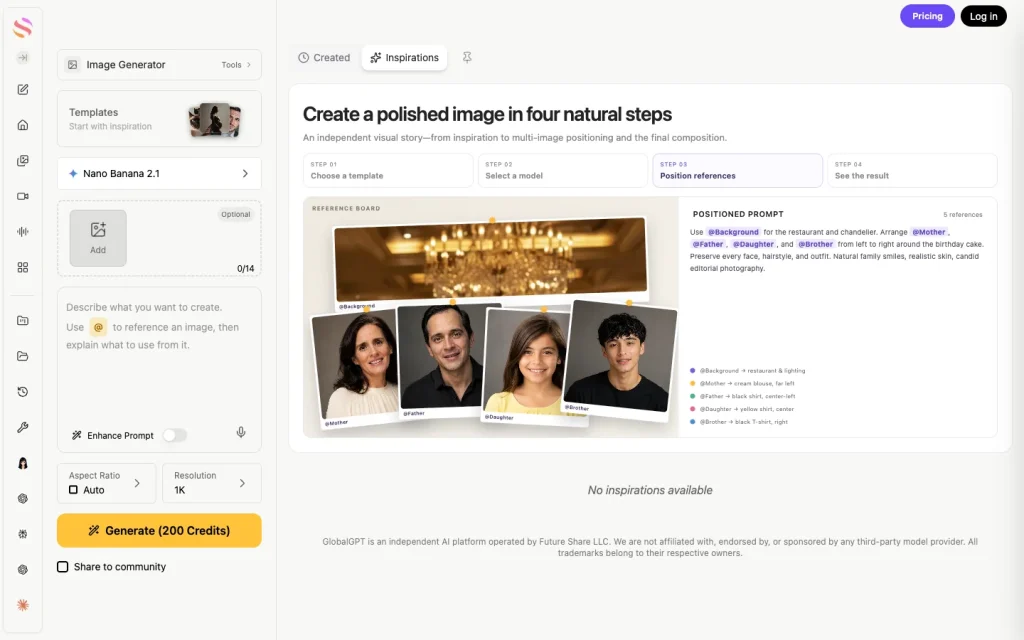
To use Nano Banana 2.1, choose the model in an image generator, describe the image you want, set the shape and resolution, and generate a first draft. To change that draft, attach it as a reference and specify what must stay the same. Start at 1K while you explore the idea. Move to a larger output when the composition and text are settled.
في جلوبال جي بي تي تي, you can turn a brief into an image, refine the result, and continue with writing or video tools in the same multi-model workspace. That is useful when the picture is one part of a product launch, a social campaign, or a presentation—not the entire job.
We tried Nano Banana 2.1 with three practical examples: a labeled product photograph, an edit of that same photograph, and an English workflow graphic. The examples below include the first outputs and the prompts, so you can see what to ask for and what still needs a human check.
What is Nano Banana 2.1—and which model should you select?
Nano Banana 2.1 is Google’s image-generation and conversational-editing model. Its official identifier is gemini-nano-banana-2.1. It updates Nano Banana 2, the model also known as Gemini 3.1 Flash Image. Nano Banana Pro is a separate option, so check the selected model name instead of assuming every “Nano Banana” entry is identical.
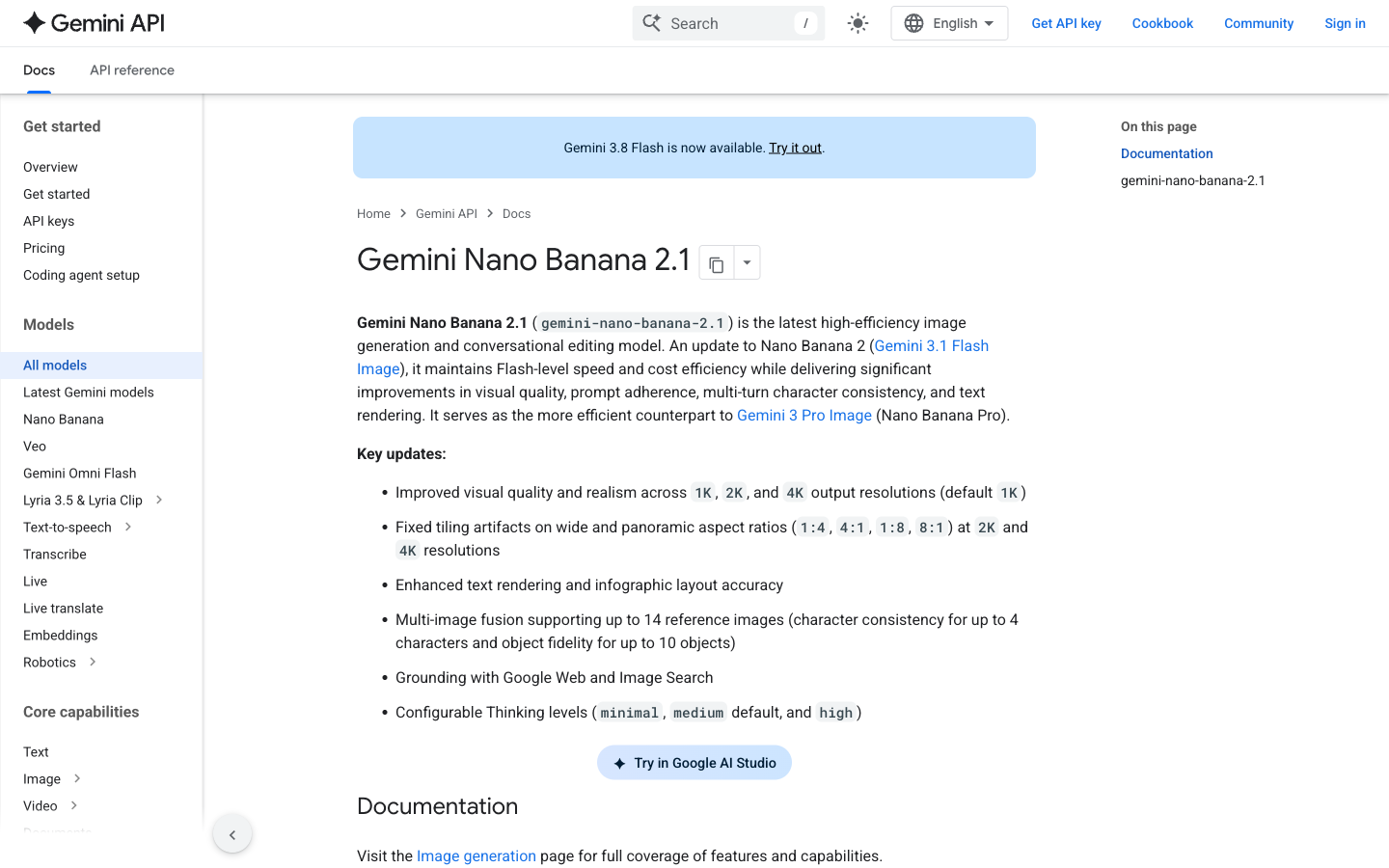
The 2.1 model supports 1K, 2K, and 4K image output, with 1K as its default. Google documents up to 14 reference images, with consistency support for up to four characters and fidelity for up to ten objects. Those are different limits: fourteen uploads do not mean fourteen people will all retain their appearance perfectly.
- Use 2.1 for a fast first draft, product scenes, iterative edits, short text, and instructional graphics.
- Use reference images when the subject already exists: a product, a person you have permission to depict, or an approved visual style.
- Compare another model when a first draft repeatedly misses the feature that matters to your project. Keep the same brief and source material for a useful comparison.
If you are choosing between the two current options, our Nano Banana 2.1 vs Nano Banana Pro comparison focuses on the same-prompt decision. For a first tutorial, stay with one model until you understand how it responds to revisions.
Where can you use Nano Banana 2.1?
Choose the route that fits your work
| المسار | أفضل ملاءمة | ما يجب التحقق منه |
|---|---|---|
| جلوبال جي بي تي تي | Generate and revise images alongside writing, video, and other models. | Select Nano Banana 2.1, check the generation credit estimate, then review the result. |
| استوديو Google AI | Explore Google’s model controls and prototype prompts. | Account access, model availability, and the experiment’s billing or quota conditions. |
| واجهة برمجة تطبيقات Gemini | Build image creation or editing into software. | Use gemini-nano-banana-2.1; enable the required billing and inspect actual token usage. |
Google’s model reference links to AI Studio and its image-generation documentation. Access to one interface does not establish the same free allowance in another. A paid Gemini API rate also does not describe a GlobalGPT subscription.
How to use Nano Banana 2.1 in GlobalGPT
1. Open the image workspace and check the model
افتح جلوبال جي بي تي تي, enter the image generator, and choose Nano Banana 2.1 in the model selector. Sign in to keep your creations together. If you switch from another image model, check the selector again before generating.
The controls you need are grouped on the left: reference images, the prompt, aspect ratio, resolution, and Generate. In our October 13 view, the 1K configuration displayed 200 credits on the button. Treat that as the displayed estimate for that configuration; changing settings or account conditions can change the amount shown.
2. Decide the image’s job before writing the prompt
A product listing, a slide illustration, and a social post need different framing. State the subject, scene, lighting, camera view, and intended empty space. Give exact words in quotation marks if the image must contain text. A useful prompt is specific about the deliverable without piling on unrelated style adjectives.
A reusable first-image prompt
Create a [shape] image of [subject] for [use]. Place it in [scene]. Use [lighting] and [camera view]. Keep [important details] clearly visible. Leave empty space at [position] for copy I will add later. The only visible text should be "[exact text]". No extra objects, logos, or watermark.
3. Set aspect ratio and resolution
Choose the shape for the final placement: a wide frame for a presentation or article, square for a product tile, or portrait for a vertical post. Use 1K for early iterations. Once the result works, request 2K or 4K when you need a larger asset; that choice increases the output cost and does not guarantee a better composition.
4. Generate once, then inspect the result
Check the entire picture, not just the central subject. Read every word, count important objects, inspect edges and reflections, and look at the background. Save a useful first version before you start revising. A small targeted correction is easier to evaluate than changing the subject, lighting, layout, and style all at once.
Example 1: generate a labeled product photograph
Our first brief asked for one cobalt-blue glass bottle, a brushed-silver cap, a cream label reading “CLEAR DAY,” and a lemon on the left. We chose a quiet product-photo composition rather than a complicated scene so that text, material, object count, and placement were easy to check.
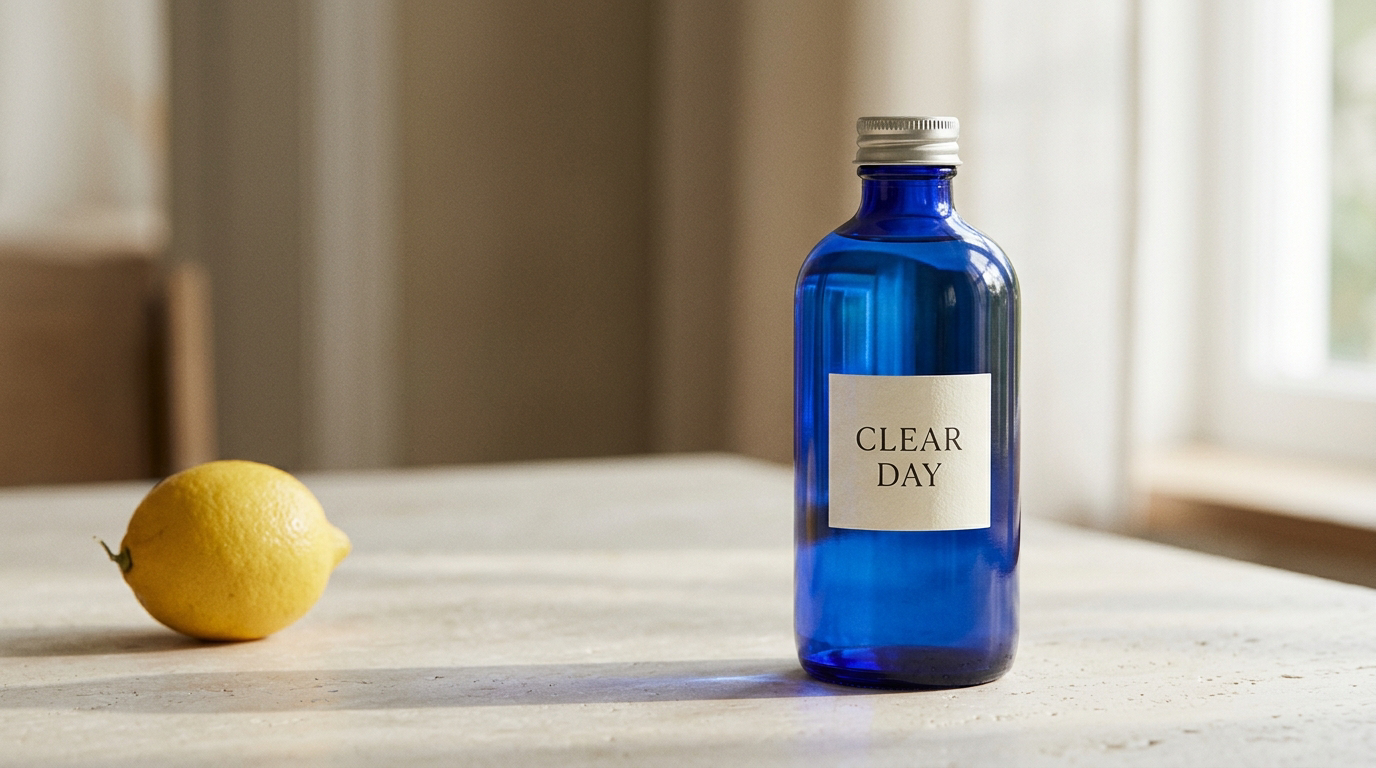
The label is legible, the bottle and cap match the requested materials, and the lemon sits on the left. The glass reflections and soft shadows give the scene a coherent photographic look. It is a useful starting image for a fictional product campaign; a real product still needs comparison against its actual packaging and proportions.
Product photograph: exact test prompt
Create a realistic 16:9 editorial product photograph of one cobalt-blue glass water bottle with a brushed silver screw cap, on a pale limestone desk. The bottle has a small rectangular cream label that reads exactly CLEAR DAY in two lines, with no other text. One fresh lemon sits to the left of the bottle. Soft morning window light from the right, subtle natural shadows, calm minimalist composition, bottle fully visible and centered slightly right with generous negative space on the left. No people, no watermark, no extra bottles, no Chinese text.
GlobalGPT · October 13, 2026 · Nano Banana 2.1 · requested 1K and 16:9 · first valid output · 27.98 seconds to task completion. The delivered file is 1376 × 768 pixels.
Use this for: a clean first draft with readable short packaging text and a clear product arrangement. Before using it for a real brand, compare the bottle shape, label, and proportions with approved packaging; then request one targeted correction at a time.
Example 2: edit the image without rebuilding the subject
Attach the first result as a reference. Then split the instruction into two parts: keep the product, label, camera angle, and composition; تغيير the lighting and background mood. If you attach several references, use the interface’s reference labels to explain each image’s role.
A focused edit instruction
Edit the attached image. Keep the same cobalt-blue glass bottle, brushed silver cap, cream label, exact CLEAR DAY text, bottle size, position, camera angle, pale limestone desk, and lemon unchanged. Change only the lighting and background mood from morning to cinematic blue-hour dusk: cool blue ambient light, a subtle warm light reflection from the right, and a softly blurred dark window background. Preserve photorealistic glass, the original composition and 16:9 framing. Do not add objects, words, logos, watermarks, or Chinese text.
GlobalGPT · October 13, 2026 · Nano Banana 2.1 · requested 1K and 16:9 · first valid output · 33.50 seconds to task completion. The previous image was the reference; the delivered file is 1376 × 768 pixels.
Keep the product, change the mood: the bottle, cap, and readable label stayed recognizable while the scene moved to blue-hour lighting. The lemon shifted slightly, so compare secondary objects too. Save the source version and request a focused repair if that detail matters to your final asset.
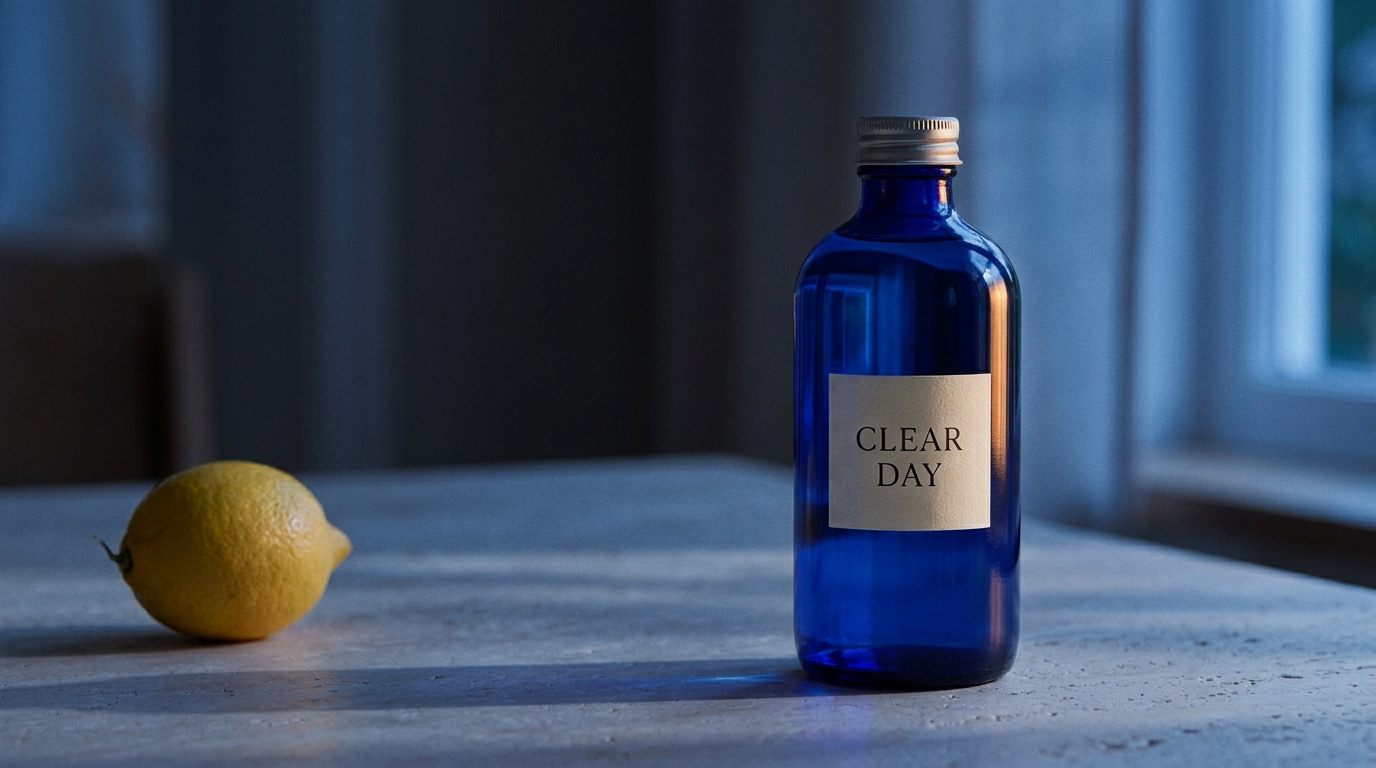
The edit preserved the blue bottle, silver cap, readable label, and broad arrangement. The cool light and darker window clearly changed the mood. The lemon’s orientation also shifted slightly, despite the instruction to leave it unchanged. For an advertising asset, inspect secondary objects as carefully as the product itself before approving a revision.
This is where a multi-model workspace becomes useful: create the image, ask a writing model for headline options, and keep the visual revision brief close to the copy. For a connected project with branches and reference assets, the GlobalGPT Canvas workflow gives you a practical next step.
Example 3: create an English workflow graphic
We also requested four equal panels with icons and the labels “1 CHOOSE,” “2 PROMPT,” “3 REFINE,” and “4 EXPORT.” The result used consistent colors, orderly spacing, four matching icons, and three connecting arrows.
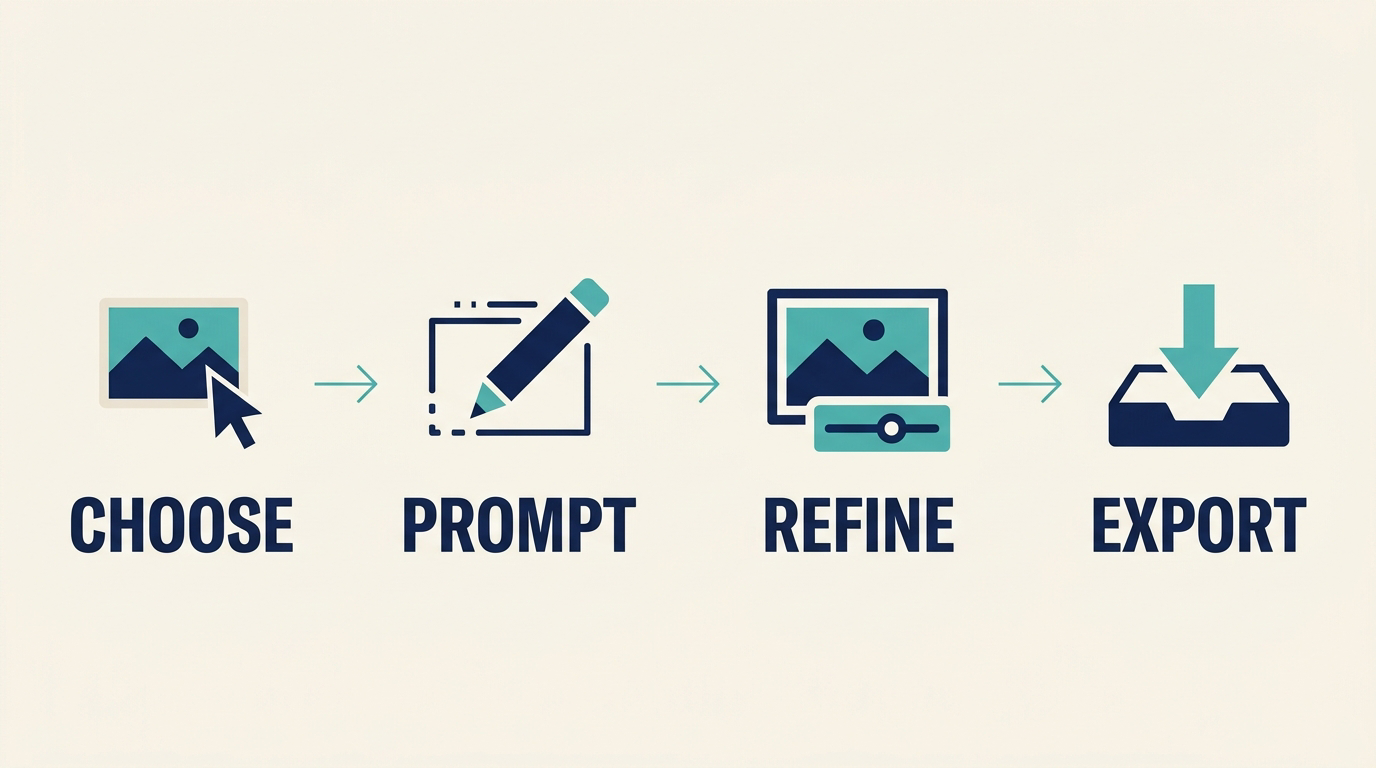
The four words are readable and in the right order. The missing numerals mean the image does not satisfy the exact-text instruction completely. If the numbering is important, request that specific repair or add final typography in a design editor. Short text can work well; exact text still deserves a line-by-line check.
Workflow graphic: exact test prompt
Create a clean 16:9 instructional infographic on a warm white background. Four equal panels run left to right, separated by generous whitespace. Each panel contains one simple flat teal-and-navy icon and exactly one large, readable English label below it. Panel 1: a cursor over a small image card, label 1 CHOOSE. Panel 2: a pencil drawing a rectangle, label 2 PROMPT. Panel 3: a picture frame with a small adjustment slider, label 3 REFINE. Panel 4: a downward arrow over a tray, label 4 EXPORT. Add one thin teal arrow between each neighboring pair of panels. No title, no subtitle, no decorative words, no logo, no watermark, no Chinese text. Use consistent icon size, aligned baselines, crisp vector-like edges and readable letter spacing.
GlobalGPT · October 13, 2026 · Nano Banana 2.1 · requested 1K and 16:9 · first valid output · 27.32 seconds to task completion.
Finish the typography: the four English words and their order worked, but the requested number prefixes were missing. Ask for that specific correction or add the numbers in a design editor, then proofread the finished graphic before publishing.
How to turn a draft into a finished image
- Start with one clear subject and a short label. Check the first result against the product details you need to preserve.
- Save a useful version before changing the lighting. Use it as the reference and inspect small background or prop changes after each revision.
- Treat generated typography as a draft: proofread every word and number, then make a targeted repair or finish the text in an editor.
Begin at 1K to settle the composition before moving to a larger output. These three examples show practical starting points; we did not test 4K or exact-pixel preservation. The recorded completion times include task and network overhead.
Nano Banana 2.1 pricing and free-access conditions
Google’s standard Gemini API rates, checked October 13, 2026, are $1.50 per million input tokens, $7.50 per million text and thinking output tokens, and $30 per million image output tokens. The image portion scales with resolution.
Standard Gemini API image-output cost
| القرار | Image tokens | Image-output portion |
|---|---|---|
| 1K | 1,120 | $0.0336 |
| 2K | 1,680 | $0.0504 |
| 4K | 3,780 | $0.1134 (about $0.113) |
For example, 100 outputs at 1K contribute $3.36 in image-output charges before input, text/thinking, grounding, or other applicable charges. These calculations describe Google’s API billing, not GlobalGPT credit charges. Revisions are additional generations, so include them when estimating a project.
The official API pricing table lists the model’s free tier as unavailable. Do not confuse that with a temporary app promotion or an AI Studio allowance. In GlobalGPT, check the account’s available credits and the displayed generation estimate before you run; a signup button is not a promise of unlimited free images.
For a workflow that also needs copy, presentation ideas, or video, اشتراك «GlobalGPT» متعدد النماذج lets you use those tools in one place. Compare the plan with the full project you need to finish, rather than treating a developer’s per-image rate as a complete subscription comparison.
How to get better results—and fix common misses
- Wrong subject: replace a vague description with one clear subject and a reference image.
- Product drift: specify the features to preserve, then compare the new image with the source at full size.
- Unreadable or missing text: shorten the phrase, quote it exactly, and check every character. Add final legal or pricing text in an editor when accuracy is critical.
- Crowded layout: name the empty area and reduce decorative objects.
- An edit changes too much: return to the saved version and change one variable at a time.
- Unexpected crop: choose the aspect ratio before generation and verify the delivered pixel dimensions before placing the image.
When the output is ready, download it and inspect it at the size you plan to publish. Keep a copy of the prompt and the source reference with the asset. That makes later variations much easier to reproduce.
Start with one useful image
A good first Nano Banana 2.1 project is small: one subject, one composition, one deliberate revision. Try that sequence in GlobalGPT, then use the best result as the starting point for your next campaign asset. The time you spend defining what must stay fixed usually pays off more than another paragraph of style adjectives.
المصادر
Specifications and prices checked October 13, 2026: Google model reference, وثائق إنشاء الصور, و أسعار واجهة برمجة تطبيقات Gemini. The three GlobalGPT examples were generated on October 13, 2026. Cover illustration is separate from the Nano Banana test outputs.
الأسئلة المتداولة
How do I start using Nano Banana 2.1?
Open an image generator that offers the model, select Nano Banana 2.1, enter a specific prompt, choose an aspect ratio and resolution, and generate a first draft. In GlobalGPT, start in the image workspace.
Is Nano Banana 2.1 free?
Google lists no free tier for this model in its Gemini API pricing. Consumer app access, promotions, AI Studio allowances, and GlobalGPT credits are separate conditions. Check the chosen interface before generating.
Can Nano Banana 2.1 edit an existing image?
Yes. Attach the image as a reference and describe what to preserve and what to change. Our product-photo edit changed the lighting while keeping the main bottle recognizable, although a secondary object shifted slightly.
How many reference images can it use?
Google documents up to 14 reference images, with consistency support for up to four characters and fidelity for up to ten objects. These are different limits and do not guarantee perfect preservation.
Does Nano Banana 2.1 support 4K?
Yes. Google lists 1K, 2K, and 4K output, with 1K as the default. Our three examples used 1K; we did not test 4K output.
Can it generate readable text?
It can generate readable text, but exact wording needs checking. Our bottle label and four infographic words were correct; the infographic omitted the four number prefixes requested in the prompt.