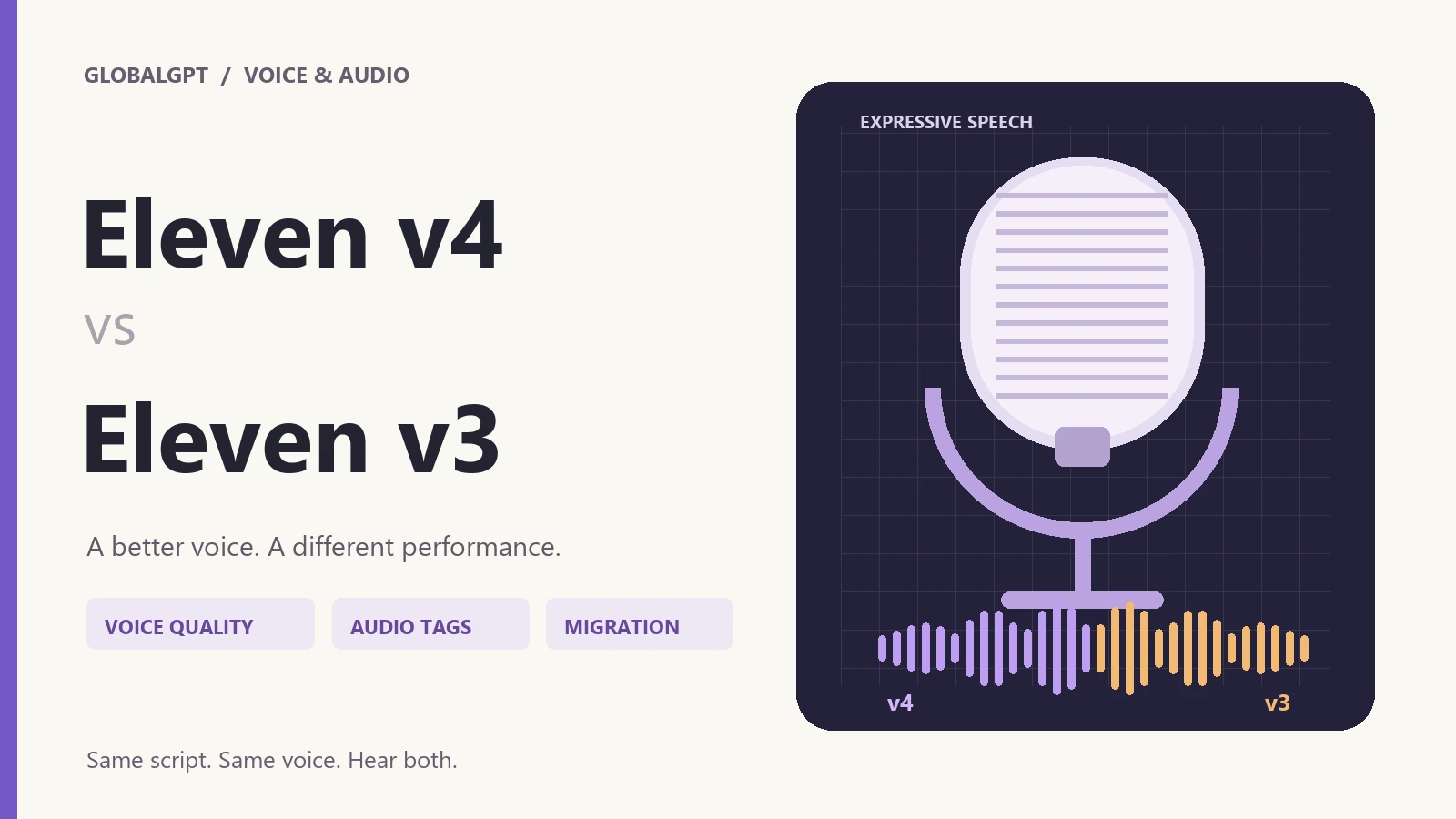
VOICE MODELS · SAME-SCRIPT COMPARISON
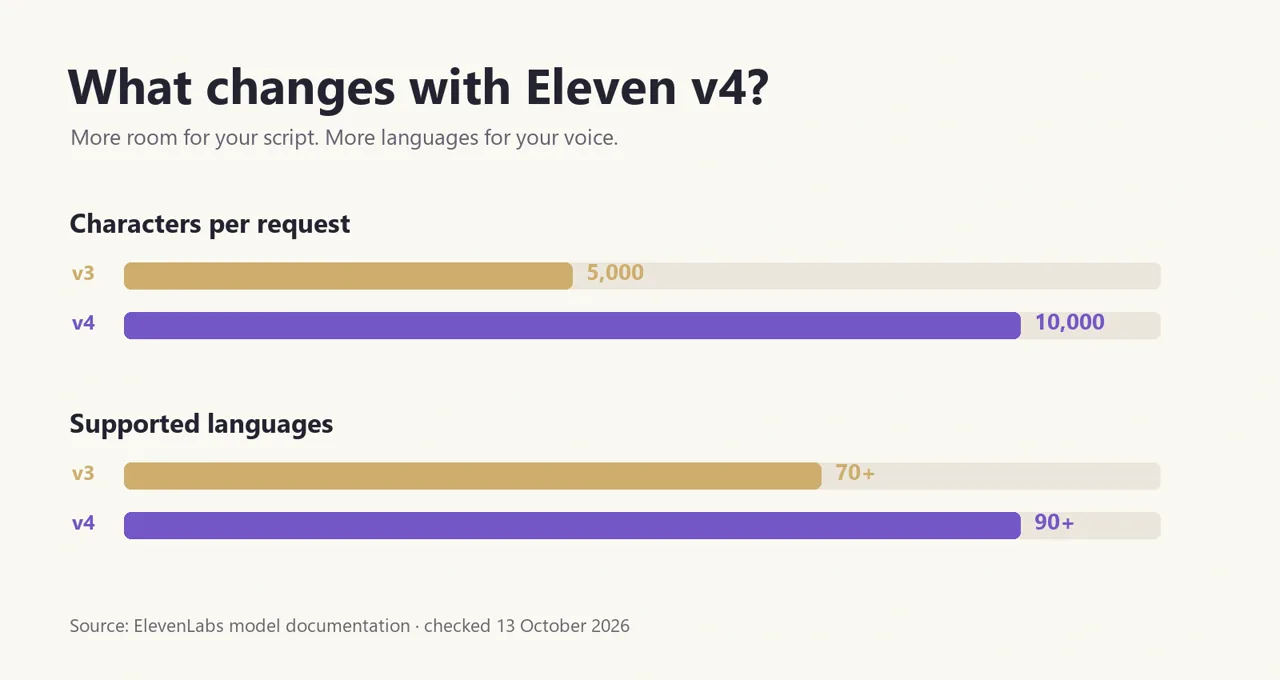
لـ Eleven v4 vs v3, start with v4 for a new voiceover, audiobook or character project. It expands the request limit from 5,000 to 10,000 characters and language coverage from 70+ to 90+. ElevenLabs also reports better voice accuracy, consistency and audio-tag control in its Eleven v4 documentation.
Keep v3 in the audition when you already have a voice your audience recognizes. A more accurate clone can sound different from the performance you approved before, and v4 changes how a voice carries its accent into another language. Matching an existing production is a good reason to compare both.
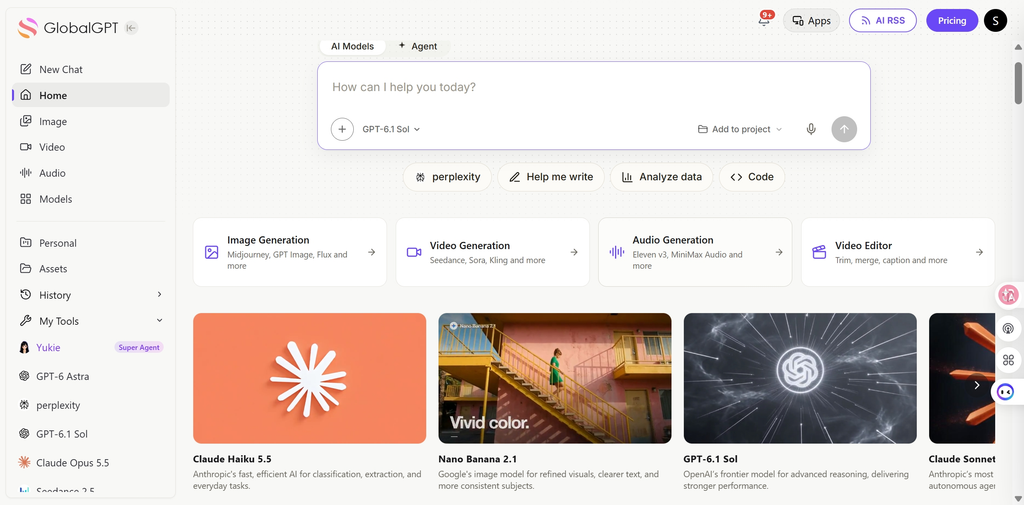
You can use both Eleven v4 and v3 in جلوبال جي بي تي تي, alongside tools for writing, research, images and video. If you’re making a product video, for example, you can work on the script and visuals in the same account before generating the narration. Having those tools together is useful when the voiceover is just one part of the project. We used its Audio Generator for the same-script comparisons below.
إجابة سريعة: Choose v4 for new expressive content, broader language coverage and longer requests. Audition v3 for continuity with existing recordings. Choose v4 Turbo for a real-time voice application; its latency claim belongs to that variant.
في هذه الصفحة
- Eleven v4 vs v3 at a glance
- Voice quality, tags and accent changes
- Our same-script tests and audio samples
- When v4 Turbo makes sense
- Pricing and usable costs
- How to try both in GlobalGPT
- أي طراز يجب أن تختار؟
- الأسئلة الشائعة
Eleven v4 vs v3 at a glance
| ما يهم | Eleven v4 | أحد عشر v3 |
|---|---|---|
| أفضل نقطة انطلاق | New expressive narration, voiceovers and character work | Recreating an established v3 performance |
| المعرّف الرسمي للطراز | eleven_v4 | eleven_v3 |
| اللغات | 90+ | 70+ |
| Characters per request | 10,000 | 5,000 |
| Audio tags | Supported; ElevenLabs reports improved control | مدعوم |
| Voice cloning | Improved source-voice accuracy; PVC support | Audition existing voices for continuity; PVCs are not fully optimized |
| Standard API rate per 1,000 characters | $0.08 | $0.08 |
| GlobalGPT interface rate | 330 Credits / 1K chars | 330 Credits / 1K chars |
إن نظرة عامة رسمية على الطراز lists both versions, so v3 remains a comparison option. The larger v4 request limit means fewer mandatory splits for a long script; it does not guarantee that a full chapter will need no editing.
If you are choosing your first reader or voice generator, the text-to-speech tools guide separates browser readers, generated voiceovers and transcription workflows. This comparison focuses on generated speech from an approved script.
What changed in voice quality and control?
v4 puts more emphasis on performance
The useful upgrade is how a line is delivered: pacing, emotion, speaker identity and the response to context. In the Eleven v4 launch announcement, ElevenLabs describes improved fidelity, voice consistency and more natural dialogue. Those are provider findings; our short samples let you audition the models with one shared voice.
For an ad, that can mean deciding whether a line should reassure, tease or build excitement before recording it. For an audiobook, it means keeping the narrator recognizable as a scene changes mood. Try those jobs with your own text: a dramatic sample can impress while still being too expressive for a calm product tutorial.
When the voiceover will become part of a finished clip, a مسار العمل من النص إلى الفيديو helps you plan scene length and narration together. A line that sounds good alone still needs to fit the edit.
Audio tags work in both versions
v4 did not introduce square-bracket direction from scratch. v3 also supports tags. The إرشادات رسمية حول كيفية الإجابة recommends voice-related cues such as [whispering], [excited] و [laughing], with punctuation and text structure to guide pacing. ElevenLabs says v4 follows these directions more reliably, while acknowledging that tags can still be interpreted imperfectly.
Describe an audible quality. [low, gravelly voice] gives a clearer vocal instruction than a vague scene description. Start with one direction per phrase, then add detail only where the recording needs it. Both v4 and v3 lack SSML break-tag support; pasting an XML pause command is not a dependable way to time these models.
A more accurate clone can change the sound you liked
v4 aims to reproduce more of the reference recording, including timbre, cadence and delivery. That can also preserve unwanted noise, plosives or volume variation. Clean source audio matters, and improving similarity is not automatically the same as preserving your favorite v3 performance.
Cross-language accent handling is another deliberate change. When you generate a different language from the reference voice, v4 aims for fluent speech with a target-language native accent. A project that needs the original speaker’s accent carried into another language should audition that behavior before migrating. ElevenLabs documents this in its native accent handling explanation.
If restrained, steady long-form narration is your main concern, also consider the مراجعة برنامج «Eleven Multilingual v2». It covers a separate model with 29 languages and a 10,000-character request limit; it should not be confused with Eleven v3.
Check the controls you actually use
v4 exposes Stability and Similarity in ElevenLabs, while Style and Speed sliders are unavailable for this model. A familiar workflow may therefore need new prompting choices. Our GlobalGPT test form exposed a model selector, voice selector and script box; it did not expose those advanced sliders or a voice-cloning setup.
Our Eleven v4 vs v3 same-script tests
On 13 October 2026, we generated three pairs of audio clips in GlobalGPT: a neutral announcement, a short scene with emotion tags and an announcement in English, Spanish, German and French. Each pair used identical text and the interface’s Mark voice. We kept the interface defaults and made one primary generation per model per task.
We measured the time from clicking Generate to the new audio result appearing, plus the duration reported by the audio player. Completion time includes platform processing and delivery. No blind listening panel or pronunciation scoring was conducted; use the original recordings below to judge delivery, words and language changes.
| Task / input | v4: result returned | v3: result returned | v4: audio length | v3: audio length | Quoted Credits, each |
|---|---|---|---|---|---|
| Neutral / 169 characters | 32.01 s | 31.35 s | 10.80 s | 10.00 s | 55.8 |
| Emotion tags / 172 characters | 21.09 s | 31.14 s | 8.96 s | 9.28 s | 56.8 |
| Four languages / 157 characters | 21.09 s | 31.22 s | 10.88 s | 12.64 s | 51.8 |
v4 returned sooner on the tagged and multilingual scripts in this batch, while the neutral pair returned at similar times. The audio lengths also differed with identical text. That gives you a practical reason to check timing before dropping a new model’s take into an existing edit; a shorter file alone does not prove better delivery.
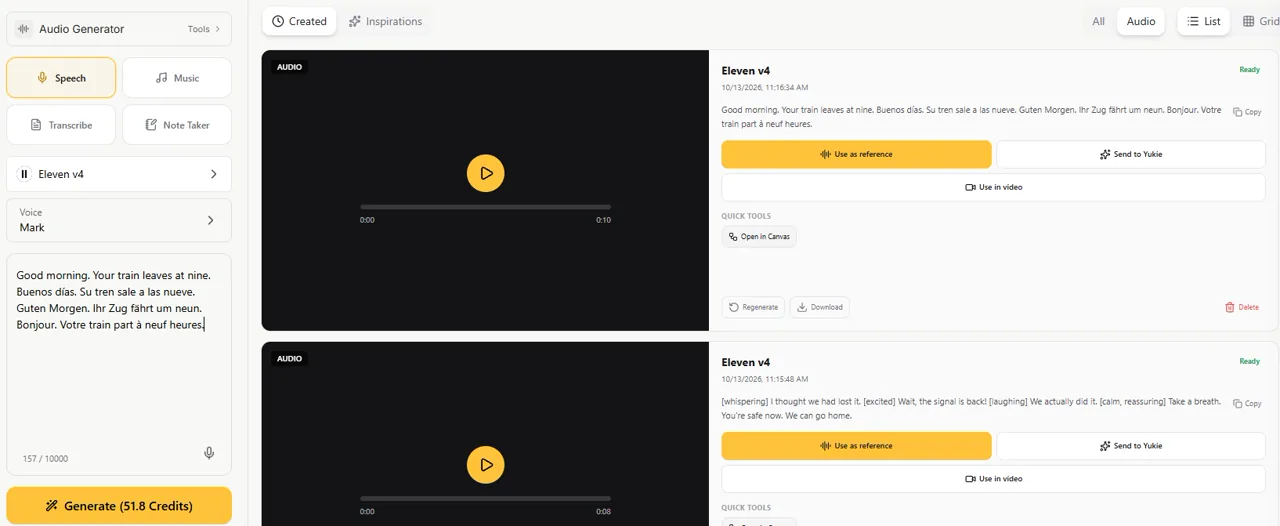
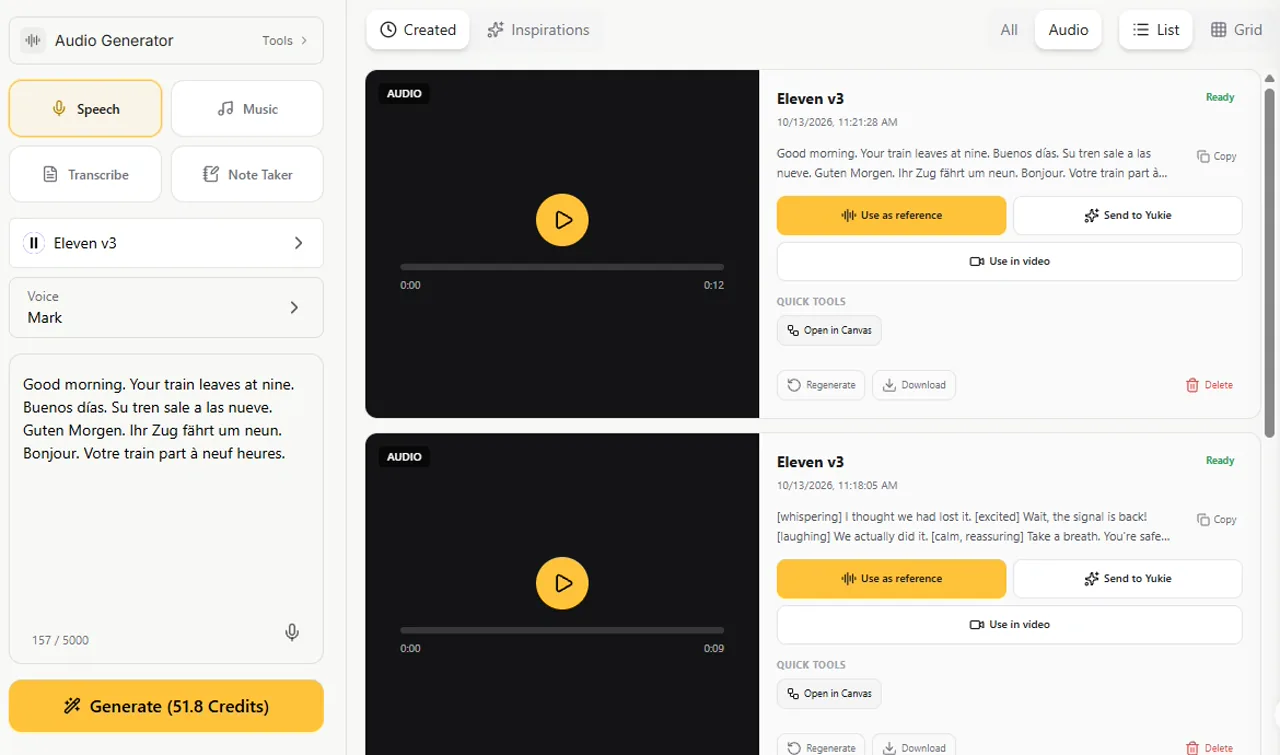
Test 1: neutral narration
Listen for the order number, the stated amount and the pacing of the final sentence. This is the pair to audition for a product tutorial or straightforward announcement.
The studio opens at nine. Your order number is 2048, and your total is nineteen dollars and ninety-nine cents. Thanks for waiting. We'll send your confirmation tomorrow.Test 2: an emotional scene
Listen for the transitions from whispering to excitement, laughter and reassurance. Check whether the vocal direction fits the words and whether any cue becomes unwanted spoken material.
[whispering] I thought we had lost it. [excited] Wait, the signal is back! [laughing] We actually did it. [calm, reassuring] Take a breath. You're safe now. We can go home.Test 3: four languages in one script
Listen for the language transitions and the treatment of the same departure time. This short sample provides a language-switching audition; it does not establish clone fidelity or full localization accuracy.
Good morning. Your train leaves at nine. Buenos días. Su tren sale a las nueve. Guten Morgen. Ihr Zug fährt um neun. Bonjour. Votre train part à neuf heures.For a multilingual talking-video project, audition the voice together with the face and lip movement. The talking-avatar tool comparison gives you a broader production checklist than a speech sample alone.
When should you use Eleven v4 Turbo?
Use standard v4 when the quality of a finished voiceover leads the decision. Use v4 Turbo when a live conversation needs quick speech responses. ElevenLabs reports around 100 ms median inference latency for Turbo and around 150 ms median time to first speech in its launch measurements. The latter was measured over WebSocket streaming with network latency removed.
A website can still take seconds to prepare and deliver a completed recording. Our v4 and v3 batch-generation times cannot confirm or contradict those streaming measurements. We verified that v4 Turbo is selectable in GlobalGPT and that its form quotes 165 Credits / 1K chars; Turbo was not included in the six primary audio tests.
A voice model is only one part of an AI customer-support voice agent. Your application also needs listening, business-tool permissions, confirmed outcomes and a human handoff. Picking a fast voice does not supply that whole system.
Eleven v4 vs v3 pricing: what do you actually pay?
إن official ElevenAPI pricing page lists standard character rates of $0.08 per 1,000 characters for v4 and v3, and $0.04 for v4 Turbo. For budgeting on 13 October 2026, the examples below use those standard rates. The same page still displays a v4 launch promotion explicitly marked “until Oct 12”; those examples do not assume the dated discount remains available.
| نموذج | Standard API / 1,000 chars | 10,000 chars | 100,000 chars | GlobalGPT interface / 1,000 chars |
|---|---|---|---|---|
| Eleven v4 | $0.08 | $0.80 | $8.00 | 330 Credits |
| أحد عشر v3 | $0.08 | $0.80 | $8.00 | 330 Credits |
| Eleven v4 Turbo | $0.04 | $0.40 | $4.00 | 165 Credits |
At the standard API rates, v4 costs the same as v3 for the same total character count. v4 Turbo halves the character charge in these examples. A 10,000-character v3 script needs at least two requests because of its 5,000-character limit; splitting alone does not double the total character bill.
In GlobalGPT, our 169-, 172- and 157-character scripts were quoted at 55.8, 56.8 and 51.8 Credits respectively for either v4 or v3. The three primary tests total 164.4 quoted Credits per model, or 328.8 for the six main clips. Those are generation quotes from the form, not an audited account-balance deduction.
If you are also considering another speech API, the OpenAI Speech API guide explains why character rates and text/audio-token rates need separate cost calculations. Compare the amount of approved audio you need, including retakes, as well as the billing unit.
How to try Eleven v4 and v3 in GlobalGPT
GlobalGPT is useful when the voice belongs to a larger job: write the script, create supporting images or video, and generate the narration in one subscription workspace. Choose the original ElevenLabs product when the job depends on native Studio features, advanced voice settings or cloning workflows that are not exposed in the tested GlobalGPT form.
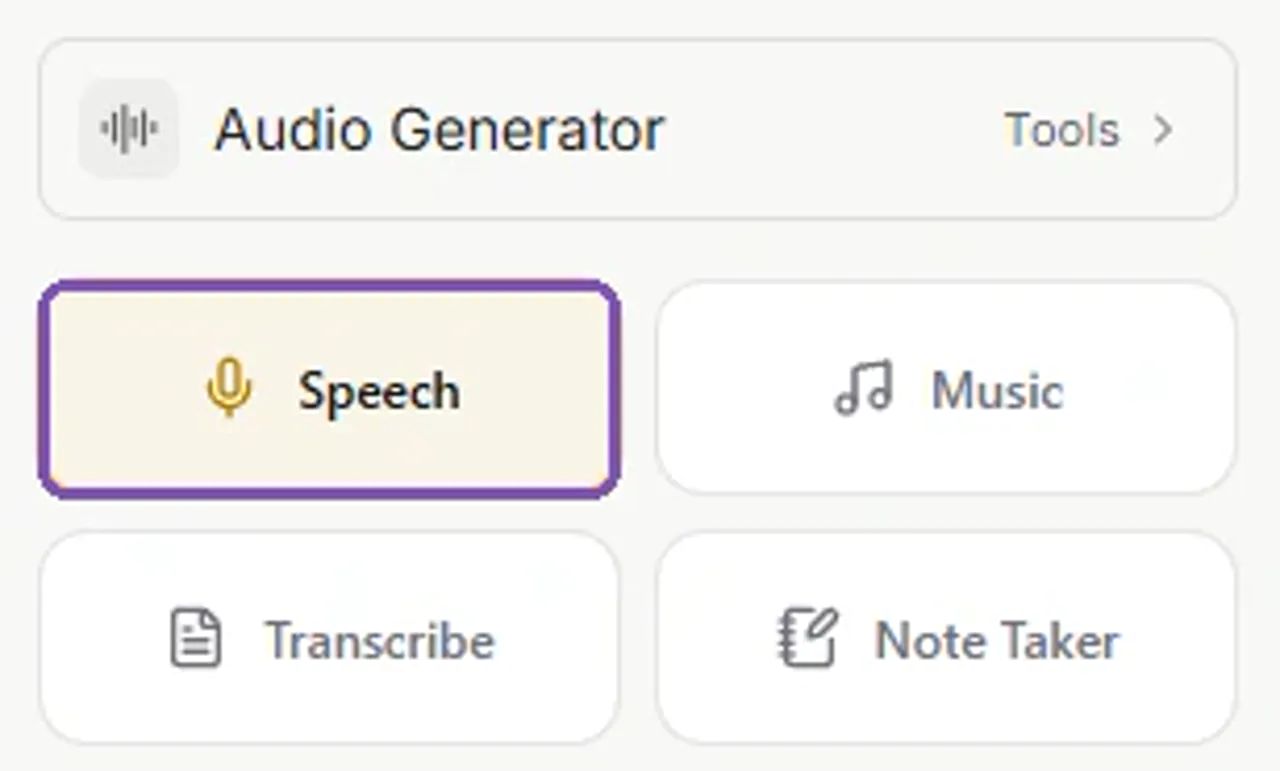
Step 1: Open Audio Generator and choose Speech
Open GlobalGPT’s Audio Generator and choose الكلام. This is the text-to-speech workspace; Music and Transcribe are separate tools.
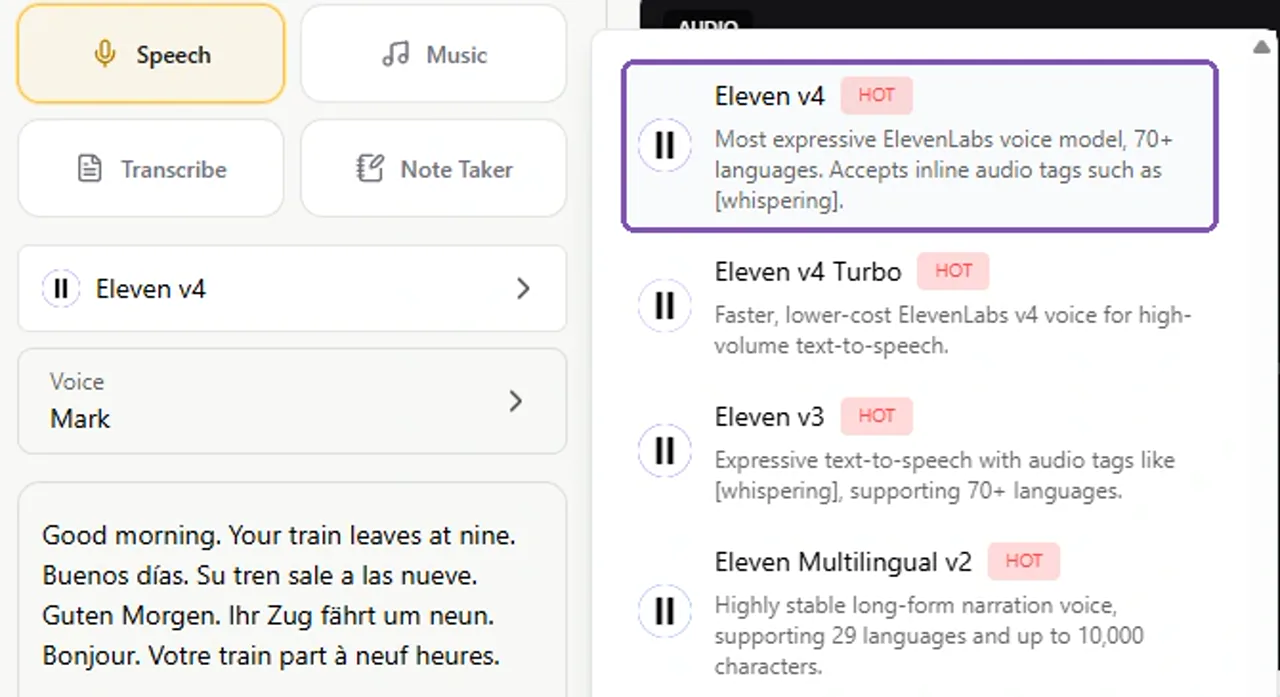
Step 2: Select Eleven v4
Click the model selector and choose Eleven v4. The general Audio Generator can initially select v3, so confirm the model name. Standard v4 and v4 Turbo appear as separate options.
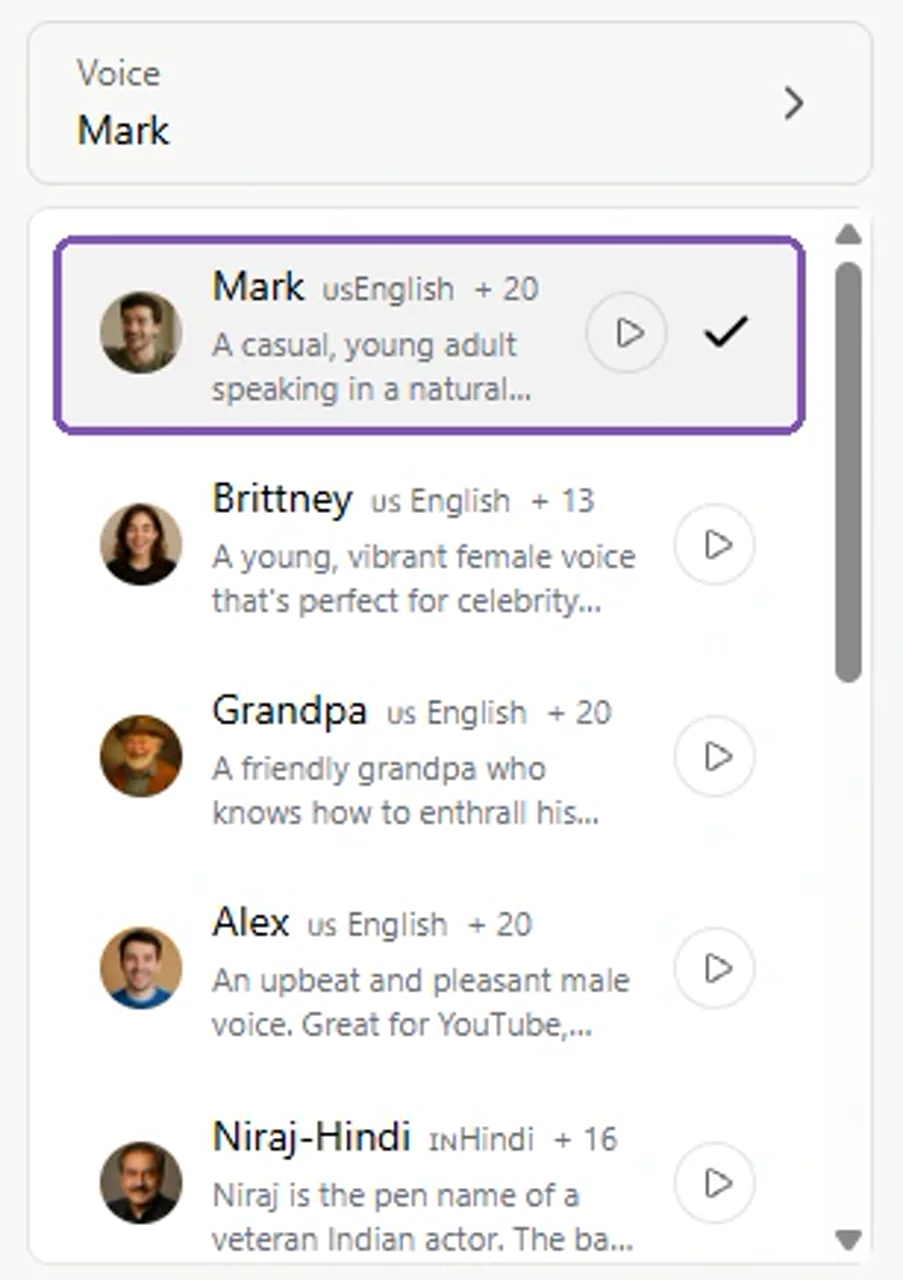
Step 3: Choose the same voice
Choose a voice and use the preview control to hear its sample. Keep that voice for the v3 comparison; our tests used Mark.
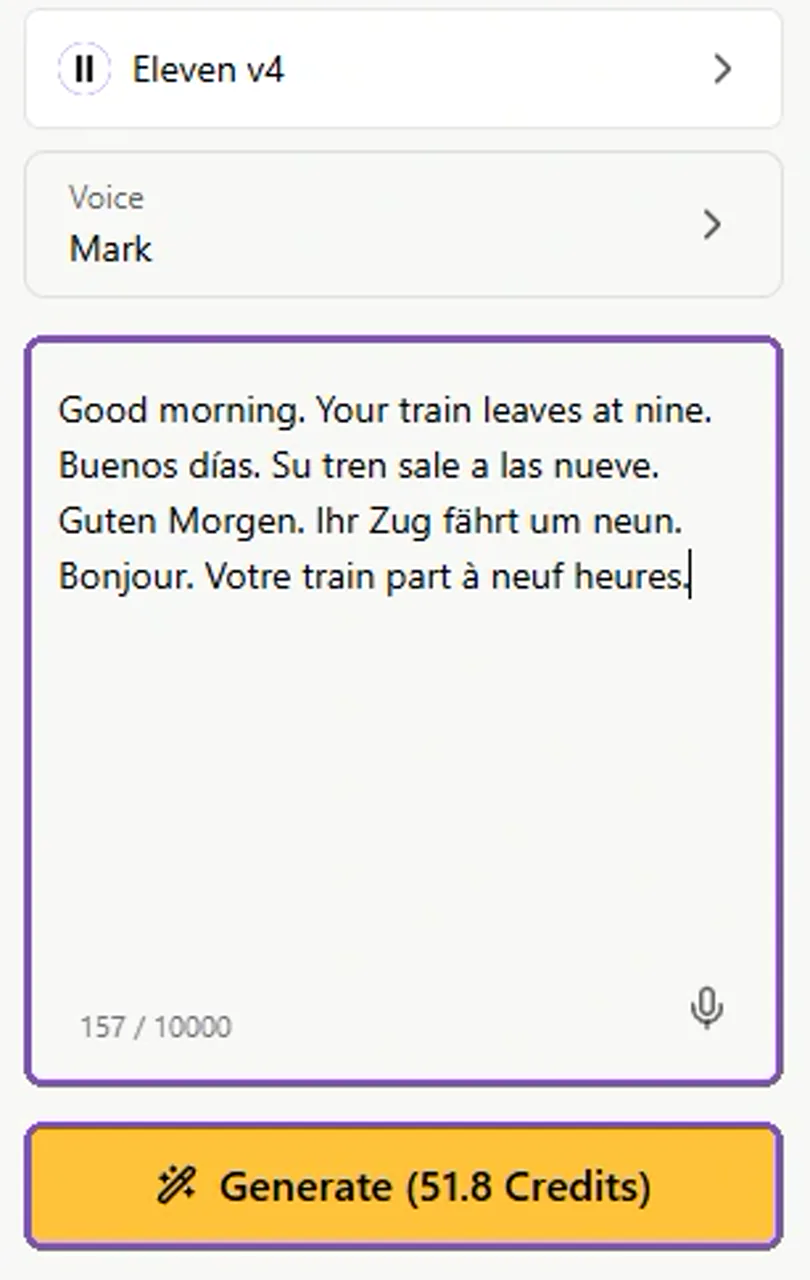
Step 4: Paste your script and check the quote
Paste one short approved script. Check the character counter and quoted Credits before clicking توليد. The example below uses the 157-character multilingual script and shows a 51.8 Credits quote.
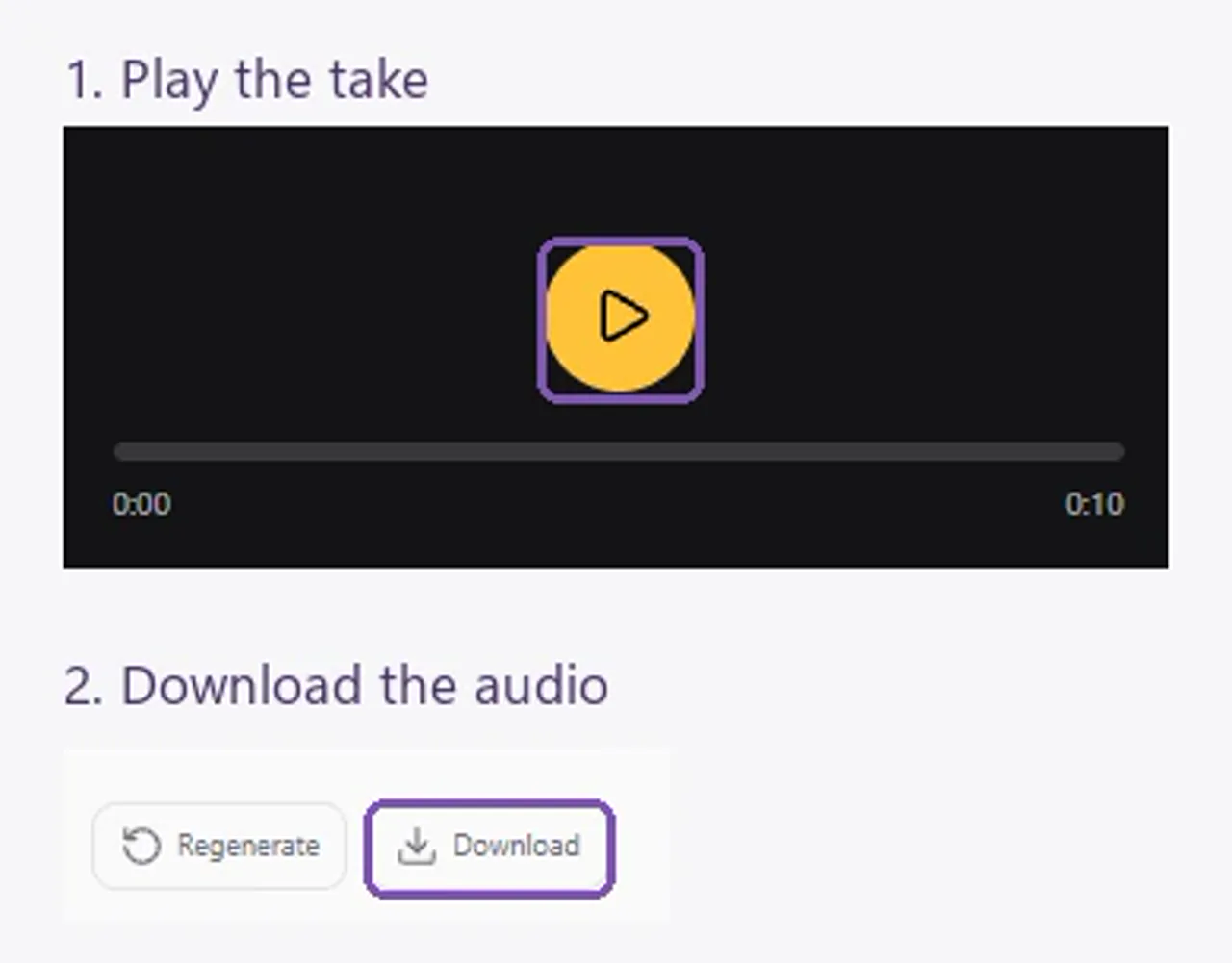
Step 5: Play and download the result
Once the result is ready, use the play control to hear it. Check that the words and delivery fit the project, then click تنزيل to save the audio.
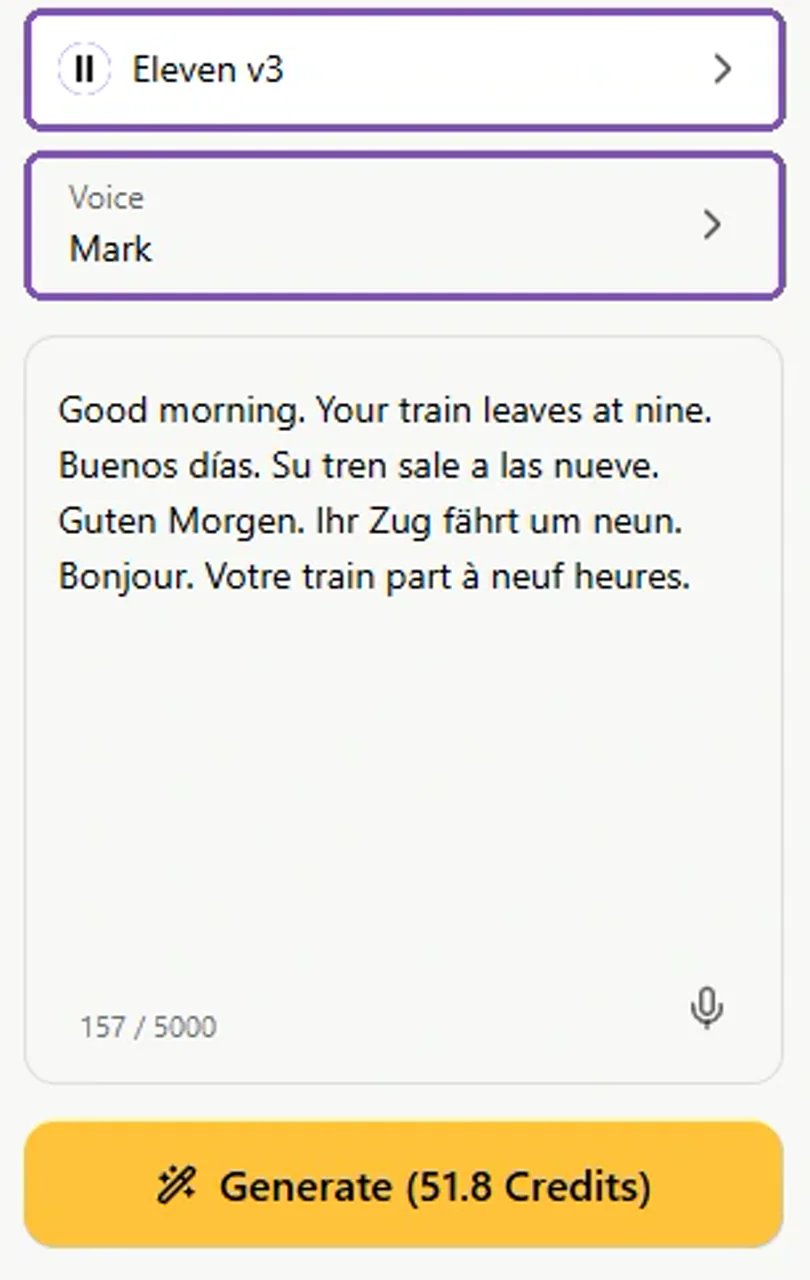
Step 6: Switch to v3 and compare
Switch the model to أحد عشر v3, keep the same text and voice, and generate the comparison. Play both takes at similar volumes and check their durations before choosing one.
Check the takes in the destination edit. Approve wording, timing and delivery before generating a long batch. Save the approved v3 take while you audition a replacement, so the project has a usable fallback.
For the full production handoff, the guide to generating, voicing and editing AI video separates script approval, visuals, voice and finishing. That makes it easier to reuse a good take without recreating the entire project.
أي طراز يجب أن تختار؟
- New ads, audiobooks and characters: audition v4 first. Its larger request limit and provider-reported accuracy and direction improvements are useful starting advantages.
- A series with an approved v3 voice: keep v3 available until the new take matches the project. More faithful cloning can still change a familiar performance.
- Cross-language voice work: test v4’s native-accent behavior with the actual voice and language. Keep an older-model take if the established accent is part of the brief.
- Live voice agents: evaluate v4 Turbo through the intended streaming application. A batch audio-generation page is not the right venue to measure conversation latency.
A simple migration check: compare one ordinary paragraph, one emotional passage and one difficult name or language change. Listen at similar playback volumes. Check clip duration in your edit, then approve a longer sample before moving a full production. Save the old take so the project has a usable fallback.
الأسئلة الشائعة
Is Eleven v4 better than v3?
ElevenLabs recommends v4 for most uses, citing better voice accuracy, consistency and direction. Start with v4 for a new project; audition v3 when you need to match an established recording.
Does Eleven v4 support more languages?
Yes. ElevenLabs lists 90+ languages for v4 and 70+ for v3. Coverage does not guarantee identical pronunciation quality in every language, so audition your voice with the actual script.
What are the character limits for v4 and v3?
The official limits are 10,000 characters per request for Eleven v4 and 5,000 for Eleven v3. The tested GlobalGPT forms displayed the same limits.
Can I use emotion tags in Eleven v3?
Yes. Both v3 and v4 support audio tags. ElevenLabs reports more reliable and nuanced control in v4, but tags still need testing with the voice and delivery you want.
Is Eleven v4 more expensive than v3?
At standard official API rates, both cost $0.08 per 1,000 characters before taxes. The tested GlobalGPT forms quote 330 Credits per 1,000 characters for either model.
Is Eleven v4 Turbo the same as Eleven v4?
They are separate variants. Standard v4 prioritizes high-quality finished content; v4 Turbo targets real-time speech. The approximately 100 ms inference-latency claim applies to Turbo.
Will my v3 voice sound identical in v4?
Not necessarily. v4 aims to match the source voice more accurately, which can change the performance you liked in v3. Cross-language accent handling also changes, so compare before migrating.
Can I test Eleven v4 and v3 on GlobalGPT?
Yes. Both were available in GlobalGPT’s Speech model selector during our tests on 13 October 2026. Choose the same voice and script for each model, then play and download the results.
The verdict: start new work with v4, migrate by audition
For Eleven v4 vs v3, v4 is the stronger starting choice for a new production: more languages, twice the request space and provider-reported improvements in voice accuracy and direction at the same standard API character rate. v3 remains useful when its existing performance is the sound you need to keep. Use the same-script samples above, then run one passage from your own project before committing to a long recording.