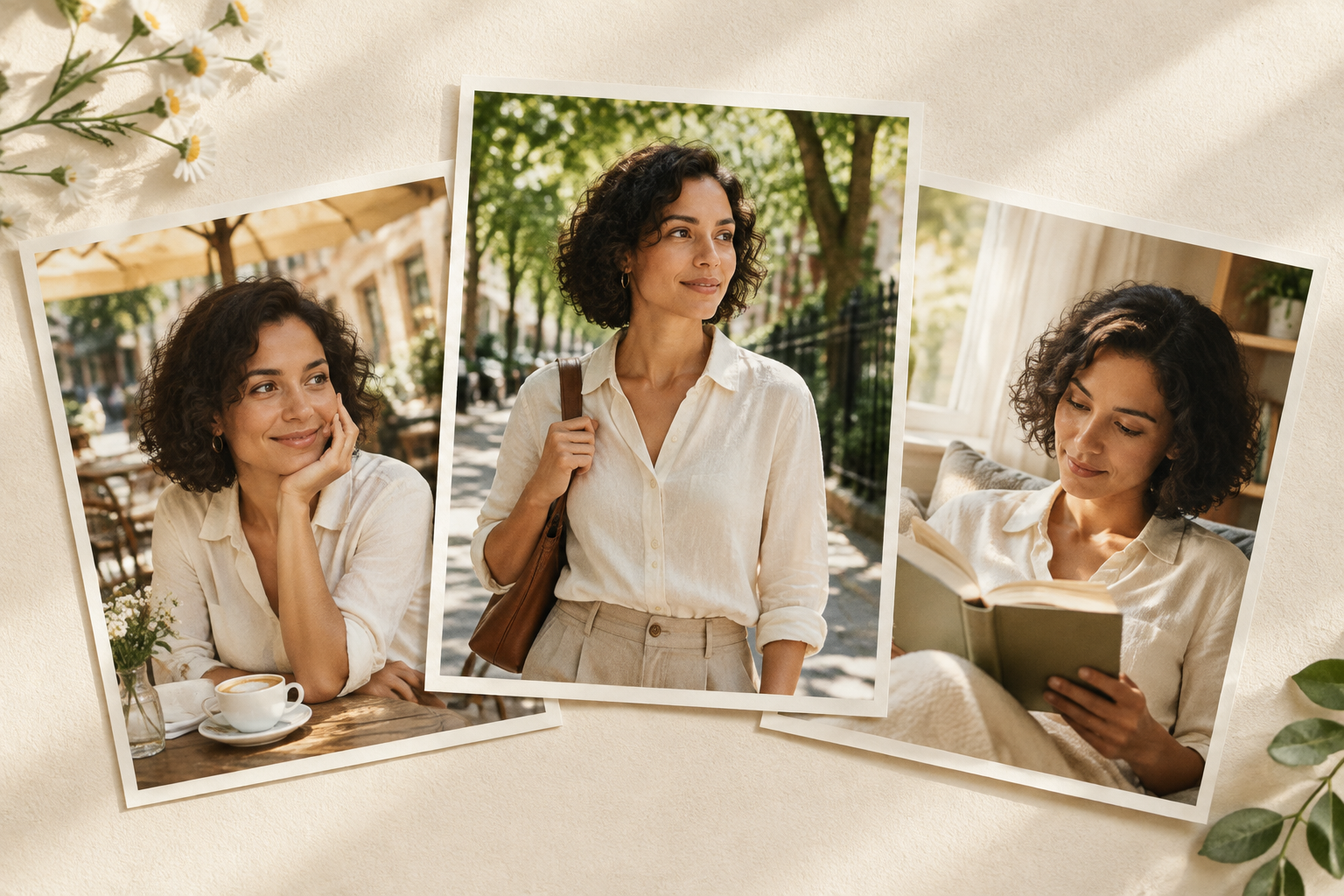
AI photodump photoshoots work when the images feel like moments from one person’s life, not six unrelated portraits. The reliable way to get there is to lock a small identity package first, then change one major variable at a time: location, pose, outfit, or framing.
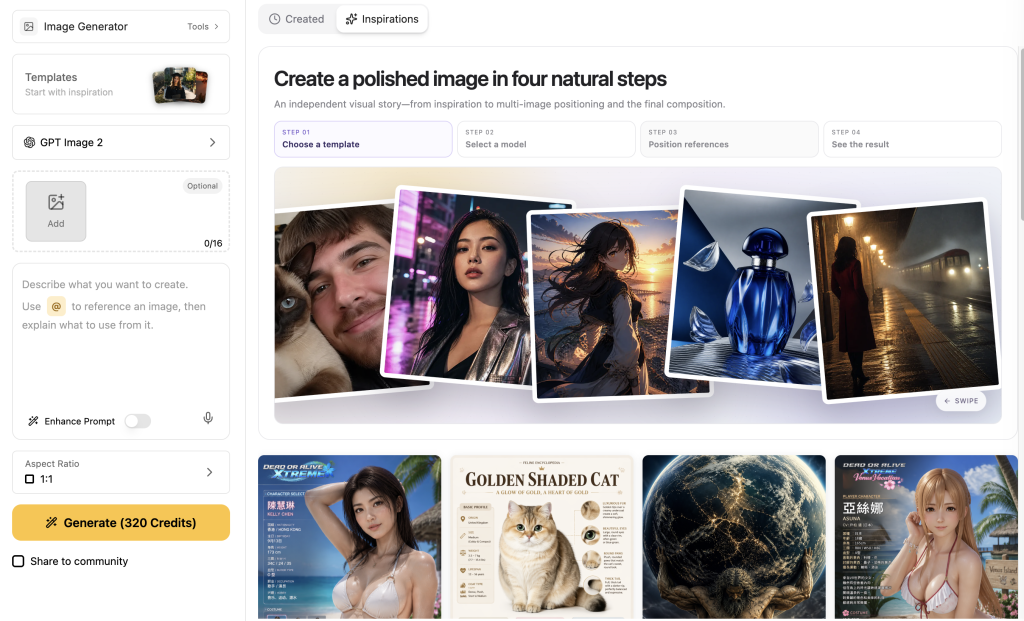
GlobalGPT is useful for this workflow because the image workspace lets you start with a reference and move between image models as the job changes. You can create a photo series with Nano Banana 2, then keep the same prompts and references while you review each frame.
What an AI photodump photoshoot needs
A photodump is a coordinated set of social images. It can include a polished portrait, a candid-looking scene, a close crop, and a wider environmental frame. The set does not need one universal image count. It needs a recognizable subject, deliberate variation, and a consistent visual rhythm.
The useful definition
An AI photodump is a small story told through several images of the same subject, with enough variation to feel lived-in and enough continuity to feel intentional.
Review every generated set against four anchors:
- Identité : face shape, hair, skin tone, eye color, body proportions, and one or two small marks.
- Wardrobe: what stays fixed for the identity anchor and what is deliberately allowed to change.
- Scene and light: the location, time of day, and direction of light should be obvious in each frame.
- Social framing: the crop should look like a usable post, with enough breathing room for the platform you plan to use.
Why the same person drifts across AI photos
Image models solve several visual problems at once. When a prompt changes the person, clothes, location, pose, camera angle, and lighting together, the model has more chances to trade one identity detail for another. A new outfit can change the silhouette; a side profile can change the apparent nose and jaw; a close mirror crop can make a small facial mark disappear.
That does not mean you should keep every image identical. It means you should separate the variables. First make one dependable anchor image. Then vary the scene while holding the person and outfit. Next vary the wardrobe while holding the identity. Finally test a close crop or reflection, where small defects are easier to see.
Google’s image-generation guidance follows the same practical logic: state what must stay consistent, use reference images, and iterate when an important detail drifts. For a deeper reference-photo workflow, see this guide to keeping the same character across different scenes.
Build a small reference pack before you generate
You do not need a huge training set to test the workflow. Start with one clear, fictional adult character and a reference image that shows the face, hair, skin, and upper-body proportions without heavy filters. Use a real person’s likeness only when you have permission and a clear reason to use it.
- Create an identity anchor. Use even light, a plain background, a neutral expression, and a crop that shows the face and hair clearly.
- Write the identity package down. Name the hair, skin tone, eye color, distinctive mark, earrings, and body proportions in plain language.
- Choose the first controlled change. A new café scene is easier to diagnose than a new scene, new outfit, new age, and new hairstyle at the same time.
- Inspect before you build a set. If the first result changes the face or invents a distracting accessory, fix that variable before making more frames.
The reference-image route in GlobalGPT is a practical place to carry this package from one image to the next. If the job is portrait-heavy, this companion guide can help you write better AI portrait photography prompts for light, framing, and facial detail.
Use a “what stays / what changes” prompt
Copyable prompt pattern
Put the identity anchors first. State the single change next. Finish with the camera and quality constraints.
Show the full pattern
Using the one attached reference image, create one realistic square social photo of the same fictional adult woman. Preserve her face, shoulder-length dark-brown bob, warm olive skin, brown eyes, beauty mark below the left eye, body proportions, silver hoop earrings, and [fixed wardrobe]. Change only [one major variable]. Scene: [location], [pose], [light], [camera framing]. Natural skin texture, crop-safe composition, no text, no logo.The phrase “change only” is not magic, but it makes the acceptance test clearer. You can see whether the model actually changed the scene, rather than quietly changing the person as well.
What the first-output test showed
I used one synthetic adult character and the same three prompts with GPT Image 2.5 and Nano Banana 2 in GlobalGPT. Each model received the same reference image and produced one first output for three tasks: a rainy café with the fixed outfit, a golden-hour rooftop with a wardrobe change, and a hotel-bathroom mirror crop. No best-of-N selection or stability repeat was used.
Configuration de test
- Reference: one 1024×1024 synthetic portrait of a fictional adult woman.
- Modèles : GPT Image 2.5 and Nano Banana 2.
- Tasks: café, rooftop wardrobe change, and bathroom mirror selfie.
- Règle : keep the first valid output; record defects instead of rerolling for a prettier frame.
Task 1: fixed outfit, rainy café
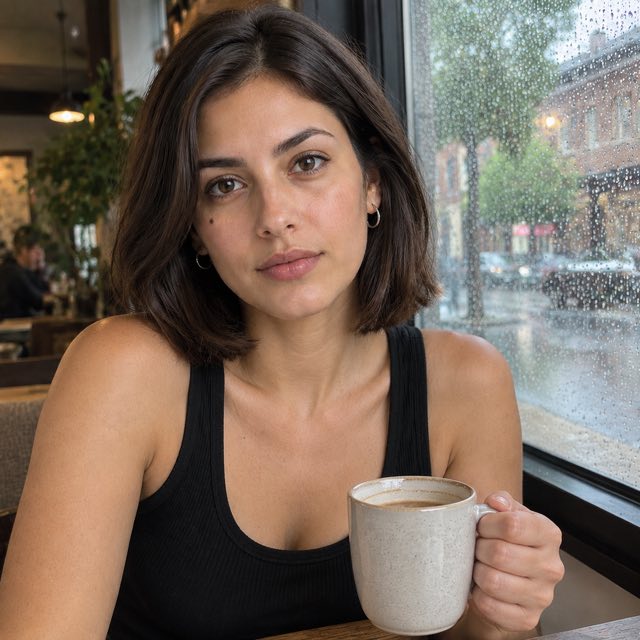
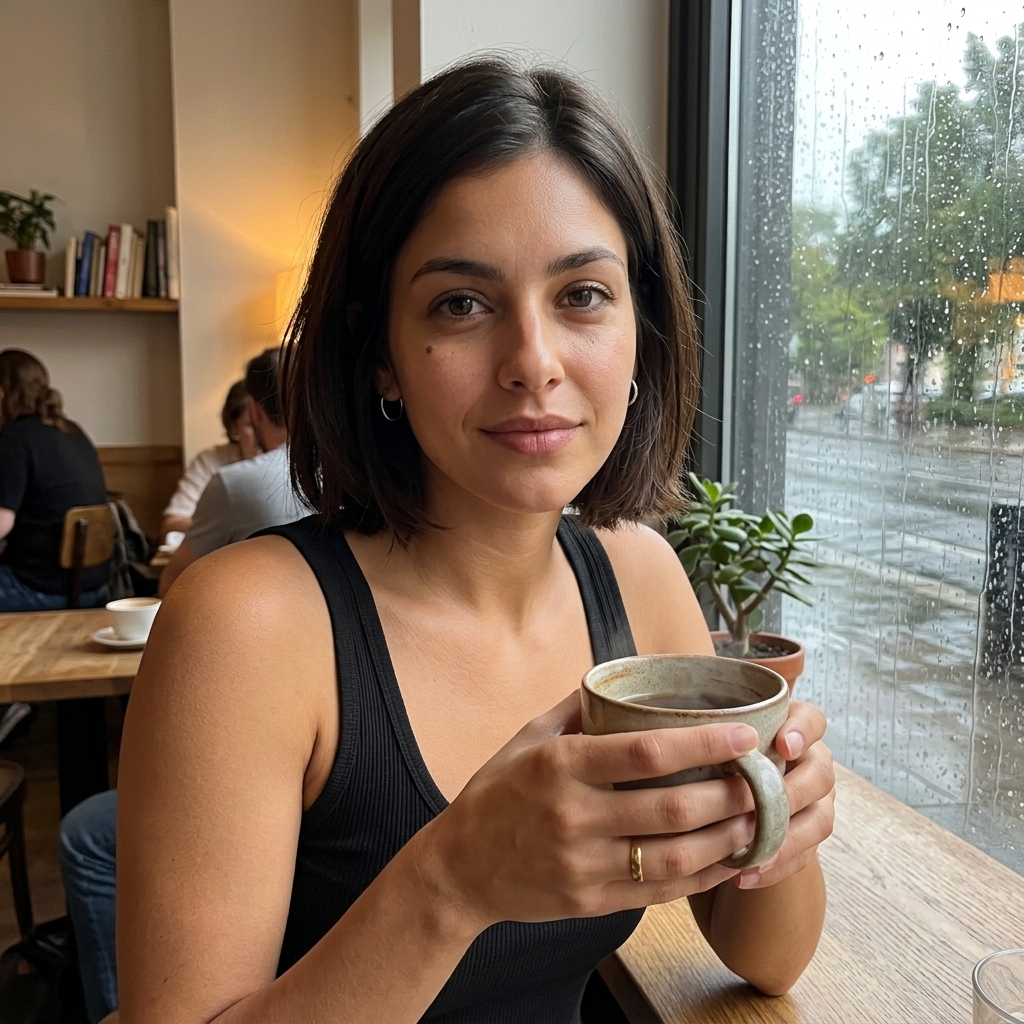
The café task asked both models to keep the black ribbed tank top and change only the setting and pose. Both outputs kept the face, bob haircut, warm olive skin, and beauty mark. GPT Image 2.5 used a tighter candid crop with one hand around the mug. Nano Banana 2 made a believable café scene with the rain-covered window, but the subject held the cup with both hands.
Verdict pratique
Both models made a usable first frame. If the exact pose matters, inspect hands and object contact before adding the image to a carousel. A small “one hand” instruction can become a two-hand composition.
View the exact prompt
Using the one attached reference image, create one realistic square social photo of the same fictional adult woman. Preserve her face, shoulder-length dark-brown bob, warm olive skin, brown eyes, beauty mark below the left eye, body proportions, silver hoop earrings, and black ribbed tank top. Change only the setting and pose: a rainy neighborhood café by a window, seated three-quarter view, one hand around a ceramic mug, candid smartphone framing, soft overcast window light, natural skin texture, no text, no logo.Task 2: wardrobe change, golden-hour rooftop
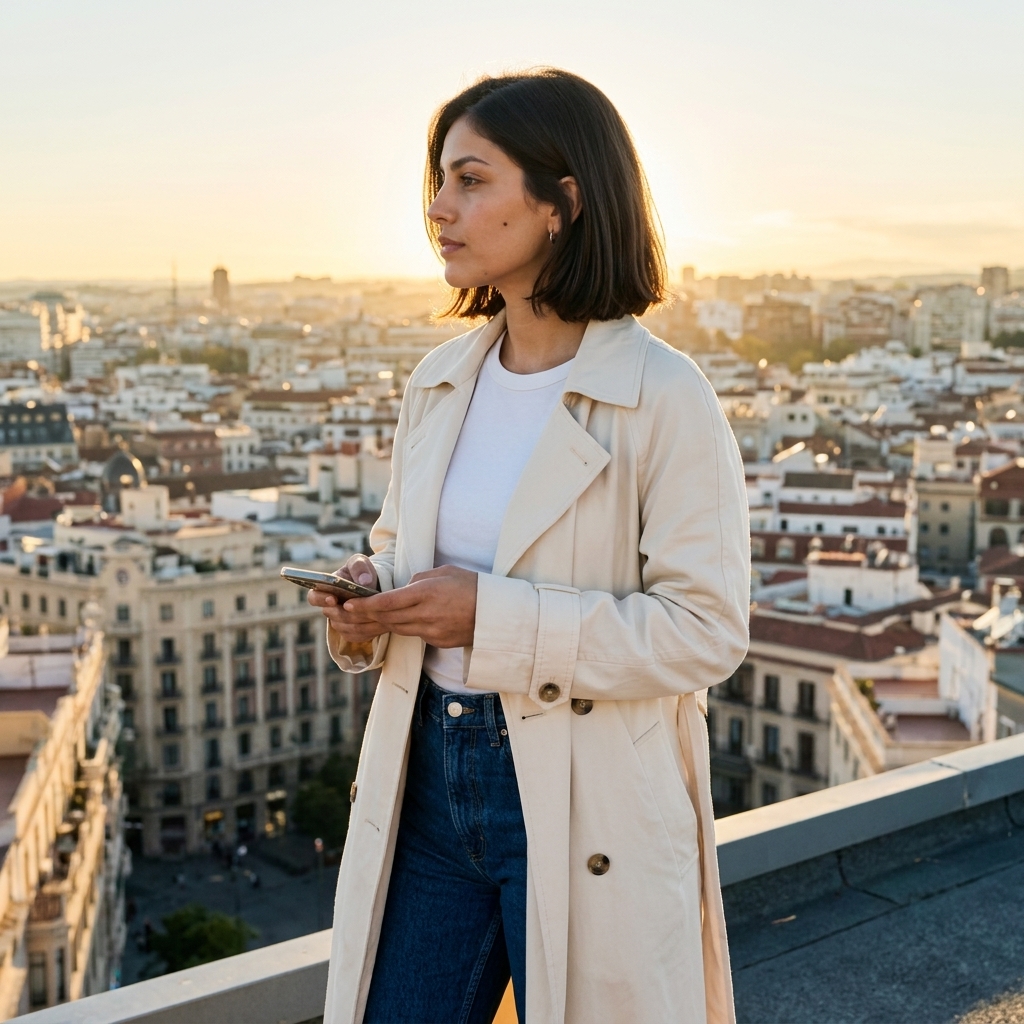
The rooftop task changed the wardrobe to a cream trench coat, white tee, and dark straight-leg jeans while keeping the person and hair fixed. Both images preserved the beauty mark and the overall identity. The rooftop, city, side profile, and warm backlight were clear in both results. Nano Banana 2 added a phone in the subject’s hands; it did not break the scene, but it is a reminder that extra props can appear even when they were not requested.

Verdict pratique
Wardrobe changes are workable when the identity package is repeated. Check the profile, hairline, and small facial mark together; a single matching feature is not enough to prove the same person.
View the exact prompt
Using the one attached reference image, create one realistic square social photo of the same fictional adult woman. Preserve her face, shoulder-length dark-brown bob, warm olive skin, brown eyes, beauty mark below the left eye, and body proportions. Change the outfit to a cream trench coat over a white tee with dark straight-leg jeans; do not change her identity or hair. Scene: golden-hour rooftop, standing side profile while looking toward the city, editorial but natural phone photo, warm backlight, crop-safe framing, no text, no logo.Task 3: close crop, hotel-bathroom mirror
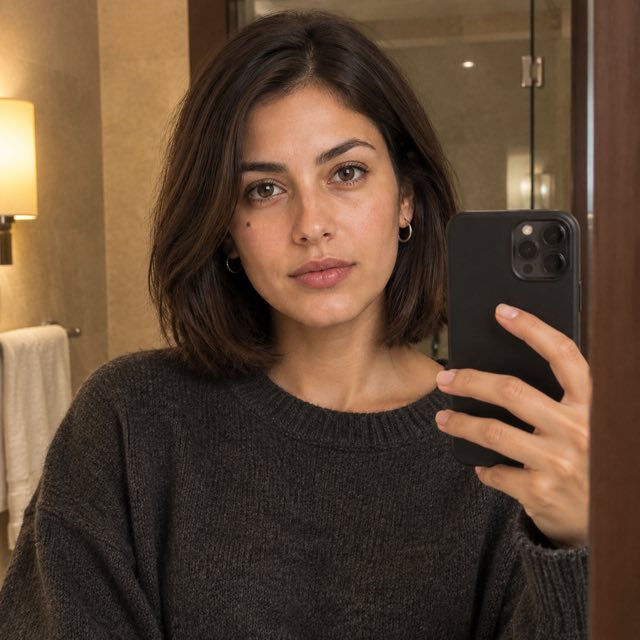
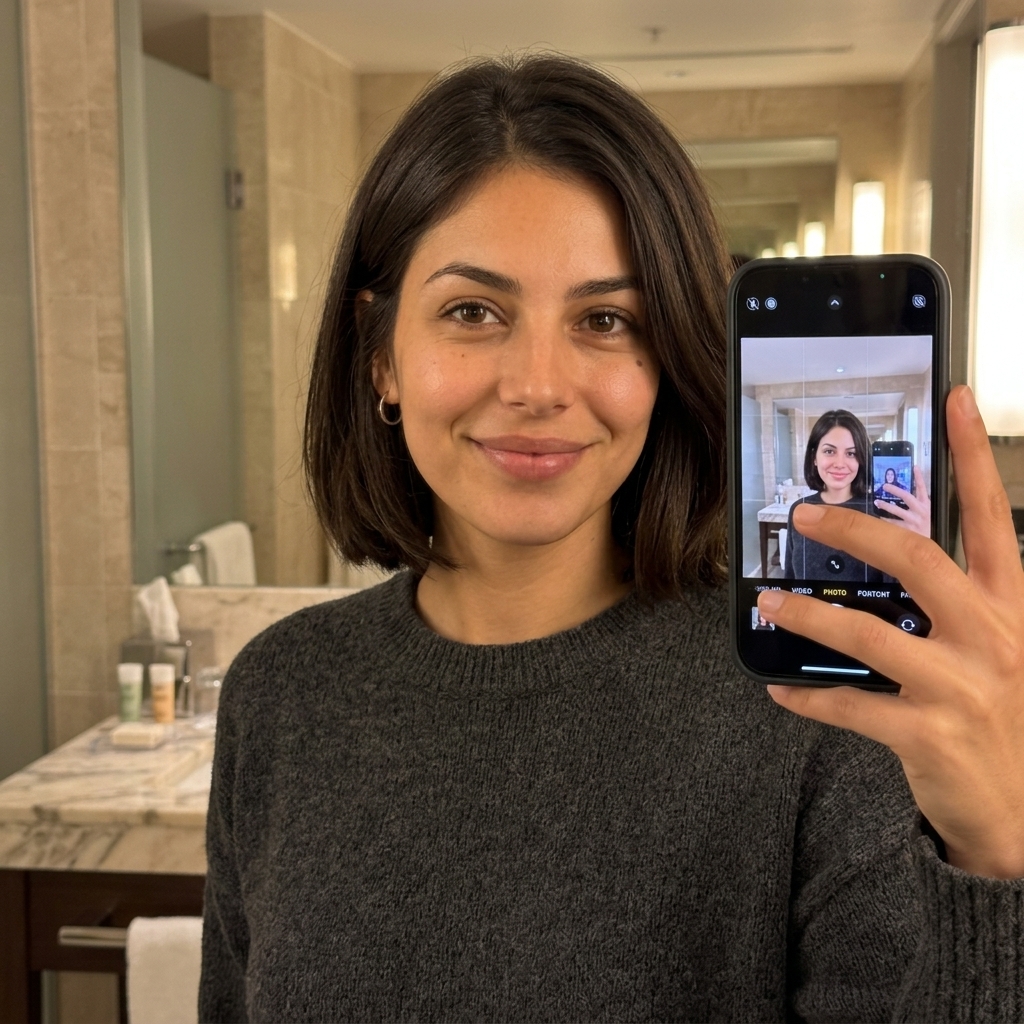
The bathroom task was the harder social frame because a mirror and a phone introduce a second visual system. GPT Image 2.5 produced a clean half-body selfie with a phone partly covering the right side. Nano Banana 2 kept the identity and sweater, but made the phone more dominant and showed a recursive selfie on the screen. That output is still readable as a bathroom selfie, yet the reflection and screen content deserve a closer human check before publishing.
Verdict pratique
Close crops are where you should be strictest. Zoom in on hands, phone edges, mirror boundaries, and any text-like detail. Keep a frame only when the defect does not distract from the story you want the carousel to tell.
View the exact prompt
Using the one attached reference image, create one realistic square social photo of the same fictional adult woman. Preserve her face, shoulder-length dark-brown bob, warm olive skin, brown eyes, beauty mark below the left eye, and body proportions. Outfit: charcoal knit sweater. Scene: cozy hotel bathroom mirror, relaxed half-body selfie with the phone partly visible, soft tungsten light, slight imperfect framing, realistic reflections, natural skin texture, no text, no logo.What to take from the comparison
The six first outputs support a workflow conclusion rather than a permanent model ranking. Both models kept the central identity anchors across a café, a rooftop, and a bathroom. The differences appeared in the small constraints: Nano Banana 2 used both hands in the café and made the phone more prominent in the bathroom; GPT Image 2.5 gave the café and mirror tasks a slightly cleaner match to the requested framing.
| Decision dimension | What this run suggests | What to check yourself |
|---|---|---|
| Identité | Both routes held the face, bob haircut, skin tone, and beauty mark across the three scenes. | Compare the face and hairline across the whole set, not one image at a time. |
| Wardrobe | Both routes followed the fixed tank top and the cream-trench wardrobe change. | Look for extra accessories and unexpected props. |
| Pose and objects | Small instructions can drift: Nano Banana 2 used two hands on the mug. | Inspect hands, object contact, and the number of visible fingers. |
| Close framing | Both made a usable bathroom selfie; Nano’s phone and recursive screen were more distracting. | Check mirrors, phones, reflections, and text-like artifacts at full size. |
Curate the final carousel
Generation is only half the job. A good carousel has a visual rhythm, so avoid placing three nearly identical headshots next to each other.
- Open with the clearest identity anchor or the strongest environmental frame.
- Follow with a medium shot that changes the setting or outfit.
- Add a candid object or hand moment, such as the mug, after checking the anatomy.
- Use one close crop for intimacy, but remove it if the phone, mirror, or crop looks distracting.
- Review the sequence at the platform’s crop before exporting the final set.
Keep the final number flexible. A smaller set of coherent frames is more convincing than a fixed quota filled with weak variations.
Le rôle de GlobalGPT
GlobalGPT fits this workflow as a multi-model image workspace. You can keep the reference and the identity package together while testing an image route for a scene, a wardrobe change, or a close crop. That is useful when you want to compare practical outputs without moving between separate image tools for every experiment.

The public Nano Banana 2 page is a natural starting point for reference-driven image work. Use the model that matches the job, keep the prompt explicit about what stays and what changes, and judge the whole set before you commit to a carousel.
Try the reference-first photo workflow with Nano Banana 2.
FAQ
What is an AI photodump?
An AI photodump is a coordinated group of generated social images that shows the same subject in varied moments, locations, crops, or outfits.
How do I keep the same face across AI photos?
Start with a clear reference image, repeat the identity anchors in every prompt, and change one major variable at a time. Review the face, hairline, skin tone, and distinctive mark across the full set.
Can the outfit change while the person stays recognizable?
Yes. State the new clothing separately from the identity package and keep the hairstyle, face, skin tone, and body proportions fixed. Then inspect the result for extra accessories or silhouette changes.
How many images should I generate for a carousel?
There is no universal number. Generate enough options to create a rhythm of wide, medium, candid, and close frames, then keep only the images that are coherent and usable.
Should I reroll a weak first image?
First identify the failing variable. If the image is valid but has a weak hand, crop, or reflection, treat that as feedback about the prompt and workflow. Do not hide the defect by assuming every reroll will be better.