
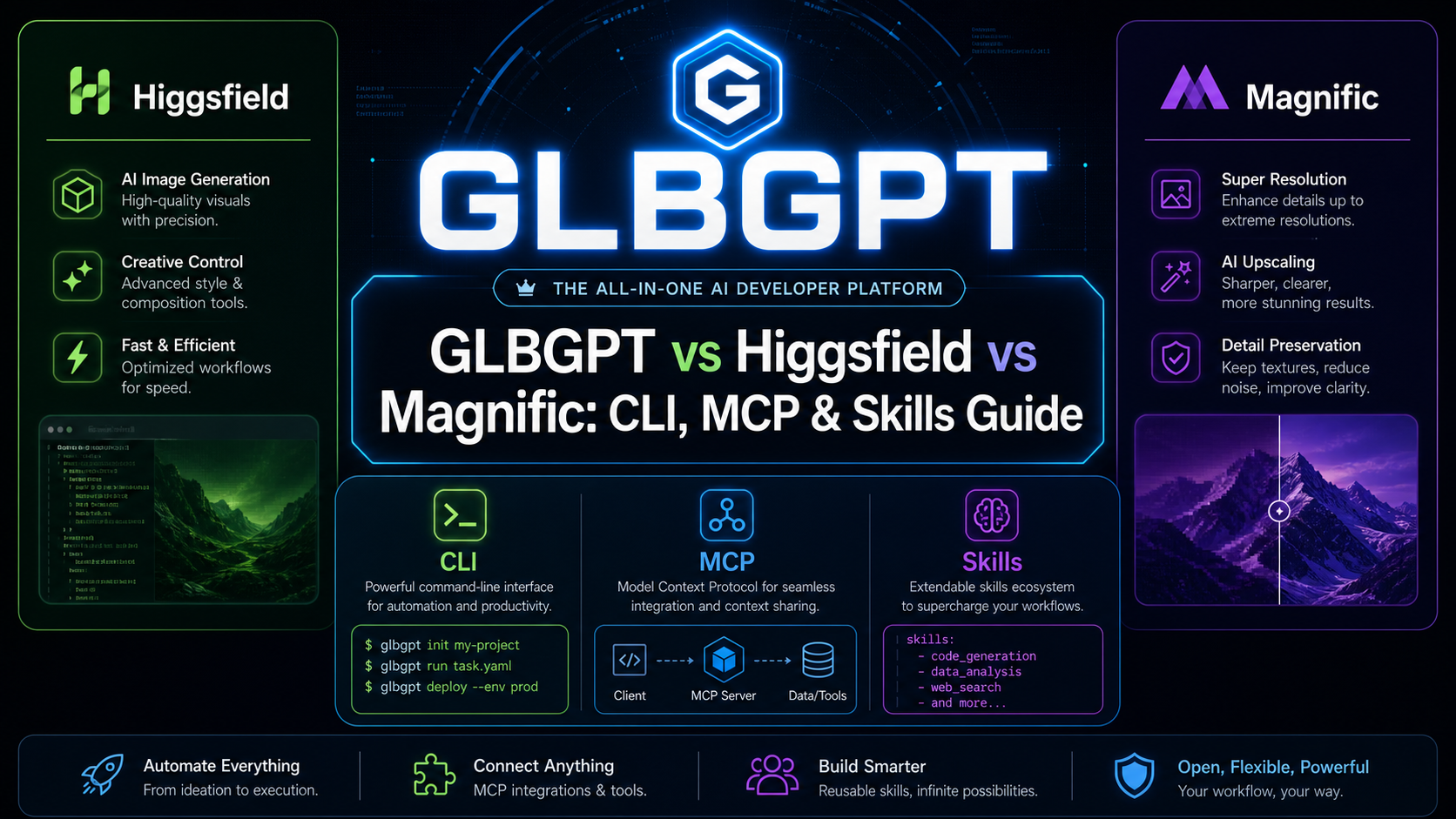
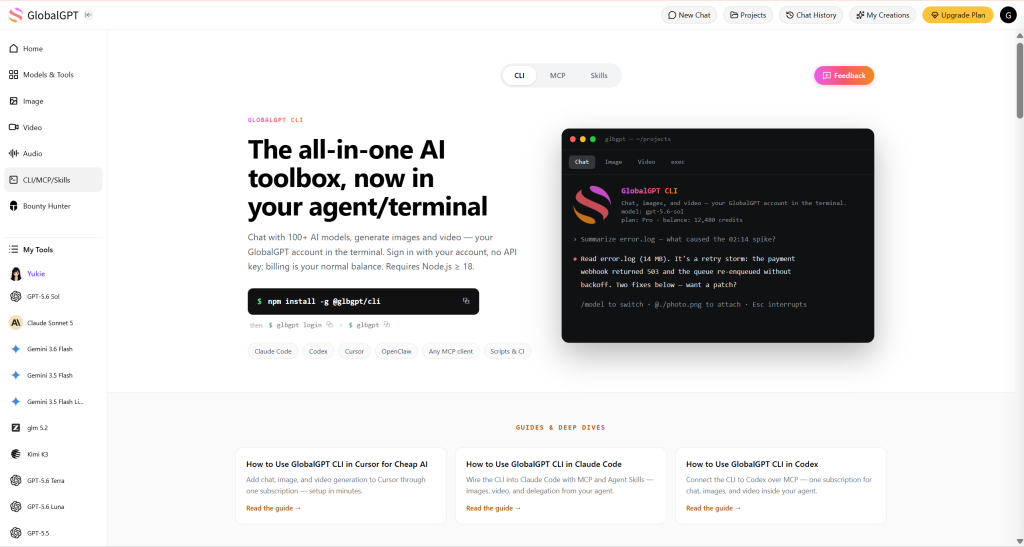
GLBGPT Sie können Chat-, Text-, Code-, Bild- und Videomodelle mit einem einzigen Agenten-Konto verknüpfen. Das ist besonders nützlich, wenn Ihre Arbeit Recherche, Texterstellung, die Überarbeitung von Eingabeaufforderungen, Programmierung, die Erstellung von Medien oder den Vergleich mehrerer Modelle vor der endgültigen Entscheidung umfasst.
Higgsfield und Magnific verfolgen einen stärker auf die kreative Produktion ausgerichteten Ansatz. Higgsfield legt den Schwerpunkt auf Workflows für Film- und Creator-Videos, während Magnific die Erstellung mit Tools zur Medienbearbeitung kombiniert. Wenn Ihr Hauptvergleichspunkt die Tools für Videokünstler ist, dann ist das Leitfaden zu Alternativen in Higgsfield bietet einen umfassenderen Überblick über den Markt.
Dieser Leitfaden zeigt, wie sich GLBGPT CLI/MCP/Skills, Higgsfield CLI/MCP/Skills und Magnific MCP in eine Agentenkonfiguration einfügen. Er vergleicht Zugriffsmöglichkeiten, Tool-Abdeckung, ein gemeinsames Produkt-Kampagnen-Beispiel und die aktuellen Preise, ohne dabei so zu tun, als seien die drei verschiedenen Produkte austauschbar; für eine detailliertere, host-spezifische Konfiguration verwenden Sie die GlobalGPT-CLI im Codex-Tutorial.
Kurzantwort: Welches sollten Sie verwenden?
Wählen Sie GLBGPT wenn der Agent neben der Bild- und Videogenerierung auch Text- oder Codemodelle benötigt oder wenn Sie mehr als ein Modell über ein einziges Konto testen möchten. Entscheiden Sie sich für Higgsfield wenn der Schwerpunkt des Auftrags auf filmischen Videos, Anzeigen im Creator-Stil, nutzergenerierten Inhalten (UGC) oder wiederverwendbaren visuellen Stilen liegt. Entscheiden Sie sich für Magnific wenn für den Auftrag ein professioneller kreativer Arbeitsbereich benötigt wird, der die Erstellung, Hochskalierung, Bearbeitung und die Arbeit mit verschiedenen Medientypen ermöglicht. Der umfassendere Vergleich von All-in-One-KI-Tools ist hilfreich, wenn Sie überlegen, ob Sie Konten zusammenlegen sollen.
Die beste Wahl hängt davon ab, wo die Arbeit beginnt und endet. Ein Filmemacher benötigt möglicherweise lediglich eine leistungsstarke kreative Pipeline. Ein Marketingexperte, ein SEO-Team, ein Entwickler oder eine kleine Agentur benötigt den Agenten oft dafür, das Briefing zu recherchieren, Texte zu verfassen, Medien zu erstellen und das Ergebnis zu überarbeiten, ohne sich durch einen Stapel nicht miteinander in Zusammenhang stehender Kundenprojekte arbeiten zu müssen.
Was sind CLI, MCP und Skills?
Diese Begriffe beschreiben verschiedene Möglichkeiten, ein KI-Produkt in Ihre Arbeitsumgebung zu integrieren. Sie stehen zwar miteinander in Zusammenhang, sind jedoch nicht drei Bezeichnungen für dieselbe Funktion.
| Schnittstelle | Was es bewirkt | Wann es sinnvoll ist |
|---|---|---|
| CLI | Führt Befehle über ein Terminal oder aus einem Skript aus. | Wiederholbare Jobs, Shell-Skripte, CI-Aufgaben und direkte Kontrolle über Eingabe- und Ausgabedateien. |
| MCP | Stellt einem MCP-kompatiblen Agenten über ein Standardprotokoll Tools zur Verfügung. | Es Claude Code, Codex oder einem anderen Host ermöglichen, während eines Gesprächs Kreativ-Tools zu erkennen und aufzurufen. |
| Fähigkeit | Gibt einem Agenten wiederverwendbare Anweisungen dazu, wie und wann ein Tool zu verwenden ist. | Ein bewährtes Verfahren, ein Standardmuster oder einen Marken-Workflow festlegen, damit der Mitarbeiter nicht jedes Mal bei Null anfangen muss. |
Eine CLI kann auch ohne MCP funktionieren. Ein MCP-Server kann Tools bereitstellen, ohne eine herkömmliche CLI anzubieten. Ein Skill kann beide Schnittstellen aufrufen, dient jedoch in der Regel eher der Steuerung und Koordination als der Modellierung einer neuen Generation.
So verwenden Sie die GLBGPT-Befehlszeilenschnittstelle, MCP und Skills
GLBGPT geht das Problem aus einer anderen Perspektive an. Anstatt von einer einzigen kreativen Plattform auszugehen, ist sein offizielles CLI-Paket ermöglicht dem Mitarbeiter den Zugriff auf eine umfangreichere Modellbibliothek, die Optionen für Chat, Text, Code, Bilder und Videos umfasst.
1. Installieren Sie die GLBGPT-CLI und melden Sie sich an
Falls die browserbasierte Anmeldung in Ihrer Umgebung nicht geöffnet werden kann, führen Sie folgenden Befehl aus: glbgpt login --no-browser und öffnen Sie die ausgedruckte Autorisierungs-URL manuell.
2. Eine Text- oder Chat-Aufgabe testen
Die Ausführung Der Befehl eignet sich für Kurzberichte, Werbetexte, SEO-Aufgaben, strukturierte Ausgaben, die Auswertung von Eingabeaufforderungen und Programmierarbeiten. Sie können ein unterstütztes Modell auswählen, wenn die Aufgabe ein anderes Verhältnis von Qualität, Geschwindigkeit oder Kosten erfordert, und das Leitfaden zum besten KI-Modell für die Programmierung ist hilfreich, wenn die Ergebnisse des Agenten in die eigentliche Entwicklungsarbeit einfließen müssen.
3. Bild- und Videomaterial erstellen
Verwenden Sie die vom ausgewählten Generierungsbefehl unterstützten Optionen „model“, „resolution“, „duration“, „reference-image“, „start-image“, „end-image“, „seed“ und „negative-prompt“. Wenn die Qualität des Standbilds ausschlaggebend ist, vergleichen Sie die Optionen in der Der beste Leitfaden zu KI-Bildgeneratoren bevor ein Produktionslauf gestartet wird.
4. GLBGPT einem externen Wirkstoff aussetzen
Der MCP-Server läuft über Standard-Ein- und -Ausgabe und stellt einem kompatiblen Host die GLBGPT-Chat- und Medienerzeugung zur Verfügung. Verwenden Sie --max-credits Wenn Sie eine feste Begrenzung für eine Agenten-Sitzung festlegen möchten, können Teams, die in der Programmierumgebung von Anthropic arbeiten, die GlobalGPT-CLI im Claude-Codehandbuch neben dieser Konfiguration.
5. Wiederverwendbare Skills installieren
Mithilfe dieser Fähigkeiten kann der Host verstehen, wie er gängige Aufgaben über GLBGPT abwickeln kann. Der Vorteil besteht nicht nur in einem weiteren Bildbefehl: Derselbe Agent kann die Kampagne entwerfen, Prompts verfeinern, Code oder SEO-Texte verfassen, Medien generieren und Alternativen vergleichen.
So verwenden Sie Higgsfield CLI, MCP und Skills
Die offizielle CLI-Seite von Higgsfield Hier können Sie den aktuellen Paketnamen und die Installationsbefehle überprüfen. Dies ist wichtig, da in einigen älteren Anleitungen von Drittanbietern noch ein früherer Paketname angegeben ist.
1. Installieren Sie das aktuelle CLI-Paket
2. Anmelden
Führen Sie die von der CLI angeforderte Kontoautorisierung durch. Die Ihnen zur Verfügung stehenden Modelle, Guthaben und Generierungslimits hängen von dem Konto und dem Tarif ab, die mit dieser Sitzung verknüpft sind.
3. Fügen Sie die Fähigkeiten von Higgsfield zu Ihrem Agenten hinzu
Skills geben dem Host-Agenten aufgabenspezifische Anweisungen für kreative Arbeit. Überprüfen Sie nach der Installation die installierten Skill-Dateien, damit Sie wissen, welche Befehle, Modelle und erforderlichen Eingaben die einzelnen Skills erwarten.
4. Stellen Sie eine Verbindung zum Remote-MCP-Server her, sofern Ihr Host MCP unterstützt
Fügen Sie diesen Remote-Konnektor in Ihrem MCP-Client hinzu und melden Sie sich anschließend mit Ihrem Higgsfield-Konto an. Auf der aktuellen MCP-Seite von Higgsfield heißt es, dass für die Verbindung die Anmeldung über das Konto verwendet wird und nicht ein manuell eingefügter API-Schlüssel.
5. Geben Sie dem Agenten ein Produktionsbriefing
Geben Sie das Endprodukt, das Seitenverhältnis, das Motiv, das Kameraverhalten, die Dauer, visuelle Referenzen und den Ausgabeordner an. Bei UGC oder charakterorientierten Arbeiten legen Sie fest, welche Identitäts- und Stildetails über alle Einstellungen hinweg konsistent bleiben müssen.
Higgsfield ist besonders dann von Bedeutung, wenn die Hauptaufgabe des Agenten in der kreativen Produktion liegt. Die öffentliche Positionierung des Unternehmens legt den Schwerpunkt auf filmische Bewegung, Creator- und UGC-Formate sowie eine wiederholbare visuelle Ausrichtung. Der Agent kann dabei helfen, ein Briefing in eine Abfolge kreativer Arbeitsschritte umzusetzen, während Higgsfield die Medienarbeit übernimmt.
@higgsfield-ai/higgsfield-cli. Verwenden Sie die auf der aktuellen offiziellen CLI-Seite angegebenen Befehle für „package“ und „authentication“, wenn die beiden Angaben voneinander abweichen.So verwenden Sie Magnific MCP
Die Route des öffentlichen Agenten von Magnific ist auf MCP ausgerichtet. Der Server stellt Kreativ-Tools innerhalb einer MCP-kompatiblen Host-Umgebung bereit, während OAuth den Agenten mit Ihrem Magnific-Konto verbindet.
1. Fügen Sie den Magnific MCP-Server hinzu
2. OAuth-Autorisierung abschließen
Starten Sie vom Host aus einen Magnific-Tool-Aufruf und folgen Sie den Anweisungen zur Anmeldung. Bei der MCP-Methode erfolgt die Autorisierung über das Konto, anstatt dass Sie einen langfristig gültigen API-Schlüssel in den Chat einfügen müssen.
3. Fragen Sie nach der kreativen Lösung, die Sie benötigen
Magnific eignet sich für Arbeitsabläufe, die zwischen der Erstellung und der Nachbearbeitung von Inhalten wechseln: Erstellen eines Bildes, Hochskalieren, Anpassen der Größe oder Zuschneiden für einen Kanal, Entfernen des Hintergrunds und Organisieren der Ergebnisse zur späteren Wiederverwendung. Die umfassende Plattform umfasst zudem Tools für Video, Audio und 3D.
4. Halten Sie verwandte Arbeiten gut organisiert
Nutzen Sie die Funktionen zur Erstellungshistorie und die Ordner-Tools von Magnific, wenn eine Kampagne mehrere Assets oder wiederkehrende Vorgänge umfasst. Das dokumentierte MCP kann vorhandene Spaces auflisten und anzeigen, dokumentiert jedoch derzeit keine Tools zu deren Erstellung oder Bearbeitung.
Magnific spielt seine Stärken besonders dann aus, wenn der Agent als kreativer Akteur agiert: Er erhält ein klares Briefing, wählt das passende Medienwerkzeug aus und bereitet anschließend das Ergebnis für die Produktion vor. Der Host-Agent benötigt möglicherweise dennoch ein separates Text- oder Programmiermodell für Recherchen, längere Texte oder Softwareaufgaben.
Beispiel-Workflow: Erstellen einer Produktkampagne mit den einzelnen Tools
Um die Unterschiede zu verdeutlichen, verwenden Sie für alle drei Konzepte denselben fiktiven Auftrag. „Northstar One“ ist eine isolierte Trinkflasche in mattem Graphit für Pendler in der Stadt. Die Kampagne benötigt eine Zielgruppenpositionierung, drei Slogans, einen Werbetext von etwa 80 Wörtern, Bild- und Video-Vorlagen, ein quadratisches Produkt-Hero-Bild, ein kurzes vertikales Video sowie eine übersichtliche Übergabe für die Veröffentlichung im Web oder in sozialen Medien.
Dieses Beispiel geht über die reine Medienqualität hinaus. Higgsfield eignet sich möglicherweise besser für Filmproduktionen oder UGC-Produktionen, während Magnific bei der kreativen Nachbearbeitung seine Stärken ausspielt. Der Vorteil von GLBGPT liegt in der umfassenderen Agenten-Schleife: Ein Account kann den gesamten Prozess von der Planung und Texterstellung mithilfe eines Textmodells über den Vergleich von Prompts bis hin zur Bild- und Videogenerierung sowie der Übergabe an die Programmier- oder SEO-Abteilung durchlaufen.
GLBGPT-Textmodell-Schritt
Beginnen Sie mit einem Textmodell innerhalb desselben Agenten-Workflows. Eine strukturierte Anfrage sorgt dafür, dass Positionierung, Text und Medienvorgaben aufeinander abgestimmt sind, bevor Generierungsangaben genehmigt werden:
Der Kampagnentext kann dann als gemeinsame Grundlage für das visuelle Briefing dienen:
- Behalte auch in der Hektik deine Gelassenheit.
- Großstadt-Tempo. Zuverlässige Erfrischung.
- Für den Arbeitsweg konzipiert. Aber auch darüber hinaus einsatzbereit.
Lernen Sie Northstar One kennen – die Isolierflasche, die speziell für das Tempo des Stadtlebens entwickelt wurde. Dank ihres schlanken Profils passt sie problemlos in volle Taschen und Getränkehalter im Nahverkehr, während der auslaufsichere Verschluss Laptops und Zugsitze schützt. Die doppelwandige Isolierung hält Ihr Getränk auf der von Ihnen gewählten Temperatur, ohne dass sich außen Kondenswasser bildet. Vom ersten Kaffee am Bahnsteig bis zur letzten Fahrt nach Hause bietet Northstar One klare Linien, zuverlässigen Transport und Erfrischung, die immer bereit ist, wenn Sie es sind.
GLBGPT-Medien- und Agentenübergabe
Nach dem Text-Schritt kann dasselbe Konto die Bild- und Videoaufgaben bewerten, bevor die Medienausgaben genehmigt werden. Für die videospezifische Modellauswahl gilt, dass die Der beste Vergleich von KI-Videogeneratoren gibt einen besseren Anhaltspunkt für den nächsten Schritt als das Raten anhand eines einzigen Demo-Clips:
Die Schätzung belief sich auf ungefähr 400 GLBGPT-Leistungspunkte, und die fertige PNG-Datei mit einer Auflösung von 2048×2048 nutzte diese Menge.
Die überprüfte Schätzung belief sich auf ungefähr 1.500 GLBGPT-Credits, und die fertige achtsekündige MP4-Datei hatte diese Größe. Eine Seedance-2.0-Fast-Konfiguration bei 720p ergab eine geschätzte Größe von etwa 3.200 Credits, was verdeutlicht, warum ein Modellvergleich vor der Erstellung erfolgen sollte und nicht erst, nachdem das Budget bereits aufgebraucht ist.
Fügen Sie den abschließenden Slogan in einem herkömmlichen Editor ein, anstatt das Videomodell zu beauftragen, einen kurzen Kampagnentext darzustellen.
Was die GLBGPT-Agentenschleife abdeckt
- Text und Strategie: Zielgruppenansprache, Slogans, Anzeigentexte, Bildplanung und Überarbeitung der Regieanweisungen.
- Modellwahl: Sehen Sie sich mehrere Bild- oder Videostrecken an oder machen Sie sich ein Bild davon, bevor Sie Guthaben ausgeben.
- Medienproduktion: das genehmigte Bild erstellen und es in ein zugehöriges Video einbinden, ohne ein weiteres Anbieter-Konto eröffnen zu müssen.
- Nächste Schritte: Setzen Sie die Arbeit an SEO-Texten, Landingpage-Code, Automatisierungsskripten oder Kampagnenvarianten mit Chat- und Code-Modellen in derselben Agentenumgebung fort.
Higgsfield-Route
- Geben Sie dem Host-Agenten die Produktbeschreibung und bitten Sie ihn, die Slogans, den Anzeigentext, die Bildvorgaben und die Shotlist vorzubereiten.
- Erstellen Sie ein kanonisches Produktdesign mithilfe der unterstützten Methode zur Bilderzeugung:
Verwenden Sie die genehmigte Vorlage aus dem Produkt-Fotoshooting für das quadratische Kampagnen-Hauptbild:
Für einen wiederverwendbaren UGC-Produkt-Workflow laden Sie die Referenz hoch, registrieren Sie sie als Produkt und übergeben Sie die zurückgegebenen Produkt-ID an marketing_studio_video. Dadurch kann ein vertikaler Produktclip mit Ton, einem ausgewählten Moderator oder einem wiederverwendbaren „Soul Character“ erstellt werden, sofern das Konto und der Tarif diese Optionen unterstützen; die Artikel über Alternativen zu Higgsfield ist die bessere Wahl, wenn Sie diesen Workflow mit umfassenderen multimodalen Plattformen vergleichen möchten.
Dieser Weg ist am direktesten, wenn der Agent eine videobasierte Creator-Kampagne unterstützt. Der Schritt der Texterstellung hängt weiterhin vom Host-Modell ab, es sei denn, ein separates Textmodell ist Teil der Konfiguration.
Eine herrliche Route
- Lassen Sie den Host-Agenten den Text verfassen, da Magnific MCP kein universell einsetzbares Tool zur Texterstellung bereitstellt.
- Anruf
Kontostand, erstellen Sie einen Kampagnenordner mitOrdner_erstellen, und überprüfen Sie anschließend den Live-Bildkatalog mitBilder_ModelllisteundBilder_Modelle_Anzeigen. - Anruf
images_generatefür den „Square Product Hero“. Verwende referenzbasierte Regeneration,Bilder_zuschneiden, oderimages_upscalefalls das Objekt noch fertiggestellt werden muss. - Prüfen
Liste der Videomodelleundvideo_models_show, wählen Sie ein Modell aus, das die Umwandlung von Bildern in Videos und die Ausgabe im Format 9:16 unterstützt, und rufen Sie dannvideo_generatemit dem freigegebenen Helden als Produktreferenz oder erstem Bild. - Verwenden Sie
creations_waitundcreations_showUm die Fertigstellung zu überprüfen, verschieben Sie anschließend die freigegebenen Assets in den Kampagnenordner.
Magnific vereint Tools zur Erstellung und zur Endbearbeitung in einem Programm. Optionale Sprachausgabe kann mithilfe der dokumentierten Text-to-Speech-Tools erstellt werden, obwohl die MCP-Dokumentation weder einen Timeline-Editor noch ein Audio-/Video-Mux-Tool aufführt.
CLI- und MCP-Nachweise: Unser Ergebnis im Vergleich zu den offiziellen Beispielen
Hierbei handelt es sich nicht um einen Vergleichstest mit gleicher Ausgabeleistung. GLBGPT wird als Beispiel für eine durchgängige Kampagne dargestellt, da wir dessen CLI-Workflow ausgeführt haben; Higgsfield und Magnific bleiben kleinere offizielle Leistungsreferenzen, da sie in diesem Test nicht generiert wurden.
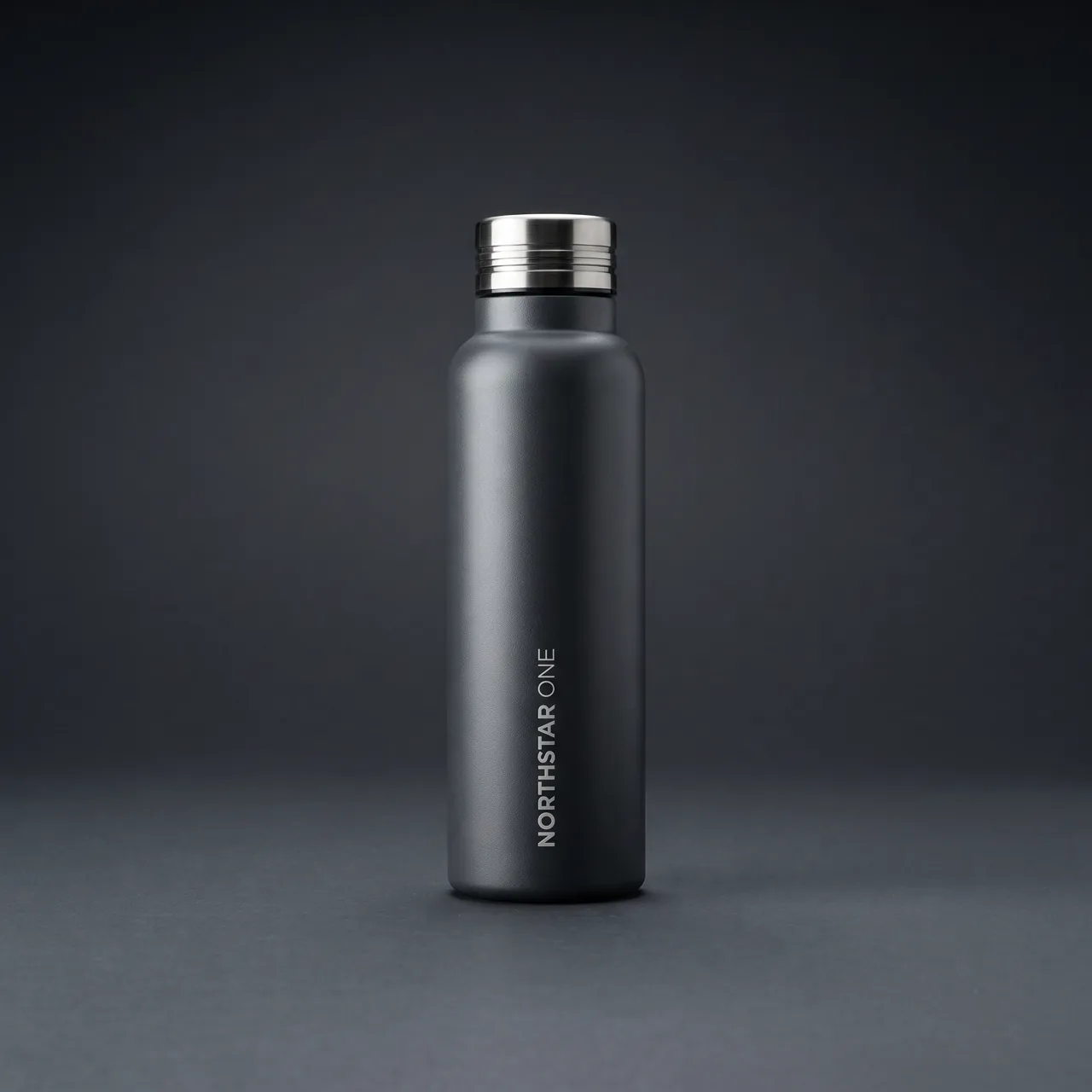
GLBGPT: Ein-Agent-Zyklus vom Briefing bis zu den Medien
Was dies beweist: Der gleiche Agent-Workflow kann die Kampagne erstellen und optimieren, Generierungswege vergleichen, das 2K-Bild mit Nano Banana 2 erstellen und es als Startbild für das acht Sekunden lange Veo 3.1-Video verwenden.
Maßvolle Nutzung: etwa 400 GLBGPT-Credits für das Bild und 1.500 Credits für das Video.
Higgsfield CLI
Die Offizielle Higgsfield-CLI-Seite stellt die Erstellung von Produktvideos als Teil des kreativen Arbeitsablaufs für Agenten vor. Hierbei handelt es sich um Material des Anbieters, nicht um unsere eigene Produktion.
Magnific MCP
Die Offizielle Magnific-MCP-Dokumentation bestätigt seine gehostete MCP-Verbindung und die über OAuth autorisierten Kreativtools. Hierbei handelt es sich um Material des Anbieters, nicht um unsere eigene Produktion.
GLBGPT vs. Higgsfield vs. Magnific: Ein einfacher Vergleich
| Dimension | GLBGPT | Higgsfield | Großartig |
|---|---|---|---|
| Am besten für | Multimediale Arbeit, die Text, Code, Bilder und Videos kombiniert | Filmreife Videos, nutzergenerierte Inhalte (UGC), Creator-Kampagnen und einheitliche visuelle Stile | Kreative Gestaltung, Hochskalierung, Nachbearbeitung und organisierte Medienproduktion |
| Werkzeugabdeckung | Chat-, Text-, Code-, Bild- und Videomodelle sowie ein Vergleich der Ergebnisse | Erstellung von Bildern und Videos mit auf Creator ausgerichteten Arbeitsabläufen | Bild, Video, TTS, 3D, Zuschneiden, Größenänderung, Hintergrundentfernung und Bildhochskalierung mithilfe dokumentierter MCP-Tools |
| Agentenzugriff | CLI, stdio MCP und installierbare Skills | Offizielle CLI und Funktionen; Informationen zu den unterstützten Integrationen finden Sie auf der aktuellen offiziellen Konfigurationsseite | Gehostetes MCP mit OAuth; keine verifizierte Magnific-CLI |
| Preisgestaltung | Kontopläne sowie modellspezifische Gutschriften; erneute Ausführung --Schätzung vor der Erstellung von Bildern oder Videos | Das „Basic“-Paket kostet monatlich $9 und umfasst 120 Credits.; Bei den CLI- und MCP-Generationen werden Kontoguthaben verwendet | Die Premium-Mitgliedschaft gibt es ab 15 € monatlich mit 20.000 Credits, oder 10,50 € pro Monat bei jährlicher Abrechnung mit 240.000 Jahresguthaben |
GLBGPT-Generierungsschätzungen, Higgsfield-Guthaben und Magnific-Guthaben sind separate Systeme und sollten nicht als gleichwertige Einheiten behandelt werden. Auf der Preisseite von Higgsfield heißt es, dass die Werbeaktionen für unbegrenzte oder kostenlose Generierung auf der Website gelten, nicht jedoch über CLI oder MCP. Die angezeigten Preise von Magnific verstehen sich ohne Mehrwertsteuer und lokale Steuern, und höhere Stufen beinhalten größere Guthabenpools. Die Preise und die enthaltenen Modelle wurden am 23. Juli 2026 überprüft und können sich ändern.
Der praktische Unterschied ist einfach. GLBGPT erweist sich als nützlicher, wenn derselbe Agent vor der endgültigen Umsetzung schreiben, programmieren, Eingabeaufforderungen auswerten oder mehrere Bild- und Videomodelle vergleichen muss. Higgsfield und Magnific sind dann besonders stark, wenn es hauptsächlich um kreative Produktion geht, während Entwickler, die mit Cursor arbeiten, die Anleitung zur Einrichtung der GLBGPT-Befehlszeilenschnittstelle in Cursor um AI-Aufrufe nah an der Codebasis zu halten.
Häufige Fehler beim Einsatz von KI-Tools für die Kreativarbeit bei Maklern
| Fehler | Warum das zu Problemen führt | Besserer Ansatz |
|---|---|---|
| CLI, MCP und Skills als ein und dasselbe betrachten | Sie können zwar Anleitungen installieren, dürfen jedoch niemals ein aufrufbares Tool offenlegen oder einen Server konfigurieren, ohne dem Agenten mitzuteilen, wann er dieses verwenden soll. | Überprüfen Sie die Anweisungen zur Schnittstelle, zur Authentifizierung und zum Skill jeweils separat. |
| Einen alten Paketnamen kopieren | Bei schnell voranschreitenden CLI-Projekten können Pakete umbenannt oder Authentifizierungsbefehle geändert werden. | Nutzen Sie die aktuelle offizielle Installationsseite als maßgebliche Quelle. |
| Dem Agenten eine offene, kreative Vorgabe geben | Der Agent muss das Format, das Seitenverhältnis, die visuellen Einschränkungen und den Ausgabeort erraten. | Geben Sie das Ergebnis, die Eingaben, die Einschränkungen, die Abmessungen und den Speicherort der Datei an. |
| Einem Makler uneingeschränkte Ausgaben gestatten | Wiederholungsversuche und explorative Generierungen können Credits schnell aufbrauchen, insbesondere bei Videos. | Zunächst eine Schätzung vornehmen, wo möglich Sitzungslimits festlegen und vor kostspieligen Verzweigungen eine Genehmigung einholen. |
| Abonnements so vergleichen, als wären sie identisch | Ein Kreativ-Abonnement, ein Guthabenkonto und ein Multi-Modell-Konto decken unterschiedliche Arbeitsbereiche ab. | Vergleichen Sie den Einstiegspreis, das enthaltene Nutzungsvolumen, den Aufgabenumfang, mögliche Überschneidungen bei den Konten und ob die daraus resultierenden Medien die in der Leitfaden zur kommerziellen Nutzung von KI-Bildern. |
| Behauptung, dass ein Tool anhand einer einzigen Eingabe erfolgreich ist | Ein einzelnes Produktfoto sagt wenig über UGC, Bildbearbeitung, Texterstellung, Programmierung oder längerfristige Kampagnen aus. | Geben Sie Empfehlungen für die einzelnen Aufgaben ab und legen Sie den Testablauf sowie die Rahmenbedingungen offen. |
Endgültiges Urteil
GlobalGPT bietet die größte Auswahl wenn der Agent mehrere Modell- und Medienaufgaben in einem Konto benötigt und Sie möchten, dass CLI, MCP und Skills gemeinsam verfügbar sind. Higgsfield ist die erste Wahl für Spezialanwendungen wenn die Tiefe der Bild- und Videoproduktion wichtiger ist als die allgemeine Modellabdeckung. Magnific ist die erste Wahl für den letzten Schliff wenn Erweiterung, Transformation und die Organisation von Ressourcen im Vordergrund stehen und eine gehostete OAuth-MCP-Lösung zum Host passt.
Es gibt keinen Grund, für jede Phase einen einzigen Gewinner vorzuschreiben. Bei einem gemischten Arbeitsablauf kann eine Umgebung für die Planung und Erstellung genutzt werden, um anschließend ausgewählte Assets an einen Dienstleister für die Endbearbeitung weiterzugeben. Je mehr Tools Sie kombinieren, desto wichtiger werden explizite Kreditlimits, Genehmigungsschritte, die Dateibenennung und die visuelle Qualitätssicherung.
Eine vernünftige Vorgehensweise bei der Entscheidung: Beginnen Sie mit der Aufgabe, die am meisten Zeit in Anspruch nimmt. Handelt es sich um spezialisierte kreative Arbeit, testen Sie zunächst die darauf spezialisierte Plattform. Wenn die Arbeit regelmäßig verschiedene Modellkategorien umfasst, Probieren Sie den Workflow in GLBGPT aus und vergleichen Sie die verfügbaren Ausgänge, bevor Sie weitere Abonnements hinzufügen.
Häufig gestellte Fragen
Verfügt GlobalGPT über eine CLI?
Ja. Das offizielle npm-Paket @glbgpt/cli hatte bei der Überprüfung am 28. August 2026 die Version 0.2.1. Es dokumentiert die Routen „interactive“, „exec“, „coding-tool“, „MCP“ und „Skill“.
Unterstützt Higgsfield sowohl CLI als auch MCP?
Ja. Higgsfield veröffentlicht @higgsfield/cli und einen Remote-MCP-Endpunkt. Auf der offiziellen Seite wird die CLI für Nutzer von Claude Code oder Codex empfohlen.
Verfügt Magnific über eine CLI?
Für diesen Vergleich wurde keine öffentliche Magnific-CLI verifiziert. Die verifizierte öffentliche Agent-Route ist ein gehosteter, streamfähiger HTTP-MCP-Server, der OAuth 2.0 nutzt.
Was ist der Unterschied zwischen MCP und Skills?
MCP stellt einem kompatiblen Host strukturierte Tools zur Verfügung. Skills sind wiederverwendbare Anweisungen, die einem Agenten beibringen, wie ein Workflow auszuführen ist. Ein Skill ersetzt weder Tools noch Authentifizierung, Berechtigungen oder Guthaben.
Kann Magnific MCP „Spaces“ verwalten?
In der geprüften Dokumentation sind die Aktionen „Ordner erstellen“, „umbenennen“ und „löschen“ aufgeführt. Bei „Spaces“ wurden lediglich die Funktionen „Auflisten“ und „Anzeigen“ überprüft, daher wird in dem Artikel nicht behauptet, dass „Spaces“ über MCP erstellt oder geändert werden können.
Beträgt der Preis für Higgsfield $47 47 pro Monat?
Diese Zahl bezog sich ausschließlich auf die ausgewählte Nutzung, die geschätzte Nutzungsdauer und die am 29. August 2026 erfasste jährliche Seitenkonfiguration. Sie sollte nicht als Standardpreis für jeden Nutzer angesehen werden.
Welches Tool eignet sich am besten für Claude Code oder Codex?
Higgsfield empfiehlt für diese Hosts ausdrücklich seine CLI. GlobalGPT bietet ebenfalls eine lokale CLI sowie eine MCP-Verbindung an. Magnific stellt die Verbindung über einen gehosteten MCP her; welche Lösung am besten geeignet ist, hängt davon ab, ob Sie lokale Terminalarbeit, umfassenden Modellzugriff oder kreative Nachbearbeitung benötigen.





