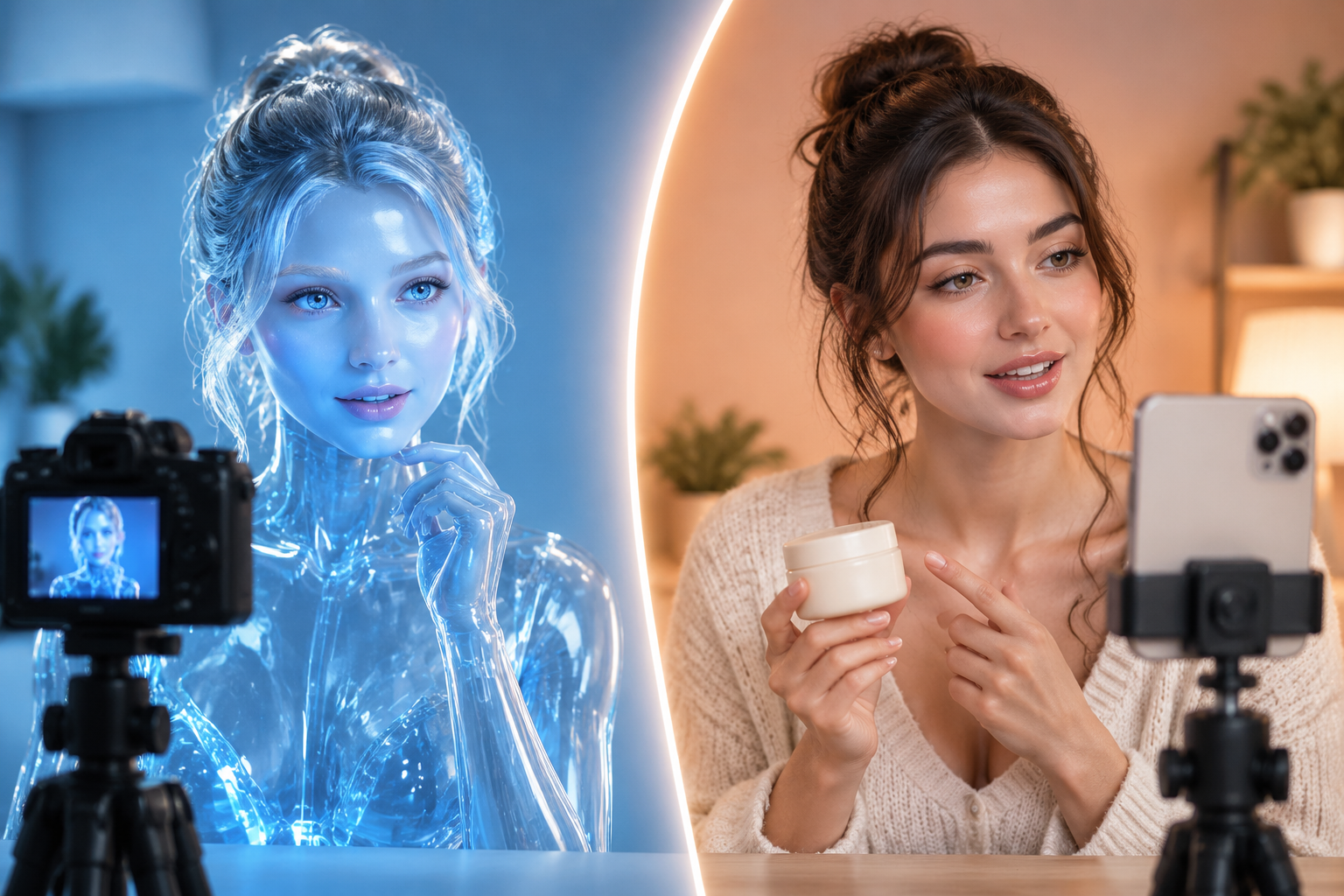
Nano Banana AI สามารถช่วยคุณสร้างรูปถ่ายสไตล์พาสปอร์ตที่สมจริงพร้อมใบหน้าอยู่ตรงกลาง, ฉากหลังเรียบ, สีหน้าเป็นกลาง, และแสงสว่างสม่ำเสมอได้. มีประโยชน์สำหรับรูปโปรไฟล์, ม็อกอัพ, ภาพตัวอย่างบัตรประจำตัวภายใน, ประวัติการทำงาน, และสินทรัพย์ทางการออกแบบ.
ในคู่มือนี้ ฉันจะแสดงให้คุณเห็นขั้นตอนการสร้างรูปถ่ายสไตล์พาสปอร์ตด้วย Nano Banana ในปี 2027 คุณจะได้รับคำแนะนำที่พร้อมใช้งาน คำแนะนำเกี่ยวกับขนาดและพื้นหลัง ข้อผิดพลาดทั่วไปที่ควรหลีกเลี่ยง และภาพรวมที่ชัดเจนว่าเมื่อใดที่รูปถ่ายบัตรประจำตัวที่สร้างโดย AI มีประโยชน์ และเมื่อใดที่คุณควรใช้รูปถ่ายต้นฉบับที่ไม่ได้แก้ไขแทน.

คำตอบอย่างรวดเร็ว
Nano Banana AI สามารถช่วยคุณสร้างภาพถ่ายสไตล์พาสปอร์ตที่สมจริงพร้อมใบหน้าตรงกลาง ฉากหลังเรียบง่าย สีหน้าเป็นกลาง และแสงสว่างสม่ำเสมอได้ มีประโยชน์สำหรับรูปโปรไฟล์, ม็อกอัพ, ภาพตัวอย่างบัตรประจำตัวภายใน, ประวัติการทำงาน, และสินทรัพย์ทางการออกแบบ สำหรับการยื่นคำร้องขอหนังสือเดินทางหรือวีซ่าอย่างเป็นทางการ ให้ใช้รูปถ่ายต้นฉบับที่ไม่ได้แก้ไข และปฏิบัติตามกฎระเบียบของหน่วยงานราชการที่เกี่ยวข้อง.
นาโน กล้วย AI คืออะไร?
นาโน กล้วย เป็นชื่อที่ใช้เรียกความสามารถในการสร้างและแก้ไขภาพของเจมินีตามปกติ ตามเอกสารการสร้างภาพของเจมินี API ของกูเกิล นาโน กล้วย หมายถึงแบบจำลองภาพหลายแบบ รวมถึงนาโน กล้วย 2, นาโน กล้วย โปร, และนาโน กล้วย ที่สร้างขึ้นจากแบบจำลองภาพของเจมินี.
สำหรับผู้สร้างสรรค์และผู้ทำการตลาด Nano Banana มีประโยชน์เพราะสามารถสร้างภาพจากข้อความที่ป้อนเข้าไป แก้ไขภาพที่อัปโหลดด้วยภาษาธรรมชาติ รักษาความสอดคล้องของวัตถุตลอดการแก้ไข และสร้างภาพเสมือนสตูดิโอที่สมจริง Google ยังระบุด้วยว่าภาพที่สร้างขึ้นจะมีการใส่ลายน้ำ SynthID.
พูดง่ายๆ คือ Nano Banana AI เป็นเครื่องมือสร้างและแก้ไขภาพที่สามารถเปลี่ยนข้อความหรือภาพถ่ายอ้างอิงที่อัปโหลดให้กลายเป็นภาพที่สวยงามได้ สำหรับรูปถ่ายแบบพาสปอร์ต คุณสามารถขอให้แสดงภาพใบหน้าตรง สีหน้าเป็นกลาง พื้นหลังเรียบ แสงสม่ำเสมอ และคุณภาพของภาพที่สมจริง.
คุณสามารถใช้กล้วยนาโนสำหรับรูปถ่ายหนังสือเดินทางได้หรือไม่?
คุณสามารถใช้ Nano Banana สำหรับรูปถ่ายพาสปอร์ตได้ แต่คุณไม่ควรคาดหวังว่าผลลัพธ์จะได้รับการยอมรับสำหรับการยื่นคำร้องขอพาสปอร์ตอย่างเป็นทางการ.
ใช้ Nano Banana สำหรับ:
- รูปภาพโปรไฟล์ LinkedIn
- รูปถ่ายใบหน้าสำหรับประวัติย่อ
- ตัวอย่างการแสดงผลรหัสประจำตัวภายในบริษัท
- ตัวอย่างบัตรประจำตัวนักเรียน
- ตัวอย่าง UI แอป
- ออกแบบตำแหน่งที่ว่างไว้
- ภาพถ่ายสไตล์พาสปอร์ตที่สร้างสรรค์
อย่าพึ่งพา Nano Banana เพียงอย่างเดียวสำหรับ:
- การยื่นหนังสือเดินทางสหรัฐอเมริกาอย่างเป็นทางการ
- การยื่นคำร้องขอวีซ่า
- การสมัครบัตรประจำตัวประชาชน
- เอกสารแสดงตัวตนทางกฎหมาย
- เอกสารหรือภาพถ่ายใด ๆ ที่หน่วยงานต้องการต้นฉบับ ภาพที่ไม่ผ่านการแก้ไข
กระทรวงการต่างประเทศของสหรัฐอเมริกา ระบุว่า รูปถ่ายสำหรับหนังสือเดินทางต้องเป็นต้นฉบับและไม่ผ่านการแก้ไข และเตือนไม่ให้แก้ไขรูปถ่ายด้วยซอฟต์แวร์, ฟิลเตอร์, แอปพลิเคชันบนโทรศัพท์, หรือปัญญาประดิษฐ์ นั่นคือเหตุผลที่คู่มือนี้ใช้คำว่า “รูปถ่ายสไตล์หนังสือเดินทาง” แทนที่จะสัญญาว่าเป็นรูปถ่ายหนังสือเดินทางที่ได้รับการยอมรับอย่างเป็นทางการ.
รูปถ่ายหนังสือเดินทางอย่างเป็นทางการ vs รูปภาพ AI แบบหนังสือเดินทาง
| กรณีการใช้งาน | นาโนกล้วยสามารถช่วยได้หรือไม่? | แนวทางปฏิบัติที่ดีที่สุด |
|---|---|---|
| รูปภาพโปรไฟล์ LinkedIn หรือประวัติย่อ | ใช่ | ใช้คำสั่งหัวที่สมจริงพร้อมแสงกลาง ๆ และไม่ปรับรูปหน้า. |
| ตัวอย่างบัตรประจำตัวบริษัท | ใช่ | สร้างรูปแบบ ID ที่สอดคล้องกันสำหรับม็อกอัพก่อนการถ่ายภาพขั้นสุดท้าย. |
| ตัวอย่างบัตรประจำตัวนักเรียน | ใช่ | ใช้สำหรับการดูตัวอย่างการออกแบบเท่านั้น ไม่ใช่สำหรับการยืนยันตัวตนอย่างเป็นทางการ. |
| แอปหรือเว็บไซต์ที่ยังไม่ได้พัฒนา | ใช่ | ใช้คนจำลองหรือภาพอ้างอิงที่ได้รับการอนุมัติ. |
| การขอหนังสือเดินทางสหรัฐอเมริกา | ไม่ใช่สำหรับภาพถ่ายที่ส่งเป็นฉบับสุดท้าย | ใช้รูปถ่ายจริงล่าสุดที่ไม่ได้ถูกแก้ไขทางดิจิทัล. |
| วีซ่าหรือบัตรประจำตัวประชาชน | ตรวจสอบก่อน | ข้อกำหนดอาจแตกต่างกันตามประเทศและหน่วยงาน. |
ข้อสรุปสำคัญ: Nano Banana เป็นเครื่องมือที่ดีสำหรับการสร้างภาพสไตล์หนังสือเดินทาง แต่ไม่ใช่ทางลัดในการหลีกเลี่ยงกฎระเบียบของภาพถ่ายทางการ.
คำแนะนำที่ดีที่สุดสำหรับรูปถ่ายพาสปอร์ตสไตล์นาร์โนบานาน่า
ใช้คำแนะนำเหล่านี้สำหรับรูปถ่ายที่ไม่เป็นทางการสไตล์หนังสือเดินทาง หากคุณอัปโหลดบุคคลจริงเป็นตัวอย่าง โปรดระบุบรรทัดว่า “รักษาลักษณะใบหน้าและตัวตนจริงของบุคคลนั้นไว้” เพื่อไม่ให้โมเดลแก้ไขใบหน้าเกินจริง.
| สถานการณ์ | ข้อความพร้อมใช้งานสำหรับการคัดลอก |
|---|---|
| ภาพถ่ายใบหน้าแบบมืออาชีพที่สะอาดเรียบร้อย | สร้างภาพถ่ายใบหน้าสไตล์พาสปอร์ตของบุคคลที่อัปโหลดไว้ รักษาลักษณะใบหน้าและตัวตนที่แท้จริงของบุคคลไว้ บุคคลต้องหันหน้าตรงเข้าหากล้องด้วยสีหน้าเป็นกลาง ทั้งสองตาเปิด ปากปิด เห็นไหล่ชัดเจน พื้นหลังสีขาวเรียบ ไม่มีลวดลาย แสงสว่างนุ่มนวล สีผิวเป็นธรรมชาติ ภาพถ่ายจากกล้องจริง ไม่ใช้ฟิลเตอร์ความงาม ไม่ปรับรูปหน้า. |
| รูปโปรไฟล์ธุรกิจ | สร้างภาพถ่ายใบหน้าแบบบัตรประจำตัวที่ดูเป็นมืออาชีพของบุคคลที่อัปโหลดไว้ รักษาเอกลักษณ์และสัดส่วนใบหน้าไว้ บุคคลสวมเสื้อสูทสีเข้มทับเสื้อเชิ้ตสีอ่อน หันหน้าตรงเข้าหากล้อง มีสีหน้าเป็นกลาง ศีรษะและไหล่อยู่ตรงกลางภาพ พื้นหลังสีขาวเรียบ แสงในสตูดิโอสม่ำเสมอ คุณภาพภาพสมจริง. |
| รูปถ่ายแบบบัตรประจำตัวนักเรียน | สร้างภาพถ่ายใบหน้าแบบบัตรประจำตัวนักเรียนที่สมจริงของบุคคลที่อัปโหลดไว้ โดยคงรูปหน้าและอายุเดิมไว้ แต่งกายลำลองแต่เรียบร้อย มองตรงเข้าหาเลนส์ สีหน้าเป็นกลาง แสดงให้เห็นไหล่ทั้งสองข้าง พื้นหลังสีเทาอ่อนเรียบ แสงสว่างสม่ำเสมอ ไม่มีการปรับแต่งภาพหรือใช้ฟิลเตอร์ตกแต่ง. |
| บัตรประจำตัวพนักงาน | สร้างภาพหัวแบบบัตรประจำตัวพนักงานของบุคคลที่อัปโหลดไว้ รักษาเอกลักษณ์ของบุคคลไว้ บุคคลสวมเสื้อเชิ้ตหรือเสื้อเรียบๆ แบบมืออาชีพ หันหน้าไปข้างหน้า สีหน้าเป็นกลาง ใบหน้าอยู่กึ่งกลาง เห็นไหล่ชัดเจน พื้นหลังสีขาวเรียบ สีผิวถูกต้อง แสงสม่ำเสมอ ภาพสมจริง. |
| ตัวอย่างแอปแบบแนวตั้ง | สร้างภาพถ่ายพาสปอร์ตสำหรับตัวอย่างหน้าจอแอปพลิเคชัน บุคคลหันหน้าตรงเข้าหากล้อง มีสีหน้าเป็นกลาง แสดงไหล่ทั้งสองข้าง เห็นชัดเจน พื้นหลังสีขาวเรียบ ไม่มีลวดลาย แสงไฟสมจริง ขอบภาพคมชัด พื้นผิวผิวหนังเป็นธรรมชาติ ไม่มีการบิดเบือนใบหน้า ไม่มีการแต่งภาพเกินจริง. |
ตัวปรับแต่งคำสั่งโปร:
พื้นหลังสีขาวเรียบไม่มีรอยต่อ, แสงไฟสตูดิโอมุมตรงด้านหน้าแบบนุ่มนวล, โทนสีผิวธรรมชาติ, ภาพถ่ายจากกล้องที่สมจริง, ศีรษะและไหล่อยู่กึ่งกลาง, ไม่มีเงาบนใบหน้าหรือพื้นหลังวิธีสร้างรูปถ่ายสไตล์พาสปอร์ตด้วย Nano Banana
ขั้นตอนที่ 1: เลือกกรณีการใช้งานที่เหมาะสม
ก่อนที่จะสร้างอะไรขึ้นมา ให้ตัดสินใจก่อนว่าภาพนั้นจะใช้ในทางการหรือไม่เป็นทางการ หากเป็นภาพโปรไฟล์, ม็อกอัพบัตรประจำตัว, ประวัติส่วนตัว, หน้าทีม, หรือตัวอย่างการออกแบบ, Nano Banana เหมาะสมอย่างยิ่ง หากเป็นภาพสำหรับเอกสารทางการ เช่น หนังสือเดินทางหรือวีซ่า, ให้ตรวจสอบกฎของรัฐบาลก่อน และใช้ภาพต้นฉบับหากจำเป็น.
ขั้นตอนที่ 2: อัปโหลดรูปถ่ายอ้างอิงที่ชัดเจน

ใช้ภาพที่คมชัดและหันหน้าตรง พร้อมแสงสว่างเพียงพอ หลีกเลี่ยงภาพที่เบลอ มีฟิลเตอร์มากเกินไป ถ่ายจากมุมข้าง หรือภาพที่ถูกครอป หากภาพอ้างอิงมีคุณภาพต่ำ ผลลัพธ์จาก AI มักจะต้องแก้ไขเพิ่มเติมอีกมาก.
อัปโหลดเฉพาะรูปภาพที่คุณได้รับอนุญาตให้ใช้เท่านั้น สำหรับโครงการทางธุรกิจหรือโครงการทีม ให้ได้รับความยินยอมก่อนใช้รูปภาพของพนักงานหรือลูกค้า.
ขั้นตอนที่ 3: วางข้อความพร้อมการปกป้องตัวตน
เริ่มต้นด้วยหนึ่งในหัวข้อที่ระบุไว้ข้างต้น หากภาพนั้นอ้างอิงจากบุคคลจริง ให้ระบุ:
รักษาลักษณะใบหน้าและตัวตนที่แท้จริงของบุคคลนั้นไว้.เพิ่มคำสั่งเชิงลบ เช่น:
ไม่มีฟิลเตอร์ความงาม, ไม่ปรับรูปหน้า, ไม่เปลี่ยนอายุ, ไม่มีเอฟเฟกต์สไตล์
ขั้นตอนที่ 4: ควบคุมพื้นหลังและแสงสว่าง
สำหรับลุคแบบพาสปอร์ตคลาสสิก ให้ขอพื้นหลังสีขาวล้วน สีขาวหม่น หรือสีเทาอ่อน สำหรับโปรไฟล์มืออาชีพ สีขาวหม่นหรือสีเทาอ่อนมักดูเป็นธรรมชาติมากกว่าสีขาวบริสุทธิ์.
ใช้คำแนะนำเกี่ยวกับแสง เช่น:
แสงด้านหน้าที่นุ่มนวลสม่ำเสมอ ไม่มีเงาที่คมชัด สีผิวแม่นยำ ภาพถ่ายในสตูดิโอที่สมจริง
หากภาพเปลี่ยนแปลงตัวตนของบุคคล ให้สร้างใหม่ด้วยคำแนะนำที่เข้มงวดมากขึ้น.
ขนาดและกฎเกณฑ์สำหรับรูปถ่ายหนังสือเดินทางสหรัฐอเมริกา
หากคุณกำลังจัดทำรูปแบบรูปถ่ายหนังสือเดินทางแบบสหรัฐอเมริกาเพื่อใช้เป็นตัวอย่าง โปรดใช้ข้อกำหนดทั่วไปจากกระทรวงการต่างประเทศสหรัฐอเมริกาเหล่านี้เป็นรายการตรวจสอบ รายการตรวจสอบนี้ไม่ได้ทำให้ภาพที่สร้างด้วย AI เป็นที่ยอมรับอย่างเป็นทางการ.
| ข้อกำหนด | คำแนะนำสำหรับรูปถ่ายหนังสือเดินทางสหรัฐอเมริกา |
|---|---|
| อายุของภาพถ่าย | ถ่ายไว้ภายใน 6 เดือนที่ผ่านมา |
| ขนาดการพิมพ์ | 2 x 2 นิ้ว หรือ 51 x 51 มม. |
| ขนาดศีรษะ | 1 ถึง 1 3/8 นิ้ว หรือ 25 ถึง 35 มม. จากคางถึงยอดศีรษะ |
| ภูมิหลัง | สีขาวล้วนหรือสีขาวนวล |
| โพส | หันหน้าเข้าหากล้องโดยตรงโดยให้ศีรษะอยู่ตรงกลาง |
| การแสดงออก | สีหน้าเป็นกลาง ดวงตาเปิดและมองเห็นได้ ปากปิดสนิท |
| แสงสว่าง | แสงสว่างสม่ำเสมอไม่มีเงาเข้ม |
| คุณภาพ | ภาพถ่ายสีความละเอียดสูง ไม่เบลอ ไม่เป็นเม็ด ไม่เสียหาย หรือแตกเป็นพิกเซล |
| การเปลี่ยนแปลงทางดิจิทัล | ใช้ภาพถ่ายต้นฉบับโดยไม่ใช้ AI, ฟิลเตอร์ หรือการแก้ไขด้วยซอฟต์แวร์ |
สำหรับการยื่นคำร้องอย่างเป็นทางการของสหรัฐอเมริกา ให้ตรวจสอบกฎระเบียบปัจจุบันบนหน้าเว็บไซต์รูปถ่ายหนังสือเดินทางอย่างเป็นทางการของกระทรวงการต่างประเทศก่อนยื่นคำร้อง.
เคล็ดลับสำหรับโมเดลกล้วยนาโนปี 2027
เอกสารปัจจุบันเกี่ยวกับการสร้างภาพของ Google อธิบายว่า Nano Banana เป็นตระกูลของโมเดลการสร้างภาพแบบเนทีฟของ Gemini ความแตกต่างที่สำคัญในทางปฏิบัติสำหรับกรณีการใช้งานนี้คือคุณภาพเทียบกับความเร็ว.
| ชื่อรุ่นในเอกสาร Google | บทบาทที่เป็นประโยชน์ | เหมาะที่สุดสำหรับภาพแบบพาสปอร์ต |
|---|---|---|
| นาโน กล้วย 2 | ความเร็วและการสร้างปริมาณสูง | ร่างแบบเป็นชุด, การปรับเปลี่ยนอย่างรวดเร็ว, แบบจำลองภายใน |
| นาโน กล้วย โปร | การผลิตสินทรัพย์อย่างมืออาชีพและคำแนะนำที่ซับซ้อน | สินทรัพย์โปรไฟล์คุณภาพสูงขึ้นและภาพการตลาดที่ดูดี |
| นาโนกล้วย | การสร้างและแก้ไขภาพอย่างรวดเร็ว | แก้ไขด่วนและภาพถ่ายใบหน้าสไตล์พาสปอร์ต |
หากแพลตฟอร์มของคุณมีตัวเลือก Nano Banana หลายรุ่น ให้เริ่มต้นด้วยรุ่นที่เร็วกว่าสำหรับร่างงาน และใช้รุ่นที่มีคุณภาพสูงกว่าสำหรับงานสุดท้ายที่ต้องการความสมบูรณ์ทางภาพ.
ข้อผิดพลาดทั่วไปที่ควรหลีกเลี่ยง
ข้อผิดพลาดที่ 1: เรียกผลลัพธ์ว่าภาพถ่ายหนังสือเดินทางอย่างเป็นทางการ
ใช้ “รูปถ่ายหน้าตรงแบบพาสปอร์ต” ยกเว้นกรณีที่คุณกำลังอ้างถึงรูปถ่ายจริงที่เป็นไปตามกฎระเบียบของหน่วยงานทางการเท่านั้น การทำเช่นนี้จะช่วยให้บทความมีความถูกต้องและปกป้องความไว้วางใจของผู้ใช้.
ข้อผิดพลาดที่ 2: แก้ไขใบหน้ามากเกินไป
รูปถ่ายสำหรับหนังสือเดินทางควรดูเป็นธรรมชาติ หลีกเลี่ยงการปรับแต่งที่ทำให้ใบหน้าดูอ่อนกว่าวัย ผอมลง เรียบเนียน สมมาตรมากขึ้น หรือดูสวยงามเกินจริง.
ข้อผิดพลาดที่ 3: การใช้พื้นหลังที่วุ่นวาย
วัตถุพื้นหลัง พื้นผิว เกรเดียนท์ เงา และผนังตกแต่งต่างๆ จะทำให้สไตล์ ID ดูอ่อนลง ควรรักษาพื้นหลังให้เรียบง่าย.
ข้อผิดพลาดที่ 4: ครอปภาพแน่นเกินไป
ภาพสำหรับหนังสือเดินทางที่ดีควรแสดงศีรษะและไหล่ทั้งหมด หากหน้าผาก ผม หู คาง หรือไหล่ถูกตัดออก ให้สร้างภาพใหม่หรือตัดภาพใหม่.
ข้อผิดพลาดที่ 5: การละเลยกฎระเบียบของประเทศอย่างเป็นทางการ
ข้อกำหนดสำหรับรูปถ่ายหนังสือเดินทางและวีซ่าอาจแตกต่างกัน รายการตรวจสอบของสหรัฐอเมริกาเป็นประโยชน์สำหรับการจัดรูปแบบตามแบบสหรัฐอเมริกา แต่ประเทศอื่นๆ อาจมีขนาด สีพื้นหลัง สัดส่วนใบหน้า หรือกฎการส่งแบบดิจิทัลที่แตกต่างกัน.
คำถามที่พบบ่อยเกี่ยวกับรูปถ่ายหนังสือเดินทางแบบนาโนกล้วย
นาโนกล้วยสามารถสร้างรูปถ่ายพาสปอร์ตได้หรือไม่?
Nano Banana สามารถสร้างรูปถ่ายสำหรับพาสปอร์ตสำหรับรูปโปรไฟล์, ประวัติส่วนตัว, ม็อกอัพ, และการแสดงตัวอย่างบัตรประจำตัวภายในองค์กรได้ สำหรับการยื่นคำร้องขอพาสปอร์ตอย่างเป็นทางการ ให้ตรวจสอบกฎของหน่วยงานก่อน บางหน่วยงานอาจต้องการรูปถ่ายต้นฉบับที่ไม่ได้แก้ไข และอาจปฏิเสธรูปถ่ายที่สร้างโดย AI หรือแก้ไขโดย AI.
รูปถ่ายพาสปอร์ต AI จะได้รับการยอมรับในปี 2027 หรือไม่?
การยอมรับขึ้นอยู่กับประเทศและหน่วยงาน คำแนะนำเกี่ยวกับหนังสือเดินทางของสหรัฐฯ ในปัจจุบันระบุว่าภาพถ่ายที่ส่งควรเป็นต้นฉบับและไม่มีการเปลี่ยนแปลง โดยไม่มีการแก้ไขด้วย AI หรือซอฟต์แวร์ใดๆ ให้ปฏิบัติกับภาพ Nano Banana เป็นภาพสไตล์หนังสือเดินทาง เว้นแต่กฎการสมัครอย่างเป็นทางการจะอนุญาตให้ใช้ภาพถ่ายที่แก้ไขด้วย AI ได้ชัดเจน.
ขนาดของรูปถ่ายสำหรับหนังสือเดินทางควรเป็นเท่าไร?
สำหรับรูปแบบหนังสือเดินทางแบบสหรัฐอเมริกา รูปถ่ายที่พิมพ์ควรมีขนาด 2 x 2 นิ้ว หรือ 51 x 51 มิลลิเมตร ขนาดศีรษะควรอยู่ระหว่าง 1 ถึง 1 3/8 นิ้ว หรือ 25 ถึง 35 มิลลิเมตร ประเทศอื่นอาจใช้ขนาดที่แตกต่างกัน.
ฉันสามารถใช้ Nano Banana เพื่อเปลี่ยนพื้นหลังเป็นสีขาวได้ไหม?
ใช่, Nano Banana สามารถสร้างหรือแก้ไขพื้นหลังสีขาวหรือสีขาวนวลสำหรับภาพที่ไม่เป็นทางการได้ สำหรับการยื่นขอหนังสือเดินทางของสหรัฐอเมริกาอย่างเป็นทางการ กระทรวงการต่างประเทศระบุว่าภาพที่ส่งไม่ควรมีการเปลี่ยนแปลงทางดิจิทัล.
Nano Banana Pro เหมาะสำหรับรูปถ่ายพาสปอร์ตหรือไม่?
Nano Banana Pro อาจเหมาะสมกว่าเมื่อคุณต้องการผลลัพธ์ที่ดูเรียบร้อยมากขึ้นหรือต้องการการตอบสนองที่ซับซ้อนตามคำสั่ง สำหรับร่างงานอย่างรวดเร็ว โมเดล Nano Banana ที่เร็วกว่าอาจเพียงพอแล้ว เลือกตามความต้องการด้านคุณภาพ ข้อจำกัดการใช้งาน และแพลตฟอร์มที่คุณเข้าถึงโมเดล.