If Grok says your video limit is reached, do not assume one universal quota. Official Grok and a GlobalGPT gateway use different account, plan, credit, queue, and model rules. Check the route first, then try one low-risk fix before spending another credit.
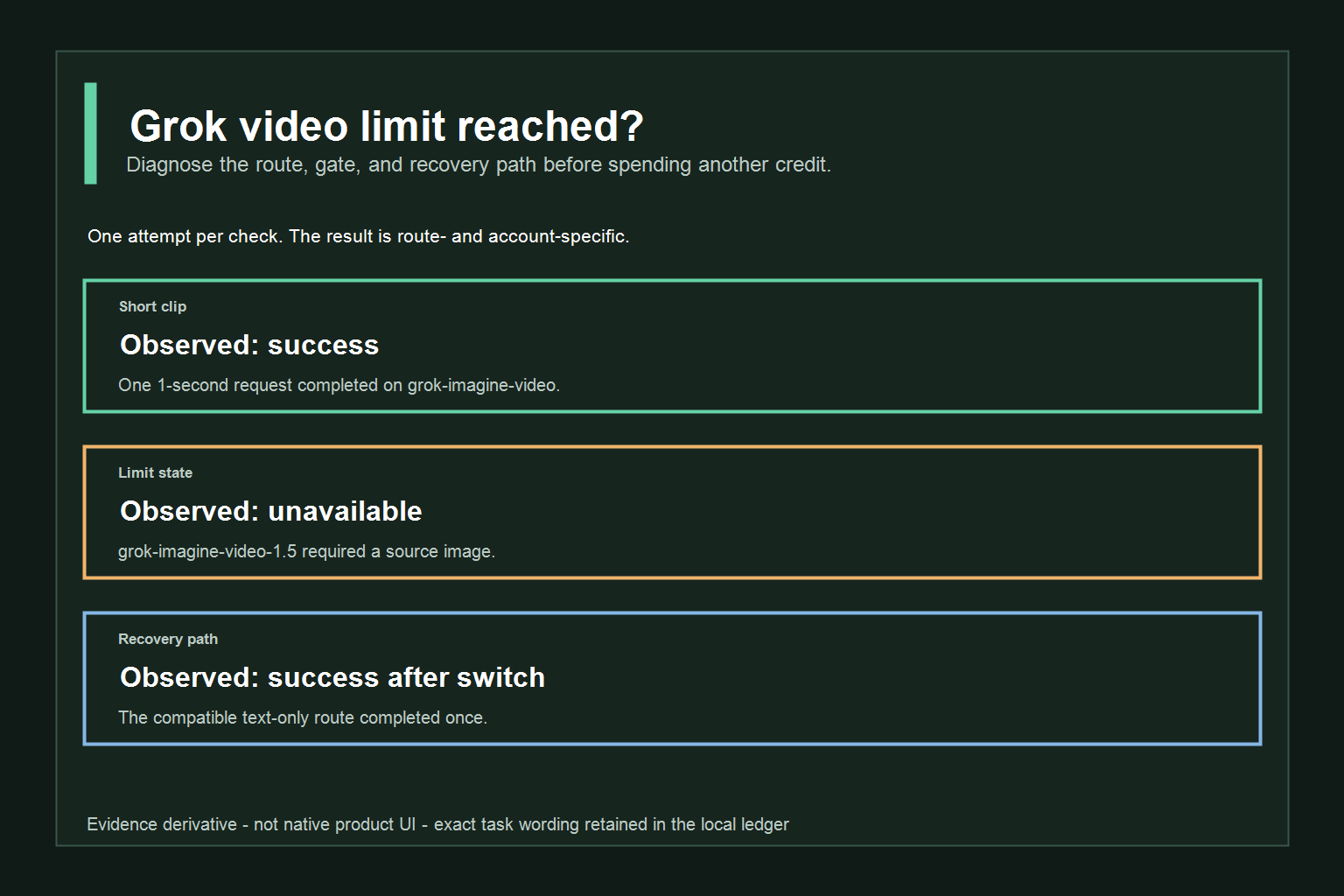
Plan usage, Usage-tab resets, xAI API rate limits, and model access belong to the official account or team.
Gateway credits, model requirements, defaults, and queue behavior belong to GlobalGPT and the selected route.
Reader rule: keep the provider, account, model, and checked date attached to every limit observation.
What “Grok video limit reached” actually means
The message is a symptom, not a complete diagnosis. A video request can stop because the account has used its included allowance, because the selected model needs an input you did not provide, because a queue or service is temporarily unavailable, or because the request asks for a combination of duration, resolution, or mode that the route cannot accept.
That is why “limit reached” should be treated as a routing question: which product did you use, which model was selected, and what did the message actually say?
Start with the exact message, not the headline
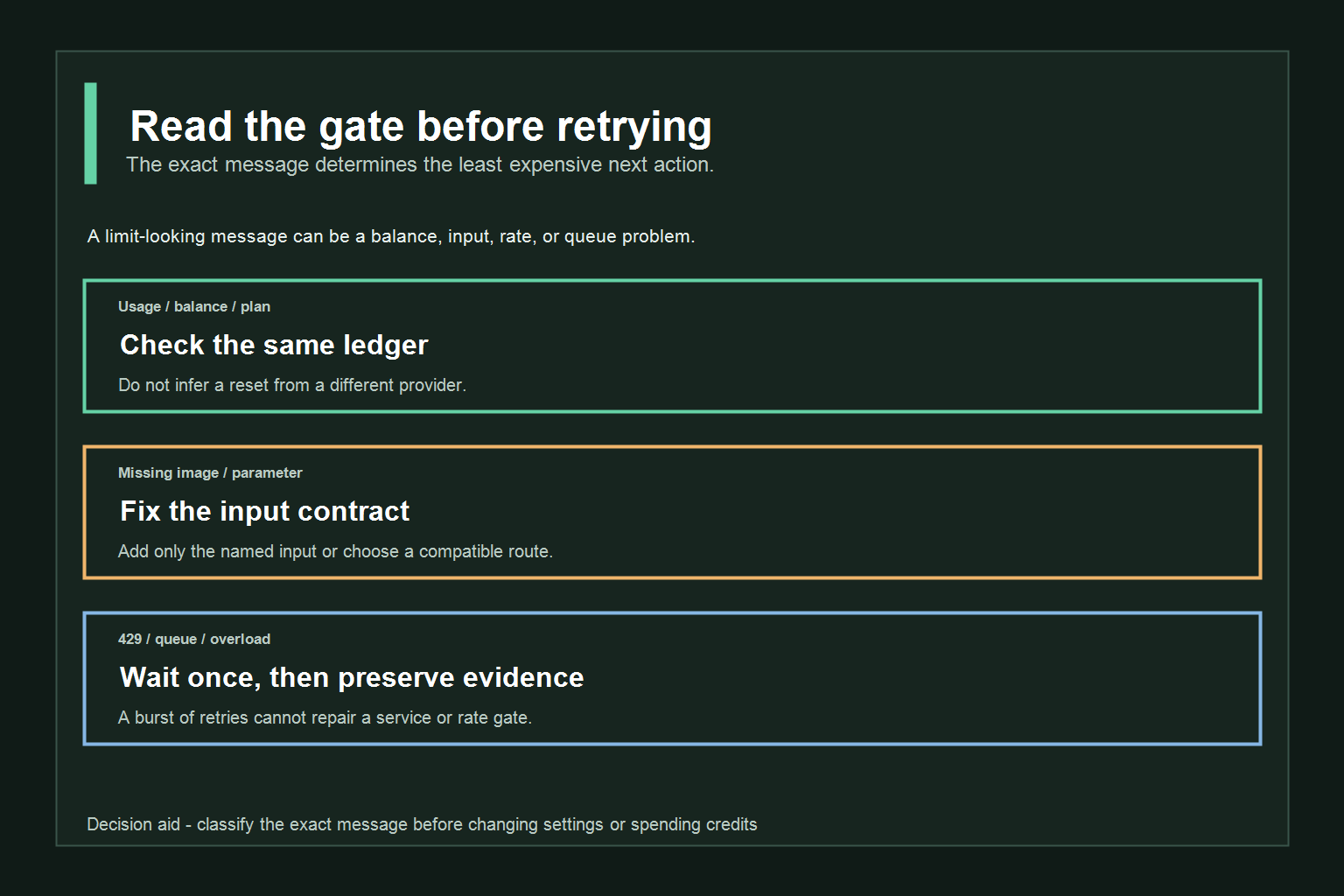
The fastest way to waste time is to paraphrase every failure as “Grok is out of videos.” Copy the visible sentence, including whether it mentions usage, credits, a missing image, a queue, a 429 response, or a temporary service problem. Small wording differences change the correct next step. “Try again later” points toward service state; “add a source image” points toward an input contract; “weekly usage reached” points toward an account gate.
Write down five fields before you change anything: provider, account or plan, model, requested settings, and exact message. This tiny record prevents a common support failure where a reader reports a limit from one provider while support investigates another. It also makes your own comparison reproducible: a one-second 480p test is not the same request as a 15-second high-resolution generation with references and audio.
| First clue in the message | Most likely gate | First safe action |
|---|---|---|
| Weekly usage, plan, or Usage tab | Account allowance | Open the same provider’s usage view and read the displayed reset or balance. |
| Credits, balance, or insufficient funds | Route billing | Check the route-specific ledger before submitting again. |
| Source image, start image, or reference required | Model input contract | Add the required input or choose a compatible text-only route. |
| 429, rate limit, or too many requests | API throttling | Wait, reduce request frequency, and preserve the error response. |
| Queue, overload, or service unavailable | Temporary service state | Wait for the provider’s status to recover instead of spamming retries. |
Official Grok vs GlobalGPT: two different limit systems
There are two lanes that readers often mix together:
- Official Grok: grok.com, the Grok mobile apps, or an xAI API team. The consumer FAQ describes plan usage and the Usage tab; the API docs describe model parameters, rate limits, and billing for an xAI team.
- GlobalGPT: a separate gateway and workspace that can expose Grok-branded routes alongside other video models. Its displayed credits, defaults, model selectors, and queue behavior belong to GlobalGPT.
The same model family name does not merge those systems. A limit shown by GlobalGPT is not proof of the official Grok weekly pool. An official xAI API duration range is not a promise that a GlobalGPT UI exposes every duration. Keep the provider, account, model, and date attached to every observation.
For a broader explanation of how a multi-model workspace fits beside a first-party route, see this Grok route comparison. It is context, not evidence that the two billing systems share limits.
Plan usage, Usage-tab resets, xAI API rate limits, and model access belong to the official account or team.
Gateway credits, model requirements, defaults, and queue behavior belong to GlobalGPT and the selected route.
Reader rule: keep the provider, account, model, and checked date attached to every limit observation.
What changes when you cross the provider boundary
For readers, this distinction changes the troubleshooting script. On an official route, ask which product pool or team limit the message names. On GlobalGPT, ask which gateway model and credit balance were selected. Carry the evidence between lanes, but do not carry the quota assumption: the same prompt can be accepted in one lane and rejected in another because the input contract or payment rule is different.
Grok video length limits: what is documented and what is not
当前的 xAI video-generation documentation documents a configurable 会期 parameter for the official video API. For generation, the documented range is 1–15 seconds. The same page says video editing keeps the original duration and caps the edited input at 8.7 秒. Those are API documentation boundaries for the named xAI capability, not a universal consumer or gateway promise.
The official consumer FAQ does not turn that API range into a single promise for every Grok website or app account. Consumer access can vary by plan, product, and current account state. A UI may expose fewer choices, fall back to a lower resolution, or pause paid features when the account reaches its usage gate.
GlobalGPT shows its own route-specific controls. On September 24, 2026, the checked Grok Imagine Video 1.5 page displayed a 1-second/720p default, 150 GlobalGPT Credits per second, and a way to stretch the same shot to 15 seconds. Treat those values as that GlobalGPT page’s current product display, not as xAI consumer limits or an official API billing rule.
The practical rule is simple: use the duration selector and model documentation for the route you are actually using. If the route does not publish a number, say that the value is account-dependent or not publicly specified instead of guessing.
Duration, resolution, audio, and references are separate demand controls
“Video length” is only one dimension of a request. A route may price or gate duration, resolution, audio, reference images, start/end frames, or editing mode independently. When a minimal request succeeds but a larger one fails, change one dimension at a time. Shorten the clip first, then lower resolution, then remove optional audio or references. Changing everything together makes the result impossible to interpret and can hide an input error behind a credit error.
Treat visible controls as route capabilities, not as universal Grok specifications.
Copy the template, then replace the bracketed fields with the route’s current values.
Credits, daily caps, queue limits, and failed generations
"(《世界人权宣言》) official consumer FAQ says paid users are moving to a shared weekly usage pool across Grok products. It says the Usage tab shows the reset schedule and product breakdown. When the included weekly usage is met, paid features pause until reset, with Extra Usage Credits, a higher plan, or Auto Top Up listed as possible ways to continue. The page also says the pool is consumed differently by products with different compute demands, so a high-quality video can use more of the pool than a short chat message.
The API lane has another kind of gate. The xAI rate-limit guide describes per-model requests-per-second and tokens-per-minute limits and an HTTP 429 response when a cap is exceeded. The video API documentation says authentication errors, missing models, and rate limits can be returned before a video job is created. That is a request-throttling boundary, not the same thing as a consumer weekly allowance.
Credits and refunds also stay route-specific. The official FAQ says xAI API credits are non-refundable. It does not establish whether a GlobalGPT gateway returns or consumes credits for every queued, failed, or unavailable state. Check the account ledger and current route terms before assuming that a failed generation was free or refundable.
How to tell a credit gate from a request gate
A credit gate usually names a balance, allowance, plan, or reset. A request gate usually names a parameter, missing input, model availability, or HTTP status. The distinction matters because a request gate can often be fixed without buying anything, while a credit gate may require waiting or using an explicitly offered paid option. Do not infer a credit charge from a task that never reached generation; in the hands-on 1.5 check below, no task was created because the source image was missing.
When the UI is vague, use a two-step observation. First, record the displayed balance or Usage tab without submitting. Second, make one deliberately small request only if the route shows a compatible path. This separates “the account is empty” from “the selected model cannot accept this input.”
For practical budgeting, this AI video credits guide 和 video model pricing and limits overview can help compare workflows. For a second workflow comparison, see how another video route works. These are GlobalGPT editorial context, not replacements for the official account screen or the route you tested.
Three hands-on checks: short clip, limit message, and recovery path
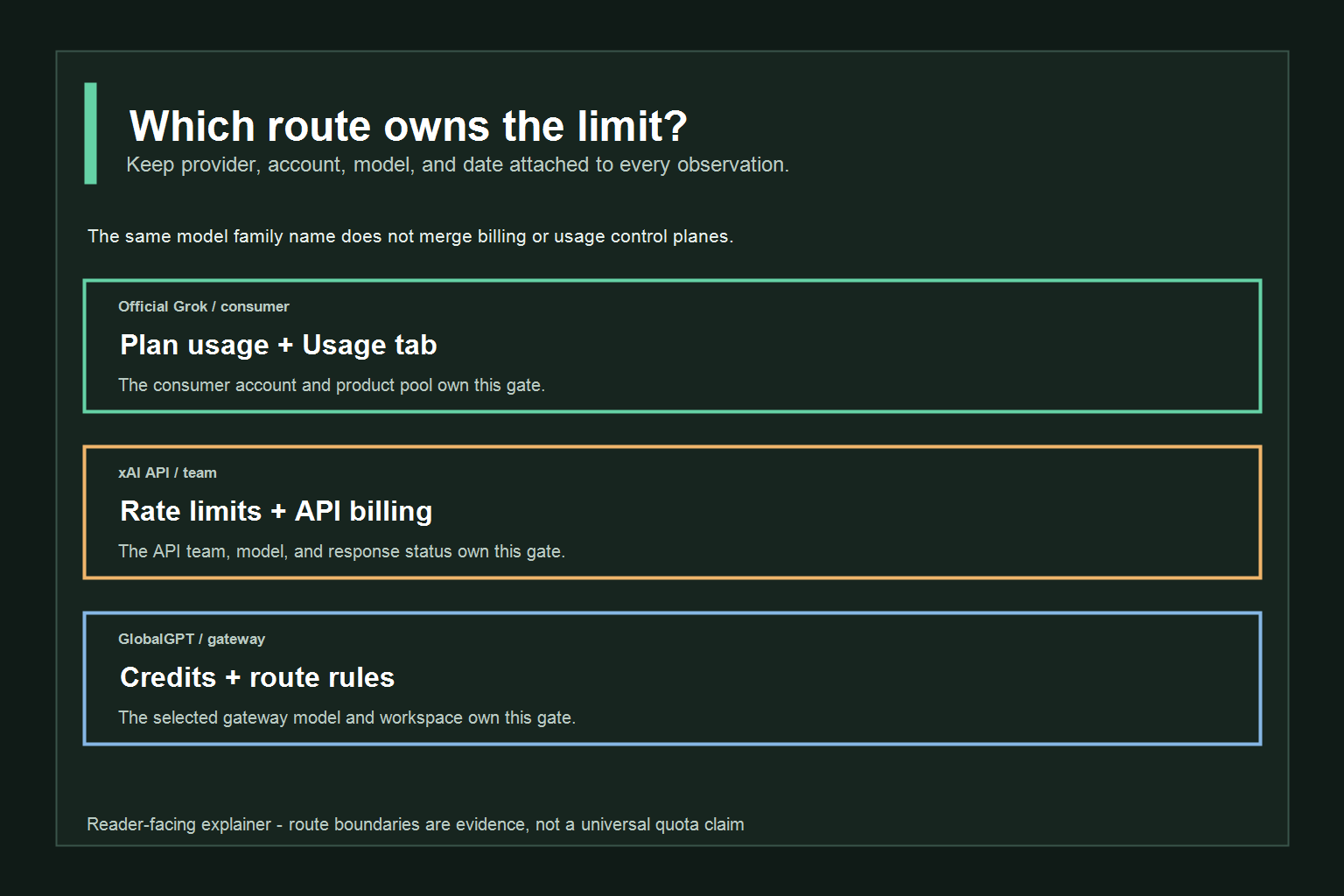
The following checks were run once each through a GlobalGPT test workspace on September 24, 2026. They are deliberately small and route-specific. No prompt was retried for a better result, and the checks do not establish official Grok consumer quotas.
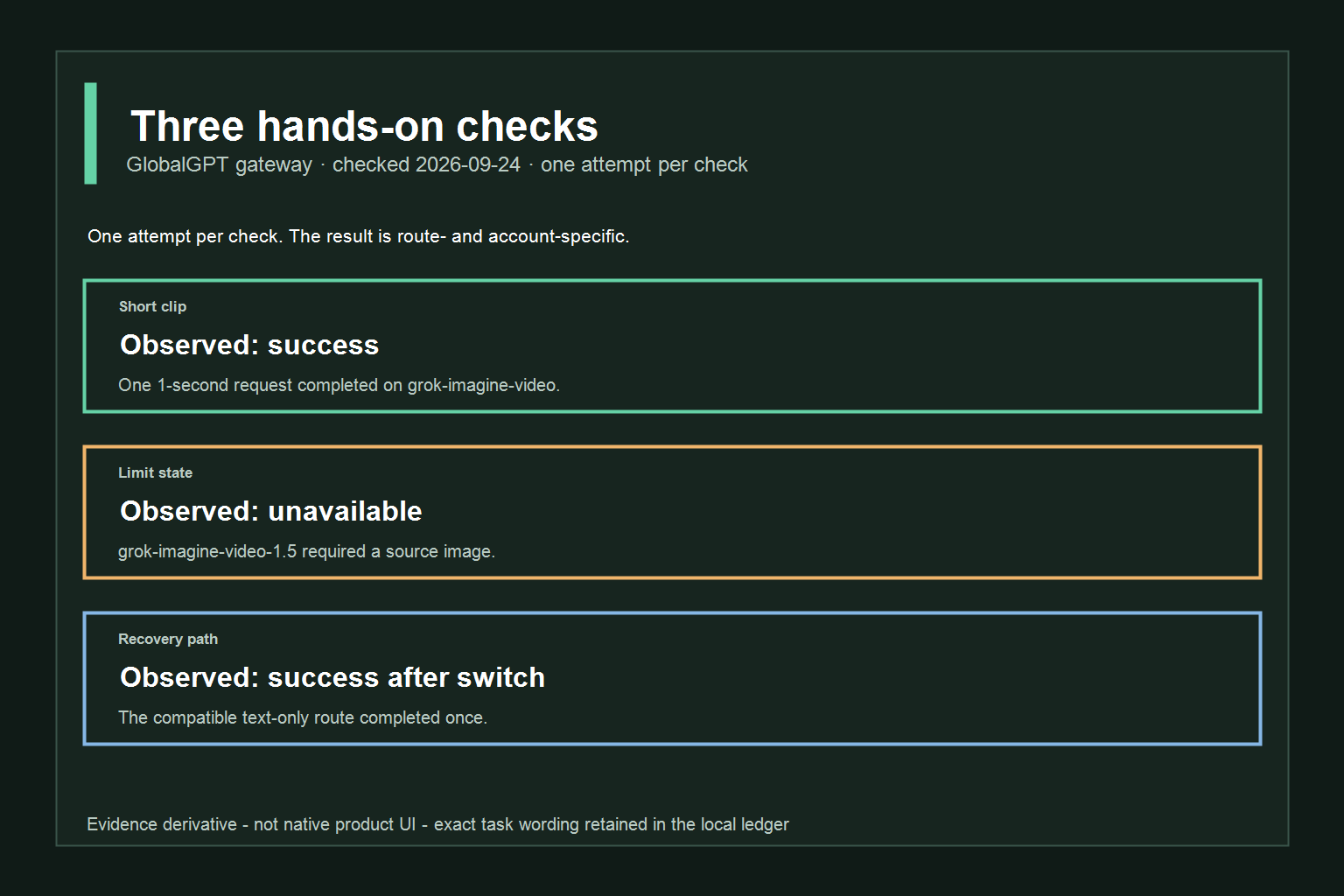
One 1-second request completed.
The selected 1.5 route required a source image.
The compatible text-only route completed once.
Checked 2026-09-24 through a GlobalGPT test workspace. Each task ran once. These observations apply to the tested gateway route, not every Grok deployment.
Check 1: short video request
What was tested: A one-second, 480p, 16:9 text-to-video request with no audio on the grok-imagine-video route.
发生了什么? The request completed and returned a video file.
What it means: The selected GlobalGPT route accepted a minimal request in this account state.
这并不能证明: It does not establish a universal duration, credit allowance, queue capacity, or success rate for official Grok or other accounts.
The first frame is retained as evidence for this one attempt. It shows the generated paper boat, not a quota meter. That distinction matters: an output image proves that a job completed, not why another account may later be blocked.
Copy the template, then replace the bracketed fields with the route’s current values.
Check 2: limit or unavailable message
What was tested: The same small request was sent once to grok-imagine-video-1.5 without a source image.
发生了什么? The route stopped before generation and returned: “grok-imagine-video-1.5 needs a source image — pass one with -i/–image (or –start-image).” No generation task was created.
What it means: The selected route exposed an input/availability gate. A request can look like a limit problem when the chosen model requires a different input mode.
这并不能证明: This is not evidence of a universal credit, weekly-limit, or account-access message. It does not show that every 1.5 account is blocked.
Check 3: one recovery path
What was tested: One route/model switch from the source-image-required 1.5 route to the compatible text-only grok-imagine-video route, followed by the same one-second request once.
发生了什么? The alternate route completed the request.
What it means: In this workspace, choosing a compatible available route changed the state without retrying the original incompatible request.
这并不能证明: Switching does not universally reset credits, remove official Grok limits, or guarantee success for another account. Use the action as a diagnosis, not as a bypass promise.
How to document a limit without overstating it
An honest support note contains the route, model, timestamp, settings, exact visible message, and whether a task ID or output was created. It should also say what you did not test. “The route required a source image” is stronger and more useful than “Grok video is broken,” because another reader can reproduce the input condition without assuming a platform-wide outage.
Copy the template, then replace the bracketed fields with the route’s current values.
When a video fails for a different reason, this AI视频生成故障排除指南 offers a useful troubleshooting checklist. The AI 视频一致性指南 is also relevant when repeated attempts are caused by quality drift rather than a hard usage gate.
Fixes in order: wait, reduce demand, refresh route, switch model, contact support
Start with the least expensive explanation and move down the list:
- Read the exact message. Separate a weekly usage notice, a 429/rate-limit response, a missing-input error, a moderation refusal, and a service-unavailable state. They do not share a fix.
- Wait when the route says queue or temporary overload. The official API docs identify temporary overload as a service-unavailable condition. Waiting is safer than submitting the same paid request repeatedly.
- Reduce one demand at a time. Try a shorter duration, lower resolution, simpler prompt, or fewer references only when the route exposes those controls. Change one variable so you can tell what helped.
- Refresh the same route. Reopen the current model page or Usage tab and confirm that the account, plan, model, and displayed balance are still the ones you intended to use.
- Switch only when the message identifies a compatibility problem. The hands-on check above switched away from a source-image-required route. A model switch is a compatibility test, not a universal quota bypass.
- Contact the provider that owns the gate. Use the official Grok support/reporting path for grok.com or xAI, and GlobalGPT support for a gateway credit, billing, or model-access issue. Include the route, model, date, exact message, and a screenshot without sharing your API key.
Do not turn a route switch into a buying instruction. A different video model can have different controls and costs. This separate video API guide explains why comparing the route is more useful than assuming every generator shares one credit pool.
A decision tree for the next five minutes
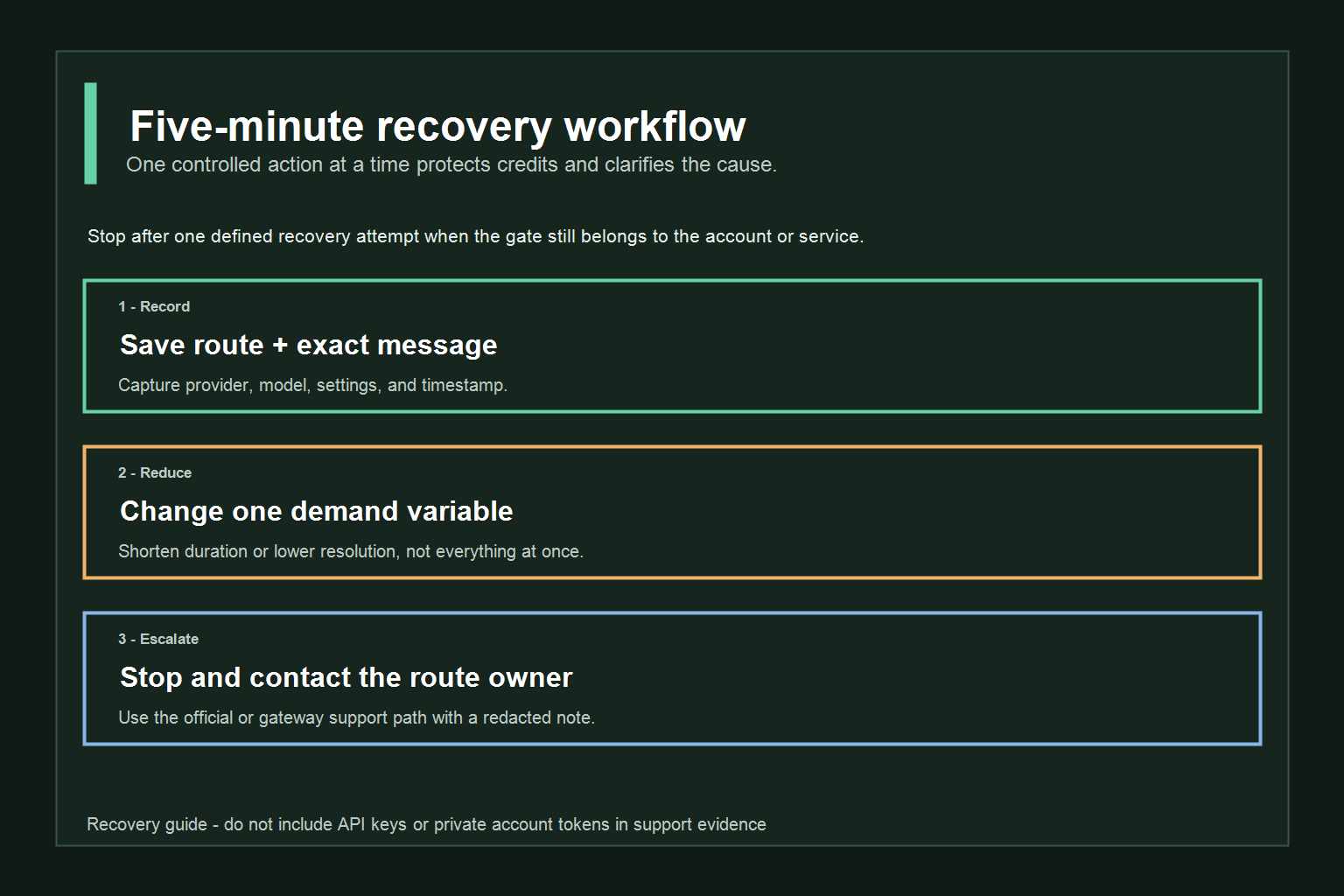
Use this order when you need a quick answer:
- Same provider, same model, same settings: read the exact message and Usage/credit state.
- Missing input named: add only that input, or choose a route that explicitly accepts text only.
- Queue or overload named: wait once and check service state; do not submit a burst of paid retries.
- Parameter rejected: reduce one demand variable and keep the rest unchanged.
- Still blocked: stop experimenting, save the evidence, and contact the provider that owns the account or ledger.
How to avoid wasting credits
- Preview the route’s model and input requirements before submitting. The 1.5 check failed before generation because the required source image was missing.
- Price or inspect the visible credit impact before choosing duration and resolution. A displayed GlobalGPT credit value belongs to that route and date.
- Keep the first attempt short and simple. Add audio, references, higher resolution, or a longer duration only after the minimal path works.
- Do not spam retry. A repeated request cannot repair an account gate, missing input, or model incompatibility.
- Save the exact route and model name with the result. “Grok video” is not precise enough when the workspace exposes multiple Grok-branded entries.
- If you need several video models, compare them inside a multi-model workspace rather than paying for duplicate experiments. This all-in-one model workflow guide explains the tradeoff without claiming that the providers share limits.
A repeatable preflight before every paid request
Before clicking Generate, confirm the selected provider, exact model name, duration, resolution, audio/reference settings, visible cost or balance, and whether the model expects an image. Save the prompt alongside those settings. This takes less time than diagnosing a second failure and creates a useful record if the route changes its limits later.
If you are comparing routes, use the same minimal prompt first and expand only after both routes accept it. Keep one variable constant at a time. This is especially important when one service reports credits per second and another reports a shared usage pool; the numbers are not directly comparable even when the generated clip looks similar.
常见问题
What does “Grok video limit reached” mean?
It means the route has stopped, delayed, or refused the request at a particular gate. The gate may be account access, plan usage, credits, queue capacity, request settings, or a temporary service state; the message alone does not reveal a universal quota.
Is there a fixed Grok video length limit?
Do not assume one fixed length for every account, model, route, or date. Use the duration and model options shown in the route you are actually using, and treat undocumented values as account-dependent or not publicly specified.
Do failed Grok videos always refund a credit?
Not necessarily. Whether a failed, queued, or cancelled generation affects credits depends on the provider and route. Check the visible account ledger or current terms for that route instead of assuming a refund.
Are official Grok limits the same as GlobalGPT limits?
No. Official Grok web/app/Imagine usage and a GlobalGPT gateway are separate systems. A result from one route cannot establish the other route’s quota, billing, queue, or reset policy.
Should I keep retrying after a limit message?
No. First identify the gate and try one low-risk recovery action, such as waiting for a queue or reducing the request. Repeated retries can consume credits without changing the account or route condition.
Do Grok video limits reset at a universal time?
There is no safe universal reset time to promise. A reset may depend on the provider, plan, rolling window, queue, or account state, and the current route may not publish the value.
What should I include in a support request about a video limit?
Include the provider, route URL, exact model, date and time, duration, resolution, audio/reference settings, exact error text, and whether a task or output was created. Remove API keys and private account tokens before sharing the screenshot or log.
Is switching models a reliable way to bypass a video limit?
No. A switch can resolve a compatibility problem when the selected model requires a different input, but it does not reset an official usage pool or guarantee that the alternate route has available credits. Treat it as a diagnostic step tied to the visible message.
Check the account Usage tab and its reset schedule.
Add the required image or choose a compatible route.
Wait for a temporary overload instead of repeating paid requests.
Verdict: diagnose the route before spending another credit
“Grok video limit reached” is not one technical condition. The official Grok lane documents consumer usage pools and xAI API controls; the GlobalGPT lane exposes its own model requirements and credit display. The three checks here show why the exact message matters: a short request can succeed, a selected route can require an input, and one compatible switch can change the outcome without proving a universal reset.
Before you submit again, write down the route, model, duration, resolution, account state, and exact message. Then take one low-risk action. That habit gives you a better chance of solving the real gate while protecting the credits you still have.
When to stop troubleshooting
Stop after one clearly defined recovery attempt if the message still points to an account, billing, or service gate. More retries do not create credits, change a missing-input contract, or repair a provider outage. At that point, the useful work is documentation: preserve the exact message, route, settings, and time, then send the case to the owner of that route.