

Claude AI is Anthropic’s AI assistant for working with language, code, documents, and images. It is useful when you have material to improve or a problem to work through: editing a report, explaining a codebase, extracting facts from a PDF, or turning meeting notes into a decision brief.
The useful question is what you can hand it and how you will judge the result. A clear source document, a concrete deliverable, and a check against the original give you a much better starting point than asking Claude to “do some research” or “make this better.”
For work that moves from research to writing, coding, and visuals, GlobalGPT brings Claude, GPT, Gemini, and other AI tools into one multi-model subscription. You can develop the brief, revise the content, and prepare supporting assets in one workspace, with fewer separate subscriptions to manage.
What Claude is good for
Claude is a practical choice for tasks where the answer needs to reflect supplied context. A writer can bring a style sample; a developer can bring a failing test; an analyst can bring a report. These inputs let you judge whether the response is useful, instead of judging how confident it sounds.
| Task | Give Claude | Ask for | Check before use |
|---|---|---|---|
| Writing and editing | A draft, audience, facts, and style sample | A revision plus a short change summary | Meaning, claims, quotations, and voice |
| Coding | Relevant files, error details, and expected behavior | A focused fix and a verification plan | Tests, security, and unintended changes |
| Documents | A readable source and a specific question | An answer with excerpts and page references | The quoted passages in the original |
| Structured extraction | Source text and a column definition | A table with missing values labeled | Each field, units, and missing records |
| Image analysis | A clear chart, diagram, or interface image | A description or explanation of visible details | Labels, fine print, and numerical values |
Suggested workflows. For text and image input capabilities, see Anthropic’s model overview.
It can also help with translation, tutoring, and planning. For language work, specify the audience and regional vocabulary. For studying, ask for a hint or an explanation before a final answer. For planning, separate facts you supplied from assumptions Claude introduces.
Writing and editing: turn a brief into a usable draft
Writing is one of the clearest places to start because you can keep control of the underlying facts. Ask Claude to tighten an argument, reorganize a long report, adapt a memo for customers, or revise a passage against examples of your own voice. Give it boundaries: what must stay, what can change, and who needs to understand the result.
Edit in passes instead of asking for a perfect rewrite
Start with structure. Ask which point is missing, which section repeats another, and where the reader lacks enough context. Once the argument works, ask for sentence-level changes. Combining structural editing, fact checking, and tone matching in one vague request makes it harder to tell what changed and why.
| Before | Possible revision | Why it helps |
|---|---|---|
| In the ever-evolving landscape of digital work, we must delve into the intricate tapestry of data. | Let’s look at the data. | Removes a generic lead-in when the next sentence supplies the substance. |
| Our team leverages a comprehensive solution to facilitate collaboration. | Our team shares drafts and feedback in one workspace. | Names the action. Use this revision only if sharing drafts and feedback is what the product actually does. |
Illustrative editing examples. Preserve meaning before shortening.
Tone matching still needs a human pass. Read the revision aloud, compare its promises with the source, and look for polished sentences that say less than the original. Claude can propose a voice; your judgment determines whether it sounds like your organization. There is no universal winner for “most human” writing independent of the prompt, model, and subject.
Coding: Claude chat versus Claude Code
Claude chat is useful for explaining a function, tracing an error, reviewing a patch, and drafting tests from code you provide. Claude Code adds an execution environment: Anthropic describes Claude Code as a coding tool that can read a codebase, edit files, run commands, and work with development tools. It is available through the terminal, IDE integrations, desktop app, and browser.
That distinction matters for a request such as “fix the login bug.” A chat response can suggest the cause and a patch. A coding agent with the right access can inspect related files, implement a change, and run a test. Repository access does not mean every file is loaded at once, and a successful command does not prove the whole application is correct.
- Provide the observed failure, expected behavior, reproduction steps, and relevant files.
- Ask for the likely cause and a focused change before widening the task.
- Check the actual diff, run the relevant tests, and exercise the affected user flow.
- For security-sensitive code, review permissions, input handling, and secrets separately.
Measure coding help by correctness, maintainability, and verification. Check how the solution handles edge cases, whether its dependencies are necessary, and whether another developer can understand the change. For examples of specific tasks and their test conditions, see Claude versus ChatGPT for coding.
Long documents, PDFs, and structured extraction
Claude can help turn a long report into a short brief, compare passages across documents, and extract fields into a table. The strongest request names a decision: “Which renewal clauses require notice?” is more useful than “summarize this contract.” Ask it to show the wording behind the answer and to say when the material does not answer the question.
File size, page count, and readable content are different limits
| Input route | Official limit or behavior | What it means |
|---|---|---|
| Files attached to a chat | 500 MB per file; up to 20 files per chat | Extracted content still faces token limits. File size alone does not show whether all content fits. |
| PDF, 100 pages or fewer | Text and visual elements can be analyzed | Useful for charts and diagrams; inspect small labels in the original. |
| PDF, 101–1,000 pages | Text-only processing | Provide important charts separately or use a shorter relevant PDF. |
| PDF over 1,000 pages | Not accepted | Split the source into relevant sections before attaching it. |
| Project files | 30 MB per file; total content must fit the context window | A project file limit is not the same as the chat attachment limit. |
Source: Claude Help Center, Upload files to Claude, checked September 11, 2026. These are Claude product limits, not a statement of third-party upload allowances.
To attach a source in Claude, use the + control by the chat box, choose “Add files or photos,” and select the file. Give your question after the attachment is ready. For a PDF, request references using the page numbers in the PDF viewer, which may differ from the numbers printed on the pages.
For meeting notes, distinguish a decision from a suggestion. Ask for an owner and deadline only where the transcript names them. For financial tables, keep currencies and units in separate columns and recalculate totals in a spreadsheet. For contracts or medical material, use the summary to find the relevant passages and questions for a qualified professional.
Document format affects what Claude can inspect. Its upload guide says non-PDF documents are processed as text, so embedded images are not interpreted. XLSX uploads require code execution and file creation to be enabled. A scanned or poorly extracted document deserves an extra check that the words and numbers were read correctly.
Choosing a Claude model and understanding context
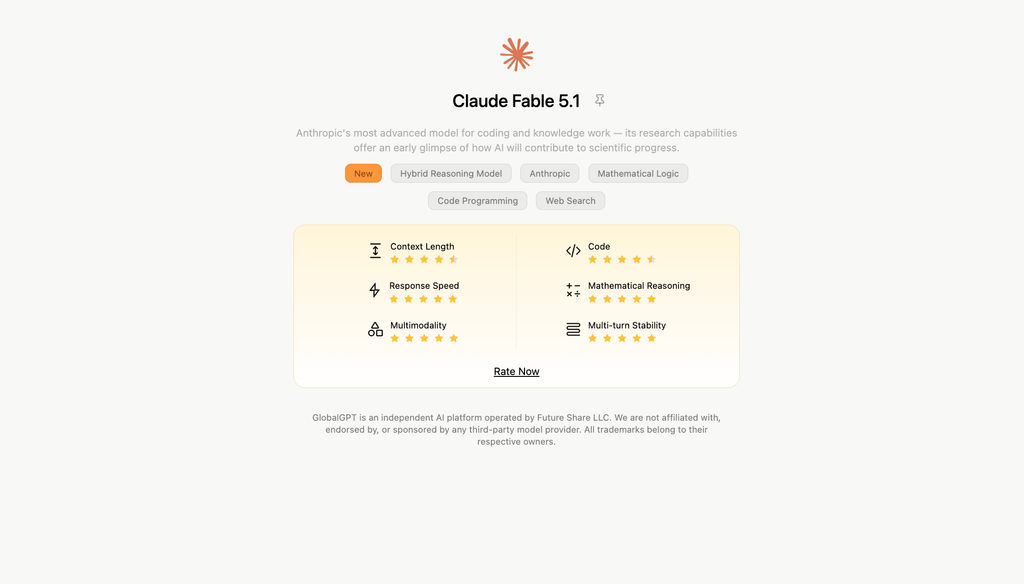
A model name identifies the underlying system; a plan determines product access and usage. On September 11, 2026, Anthropic’s platform overview lists Fable 5.1, Opus 5, Sonnet 5, and Haiku 4.5 in its main comparison. Use the published positioning below to build a shortlist for your task.
| Model | Anthropic’s stated focus | API context window |
|---|---|---|
| Claude Fable 5.1 | Demanding reasoning and long-running agent work | 1,000,000 tokens |
| Claude Opus 5 | Complex agentic coding and enterprise work | 1,000,000 tokens |
| Claude Sonnet 5 | A balance of speed and intelligence | 1,000,000 tokens |
| Claude Haiku 4.5 | Fast responses with near-frontier intelligence | 200,000 tokens |
Source: Anthropic model overview, September 11, 2026. Scope: the main API model comparison. Chat-plan access is a separate choice.
Common scale: 0 to 1,000,000 tokens. Checked September 11, 2026.
Sources: model specifications and individual plan comparison. A larger context window does not guarantee perfect recall, unlimited uploads, or better answers.
A token is a unit of text processing, not a page or a book. Conversation history, instructions, attachments, and responses draw on the working context, depending on the product. Use the specification for the product you are actually using. The individual pricing table lists 200K for Free, Pro, Max 5x, and Max 20x; it does not turn an API model’s 1M specification into a 1M consumer-chat entitlement.
Choose the lowest-cost or fastest available option that completes your task reliably, then try a more capable option when the task remains unresolved. For API developers, Anthropic recommends Opus 5 as a starting point for most workloads and Fable 5.1 for more demanding cases. Test your own representative material before treating a vendor’s model positioning as a purchasing decision.
Claude, ChatGPT, and a complete working process
Claude and ChatGPT overlap in writing, coding, analysis, and research. Choose by the task and the tools available in your account: access to the source, the required output format, the integrations you use, and how much correction the result needs. A fixed split such as “ChatGPT is creative, Claude is logical” is too crude for real work.
A useful multi-model workflow starts with a common brief. In GlobalGPT’s multi-model workspace, you can research with Perplexity, use Claude to develop the argument, and continue into image or video work from the same dashboard. For development work, GlobalGPT’s CLI connects model access with a terminal and existing tools, bringing the same broader workflow into the place where code gets built.

- Collect source links and the actual passages you want to use.
- Write a short brief: audience, decision, required facts, and missing evidence.
- Pass that brief and the source material to the next model or task.
- Review the finished deliverable against the same brief, then prepare the next asset.

The handoff is what makes this work. A link without accessible content may not supply the evidence, and a model switch should not be assumed to carry every attachment or earlier instruction. Keep a compact source packet and a revision checklist. For other tool choices, the Claude alternatives guide organizes options around different working needs.
Where human checking still matters
Claude can produce a plausible answer that misreads a source, invents a reference, or misses a constraint. Longer context and extended thinking do not remove those failure modes. Make the checking step part of the task, especially when an answer affects money, permissions, health, or legal obligations.
- Current facts: use web search or supplied up-to-date sources, then open the cited material. A citation should support the exact claim.
- Images and charts: inspect units, axes, and small text; ask for uncertainty when an element is unreadable.
- Calculations: verify the formula and inputs in a calculator, spreadsheet, or code environment.
- Actions: confirm what an agent changed, what it tested, and whether the intended result actually occurred.
Claude supports image input and visual interpretation; it is not a text-only model. Image understanding is different from generating a finished bitmap illustration. Its Artifacts feature can produce content such as code and interactive experiences. Choose an image-generation tool when the deliverable is a photograph-style image or illustration, and use Claude to refine the brief or analyze the result.
Privacy depends on the product and account
Privacy is determined by the service, account type, settings, and contract. The same model name can appear in a personal chat, a business workspace, an API application, or a third-party platform. Those routes do not automatically share a retention policy.
| Route | What Anthropic documents | What to check |
|---|---|---|
| Claude Free, Pro, Max; Claude Code with those accounts | Deleting a conversation removes it from history immediately and from backend storage within 30 days. If model improvement is allowed, de-identified training data may be retained for up to 5 years. | Model-improvement settings, feedback, policy-enforcement, and legal exceptions. |
| Commercial workspaces | Saved conversations are retained for continuity. After deletion, backend removal is within 30 days, subject to exceptions. Team and Enterprise pricing states no model training by default. | Your organization’s retention controls, contract, and Covered Models terms. |
| Anthropic API | Inputs and outputs are normally deleted within 30 days of receipt or generation. | Longer-retention services such as Files API, separate agreements, policy enforcement, and legal requirements. |
| Third-party services | The service has its own applicable terms and data handling. | Both the service’s policy and your organization’s permission to upload the material. |
Sources: consumer data retention, commercial data retention, and business plan comparison. Checked September 11, 2026. Retention and model training are separate questions.
For sensitive work, use the account and handling process approved by your organization. Remove material the task does not need. A clear privacy policy and suitable access controls matter more than calling a model the “safest” choice.
What Claude costs and when to pay
| Option | Public price | Best reason to consider it |
|---|---|---|
| Free | $0 | Start with writing, light analysis, and occasional questions. |
| Pro, monthly | $20 per month | More usage and access to features including Claude Code and Projects. |
| Pro, annual | $200 billed up front for a year | A year-long commitment; the pricing page describes this as about $17 per month. |
| Max | From $100 per month | More usage for people whose regular workload outgrows Pro. The page offers 5x or 20x usage options. |
| Anthropic API | Metered separately by model and usage | Build Claude into an application or development workflow with usage-based billing. |
| GlobalGPT | One multi-model subscription | Combine Claude with other models and AI tools across a broader working process. |
USD prices on Anthropic’s public pricing page, checked September 11, 2026; applicable taxes are extra. Limits apply. GlobalGPT brings multiple model families and AI tools into one subscription.
Start free if you are still deciding whether Claude fits your work. Consider Pro when the extra usage or a named feature solves a recurring problem. Consider Max when you can point to a regular workload that Pro cannot comfortably accommodate. More usage is not the same as unlimited use, and paying for a chat plan does not include general API consumption.
For a closer look at the entry tier, see Claude’s official Free plan. Compare the actual tasks you need to complete before paying for several separate products. GlobalGPT fits the user whose work crosses model families and media tools; a dedicated Claude plan fits someone choosing Anthropic’s particular product features.
Claude is most useful when it helps you produce something you can inspect: a clearer draft, a tested change, or an answer traceable to a source. Pick one recurring task, define what a good result looks like, and measure the correction work it still needs. That is a better basis for choosing an AI tool than a personality label or a context-window headline.
Frequently asked questions
What is Claude AI best used for?
Claude is useful for writing and editing, coding assistance, document analysis, structured extraction, and understanding images. It works best when you provide the relevant source material, a clear output requirement, and a way to check the result.
Is Claude better than ChatGPT for writing?
There is no universal winner for writing. Compare both on your own brief, source material, and style examples. Judge factual accuracy, structure, voice, and the amount of editing needed, rather than assuming one model always sounds more human.
Can Claude work with images?
Yes. Current Claude models support image input and visual interpretation. Understanding an image is different from generating a bitmap image. For visual work, match the tool to whether you need analysis, an interactive artifact, or an illustration.
Can Claude read a whole book or a long PDF?
Claude can analyze long documents within the limits of the product and input route. Its upload guide allows PDFs up to 1,000 pages, but PDFs longer than 100 pages receive text-only processing. File acceptance does not guarantee that every detail will be recalled correctly.
Is Claude Code the same as Claude chat?
No. Claude chat helps with material you provide in a conversation. Claude Code is a coding tool that can read a repository, edit files, and run commands with the appropriate access. Review its changes and verify the affected behavior.
How much does Claude Pro cost?
As checked on September 11, 2026, Claude Pro costs $20 per month when billed monthly, or $200 billed up front for a year, excluding applicable taxes. Usage limits apply, and general API usage is billed separately.
Does Claude delete my data after 90 days?
There is no single 90-day rule for all Claude products. Consumer chats are removed from backend storage within 30 days after deletion, subject to exceptions. API inputs and outputs normally have a 30-day retention period with exceptions. Saved commercial conversations, model-improvement settings, and third-party services have distinct rules.





