

ตั้งแต่วันที่ 27 กรกฎาคม 2569, คู่มือการวิจัยเชิงลึกปัจจุบันของ OpenAI ให้คุณเริ่มด้วยการพิมพ์ /Deepresearch, การเลือก การวิจัยเชิงลึก จาก + เมนูเครื่องมือ หรือเลือกจากแถบด้านข้าง เลือกเว็บสาธารณะ ไฟล์ที่อัปโหลด แอปที่เปิดใช้งาน หรือเว็บไซต์เฉพาะ ตรวจสอบแผนที่เสนอ แล้วให้ ChatGPT สร้างรายงานที่มีการอ้างอิง การใช้งานขึ้นอยู่กับแผนและประเทศของคุณ และตัวนับภายในผลิตภัณฑ์จะแสดงงานที่เหลือในบัญชีของคุณ.
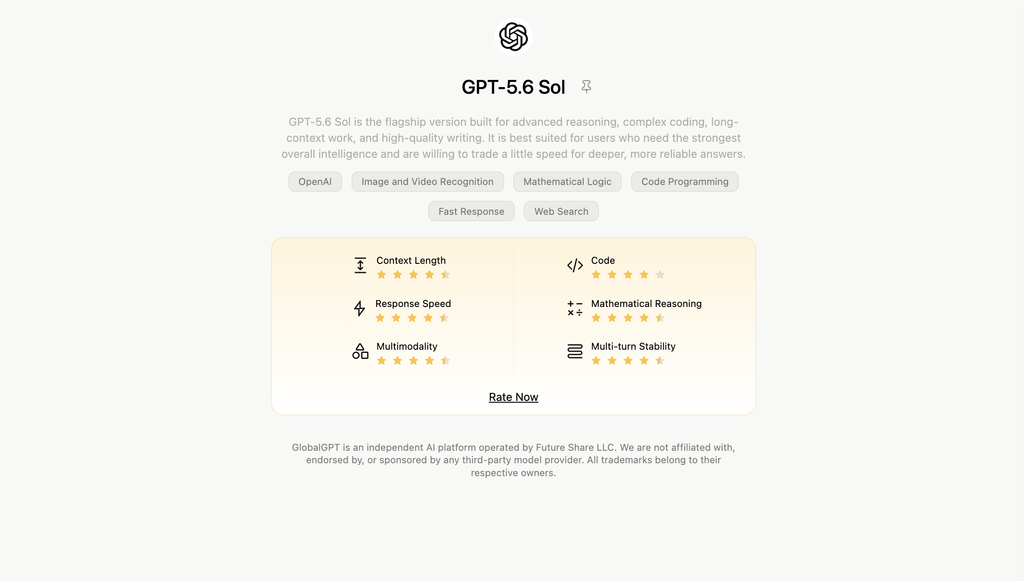
เมื่อคุณต้องการคำตอบที่ลึกกว่าโมเดล AI เดี่ยว ให้ใช้ GlobalGPT Deep Research เป็นประตูสู่ระบบปัญญาประดิษฐ์แบบหลายโมเดล เส้นทาง GPT ที่ได้รับการยืนยันและอัปเดตล่าสุดของระบบนี้คือ GPT-5.6 Sol บน GlobalGPT, เพื่อให้คุณสามารถเปรียบเทียบวิธีการวิจัยในพื้นที่ทำงานเดียวได้ โดยไม่ต้องเปลี่ยนแท็บไปมา.

สารบัญ
- ChatGPT Deep Research คืออะไร — และทำไมคุณควรใส่ใจ
- การทำงานของเครื่องยนต์ — กลไกเบื้องหลังการวิจัยเชิงลึกของ ChatGPT
- การเข้าถึงและคุณสมบัติ — ใครสามารถใช้ ChatGPT Deep Research ได้บ้างและข้อจำกัดคืออะไร
- คู่มือทีละขั้นตอน — วิธีเริ่มต้นเซสชันการวิจัยเชิงลึกใน ChatGPT
- วิธีเขียนคำแนะนำที่มีประสิทธิภาพ
- เพิ่มประสิทธิภาพการทำงานของ AI ของคุณด้วย GLBGPT
- กรณีการใช้งานจริงและตัวอย่างสถานการณ์
- การแก้ไขปัญหา & การทราบข้อจำกัด
- คำถามที่พบบ่อย — คำตอบอย่างรวดเร็ว
ChatGPT Deep Research คืออะไร — และทำไมคุณควรใส่ใจ
Deep Research เป็นตัวแทนวิจัย AI ภายใน ChatGPT ที่ทำงานโดยอัตโนมัติในการเรียกดูแหล่งข้อมูลที่เชื่อถือได้, สังเคราะห์ผลการค้นพบ, และส่งคืนรายงานที่มีโครงสร้างพร้อมการอ้างอิง OpenAI อธิบายว่าเป็นกระบวนการวิจัยแบบครบวงจรที่ใช้การเรียกดูและ เครื่องมือ Python ที่ผ่านการฝึกฝน ผ่านการเรียนรู้แบบเสริมแรงบนงานจริง.
- ทำไมมันถึงสำคัญ: สำหรับการทบทวนวรรณกรรมจากหลายแหล่ง การวิเคราะห์การแข่งขัน หรือการตรวจสอบความเหมาะสม เครื่องมือนี้ช่วยประหยัดเวลาหลายชั่วโมงและให้ข้อมูลเชิงลึกที่อิงหลักฐานได้ชัดเจนยิ่งขึ้น ตามแนวทางปัจจุบันของ OpenAI เครื่องมือ Deep Research ถูกออกแบบมาเพื่อการสังเคราะห์ข้อมูลอย่างละเอียดในหลายขั้นตอน ส่วนเครื่องมือ Search ถูกออกแบบมาสำหรับการค้นหาข้อมูลอย่างเร่งด่วน.
คุณค่าหลักของการวิจัยเชิงลึกอยู่ที่ความสามารถในการคัดกรองแหล่งข้อมูลที่กว้างขวาง เช่น arXiv วารสารวิชาการ และเว็บไซต์ต่างๆ เพื่อสร้างรายงานที่ครอบคลุม ซึ่งบางครั้งอาจยาวถึง 25 หรือแม้แต่ 50 หน้าของการวิเคราะห์ หากคุณต้องจัดการกับหัวข้อที่ซับซ้อนบ่อยๆ เช่น วิทยานิพนธ์ บทความการประชุม หรือการวิจัยตลาดขนาดใหญ่ การมี “ตัวแทน” ที่ขับเคลื่อนด้วย AI เพื่อรวบรวมข้อมูลทั้งหมดสามารถช่วยประหยัดเวลาของคุณได้อย่างมาก.

การทำงานของเครื่องยนต์ — กลไกเบื้องหลังการวิจัยเชิงลึกของ ChatGPT
ไม่เหมือนกับการสนทนาปกติของ ChatGPT, Deep Research ใช้กระบวนการที่มีโครงสร้างห้าขั้นตอนที่ได้แรงบันดาลใจจาก การให้เหตุผลเชิงตัวแทน (ตามที่ระบุโดย GPTBots AI และเอกสารประกอบของ OpenAI):
- คำถาม การย่อยสลาย — โมเดลจะแบ่งคำสั่งของคุณออกเป็นงานย่อยและคำถามสำหรับการค้นหา.
- การท่องเว็บเชิงตัวแทน — มันสามารถเยี่ยมชมแหล่งข้อมูลเว็บหลายแห่งโดยอัตโนมัติเพื่อค้นหาข้อมูลที่เกี่ยวข้อง.
- การสังเคราะห์เชิงวิพากษ์ — มันกรองเว็บไซต์ที่มีความน่าเชื่อถือต่ำ, รวบรวมข้อเท็จจริงหลัก, และเปรียบเทียบหลักฐาน.
- มีโครงสร้าง ผลลัพธ์ เจเนอเรชั่น — ผลการค้นพบถูกจัดเรียงเป็นส่วน ๆ พร้อมการอ้างอิงในตัวและสรุป.
- การปรับปรุงซ้ำ — หากมีช่องว่างปรากฏขึ้น ตัวแทนจะวนซ้ำเพื่อเพิ่มความแม่นยำและความสม่ำเสมอ.
การเปิดตัวรุ่นน้ำหนักเบาในเดือนเมษายน 2568
โอเพ่นเอไอ’การอัปเดตในเดือนเมษายน 2025 ได้แนะนำรุ่น “น้ำหนักเบา” ที่ประหยัดต้นทุนซึ่งขับเคลื่อนด้วย o4-mini สำหรับงานที่สั้นกว่า.
ตั้งแต่วันที่ 27 กรกฎาคม 2569 คู่มือผู้ใช้ปัจจุบันของ OpenAI ไม่รับประกันอีกต่อไปว่าทุกบัญชีจะกลับสู่เวอร์ชัน o4-mini โดยอัตโนมัติหลังจากถึงขีดจำกัดของเวอร์ชันเต็ม แต่ระบุไว้ว่า Deep Research ใช้โมเดลล่าสุดเป็นค่าเริ่มต้น และให้ผู้ใช้ที่ตรงตามเงื่อนไขได้เลือกรุ่นเก่า.
สำหรับผู้พัฒนา API, o4-mini-deep-research ยังคงเป็นแบบจำลองที่ได้รับการบันทึกไว้อย่างแยกต่างหาก พร้อมกับ o3-การวิจัยเชิงลึก ใน คู่มือวิจัยเชิงลึกเกี่ยวกับ API Responses. ตัวเลือก API นี้แยกต่างหากจากกลไกสำรองสำหรับการสมัครสมาชิก ChatGPT ใดๆ.
การเข้าถึงและคุณสมบัติ — ใครสามารถใช้ ChatGPT Deep Research ได้บ้างและข้อจำกัดคืออะไร
ภาพรวมเงินเบี้ยเลี้ยงวันที่ 24 เมษายน 2568
ความพร้อมใช้งานอาจแตกต่างกันตามแผนและภูมิภาค; การใช้งานจะถูกรีเซ็ตทุก 30 วันนับจากการใช้งานครั้งแรก.ค่าเบี้ยเลี้ยงปัจจุบัน (24 เม.ย. 2025):
- บวก / ทีม / องค์กร / การศึกษา → 25 คำค้นหาต่อเดือน
- โปร → 250 คำค้นหา
- ฟรี → 5 คำค้นหา + โหมดสำรองแบบเบา
ตัวเลขเหล่านั้นแสดงถึงการเริ่มให้บริการในเดือนเมษายน 2025 ไม่ใช่สิทธิที่ทุกคนจะได้รับในเดือนกรกฎาคม 2026. หน้า Deep Research ปัจจุบันของ OpenAI ระบุว่าปริมาณการใช้งานจะแตกต่างกันตามแพ็กเกจ ผลิตภัณฑ์จะแสดงงานที่ยังเหลืออยู่ และโควตาประจำเดือนที่กำหนดไว้จะรีเซ็ตใหม่หลังจาก 30 วันนับจากวันที่เริ่มใช้งานครั้งแรก.
สถานะแผนและราคา ChatGPT ในปัจจุบัน
ตั้งแต่วันที่ 27 กรกฎาคม 2569, ChatGPT Plus มีค่าใช้จ่าย 1.42 ดอลลาร์ต่อเดือน, คิดค่าบริการรายเดือน และรวมถึงเครื่องมือ Deep Research หากมีให้บริการ API ไม่รวมอยู่ในแพ็กเกจนี้ และคิดค่าบริการแยกต่างหาก.
เอกสาร Pro ปัจจุบันของ OpenAI ระบุไว้ว่า แพ็กเกจ Pro รายเดือน $100 และ $200. ทั้งสองระดับล้วนมีฟีเจอร์ Deep Research; ระดับ $100 มีโควตาการใช้งาน Plus 5× ส่วนระดับ $200 มีโควตาการใช้งาน Plus 20× แต่แต่ละรุ่นและเครื่องมืออาจมีโควตาการใช้งานที่แยกต่างหาก.
เพื่อรับข้อมูลที่เข้าใจง่ายเกี่ยวกับระบบการเรียกเก็บค่าบริการแบบสมัครสมาชิกและตัวเลือกอื่น ๆ โปรดเปรียบเทียบกับระบบปัจจุบัน ราคา ข้อจำกัด และตัวเลือกอื่น ๆ ของ ChatGPT Plus ก่อนที่จะเลือกแพ็กเกจ.
| เส้นทางเข้าถึง | สถานะการวิจัยเชิงลึก | สถานะราคาปัจจุบัน | หลักการทำงานของขีดจำกัด |
|---|---|---|---|
| แชทจีพีที ฟรี | ความพร้อมใช้งานขึ้นอยู่กับบัญชี การเปิดตัวแพ็กเกจ และประเทศ | $0 | ตัวนับในผลิตภัณฑ์จะแสดงจำนวนงานที่เหลืออยู่เมื่อฟีเจอร์นี้ใช้งานได้ |
| แชทจีพีที พลัส | รวมไว้แล้วหากมี | $20/เดือน, การเรียกเก็บเงินรายเดือน | ขึ้นอยู่กับแพ็กเกจ; ปริมาณการใช้งานที่เหลือในปัจจุบันจะแสดงในผลิตภัณฑ์ |
| แชทจีพีที โปร | มีอยู่ในทั้งสองแพ็กเกจ Pro | $100/เดือน หรือ $200/เดือน | การใช้งานโดยรวม 5× หรือ 20× Plus; อาจมีข้อกำหนดเกี่ยวกับรุ่นหรือเครื่องมือเฉพาะที่แยกต่างหาก |
| ธุรกิจ / องค์กร / การศึกษา | การควบคุมพื้นที่ทำงานและบทบาทอาจส่งผลต่อการเข้าถึง | ราคาสำหรับพื้นที่ทำงานหรือราคาตามสัญญา | การตั้งค่าแผน บทบาท พื้นที่ทำงาน และการเปิดใช้งานแอปสามารถนำไปใช้ได้ |
หาก Plus เป็นตัวเลือกที่คุณกำลังพิจารณาอยู่ ทางเลือกที่ปฏิบัติได้จริงคือ คู่มือคุณสมบัติของ ChatGPT Plus ช่วยแยกประโยชน์ของการสนทนาในชีวิตประจำวันออกจากความต้องการเฉพาะด้านการวิจัย.
โมเดลและราคาของ Deep Research API
ราคาสมัครสมาชิก ChatGPT และราคา API เป็นผลิตภัณฑ์ที่ต่างกัน ตั้งแต่วันที่ 27 กรกฎาคม 2569 ราคาที่แสดงบนหน้าโมเดลอย่างเป็นทางการคือ o3-การวิจัยเชิงลึก และ o4-mini-deep-research ตามจำนวนโทเคน โดยจะคิดค่าบริการเรียกใช้เครื่องมือเพิ่มเติมหากมี.
| แบบจำลอง API | ข้อมูลเข้า / 1 ล้านโทเคน | ข้อมูลที่เก็บไว้ในแคช / 1M | ผลผลิต / 1 ล้านโทเคน |
|---|---|---|---|
o3-การวิจัยเชิงลึก | $10.00 | $2.50 | $40.00 |
o4-mini-deep-research | $2.00 | $0.50 | $8.00 |
ตั้งแต่ตัวเชื่อมต่อไปจนถึงแอปและปลั๊กอิน
โอเพ่นเอไอ กำลังเปิดตัวตัวเชื่อมต่อข้อมูล (SharePoint, OneDrive, GitHub) สำหรับการวิจัยเชิงลึกในบัญชีที่มีสิทธิ์.
ตั้งแต่วันที่ 27 กรกฎาคม 2569 เครื่องมือเลือกแหล่งข้อมูลสามารถใช้เว็บสาธารณะ ไฟล์ที่คุณอัปโหลด เว็บไซต์เฉพาะ และแอป ChatGPT ที่เปิดใช้งานได้ OpenAI ยกตัวอย่าง Google Drive, SharePoint, FactSet, PitchBook และ Scholar Gateway และระบุว่า Deep Research ใช้การอ่านข้อมูลแทนการเขียนข้อมูลในแอป.
OpenAI ยังระบุว่า ตั้งแต่วันที่ 9 กรกฎาคม 2026 การค้นหาได้ย้ายจาก App Directory ไปยัง รายชื่อปลั๊กอิน. แอปยังคงเป็นองค์ประกอบหลักของการบูรณาการ ส่วนแผนงาน พื้นที่ทำงาน บทบาท อุปกรณ์ที่รองรับ ภูมิภาค และการตั้งค่าแอป ล้วนสามารถส่งผลต่อความพร้อมใช้งานได้.
หากการวิจัยของคุณเริ่มต้นจากพื้นที่จัดเก็บข้อมูลบนคลาวด์ ให้ทำตามขั้นตอนต่อไปนี้เพื่อ ChatGPT อ่านเอกสารใน Google Drive ก่อนที่คุณจะเริ่มงานวิจัยที่ใช้เวลานานขึ้น.

คู่มือทีละขั้นตอน — วิธีเริ่มต้นเซสชันการวิจัยเชิงลึกใน ChatGPT
- เข้าสู่ระบบ ChatGPT ในแผนที่มีสิทธิ์เข้าถึงการวิจัยเชิงลึก.
- ประเภท /Deepresearch, เลือก การวิจัยเชิงลึก จาก + เมนูเครื่องมือ หรือเลือกจากแถบด้านข้าง.
- เลือกเว็บสาธารณะ ไฟล์ที่อัปโหลด แอปที่เปิดใช้งาน หรือเว็บไซต์เฉพาะเป็นแหล่งข้อมูลของคุณ.
- กำหนดคำถามที่ชัดเจนพร้อมขอบเขตและผลลัพธ์ที่คาดหวัง.
- แนบไฟล์ PDF หรือสเปรดชีตเพื่อประกอบบริบท.
- ตรวจสอบและแก้ไขแผนการวิจัยที่ ChatGPT เสนอมา.
- ส่งและรอในขณะที่มันรวบรวมและสังเคราะห์ข้อมูล.
- ติดตามความคืบหน้าและหยุดงานทันทีหากจำเป็นต้องเปลี่ยนจุดเน้นหรือแหล่งข้อมูล.
- ตรวจสอบการอ้างอิงและปรับปรุงหากจำเป็น. หากต้องการคำตอบอย่างเร่งด่วน ให้ใช้ฟังก์ชันค้นหาแบบมาตรฐานแทน.
สำหรับงานที่มีเอกสารจำนวนมาก ให้ใช้ คู่มือการอัปโหลดไฟล์ PDF แบบทีละขั้นตอน เพื่อเตรียมไฟล์ก่อนที่จะจัดทำแผนการวิจัย.
สำหรับการวิจัยโดยใช้สเปรดชีต, ChatGPT กระบวนการวิเคราะห์ข้อมูลใน Excel อธิบายวิธีจัดโครงสร้างสมุดงานเพื่อให้โมเดลสามารถตีความข้อมูลได้อย่างน่าเชื่อถือมากขึ้น.

วิธีเขียนคำแนะนำที่มีประสิทธิภาพ
การสร้างข้อความกระตุ้นที่เหมาะสมเป็นสิ่งสำคัญมาก โปรดระบุรายละเอียดของคุณให้ชัดเจน:
- วัตถุประสงค์ (“เปรียบเทียบเทคโนโลยี X และ Y สำหรับแนวโน้มปี 2025”).
- ขอบเขต (กรอบเวลา, ภูมิศาสตร์, อุตสาหกรรม).
- รูปแบบ (โครงร่างรายงาน, ตาราง, ข้อมูลสำคัญ).
- ระดับความลึก (สรุป 1 หน้า เทียบกับการวิเคราะห์ 10 หน้า).
กระบวนการทำงานสองขั้นตอนในเดือนเมษายน 2568
แนะนำ เวิร์กโฟลว์: ก่อนอื่นให้ถามคำถามมาตรฐาน จีพีที-4 แบบจำลองเพื่อร่างแผนการวิจัย จากนั้นทำการวิจัยเชิงลึกบนแผนนั้นเพื่อประหยัดเครดิตและปรับปรุงความมุ่งเน้น.
กระแสผู้บริโภคในปัจจุบันสามารถสร้างแผนงานให้คุณได้ก่อนที่จะเริ่มการวิจัย ดังนั้นควรแก้ไขแผนงานนั้นโดยตรงเมื่อเป็นไปได้ หากต้องการแบบจำลองการวางแผนที่แยกต่างหาก ให้เปรียบเทียบตัวเลือกการวิเคราะห์ปัจจุบันกับ คู่มือราคา แผนบริการ และค่าใช้จ่าย API ของ GPT-5.6 แทนที่จะสมมติว่าแบบจำลองเดิมยังคงเป็นตัวเลือกที่เหมาะสมที่สุด.
กรณีการใช้งานจริงและตัวอย่างสถานการณ์
- การวิเคราะห์ตลาดและคู่แข่งขัน
- การทบทวนวรรณกรรมทางวิชาการพร้อมการอ้างอิง
- การเปรียบเทียบทางเทคนิค (สถาปัตยกรรม, เฟรมเวิร์ก)
- การตัดสินใจของผู้บริโภคที่มีความเสี่ยงสูง
หากต้องการทางเลือกการวิจัยแบบอ้างอิงก่อนเป็นลำดับที่สอง ให้เปรียบเทียบ ตัวเลือก AI ที่ดีที่สุดแทน Perplexity สำหรับการวิจัย การเขียน และค่าใช้จ่าย ก่อนที่จะตัดสินใจใช้กระบวนการทำงานแบบใดแบบหนึ่ง.

การแก้ไขปัญหา & การทราบข้อจำกัด
แม้แต่เครื่องมือที่ดีที่สุดก็มีข้อจำกัด—เมื่อใช้ Deep Research คุณอาจพบเจอ การอ้างอิงที่ขาดหายไปหรืออ่อนแอ, โดยเฉพาะอย่างยิ่งในหัวข้อที่ต้องชำระเงินหรือหัวข้อเฉพาะกลุ่ม; เวลาทำงานเกินกำหนด, โดยเฉพาะอย่างยิ่งหากคำแนะนำกว้างเกินไปหรือขาดโครงสร้าง; และ มีจำนวนจำกัด, เนื่องจากคุณลักษณะอาจยังไม่ได้รับการปรับใช้อย่างสมบูรณ์ในทุกภูมิภาคหรือทุกระดับการสมัครสมาชิก กรุณา ตรวจสอบด้วยตนเอง ข้อค้นพบสำคัญ, ตรวจสอบให้แน่ใจว่าเอกสารอ้างอิงมีข้อมูลเมตาครบถ้วน (ชื่อเรื่อง, ผู้แต่ง, วันที่, URL), และเตรียมพร้อมที่จะ แบ่งงานใหญ่ให้กลายเป็นงานย่อยที่สามารถทำซ้ำได้ หากระบบเริ่มทำงานนานเกินไป การตรวจสอบเหล่านี้จะช่วยให้คุณรักษาความแม่นยำและประสิทธิภาพในการทำงาน.
หากชุดข้อมูลต้นทางขนาดใหญ่เกิดข้อผิดพลาดก่อนที่จะเริ่มการวิจัย ให้ตรวจสอบข้อมูลปัจจุบัน ChatGPT Plus ข้อจำกัดการอัปโหลดไฟล์, ลดขนาดชุดข้อมูล และลองทำใหม่โดยเริ่มจากไฟล์ที่สำคัญที่สุดก่อน.
คำถามที่พบบ่อย — คำตอบอย่างรวดเร็ว
การคาดการณ์ระยะเวลาการทำงานเดิมสำหรับปี 2025 เป็นเท่าใด?
โดยปกติ 5–30 นาที, ขึ้นอยู่กับความซับซ้อนของหัวข้อ จำนวนของคำสั่งค้นหาแบบย่อย และความพร้อมของข้อมูล.
มันค้นหาเว็บสดหรือไม่?
ใช่ มันเรียกดูแหล่งข้อมูลเว็บปัจจุบัน รวบรวมข้อมูล และให้คำอ้างอิงในตัวพร้อมวันที่เผยแพร่และ URL.
จำนวนการค้นหาประจำเดือนเมษายน 2025 เป็นเท่าใด?
แผน Plus/Team/Enterprise/Edu จะได้รับ 25 งานต่อเดือน; ผู้ใช้ Pro จะได้รับ 250 งาน; ผู้ใช้ฟรีจะได้รับ 5 งานพร้อมโหมดสำรองแบบเบาเมื่อถึงโควต้าเต็ม.
ความถูกต้อง?
โดยทั่วไปสูง เนื่องจากทุกข้อเรียกร้องได้รับการสนับสนุนโดยเหตุผลจากหลายแหล่งเสมอ ตรวจสอบข้อมูลสำคัญและค่าตัวเลขด้วยตนเอง ก่อนเผยแพร่หรืออ้างอิง.
ฉันจะเริ่มการวิจัยเชิงลึกได้อย่างไรตอนนี้?
พิมพ์ /Deepresearch ในหน้าพรอมต์ของ ChatGPT, เลือก Deep research จากเมนู + tools หรือเลือกจากแถบด้านข้าง จากนั้นเลือกแหล่งข้อมูล ตรวจสอบแผน และเริ่ม.
ข้อจำกัดของ Deep Research ในปัจจุบันมีอะไรบ้าง?
ตั้งแต่วันที่ 27 กรกฎาคม 2026 OpenAI ระบุว่าปริมาณการใช้งานจะแตกต่างกันไปตามแผนบริการ และตัวนับภายในผลิตภัณฑ์จะแสดงจำนวนงานที่เหลืออยู่ สิทธิ์การใช้งานรายเดือนที่กำหนดไว้จะรีเซ็ตใหม่หลังจาก 30 วันนับจากวันที่ใช้งานครั้งแรก.
เวอร์ชัน Deep Research ที่น้ำหนักเบา ยังมีให้ใช้อยู่หรือไม่?
คู่มือผู้ใช้ปัจจุบันของ OpenAI ไม่รับประกันอีกต่อไปว่าจะมีการเปลี่ยนไปใช้ o4-mini แบบอัตโนมัติ API ดังกล่าวยังคงระบุ o4-mini-deep-research เป็นโมเดล Responses API ที่แยกต่างหาก.
Deep Research สามารถใช้โมเดลใดได้บ้าง?
Consumer Deep Research ใช้โมเดลล่าสุดของ OpenAI เป็นค่าเริ่มต้น และให้ผู้ใช้ที่มีสิทธิ์เลือกใช้โมเดลรุ่นเก่าได้ API นี้สนับสนุน o3-deep-research และ o4-mini-deep-research อย่างแยกกัน.
มันสามารถใช้แหล่งข้อมูลและแอปพลิเคชันใดได้บ้าง?
ระบบนี้สามารถใช้เว็บสาธารณะ ไฟล์ที่อัปโหลด เว็บไซต์เฉพาะ และแอป ChatGPT ที่เปิดใช้งานได้ การวิจัยเกี่ยวกับแอปที่เชื่อมต่อใช้การอ่านเท่านั้น ไม่ใช่การเขียน.
แผนและประเทศใดที่สนับสนุน Deep Research?
ความพร้อมใช้งานขึ้นอยู่กับแผน ChatGPT ของคุณ ประเทศหรือเขตพื้นที่ และการตั้งค่าพื้นที่ทำงาน นอกจากนี้ การเข้าถึงฟีเจอร์ Deep Research สำหรับเอกสารในแผน Plus และ Pro อาจถูกจำกัดโดยพื้นที่ทำงานที่ได้รับการจัดการ ซึ่งอาจมีการควบคุมจากผู้ดูแลระบบ.
ผมสามารถใช้ Deep Research บน GlobalGPT ได้ไหม?
ใช่ครับ GlobalGPT ให้บริการกระบวนการทำงานวิจัยแบบหลายโมเดล และ GPT-5.6 Sol เป็นเส้นทาง GPT ที่ได้รับการยืนยันแล้ว ณ วันที่ 27 กรกฎาคม 2569.





